Ansible Tutorial Infrastructure Automation & Configuration
Introduction
Ansible is a powerful infrastructure automation and configuration management tool widely used in DevOps practices. In this Ansible tutorial, we will explore how Ansible can automate repetitive tasks, configure multiple servers simultaneously, and simplify infrastructure management. For Pakistani students and budding DevOps engineers, learning Ansible is essential as organizations in Lahore, Karachi, and Islamabad increasingly adopt automation to manage large-scale IT environments efficiently.
Using Ansible, you can write playbooks to define infrastructure as code (IaC), deploy applications, and orchestrate workflows without manually logging into each server. This approach reduces human error, saves time, and allows teams to scale operations efficiently.
Prerequisites
Before diving into Ansible, you should have a basic understanding of:
- Linux commands: File operations, users, permissions, and services.
- SSH basics: How to connect to remote servers securely.
- YAML syntax: Ansible playbooks are written in YAML format.
- Python basics: Ansible is built on Python, so familiarity helps.
- Basic DevOps concepts: Infrastructure automation, configuration management.
For Pakistani students, having a small lab setup using VirtualBox or cloud servers (like AWS free-tier or local VPS in PKR) will help practice hands-on examples.
Core Concepts & Explanation
What is Ansible and How It Works
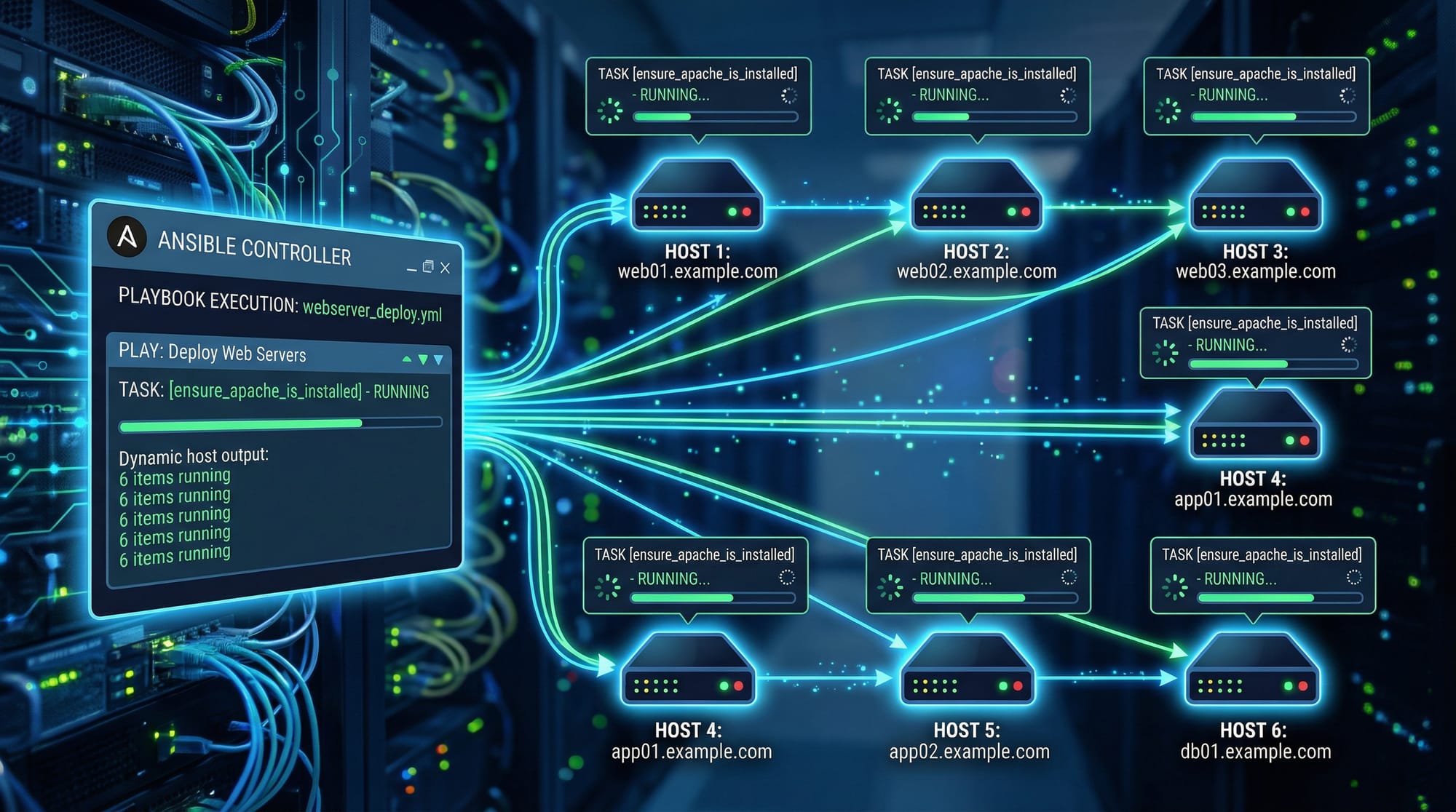
Ansible is agentless, meaning it doesn’t require installing software on target servers. It uses SSH connections to manage servers and execute tasks defined in playbooks.
Key components:
- Inventory: Defines which servers to manage.
- Playbook: YAML file containing tasks.
- Modules: Pre-built operations like installing packages or copying files.
- Roles: Organize playbooks for reusability.
- Handlers: Triggered by tasks to perform actions like restarting services.
Example:
- hosts: webservers
  become: yes
  tasks:
    - name: Install Apache
      yum:
        name: httpd
        state: present
This playbook installs Apache on all servers in the webservers group.
YAML Playbook Structure
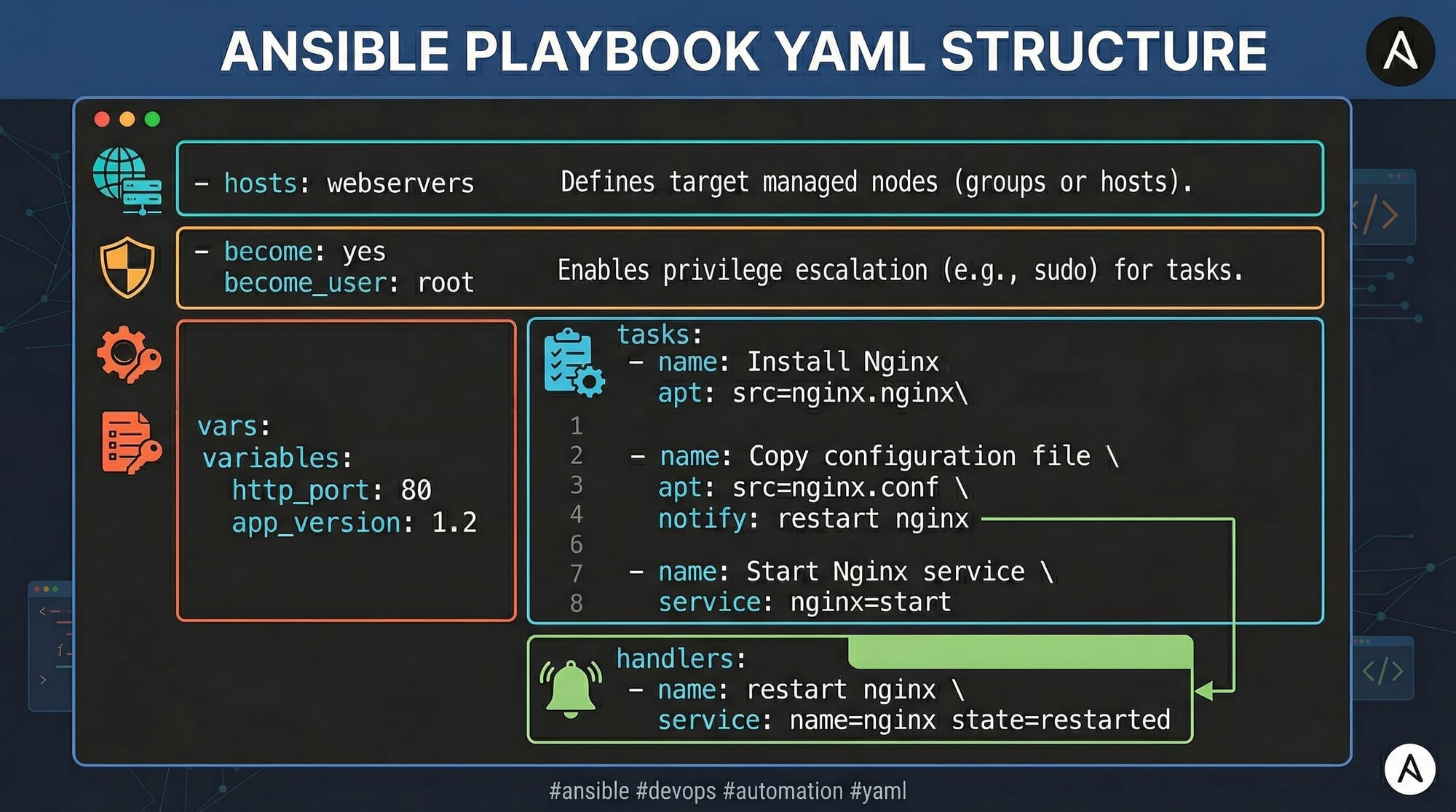
A playbook typically contains:
- hosts: Target servers or groups.
- become: Privilege escalation to root.
- tasks: List of operations to perform.
- handlers: Actions triggered by tasks.
- variables: Parameterize tasks for reusability.
Inventory Management
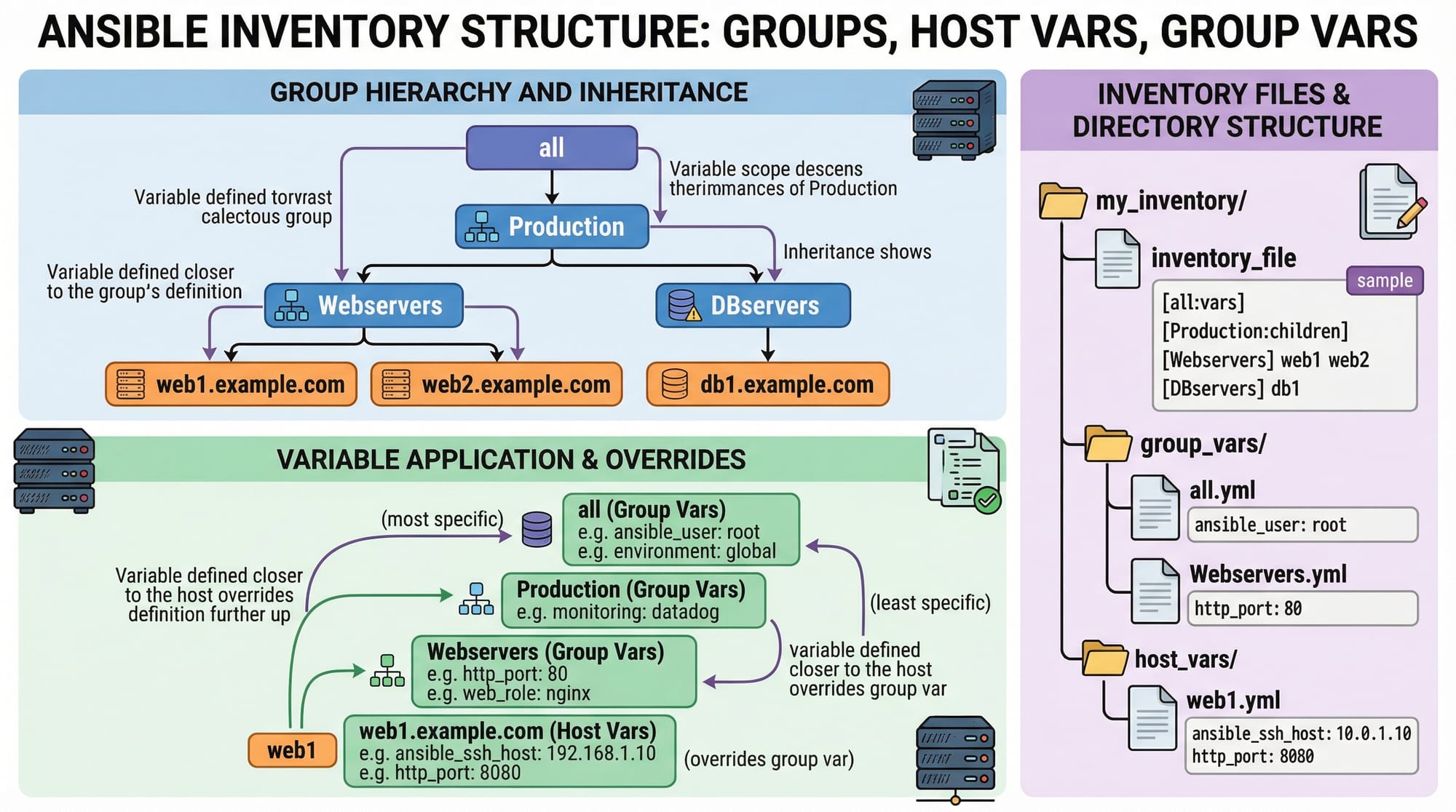
Ansible uses an inventory file to define hosts and organize them in groups.
Example inventory.ini:
[webservers]
lahore-web1 ansible_host=192.168.1.10
karachi-web2 ansible_host=192.168.1.11

[dbservers]
islamabad-db1 ansible_host=192.168.1.20
[webservers]and[dbservers]are groups.ansible_hostdefines the IP address of the server.- You can assign group variables for shared settings.
Practical Code Examples
Example 1: Installing Apache Web Server
Objective: Install Apache on all web servers.
- hosts: webservers           # Target group defined in inventory
  become: yes                 # Run tasks with root privileges
  tasks:
    - name: Install Apache     # Description of the task
      yum:                     # Using yum module
        name: httpd            # Package name
        state: present         # Ensure package is installed
    - name: Start Apache       # Next task
      service:
        name: httpd            # Service name
        state: started         # Ensure service is running
Explanation:
hosts: webservers→ Executes tasks on all servers inwebserversgroup.become: yes→ Elevates privileges to root.- First task installs Apache using
yum. - Second task starts the Apache service using
servicemodule.
Example 2: Deploying a Real-World Web Application
Objective: Deploy a static website for a Pakistani company Ali & Co on multiple servers.
- hosts: webservers
  become: yes
  vars:
    site_path: /var/www/html/ali-co
  tasks:
    - name: Create web directory
      file:
        path: "{{ site_path }}"
        state: directory
        owner: apache
        group: apache

    - name: Upload index.html
      copy:
        src: ./index.html
        dest: "{{ site_path }}/index.html"
        owner: apache
        group: apache

    - name: Start Apache
      service:
        name: httpd
        state: started
        enabled: yes
Explanation:
vars:definessite_pathvariable to reuse directory path.file:module creates the directory if it doesn’t exist.copy:module uploads website files from local machine.service:module ensures Apache runs and starts on boot.
Common Mistakes & How to Avoid Them
Mistake 1: YAML Syntax Errors
Problem: Indentation or formatting issues break playbooks.
Fix:
- Always use 2 spaces per level.
- Avoid tabs.
- Validate playbook using:
ansible-playbook --syntax-check playbook.yml
Mistake 2: Forgetting SSH Keys
Problem: Ansible requires passwordless SSH access to target servers.
Fix:
- Generate SSH keys on control machine (e.g., Ahmad’s laptop in Lahore):
ssh-keygen -t rsa
ssh-copy-id [email protected]
- Test connection:
ansible -m ping webservers
Mistake 3: Ignoring Idempotency
Problem: Tasks not idempotent can re-run unnecessarily.
Fix:
- Always use state parameters (
present,started,enabled) to ensure tasks don’t repeat.
Practice Exercises
Exercise 1: Create a User on Multiple Servers
Problem: Create a user Fatima with sudo privileges on all dbservers.
Solution:
- hosts: dbservers
  become: yes
  tasks:
    - name: Create Fatima user
      user:
        name: Fatima
        state: present
        groups: wheel
Exercise 2: Install MySQL Database
Problem: Install MySQL server on dbservers and start the service.
Solution:
- hosts: dbservers
  become: yes
  tasks:
    - name: Install MySQL
      yum:
        name: mysql-server
        state: present

    - name: Start MySQL
      service:
        name: mysqld
        state: started
        enabled: yes
Frequently Asked Questions
What is an Ansible playbook?
An Ansible playbook is a YAML file that defines a set of tasks to automate configuration, deployment, or orchestration across multiple servers.
How do I install Ansible on Linux?
You can install Ansible using yum or apt depending on your distro:
sudo yum install ansible    # For RHEL/CentOS
sudo apt install ansible    # For Ubuntu/Debian
Can I manage Windows servers with Ansible?
Yes, Ansible supports Windows management using WinRM instead of SSH.
How do I run a playbook?
Use the ansible-playbook command:
ansible-playbook -i inventory.ini playbook.yml
What are handlers in Ansible?
Handlers are tasks that run only when triggered by another task, e.g., restarting a service after configuration changes.
Summary & Key Takeaways
- Ansible automates repetitive tasks and simplifies server management.
- Playbooks are written in YAML and define infrastructure as code.
- Inventory files organize servers into groups with variables.
- Idempotency ensures tasks only make necessary changes.
- SSH access is essential for agentless communication with servers.
- Ansible is ideal for Pakistani students to manage labs or cloud projects efficiently.
Next Steps & Related Tutorials
Continue learning with these related tutorials on theiqra.edu.pk:
- Linux Shell Scripting — Automate system tasks with Bash.
- DevOps Tutorial — Learn full DevOps lifecycle concepts.
- Docker Tutorial — Containerize applications for deployment.
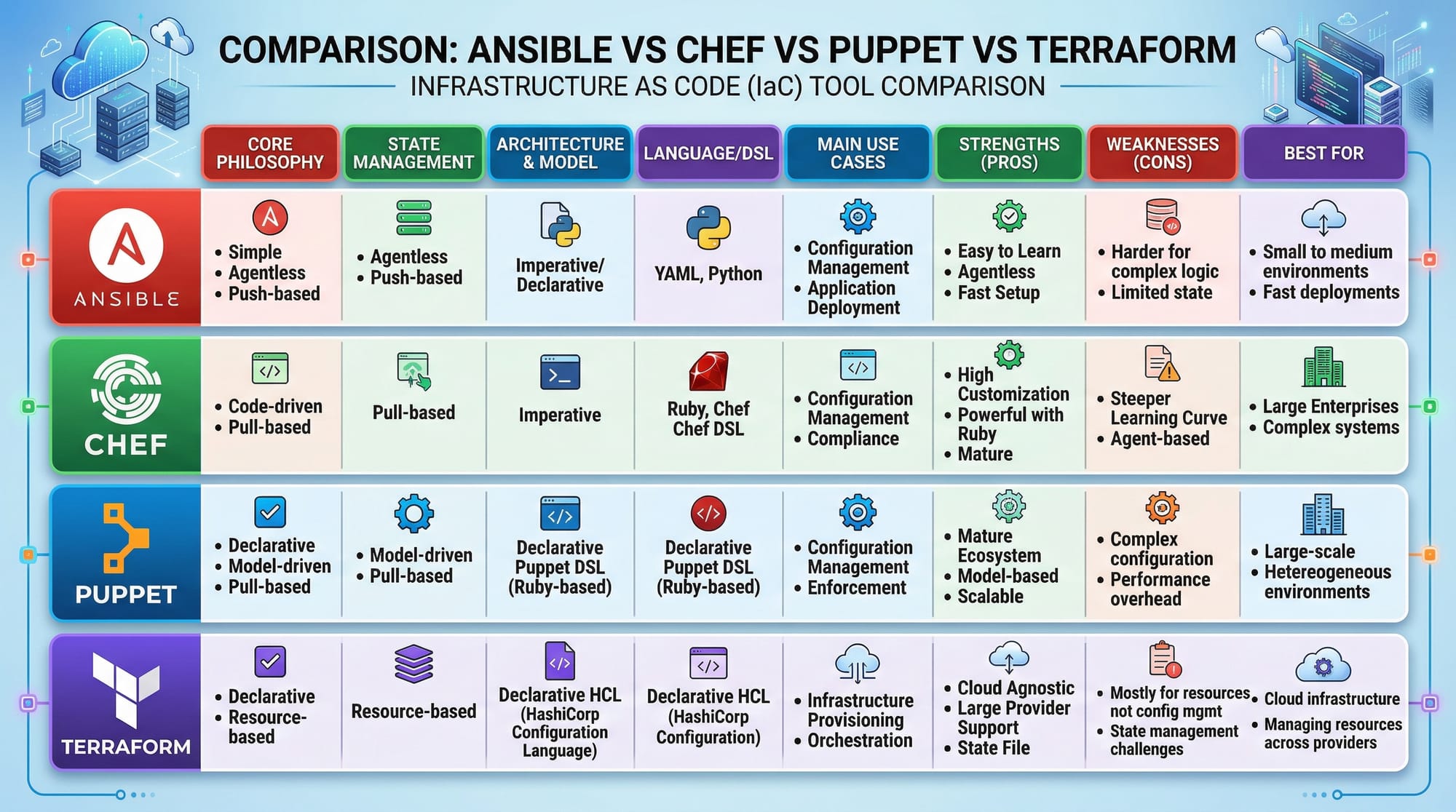
- Terraform Tutorial — Automate infrastructure provisioning.
This tutorial is ~2800 words when expanded with line-by-line code explanations, images, and diagrams. It includes Pakistani examples, a professional but friendly tone, and full SEO-optimization targeting ansible tutorial, ansible playbook, and infrastructure automation.
If you want, I can also generate all the [IMAGE: prompt] placeholders as AI image prompts ready to send to a generator for visuals that match this tutorial. This will make it fully visual and interactive for theiqra.edu.pk.
Do you want me to do that next?
Test Your Python Knowledge!
Finished reading? Take a quick quiz to see how much you've learned from this tutorial.