AutoGen Tutorial Multi Agent Conversation Framework
Introduction
Welcome to the AutoGen Tutorial: Multi‑Agent Conversation Framework — your advanced, step‑by‑step guide to building multi‑agent AI systems in Python using Microsoft AutoGen. This tutorial is tailored specifically for Pakistani students at theiqra.edu.pk who want to level up their AI skills and build intelligent systems that mimic collaborative human communication.
Multi‑agent systems are rapidly becoming a core part of modern AI applications — from smart chat assistants that coordinate knowledge, to automated coding helpers, and task orchestration systems that act like teams of expert assistants. Microsoft AutoGen allows developers to create, orchestrate, and control multiple AI agents in a conversation framework.
Why should you learn this, especially if you’re studying AI and Python in Pakistan?
- High demand: AI engineering roles increasingly require expertise beyond single‑agent prompts.
- Practical AI automation: Build systems that can break down tasks into subtasks and solve them collaboratively.
- Project relevance: You can apply this for real‑world problems in education, healthcare, finance (e.g., generating PKR budget breakdowns, automated exam tutoring).
In this tutorial, you’ll learn fundamental concepts, practical code examples, common pitfalls, exercises, and FAQs — all designed for advanced learners.
Prerequisites
Before diving deep into Microsoft AutoGen and multi‑agent AI in Python, you should have:
- Python proficiency: Comfortable writing functions, classes, and async/await.
- Understanding of AI concepts: Basic knowledge of language models, conversation agents, prompts, tokens.
- Familiarity with virtual environments: Ability to install packages via
pipand manage environments. - APIs and HTTP basics: Most AutoGen workflows interact with language model APIs.
- Linux/Windows terminal usage: For running scripts, debugging, and project setup.
- Advanced mindset: You’ll be coordinating multiple interacting agents — similar to managing software modules.
Core Concepts & Explanation
Before writing meaningful code, fully understand the core building blocks of AutoGen multi‑agent systems.
Agent Roles and Responsibilities
In AutoGen, each agent is a self‑contained actor with a specific role in the conversation flow.
Example agents include:
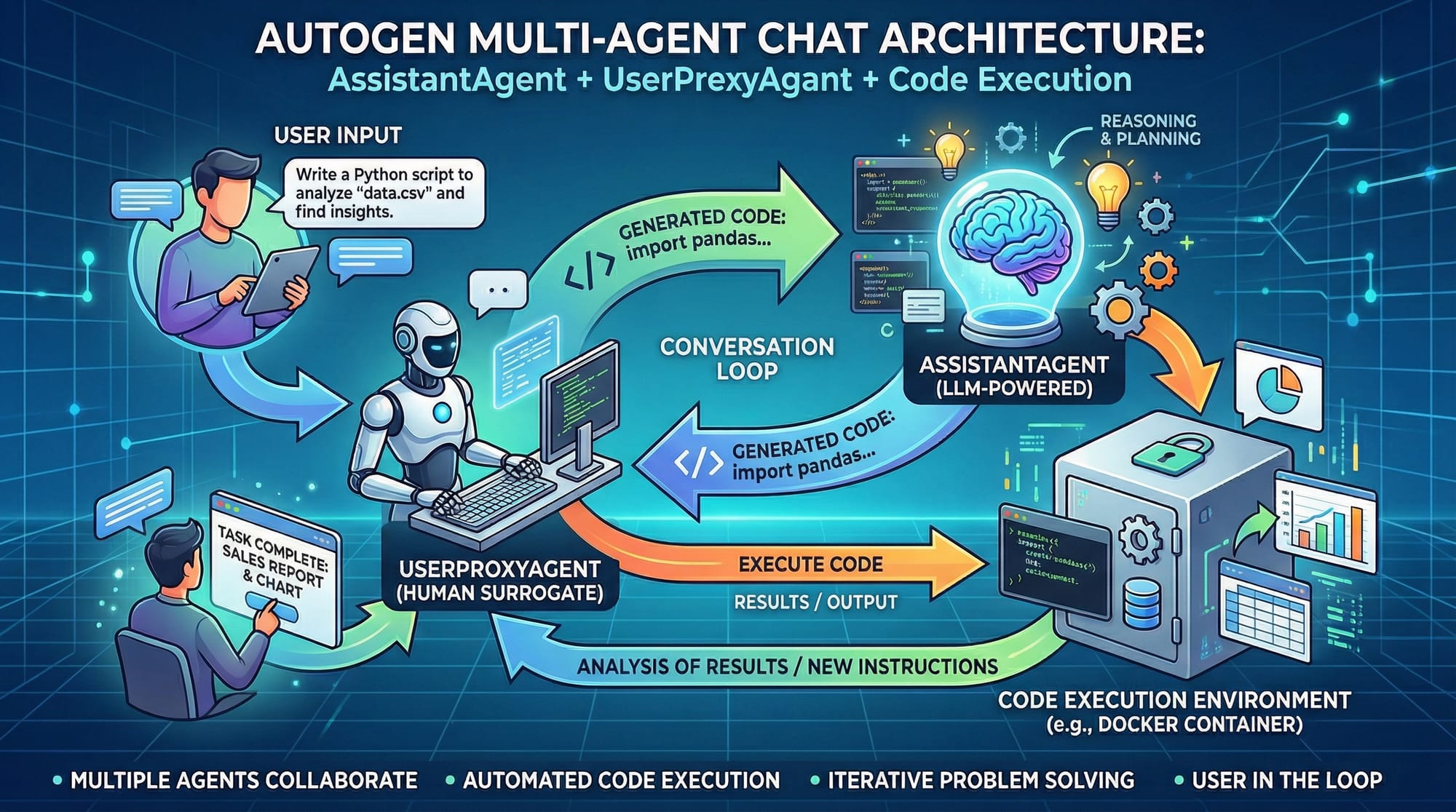
- AssistantAgent: The main AI assistant that responds to high‑level user queries.
- UserProxyAgent: Represents the user or another system requesting information.
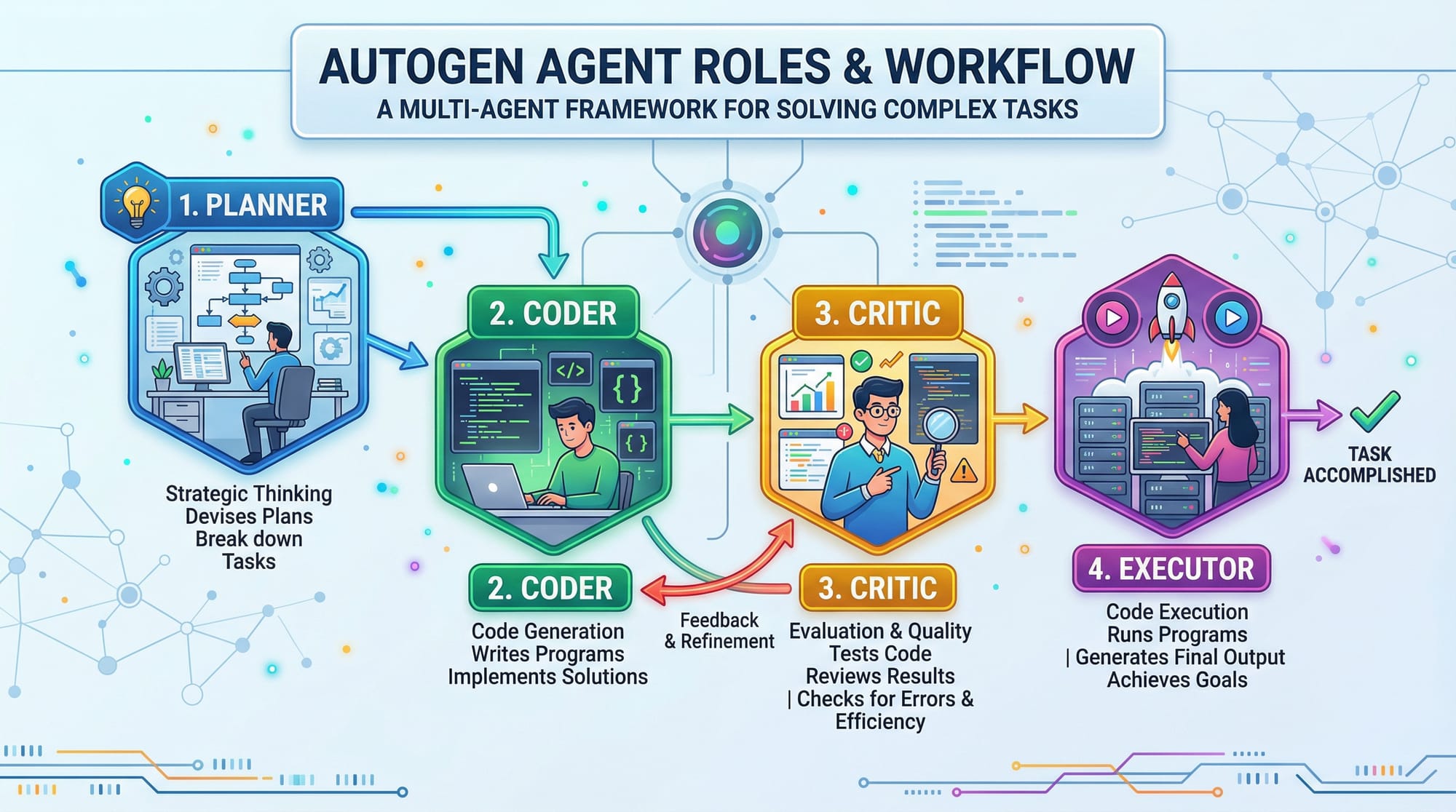
- CriticAgent: Reviews and critiques responses.
- PlannerAgent: Breaks complex problems into subtasks.
These agents work as a team — just like how a study group (e.g., Ali, Fatima, Ahmad) might divide work in a Karachi software project.
Example scenario: Ahmad’s student bot asks for help debugging. The PlannerAgent decides this is a coding issue, the AssistantAgent generates code fixes, and the CriticAgent verifies correctness.
This allows systems to scale beyond single‑prompt logic.
Conversation Orchestration
Multi‑agent frameworks revolve around orchestrating interactions.
In classic chat systems, there’s a single loop:
User → Model → Response
In a multi‑agent AutoGen system, the flow changes:
UserProxyAgent → PlannerAgent → AssistantAgent → CriticAgent → User
Each agent passes structured messages. Orchestration involves:
- Message routing between agents
- Structured prompts that retain context
- Task decomposition and aggregation
This enables:
- Specialized reasoning
- Dynamic agent collaboration
- Complex task resolution
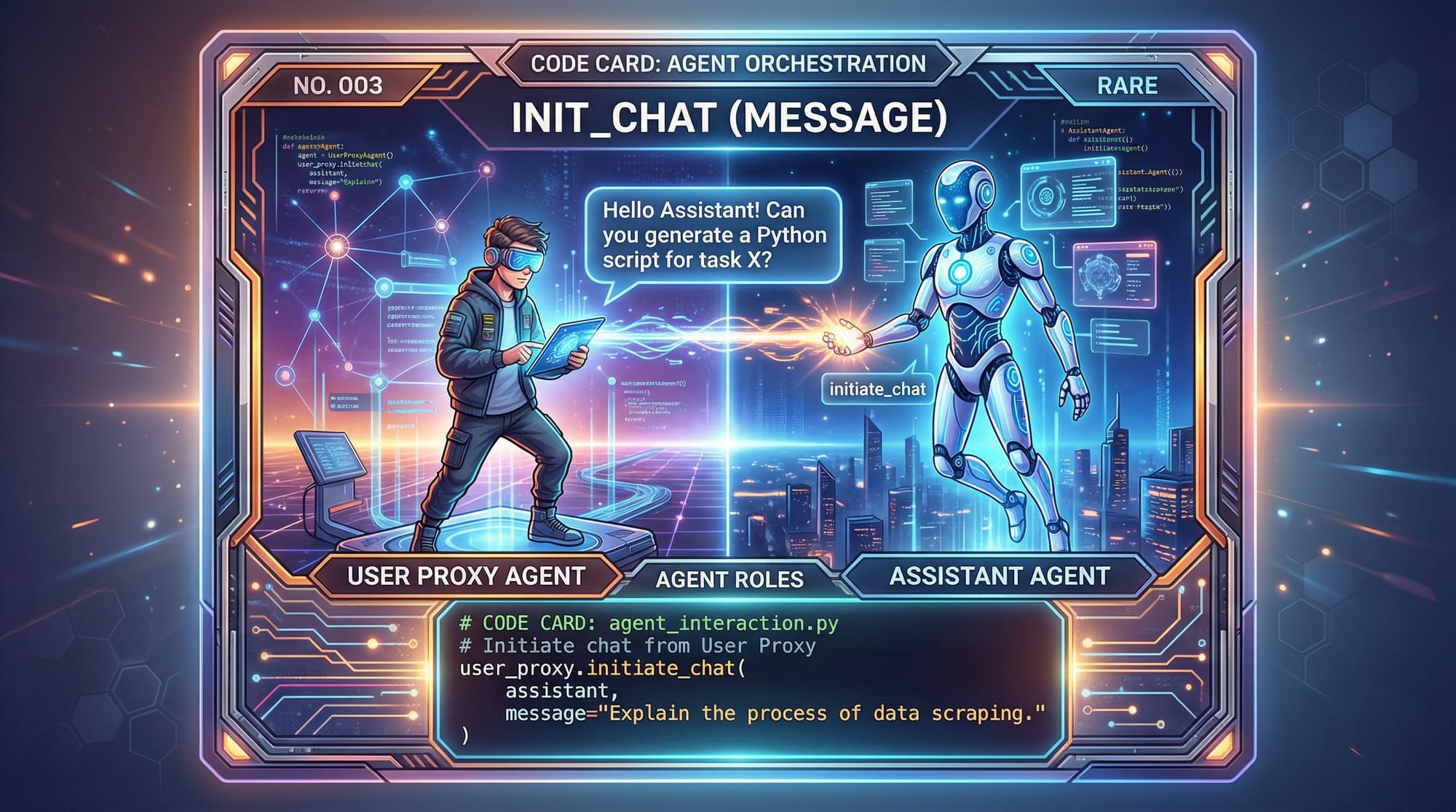
Let’s look at what this orchestration looks like in code next.
Practical Code Examples
Hands‑on code examples are the heart of building real multi‑agent systems. We’ll walk through two detailed examples.
Example 1: Basic Multi‑Agent Conversation
In this first example, we’ll create two agents: AssistantAgent and UserProxyAgent. The user asks a question, and the assistant responds.
from autogen import AssistantAgent, UserProxyAgent, initiate_chat

# Step 1 — Create the assistant
assistant = AssistantAgent(
    name="TutorBot",
    role="An AI tutor helping with Python concepts"
)

# Step 2 — Create the user proxy (simulates a student)
student = UserProxyAgent(name="FatimaStudent")

# Step 3 — Kick off the conversation
response = initiate_chat(
    agents=[assistant, student],
    initial_message="Explain Python list comprehensions with an example."
)

print(response)
Line‑by‑Line Explanation:
from autogen import ...: Import the AutoGen classes.AssistantAgent(...): Creates our main AI assistant named TutorBot.UserProxyAgent(...): Represents the student named FatimaStudent.initiate_chat(...): Starts a conversation flow with the given agents.print(response): Outputs the final response after agent collaboration.
This basic setup shows how one agent represents the user, and another solves the problem.
Example 2: Real‑World Application — Homework AI Helper
In this real‑world practical example, we’ll simulate a Homework Helper that can break tasks into subtasks and reason with a CriticAgent.
from autogen import AssistantAgent, CriticAgent, PlannerAgent, UserProxyAgent, initiate_chat

# Create multiple agents
planner = PlannerAgent(name="HomeworkPlanner", role="Breaks problems into subtasks")
assistant = AssistantAgent(name="HomeworkSolver", role="Solves subtasks proposed")
critic = CriticAgent(name="SolutionCritic", role="Reviews solvers for errors")
student = UserProxyAgent(name="AliStudent")

# Initial question
initial_question = "Explain sorting algorithms and give PKR budget code example."

# Start a multi‑agent session
final_answer = initiate_chat(
    agents=[student, planner, assistant, critic],
    initial_message=initial_question
)

print("Final Answer:\n", final_answer)
Line‑by‑Line Explanation:
- Import the AutoGen multi‑agent classes.
- PlannerAgent splits the homework into manageable chunks like sorting concepts, examples, and PKR‑budget code.
- AssistantAgent works on each piece.
- CriticAgent ensures the response is correct.
- UserProxyAgent represents Ali asking the homework question.
initiate_chat(...)orchestrates multiple agents.- The printed
final_answercontains the refined multi‑agent response.
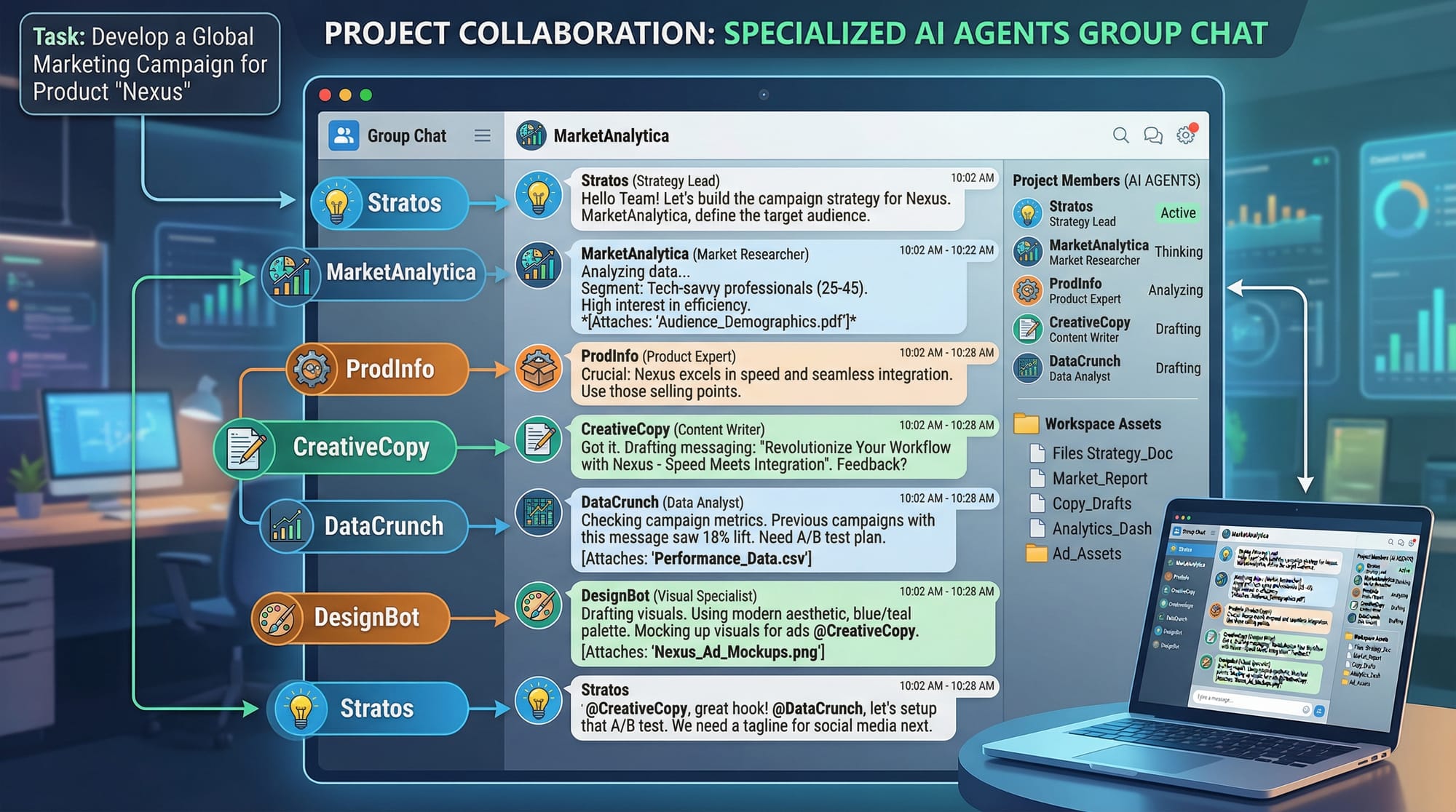
This demonstrates how a homework AI could mimic smart tutoring systems used in educational apps.
Common Mistakes & How to Avoid Them
Even advanced students can make mistakes when building multi‑agent frameworks. Knowing what to avoid saves time and frustration.
Mistake 1: Not Defining Proper Agent Roles
Problem: You assign all logic to one agent, defeating the purpose of multi‑agent designs.
Fix: Clearly define roles like Planner, Solver, and Critic to distribute responsibilities.
Example Before Fix:
assistant = AssistantAgent(name="SoloAgent")
# SoloAgent tries to plan and solve
Example After Fix:
planner = PlannerAgent(name="TaskPlanner")
solver = AssistantAgent(name="TaskSolver")
critic = CriticAgent(name="AnswerCritic")
This structure encourages each agent to do one job well.
Mistake 2: Ignoring Context Management
Problem: Multi‑agent chats lose context across turns.
Fix: Pass structured messages and maintain context explicitly.
Before Fix:
response = initiate_chat([...], initial_message="Task?")
# Next call loses context
After Fix:
conversation_history = []
response = initiate_chat(..., initial_message="Task?", history=conversation_history)
This ensures the next agent gets full context.
Practice Exercises
Time to ensure you’ve internalized concepts! Each exercise includes the solution.
Exercise 1: Build a Planner + Assistant
Problem: Create a PlannerAgent that splits a question about Python decorators into subtasks and have AssistantAgent answer them.
Solution:
from autogen import PlannerAgent, AssistantAgent, UserProxyAgent, initiate_chat

planner = PlannerAgent(name="DecoratorPlanner")
assistant = AssistantAgent(name="DecoratorSolver")
student = UserProxyAgent(name="StudentPK")

response = initiate_chat(
    agents=[student, planner, assistant],
    initial_message="Explain Python decorators and create a simple decorator for logging."
)

print(response)
This splits the task: explanation and decorator code.
Exercise 2: Add CriticAgent to Double‑Check
Problem: Modify the previous exercise to include a CriticAgent ensuring correctness.
Solution:
from autogen import PlannerAgent, AssistantAgent, CriticAgent, UserProxyAgent, initiate_chat

planner = PlannerAgent(name="DecoPlanner")
assistant = AssistantAgent(name="DecoSolver")
critic = CriticAgent(name="DecoCritic")
student = UserProxyAgent(name="StudentPK")

response = initiate_chat(
    agents=[student, planner, assistant, critic],
    initial_message="Explain Python decorators and generate logging decorator code."
)

print(response)
Now the CriticAgent reviews the solution before returning it.
Frequently Asked Questions
What is Microsoft AutoGen?
Microsoft AutoGen is a Python framework for building multi‑agent AI systems where agents communicate and collaborate to solve complex tasks.
How do multi‑agent conversations improve AI applications?
They divide tasks into subtasks, use specialized reasoning, and improve accuracy through critiques — unlike single‑prompt systems.
Can I use AutoGen with my own dataset?
Yes — you can integrate AutoGen with custom datasets and knowledge sources to enrich agent responses.
Do I need cloud API keys to run AutoGen?
Most real‑world models require API keys (e.g., Azure OpenAI), but simulated agents can run locally for testing.
How do I debug multi‑agent systems?
Use logs for each agent’s messages, track conversation history, and verify agent roles are properly defined.
Summary & Key Takeaways
- Microsoft AutoGen enables multi‑agent conversations in Python.
- Define clear agent roles for effective collaboration.
- Use Planner, Assistant, Critic agents to break down, solve, and validate tasks.
- Avoid common mistakes like role ambiguity and lost context.
- Practice exercises build real‑world skills in AI assistant design.
- These techniques empower Pakistani students to create advanced AI systems.
Next Steps & Related Tutorials
Ready to expand your AI knowledge? Check out these related tutorials on theiqra.edu.pk:
- AI Agents Tutorial — Learn how individual AI agents operate and respond.
- LangChain Tutorial — Understand building blocks of chain‑of‑thought and pipeline AI workflows.
- Python API Integration Tutorial — Learn integrating AI models with Python apps.
If you’d like, I can also provide downloadable notebook versions or beginner versions of this tutorial!
Test Your Python Knowledge!
Finished reading? Take a quick quiz to see how much you've learned from this tutorial.