Coding with Claude AI Pair Programming & Debugging
Introduction
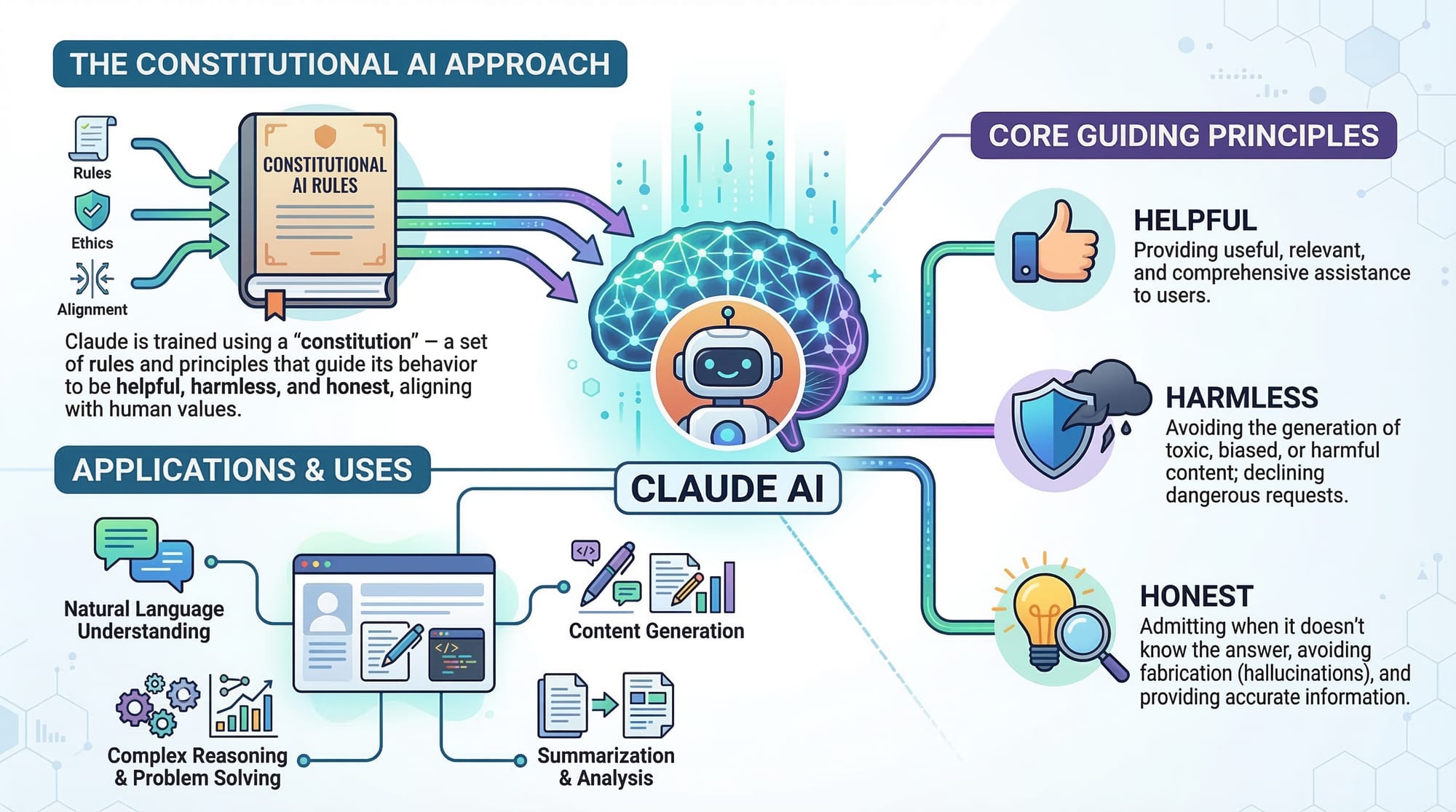
Artificial Intelligence is transforming how software is written, tested, and debugged. One of the most powerful tools available today is Claude AI, developed by Anthropic. Developers around the world are increasingly using claude coding techniques to accelerate development, automate repetitive tasks, and improve code quality.
For Pakistani students studying programming in cities like Lahore, Karachi, and Islamabad, learning AI assisted coding is quickly becoming a valuable skill. Instead of coding completely alone, developers can now collaborate with AI as a pair programming partner that helps generate code, detect bugs, and suggest improvements.
This approach is called AI pair programming. In traditional pair programming, two developers work together on the same codebase. With tools like Claude AI, the AI acts as a smart assistant that can:
- Generate code from natural language prompts
- Explain complex algorithms
- Detect logical errors and bugs
- Suggest performance improvements
- Help debug difficult issues
For example, imagine a student named Ahmad working on a Python assignment at university. Instead of spending hours debugging an error, Ahmad can ask Claude to analyze the code and suggest fixes instantly. Similarly, Fatima building a web application can use Claude to generate API logic or database queries.
In this advanced tutorial, you will learn how to use Claude AI for coding, perform AI pair programming, and apply Claude debugging techniques to real-world programming tasks.
Prerequisites
Before learning coding with Claude AI, students should already have a basic understanding of programming and software development concepts.
The following knowledge will help you get the most out of this tutorial:
- Basic programming knowledge (Python, JavaScript, or similar language)
- Understanding of variables, loops, and functions
- Basic debugging experience
- Familiarity with command-line tools or code editors
- Understanding of APIs and basic web development concepts
Recommended tools:
- A code editor such as Visual Studio Code
- Access to Claude AI
- Python or Node.js installed on your system
Although Claude can help beginners, this tutorial focuses on advanced usage, including debugging strategies and professional development workflows.
Core Concepts & Explanation
AI Pair Programming
AI pair programming means collaborating with an AI model during software development.
Instead of writing every line manually, developers can ask Claude to:
- Generate code snippets
- Review existing code
- Suggest optimizations
- Identify bugs
Example prompt:
Write a Python function to calculate the average marks of students in a class.
Claude may generate something like:
def calculate_average(marks):
    return sum(marks) / len(marks)
The developer then reviews, tests, and integrates the code.
This process dramatically increases productivity.
Benefits include:
- Faster development
- Reduced debugging time
- Learning new programming techniques
- Understanding best practices
For Pakistani students working on university projects, this approach can significantly reduce development time.
Code Generation with Claude
One of the most powerful capabilities of claude coding is natural language code generation.
Instead of writing code manually, developers can describe the problem.
Example prompt:
"Create a Python program that converts PKR to USD using an exchange rate."
Claude might generate:
def convert_pkr_to_usd(pkr_amount, rate):
    usd = pkr_amount / rate
    return usd
This code performs a simple currency conversion.
But the real power appears when generating larger code structures, such as:
- API handlers
- database queries
- automation scripts
- data analysis pipelines
Claude can also generate:
- comments
- documentation
- unit tests
- error handling
This dramatically reduces development effort.
Debugging with Claude AI
Debugging is one of the most time-consuming parts of programming.
Claude can analyze error messages and help identify the root cause.
Example prompt:
"Why is this Python code giving a ZeroDivisionError?"
Claude analyzes the code and explains the issue.
Typical debugging tasks Claude helps with:
- Syntax errors
- logical bugs
- incorrect algorithm implementations
- performance issues
Instead of searching through dozens of StackOverflow posts, students can directly interact with the AI.
Practical Code Examples
Example 1: AI Pair Programming — Student Grade Calculator
Suppose Ali is building a student grade calculator for his university project.
Claude generates the following Python program.
def calculate_grade(marks):
    average = sum(marks) / len(marks)

    if average >= 85:
        grade = "A"
    elif average >= 70:
        grade = "B"
    elif average >= 50:
        grade = "C"
    else:
        grade = "Fail"

    return grade
Line-by-line explanation:
def calculate_grade(marks):
Defines a function named calculate_grade that accepts a list of marks.
average = sum(marks) / len(marks)
Calculates the average of the marks by dividing the total marks by the number of subjects.
if average >= 85:
Checks if the average score is 85 or higher.
grade = "A"
Assigns grade A for high performance.
elif average >= 70:
If the average is between 70 and 84.
grade = "B"
Assigns grade B.
elif average >= 50:
If the average is between 50 and 69.
grade = "C"
Assigns grade C.
else:
If the score is below 50.
grade = "Fail"
Marks the student as failed.
return grade
Returns the final grade.
Students can then ask Claude to:
- add input validation
- convert it to a web API
- create a web interface
This demonstrates the power of AI assisted coding.
Example 2: Real-World Application — Expense Tracker for Pakistani Students
Let’s build a simple expense tracker for a student living in Lahore.
expenses = []

def add_expense(description, amount):
    expense = {"description": description, "amount": amount}
    expenses.append(expense)

def calculate_total():
    total = 0
    for item in expenses:
        total += item["amount"]
    return total

add_expense("Lunch", 350)
add_expense("Bus Fare", 120)
add_expense("Books", 1500)

print("Total Expenses (PKR):", calculate_total())
Line-by-line explanation:
expenses = []
Creates an empty list to store expense records.
def add_expense(description, amount):
Defines a function to add new expenses.
expense = {"description": description, "amount": amount}
Creates a dictionary containing expense details.
expenses.append(expense)
Adds the expense to the list.
def calculate_total():
Defines a function to calculate total expenses.
total = 0
Initializes the total variable.
for item in expenses:
Loops through all expenses.
total += item["amount"]
Adds each expense amount to the total.
return total
Returns the final expense total.
print("Total Expenses (PKR):", calculate_total())
Displays the total cost in Pakistani Rupees.
Students can then ask Claude to:
- convert it into a web app
- store data in a database
- generate a mobile interface
Common Mistakes & How to Avoid Them
Mistake 1: Blindly Trusting AI Code
Many beginners copy AI-generated code without understanding it.
This can lead to security vulnerabilities or logical errors.
Example bad practice:
Copy code → run it → deploy it
Better approach:
- Read the generated code
- Understand each function
- Test edge cases
- Review logic
Claude should be treated as a coding assistant, not a replacement for developers.
Mistake 2: Poor Prompting
If prompts are unclear, Claude may generate incorrect code.
Bad prompt:
Write a program for students
Good prompt:
Write a Python program that calculates the average marks of 5 subjects and outputs the final grade.
Clear prompts produce better results.
Tips:
- Specify programming language
- Describe inputs and outputs
- Include constraints
- Provide example data
Practice Exercises
Exercise 1: Build a Student Fee Calculator
Problem:
Create a Python function that calculates the total tuition fee for a student.
Base fee: PKR 50,000
Lab fee: PKR 5,000
Library fee: PKR 2,000
Solution:
def calculate_fee(base_fee, lab_fee, library_fee):
    total = base_fee + lab_fee + library_fee
    return total

print("Total Fee:", calculate_fee(50000, 5000, 2000))
Explanation:
def calculate_fee(base_fee, lab_fee, library_fee):
Defines a function with three parameters.
total = base_fee + lab_fee + library_fee
Adds all fee components.
return total
Returns the total fee.
print("Total Fee:", calculate_fee(50000, 5000, 2000))
Displays the final amount.
Exercise 2: Debug a Broken Program
Problem:
The following code contains a bug.
numbers = [10, 20, 30]

average = sum(numbers) / 0

print(average)
Ask Claude to debug it.
Solution:
numbers = [10, 20, 30]

average = sum(numbers) / len(numbers)

print(average)
Explanation:
sum(numbers)
Calculates the total.
len(numbers)
Returns the number of elements.
Dividing by zero causes an error, so the correct divisor is the list length.
Frequently Asked Questions
What is Claude AI coding?
Claude AI coding refers to using Claude AI as a development assistant to generate, analyze, and debug code. Developers can describe problems in natural language and receive working code suggestions.
How do I use Claude for debugging code?
You can paste your code and error message into Claude and ask it to analyze the issue. Claude will identify logical or syntax errors and suggest corrected code.
Is AI pair programming better than traditional coding?
AI pair programming significantly improves productivity and learning speed. However, developers must still understand programming fundamentals and verify the AI-generated code.
Can Claude generate full applications?
Yes. Claude can generate complete application structures including backend APIs, frontend components, and database queries. Developers typically refine and customize the generated code.
Is AI assisted coding safe for production?
AI-generated code should always be reviewed, tested, and validated before production use. Security and performance checks remain the developer's responsibility.
Summary & Key Takeaways
- Claude AI enables powerful AI pair programming workflows
- Developers can use Claude for code generation, debugging, and optimization
- AI assisted coding significantly increases development productivity
- Clear prompts produce better and more accurate code
- AI-generated code should always be reviewed and tested
- Learning Claude coding gives Pakistani students a strong advantage in modern software development
Next Steps & Related Tutorials
If you want to deepen your knowledge, explore these tutorials on theiqra.edu.pk:
- Learn the fundamentals in "Getting Started with Claude AI for Beginners"
- Understand prompt strategies in "Prompt Engineering for AI Coding Assistants"
- Build intelligent applications with "Creating AI-Powered Web Apps with Python"
- Compare tools in "Claude vs ChatGPT for Developers"
By mastering Claude AI coding techniques, Pakistani students can build modern software faster, debug more efficiently, and prepare for the future of AI-driven development. 🚀
Test Your Python Knowledge!
Finished reading? Take a quick quiz to see how much you've learned from this tutorial.