CSS Variables Custom Properties & Preprocessing
Introduction
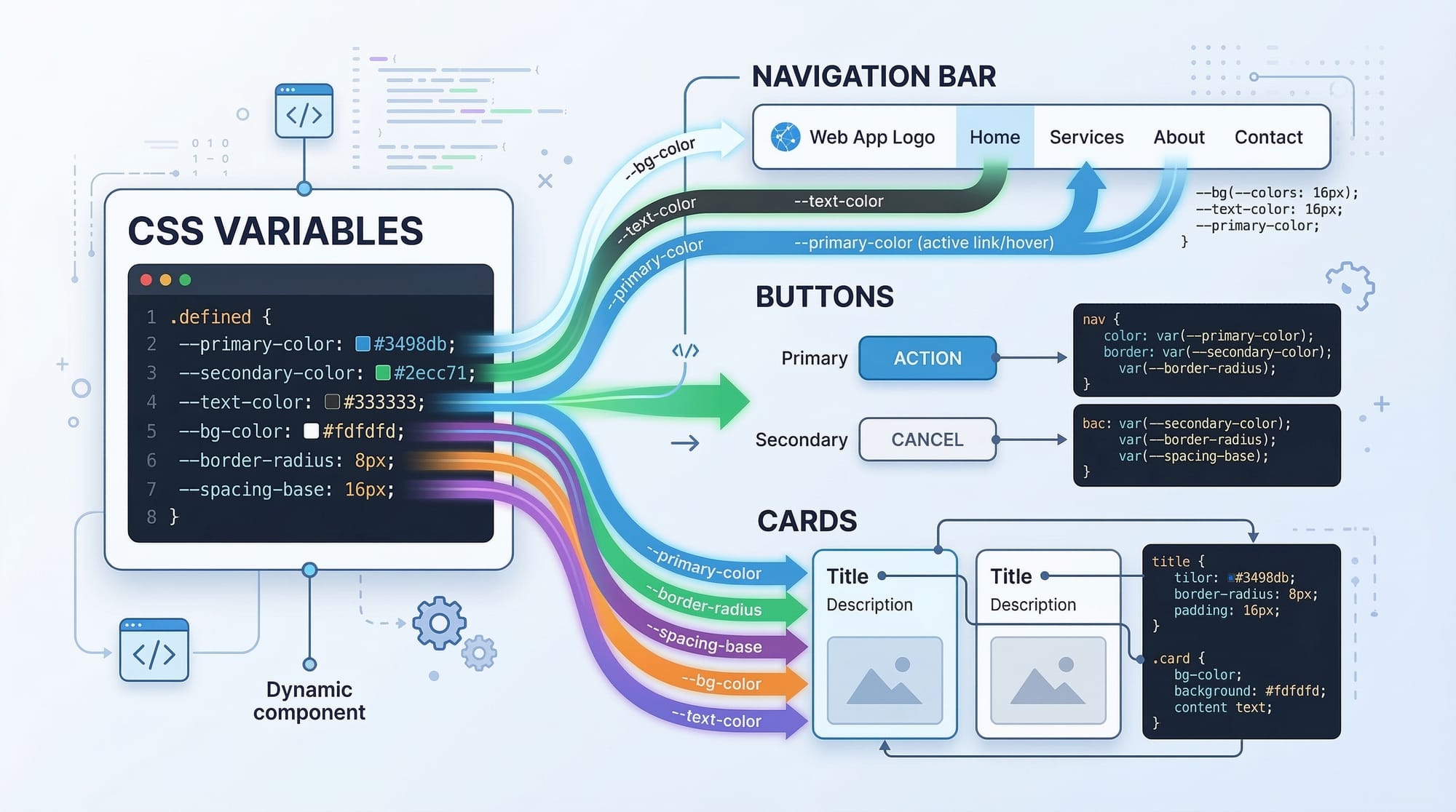
Modern websites require consistent design, reusable styles, and easier maintenance. As projects grow larger, managing CSS becomes challenging. This is where CSS Variables (Custom Properties) and CSS preprocessing techniques become extremely valuable.
CSS variables, also known as custom properties, allow developers to store reusable values (like colors, spacing, and fonts) inside variables and reuse them throughout the stylesheet. Instead of repeating the same color or size multiple times, developers can define it once and reference it anywhere.
For example, if Ahmad is designing a university portal for students in Lahore, he may use the same brand color across navigation menus, buttons, and headings. With CSS custom properties, he can define the color once and use it everywhere.
Similarly, CSS preprocessing refers to tools that extend standard CSS by adding features like variables, nesting, functions, and modular styles. Popular preprocessors such as Sass or Less allow developers to write cleaner and more maintainable stylesheets that compile into regular CSS.
For Pakistani students learning web development, mastering css variables, custom properties, and preprocessing css is important because:
- Modern frameworks rely heavily on variables
- It improves maintainability in large projects
- It enables theme switching and dynamic design
- It prepares students for professional front-end development.
By the end of this tutorial, you will understand how CSS variables work, how to use them efficiently, and how preprocessing improves large CSS projects.
Prerequisites
Before starting this advanced tutorial, you should already understand the following concepts:
- Basic HTML structure (tags like
<div>,<section>,<header>) - Basic CSS syntax (selectors, properties, and values)
- Understanding of CSS selectors and specificity
- Familiarity with CSS layout techniques like Flexbox or Grid
- Basic understanding of responsive design
If you are new to these topics, it is recommended to first read tutorials like:
- CSS Selectors & Styling
- CSS Flexbox Layout
- CSS Grid Layout
- Responsive Web Design
These topics will make learning CSS custom properties and preprocessing CSS much easier.
Core Concepts & Explanation
Understanding CSS Variables (Custom Properties)
A CSS variable is a reusable value stored inside a custom property. These values can be reused across your stylesheet.
CSS variables are declared using two hyphens (--).
Example:
:root {
  --main-color: #2c7be5;
}
Explanation line-by-line:
:root
This selector targets the highest-level element in the document (similar to<html>). It is commonly used for global variables.--main-color
This defines a custom property namedmain-color.#2c7be5
This is the value assigned to the variable (a blue color).
To use the variable:
button {
  background-color: var(--main-color);
}
Explanation:
button
Targets all button elements.background-color
Sets the button background color.var(--main-color)
Retrieves the value stored in the CSS variable.
This means if Fatima later decides to change the theme color for her Karachi startup website, she only needs to change the value once.
Variable Scope and Inheritance
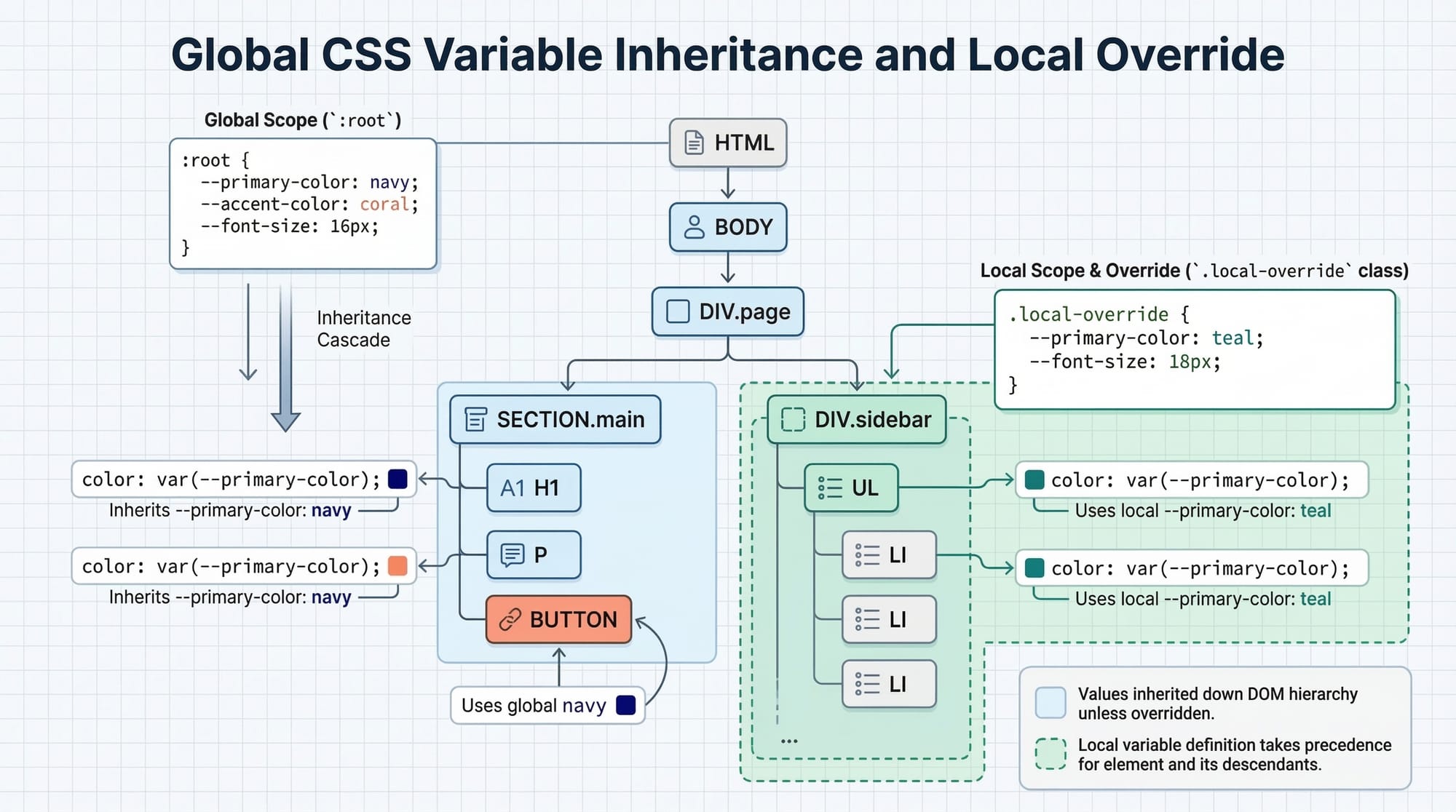
CSS variables follow scope rules, similar to programming languages.
Variables can be defined:
- Globally
- Locally within elements
Example:
:root {
  --primary-color: green;
}

.card {
  --primary-color: red;
  color: var(--primary-color);
}
Explanation line-by-line:
:root
Defines a global variable.--primary-color: green
Global color value..card
Targets card components.--primary-color: red
Local variable overrides the global value.color: var(--primary-color)
Uses the closest variable in scope.
Result: text inside .card becomes red, not green.
This behavior allows developers to create component-level styling.
What is CSS Preprocessing?
CSS preprocessing means writing CSS using an enhanced syntax that is later compiled into standard CSS.
Popular preprocessors include:
- Sass
- Less
- Stylus
These tools introduce powerful features such as:
- Variables
- Nesting
- Mixins
- Functions
- Modular CSS files
Example using Sass variables:
$primary-color: #007bff;

button {
  background-color: $primary-color;
}
Explanation:
$primary-color
Sass variable syntax.button
Defines button styles.background-color: $primary-color
Uses the variable value.
After compilation, this becomes standard CSS.
CSS Variables vs Preprocessor Variables
Although they appear similar, they behave differently.
| Feature | CSS Variables | Preprocessor Variables |
|---|---|---|
| Runs in browser | Yes | No |
| Dynamic updates | Yes | No |
| Requires compilation | No | Yes |
| Supports runtime changes | Yes | No |
For example, JavaScript can dynamically modify CSS variables, but not Sass variables.
Practical Code Examples
Example 1: Theme Color System Using CSS Variables
Let’s create a theme system for a university portal in Islamabad.
:root {
  --primary-color: #0066cc;
  --secondary-color: #f4f4f4;
  --text-color: #333;
}

body {
  background-color: var(--secondary-color);
  color: var(--text-color);
}

button {
  background-color: var(--primary-color);
  color: white;
}
Explanation line-by-line:
:root
Defines global CSS variables.--primary-color
Main theme color.--secondary-color
Background color.--text-color
Default text color.body {}
Styles the entire page.background-color: var(--secondary-color)
Uses variable for background.color: var(--text-color)
Applies text color variable.button {}
Targets buttons.background-color: var(--primary-color)
Uses primary theme color.
This ensures consistent styling across the entire website.
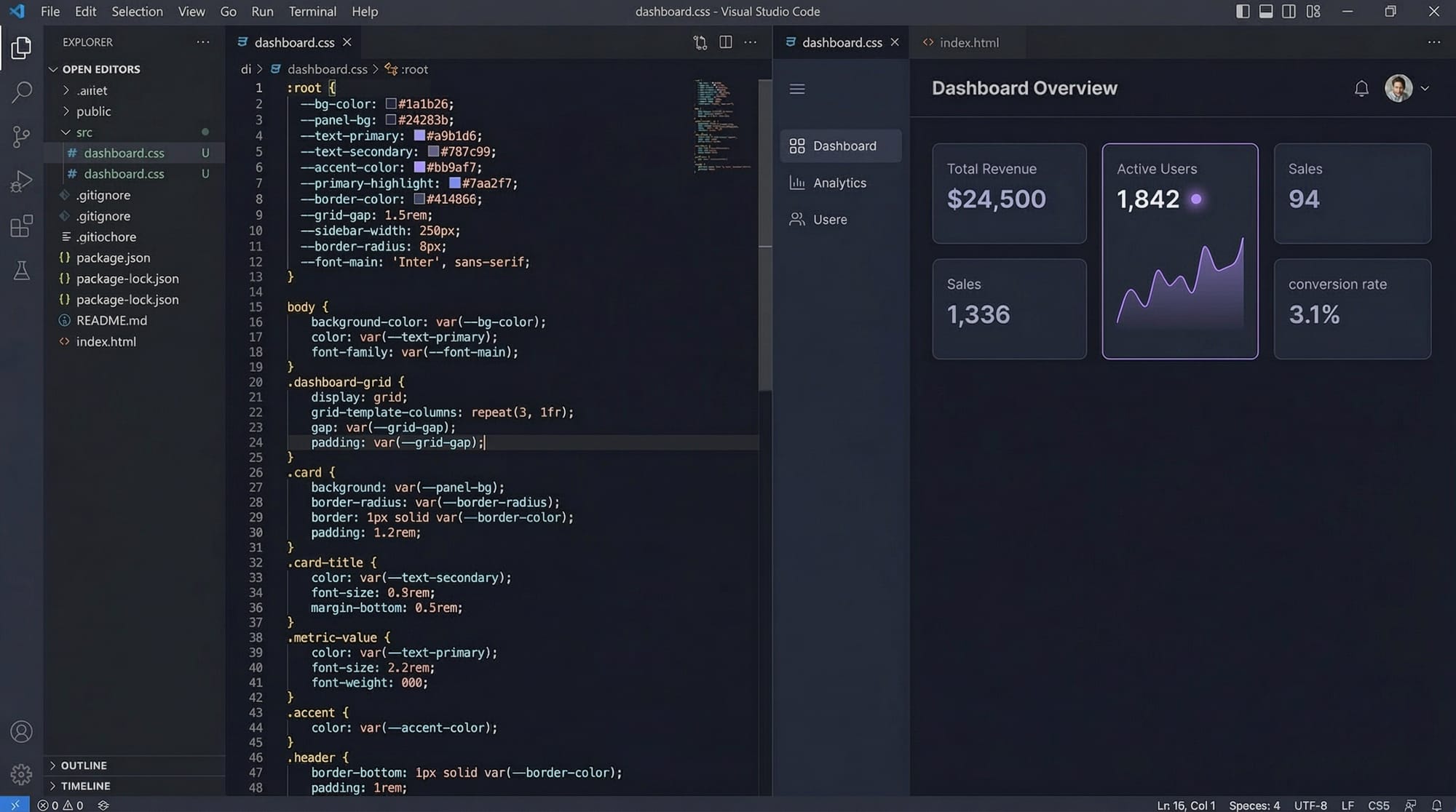
Example 2: Real-World Application — Student Dashboard
Ali is building a student dashboard for a course platform where students pay fees in PKR.
:root {
  --success-color: #28a745;
  --warning-color: #ffc107;
  --danger-color: #dc3545;
}

.status-paid {
  background-color: var(--success-color);
}

.status-pending {
  background-color: var(--warning-color);
}

.status-overdue {
  background-color: var(--danger-color);
}
Explanation line-by-line:
:root
Global variables container.--success-color
Green color for paid status.--warning-color
Yellow for pending payments.--danger-color
Red for overdue payments..status-paid
Class applied when fees are paid.background-color: var(--success-color)
Shows green background..status-pending
For pending fees..status-overdue
For overdue fees.
This method keeps styles organized and scalable.
Common Mistakes & How to Avoid Them
Mistake 1: Forgetting var() Function
Incorrect usage:
color: --primary-color;
Why it fails:
CSS variables must be accessed using var().
Correct version:
color: var(--primary-color);
Explanation:
var()tells the browser to retrieve the value of the custom property.
Mistake 2: Declaring Variables in Wrong Scope
Incorrect:
.header {
  --main-color: blue;
}

button {
  color: var(--main-color);
}
Problem:
The variable exists only inside .header.
Fix:
:root {
  --main-color: blue;
}
Explanation:
Placing variables in :root makes them globally accessible.
Practice Exercises
Exercise 1: Create a Theme Variable
Problem:
Create a CSS variable for a university brand color and apply it to headings.
Solution:
:root {
  --brand-color: #0056b3;
}

h1 {
  color: var(--brand-color);
}
Explanation:
--brand-colorstores the theme color.h1applies the variable to headings.
Exercise 2: Payment Status Colors
Problem:
Create variables for paid, pending, and failed payment statuses.
Solution:
:root {
  --paid: green;
  --pending: orange;
  --failed: red;
}

.paid {
  color: var(--paid);
}

.pending {
  color: var(--pending);
}

.failed {
  color: var(--failed);
}
Explanation:
- Each variable represents a payment status.
- Classes apply those colors dynamically.
Frequently Asked Questions
What are CSS variables?
CSS variables, also called custom properties, allow developers to store reusable values in CSS. These values can then be referenced throughout the stylesheet using the var() function.
How do I declare CSS custom properties?
CSS custom properties are declared using two hyphens (--). They are usually placed inside the :root selector so they can be accessed globally across the entire website.
What is preprocessing CSS?
CSS preprocessing refers to using tools like Sass or Less that extend CSS with features such as variables, nesting, and functions. The code is compiled into standard CSS that browsers can understand.
Are CSS variables better than Sass variables?
CSS variables work directly in the browser and can change dynamically using JavaScript. Sass variables exist only during compilation and cannot be modified at runtime.
Can CSS variables be used with JavaScript?
Yes. JavaScript can read and modify CSS variables dynamically using document.documentElement.style.setProperty(). This makes them ideal for features like dark mode toggles or theme switching.
Summary & Key Takeaways
- CSS variables (custom properties) store reusable values inside stylesheets.
- They are declared using
--variable-nameand accessed usingvar(). - Variables can be defined globally using the
:rootselector. - CSS preprocessing tools like Sass extend CSS with advanced features.
- CSS variables support dynamic runtime changes, unlike preprocessor variables.
- Using variables improves maintainability, scalability, and design consistency.
Next Steps & Related Tutorials
To continue improving your CSS skills, explore these related tutorials on theiqra.edu.pk:
- Learn layout techniques in the CSS Flexbox Layout Guide
- Master responsive websites with Responsive Web Design Tutorial
- Build complex layouts with CSS Grid Complete Tutorial
- Improve animations with CSS Animations & Transitions Guide
These tutorials will help you build modern, scalable, and professional web interfaces.
Test Your Python Knowledge!
Finished reading? Take a quick quiz to see how much you've learned from this tutorial.