Express js Web Framework Building REST APIs
Introduction
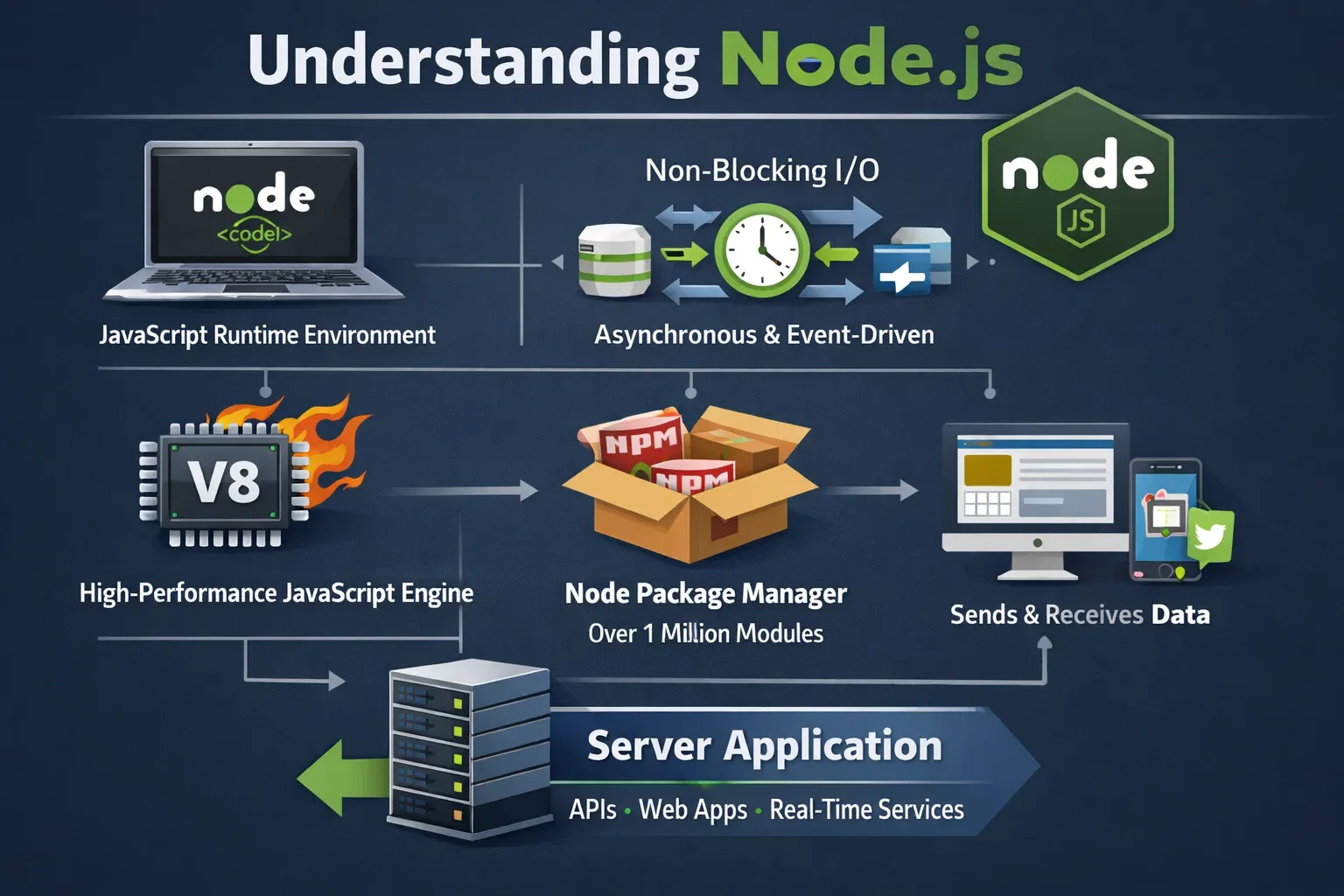
Express.js is one of the most popular web frameworks used with Node.js to build fast and scalable web applications and APIs. It simplifies server-side development by providing a minimal yet powerful structure for building web servers and RESTful services.
For Pakistani students learning backend development, understanding Express.js is extremely valuable. Many startups in cities like Lahore, Karachi, and Islamabad use Node.js with Express to build modern web applications, e-commerce systems, and mobile app backends.
A REST API (Representational State Transfer Application Programming Interface) allows different software systems to communicate over HTTP. For example:
- A React frontend sends requests to an Express backend.
- A mobile app fetches product data from an API.
- A payment system processes transactions.
By learning Express.js, students like Ahmad, Fatima, or Ali can build real-world backend services such as:
- Online course platforms
- E-commerce APIs
- Blog systems
- Mobile application backends
In this tutorial, you will learn how to build a Node.js REST API using Express.js, understand the core concepts, and implement practical examples.
Prerequisites
Before starting this Express.js tutorial, you should already have basic knowledge of the following:
Basic JavaScript Knowledge
You should understand:
- Variables
- Functions
- Objects
- Arrays
- Arrow functions
Node.js Fundamentals
Since Express runs on Node.js, you should know:
- How to install Node.js
- Running JavaScript files with Node
- Using npm packages
Basic Command Line Usage
You should be comfortable using commands like:
node app.js
npm install
Understanding of HTTP Concepts
It helps to know basic HTTP methods:
- GET – Retrieve data
- POST – Create data
- PUT – Update data
- DELETE – Remove data
If you are new to these topics, first read beginner tutorials on Node.js basics and JavaScript fundamentals.
Core Concepts & Explanation
Express Application Setup
An Express application starts by importing the Express module and creating an app instance.
Example:
const express = require("express");
const app = express();

app.listen(3000, () => {
  console.log("Server running on port 3000");
});
Line-by-line explanation:
const express = require("express");
Imports the Express library into your project.const app = express();
Creates an Express application instance.app.listen(3000, () => {...})
Starts the server on port 3000.console.log(...)
Displays a message when the server starts successfully.
When you open:
http://localhost:3000
your Express server will respond to requests.
Routing in Express.js
Routing defines how your application responds to client requests.
Example:
app.get("/", (req, res) => {
  res.send("Welcome to our Express API");
});
Explanation:
app.get()defines a route for GET requests./is the route path.(req, res)represents request and response objects.res.send()sends a response to the client.
For example, Ahmad from Lahore visiting the homepage of a web app will receive the response text.
Middleware in Express.js
Middleware functions run before the final response is sent.
Example:
app.use(express.json());
Explanation:
app.use()registers middleware.express.json()parses JSON request bodies.- This allows APIs to receive data in JSON format.
Example request body:
{
  "name": "Ali",
  "city": "Karachi"
}
Without middleware, Express cannot read JSON data from the request body.
REST API Structure
A typical REST API includes the following operations:
| Method | Purpose | Example |
|---|---|---|
| GET | Retrieve data | Get all students |
| POST | Create data | Add a student |
| PUT | Update data | Update student info |
| DELETE | Remove data | Delete student |
Example routes:
GET /students
POST /students
PUT /students/1
DELETE /students/1
Practical Code Examples
Example 1: Simple Express REST API
Let's build a simple API for managing students.
const express = require("express");
const app = express();

app.use(express.json());

let students = [
  { id: 1, name: "Ahmad", city: "Lahore" },
  { id: 2, name: "Fatima", city: "Karachi" }
];

app.get("/students", (req, res) => {
  res.json(students);
});

app.post("/students", (req, res) => {
  const newStudent = req.body;
  students.push(newStudent);
  res.json(newStudent);
});

app.listen(3000, () => {
  console.log("Server started on port 3000");
});
Line-by-line explanation:
const express = require("express");
Imports the Express library.const app = express();
Creates the Express app.app.use(express.json());
Enables JSON parsing.let students = [...]
Creates an in-memory database of students.app.get("/students"...
Returns all students.res.json(students);
Sends JSON response.app.post("/students"...
Accepts new student data.students.push(newStudent);
Adds the student to the array.app.listen(...)
Starts the server.
Testing with Postman:
GET http://localhost:3000/students
Example 2: Real-World Application
Let's build an online store API for products priced in PKR.
const express = require("express");
const app = express();

app.use(express.json());

let products = [
  { id: 1, name: "Laptop", price: 120000 },
  { id: 2, name: "Mobile Phone", price: 45000 }
];

app.get("/products", (req, res) => {
  res.json(products);
});

app.post("/products", (req, res) => {
  const product = req.body;
  products.push(product);
  res.json(product);
});

app.delete("/products/:id", (req, res) => {
  const id = parseInt(req.params.id);
  products = products.filter(p => p.id !== id);
  res.send("Product deleted");
});

app.listen(3000, () => {
  console.log("API running on port 3000");
});
Explanation:
productsarray stores store items.GET /productsreturns product list.POST /productsadds a new product.DELETE /products/:idremoves a product by ID.req.params.idretrieves the ID from the URL.
Example request:
DELETE /products/1
This deletes product ID 1 from the system.
Common Mistakes & How to Avoid Them
Mistake 1: Forgetting JSON Middleware
Incorrect code:
app.post("/users", (req, res) => {
  console.log(req.body);
});
Problem:
req.body will be undefined.
Fix:
app.use(express.json());
Always add JSON middleware at the top of your Express application.
Mistake 2: Not Handling Errors
Incorrect approach:
app.get("/user/:id", (req, res) => {
  res.send(users[req.params.id]);
});
Problem:
If the user does not exist, the server may crash or return invalid data.
Better solution:
app.get("/user/:id", (req, res) => {
  const user = users.find(u => u.id == req.params.id);

  if (!user) {
    return res.status(404).send("User not found");
  }

  res.json(user);
});
Now the API properly handles missing data.
Practice Exercises
Exercise 1: Create a Student API
Problem:
Create an API with these endpoints:
GET /students
POST /students
Solution:
const express = require("express");
const app = express();

app.use(express.json());

let students = [];

app.get("/students", (req, res) => {
  res.json(students);
});

app.post("/students", (req, res) => {
  students.push(req.body);
  res.json(req.body);
});

app.listen(3000);
Explanation:
- Create Express app.
- Enable JSON middleware.
- Store students in an array.
- Add GET and POST routes.
Exercise 2: Product Delete API
Problem:
Create an endpoint to delete a product by ID.
Solution:
app.delete("/products/:id", (req, res) => {
  const id = parseInt(req.params.id);
  products = products.filter(p => p.id !== id);
  res.send("Deleted");
});
Explanation:
:iddefines a dynamic parameter.req.params.idgets the value.filter()removes the matching product.
Frequently Asked Questions
What is Express.js?
Express.js is a lightweight web framework for Node.js used to build web servers and REST APIs. It simplifies routing, middleware handling, and server setup.
How do I install Express.js?
You can install Express using npm:
npm install express
This command downloads the Express package and adds it to your Node.js project.
What is a REST API?
A REST API is a web service that allows applications to communicate using HTTP methods such as GET, POST, PUT, and DELETE. It is commonly used for mobile apps, websites, and backend services.
Why is Express popular with Node.js?
Express provides a minimal and flexible framework that makes it easier to build APIs and web applications. It reduces boilerplate code while still allowing developers full control.
Can Express.js connect to databases?
Yes. Express can work with databases like MongoDB, MySQL, or PostgreSQL. Most production APIs store data in a database instead of arrays.
Summary & Key Takeaways
- Express.js is the most widely used web framework for Node.js.
- It simplifies creating web servers and REST APIs.
- Routing handles HTTP requests like GET, POST, PUT, and DELETE.
- Middleware processes requests before sending responses.
- Express APIs are widely used in real-world applications like e-commerce and mobile apps.
Next Steps & Related Tutorials
To continue learning backend development, explore these tutorials on theiqra.edu.pk:
- Learn how to build dynamic interfaces with React Components Tutorial
- Understand React State and Props explained for beginners
- Build full applications with React API Integration Tutorial
- Start backend development with Node.js Basics Tutorial
By combining Node.js + Express + React, Pakistani students can build full-stack applications used in real companies and startups.
Test Your Python Knowledge!
Finished reading? Take a quick quiz to see how much you've learned from this tutorial.