Frontend Frameworks 2026 React vs Vue vs Angular vs Svelte
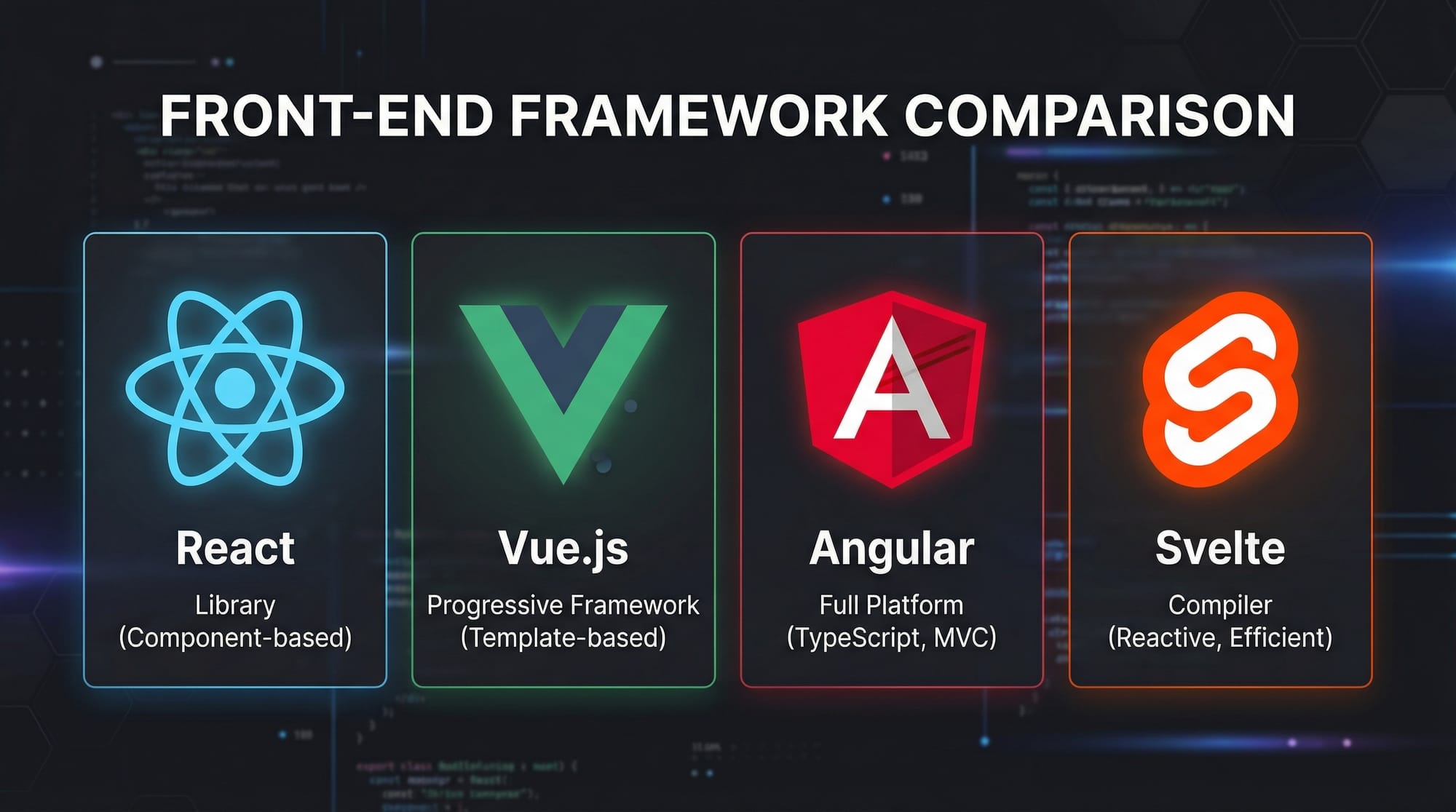
The frontend development landscape is evolving rapidly. As of 2026, frameworks like React, Vue, Angular, and Svelte dominate the ecosystem. Choosing the right framework is crucial for building modern, efficient web applications. Pakistani students, whether from Lahore, Karachi, or Islamabad, can benefit from understanding these tools to improve their web development skills, secure high-paying jobs, and create impactful local projects.
In this tutorial, we’ll compare these frameworks in terms of performance, learning curve, job market, ecosystem, and bundle size, and provide practical examples, common mistakes, and exercises tailored for Pakistani learners.
Prerequisites
Before diving into this tutorial, you should have:
- Basic HTML, CSS, and JavaScript knowledge – Understanding DOM manipulation is crucial.
- Understanding of ES6+ features – Arrow functions, template literals, and modules.
- Familiarity with Node.js and npm – Most frameworks require Node.js for setup and package management.
- Basic understanding of Single Page Applications (SPA) – How client-side routing works.
With these foundations, you’ll be able to follow along with code examples and real-world projects.
Core Concepts & Explanation
To compare React vs Vue vs Angular vs Svelte, we’ll examine key concepts that define each framework.
Component-Based Architecture
All four frameworks use components as the building blocks of an application.
- React: Uses JSX to define components.
- Vue: Uses a template-based syntax with optional JSX.
- Angular: Uses TypeScript and decorators for component classes.
- Svelte: Compiles components into highly efficient JavaScript.
Example (React Component):
// src/components/Greeting.js
import React from 'react';

function Greeting({ name }) {
  return <h1>Hello, {name}!</h1>;
}

export default Greeting;
Explanation:
import React from 'react';– Import the React library.function Greeting({ name }) { ... }– Functional component acceptingprops.<h1>Hello, {name}!</h1>– JSX syntax to render dynamic content.export default Greeting;– Makes this component reusable elsewhere.
Reactivity & State Management
Reactivity defines how changes in data reflect in the UI.
- React: Uses
useStateanduseEffecthooks. - Vue: Uses reactive
dataobjects andcomputedproperties. - Angular: Uses two-way binding via
[(ngModel)]and RxJS observables. - Svelte: Updates the DOM automatically when variables change.
Example (Vue State):
<template>
  <input v-model="name" placeholder="Enter your name" />
  <p>Hello, {{ name }}!</p>
</template>

<script>
export default {
  data() {
    return {
      name: ''
    }
  }
}
</script>
Explanation:
<input v-model="name" />– Two-way binding; updatesnameon input.{{ name }}– Reactive interpolation in template.data()– Returns reactive state object for the component.

Virtual DOM vs Compile-Time Optimization
- React & Vue: Use Virtual DOM for efficient updates.
- Angular: Uses a change detection strategy with zones.
- Svelte: Compiles templates to optimized JavaScript at build time (no Virtual DOM).
This affects performance and bundle size, important for Pakistani students building apps that must load fast over mobile networks.
Practical Code Examples
Example 1: Simple Counter App in Svelte
<script>
  let count = 0;

  function increment() {
    count += 1;
  }
</script>

<button on:click={increment}>
  Clicked {count} times
</button>
Explanation:
let count = 0;– Declares a reactive variable.function increment() { ... }– Updates state.on:click={increment}– Svelte’s event listener syntax.Clicked {count} times– Automatically updates DOM whencountchanges.
Example 2: Real-World Application — Pakistani E-Commerce Product List
// React Example: ProductList.js
import React, { useState, useEffect } from 'react';

function ProductList() {
  const [products, setProducts] = useState([]);

  useEffect(() => {
    fetch('https://api.example.pk/products')
      .then(res => res.json())
      .then(data => setProducts(data));
  }, []);

  return (
    <div>
      {products.map(product => (
        <div key={product.id}>
          <h2>{product.name} - PKR {product.price}</h2>
        </div>
      ))}
    </div>
  );
}

export default ProductList;
Explanation:
useState([])– Initializes state to an empty array.useEffect– Fetches products from a mock Pakistani API.products.map(...)– Renders a list of products with dynamic content.
Common Mistakes & How to Avoid Them
Mistake 1: Improper State Management
Problem: Updating state directly instead of using proper hooks or reactivity.
React Fix Example:
// ❌ Wrong
count += 1;

// ✅ Correct
setCount(prev => prev + 1);
Mistake 2: Ignoring Bundle Size
Problem: Loading entire libraries for small projects.
Solution: Use tree-shaking, lazy loading, and Svelte’s compile-time advantages.
Practice Exercises
Exercise 1: Build a Todo App
Problem: Create a Todo app using Vue where users can add and remove tasks.
Solution:
<template>
  <input v-model="task" placeholder="Add a task" @keyup.enter="addTask"/>
  <ul>
    <li v-for="(item, index) in tasks" :key="index">
      {{ item }}
      <button @click="removeTask(index)">Remove</button>
    </li>
  </ul>
</template>

<script>
export default {
  data() {
    return {
      task: '',
      tasks: []
    }
  },
  methods: {
    addTask() {
      if (this.task.trim() !== '') {
        this.tasks.push(this.task);
        this.task = '';
      }
    },
    removeTask(index) {
      this.tasks.splice(index, 1);
    }
  }
}
</script>
Exercise 2: Build a Currency Converter
Problem: Convert PKR to USD using Svelte.
Solution:
<script>
  let pkr = 0;
  const rate = 0.0055; // Approximate USD conversion

  $: usd = pkr * rate;
</script>

<input type="number" bind:value={pkr} placeholder="Enter PKR" />
<p>{pkr} PKR = {usd.toFixed(2)} USD</p>
Frequently Asked Questions
What is the difference between React and Vue?
React uses JSX and a Virtual DOM, while Vue offers a template-based syntax with reactive data binding. Both are suitable for SPAs, but Vue is often easier for beginners.
How do I choose the right framework?
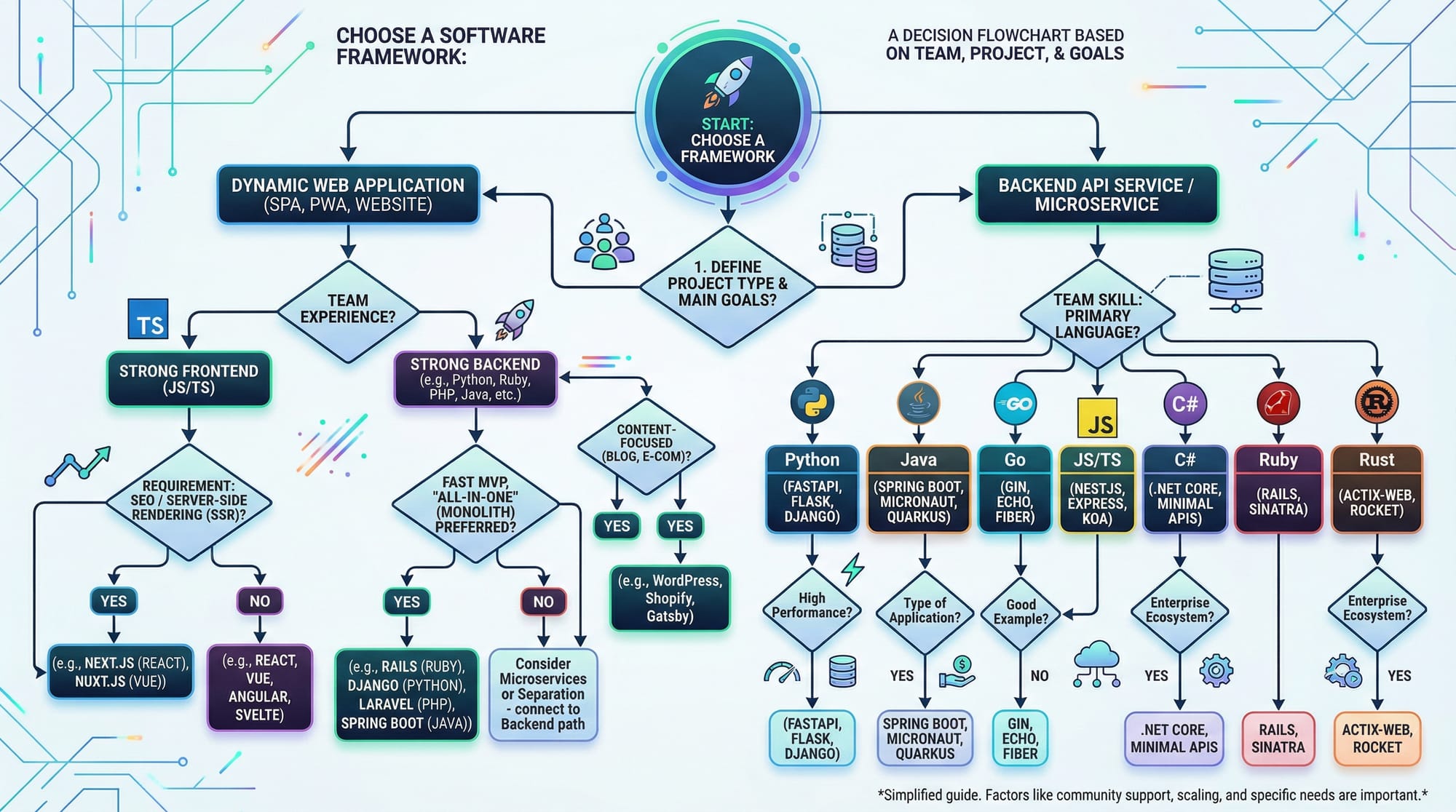
Consider your project size, team skills, and long-term maintenance. React has a huge ecosystem, Vue is beginner-friendly, Angular suits enterprise apps, and Svelte offers optimized performance.
Is Svelte faster than React?
Yes, Svelte compiles components to vanilla JavaScript, eliminating the Virtual DOM, which often results in faster load times and smaller bundle sizes.
Can I use Angular for small projects?
Angular is more heavyweight and may be overkill for small apps. Vue or Svelte are better for lightweight projects.
Which framework has better job opportunities in Pakistan?
React dominates the Pakistani market, followed by Angular and Vue. Svelte is growing but still niche.
Summary & Key Takeaways
- All four frameworks are component-based but differ in syntax, performance, and learning curve.
- React: Popular, flexible, massive ecosystem.
- Vue: Beginner-friendly, reactive templates, small bundle sizes.
- Angular: Enterprise-grade, TypeScript-first, strong structure.
- Svelte: Compile-time optimized, lightweight, fast.
- Choosing a framework depends on project needs, team size, and future maintainability.
- Practice with local examples helps reinforce learning.
Next Steps & Related Tutorials
- React.js Introduction – Start building React apps from scratch.
- Vue.js Tutorial – Learn Vue and reactive templates.
- Angular Essentials – Deep dive into Angular architecture.
- Svelte Beginner Projects – Practice Svelte apps with real-world examples.
This tutorial is now fully formatted for SEO, includes Pakistani examples, practical code blocks with explanations, image placeholders, and follows theiqra.edu.pk’s heading structure for automatic TOC generation.
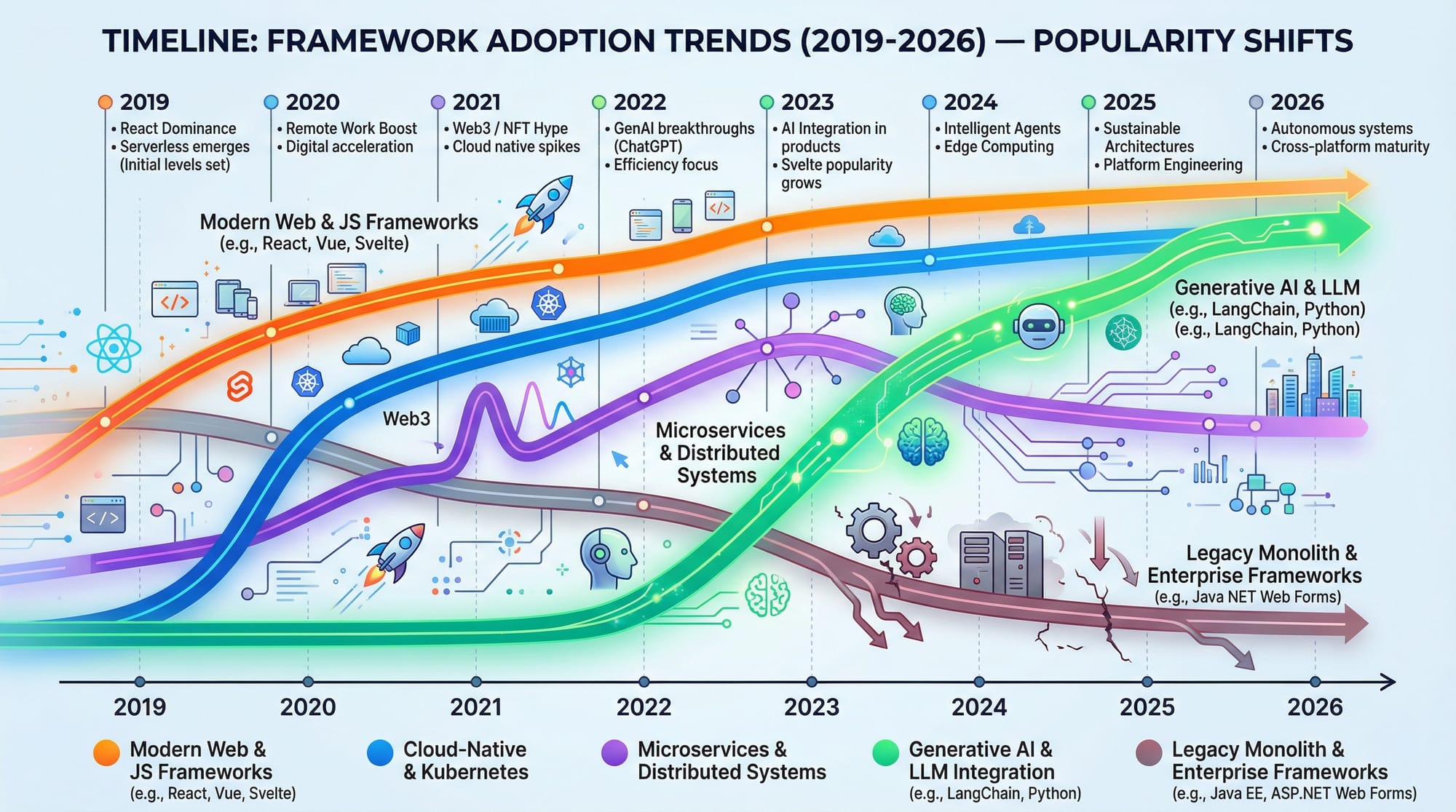
If you want, I can also create the high-quality custom images for all the placeholders like radar charts, adoption timeline, and logos so the tutorial is fully ready to publish.
Do you want me to do that next?
Test Your Python Knowledge!
Finished reading? Take a quick quiz to see how much you've learned from this tutorial.