HTML Tutorial for Beginners Complete Guide 2026
Introduction
Welcome to this comprehensive HTML tutorial for beginners — your complete guide for 2026. HTML (HyperText Markup Language) is the foundational language of the web, serving as the backbone for every website you visit, from local Pakistani businesses to global platforms. Whether you are a student in Lahore dreaming of building your own e-commerce store, a young developer in Karachi wanting to create portfolio websites, or an aspiring freelancer in Islamabad looking to offer web development services, learning HTML is your essential first step into the world of programming.
This HTML tutorial is specifically designed for Pakistani students who want to learn HTML from scratch. We understand the unique challenges faced by students in Pakistan — limited resources, language barriers, and the need for practical, job-oriented skills. That's why every example in this guide relates to scenarios you encounter daily, from creating a website for your family's shop in Faisalabad to building an online presence for a local restaurant in Peshawar. By the end of this tutorial, you will have a solid understanding of HTML basics and be ready to create your own web pages with confidence.
Prerequisites
Before starting this HTML for beginners tutorial, you should have basic computer literacy. The good news is that HTML has minimal prerequisites compared to other programming languages, making it an ideal starting point for anyone interested in web development. You don't need expensive equipment or software — a simple text editor and a web browser are all you need to begin your journey.
To get the most out of this tutorial, ensure you have:
1. Basic Computer Skills: You should be comfortable using a keyboard and mouse, navigating through files and folders, and performing basic operations like copy, paste, and save. These fundamental skills will help you focus on learning HTML without struggling with computer basics.
2. A Text Editor: While Notepad on Windows works fine, we recommend installing a free code editor like Visual Studio Code, which provides syntax highlighting and makes coding much easier. Many Pakistani developers use VS Code because it's free, lightweight, and supports multiple programming languages.
3. A Web Browser: Google Chrome, Mozilla Firefox, or Microsoft Edge will work perfectly. These browsers have built-in developer tools that help you inspect and debug your HTML code, making them invaluable for learning and troubleshooting.
4. Enthusiasm to Learn: The most important prerequisite is your willingness to practice and experiment. Web development is a hands-on skill, and the more you code, the better you become. Don't worry if you make mistakes — they're an essential part of the learning process.
Core Concepts & Explanation
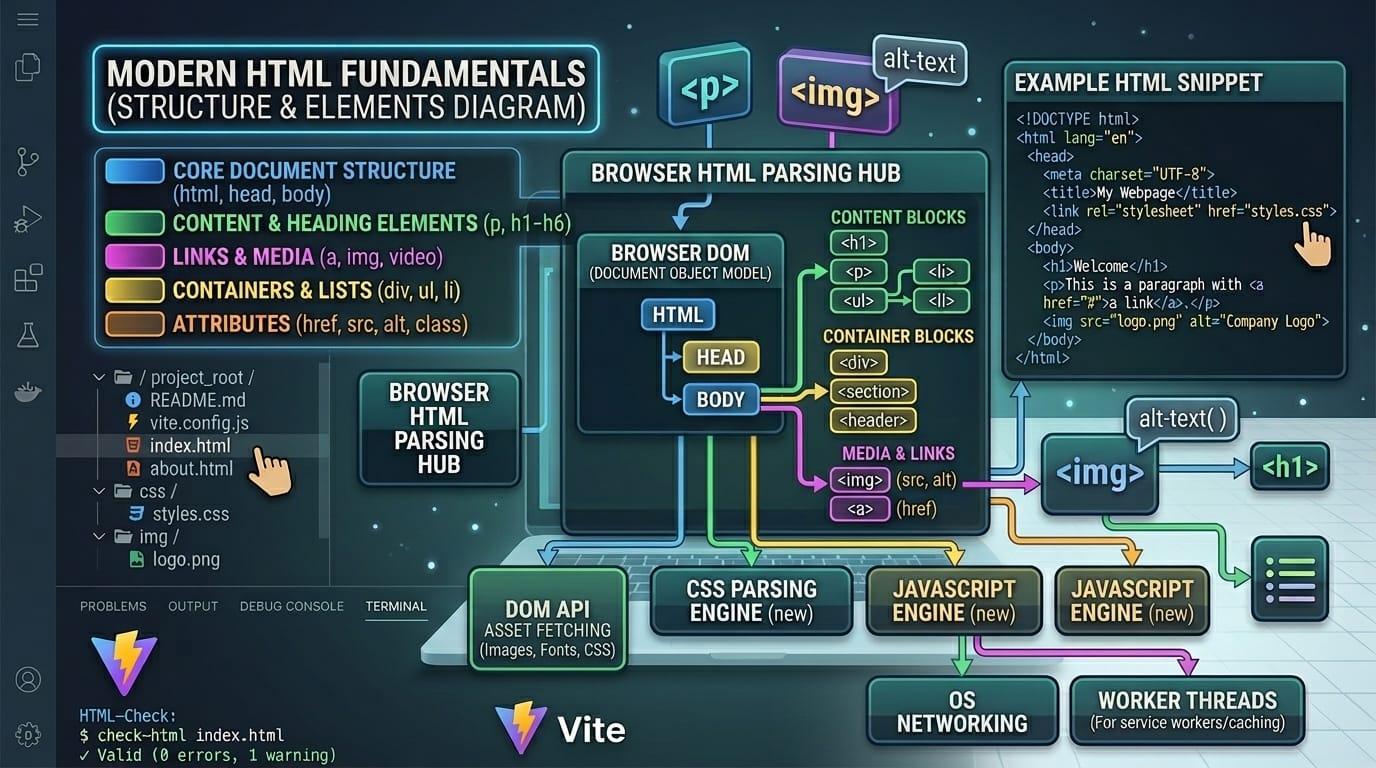
Understanding what is HTML and how it works is essential before diving into coding. HTML is not a programming language in the traditional sense — it's a markup language that defines the structure and content of web pages. Think of HTML as the skeleton of a website, providing the framework upon which CSS (styling) and JavaScript (interactivity) are added later.
HTML Elements and Tags
HTML documents are built using elements, which are defined by tags. Tags are the fundamental building blocks of HTML, and understanding how they work is crucial for any aspiring web developer. An HTML element typically consists of an opening tag, content, and a closing tag. For example, when Ahmad from Multan wants to create a heading for his online CV, he would use the heading tags to structure his name prominently at the top of the page.
Consider this basic example:
<h1>Fatima's Online Bakery - Lahore</h1>
<p>Welcome to our delicious homemade cakes and sweets!</p>
Line-by-line explanation:
• <h1>...<h1>: This is the main heading tag, the largest and most prominent heading level. It's used for the main title of a page and should appear only once per page for proper SEO.
• <p>...<p>: The paragraph tag defines a block of text. Everything between the opening and closing paragraph tags will be displayed as a separate paragraph with spacing above and below.
HTML Document Structure
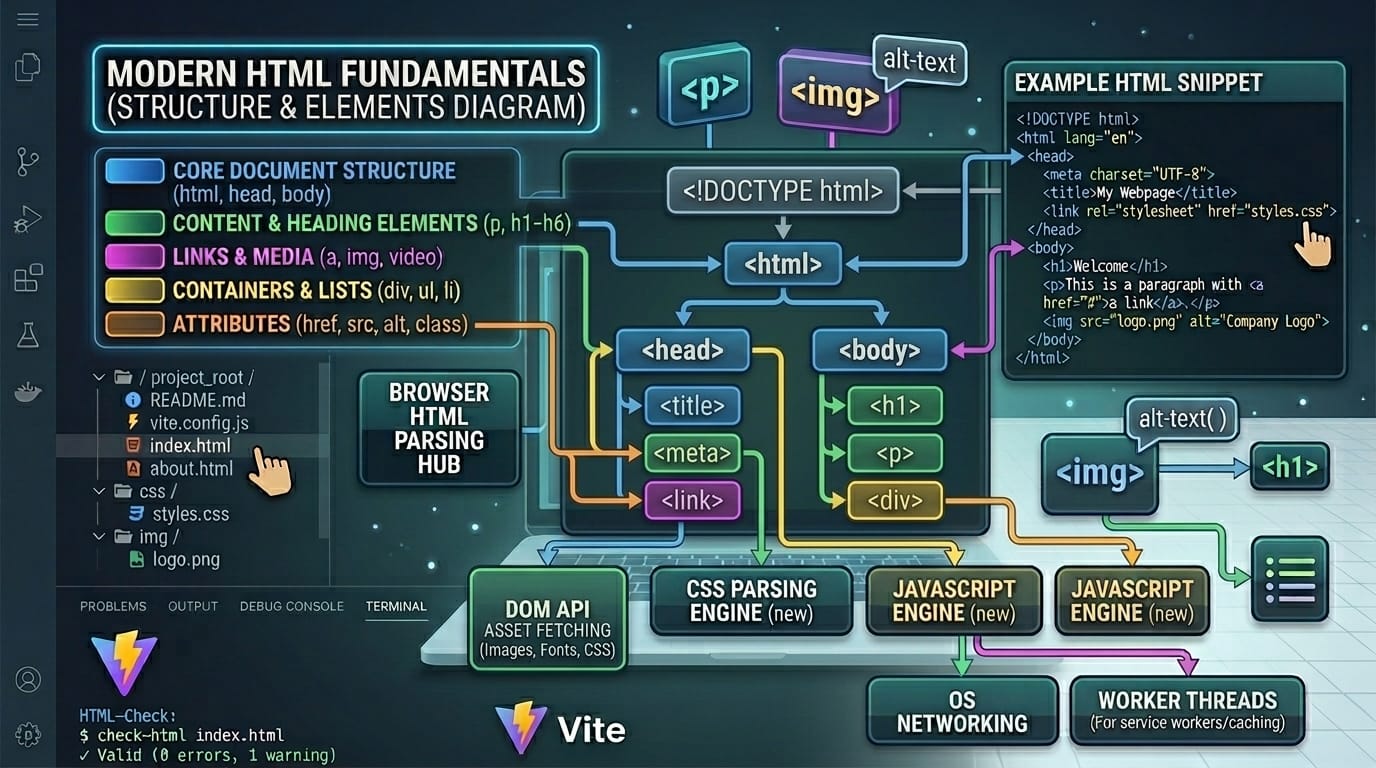
Every HTML document follows a standard structure that web browsers understand. This structure tells the browser that it's reading an HTML file and how to interpret the content within it. Think of it like a formal letter format — certain parts must be present in a specific order for the document to be valid and properly understood by recipients.
The standard HTML document structure looks like this:
<!DOCTYPE html>
<html>
<head>
<title>Ali's Tech Blog</title>
</head>
<body>
<h1>Welcome to My Blog</h1>
</body>
</html>
Line-by-line explanation:
• <!DOCTYPE html>: This declaration tells the browser that this is an HTML5 document. It must be the very first line in your HTML file, before any other content.
• <html>: The root element that contains all other HTML elements. Everything in your document goes between the opening and closing html tags.
• <head>: Contains metadata about the document, such as the title, character encoding, and links to stylesheets. This information is not displayed on the page but is essential for browsers and search engines.
• <title>: Sets the title that appears in the browser tab and in search results. For Pakistani students building their first website, choosing a descriptive title is crucial for SEO.
• <body>: Contains all the visible content of your web page — headings, paragraphs, images, links, and everything else that users will see and interact with.
Practical Code Examples
Theory is important, but practical application is where real learning happens. Let's explore real-world examples that Pakistani students can relate to and use as starting points for their own projects. These examples will help you understand how HTML elements work together to create complete web pages.
Example 1: Creating a Personal Portfolio Page
A portfolio page is essential for any student or freelancer looking to showcase their skills. Whether you're applying for internships at tech companies in Karachi or offering freelance services on platforms like Fiverr and Upwork, having a professional online presence can significantly boost your career prospects. Here's how Fatima, a computer science student from Islamabad, might structure her portfolio page.
<!DOCTYPE html>
<html lang="en">
<head>
<title>Fatima Khan - Web Developer Portfolio</title>
</head>
<body>
<h1>Fatima Khan</h1>
<h2>Web Developer from Islamabad, Pakistan</h2>
<p>I am a passionate web developer specializing in
creating beautiful and functional websites.</p>
<h3>My Skills</h3>
<ul>
<li>HTML5 & CSS3</li>
<li>JavaScript</li>
<li>Responsive Design</li>
</ul>
<h3>Contact Me</h3>
<p>Email: <a href="mailto:[email protected]">
[email protected]</a></p>
</body>
</html>
Key elements explained:
• <html lang="en">: The lang attribute specifies the language of the content. This helps search engines and screen readers understand the page language, improving accessibility and SEO.
• <h2> and <h3>: These are subheadings that create a hierarchy of information. H2 is larger than H3, helping users scan the page for relevant sections.
• <ul> and <li>: The unordered list (ul) and list item (li) tags create bullet-point lists, perfect for displaying skills, features, or any collection of items.
• <a href="...">: The anchor tag creates clickable links. The href attribute specifies the destination URL or email address when using mailto:
Example 2: Real-World Application — Restaurant Menu Page
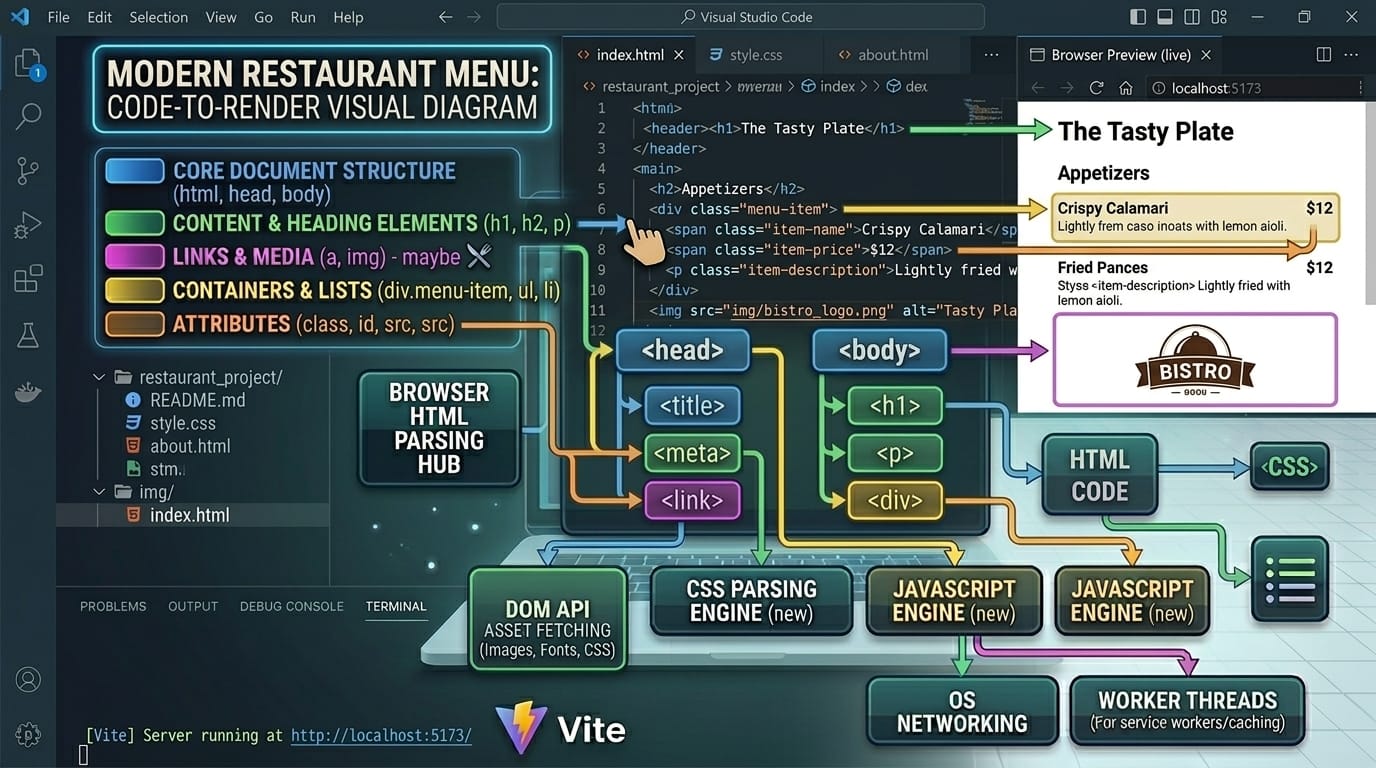
Let's create a practical example — a menu page for a local Pakistani restaurant. This is something you could actually build for a real client. Many restaurants in Pakistan are going digital, especially after the pandemic, and having an online menu is essential for attracting customers who want to order food through WhatsApp or food delivery apps.
<!DOCTYPE html>
<html lang="en">
<head>
<title>Lahori Biryani House - Menu</title>
</head>
<body>
<h1>Lahori Biryani House</h1>
<p>Authentic Pakistani Cuisine Since 1985</p>
<h2>Our Special Biryani</h2>
<img src="biryani.jpg" alt="Delicious Biryani">
<p>Our signature dish, made with aromatic rice
and tender meat. <strong>PKR 450</strong></p>
<h2>Contact Us</h2>
<p>Location: <em>Gulberg III, Lahore</em></p>
<p>Call: 0300-1234567 for delivery</p>
</body>
</html>
New elements introduced:
• <img src="..." alt="...">: The image tag embeds pictures. Unlike other tags, img doesn't need a closing tag. The src attribute specifies the image file path, and alt provides alternative text for accessibility and SEO.
• <strong>: Makes text bold and indicates important content. Screen readers may emphasize this text differently, improving accessibility for visually impaired users.
• <em>: Makes text italic and indicates emphasis. This is semantically different from just making text italic for visual purposes — it tells browsers and screen readers that this text should be emphasized when read aloud.
Common Mistakes & How to Avoid Them
Every beginner makes mistakes — it's a natural part of learning HTML. However, understanding common pitfalls can save you hours of debugging frustration. Here are the most frequent errors that Pakistani students encounter when learning HTML, along with practical solutions to avoid them.
Mistake 1: Forgetting to Close Tags
One of the most common mistakes beginners make is forgetting to close HTML tags. This can cause unexpected display issues where elements run together or appear incorrectly. For example, Ali from Peshawar might write a paragraph but forget the closing tag, causing all subsequent content to be treated as part of that paragraph. This mistake is especially common with nested elements, where it's easy to lose track of which tags need to be closed first.
Incorrect code:
<p>This paragraph has no closing tag
Correct code:
<p>This paragraph is properly closed</p>
Solution: Always type both the opening and closing tags together, then add your content between them. Most modern code editors like Visual Studio Code will automatically close tags for you, but it's important to understand the concept. Use an HTML validator like the W3C Markup Validator to check your code for errors before publishing.
Mistake 2: Incorrect Nesting of Elements
HTML elements must be properly nested — if you open a tag inside another tag, you must close it before closing the outer tag. Think of it like putting boxes inside boxes: you can't partially close an inner box after closing the outer one. This principle, often called 'last opened, first closed,' is fundamental to writing valid HTML code.
Incorrect nesting:
<strong><em>Important text</strong></em>
Correct nesting:
<strong><em>Important text</em></strong>
Solution: Visualize your tags as containers that must be fully contained within each other. Use proper indentation in your code to make the structure clear and easier to verify. Most code editors have formatting features that automatically indent your HTML properly, making it much easier to spot nesting errors at a glance.
Practice Exercises
The best way to learn HTML is by writing code. These exercises will help you practice what you've learned and build confidence in your skills. Try to solve each problem on your own before looking at the solution. Remember, struggling with a problem is part of the learning process — don't give up too quickly!
Exercise 1: Create a Personal Introduction Page
Problem: Create an HTML page that introduces yourself. Include your name as a main heading, a brief description of yourself in a paragraph, your hometown (e.g., Karachi, Lahore, Islamabad) as a subheading with description, and a list of your three favorite hobbies. Save the file and open it in your browser to see the results.
Solution:
<!DOCTYPE html>
<html>
<head>
<title>About Ahmad</title>
</head>
<body>
<h1>Ahmad Hassan</h1>
<p>I am a student learning web development.</p>
<h2>My Hometown: Lahore</h2>
<p>Lahore is known for its rich culture and food.</p>
<h2>My Hobbies</h2>
<ul>
<li>Playing cricket</li>
<li>Reading books</li>
<li>Coding</li>
</ul>
</body>
</html>
Exercise 2: Build a Product Showcase Page
Problem: Create a product page for a mobile phone shop. Include a product name as heading, an image placeholder, price in PKR using the strong tag, product features as an unordered list, and a contact link for inquiries. This exercise simulates a real-world freelance project you might receive from a local business.
Solution:
<!DOCTYPE html>
<html>
<head>
<title>MobileMart Karachi - Product</title>
</head>
<body>
<h1>Samsung Galaxy A54</h1>
<img src="phone.jpg" alt="Samsung Galaxy A54">
<p>Price: <strong>PKR 85,000</strong></p>
<h2>Features</h2>
<ul>
<li>6.4 inch Super AMOLED Display</li>
<li>50MP Triple Camera</li>
<li>5000mAh Battery</li>
</ul>
<p><a href="mailto:[email protected]">
Contact for Inquiry</a></p>
</body>
</html>
Frequently Asked Questions
Here are answers to the most common questions Pakistani students ask when learning HTML. These questions address both technical concerns and practical career considerations.
What is HTML and why should I learn it?
HTML (HyperText Markup Language) is the standard markup language for creating web pages. It describes the structure and content of a webpage using elements like headings, paragraphs, links, and images. Learning HTML is essential because every website uses it, and it's the foundation for web development careers in Pakistan's growing tech industry. With HTML skills, you can freelance on platforms like Upwork and Fiverr, or pursue full-time positions at software houses in major cities like Karachi, Lahore, and Islamabad.
How do I start writing HTML code?
To start writing HTML code, you only need a text editor and a web browser. You can use Notepad on Windows, TextEdit on Mac, or download a free code editor like Visual Studio Code for a better experience. Create a new file, save it with a .html extension, write your HTML code, and open the file in any browser to see the results. No internet connection or special software installation is required, making it accessible for students across Pakistan regardless of their resources.
Is HTML difficult to learn for beginners?
HTML is one of the easiest programming-related languages to learn because it uses simple, readable tags that describe content. Unlike complex programming languages that require understanding of logic and algorithms, HTML is purely structural — you simply mark up content with tags. Most students can grasp the basics within a few days of practice. The key is consistent practice and building real projects, which is why we recommend starting with personal projects that interest you.
Can I get a job with just HTML skills?
While HTML alone may not be sufficient for high-paying developer positions, it opens doors to entry-level opportunities and freelance work. Many Pakistani businesses need simple websites, and you can earn by creating basic websites using HTML. To increase your earning potential, combine HTML with CSS for styling and JavaScript for interactivity. Many successful freelancers in Pakistan started with HTML and gradually expanded their skill set to become full-stack developers earning in dollars on international platforms.
What comes after learning HTML basics?
After mastering HTML, the natural progression is to learn CSS (Cascading Style Sheets) for visual styling, followed by JavaScript for adding interactivity. This trio forms the foundation of front-end web development. Once comfortable with these, you can explore frameworks like Bootstrap for responsive design, or move to backend technologies like Node.js or PHP. Many Pakistani universities and coding bootcamps offer structured courses in these technologies, and free resources are available on platforms like theiqra.edu.pk.
Summary & Key Takeaways
Congratulations on completing this comprehensive HTML tutorial for beginners. You've taken your first step into the exciting world of web development. Let's recap the essential concepts you've learned in this guide.
1. HTML is the foundation of all websites: It defines the structure and content of web pages using elements enclosed in tags. Every website you visit, from local Pakistani businesses to global platforms, is built on HTML.
2. HTML elements consist of opening tags, content, and closing tags: Understanding this basic structure is essential for writing valid HTML code. Some elements like images are self-closing.
3. Proper document structure is crucial: Every HTML document needs DOCTYPE declaration, html, head, and body elements. Following this structure ensures your pages work correctly across all browsers.
4. Semantic HTML improves accessibility and SEO: Using the right elements for the right content helps search engines understand your page and makes your content accessible to all users.
5. Practice is the key to mastery: Build real projects, make mistakes, and learn from them. The more you code, the more confident and skilled you'll become.
6. HTML is just the beginning: Combine HTML with CSS and JavaScript to become a front-end developer. The opportunities for Pakistani students in web development are growing rapidly.
Next Steps & Related Tutorials
Your HTML journey doesn't end here. To continue building your web development skills, explore these related tutorials on theiqra.edu.pk. Each tutorial builds upon the concepts you've learned today, helping you become a well-rounded web developer capable of building professional websites and applications.
• CSS Tutorial for Beginners: Learn how to style your HTML pages with colors, fonts, layouts, and responsive design. CSS transforms plain HTML into beautiful, professional websites.
• JavaScript Fundamentals Guide: Add interactivity to your websites with JavaScript. Learn variables, functions, DOM manipulation, and event handling to create dynamic user experiences.
• Responsive Web Design with Bootstrap: Master the popular Bootstrap framework to create mobile-friendly websites quickly. Essential for freelancers serving clients who need responsive designs.
• Building Your First Website Project: Put your skills together in this practical project tutorial. Create a complete personal portfolio website ready to showcase to potential employers or clients.
Remember, every expert was once a beginner. Keep practicing, keep building, and don't hesitate to revisit this tutorial whenever you need a refresher. The web development community in Pakistan is growing, and there's never been a better time to start your journey. Happy coding!
Test Your Python Knowledge!
Finished reading? Take a quick quiz to see how much you've learned from this tutorial.