JavaScript Tutorial for Beginners — Complete Guide 2026
Introduction
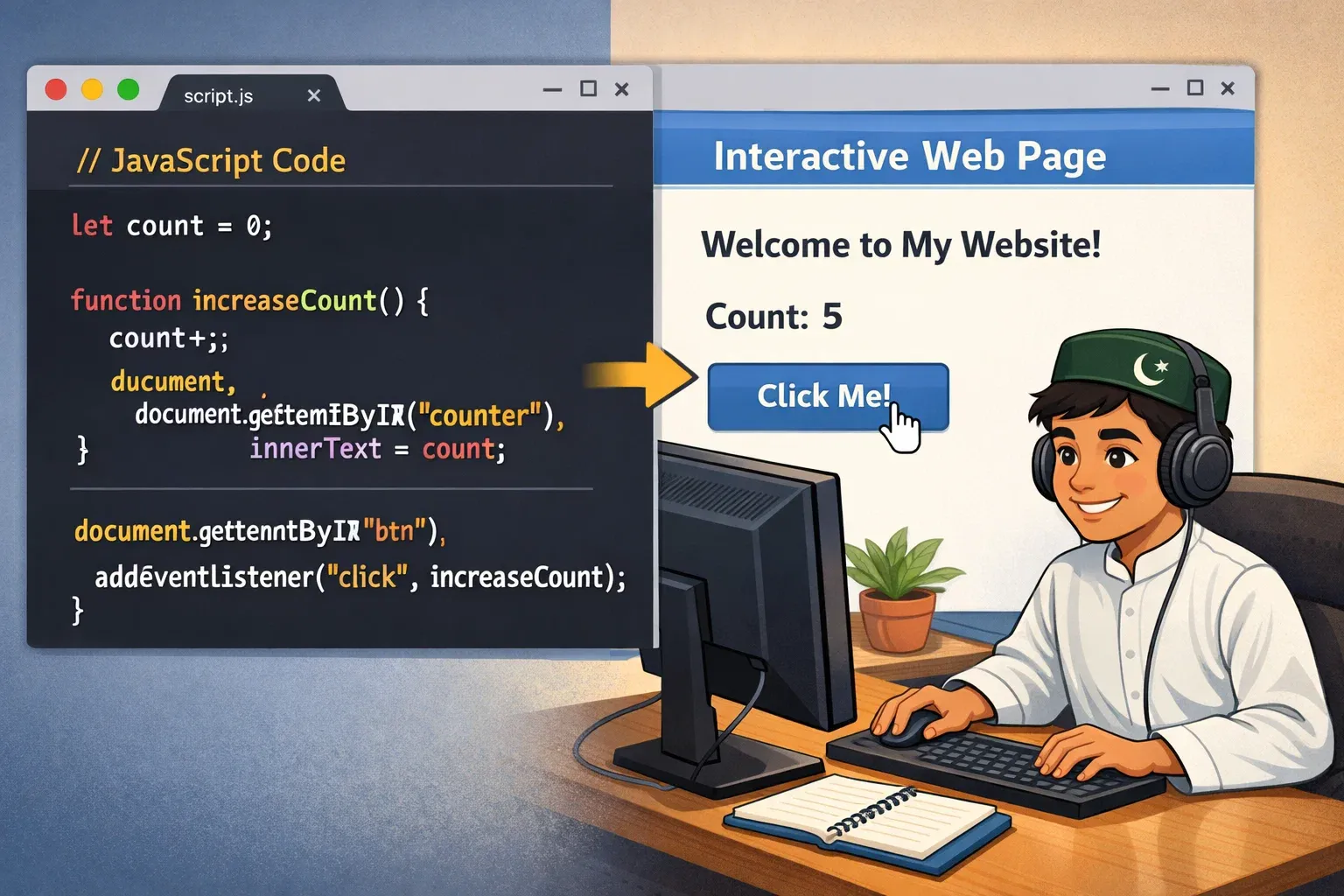
Welcome to this complete JavaScript tutorial for beginners! Whether you are a student in Lahore studying computer science, a fresh graduate in Karachi looking for your first tech job, or someone in Islamabad who simply wants to build websites and apps — JavaScript is the skill that will open doors for you.
JavaScript (often called JS) is the programming language of the web. Every time you click a button and something happens without the page reloading, fill out an interactive form, or see an animated element on a website — that is JavaScript at work. It is the only programming language that runs natively in every web browser, making it one of the most in-demand skills in Pakistan's growing IT industry.
According to Stack Overflow's Developer Survey, JavaScript has been the most used programming language for over a decade in a row. For Pakistani students aiming to work at companies like Systems Limited, Netsol Technologies, or international remote roles, JavaScript is not optional — it is essential.
In this guide, you will go from zero knowledge to writing real JavaScript code. We will cover variables, functions, DOM manipulation, and more — all explained in a beginner-friendly way with practical examples.
Prerequisites
Before starting this JavaScript tutorial, you should be comfortable with the following:
- Basic HTML — You should know how to create a simple webpage with tags like
<html>,<body>,<p>, and<h1>. If you need a refresher, check out our HTML Tutorial for Beginners on theiqra.edu.pk. - Basic CSS — A surface-level understanding of how to style elements helps, though it is not strictly required.
- A Text Editor — Install Visual Studio Code (free). It is the industry standard and works on Windows, Mac, and Linux.
- A Web Browser — Google Chrome or Mozilla Firefox. Both have excellent developer tools for debugging JavaScript.
- No Prior Programming Experience Required — This guide is written for absolute beginners.
That is it! You do not need to install Node.js or any special software to get started. We will write JavaScript directly in the browser.
Core Concepts & Explanation
Variables and Data Types
A variable is like a labelled box where you store information. In JavaScript, you can create a variable using three keywords: var, let, and const.
const— Use this when the value will never change (constant).let— Use this when the value might change later.var— The old way. Avoid it in modern JavaScript.
Here is how variables look in practice:
// Storing a student's name
const studentName = "Ahmad";

// Storing a score that might change
let totalMarks = 85;

// Storing a product price in Pakistani Rupees
let priceInPKR = 2500;

console.log(studentName); // Output: Ahmad
console.log(totalMarks);  // Output: 85
JavaScript has several data types:
| Data Type | Example | Description |
|---|---|---|
| String | "Fatima" |
Text, always in quotes |
| Number | 42, 3.14 |
Any number |
| Boolean | true, false |
Only two values |
| Array | ["Ali", "Ahmad"] |
A list of items |
| Object | { name: "Ali" } |
Key-value pairs |
| Null | null |
Intentionally empty |
| Undefined | undefined |
Not yet assigned |
Understanding data types is fundamental because JavaScript behaves differently depending on what type of data you are working with.
Functions
A function is a reusable block of code that performs a specific task. Think of it as a recipe — you write it once and use it as many times as you need.
// Defining a function
function greetStudent(name) {
    console.log("Assalam o Alaikum, " + name + "! Welcome to theiqra.edu.pk");
}

// Calling (using) the function
greetStudent("Fatima");   // Output: Assalam o Alaikum, Fatima! Welcome to theiqra.edu.pk
greetStudent("Ahmad");    // Output: Assalam o Alaikum, Ahmad! Welcome to theiqra.edu.pk
Functions can also return a value, meaning they calculate something and give the result back to you:
// A function that calculates the total price after tax
function calculateTotalPrice(price, taxPercent) {
    const taxAmount = (price * taxPercent) / 100;
    const totalPrice = price + taxAmount;
    return totalPrice;
}

let itemPrice = 5000; // PKR
let tax = 17;         // 17% GST in Pakistan
let finalPrice = calculateTotalPrice(itemPrice, tax);

console.log("Total price: PKR " + finalPrice); // Output: Total price: PKR 5850
Arrow Functions are a modern, shorter way to write functions:
// Traditional function
function add(a, b) {
    return a + b;
}

// Same function as an arrow function
const add = (a, b) => a + b;

console.log(add(10, 20)); // Output: 30
Conditional Statements and Loops
Conditional statements let your code make decisions. The most common is if...else:
let studentScore = 72;

if (studentScore >= 80) {
    console.log("Grade: A — Excellent!");
} else if (studentScore >= 60) {
    console.log("Grade: B — Good work!");
} else if (studentScore >= 40) {
    console.log("Grade: C — Needs improvement.");
} else {
    console.log("Grade: F — Please retake the exam.");
}

// Output: Grade: B — Good work!
Loops let you repeat actions without writing the same code multiple times. The for loop is the most commonly used:
// Print a list of Pakistani cities
const cities = ["Karachi", "Lahore", "Islamabad", "Peshawar", "Quetta"];

for (let i = 0; i < cities.length; i++) {
    console.log("City " + (i + 1) + ": " + cities[i]);
}

// Output:
// City 1: Karachi
// City 2: Lahore
// City 3: Islamabad
// City 4: Peshawar
// City 5: Quetta
The modern forEach loop is even cleaner:
cities.forEach(function(city) {
    console.log("Welcome to " + city);
});
DOM Manipulation
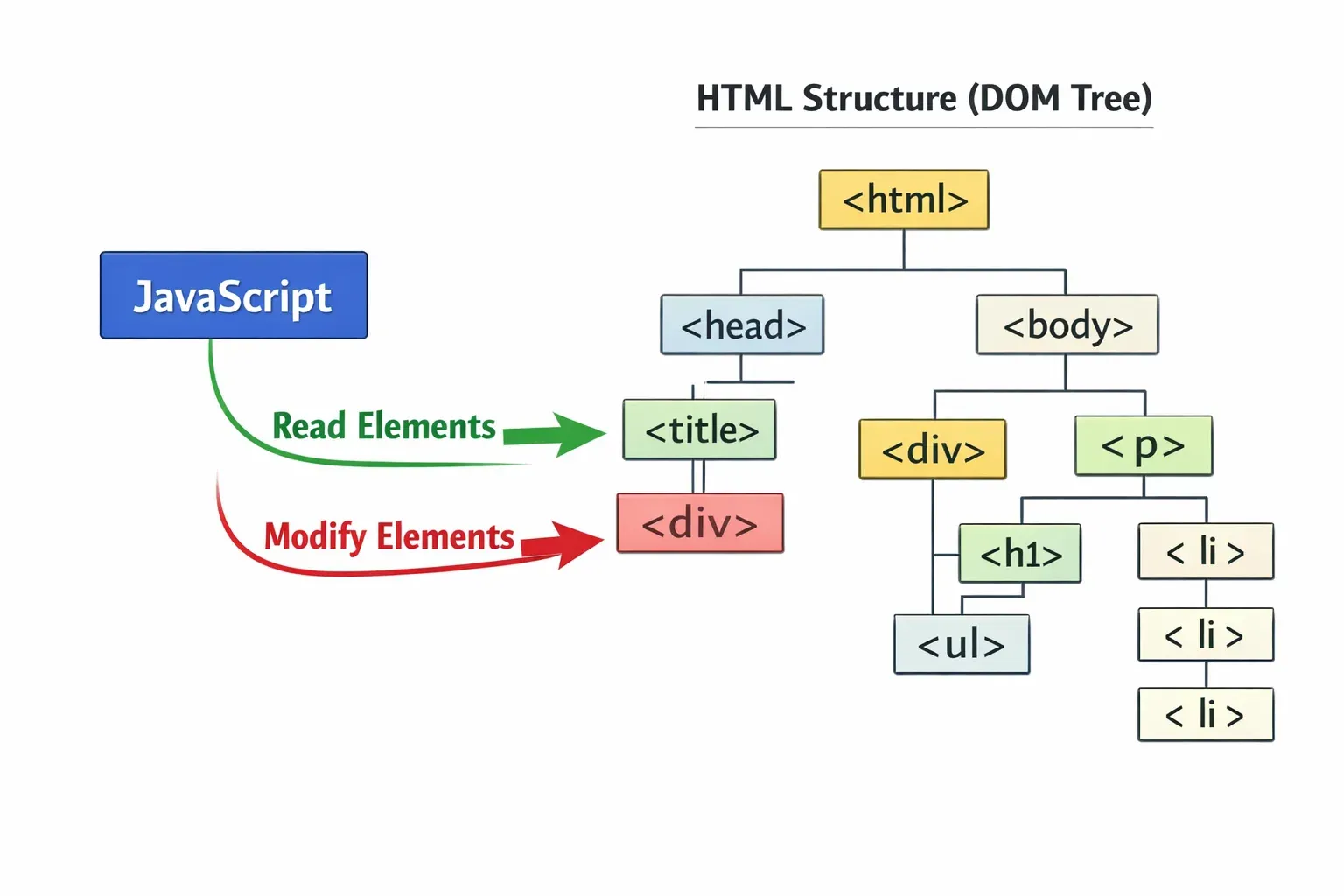
The DOM (Document Object Model) is how JavaScript interacts with your HTML page. It lets you change text, styles, add elements, and respond to user actions — all without reloading the page.
Here is how to select and change HTML elements:
// Select an element by its ID
const heading = document.getElementById("main-heading");

// Change its text
heading.textContent = "JavaScript is Amazing!";

// Change its style
heading.style.color = "green";
heading.style.fontSize = "32px";
And here is how to respond to user clicks:
// Select the button
const myButton = document.getElementById("click-me");

// Add a click event
myButton.addEventListener("click", function() {
    alert("Shukria for clicking! (Thank you for clicking!)");
});
Practical Code Examples
Example 1: Simple Student Grade Calculator
This example builds a grade calculator that a student can use to check their result. It combines variables, conditionals, functions, and DOM manipulation together.
HTML file (index.html):
<!DOCTYPE html>
<html lang="en">
<head>
    <meta charset="UTF-8">
    <title>Grade Calculator - theiqra.edu.pk</title>
</head>
<body>
    <h1>Student Grade Calculator</h1>
    <label for="marksInput">Enter your marks (out of 100):</label>
    <input type="number" id="marksInput" placeholder="e.g. 75" />
    <button id="calculateBtn">Calculate Grade</button>
    <p id="resultOutput"></p>

    <script src="grade.js"></script>
</body>
</html>
JavaScript file (grade.js):
// Line 1: Select the button element from the HTML
const calculateBtn = document.getElementById("calculateBtn");

// Line 2: Select the input field where user types marks
const marksInput = document.getElementById("marksInput");

// Line 3: Select the paragraph where we will display the result
const resultOutput = document.getElementById("resultOutput");

// Line 4: Define the function that calculates the grade
function calculateGrade(marks) {
    // Line 5: Check each grade range from highest to lowest
    if (marks >= 90) {
        return "A+ — Outstanding! Bohat khoob!";      // A+ for 90 and above
    } else if (marks >= 80) {
        return "A — Excellent work!";                  // A for 80-89
    } else if (marks >= 70) {
        return "B — Very Good!";                       // B for 70-79
    } else if (marks >= 60) {
        return "C — Good. Keep it up!";                // C for 60-69
    } else if (marks >= 50) {
        return "D — Passing. Study harder!";           // D for 50-59
    } else {
        return "F — Failed. Do not give up, try again!"; // F below 50
    }
}

// Line 6: Listen for when the user clicks the button
calculateBtn.addEventListener("click", function() {
    // Line 7: Read the value from the input field and convert to a number
    const marks = Number(marksInput.value);

    // Line 8: Validate — make sure the number is between 0 and 100
    if (marks < 0 || marks > 100 || isNaN(marks)) {
        resultOutput.textContent = "Please enter a valid number between 0 and 100.";
        return; // Stop the function here
    }

    // Line 9: Call the calculateGrade function and store the result
    const grade = calculateGrade(marks);

    // Line 10: Display the result in the paragraph element
    resultOutput.textContent = "Your Grade: " + grade;
});
What this code does, line by line:
- Lines 1–3 use
getElementByIdto connect our JavaScript to specific HTML elements. - Lines 4–14 define a function that checks marks against ranges and returns a grade string.
- Line 6 adds a "click" event listener to the button so the code only runs when the user clicks.
- Line 7 reads the input value and converts it to a number using
Number(). - Line 8 validates the input to prevent errors.
- Lines 9–10 call our function and display the result on the page.
Example 2: Real-World Application — PKR Currency Converter
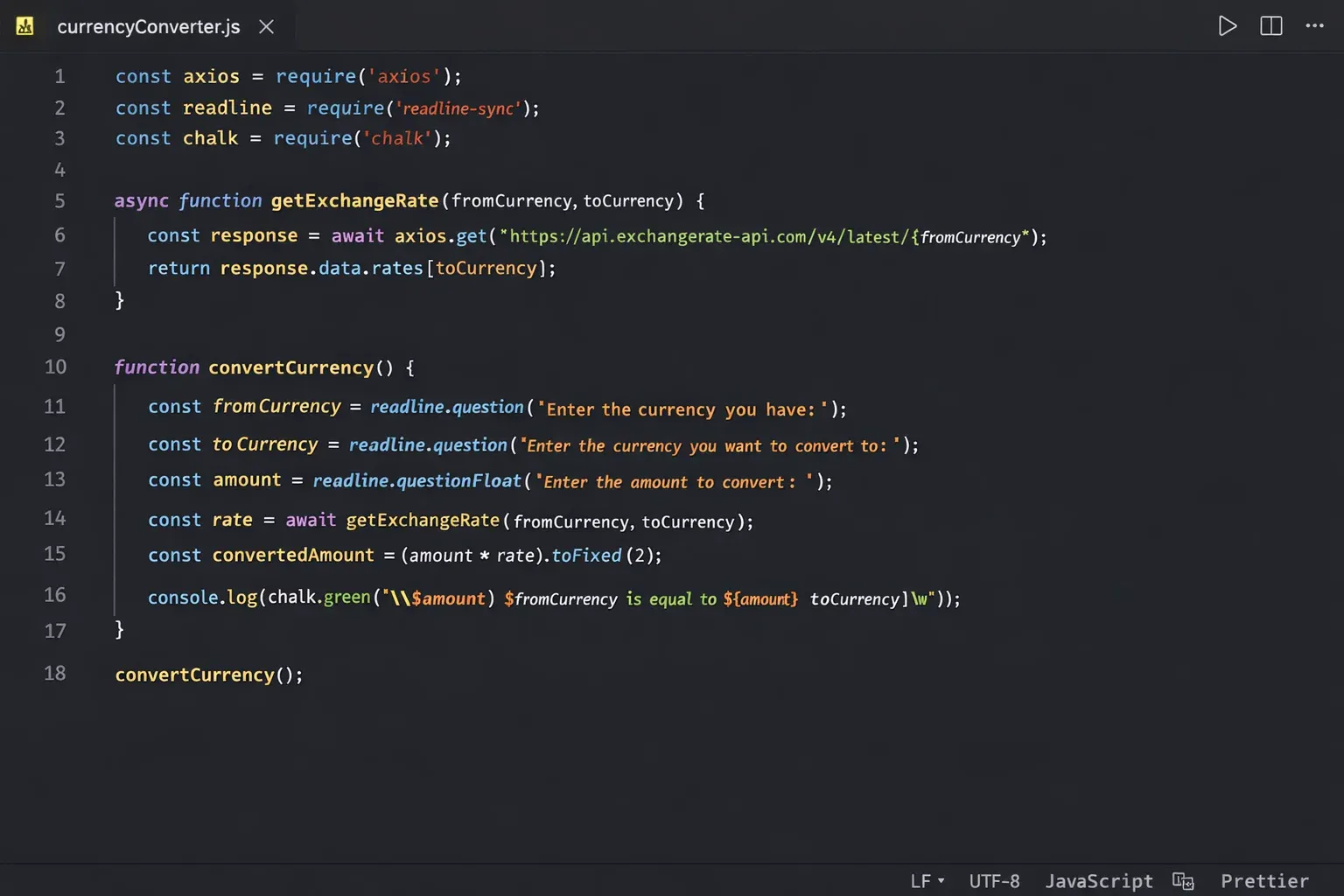
This example is practical for everyday use in Pakistan — a simple currency converter that converts Pakistani Rupees (PKR) to USD and vice versa.
// Exchange rates (update these values as needed)
const PKR_TO_USD = 0.0036;   // 1 PKR = 0.0036 USD (approx)
const USD_TO_PKR = 278;      // 1 USD = 278 PKR (approx)

// Function to convert PKR to USD
function pkrToUSD(pkrAmount) {
    // Multiply the PKR amount by the conversion rate
    const usdAmount = pkrAmount * PKR_TO_USD;
    // Round to 2 decimal places for a clean currency display
    return usdAmount.toFixed(2);
}

// Function to convert USD to PKR
function usdToPKR(usdAmount) {
    const pkrAmount = usdAmount * USD_TO_PKR;
    return pkrAmount.toFixed(2);
}

// Test the converter
let mySalaryPKR = 150000; // Ahmad's monthly salary in PKR
let salaryInUSD = pkrToUSD(mySalaryPKR);
console.log("PKR " + mySalaryPKR + " = USD " + salaryInUSD);
// Output: PKR 150000 = USD 540.00

let freelancePaymentUSD = 500; // Fatima's freelance payment
let paymentInPKR = usdToPKR(freelancePaymentUSD);
console.log("USD " + freelancePaymentUSD + " = PKR " + paymentInPKR);
// Output: USD 500 = PKR 139000.00

// Practical use — calculate shopping budget
let budget_PKR = 50000;
console.log("Your shopping budget in USD: $" + pkrToUSD(budget_PKR));
// Output: Your shopping budget in USD: $180.00
This converter demonstrates real-world thinking: using constants for values that might change (exchange rates), clean function design, and the .toFixed(2) method to format currency properly.
Common Mistakes & How to Avoid Them
Mistake 1: Using == Instead of === for Comparisons
This is one of the most common beginner mistakes in JavaScript. The double equals == checks value only, while triple equals === checks both value AND type.
Wrong approach:
let userAge = "18"; // This is a string (notice the quotes)

if (userAge == 18) {
    console.log("Access granted"); // This will run! But it should not!
}
Why this is a problem: "18" == 18 returns true in JavaScript because it converts the string to a number before comparing. This can cause unexpected bugs.
Correct approach:
let userAge = "18"; // String

if (userAge === 18) {
    console.log("Access granted");
} else {
    console.log("Please enter a valid age."); // This correctly runs
}

// The fix: always convert the input first
let userAgeNumber = Number(userAge);
if (userAgeNumber === 18) {
    console.log("Access granted"); // Now this works correctly
}
Rule of thumb: Always use === (triple equals) for comparisons in JavaScript. Avoid == unless you have a very specific reason to use it.
Mistake 2: Not Understanding var, let, and const Scope
Many beginners use var everywhere (because older tutorials taught it), but var has a quirky behavior called function scope that can cause confusing bugs. let and const use block scope, which behaves the way you would intuitively expect.
Wrong approach (using var in loops):
for (var i = 0; i < 3; i++) {
    setTimeout(function() {
        console.log(i); // Prints 3, 3, 3 — NOT 0, 1, 2!
    }, 100);
}
Why this is a problem: Because var is function-scoped, by the time the setTimeout callbacks run, the loop has finished and i is already 3.
Correct approach (using let):
for (let i = 0; i < 3; i++) {
    setTimeout(function() {
        console.log(i); // Correctly prints 0, 1, 2
    }, 100);
}
The simple rule:
- Use
constby default for everything. - Use
letonly when you know the value will change (like loop counters). - Never use
varin modern JavaScript.
Mistake 3: Forgetting to Handle Asynchronous Code
When you fetch data from an API or read a file, JavaScript does not wait — it moves on. This leads to bugs where you try to use data before it has arrived.
Wrong approach:
let userData;
fetch("https://api.example.com/user/1")
    .then(response => response.json())
    .then(data => { userData = data; });

console.log(userData); // Prints: undefined (data hasn't arrived yet!)
Correct approach (using async/await):
async function getUserData() {
    const response = await fetch("https://api.example.com/user/1");
    const userData = await response.json();
    console.log(userData); // Now this correctly shows the data
    return userData;
}

getUserData();
Always use await inside async functions when working with APIs or any operation that takes time.
Practice Exercises
Exercise 1: Simple Calculator
Problem: Build a function called calculate that takes two numbers and an operator (+, -, *, /) and returns the result. It should handle division by zero gracefully.
Try solving it yourself first, then look at the solution below.
Solution:
function calculate(num1, num2, operator) {
    // Check which operator was passed and perform the operation
    if (operator === "+") {
        return num1 + num2;
    } else if (operator === "-") {
        return num1 - num2;
    } else if (operator === "*") {
        return num1 * num2;
    } else if (operator === "/") {
        // Handle division by zero — a very common real-world edge case
        if (num2 === 0) {
            return "Error: Cannot divide by zero!";
        }
        return num1 / num2;
    } else {
        return "Error: Invalid operator. Use +, -, *, or /";
    }
}

// Test the calculator
console.log(calculate(100, 50, "+"));   // Output: 150
console.log(calculate(100, 50, "-"));   // Output: 50
console.log(calculate(100, 50, "*"));   // Output: 5000
console.log(calculate(100, 50, "/"));   // Output: 2
console.log(calculate(100, 0, "/"));    // Output: Error: Cannot divide by zero!
Key learning: Always think about edge cases (like dividing by zero) when writing functions. Real-world applications must handle unexpected inputs gracefully.
Exercise 2: Shopping Cart Total
Problem: Ali is building an online store. Write a function called calculateCartTotal that accepts an array of items (each item is an object with a name and price in PKR) and returns the total cost. Apply a 10% discount if the total exceeds PKR 10,000.
Solution:
function calculateCartTotal(cartItems) {
    // Step 1: Calculate the sum of all item prices
    let subtotal = 0;
    cartItems.forEach(function(item) {
        subtotal += item.price;
    });

    // Step 2: Apply 10% discount if subtotal is over PKR 10,000
    let discount = 0;
    if (subtotal > 10000) {
        discount = subtotal * 0.10; // 10% discount
        console.log("Mubarak ho! (Congratulations!) You qualify for a 10% discount.");
        console.log("Discount amount: PKR " + discount);
    }

    // Step 3: Calculate and return the final total
    const total = subtotal - discount;
    return total;
}

// Ali's shopping cart
const aliCart = [
    { name: "JavaScript Book", price: 3500 },
    { name: "USB Keyboard",    price: 2800 },
    { name: "Mouse Pad",       price: 850 },
    { name: "HDMI Cable",      price: 1200 },
    { name: "Laptop Stand",    price: 4200 }
];

const totalAmount = calculateCartTotal(aliCart);
console.log("Cart Total: PKR " + totalAmount);

// Output:
// Mubarak ho! (Congratulations!) You qualify for a 10% discount.
// Discount amount: PKR 1255
// Cart Total: PKR 11295
Key learning: This exercise demonstrates using forEach to iterate over arrays, working with objects inside arrays, and applying real-world business logic (discounts).
Frequently Asked Questions
What is JavaScript and how is it different from Java?
JavaScript and Java are two completely different programming languages — they only share a similar name for historical marketing reasons. Java is a compiled, object-oriented language used for Android apps and enterprise software. JavaScript is an interpreted, scripting language that runs in web browsers and is primarily used for web development. If you are learning web development, JavaScript is the language you need.
How long does it take to learn JavaScript?
With consistent daily practice of 1–2 hours, most beginners can grasp the fundamentals of JavaScript within 4–8 weeks. Building real projects — like a personal portfolio, a to-do list app, or a simple game — will accelerate your learning significantly. The key is practicing every day rather than studying passively.
Is JavaScript enough to get a job in Pakistan?
JavaScript alone can open the door to junior front-end developer roles in Pakistan. However, to be more competitive, you should pair JavaScript with React.js (a popular JavaScript framework) and learn basic CSS frameworks like Tailwind CSS. Companies like NetSol Technologies, Arbisoft, and many startups in Lahore and Karachi actively hire JavaScript developers, and remote freelancing through platforms like Upwork and Fiverr is also very lucrative for skilled JS developers.
Can I learn JavaScript for free?
Yes, absolutely! JavaScript has some of the best free learning resources available. Beyond this tutorial on theiqra.edu.pk, you can practice on platforms like freeCodeCamp, The Odin Project, and MDN Web Docs. All you need is a laptop and a browser — no paid courses or expensive software required.
What should I learn after basic JavaScript?
Once you are confident with JavaScript basics (variables, functions, arrays, objects, DOM manipulation), the natural next steps are: learning how to work with APIs using fetch(), understanding asynchronous programming with Promises and async/await, then moving on to a framework like React.js. You should also learn about version control with Git. Check out our React.js Tutorial for Beginners on theiqra.edu.pk to continue your journey.
Summary & Key Takeaways
Congratulations on completing this JavaScript tutorial for beginners! Here are the most important things to remember:
- JavaScript is the language of the web — it makes websites interactive and dynamic, and it is one of the highest-demand skills in Pakistan's tech industry.
- Variables store data — use
constby default andletwhen the value needs to change; avoidvarin modern JavaScript. - Functions are reusable blocks of code — write them once, use them many times; they can accept inputs (parameters) and return outputs.
- Always use
===(triple equals) for comparisons, not==, to avoid unexpected type conversion bugs. - The DOM is your bridge between JavaScript and HTML — use
getElementById,querySelector, andaddEventListenerto make your web pages interactive. - Practice is everything — reading about JavaScript is useful, but writing code every day is what will make you a confident developer. Start with small projects and build up from there.
Next Steps & Related Tutorials
You have taken a great first step! Here is a recommended learning path to continue building your skills on theiqra.edu.pk:
- HTML Tutorial for Beginners — If you skipped the prerequisites or want to strengthen your HTML foundation, this complete guide covers everything from basic tags to semantic HTML5 elements.
- CSS Tutorial for Beginners — Learn how to style your web pages beautifully. Covers selectors, flexbox, grid layout, animations, and responsive design for mobile devices.
- JavaScript Arrays and Objects — Deep Dive — Arrays and objects are the most important data structures in JavaScript. This tutorial covers sorting, filtering, mapping, and working with complex nested data.
- React.js Tutorial for Beginners — Once you are confident with JavaScript basics, React.js is the most in-demand framework for building modern web applications. This tutorial takes you from zero to building your first React app step by step.
Written for theiqra.edu.pk — Pakistan's growing community of learners. Keep coding, keep learning!
Keywords: javascript tutorial, learn javascript, javascript for beginners, js basics
Test Your Python Knowledge!
Finished reading? Take a quick quiz to see how much you've learned from this tutorial.