JavaScript Variables, Operators & Data Types
Introduction
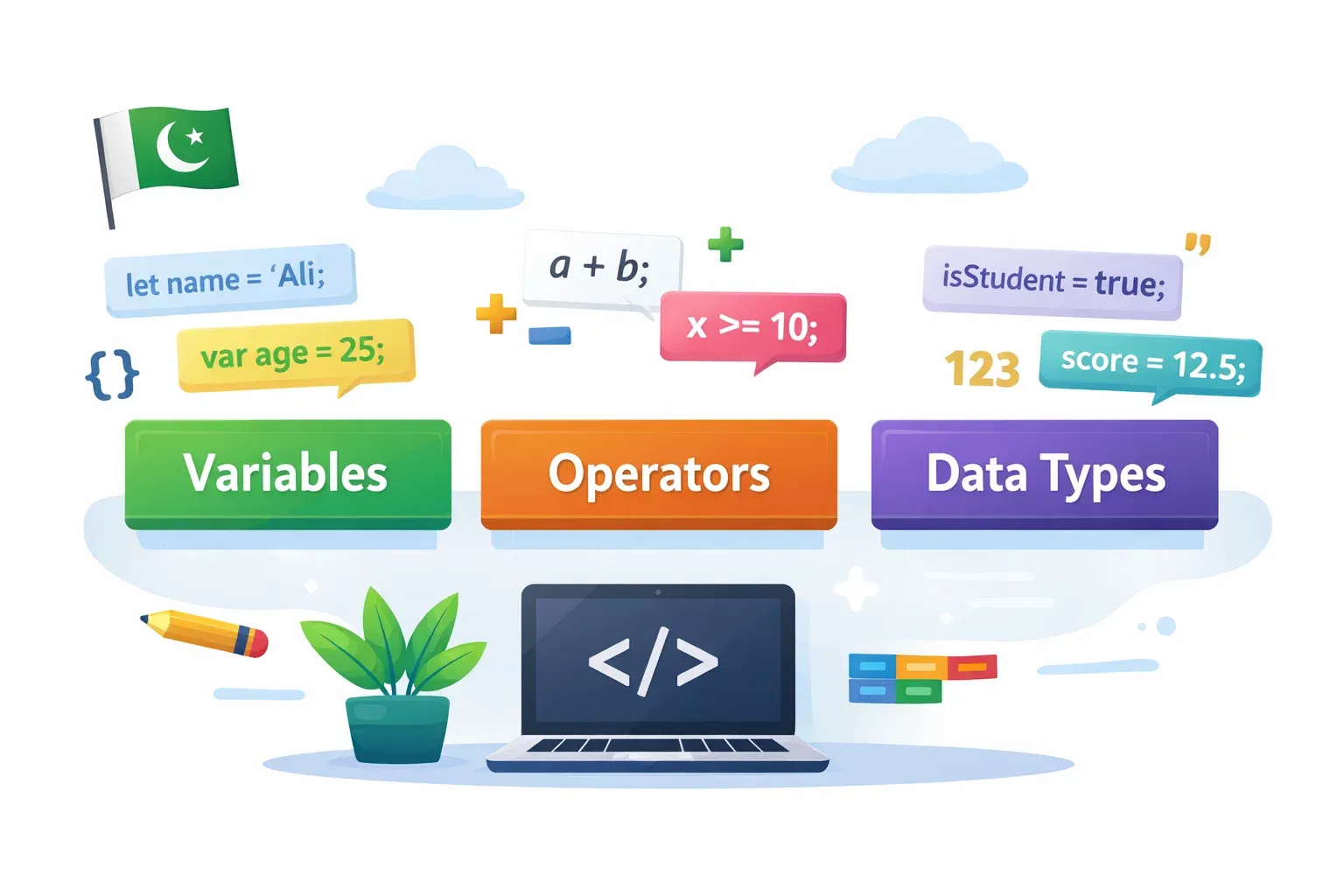
Whether you are a student in Lahore dreaming of building your first website, or a fresh graduate in Karachi looking to break into tech, JavaScript is one of the most important skills you can learn today. It is the language that powers interactive websites, mobile apps, and even backend servers — and it all starts with three fundamental building blocks: variables, operators, and data types.
Think of variables as labelled boxes where you store information (like a student's name or a product's price in PKR). Operators are the tools you use to work with that information — adding numbers, comparing values, or combining text. Data types tell JavaScript what kind of information is stored in each box — is it a number, a word, or a yes/no value?
Understanding these three concepts is like learning the alphabet before writing sentences. Every JavaScript program you will ever write — from a simple calculator to a full e-commerce platform — depends on mastering variables, operators, and data types.
By the end of this tutorial, you will be able to declare variables using var, let, and const, use JavaScript's core operators confidently, and understand all the major data types in JavaScript.
Prerequisites
Before starting this tutorial, you should be comfortable with:
- Basic HTML — knowing what tags are and how a webpage is structured
- How to open a browser's Developer Console — press
F12in Chrome or Firefox, then click the "Console" tab - Basic computer literacy — creating and saving files on your computer
You do not need any prior JavaScript experience. This tutorial is written for absolute beginners. If you need a refresher on HTML, check out our Introduction to HTML tutorial on theiqra.edu.pk before continuing.
Core Concepts & Explanation
Understanding JavaScript Variables
A variable is a named storage location in your computer's memory. Imagine Fatima is building a shopping website. She needs to remember a customer's name, their age, and the total price of their cart. She would store each piece of information in a separate variable.
In JavaScript, you create (or declare) a variable using one of three keywords: var, let, or const.
var — The Old Way
var was the original way to declare variables in JavaScript. It is still valid but has some quirky behaviours that can cause bugs, so modern JavaScript rarely uses it.
var studentName = "Ahmad";
var studentAge = 20;
console.log(studentName); // Output: Ahmad
console.log(studentAge);  // Output: 20
let — The Modern Choice for Changeable Values
let was introduced in ES6 (2015) and is now the standard way to declare variables whose values will change over time.
let cityName = "Lahore";
cityName = "Karachi"; // We can change the value
console.log(cityName); // Output: Karachi
const — For Values That Never Change
const (short for constant) is used when a value should never change after it is set. Trying to reassign a const variable will throw an error.
const PI = 3.14159;
const websiteName = "theiqra.edu.pk";
// PI = 3; ❌ This would cause an error!
Quick Rule of Thumb:
- Use
constby default. - Use
letwhen you know the value will change. - Avoid
varin new code.
JavaScript Data Types Explained
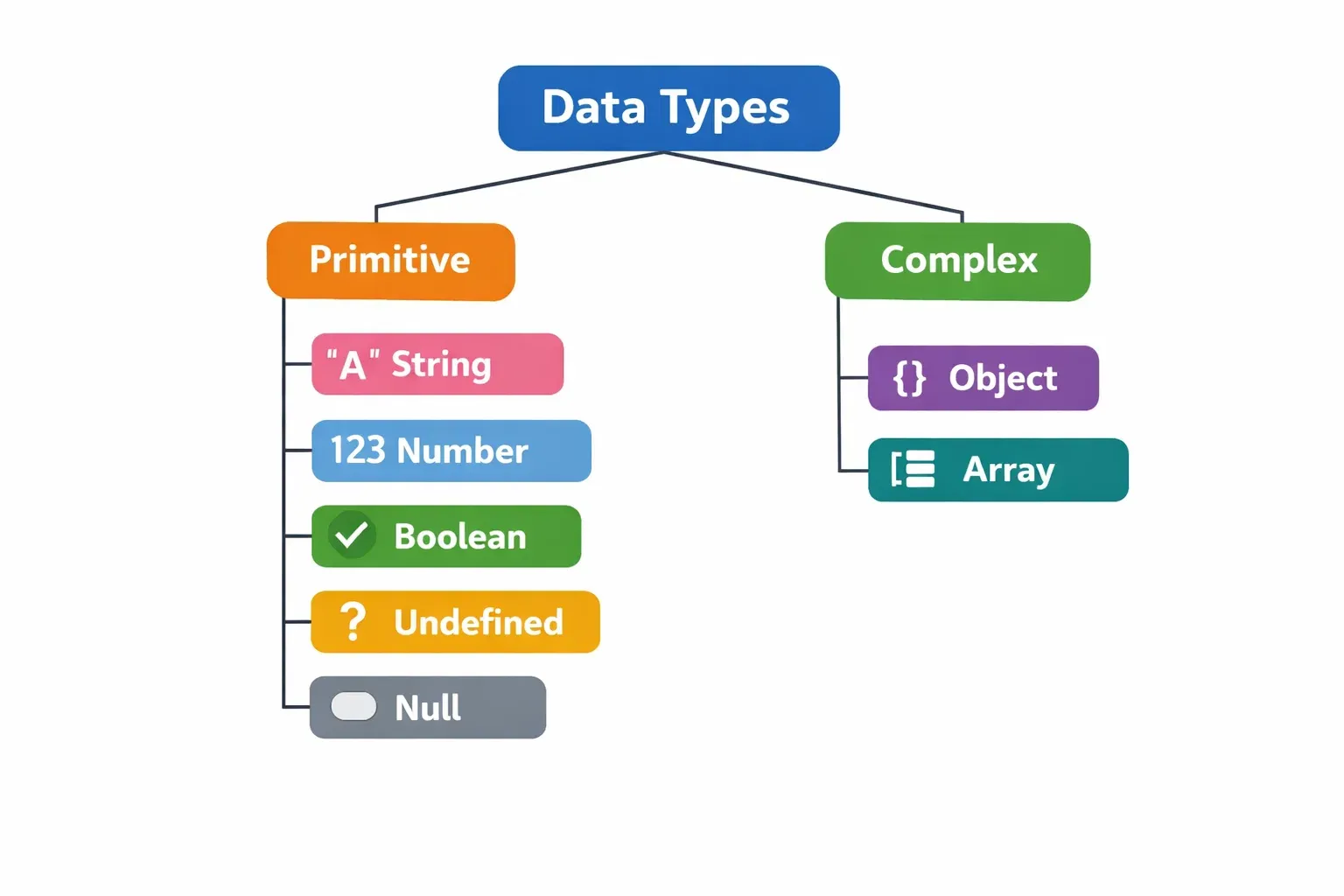
Every value in JavaScript belongs to a data type. JavaScript has 7 primitive data types plus one complex type (Objects). Let's explore the most important ones.
1. String — Text Values
A string is any sequence of characters wrapped in quotes (single ', double ", or backtick `).
let firstName = "Ali";
let city = 'Islamabad';
let greeting = `Hello, ${firstName}!`; // Template literal
console.log(greeting); // Output: Hello, Ali!
2. Number — Numeric Values
JavaScript uses a single Number type for both integers and decimals.
let productPrice = 1500;      // Integer (whole number) in PKR
let discountRate = 0.15;      // Decimal (15% discount)
let temperature = -3;         // Negative number (Murree in winter!)
3. Boolean — True or False
Booleans represent a logical value — either true or false. They are incredibly useful for making decisions in your code.
let isLoggedIn = true;
let hasPremiumAccount = false;
let isAdult = (18 >= 18); // true
4. Undefined — No Value Assigned
When you declare a variable but do not assign a value, JavaScript automatically gives it the value undefined.
let userName;
console.log(userName); // Output: undefined
5. Null — Intentionally Empty
null is used when you deliberately want a variable to have no value. Unlike undefined, it is a conscious choice by the programmer.
let selectedProduct = null; // No product selected yet
6. Object — Collections of Data
Objects store multiple related values as key-value pairs. Think of an object as a form with labelled fields.
let student = {
  name: "Fatima",
  age: 21,
  city: "Karachi",
  isEnrolled: true
};
console.log(student.name); // Output: Fatima
console.log(student.city); // Output: Karachi
JavaScript Operators: Working with Data
Operators are special symbols that perform actions on values (called operands). JavaScript has several categories of operators.
Arithmetic Operators
Used for mathematical calculations:
| Operator | Name | Example | Result |
|---|---|---|---|
+ |
Addition | 500 + 300 |
800 |
- |
Subtraction | 1000 - 250 |
750 |
* |
Multiplication | 200 * 3 |
600 |
/ |
Division | 900 / 4 |
225 |
% |
Modulus (Remainder) | 10 % 3 |
1 |
** |
Exponent | 2 ** 8 |
256 |
Assignment Operators
Used to assign values to variables:
let price = 2000;   // = assigns the value 2000
price += 500;       // Same as: price = price + 500 → 2500
price -= 200;       // Same as: price = price - 200 → 2300
price *= 2;         // Same as: price = price * 2 → 4600
Comparison Operators
Used to compare two values — always return true or false:
let age = 18;
console.log(age == 18);   // true  (equal value)
console.log(age === "18");// false (different type: number vs string)
console.log(age != 20);   // true  (not equal)
console.log(age > 16);    // true  (greater than)
console.log(age <= 18);   // true  (less than or equal to)
⚠️ Important: Always prefer===(strict equality) over==(loose equality). Strict equality checks both value and type, preventing many common bugs.
Logical Operators
Used to combine multiple conditions:
let hasID = true;
let isAdult = true;
let hasMembership = false;

// AND (&&) — both must be true
console.log(hasID && isAdult);        // true

// OR (||) — at least one must be true
console.log(isAdult || hasMembership); // true

// NOT (!) — reverses the boolean
console.log(!hasMembership);           // true
String Operator (Concatenation)
The + operator also joins strings together:
let firstName = "Ahmad";
let lastName = "Khan";
let fullName = firstName + " " + lastName;
console.log(fullName); // Output: Ahmad Khan
Practical Code Examples
Example 1: Student Grade Calculator
Let's build a simple grade calculator relevant to Pakistani students taking their exams.
// 1. Store student information using const and let
const studentName = "Fatima Malik";   // Name won't change
const totalMarks = 100;               // Max marks won't change
let obtainedMarks = 78;               // Marks can be updated

// 2. Calculate the percentage using arithmetic operators
let percentage = (obtainedMarks / totalMarks) * 100;

// 3. Determine grade using comparison
let isPassed = percentage >= 40;      // Boolean: true or false

// 4. Display results using string concatenation
console.log("Student: " + studentName);
console.log("Marks: " + obtainedMarks + "/" + totalMarks);
console.log("Percentage: " + percentage + "%");
console.log("Passed: " + isPassed);
Output:
Student: Fatima Malik
Marks: 78/100
Percentage: 78%
Passed: true
Line-by-line Explanation:
- Lines 2–4: We declare variables.
constfor values that won't change,letfor values that might. - Line 7: We use the
/(division) and*(multiplication) operators to calculate the percentage. - Line 10: We use the
>=comparison operator to check if the student passed. The result is a Boolean. - Lines 13–16: We use
+to concatenate strings and variables for readable output.
Example 2: Real-World Application — Online Shopping Cart (PKR)
Here is a more complete example simulating a basic shopping cart for a Pakistani e-commerce site.
// Product information
const productName = "Laptop Bag";
const pricePerItem = 1200;          // Price in PKR

// Customer order
let quantity = 3;
let customerName = "Ali Raza";
let city = "Lahore";
let hasDiscount = true;

// Calculate totals
let subtotal = pricePerItem * quantity;          // 3600 PKR
let discountAmount = hasDiscount ? subtotal * 0.10 : 0; // 10% if eligible
let shippingFee = (city === "Karachi") ? 0 : 150;       // Free shipping to Karachi
let totalAmount = subtotal - discountAmount + shippingFee;

// Build order summary
let orderSummary = "=== Order Summary ===\n" +
  "Customer: " + customerName + "\n" +
  "City: " + city + "\n" +
  "Product: " + productName + " x" + quantity + "\n" +
  "Subtotal: PKR " + subtotal + "\n" +
  "Discount: PKR " + discountAmount + "\n" +
  "Shipping: PKR " + shippingFee + "\n" +
  "Total: PKR " + totalAmount;

console.log(orderSummary);
Output:
=== Order Summary ===
Customer: Ali Raza
City: Lahore
Product: Laptop Bag x3
Subtotal: PKR 3600
Discount: PKR 360
Shipping: PKR 150
Total: PKR 3390
Key Concepts Used:
constfor product data that doesn't changeletfor cart values that could be updated- Arithmetic operators (
*,-,+) for price calculations - The ternary operator (
condition ? valueIfTrue : valueIfFalse) for conditional logic — a concise alternative toif/else - Strict equality (
===) to compare the city string
Common Mistakes & How to Avoid Them
Mistake 1: Using == Instead of ===
This is one of the most common bugs for JavaScript beginners. The == operator performs type coercion — it converts values to the same type before comparing, which leads to surprising results.
// ❌ Dangerous — loose equality with type coercion
console.log(0 == false);    // true  (unexpected!)
console.log("" == false);   // true  (unexpected!)
console.log(1 == "1");      // true  (unexpected!)

// ✅ Safe — strict equality, no type coercion
console.log(0 === false);   // false (correct!)
console.log("" === false);  // false (correct!)
console.log(1 === "1");     // false (correct!)
Fix: Always use === for comparisons unless you have a specific reason to use ==.
Mistake 2: Trying to Reassign a const Variable
Students often declare everything with const (which is good practice!) but then forget they cannot reassign it.
// ❌ This will throw a TypeError
const studentAge = 20;
studentAge = 21; // TypeError: Assignment to constant variable.

// ✅ Use let if the value needs to change
let studentAge = 20;
studentAge = 21; // Works perfectly
Fix: Ask yourself before declaring: "Will this value ever change?" If yes, use let. If no, use const.
Mistake 3: Concatenating Numbers and Strings Accidentally
The + operator both adds numbers and joins strings. Mixing the two causes subtle bugs.
// ❌ Bug — string concatenation instead of addition
let price = "500";       // Accidentally stored as a string
let tax = 100;
let total = price + tax;
console.log(total);      // Output: "500100" (not 600!)

// ✅ Fix — convert to a number first
let total = Number(price) + tax;
console.log(total);      // Output: 600 ✓

// Or use parseInt / parseFloat
let total = parseInt(price) + tax;
Fix: Always verify your data types. Use typeof to check: console.log(typeof price).
Practice Exercises
Exercise 1: Personal Profile Card
Problem: Create variables to store your personal profile, then print a formatted summary to the console.
Your output should look like:
Name: Ahmad Siddiqui
Age: 22
City: Islamabad
Student: true
Solution:
// Declare variables
const name = "Ahmad Siddiqui";
const age = 22;
const city = "Islamabad";
const isStudent = true;

// Print profile card
console.log("Name: " + name);
console.log("Age: " + age);
console.log("City: " + city);
console.log("Student: " + isStudent);
Try modifying the values to match your own profile!
Exercise 2: PKR Currency Converter
Problem: Write a program that converts an amount in PKR to USD. Use the exchange rate of 1 USD = 278 PKR. Calculate how many dollars 5,000 PKR is worth, and display the result rounded to 2 decimal places.
Solution:
// Given values
const exchangeRate = 278;          // 1 USD = 278 PKR
let amountPKR = 5000;

// Conversion calculation
let amountUSD = amountPKR / exchangeRate;

// Round to 2 decimal places
let amountUSDRounded = Math.round(amountUSD * 100) / 100;

// Display result
console.log("Amount in PKR: " + amountPKR);
console.log("Exchange Rate: 1 USD = " + exchangeRate + " PKR");
console.log("Amount in USD: $" + amountUSDRounded);
// Output: Amount in USD: $17.99
Challenge: Modify this program to also convert PKR to Saudi Riyal (SAR), where 1 SAR = 74 PKR.
Frequently Asked Questions
What is the difference between let and const in JavaScript?
Both let and const are modern ways to declare variables introduced in ES6. The key difference is that let allows you to reassign the variable to a new value later, while const does not — once assigned, a const value cannot be changed. Use const as your default choice, and only switch to let when you know the value will need to change, such as a counter or a user input field.
What are JavaScript data types and how many are there?
JavaScript has 8 data types in total. Seven are primitive types: String, Number, BigInt, Boolean, Undefined, Null, and Symbol. The eighth is the complex type Object, which includes arrays and functions. As a beginner, you will mainly work with String, Number, Boolean, Undefined, Null, and Object — these cover the vast majority of everyday programming tasks.
Why should I use === instead of == in JavaScript?
The == operator uses type coercion, meaning JavaScript will try to convert both values to the same type before comparing them, which can produce unexpected results (for example, 0 == false returns true). The === operator — called the strict equality operator — compares both the value and the type without any conversion, making your comparisons predictable and your code easier to debug. Always default to ===.
How do I check the data type of a variable in JavaScript?
Use the built-in typeof operator followed by the variable name. For example, typeof "Hello" returns "string", typeof 42 returns "number", and typeof true returns "boolean". This is especially useful when debugging to confirm that a variable holds the type of data you expect, particularly when dealing with user input that can sometimes come in as strings instead of numbers.
Can I store different data types in the same variable in JavaScript?
Yes — JavaScript is a dynamically typed language, which means a variable can hold any type of value and can even change its type during the program. For example, you can write let x = 10; and later x = "hello"; without any error. While this flexibility is powerful, it can also be a source of bugs if you are not careful. Languages like TypeScript (a superset of JavaScript) add strict typing to prevent this.
Summary & Key Takeaways
- Variables are named containers for storing data. Use
constby default,letwhen the value needs to change, and avoidvarin modern code. - Data types define what kind of value a variable holds. The most important ones for beginners are String, Number, Boolean, Undefined, Null, and Object.
- Operators let you manipulate data: arithmetic operators for maths, comparison operators for logic, assignment operators for updating values, and logical operators for combining conditions.
- Always use
===(strict equality) instead of==to avoid unexpected type coercion bugs. - The
typeofoperator is your best friend for debugging — it tells you exactly what type a variable contains at any point in your code. - Real projects combine all three concepts — every function, feature, or app you build will rely on declaring variables, knowing their types, and using operators to transform them.
Next Steps & Related Tutorials
Now that you have a solid foundation in JavaScript variables, operators, and data types, you are ready to move forward. Here are the recommended tutorials on theiqra.edu.pk to continue your journey:
- JavaScript Conditionals & If-Else Statements — Learn how to make decisions in your code using the comparison and logical operators you just practised.
- JavaScript Loops: for, while, and forEach — Discover how to repeat actions automatically — essential for working with lists of products, students, or any collection of data.
- JavaScript Functions Explained for Beginners — Organise your code into reusable blocks. Functions build directly on variables and operators, so now is the perfect time to learn them.
- JavaScript Arrays & Objects Deep Dive — Go deeper into the Object data type and learn about arrays — the backbone of almost every real-world application.
Happy coding! If you found this tutorial helpful, share it with your classmates and leave a comment below. The theiqra.edu.pk team is here to support every Pakistani student on their programming journey. 🚀
Test Your Python Knowledge!
Finished reading? Take a quick quiz to see how much you've learned from this tutorial.