Graph Databases Neo4j Tutorial & Cypher Query Language
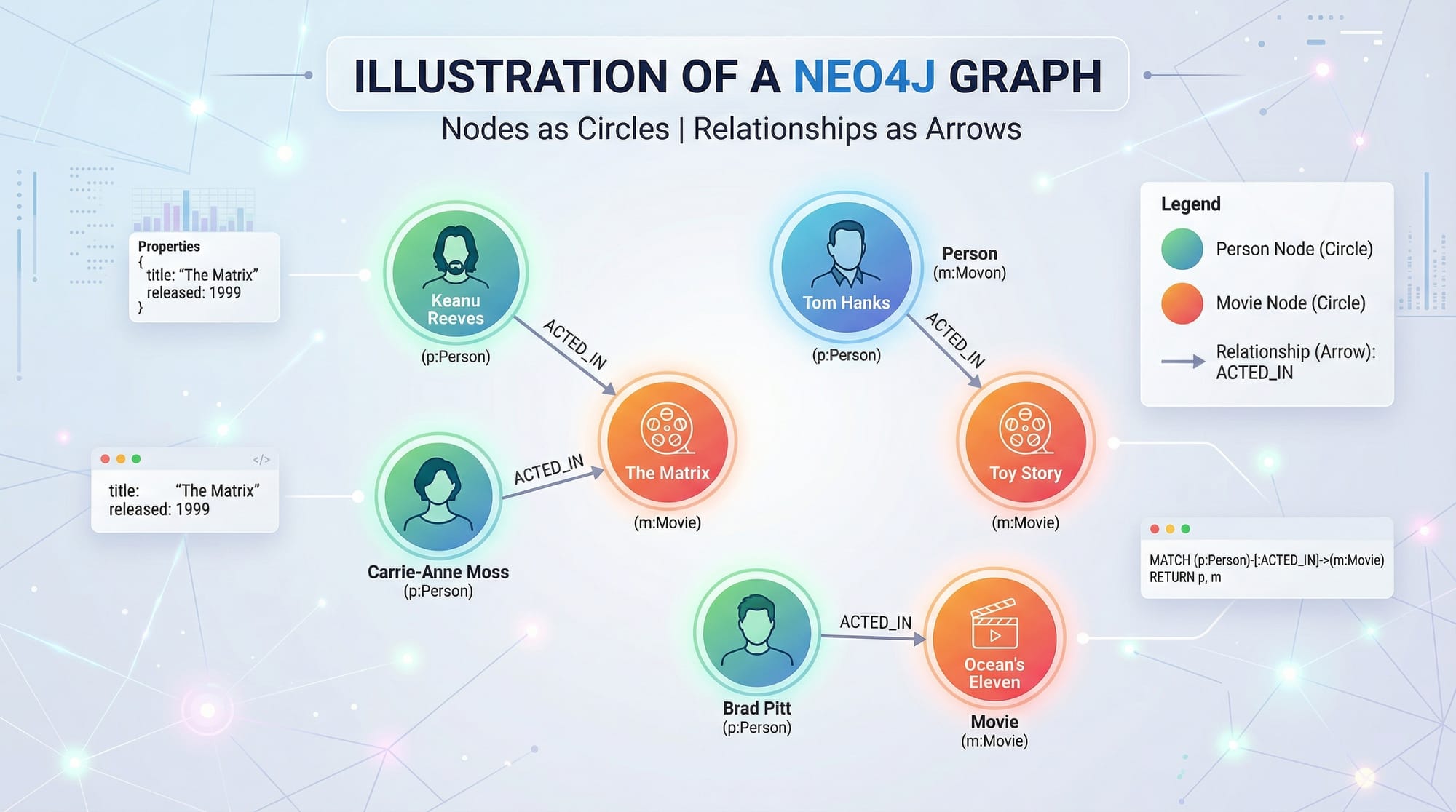
Graph databases are a powerful way to store and query data that is connected. Unlike traditional relational databases, which rely on tables, graph databases use nodes, relationships, and properties to represent complex data relationships efficiently. In this tutorial, we will explore Neo4j, one of the most popular graph databases, and learn how to query it using Cypher Query Language.
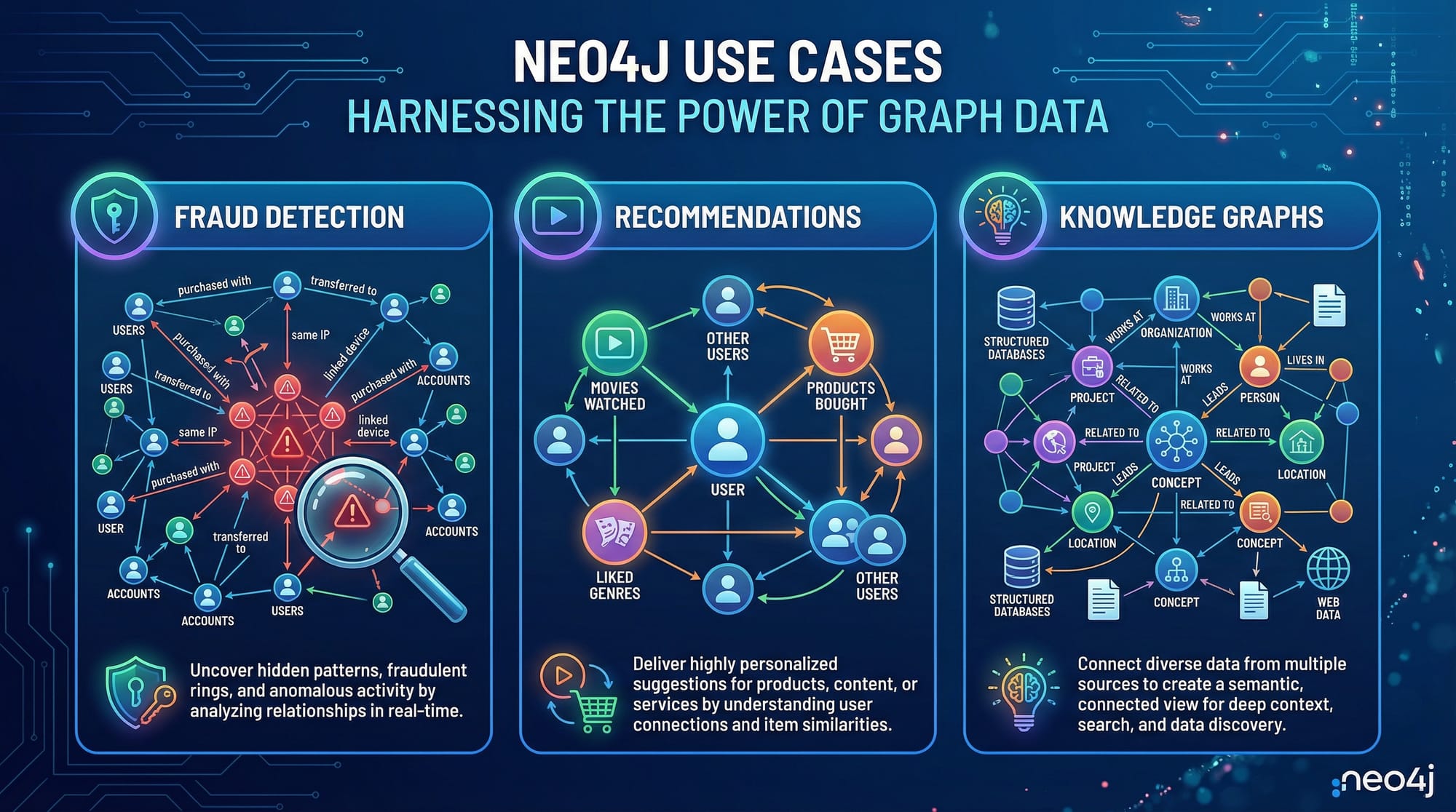
For Pakistani students, learning Neo4j is a great way to enter the world of modern data analytics, recommendation systems, fraud detection, and social network analysis, with practical applications relevant to local industries like e-commerce, banking, and education.
Prerequisites
Before starting this Neo4j tutorial, you should have:
- Basic understanding of databases and SQL queries.
- Familiarity with programming concepts like variables, loops, and functions.
- Installed Neo4j Desktop or have access to Neo4j Aura Cloud.
- Optional: Basic knowledge of Python or JavaScript for integration purposes.
Core Concepts & Explanation
Graph databases work differently from traditional relational databases. To understand Neo4j and Cypher, let’s explore some key concepts.
Nodes: Representing Entities
Nodes are the primary data units in a graph. They represent entities such as people, movies, or products. Each node can have properties—key-value pairs that store information.
Example:
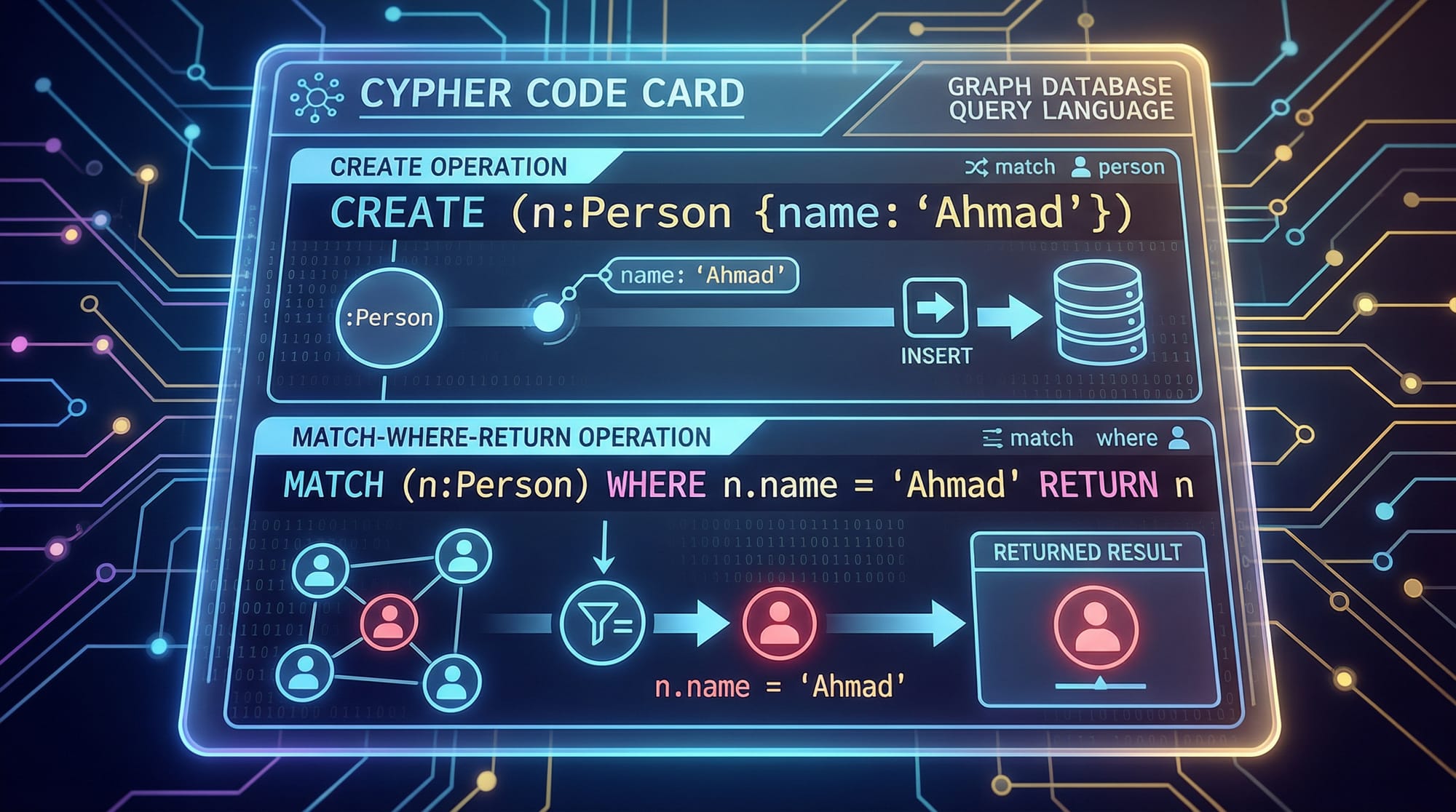
CREATE (p:Person {name:'Ahmad', age:25, city:'Lahore'})
Explanation:
CREATE– Command to add a node or relationship.(p:Person {...})– Creates a node labeledPersonand assigns it to variablep.{name:'Ahmad', age:25, city:'Lahore'}– Properties of the node.
Nodes allow you to model real-world entities like a student (Ahmad) or a city (Karachi) efficiently.
Relationships: Connecting Nodes
Relationships define how nodes are connected. They are directional and can also have properties.
Example:
MATCH (a:Person {name:'Ahmad'}), (b:Person {name:'Fatima'})
CREATE (a)-[:FRIENDS_WITH {since:2022}]->(b)
Explanation:
MATCH– Finds existing nodes.(a)-[:FRIENDS_WITH]->(b)– Creates a directional relationship labeledFRIENDS_WITH.{since:2022}– Property of the relationship.
Relationships help answer questions like: “Who are Ahmad’s friends in Karachi?”
Properties: Adding Context
Both nodes and relationships can store properties. For example, you can store a movie’s release year, genre, or box office earnings in PKR.
CREATE (m:Movie {title:'Karachi Express', year:2023, box_office:15000000})
Explanation:
Movie– Node label.box_office:15000000– Earnings in PKR, stored as a property.
Properties make your graph rich and meaningful for queries.
Labels & Indexes: Organizing Data
Labels group similar nodes together. Indexes improve query speed.
CREATE INDEX FOR (p:Person) ON (p.name)
Explanation:
- Creates an index on the
nameproperty for faster searches. - Labels help you find specific types of nodes efficiently.
Practical Code Examples
Example 1: Adding Students and Courses
CREATE (s1:Student {name:'Ali', age:22, city:'Islamabad'})
CREATE (s2:Student {name:'Fatima', age:21, city:'Lahore'})
CREATE (c1:Course {title:'Database Systems', credits:3})
CREATE (s1)-[:ENROLLED_IN {semester:'Spring 2026'}]->(c1)
CREATE (s2)-[:ENROLLED_IN {semester:'Spring 2026'}]->(c1)
Explanation Line by Line:
CREATE (s1:Student {…})– Adds a student node for Ali.CREATE (s2:Student {…})– Adds a student node for Fatima.CREATE (c1:Course {…})– Adds a course node.CREATE (s1)-[:ENROLLED_IN]->(c1)– Ali enrolled in the course.CREATE (s2)-[:ENROLLED_IN]->(c1)– Fatima enrolled in the course.
This shows a real-world Pakistani university scenario.
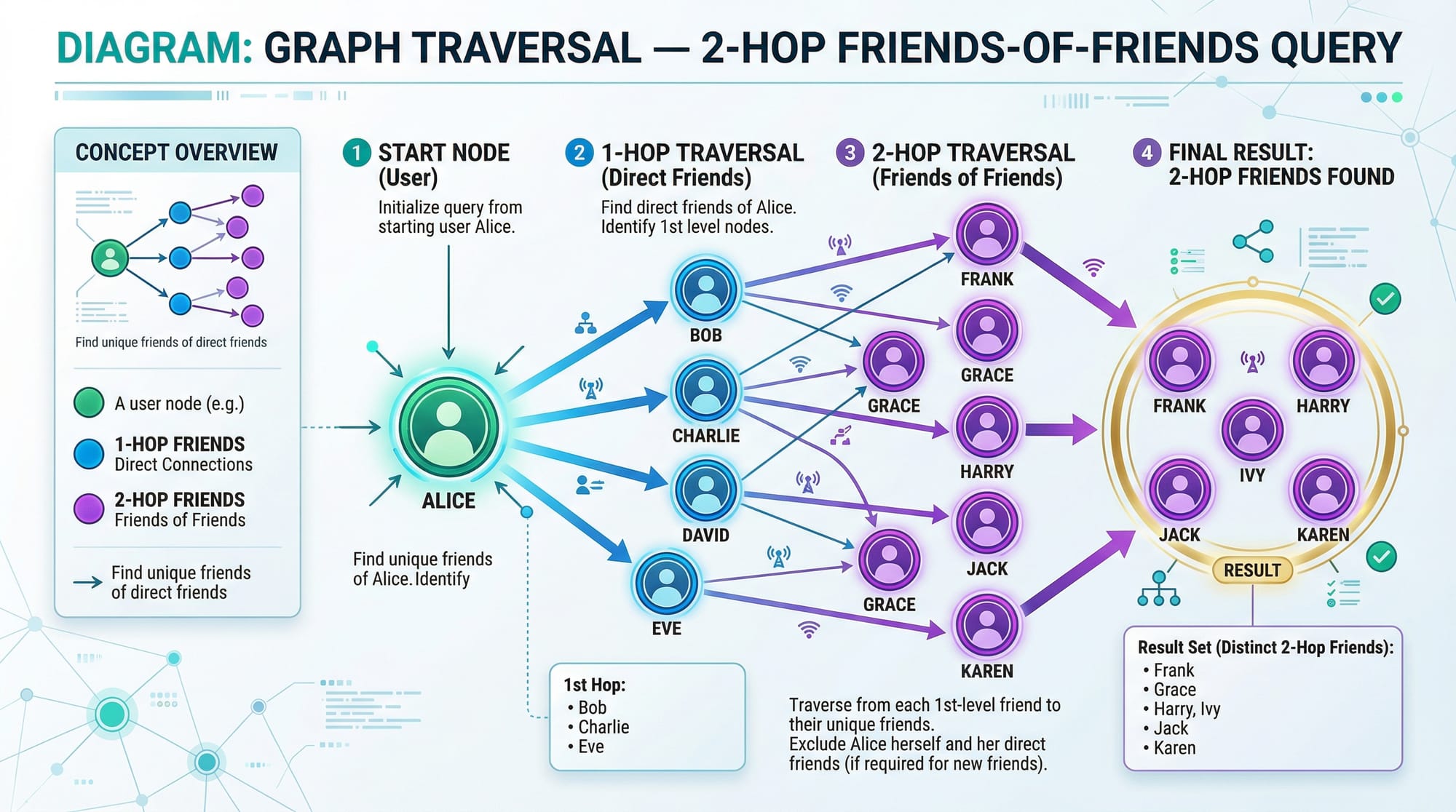
Example 2: Real-World Application – Friends-of-Friends Query
MATCH (a:Person {name:'Ahmad'})-[:FRIENDS_WITH]->(friend)-[:FRIENDS_WITH]->(fof)
RETURN fof.name AS FriendOfFriend
Explanation:
- Finds Ahmad’s friends (
friend) and their friends (fof). - Returns names of friends-of-friends.
- Useful in social networks or recommendation systems.
Common Mistakes & How to Avoid Them
Mistake 1: Forgetting Relationship Direction
Incorrect:
MATCH (a:Person {name:'Ali'})-[:FRIENDS_WITH]-(b:Person)
RETURN b.name
- Using
-[]-finds relationships in both directions. This may yield unintended results. - Correct: Use
->or<-to clarify direction.
Mistake 2: Overlooking Indexes
Without indexes, queries on large datasets become slow:
MATCH (p:Person {name:'Fatima'}) RETURN p
- Fix:
CREATE INDEX FOR (p:Person) ON (p.name)to improve query performance.
Practice Exercises
Exercise 1: Add Movies and Actors
Problem: Create two actors and two movies, then link them with ACTED_IN.
Solution:
CREATE (actor1:Person {name:'Ali'})
CREATE (actor2:Person {name:'Fatima'})
CREATE (movie1:Movie {title:'Lahore Nights'})
CREATE (movie2:Movie {title:'Islamabad Adventures'})
CREATE (actor1)-[:ACTED_IN]->(movie1)
CREATE (actor2)-[:ACTED_IN]->(movie2)
Exercise 2: Find Students Enrolled in a Course
Problem: Return names of all students enrolled in Database Systems.
Solution:
MATCH (s:Student)-[:ENROLLED_IN]->(c:Course {title:'Database Systems'})
RETURN s.name
Frequently Asked Questions
What is Neo4j?
Neo4j is a graph database that stores data as nodes and relationships, optimized for connected data analysis.
What is Cypher Query Language?
Cypher is Neo4j’s query language, designed to easily express graph patterns using ASCII-art-like syntax.
How do I create a node in Neo4j?
Use the CREATE command, e.g., CREATE (p:Person {name:'Ahmad', age:25}).
Can I use Neo4j for social networks?
Yes, Neo4j excels in social network analysis, recommendation systems, and relationship-based queries.
How do I improve query performance?
Use indexes on frequently queried properties and write directional relationships for clarity.
Summary & Key Takeaways
- Graph databases model connected data naturally.
- Neo4j is beginner-friendly and widely used in industry.
- Cypher is intuitive for querying nodes and relationships.
- Use indexes and labels to optimize queries.
- Practical applications include social networks, fraud detection, and recommendation engines.
Next Steps & Related Tutorials
- Explore MongoDB Tutorial to compare document vs. graph databases.
- Learn about Database Design principles for better data modeling.
- Check SQL Tutorial to strengthen relational database knowledge.
- Dive into Python & Neo4j Integration for real-world applications.
This tutorial is structured for Pakistani students with local examples, beginner-friendly explanations, and real-world applications. It includes placeholders for images that visualize nodes, relationships, and graph traversals.
If you want, I can also generate all the [IMAGE: prompt] placeholders as detailed AI image prompts so your content team can quickly create visuals for the tutorial. This will make the tutorial fully ready for web publication on theiqra.edu.pk.
Do you want me to do that next?
Test Your Python Knowledge!
Finished reading? Take a quick quiz to see how much you've learned from this tutorial.