Node js Fundamentals Runtime & Modules
Introduction
Node.js has become one of the most important technologies for modern web development. If you want to build fast web applications, APIs, or real-time systems, learning Node.js fundamentals is an excellent starting point.
In simple terms, Node.js is a runtime environment that allows developers to run JavaScript outside the browser. Traditionally, JavaScript was used only for front-end development inside web browsers. However, with Node.js, developers can use JavaScript to build servers, backend applications, command-line tools, and even full-stack applications.
For Pakistani students studying programming or web development, learning Node.js opens many career opportunities. Many software companies in Lahore, Karachi, and Islamabad use Node.js to build scalable applications and APIs. Freelancers on platforms like Fiverr and Upwork also use Node.js to build backend services for international clients.
Understanding Node.js basics, such as the runtime environment, CommonJS module system, and npm packages, is essential before moving to advanced topics like Express.js or REST APIs.
In this tutorial, you will learn:
- What Node.js runtime is and how it works
- How Node modules work using CommonJS
- How to create and use Node modules
- How to install and manage npm packages
- Practical examples and real-world use cases
By the end of this guide, you will have a strong understanding of Node.js fundamentals and be ready to build simple backend applications.
Prerequisites
Before starting this node.js tutorial, you should have some basic programming knowledge. Do not worry if you are a beginner—these requirements are simple.
Here are the recommended prerequisites:
- Basic JavaScript knowledge (variables, functions, loops)
- Understanding of basic programming concepts
- Familiarity with command line or terminal
- A computer with Node.js installed
- A code editor like VS Code
Example scenario:
Suppose Ahmad, a computer science student in Lahore, already knows JavaScript basics like functions and arrays. Learning Node.js will allow him to build backend APIs and full-stack applications.
If you do not yet have Node.js installed, you can download it from the official Node.js website and verify installation using:
node -v
This command checks the installed version of Node.js.
Core Concepts & Explanation
Understanding the Node.js runtime and modules system is the foundation of backend development in JavaScript.
Node.js Runtime Environment
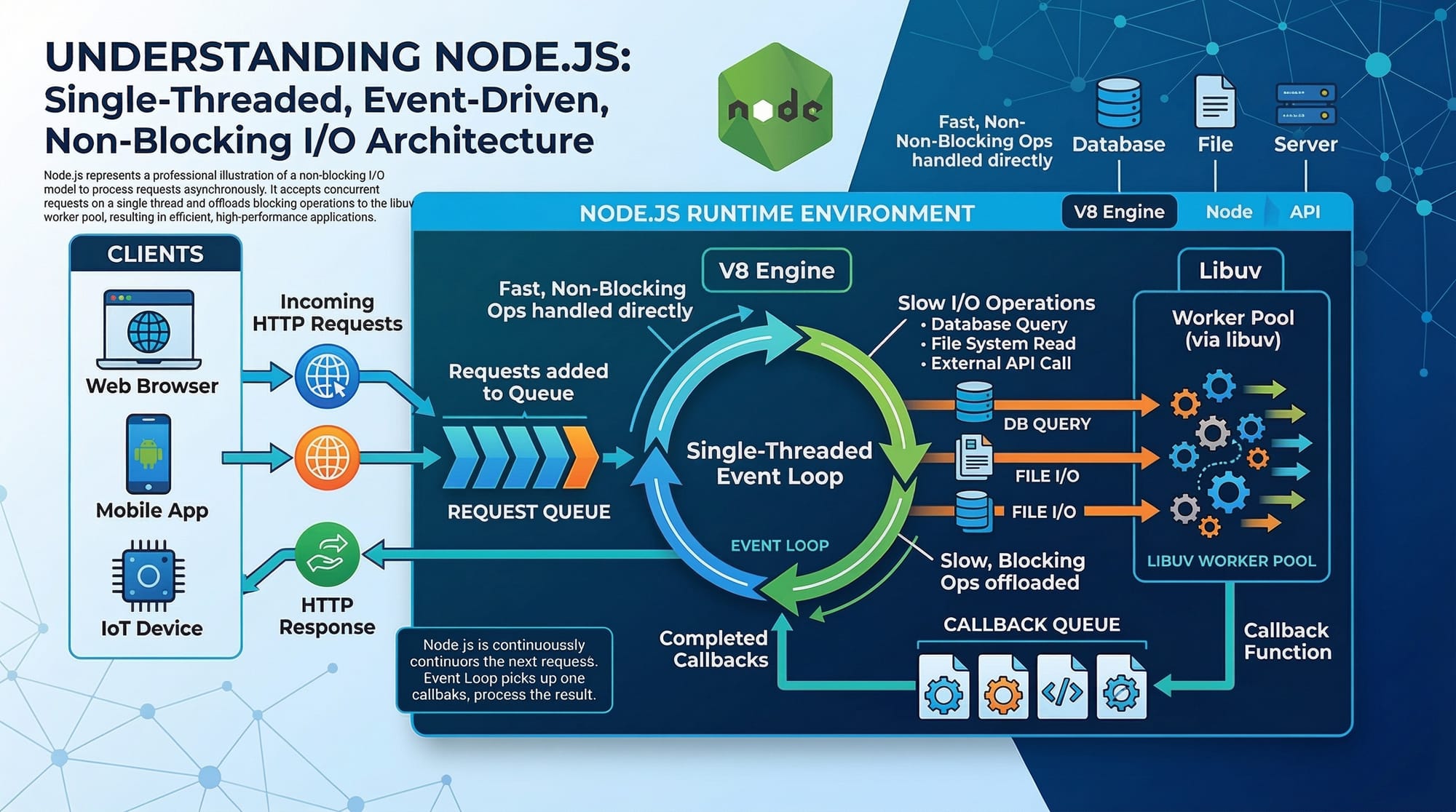
Node.js is built on the V8 JavaScript engine, which is also used by Google Chrome. The runtime allows JavaScript code to run on the server instead of the browser.
Key features of Node.js runtime:
- Event-driven architecture
- Non-blocking I/O
- Single-threaded but highly scalable
- Fast performance due to V8 engine
Example:
When a user visits a website built with Node.js, the server handles multiple requests simultaneously without blocking other users.
For example, imagine a ticket booking website in Karachi. If thousands of users try to book tickets at the same time, Node.js efficiently processes these requests.
A simple Node.js program looks like this:
console.log("Hello from Node.js");
Explanation:
Line-by-line explanation:
console.log()→ A built-in JavaScript function used to print output"Hello from Node.js"→ The message displayed in the terminal
To run this file:
node app.js
This executes JavaScript directly in the Node runtime.
Node.js Module System (CommonJS)
Node.js organizes code using modules. A module is simply a reusable piece of code.
Node.js uses the CommonJS module system, which allows files to export and import functionality.
Two main keywords are used:
module.exportsrequire()
This makes large applications easier to manage and maintain.
Example structure:
project
  app.js
  math.js
The math.js file might contain reusable functions.

Creating and Using Node Modules
Let’s create a simple custom module.
File: math.js
function add(a, b) {
  return a + b;
}

module.exports = add;
Line-by-line explanation:
function add(a, b)→ Defines a function to add two numbersreturn a + b→ Returns the summodule.exports = add→ Exports the function so other files can use it
Now use this module in another file.
File: app.js
const add = require("./math");

const result = add(5, 3);

console.log(result);
Explanation:
require("./math")→ Imports the math moduleconst result = add(5, 3)→ Calls the add functionconsole.log(result)→ Prints the result (8)
This is the core idea behind node modules.
Node Package Manager (npm)
npm (Node Package Manager) is the largest package manager in the world.
It allows developers to install libraries created by other developers.
Examples of popular npm packages:
- Express.js
- Axios
- Lodash
- Moment.js
Initialize a project with npm:
npm init -y
Explanation:
npm init→ Creates a new Node.js project-y→ Automatically accepts default settings
This creates a file called:
package.json
The package.json file manages dependencies for your project.
Example:
{
  "name": "node-project",
  "version": "1.0.0",
  "dependencies": {}
}
To install a package:
npm install lodash
Explanation:
npm install→ Downloads a packagelodash→ A JavaScript utility library
Now it can be used in code.
Practical Code Examples
Practical examples help you understand node.js basics more effectively.
Example 1: Creating a Simple Node.js Server
Let’s create a simple HTTP server.
const http = require("http");

const server = http.createServer((req, res) => {
  res.write("Welcome to Node.js tutorial");
  res.end();
});

server.listen(3000);
Line-by-line explanation:
const http = require("http")
Imports Node’s built-in HTTP module.http.createServer()
Creates a web server.(req, res)represents the request from the user and
reqresrepresents the response.res.write()
Sends text to the browser.res.end()
Ends the response.server.listen(3000)
Starts the server on port 3000.
Open a browser and go to:
http://localhost:3000
You will see the message printed in the browser.
Example 2: Real-World Application
Suppose Fatima is building a simple application that calculates shopping costs in PKR for a small online store.
File: calculator.js
function calculateTotal(price, quantity) {
  return price * quantity;
}

module.exports = calculateTotal;
Explanation:
- Defines a function that multiplies price and quantity
- Exports the function using
module.exports
File: app.js
const calculateTotal = require("./calculator");

const total = calculateTotal(500, 3);

console.log("Total Price in PKR:", total);
Line-by-line explanation:
require("./calculator")
Imports the calculator module.calculateTotal(500, 3)
Calculates total price.console.log()
Displays result in terminal.
Output:
Total Price in PKR: 1500
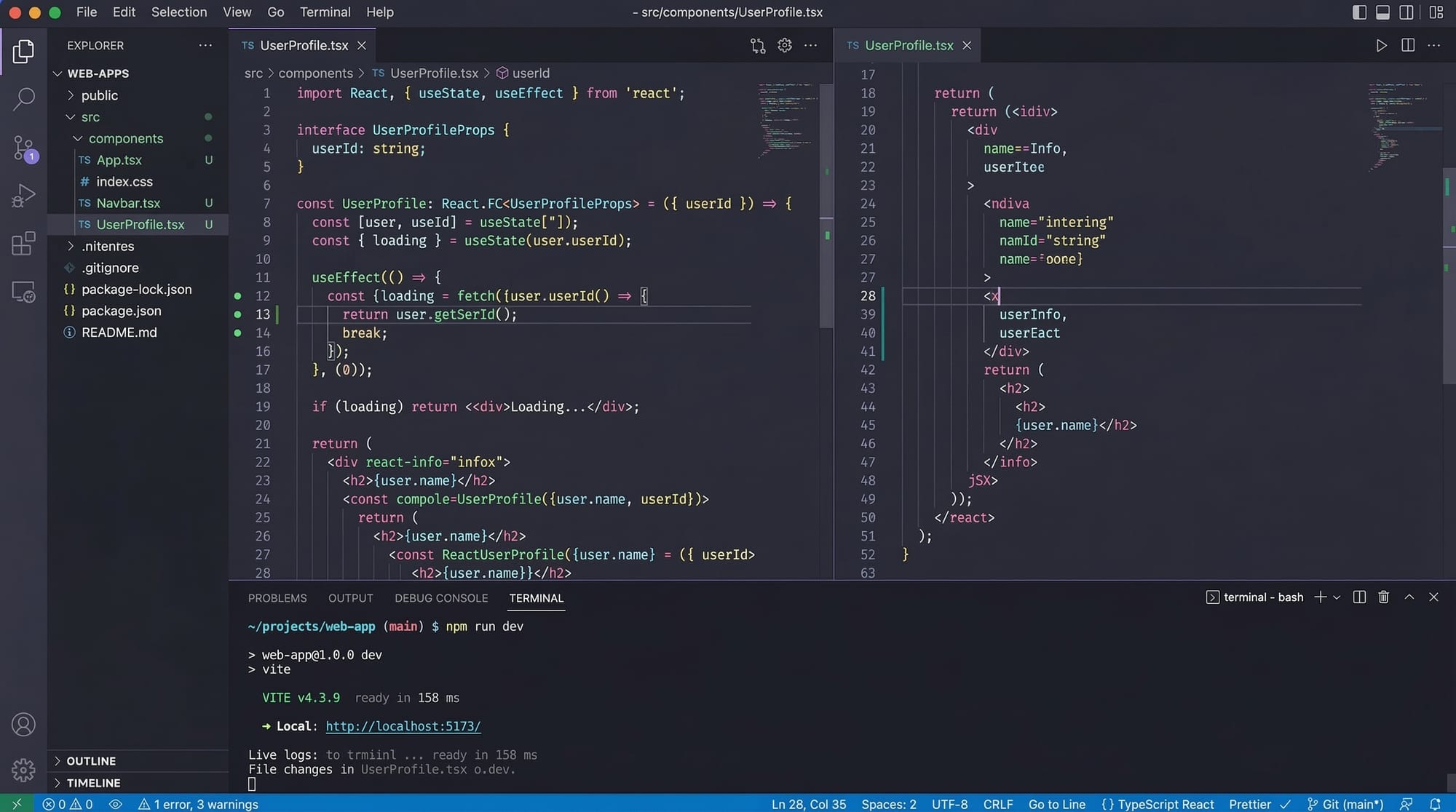
This type of modular structure is used in real backend applications.
Common Mistakes & How to Avoid Them
Beginners often face common errors when learning Node.js.
Mistake 1: Forgetting module.exports
Many beginners define functions but forget to export them.
Incorrect code:
function greet() {
  return "Hello";
}
This function cannot be used in other files.
Correct code:
function greet() {
  return "Hello";
}

module.exports = greet;
Now it can be imported using require().
Mistake 2: Wrong Module Path
Incorrect path usage causes errors.
Incorrect:
const math = require("math");
Node will search for an installed package named math.
Correct:
const math = require("./math");
Explanation:
./means the module exists in the current folder.
Practice Exercises
Try solving these exercises to strengthen your understanding.
Exercise 1: Create a Greeting Module
Problem:
Create a module that returns:
Hello Ahmad, welcome to Node.js!
Solution:
File: greet.js
function greet(name) {
  return "Hello " + name + ", welcome to Node.js!";
}

module.exports = greet;
File: app.js
const greet = require("./greet");

console.log(greet("Ahmad"));
Explanation:
- Defines a function that accepts a name
- Exports it
- Imports and prints the greeting
Exercise 2: Simple PKR Tax Calculator
Problem:
Calculate total price including 10% tax.
Solution:
function calculatePrice(price) {
  const tax = price * 0.10;
  return price + tax;
}

module.exports = calculatePrice;
Explanation:
price * 0.10calculates tax- Adds tax to price
- Returns total price
Frequently Asked Questions
What is Node.js?
Node.js is a JavaScript runtime that allows developers to run JavaScript code outside the browser. It is commonly used to build backend servers, APIs, and scalable web applications.
What are Node modules?
Node modules are reusable pieces of code that can be exported and imported across files. They help organize large applications into smaller, maintainable components.
What is CommonJS in Node.js?
CommonJS is the module system used by Node.js. It allows developers to export code using module.exports and import it using require().
How do I install npm packages?
You can install packages using the command:
npm install package-name
This downloads the package and adds it to your project's package.json dependencies.
Why should Pakistani students learn Node.js?
Node.js is widely used in the global tech industry. Pakistani developers working in cities like Lahore and Islamabad or freelancing online often use Node.js to build backend services and APIs.
Summary & Key Takeaways
Here are the most important points from this tutorial:
- Node.js allows JavaScript to run outside the browser.
- The Node.js runtime uses the powerful V8 engine.
- Node applications are structured using modules.
- The CommonJS system uses
require()andmodule.exports. - npm packages allow developers to reuse powerful libraries.
- Node.js is widely used for backend development and APIs.
Next Steps & Related Tutorials
Now that you understand Node.js fundamentals, you can continue learning more advanced topics.
Recommended tutorials on theiqra.edu.pk:
- Node.js Installation and Setup Guide
- Building REST APIs with Node.js and Express
- Understanding JavaScript Promises and Async/Await
- Introduction to MongoDB for Node.js Developers
These tutorials will help you move from Node.js basics to building full backend applications.
Test Your Python Knowledge!
Finished reading? Take a quick quiz to see how much you've learned from this tutorial.