OpenAI Function Calling & Structured Outputs Tutorial
Introduction
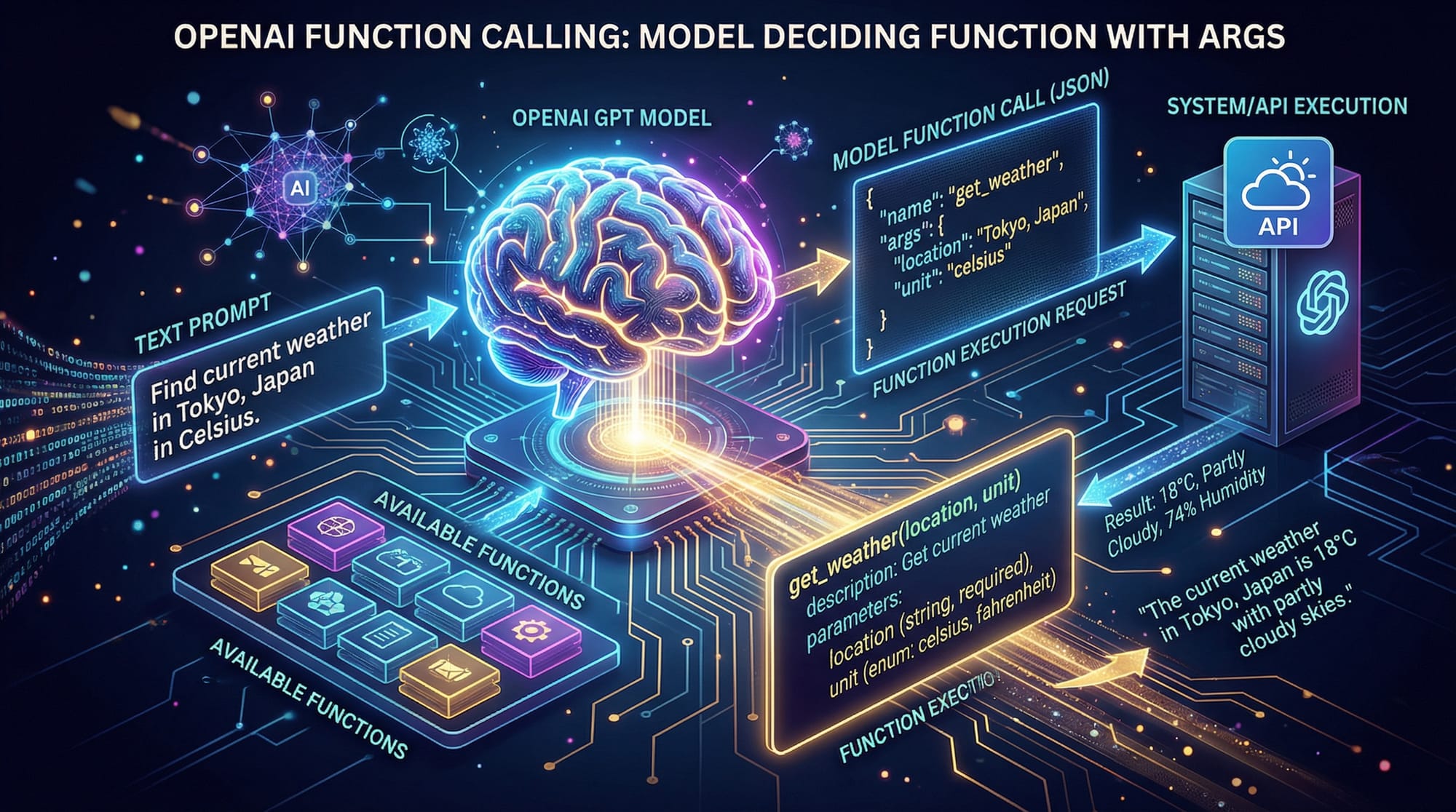
OpenAI function calling and structured outputs is a powerful feature that allows developers to define functions that the AI model can automatically call with well-structured arguments. For Pakistani students, understanding this capability is essential to build intelligent applications such as chatbots, virtual assistants, and automated data processing tools. Using structured outputs, you can ensure that your AI responses are predictable, valid, and easy to integrate with other systems, which is especially useful in fields like education, finance (PKR-based calculations), and local e-commerce.
Prerequisites
Before diving into OpenAI function calling and structured outputs, you should have:
- Basic knowledge of Python programming.
- Understanding of JSON and data structures.
- Familiarity with APIs and HTTP requests.
- Basic experience with AI/ML concepts (optional but helpful).
- Access to OpenAI API key and a Python environment (Jupyter Notebook, VS Code, or PyCharm).
Core Concepts & Explanation
Function Calling in OpenAI
Function calling allows the AI model to call predefined Python functions based on the context of the conversation. Instead of returning free-form text, the model generates structured JSON data that can be directly used in your code.
For example, imagine Ahmad wants to calculate the price of items in PKR. The AI can generate a structured request to a calculate_price function:
# Example function definition
def calculate_price(item: str, quantity: int) -> dict:
    prices = {'apple': 150, 'mango': 200}
    total = prices.get(item.lower(), 0) * quantity
    return {'item': item, 'quantity': quantity, 'total_price': total}
Here, the model can call calculate_price with arguments item='mango' and quantity=3 and get back a structured JSON response.
Structured Outputs and JSON Mode
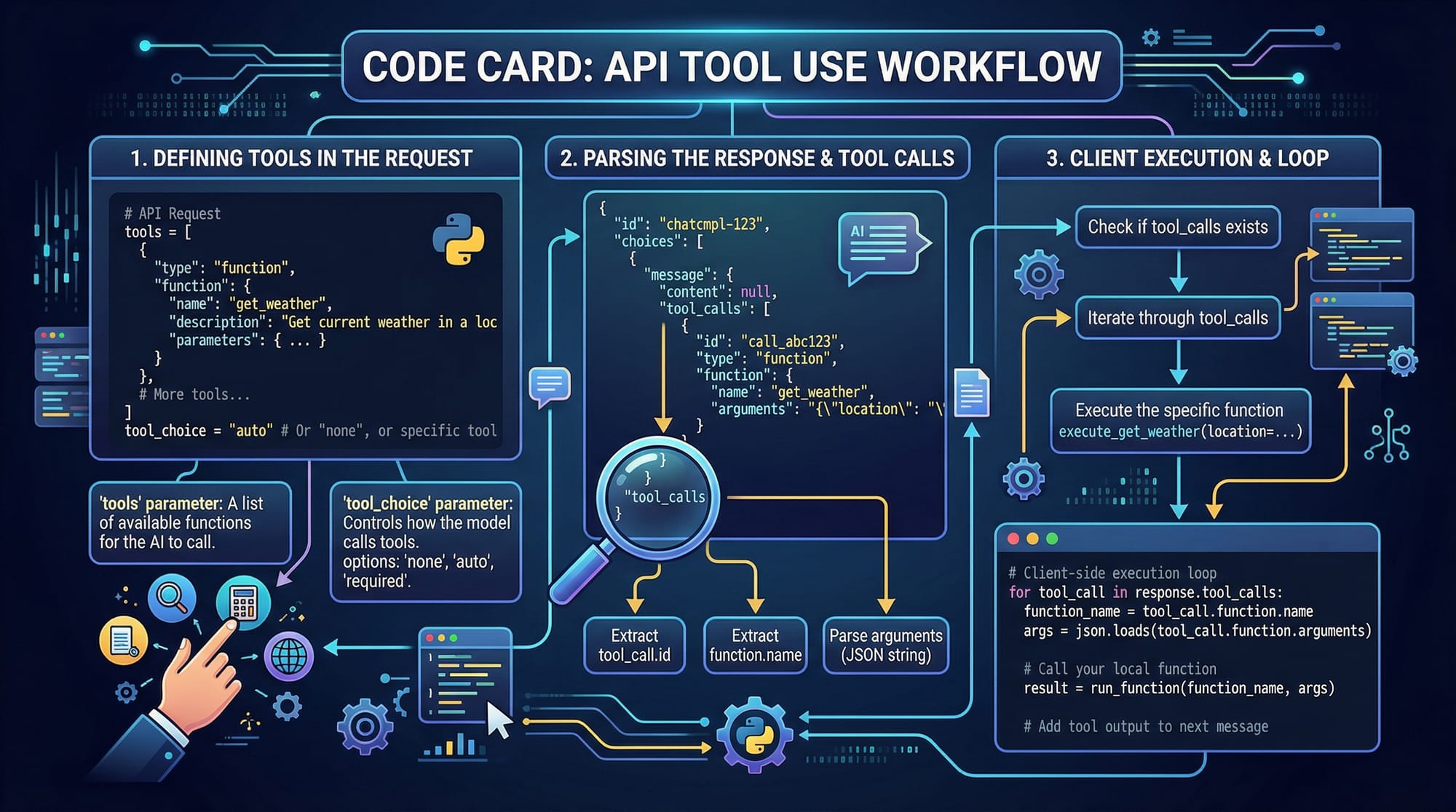
Structured outputs ensure that the AI returns information in a fixed, predictable format. Using json_mode, you can define a schema and guarantee that the response matches your expectations.
Example schema:
{
  "item": "string",
  "quantity": "integer",
  "total_price": "integer"
}
The model then returns responses that strictly follow this structure.
Tool Parameter and Tool Choice
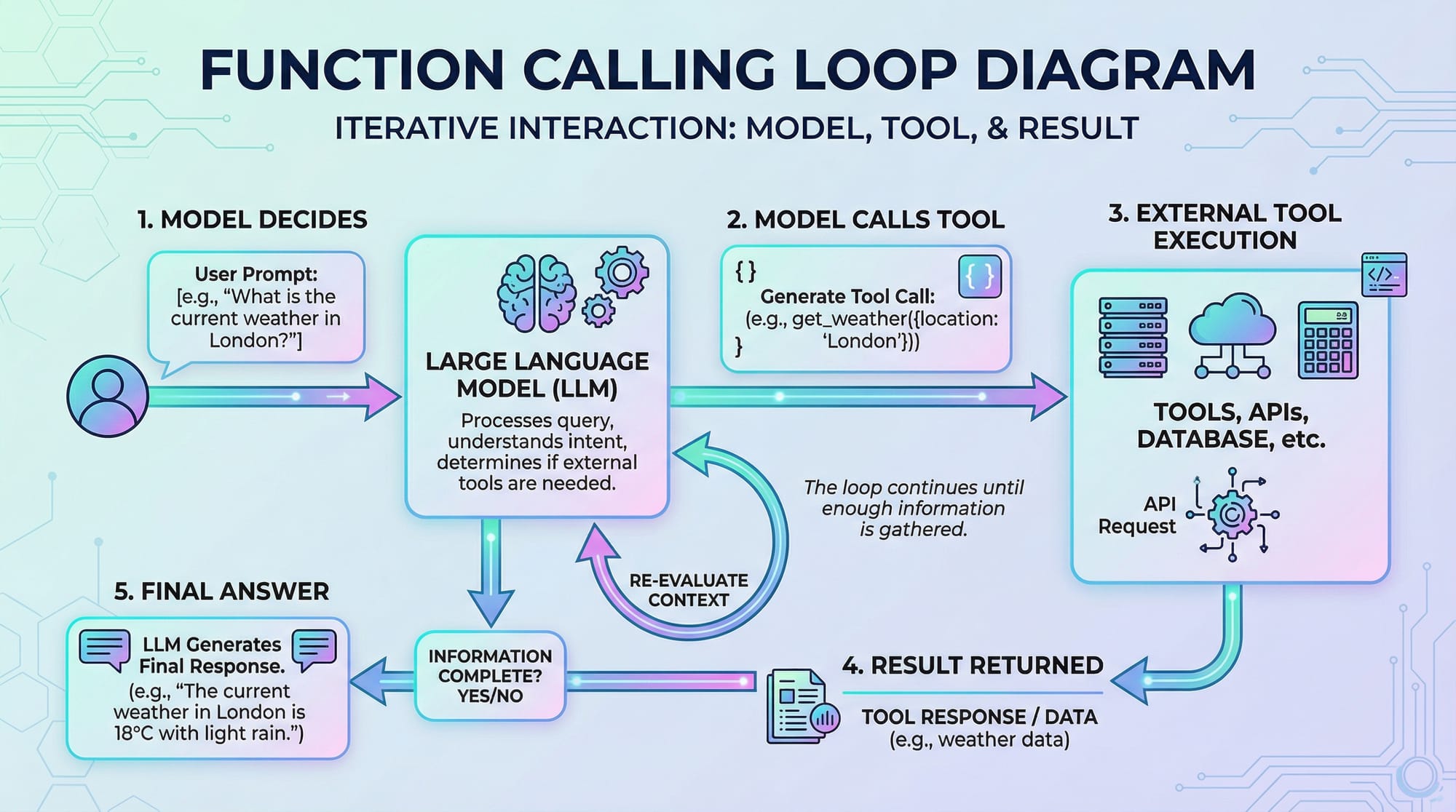
OpenAI models can be provided with a list of tools (functions) that they can use. The model decides which tool to call based on the user input.
Example:
from openai import OpenAI
client = OpenAI(api_key='YOUR_API_KEY')

tools = [
    {
        "name": "calculate_price",
        "description": "Calculate total price in PKR for a given item and quantity",
        "parameters": {
            "type": "object",
            "properties": {
                "item": {"type": "string"},
                "quantity": {"type": "integer"}
            },
            "required": ["item", "quantity"]
        }
    }
]
The model will use this tool when the user asks for price calculations.
Practical Code Examples
Example 1: Simple Function Call
from openai import OpenAI

client = OpenAI(api_key='YOUR_API_KEY')

response = client.chat.completions.create(
    model="gpt-4.1",
    messages=[{"role": "user", "content": "Calculate the price of 5 mangoes"}],
    functions=tools,
    function_call="auto"
)

# Parse the tool call response
tool_response = response.choices[0].message.get("function_call")
print(tool_response)
Explanation:
client.chat.completions.create: Creates a chat completion request.messages: Contains the user input.functions: List of callable functions.function_call="auto": Lets the model decide which function to call.tool_response: Captures the structured function call result.
Example 2: Real-World Application — Pakistani E-commerce Cart
# Define product prices
products = {'shirt': 1200, 'jeans': 2500, 'shoes': 3500}

def calculate_cart(items: list) -> dict:
    total = sum(products[item['name'].lower()] * item['quantity'] for item in items)
    return {'items': items, 'total_price': total}

# User input simulation
user_items = [{'name': 'Shirt', 'quantity': 2}, {'name': 'Shoes', 'quantity': 1}]
cart = calculate_cart(user_items)
print(cart)
Explanation:
products: Stores item prices in PKR.calculate_cart: Calculates total price.user_items: Represents Ahmad or Fatima adding items to the cart.- Returns a structured dictionary for further processing.
Common Mistakes & How to Avoid Them
Mistake 1: Ignoring Required Parameters
If required parameters are missing, the function call will fail.
# Incorrect call
response = calculate_price(item='mango')  # Missing quantity
Fix: Always provide all required parameters:
response = calculate_price(item='mango', quantity=3)
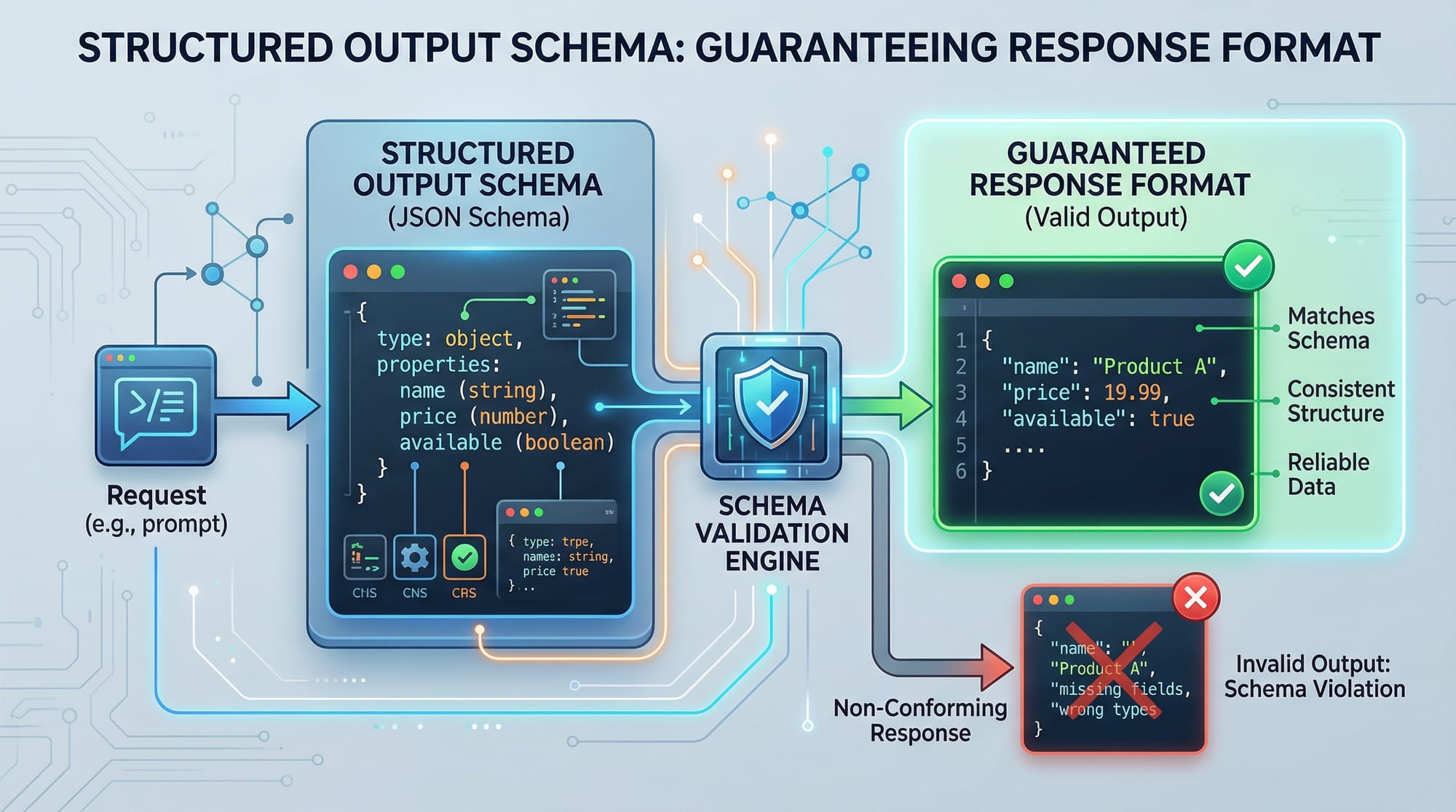
Mistake 2: Not Validating Structured Output
If you don’t validate the JSON schema, unexpected values may break your code.
# Potentially unsafe
total = tool_response['total_price']
Fix: Use schema validation or try-except blocks:
import jsonschema
schema = {"type": "object", "properties": {"total_price": {"type": "integer"}}, "required": ["total_price"]}
jsonschema.validate(tool_response, schema)
Practice Exercises
Exercise 1: Calculate Tuition Fees
Problem: Fatima wants to calculate tuition fees for 3 subjects: Math, Science, English, with per-subject fee in PKR.
# Solution
subjects = {'Math': 1500, 'Science': 1800, 'English': 1300}
def tuition_fee(subjects_selected: list) -> dict:
    total = sum(subjects[sub] for sub in subjects_selected)
    return {'subjects': subjects_selected, 'total_fee': total}

print(tuition_fee(['Math','Science','English']))
Exercise 2: Event Budget Calculator
Problem: Ali wants to organize a small event in Islamabad and calculate the total cost of catering, decoration, and entertainment.
# Solution
costs = {'catering': 10000, 'decoration': 5000, 'entertainment': 7000}
def event_budget(selected_items: list) -> dict:
    total = sum(costs[item] for item in selected_items)
    return {'selected_items': selected_items, 'total_cost': total}

print(event_budget(['catering','entertainment']))
Frequently Asked Questions
What is OpenAI function calling?
OpenAI function calling allows the model to call pre-defined Python functions automatically, generating structured outputs for predictable and safe integration with applications.
How do I define a function for the model?
Define a Python function and provide a JSON schema describing required parameters and expected outputs. Include it in the functions parameter in your API call.
What is structured output in OpenAI?
Structured output ensures that the AI model returns responses in a fixed JSON format, making it easier to parse and use programmatically.
How do I validate the JSON output?
Use Python libraries like jsonschema to validate the response against a predefined schema to prevent errors and ensure consistency.
Can I use function calling for real-world Pakistani applications?
Yes! You can use it for e-commerce, school fee calculations, event budgeting, and other applications where structured data is required in PKR or local contexts.
Summary & Key Takeaways
- OpenAI function calling enables automatic function execution by AI models.
- Structured outputs guarantee predictable, parseable JSON responses.
- Always define required parameters and validate responses.
- Practical applications include e-commerce, tuition fees, and event budgets in PKR.
- Tools parameter lets the model choose the correct function to call.
- Practice exercises help reinforce concepts in real-world scenarios.
Next Steps & Related Tutorials
- Explore ChatGPT API Tutorial to learn about chat-based AI integration.
- Learn Claude API Tutorial for multi-agent AI workflows.
- Check Streamlit Python Tutorial to create web apps displaying AI outputs.
- Try Polars Data Analysis Tutorial for handling structured data efficiently in Python.
Test Your Python Knowledge!
Finished reading? Take a quick quiz to see how much you've learned from this tutorial.