Playwright Tutorial End to End Testing with Auto Wait 2026
Introduction
Modern web applications are becoming more dynamic, interactive, and complex. For developers and testers in Pakistan, ensuring that applications work flawlessly across browsers and devices is critical—especially for startups in Lahore, freelancers in Karachi, and students building portfolios in Islamabad.
This playwright tutorial: end-to-end testing with auto-wait 2026 is designed to help you master playwright testing and understand how to build reliable e2e testing playwright workflows.
Playwright is a powerful automation tool developed by Microsoft that allows you to test web applications across multiple browsers (Chromium, Firefox, WebKit) with built-in auto-waiting, which makes your tests more stable and less flaky.
Why should Pakistani students learn Playwright?
- High demand in global freelancing platforms (Upwork, Fiverr)
- Used in real-world software companies
- Faster and more reliable than many older testing tools
- Excellent for portfolio projects and job readiness
Prerequisites
Before starting this playwright tutorial, you should have:
- Basic knowledge of JavaScript (ES6)
- Familiarity with HTML & CSS
- Understanding of web applications
- Node.js installed on your system
- Basic command-line usage
Optional but helpful:
- Experience with testing tools like Selenium or Cypress
- Understanding of async/await in JavaScript
Core Concepts & Explanation
Auto-Waiting in Playwright
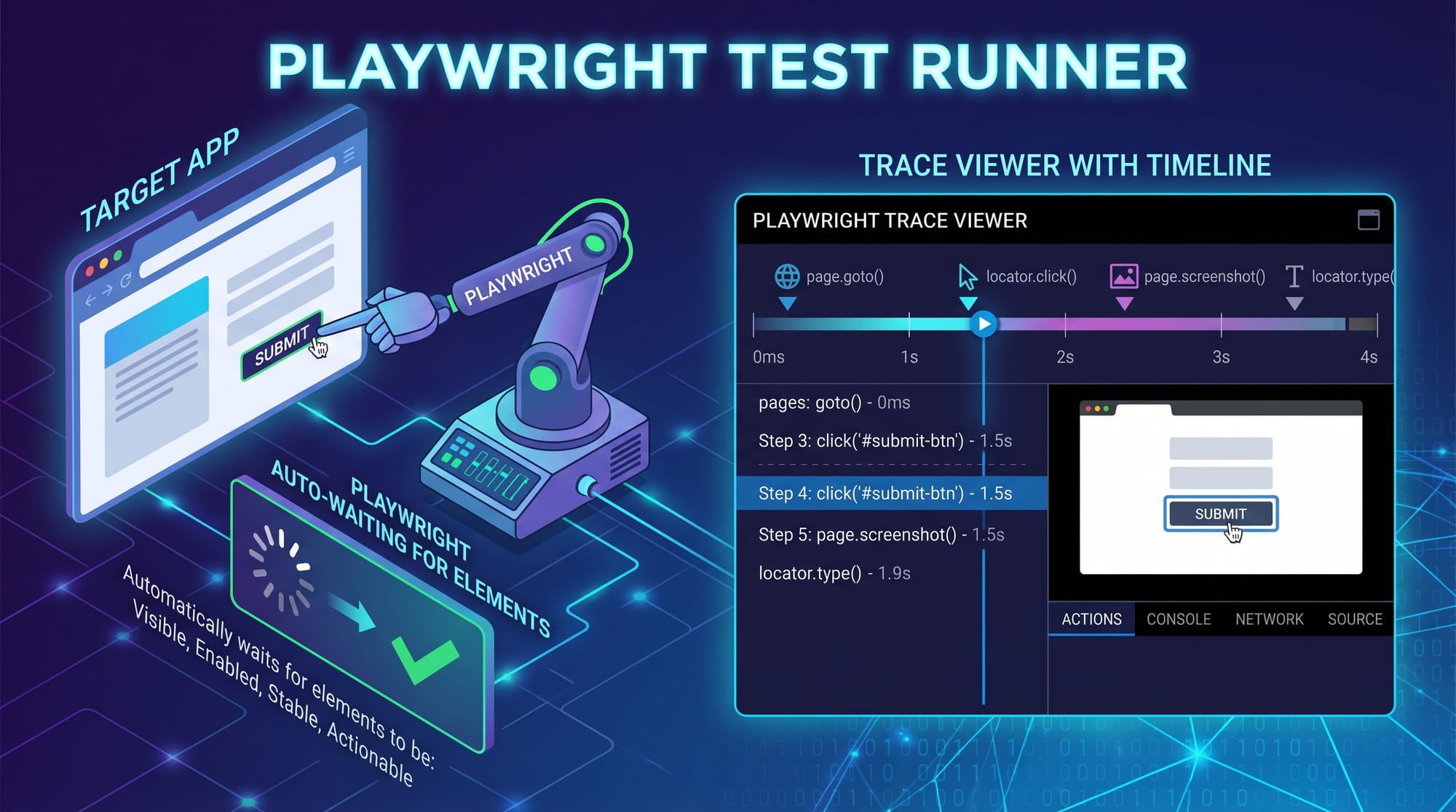
One of the biggest advantages of Playwright is its auto-wait mechanism.
In traditional testing tools, you often write manual waits:
await page.waitForTimeout(3000);
This is unreliable and slows down tests.
In Playwright, auto-wait ensures that:
- Elements are visible
- Elements are enabled
- Elements are stable (not moving)
Example:
await page.getByRole('button', { name: 'Login' }).click();
Playwright automatically waits until the button is ready.
Why this matters (Pakistan context):
Imagine Ahmad is testing an e-commerce site in Lahore. Slow internet or server delays can cause elements to load late. Auto-wait ensures tests don’t fail unnecessarily.
Locators and Assertions
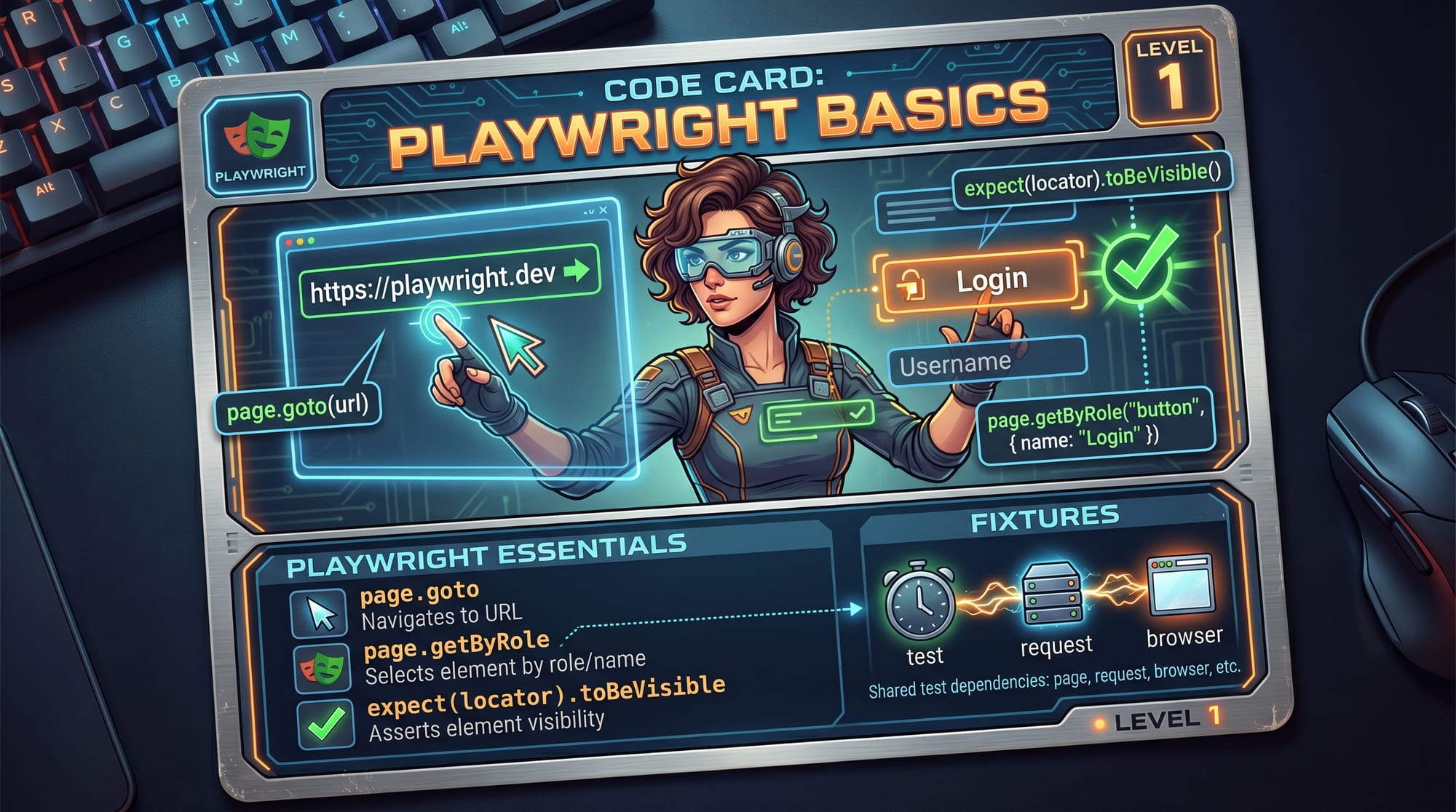
Playwright uses modern locator strategies:
const button = page.getByRole('button', { name: 'Submit' });
Other locators:
getByText()getByLabel()getByPlaceholder()
Assertions:
await expect(button).toBeVisible();
This verifies:
- UI is rendered correctly
- User can interact with elements
Fixtures and Test Structure
Playwright uses fixtures to manage setup and teardown.
Example:
import { test, expect } from '@playwright/test';

test('basic test', async ({ page }) => {
  await page.goto('https://example.com');
});
Here:
testdefines a test case{ page }is a fixture (browser page instance)
Benefits:
- Cleaner code
- Reusable setup
- Scalable for large projects
Practical Code Examples
Example 1: Login Test for a Student Portal
Let’s create a test for a fictional Pakistani student portal.
import { test, expect } from '@playwright/test';

test('student login test', async ({ page }) => {
  // Step 1: Open the website
  await page.goto('https://student-portal.pk');

  // Step 2: Enter username
  await page.getByLabel('Username').fill('ahmad123');

  // Step 3: Enter password
  await page.getByLabel('Password').fill('password123');

  // Step 4: Click login button
  await page.getByRole('button', { name: 'Login' }).click();

  // Step 5: Verify dashboard is visible
  await expect(page.getByText('Welcome Ahmad')).toBeVisible();
});
Line-by-line explanation:
import { test, expect }: Imports Playwright testing toolstest('student login test', ...): Defines test casepage.goto(): Opens websitegetByLabel().fill(): Inputs data into fieldsgetByRole().click(): Clicks buttonexpect().toBeVisible(): Verifies login success
Example 2: Real-World Application (E-commerce Checkout)
Scenario: Fatima is testing an online store in Karachi.
import { test, expect } from '@playwright/test';

test('ecommerce checkout flow', async ({ page }) => {
  // Step 1: Open store
  await page.goto('https://shop.pk');

  // Step 2: Search for product
  await page.getByPlaceholder('Search products').fill('Laptop');

  // Step 3: Select product
  await page.getByText('Dell Laptop').click();

  // Step 4: Add to cart
  await page.getByRole('button', { name: 'Add to Cart' }).click();

  // Step 5: Go to cart
  await page.getByRole('link', { name: 'Cart' }).click();

  // Step 6: Verify product in cart
  await expect(page.getByText('Dell Laptop')).toBeVisible();

  // Step 7: Checkout
  await page.getByRole('button', { name: 'Checkout' }).click();
});
Explanation:
- Simulates a real customer journey
- Covers search → product → cart → checkout
- Uses auto-wait at every step
Common Mistakes & How to Avoid Them
Mistake 1: Using Hard Waits
❌ Wrong:
await page.waitForTimeout(5000);
✔️ Correct:
await expect(page.getByText('Success')).toBeVisible();
Why avoid it:
- Slows down tests
- Causes flaky results
Mistake 2: Poor Locator Strategy
❌ Wrong:
await page.locator('div:nth-child(3)').click();
✔️ Correct:
await page.getByRole('button', { name: 'Submit' }).click();
Why:
- Stable locators reduce test failures
- Easier to maintain
Practice Exercises
Exercise 1: Signup Form Test
Problem:
Write a Playwright test for a signup form with:
- Name
- Password
Solution:
import { test, expect } from '@playwright/test';

test('signup test', async ({ page }) => {
  await page.goto('https://signup.pk');

  await page.getByLabel('Name').fill('Ali Khan');
  await page.getByLabel('Email').fill('[email protected]');
  await page.getByLabel('Password').fill('123456');

  await page.getByRole('button', { name: 'Signup' }).click();

  await expect(page.getByText('Account created')).toBeVisible();
});
Exercise 2: Search Feature Test
Problem:
Test search functionality on a blog website.
Solution:
import { test, expect } from '@playwright/test';

test('search test', async ({ page }) => {
  await page.goto('https://blog.pk');

  await page.getByPlaceholder('Search').fill('Playwright');

  await page.keyboard.press('Enter');

  await expect(page.getByText('Playwright Tutorial')).toBeVisible();
});
Frequently Asked Questions
What is Playwright in testing?
Playwright is a modern automation framework used for end-to-end testing of web applications. It supports multiple browsers and provides built-in auto-waiting, making tests more reliable.
How do I install Playwright?
You can install it using Node.js with npm init playwright@latest. This sets up everything including browsers and test configuration.
Why is Playwright better than Selenium?
Playwright offers faster execution, built-in auto-waiting, and better support for modern web apps compared to Selenium, which often requires manual waits and extra setup.
Can I use Playwright for freelancing?
Yes, Playwright is in demand globally. Pakistani freelancers can use it to offer testing services on platforms like Fiverr and Upwork.
Does Playwright support mobile testing?
Yes, Playwright can emulate mobile devices and test responsive designs, making it useful for mobile-friendly web applications.
Summary & Key Takeaways
- Playwright is a powerful tool for e2e testing playwright
- Auto-waiting eliminates the need for manual delays
- Use modern locators like
getByRole()for stability - Avoid hard waits and weak selectors
- Real-world testing scenarios improve your skills
- Highly valuable skill for Pakistani students and freelancers
Next Steps & Related Tutorials
To continue your journey, explore these tutorials on theiqra.edu.pk:
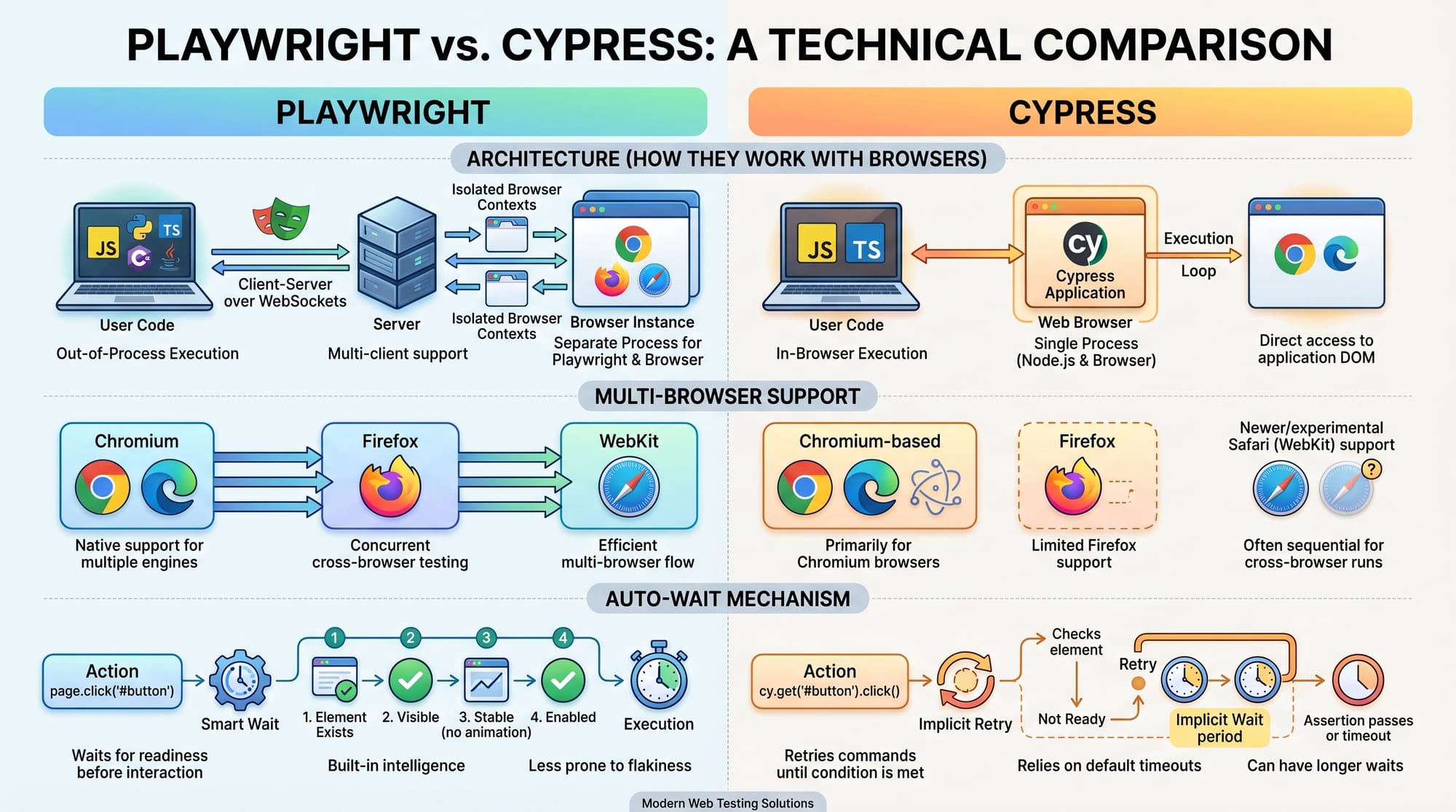
- Learn UI testing with Cypress Tutorial (great comparison with Playwright)
- Understand testing basics in Software Testing Fundamentals
- Improve backend skills with Node.js API Testing Guide
- Explore automation workflows in CI/CD Pipeline Tutorial
These will help you become a complete QA engineer or automation expert in Pakistan’s growing tech industry 🚀
Test Your Python Knowledge!
Finished reading? Take a quick quiz to see how much you've learned from this tutorial.