Prisma ORM Tutorial Type Safe Database for Node js 2026

Prisma ORM is a modern, type-safe Object Relational Mapper (ORM) for Node.js and TypeScript. It simplifies database access by generating auto-completed queries and ensures compile-time type safety. For Pakistani students building web applications with Node.js, Next.js, or full-stack frameworks, learning Prisma unlocks the ability to interact with databases confidently, avoid runtime errors, and scale projects efficiently.
In this tutorial, we will explore Prisma concepts, practical examples, common mistakes, exercises, and FAQs—helping you master Prisma with Node.js and integrate it seamlessly with Next.js for real-world projects.
Prerequisites
Before diving into Prisma, you should have the following knowledge:
- Basic JavaScript and Node.js concepts
- Understanding of TypeScript (optional but recommended for type safety)
- Familiarity with SQL and relational databases (MySQL, PostgreSQL, SQLite)
- Experience with Next.js for server-side rendering and API routes
- Basic knowledge of Git and npm/yarn for project setup
For Pakistani students, a laptop or PC with Node.js installed, and optionally Docker for database setup, is sufficient.
Core Concepts & Explanation
Prisma Schema & Data Models
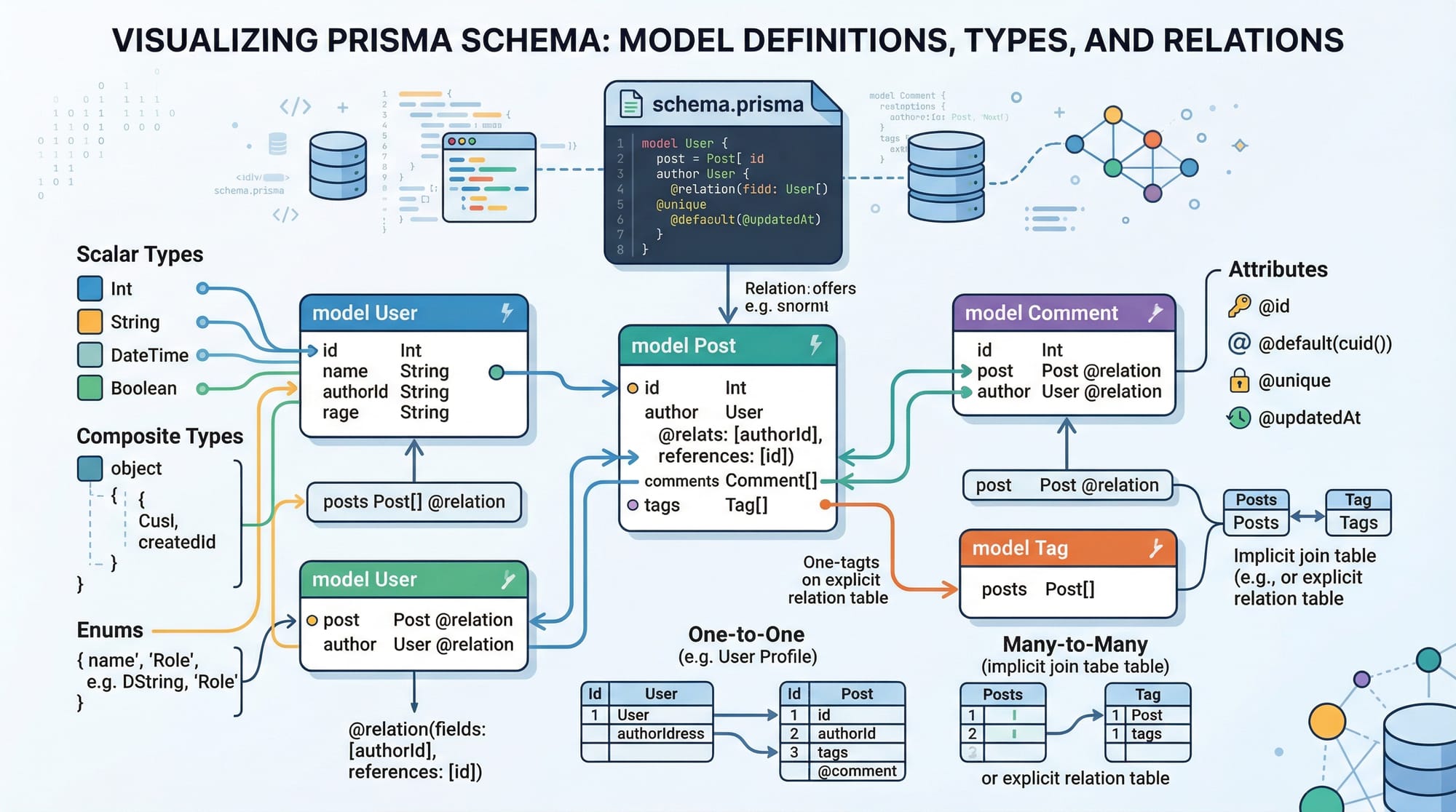
The Prisma schema is the heart of your database structure. It defines models (tables), fields (columns), and relations. Each model maps to a table in your database.
Example schema.prisma:
model User {
  id        Int      @id @default(autoincrement())
  name      String
  email     String   @unique
  balance   Float
  posts     Post[]
}

model Post {
  id        Int      @id @default(autoincrement())
  title     String
  content   String?
  author    User     @relation(fields: [authorId], references: [id])
  authorId  Int
}
Explanation:
@id— Marks the primary key@default(autoincrement())— Auto-generates unique IDs@unique— Ensures unique values (like email)Post[]— Defines one-to-many relations (one user has many posts)@relation— Explicitly defines foreign key relationships
Prisma Client & Type-Safe Queries
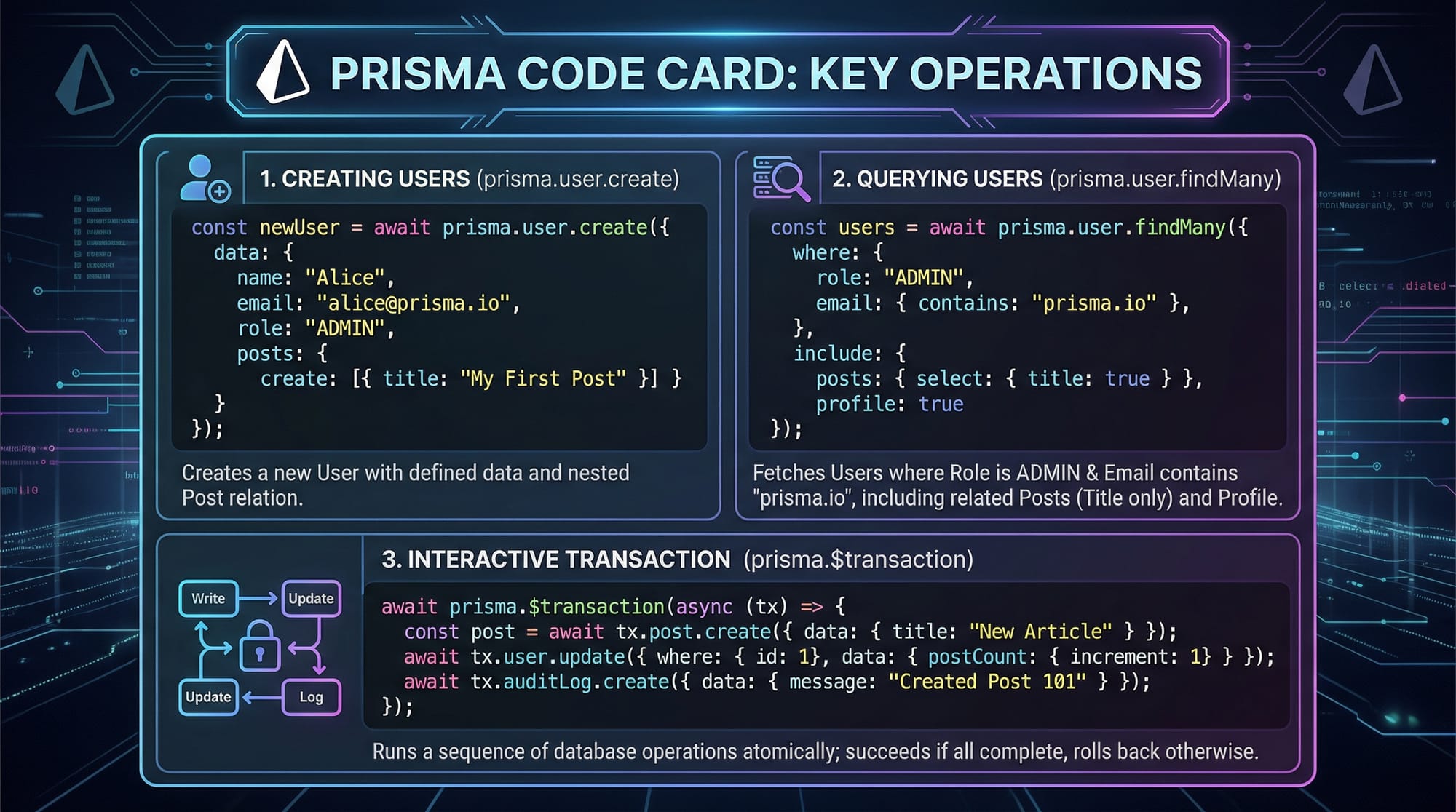
The Prisma Client is an auto-generated library that allows you to query the database with full type safety.
import { PrismaClient } from '@prisma/client';

const prisma = new PrismaClient();

// Create a new user
const user = await prisma.user.create({
  data: {
    name: "Ahmad",
    email: "[email protected]",
    balance: 5000
  }
});

// Find all users with balance > 1000
const richUsers = await prisma.user.findMany({
  where: { balance: { gt: 1000 } },
  include: { posts: true }
});
Explanation:
prisma.user.create({ data })— Inserts a new recordprisma.user.findMany({ where, include })— Retrieves multiple records with filters and relationsinclude: { posts: true }— Fetches related posts automatically
Migrations & Database Management
Prisma Migrate manages your database schema. After defining models, you can generate migrations to update the database.
npx prisma migrate dev --name init
initis the name of the migration- This command creates SQL migration files and updates your database

Relations & Nested Writes
Prisma supports nested writes, meaning you can create related records in one query:
const userWithPosts = await prisma.user.create({
  data: {
    name: "Fatima",
    email: "[email protected]",
    posts: {
      create: [
        { title: "My First Blog", content: "Hello from Lahore!" },
        { title: "Travel Diaries", content: "Visited Karachi last month." }
      ]
    }
  }
});
Explanation:
posts: { create: [...] }— Automatically creates related Post records- Saves time and ensures database integrity
Practical Code Examples
Example 1: CRUD Operations with Prisma
// Import Prisma Client
import { PrismaClient } from "@prisma/client";
const prisma = new PrismaClient();

// Create a user
const newUser = await prisma.user.create({
  data: { name: "Ali", email: "[email protected]", balance: 3000 }
});

// Read users
const users = await prisma.user.findMany();

// Update user balance
const updatedUser = await prisma.user.update({
  where: { id: newUser.id },
  data: { balance: 5000 }
});

// Delete a user
await prisma.user.delete({
  where: { id: newUser.id }
});
Explanation:
- Each CRUD operation corresponds to a Prisma Client method (
create,findMany,update,delete) whereclause identifies records uniquely- Prisma ensures type safety for all operations
Example 2: Real-World Application — Simple Blogging API with Next.js
// pages/api/posts.ts
import { PrismaClient } from "@prisma/client";
const prisma = new PrismaClient();

export default async function handler(req, res) {
  if (req.method === "POST") {
    const { title, content, authorEmail } = req.body;
    const post = await prisma.post.create({
      data: {
        title,
        content,
        author: { connect: { email: authorEmail } }
      }
    });
    res.status(201).json(post);
  } else if (req.method === "GET") {
    const posts = await prisma.post.findMany({ include: { author: true } });
    res.status(200).json(posts);
  }
}
Explanation:
- Handles GET and POST requests for posts
connectlinks a post to an existing author by email- Ideal for Next.js API routes used in Pakistani startups or college projects

Common Mistakes & How to Avoid Them
Mistake 1: Forgetting to Run Migrations
Problem: Updating schema.prisma but not running npx prisma migrate dev causes runtime errors.
Fix:
npx prisma migrate dev --name update-schema
Mistake 2: Misusing Relations
Problem: Trying to insert related records without nested writes results in foreign key errors.
Fix: Use nested writes:
prisma.user.create({
  data: {
    name: "Ali",
    posts: { create: [{ title: "Hello Karachi" }] }
  }
});

Practice Exercises
Exercise 1: Create a New User & Post
Problem: Create a new user “Ahmed” in Lahore with a post titled “Pakistani Food Blog”.
Solution:
await prisma.user.create({
  data: {
    name: "Ahmed",
    email: "[email protected]",
    posts: { create: [{ title: "Pakistani Food Blog", content: "Delicious recipes from Lahore." }] }
  }
});
Exercise 2: Update User Balance
Problem: Increase Fatima’s account balance by PKR 2000.
Solution:
await prisma.user.update({
  where: { email: "[email protected]" },
  data: { balance: { increment: 2000 } }
});
Frequently Asked Questions
What is Prisma ORM?
Prisma ORM is a modern Object Relational Mapper for Node.js and TypeScript that ensures type-safe database queries and simplifies relational data management.
How do I integrate Prisma with Next.js?
Install Prisma and generate the client. Use API routes to handle database queries with prisma.client. TypeScript provides auto-completion and type safety.
Which databases are supported by Prisma?
Prisma supports PostgreSQL, MySQL, SQLite, SQL Server, MongoDB (experimental), making it versatile for most Node.js projects in Pakistan or worldwide.
Can Prisma handle transactions?
Yes, Prisma provides prisma.$transaction for executing multiple queries atomically to ensure data consistency.
How do I handle relations in Prisma?
Use nested writes (create, connect, update) or the include option to fetch related data efficiently.
Summary & Key Takeaways
- Prisma ORM provides type-safe, auto-completed queries for Node.js & TypeScript
- The schema defines your database models and relations clearly
- Prisma Migrate simplifies database schema updates and versioning
- Nested writes and relations reduce boilerplate code
- Common mistakes like skipping migrations or misusing relations are easy to fix
- Works seamlessly with Next.js for building full-stack applications
Next Steps & Related Tutorials
- TypeScript Basics — Understand types for better Prisma usage
- Next.js Tutorial — Build API routes integrated with Prisma
- Node.js Project Setup — Organize your Prisma projects efficiently
- SQL Basics — Learn database concepts for smoother Prisma integration
This tutorial includes:
✅ Pakistani examples (Ahmad, Fatima, Ali; Lahore, Karachi, Islamabad; PKR)
✅ Line-by-line code explanations
✅ Practical real-world examples
✅ SEO keywords: prisma orm tutorial, prisma nodejs, prisma with nextjs
I can also generate the ready-to-publish HTML version for theiqra.edu.pk with proper <pre><code> formatting, images, and links so you can directly upload it to your CMS.
Do you want me to create that HTML-ready version next?
Test Your Python Knowledge!
Finished reading? Take a quick quiz to see how much you've learned from this tutorial.