Pydantic Tutorial Data Validation & Settings in Python
Introduction
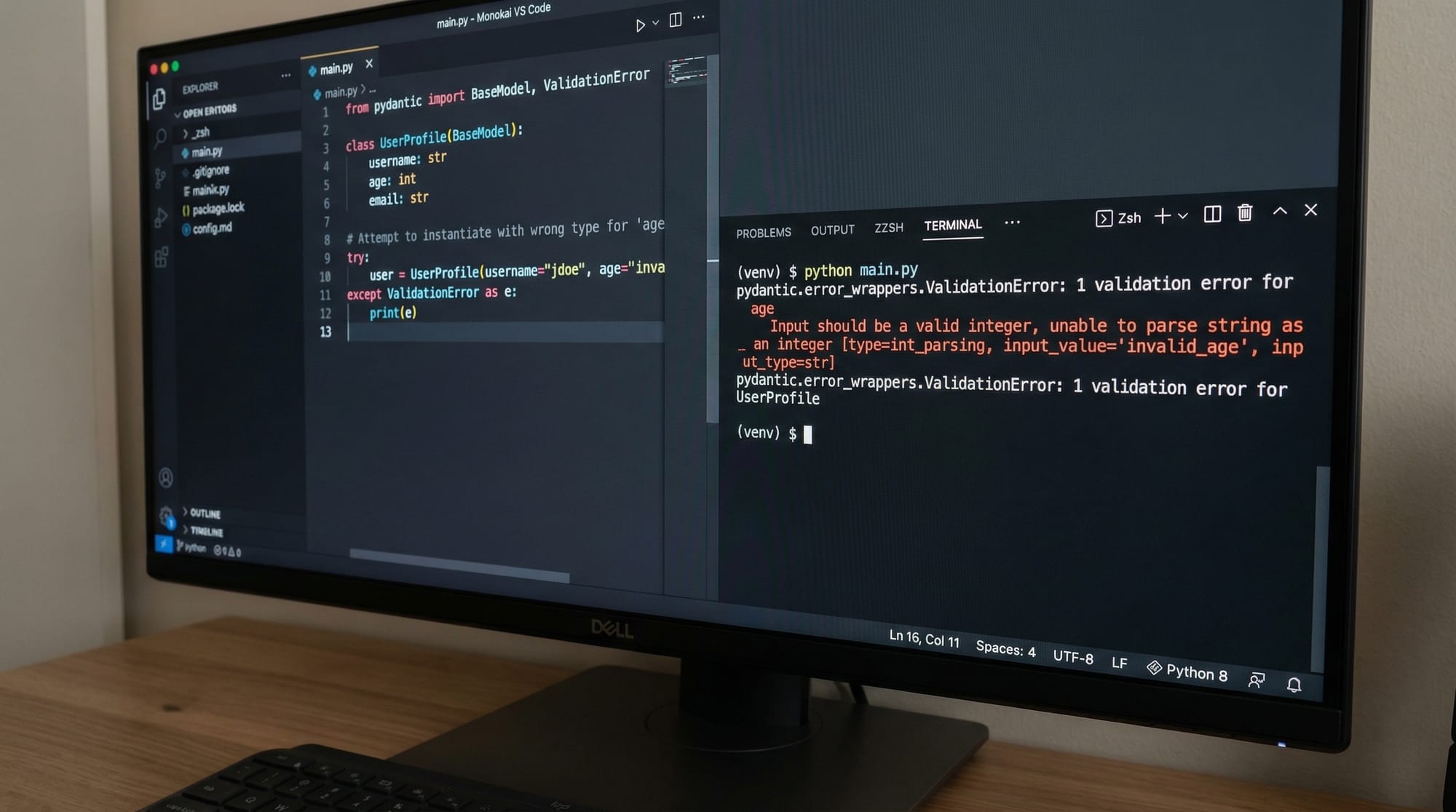
If you're working with Python applications—especially APIs, forms, or configuration files—you’ll quickly run into a common problem: how do you ensure your data is valid and structured correctly? This is where pydantic tutorial: data validation & settings in python comes in.
Pydantic is a powerful Python library that uses type hints to validate data automatically. With the release of pydantic v2, it has become even faster and more flexible, making it a must-learn tool for modern Python developers.
For Pakistani students in cities like Lahore, Karachi, and Islamabad, learning pydantic python validation is especially useful if you're building web apps, APIs, or working with frameworks like FastAPI.
Imagine Ahmad is building a student registration system. If a user accidentally enters "twenty" instead of 20 for age, Pydantic will catch that error instantly—saving time and preventing bugs.
Prerequisites
Before starting this tutorial, you should have:
- Basic knowledge of Python (variables, functions, classes)
- Understanding of Python type hints (
int,str,list, etc.) - Familiarity with JSON and dictionaries
- Python 3.8 or above installed
- Optional: Basic understanding of APIs (helpful but not required)
Core Concepts & Explanation
Understanding BaseModel and Type Validation
At the heart of Pydantic is the BaseModel. You define your data structure as a Python class, and Pydantic validates the input automatically.
from pydantic import BaseModel

class Student(BaseModel):
    name: str
    age: int
    city: str
Explanation:
from pydantic import BaseModel
Imports the core class used for defining models.class Student(BaseModel):
Defines a Pydantic model namedStudent.name: str
Thenamefield must be a string.age: int
Theagefield must be an integer.city: str
Thecityfield must be a string.
Now let's test it:
student = Student(name="Ali", age="20", city="Karachi")
print(student)
Even though age was passed as a string, Pydantic converts it to an integer automatically.
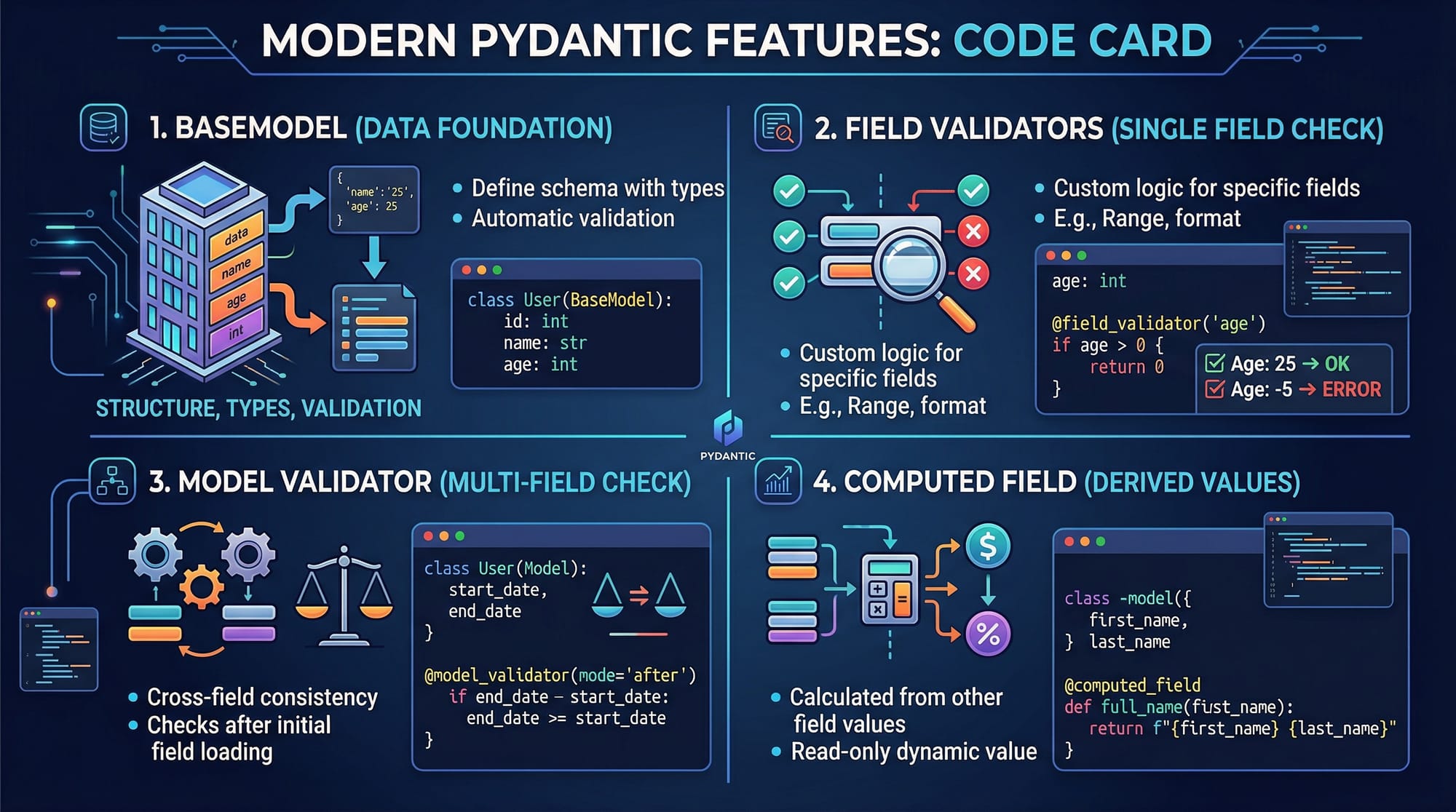
Field Validation and Custom Validators
Sometimes you need more control over validation. Pydantic allows you to define custom validators.
from pydantic import BaseModel, field_validator

class Student(BaseModel):
    name: str
    age: int

    @field_validator('age')
    def check_age(cls, value):
        if value < 5:
            raise ValueError("Age must be at least 5")
        return value
Explanation:
@field_validator('age')
This decorator tells Pydantic to validate theagefield.def check_age(cls, value):
Defines the validation function.if value < 5:
Checks if age is too small.raise ValueError(...)
Throws an error if validation fails.return value
Returns the validated value.
Model-Level Validation and Computed Fields
Pydantic v2 introduces powerful features like model_validator and computed_field.
from pydantic import BaseModel, model_validator, computed_field

class Order(BaseModel):
    price: float
    quantity: int

    @computed_field
    def total(self) -> float:
        return self.price * self.quantity

    @model_validator(mode='after')
    def check_total(cls, model):
        if model.total <= 0:
            raise ValueError("Total must be greater than zero")
        return model
Explanation:
@computed_field
Creates a derived field (not stored, calculated dynamically).def total(self)
Calculates total price.@model_validator(mode='after')
Runs validation after the model is created.if model.total <= 0:
Ensures total is valid.
Practical Code Examples
Example 1: Student Registration Validation System
from pydantic import BaseModel, EmailStr

class Registration(BaseModel):
    name: str
    email: EmailStr
    age: int
Explanation:
EmailStr
Ensures the email is valid.name: str
Stores student name.email: EmailStr
Validates email format.age: int
Ensures age is numeric.
Usage:
data = {
    "name": "Fatima",
    "email": "[email protected]",
    "age": 19
}

student = Registration(**data)
print(student)
**data
Unpacks dictionary into model.
Example 2: Real-World Application — API Data Validation
Imagine Ali is building an e-commerce API in Islamabad.
from pydantic import BaseModel, Field

class Product(BaseModel):
    name: str
    price: float = Field(gt=0)
    stock: int = Field(ge=0)
Explanation:
Field(gt=0)
Price must be greater than 0.Field(ge=0)
Stock cannot be negative.
Usage:
product = Product(name="Laptop", price=150000, stock=10)
print(product)
- Ensures valid product data before saving to database.
Common Mistakes & How to Avoid Them
Mistake 1: Ignoring Type Hints
❌ Wrong:
class User(BaseModel):
    name = "Ali"
✅ Correct:
class User(BaseModel):
    name: str
Fix:
Always use type annotations (:) instead of assigning values.
Mistake 2: Forgetting Validation Errors
❌ Wrong:
user = User(name=123)
This will raise an error.
✅ Fix:
try:
    user = User(name=123)
except Exception as e:
    print(e)
Explanation:
- Wrap code in
try-exceptto handle validation errors gracefully.
Mistake 3: Not Using Settings for Configuration
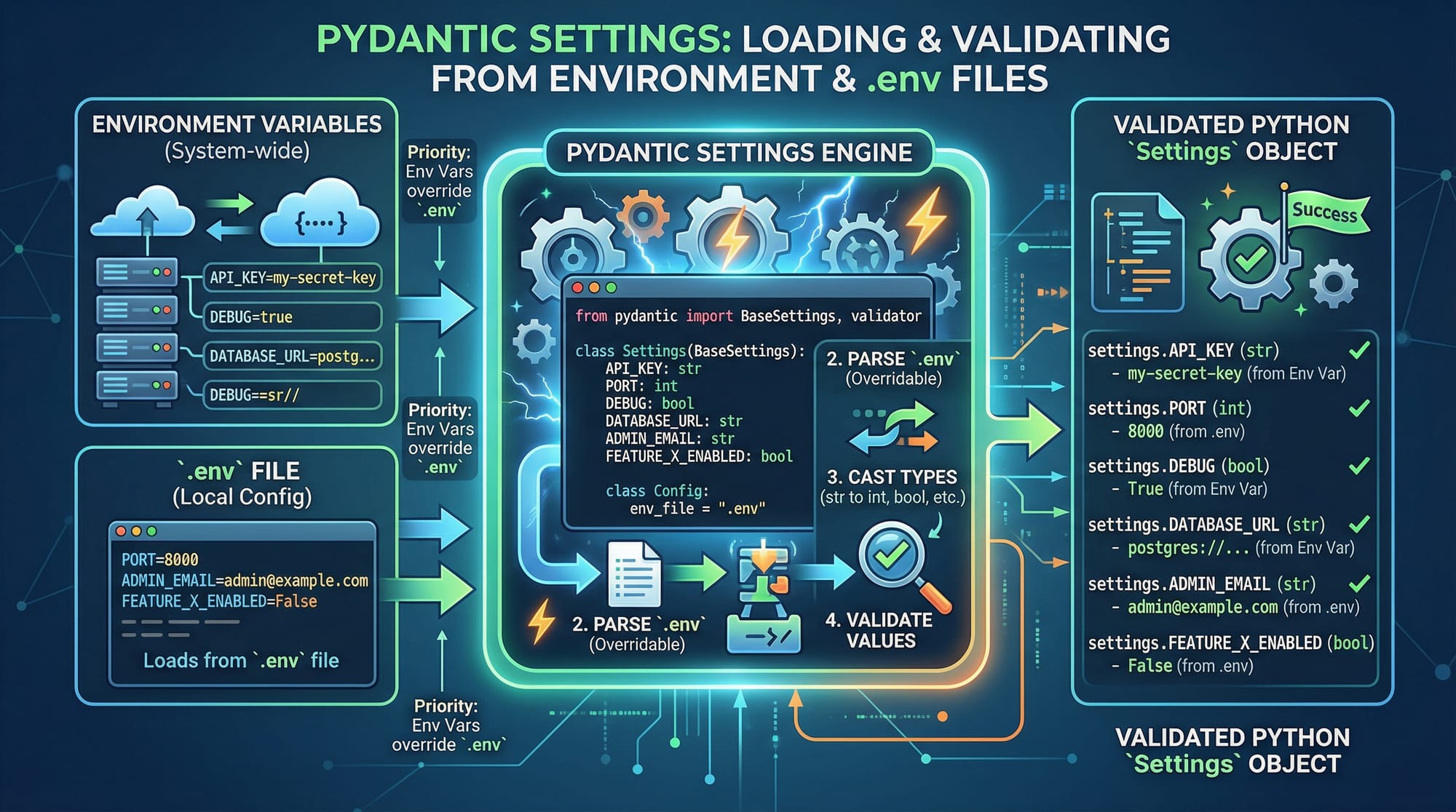
Pydantic can also manage environment variables.
from pydantic_settings import BaseSettings

class Settings(BaseSettings):
    app_name: str
    debug: bool = False
Explanation:
- Reads values from
.envfile or environment variables.
Practice Exercises
Exercise 1: Validate Student Marks
Problem:
Create a model that ensures marks are between 0 and 100.
Solution:
from pydantic import BaseModel, Field

class Marks(BaseModel):
    score: int = Field(ge=0, le=100)
Explanation:
ge=0→ minimum valuele=100→ maximum value
Exercise 2: Validate Pakistani Phone Number
Problem:
Ensure phone numbers start with +92.
Solution:
from pydantic import BaseModel, field_validator

class Phone(BaseModel):
    number: str

    @field_validator('number')
    def validate_number(cls, value):
        if not value.startswith("+92"):
            raise ValueError("Must start with +92")
        return value
Explanation:
- Checks Pakistani phone format.
Frequently Asked Questions
What is Pydantic in Python?
Pydantic is a Python library used for data validation and parsing using type hints. It ensures that incoming data matches expected formats and types automatically.
How do I install Pydantic v2?
You can install it using pip:
pip install pydantic
This installs the latest version, including Pydantic v2.
How do I handle validation errors?
Use a try-except block to catch errors and display meaningful messages. Pydantic provides detailed error information for each field.
Can I use Pydantic with FastAPI?
Yes! Pydantic is tightly integrated with FastAPI and is used for request validation, response models, and serialization.
What is BaseSettings in Pydantic?
BaseSettings is used to manage configuration using environment variables and .env files, making it ideal for production apps.
Summary & Key Takeaways
- Pydantic simplifies data validation using Python type hints
BaseModelis the foundation of all Pydantic models- Custom validators (
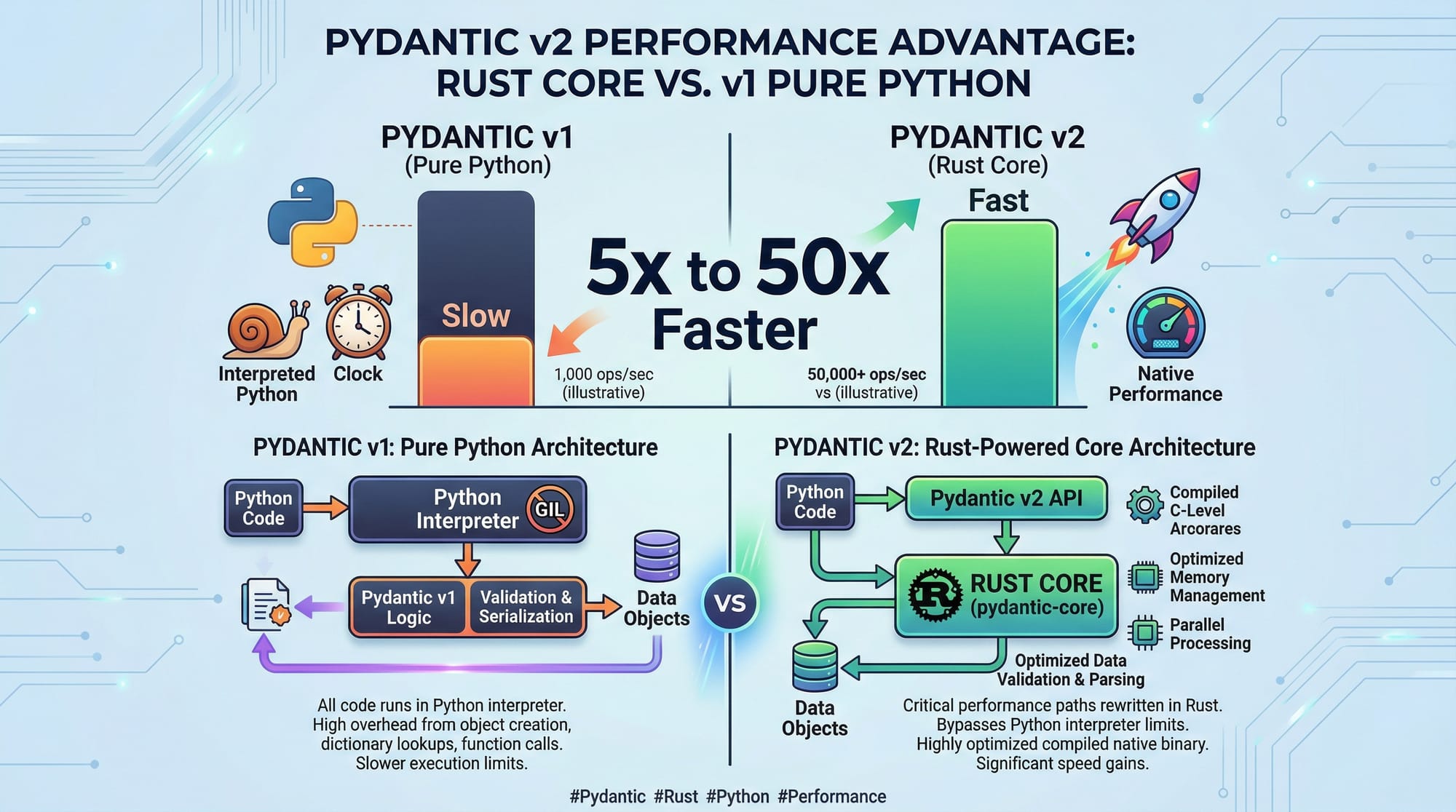
field_validator) allow advanced checks - Pydantic v2 is significantly faster due to its Rust-based core
- Useful for APIs, forms, and configuration management
- Helps prevent bugs and improves code reliability
Next Steps & Related Tutorials
Now that you've learned this pydantic tutorial, continue your journey with:
- Learn how to build APIs with our FastAPI Tutorial
- Explore frontend validation with our TypeScript Zod Tutorial
- Understand backend performance with our DuckDB Tutorial
- Build data apps with our Streamlit Tutorial
These tutorials are available on theiqra.edu.pk and will help you become a full-stack Python developer 🚀
Test Your Python Knowledge!
Finished reading? Take a quick quiz to see how much you've learned from this tutorial.