Published on theiqra.edu.pk | Difficulty: Beginner | Estimated Reading Time: 15 minutes
Introduction
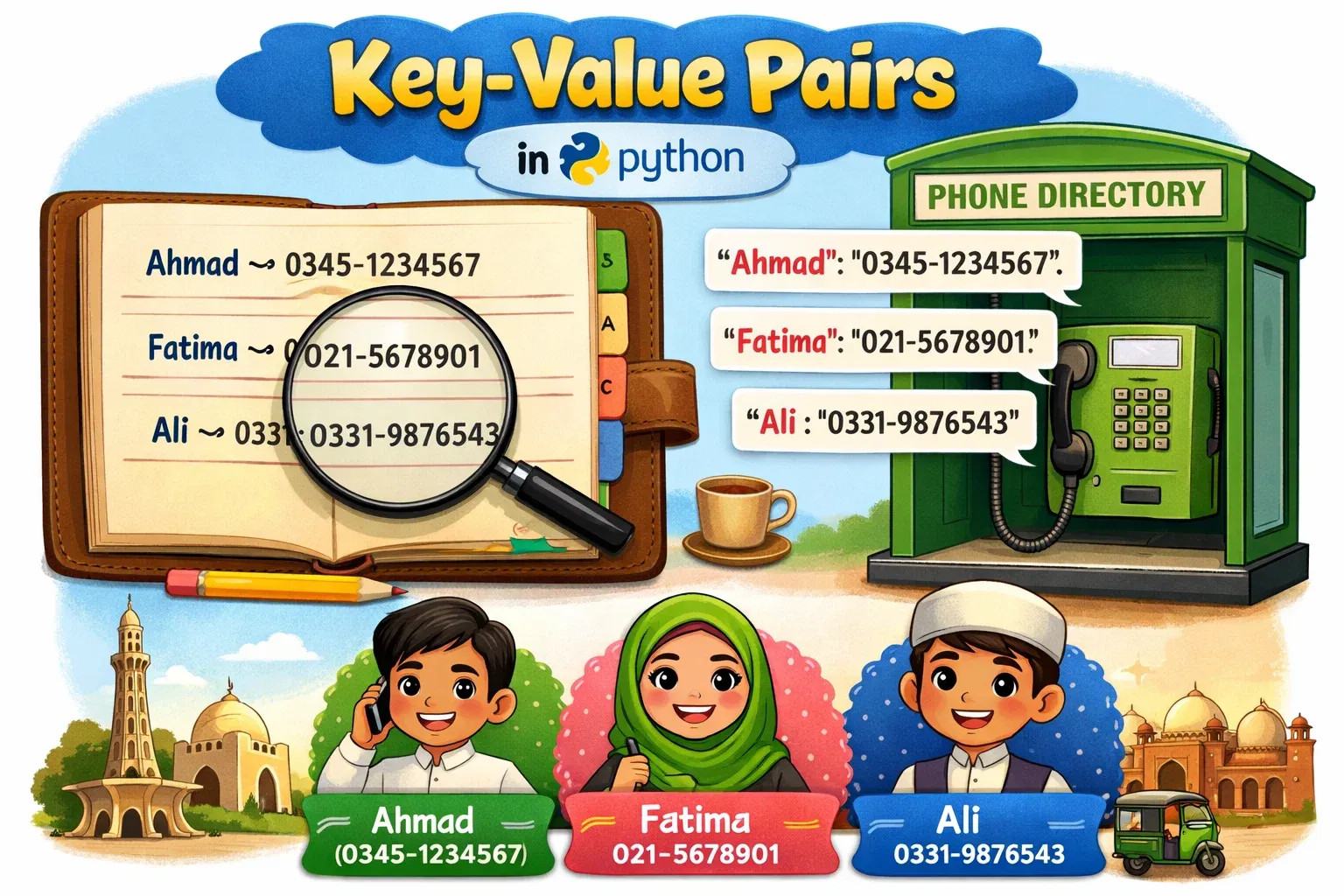
Imagine you have a student record book where each student's roll number maps to their name, or a phone directory where each contact name maps to a phone number. That is exactly what a Python dictionary is — a data structure that stores data as key-value pairs, letting you look up information instantly using a unique key.
Python dictionaries (also written as dict) are one of the most powerful and widely used data structures in the Python programming language. Whether you are building a web app, analyzing data, or writing scripts to automate tasks, you will use dictionaries constantly.
For students in Pakistan — whether you are studying at a university in Lahore, a college in Karachi, or a school in Islamabad — learning Python dictionaries opens doors to freelancing, software development, data science, and much more. Companies like Systems Limited, Netsol Technologies, and countless tech startups across Pakistan use Python every day.
By the end of this tutorial, you will be able to create dictionaries, access and modify their data, use essential dictionary methods, and avoid the most common beginner mistakes.
Prerequisites
Before diving into Python dictionaries, make sure you are comfortable with the following concepts:
- Basic Python syntax — variables, print statements, and indentation
- Python data types — strings, integers, floats, and booleans
- Python lists — understanding how lists store multiple items
- Python loops — basic
forloop usage (helpful but not required)
If you need a refresher on any of these, check out our tutorial on Python Lists and Data Types before continuing.
Core Concepts & Explanation
What Is a Key-Value Pair?
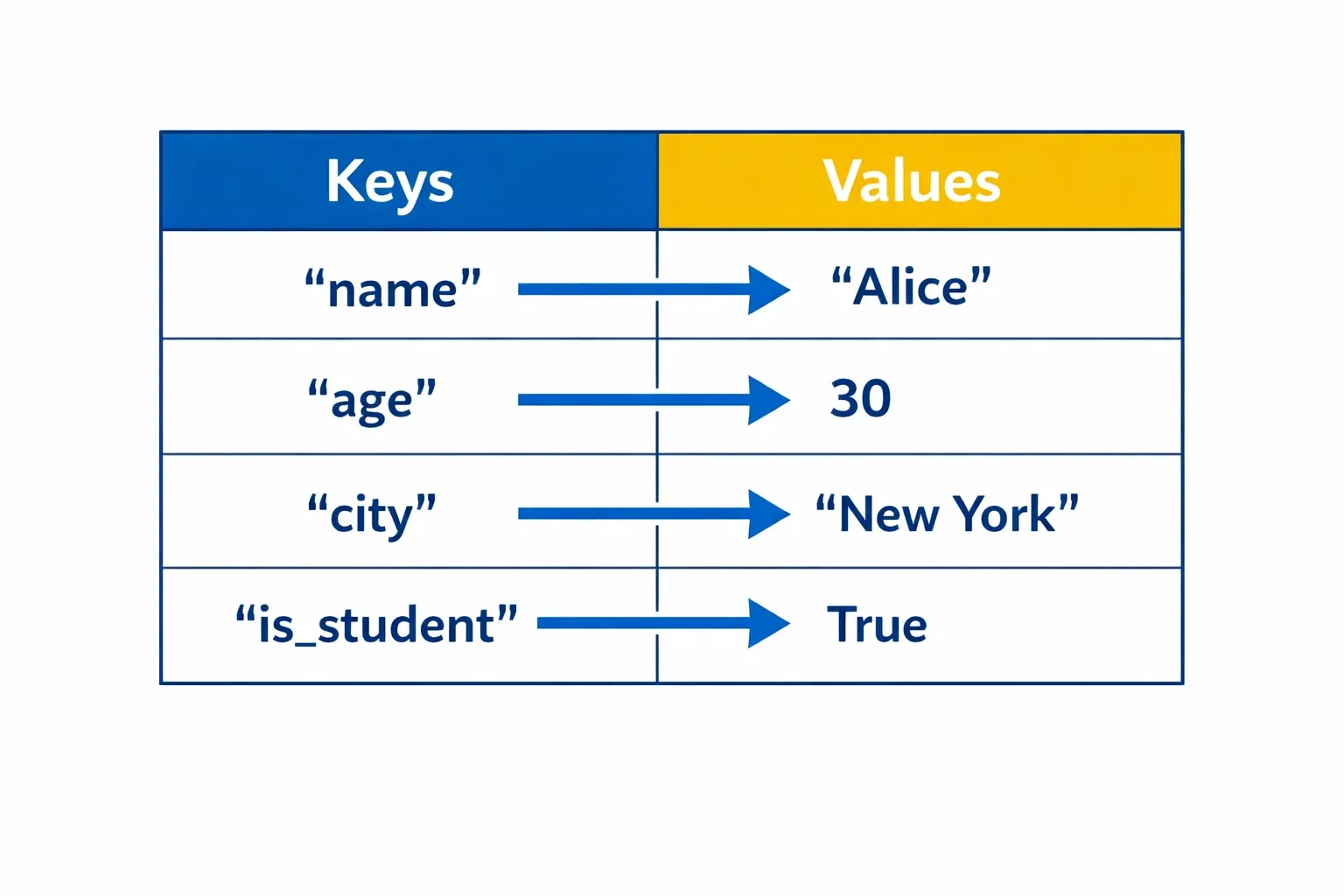
A dictionary stores data in pairs — each piece of data (the value) is associated with a unique label (the key). Think of it like a real dictionary: the word is the key, and its meaning is the value.
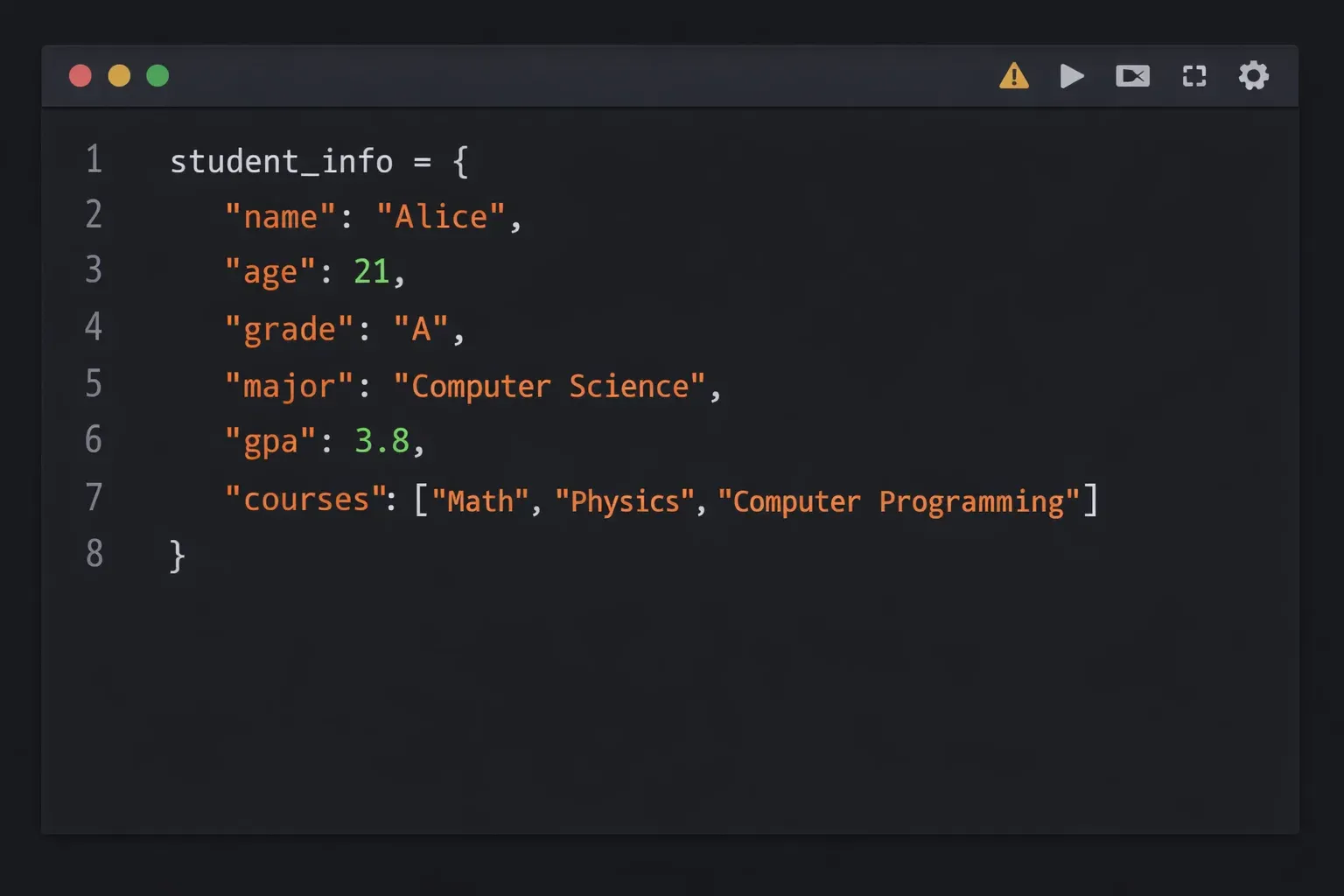
In Python, a dictionary is written using curly braces {}, with each key-value pair separated by a colon :, and pairs separated by commas ,.
# A simple Python dictionary
student = {
    "name": "Ahmad",
    "age": 20,
    "city": "Lahore",
    "cgpa": 3.7
}
Here:
"name","age","city", and"cgpa"are the keys"Ahmad",20,"Lahore", and3.7are the values
Keys must be unique and immutable (strings, numbers, or tuples). Values can be anything — strings, numbers, lists, even other dictionaries.
How Python Dictionaries Store and Retrieve Data
Python dictionaries use a technique called hashing internally, which means looking up a value by its key is extremely fast — even if the dictionary has millions of entries. This is very different from a list, where Python might have to scan every element to find what you need.
You access values using square brackets [] with the key name inside, or using the .get() method:
student = {
    "name": "Fatima",
    "city": "Karachi",
    "marks": 87
}

# Method 1: Square bracket access
print(student["name"])    # Output: Fatima
print(student["marks"])   # Output: 87

# Method 2: Using .get() — safer, won't crash if key doesn't exist
print(student.get("city"))       # Output: Karachi
print(student.get("grade", "N/A"))  # Output: N/A (default value)
The .get() method is safer because if the key does not exist, it returns None (or a default you provide) instead of raising a KeyError.
Adding, Updating, and Deleting Entries
Dictionaries are mutable, which means you can change them after creating them.
Adding a new key-value pair:
student = {"name": "Ali", "city": "Islamabad"}

# Add a new key
student["marks"] = 92
print(student)
# Output: {'name': 'Ali', 'city': 'Islamabad', 'marks': 92}
Updating an existing value:
student["marks"] = 95   # Overwrites the old value
print(student["marks"]) # Output: 95
Deleting a key-value pair:
# Method 1: del keyword
del student["city"]

# Method 2: .pop() — also returns the removed value
removed_city = student.pop("city", "Not found")
print(removed_city)  # Output: Islamabad
Essential Dictionary Methods
Python comes with many built-in dictionary methods. Here are the most important ones every beginner should know:
| Method | Description | Returns |
|---|---|---|
.keys() |
Get all keys | dict_keys view |
.values() |
Get all values | dict_values view |
.items() |
Get all key-value pairs | dict_items view |
.get(key, default) |
Safely get a value | Value or default |
.pop(key) |
Remove and return a value | Removed value |
.update(dict2) |
Merge another dictionary in | None |
.clear() |
Remove all entries | None |
len() |
Count entries | Integer |
student = {"name": "Fatima", "age": 22, "city": "Lahore"}

print(student.keys())    # dict_keys(['name', 'age', 'city'])
print(student.values())  # dict_values(['Fatima', 22, 'Lahore'])
print(student.items())   # dict_items([('name', 'Fatima'), ('age', 22), ('city', 'Lahore')])
print(len(student))      # 3
Practical Code Examples
Example 1: Student Grade Book in Python
Let us build a simple grade book that stores student names and their marks, then calculates the class average.
# Step 1: Create a dictionary of student marks
grade_book = {
    "Ahmad": 85,
    "Fatima": 92,
    "Ali": 78,
    "Sara": 88,
    "Usman": 95
}

# Step 2: Print all student names (keys)
print("Students in the class:")
for student in grade_book.keys():
    print("-", student)

# Step 3: Print all marks (values)
print("\nAll marks:", list(grade_book.values()))

# Step 4: Calculate the class average
total_marks = sum(grade_book.values())
num_students = len(grade_book)
average = total_marks / num_students
print(f"\nClass average: {average:.1f}")

# Step 5: Find the top student
top_student = max(grade_book, key=grade_book.get)
print(f"Top student: {top_student} with {grade_book[top_student]} marks")
Output:
Students in the class:
- Ahmad
- Fatima
- Ali
- Sara
- Usman

All marks: [85, 92, 78, 88, 95]

Class average: 87.6
Top student: Usman with 95 marks
Line-by-line explanation:
- Line 2–8: We create a dictionary called
grade_bookwhere student names are keys and their marks are integer values. - Line 11–13: We loop through
.keys()to print each student name with a dash prefix. - Line 16: We use
.values()and wrap it inlist()to display all marks at once. - Line 19–22:
sum()adds all values,len()counts entries, and we divide to get the average. The:.1fformat shows one decimal place. - Line 25:
max()withkey=grade_book.getfinds the key (student name) whose value (mark) is the highest.
Example 2: Real-World Application — Online Store Product Catalog
Here is a practical example relevant to Pakistani freelancers and developers: building a simple product catalog for an online store, similar to what you might build for a Daraz seller or a local e-commerce startup.
# Product catalog for a small online electronics store
products = {
    "P001": {"name": "Wireless Earbuds", "price": 2500, "stock": 15},
    "P002": {"name": "USB-C Cable",      "price": 350,  "stock": 50},
    "P003": {"name": "Phone Stand",      "price": 800,  "stock": 8},
    "P004": {"name": "Screen Protector", "price": 450,  "stock": 30},
}

# Function to display product details
def show_product(product_id):
    if product_id in products:
        item = products[product_id]
        print(f"\nProduct ID : {product_id}")
        print(f"Name       : {item['name']}")
        print(f"Price      : PKR {item['price']}")
        print(f"In Stock   : {item['stock']} units")
    else:
        print(f"Product {product_id} not found.")

# Function to apply a discount to all products
def apply_discount(discount_percent):
    print(f"\nApplying {discount_percent}% discount to all products:")
    for pid, details in products.items():
        original = details["price"]
        discounted = int(original * (1 - discount_percent / 100))
        products[pid]["price"] = discounted
        print(f"  {details['name']}: PKR {original} → PKR {discounted}")

# Show a specific product
show_product("P001")
show_product("P005")  # Product that doesn't exist

# Apply a 10% Eid discount
apply_discount(10)

# Show updated catalog
print("\n--- Updated Catalog ---")
for pid, details in products.items():
    print(f"{pid}: {details['name']} — PKR {details['price']}")
Output:
Product ID : P001
Name       : Wireless Earbuds
Price      : PKR 2500
In Stock   : 15 units

Product P005 not found.

Applying 10% discount to all products:
  Wireless Earbuds: PKR 2500 → PKR 2250
  USB-C Cable: PKR 350 → PKR 315
  Phone Stand: PKR 800 → PKR 720
  Screen Protector: PKR 450 → PKR 405

--- Updated Catalog ---
P001: Wireless Earbuds — PKR 2250
P002: USB-C Cable — PKR 315
P003: Phone Stand — PKR 720
P004: Screen Protector — PKR 405
Line-by-line explanation:
- Lines 2–7: We create a nested dictionary — a dictionary where each value is itself another dictionary containing product details. This is a very common real-world pattern.
- Lines 10–17: The
show_product()function first checksif product_id in products— this safely tests whether a key exists before accessing it. - Lines 20–25: The
apply_discount()function uses.items()to loop through both keys (pid) and values (details) at the same time. - Line 23: We calculate the discounted price using arithmetic and cast to
int()to avoid decimal prices. - Lines 28–29: We call the function with a valid and an invalid product ID to demonstrate the safety check.
Common Mistakes & How to Avoid Them
Mistake 1: Using a Key That Does Not Exist
One of the most frequent errors beginners make is trying to access a dictionary key that does not exist, which causes a KeyError and crashes the program.
The mistake:
student = {"name": "Ali", "marks": 88}

# This will CRASH with KeyError: 'grade'
print(student["grade"])
Output:
KeyError: 'grade'
The fix — use .get() or check with in:
student = {"name": "Ali", "marks": 88}

# Safe Method 1: .get() returns None if key doesn't exist
grade = student.get("grade")
print(grade)  # Output: None

# Safe Method 2: .get() with a default value
grade = student.get("grade", "Not assigned")
print(grade)  # Output: Not assigned

# Safe Method 3: Check with 'in' before accessing
if "grade" in student:
    print(student["grade"])
else:
    print("Grade has not been recorded yet.")
Always prefer .get() when you are not 100% sure a key exists. This is a habit that will save you many debugging headaches.
Mistake 2: Using a Mutable Object as a Dictionary Key
Dictionary keys must be immutable (unchangeable). Strings, numbers, and tuples are fine. But lists and other dictionaries cannot be used as keys because they can be changed.
The mistake:
# WRONG: Using a list as a key
my_dict = {
    [1, 2, 3]: "some value"   # This will crash!
}
Output:
TypeError: unhashable type: 'list'
The fix — use a tuple instead of a list:
# CORRECT: Tuples are immutable and can be keys
coordinates = {
    (33.6844, 73.0479): "Islamabad",
    (24.8607, 67.0011): "Karachi",
    (31.5204, 74.3587): "Lahore"
}

print(coordinates[(33.6844, 73.0479)])  # Output: Islamabad
A quick rule of thumb: if something can be changed after creation, it cannot be a dictionary key. Use tuples when you need a sequence as a key.
Practice Exercises
Exercise 1: Build a Contact Book
Problem: Create a contact book dictionary for five of your friends or family members. Their names should be keys, and each value should be another dictionary containing their phone number and city. Then write code that:
- Prints all contact names
- Looks up a specific contact by name
- Adds a new contact
- Removes a contact
Solution:
# Contact book using nested dictionaries
contact_book = {
    "Ahmad":  {"phone": "0300-1234567", "city": "Lahore"},
    "Fatima": {"phone": "0321-9876543", "city": "Karachi"},
    "Ali":    {"phone": "0333-5551234", "city": "Islamabad"},
    "Sara":   {"phone": "0311-7778899", "city": "Peshawar"},
    "Usman":  {"phone": "0345-4443322", "city": "Multan"},
}

# Task 1: Print all contact names
print("=== All Contacts ===")
for name in contact_book.keys():
    print(f"  {name}")

# Task 2: Look up a specific contact
name_to_find = "Fatima"
if name_to_find in contact_book:
    info = contact_book[name_to_find]
    print(f"\n{name_to_find}'s Info:")
    print(f"  Phone: {info['phone']}")
    print(f"  City : {info['city']}")

# Task 3: Add a new contact
contact_book["Zara"] = {"phone": "0312-1122334", "city": "Faisalabad"}
print(f"\nAdded Zara. Total contacts: {len(contact_book)}")

# Task 4: Remove a contact
removed = contact_book.pop("Usman", None)
if removed:
    print(f"Removed Usman from contacts.")
print(f"Contacts remaining: {len(contact_book)}")
Exercise 2: Word Frequency Counter
Problem: Write a program that takes a sentence and counts how many times each word appears in it. Store the results in a dictionary and display the words sorted from most to least frequent.
This is a classic real-world use case — search engines, text analysis tools, and NLP applications all do this.
Solution:
# Word frequency counter using a dictionary
sentence = "python is great python is easy python helps you get jobs in pakistan"

# Step 1: Split sentence into words
words = sentence.split()

# Step 2: Count each word using a dictionary
word_count = {}
for word in words:
    if word in word_count:
        word_count[word] += 1   # Increment existing count
    else:
        word_count[word] = 1    # Start count at 1

# Step 3: Sort by frequency (highest first)
sorted_words = sorted(word_count.items(), key=lambda x: x[1], reverse=True)

# Step 4: Display results
print("Word Frequencies:")
print("-" * 25)
for word, count in sorted_words:
    bar = "█" * count
    print(f"  {word:<12} {count}  {bar}")
Output:
Word Frequencies:
-------------------------
  python       3  ███
  is           2  ██
  great        1  █
  easy         1  █
  helps        1  █
  you          1  █
  get          1  █
  jobs         1  █
  in           1  █
  pakistan     1  █
Pro tip: Python has a built-in tool called collections.Counter that does exactly this in one line — once you are comfortable with dictionaries, look it up!
Frequently Asked Questions
What is the difference between a Python dictionary and a list?
A Python list stores items in an ordered sequence accessed by a numeric index (0, 1, 2...), while a dictionary stores items as key-value pairs accessed by a unique key (which can be a string, number, or tuple). Use a list when order matters and you need to iterate through items; use a dictionary when you need fast lookup by a meaningful label, like looking up a student by their roll number or a product by its ID.
How do I check if a key exists in a Python dictionary?
You can check if a key exists using the in keyword: if "name" in my_dict:. This is the recommended approach and is both readable and efficient. Alternatively, you can use my_dict.get("name") which returns None if the key is absent instead of raising a KeyError. Never try to access a key directly without checking first unless you are certain it exists.
Can a Python dictionary have duplicate keys?
No, dictionary keys must be unique. If you assign a value to a key that already exists, Python will silently overwrite the old value with the new one. For example, d = {"a": 1, "a": 2} results in {"a": 2} — the first value is gone. Values, however, can be duplicated — multiple keys can have the same value.
How do I loop through a Python dictionary?
There are three common ways to loop through a dictionary. Use for key in my_dict: or for key in my_dict.keys(): to loop through keys only. Use for value in my_dict.values(): to loop through values only. Use for key, value in my_dict.items(): to loop through both keys and values at the same time — this is the most commonly used pattern in real code and is considered the most Pythonic approach.
What is a nested dictionary in Python?
A nested dictionary is a dictionary where one or more of the values are themselves dictionaries. This is useful for representing structured data like student records, product catalogs, or user profiles where each entry has multiple attributes. For example, students = {"Ahmad": {"age": 20, "city": "Lahore"}} is a nested dictionary. You access nested values using chained square brackets: students["Ahmad"]["city"] returns "Lahore".
Summary & Key Takeaways
Here is a quick recap of everything you have learned in this tutorial:
- Dictionaries store key-value pairs using curly braces
{}, and keys must be unique and immutable (strings, numbers, or tuples). - Access values safely using
.get(key, default)instead ofdict[key]directly to avoidKeyErrorcrashes. - Dictionaries are mutable — you can add new keys, update existing values, and delete entries at any time using
del,.pop(), or.update(). - Essential methods like
.keys(),.values(), and.items()let you iterate through dictionary data in different ways;.items()is especially useful inforloops. - Nested dictionaries (dictionaries inside dictionaries) are a powerful pattern for representing real-world structured data like student records or product catalogs.
- Always check if a key exists before accessing it, either with the
inoperator or the.get()method — this single habit will prevent the majority of dictionary-related bugs.
Next Steps & Related Tutorials
Now that you understand Python dictionaries, here are the best tutorials to continue your Python learning journey on theiqra.edu.pk:
- Python Lists: A Complete Beginner's Guide — Master Python's other essential data structure and learn when to use a list versus a dictionary.
- Python For Loops and Iteration — Go deeper into looping techniques, including how to loop through dictionaries like a pro using
.items(). - Python Functions: Writing Reusable Code — Learn how to write functions that accept and return dictionaries, a skill you will use constantly in real projects.
- Python Sets and Tuples Explained — Understand the other built-in Python data structures, including tuples — which are the immutable cousin of lists and can be used as dictionary keys.
Was this tutorial helpful? Share it with your classmates and leave a comment below! Happy coding from theiqra.edu.pk 🐍