Python Functions: Definition, Parameters & Return
Published on theiqra.edu.pk | Difficulty: Beginner | Estimated Reading Time: 15 minutes
Introduction
If you have ever found yourself writing the same lines of code over and over again, you already understand the problem that Python functions solve. A function is a named, reusable block of code that performs a specific task. Instead of repeating yourself, you write the code once inside a function and then call it whenever you need it — saving time, reducing errors, and making your programs much easier to read.
Think of a function like a chai recipe. You write the steps once — boil water, add tea leaves, add milk, add sugar — and every time you want chai, you just say "make chai." You do not rewrite the recipe from scratch each time. Functions work exactly the same way in Python.
For Pakistani students stepping into software development, mastering functions is a turning point. Whether you are building a web application for a startup in Lahore, writing automation scripts for a business in Karachi, or preparing for coding interviews at tech companies in Islamabad, functions are the foundation of every real-world Python program. Every framework you will ever use — Django, Flask, FastAPI — is built on functions. Learning them now will accelerate everything that comes after.
By the end of this tutorial, you will know how to define function in Python, work confidently with function parameters, and use the return statement to get results back from your functions.
Prerequisites
Before diving into Python functions, make sure you are comfortable with the following concepts. If any of these feel unfamiliar, spend a few minutes reviewing them first — it will make this tutorial much smoother.
You should already know how to write basic Python statements like print() and variable assignments such as name = "Ahmad". You should understand Python's data types — strings, integers, floats, lists, and dictionaries. You should have Python installed on your computer and know how to run a .py file from the terminal or an IDE like VS Code or PyCharm. Familiarity with basic arithmetic operations in Python (+, -, *, /) is also helpful since many examples use them.
If you need a refresher on any of these topics, check out our Python Basics for Beginners tutorial before continuing.
Core Concepts & Explanation
Defining a Function in Python
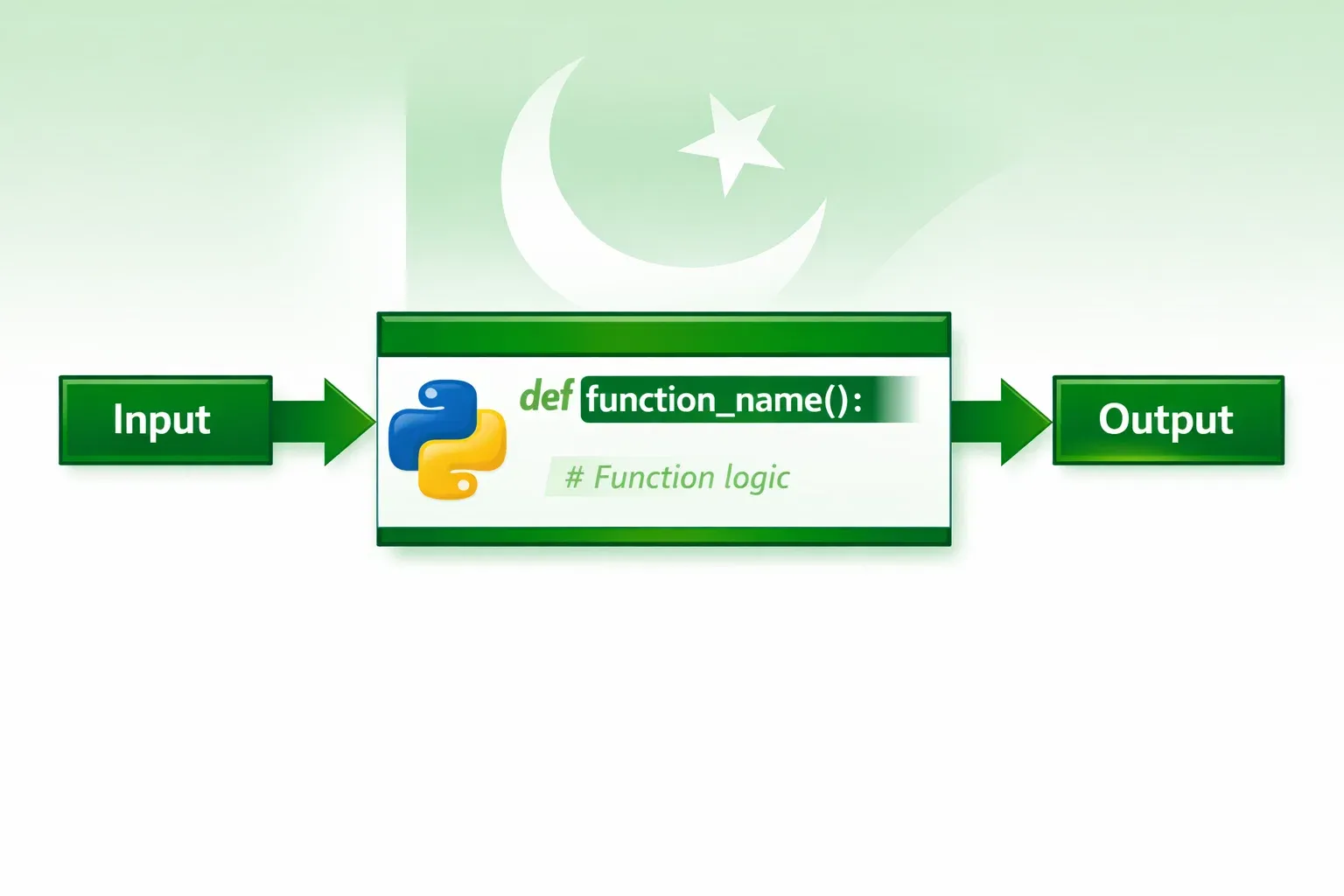
To define function in Python, you use the def keyword followed by the function name, a pair of parentheses, and a colon. The code that belongs to the function is then indented beneath it — this indentation is not optional in Python, it is how Python knows which lines are part of the function.
Here is the basic structure:
def function_name():
    # code goes here
    pass
Let's break down each part. The def keyword tells Python you are about to define a function. function_name is what you call the function — choose a descriptive name using lowercase letters and underscores, like calculate_total or greet_user. The parentheses () will hold parameters (more on those shortly). The colon : ends the definition line. Everything indented below is the function body — the code that runs when the function is called.
To actually run the code inside a function, you must call it by writing its name followed by parentheses:
def greet():
    print("Assalam o Alaikum! Welcome to theiqra.edu.pk")

greet()  # This calls the function
Output:
Assalam o Alaikum! Welcome to theiqra.edu.pk
Notice that defining a function does nothing on its own. The code inside only runs when you call the function. You can call it as many times as you like — that is the whole point.
Function Parameters and Arguments
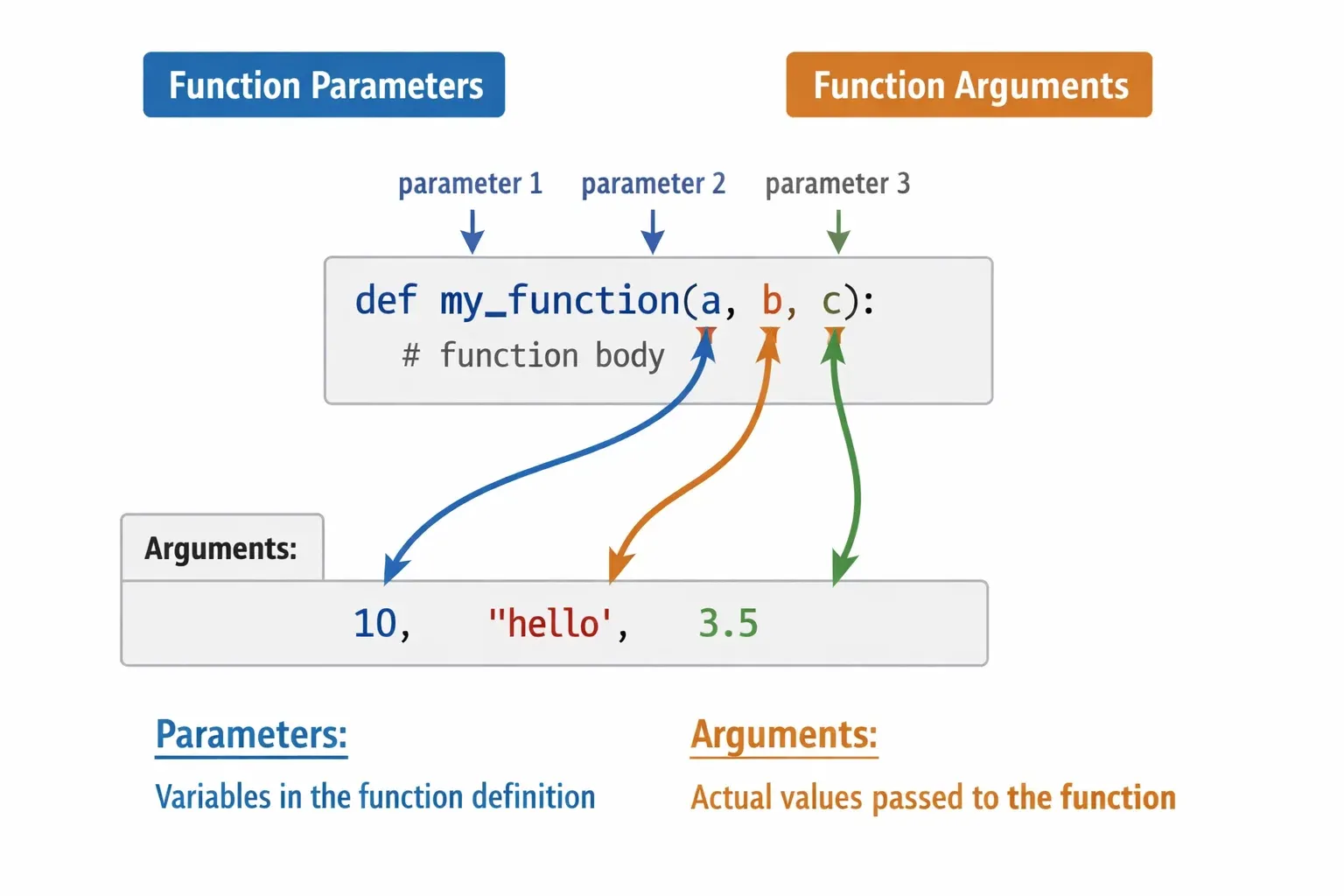
Parameters are the variables listed inside the parentheses when you define a function. Arguments are the actual values you pass in when you call the function. Many beginners mix these terms up — just remember: parameters are in the definition, arguments are in the call.
Python functions support several types of parameters, and understanding each one gives you great flexibility.
Positional Parameters are the most basic type. The values you pass must match the order of the parameters in the definition:
def introduce_student(name, city):
    print(f"My name is {name} and I am from {city}.")

introduce_student("Fatima", "Lahore")
introduce_student("Ahmad", "Karachi")
Output:
My name is Fatima and I am from Lahore.
My name is Ahmad and I am from Karachi.
Default Parameters let you give a parameter a fallback value. If the caller does not provide that argument, Python uses the default:
def greet_student(name, language="Urdu"):
    print(f"Hello {name}! Your preferred language is {language}.")

greet_student("Ali")                    # Uses default
greet_student("Fatima", "English")      # Overrides default
Output:
Hello Ali! Your preferred language is Urdu.
Hello Fatima! Your preferred language is English.
Keyword Arguments allow you to pass arguments by name, so order does not matter:
def register_student(name, roll_number, city):
    print(f"Student: {name}, Roll No: {roll_number}, City: {city}")

register_student(city="Islamabad", name="Zara", roll_number="CS-101")
Output:
Student: Zara, Roll No: CS-101, City: Islamabad
*args — Variable Positional Arguments let a function accept any number of positional arguments. They arrive as a tuple:
def calculate_total(*prices):
    total = sum(prices)
    print(f"Total: PKR {total}")

calculate_total(500, 1200, 350, 800)
Output:
Total: PKR 2850
**kwargs — Variable Keyword Arguments let a function accept any number of keyword arguments. They arrive as a dictionary:
def display_profile(**details):
    for key, value in details.items():
        print(f"{key}: {value}")

display_profile(name="Ahmad", city="Lahore", course="Python")
Output:
name: Ahmad
city: Lahore
course: Python
The Return Statement
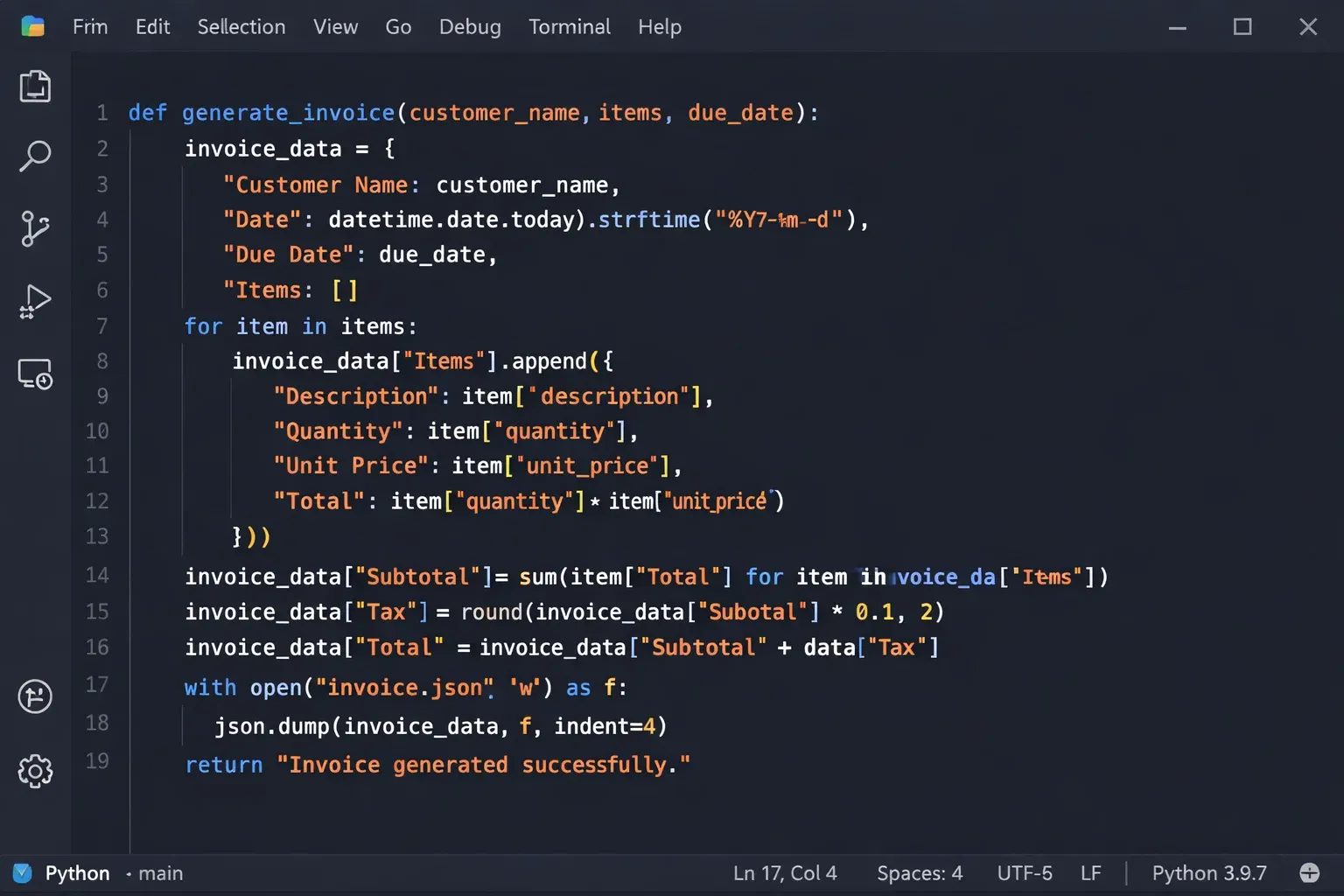
The return statement is how a function sends a result back to the code that called it. Without return, your function performs actions but gives nothing back — like a calculator that shows you the answer on screen but does not let you use it anywhere else.
When Python encounters return, it immediately exits the function and passes the specified value back to the caller. You can then store that value in a variable or use it directly in an expression.
def add_numbers(a, b):
    result = a + b
    return result

total = add_numbers(450, 550)
print(f"The sum is: {total}")
Output:
The sum is: 1000
A function can return any Python data type — integers, strings, lists, dictionaries, even other functions. You can also return multiple values at once by separating them with commas (Python packs them into a tuple automatically):
def get_student_info():
    name = "Fatima"
    city = "Karachi"
    score = 92
    return name, city, score

student_name, student_city, student_score = get_student_info()
print(f"{student_name} from {student_city} scored {student_score}%")
Output:
Fatima from Karachi scored 92%
If a function has no return statement, or a bare return with no value, Python returns None — a special object that represents "no value." This is fine for functions that perform actions (like printing or saving data) but do not need to compute a result.
Practical Code Examples
Example 1: Student Grade Calculator
This example builds a grade calculator that Pakistani students might use to check their exam results. It demonstrates positional parameters, conditional logic inside a function, and the return statement.
def calculate_grade(student_name, marks_obtained, total_marks):
    """
    Calculates the percentage and letter grade for a student.

    Parameters:
        student_name (str): The student's name
        marks_obtained (int): Marks the student scored
        total_marks (int): Maximum possible marks

    Returns:
        str: A formatted result string
    """
    percentage = (marks_obtained / total_marks) * 100

    if percentage >= 90:
        grade = "A+"
    elif percentage >= 80:
        grade = "A"
    elif percentage >= 70:
        grade = "B"
    elif percentage >= 60:
        grade = "C"
    elif percentage >= 50:
        grade = "D"
    else:
        grade = "F"

    result = f"{student_name} scored {percentage:.1f}% — Grade: {grade}"
    return result


# Calling the function for multiple students
print(calculate_grade("Ahmad", 92, 100))
print(calculate_grade("Fatima", 78, 100))
print(calculate_grade("Ali", 455, 600))
Output:
Ahmad scored 92.0% — Grade: A+
Fatima scored 78.0% — Grade: B
Ali scored 75.8% — Grade: B
Line-by-line explanation:
Line 1 defines the function with three parameters: student_name, marks_obtained, and total_marks. Lines 2–10 are the docstring — a string that documents what the function does, its parameters, and what it returns. This is a best practice you should always follow. Line 11 calculates the percentage using the two numeric parameters. Lines 13–22 use if/elif/else to assign the correct letter grade based on the percentage. Line 24 builds a formatted result string using an f-string. The :.1f format specifier rounds the percentage to one decimal place. Line 25 returns the result string to the caller. Lines 28–30 call the function three times with different arguments, and each call's return value is printed directly.
Example 2: Real-World Application — Online Shop Invoice Generator
This example simulates a real-world scenario: generating an invoice for an online shop in Pakistan. It uses default parameters, *args for multiple items, and returns a formatted invoice string.
def generate_invoice(customer_name, city, *items, discount_percent=0):
    """
    Generates a simple invoice for a Pakistani online shop.

    Parameters:
        customer_name (str): Customer's name
        city (str): Customer's city
        *items (tuple): Tuples of (item_name, price_pkr)
        discount_percent (float): Discount percentage (default 0)

    Returns:
        str: Formatted invoice
    """
    invoice_lines = []
    invoice_lines.append("=" * 45)
    invoice_lines.append("       IQRA ONLINE SHOP — INVOICE")
    invoice_lines.append("=" * 45)
    invoice_lines.append(f"Customer : {customer_name}")
    invoice_lines.append(f"City     : {city}")
    invoice_lines.append("-" * 45)
    invoice_lines.append(f"{'Item':<25} {'Price (PKR)':>15}")
    invoice_lines.append("-" * 45)

    subtotal = 0
    for item_name, price in items:
        invoice_lines.append(f"{item_name:<25} {price:>15,.0f}")
        subtotal += price

    invoice_lines.append("-" * 45)
    discount_amount = subtotal * (discount_percent / 100)
    total = subtotal - discount_amount

    invoice_lines.append(f"{'Subtotal':<25} {subtotal:>15,.0f}")
    if discount_percent > 0:
        invoice_lines.append(f"{'Discount (' + str(discount_percent) + '%)':<25} {-discount_amount:>15,.0f}")
    invoice_lines.append(f"{'TOTAL':<25} {total:>15,.0f}")
    invoice_lines.append("=" * 45)
    invoice_lines.append("     Thank you for shopping with us!")
    invoice_lines.append("=" * 45)

    return "\n".join(invoice_lines)


# Generate an invoice for a customer in Islamabad with a 10% discount
invoice = generate_invoice(
    "Fatima Malik",
    "Islamabad",
    ("Python Programming Book", 1800),
    ("USB-C Charging Cable", 650),
    ("Wireless Mouse", 2200),
    ("Notebook (Pack of 3)", 450),
    discount_percent=10
)

print(invoice)
Output:
=============================================
       IQRA ONLINE SHOP — INVOICE
=============================================
Customer : Fatima Malik
City     : Islamabad
---------------------------------------------
Item                          Price (PKR)
---------------------------------------------
Python Programming Book              1,800
USB-C Charging Cable                   650
Wireless Mouse                       2,200
Notebook (Pack of 3)                   450
---------------------------------------------
Subtotal                             5,100
Discount (10%)                        -510
TOTAL                                4,590
=============================================
     Thank you for shopping with us!
=============================================
Line-by-line explanation:
The function signature combines regular parameters (customer_name, city), a *items variable argument for any number of products, and a keyword-only default parameter discount_percent=0. Because *items appears before it in the signature, discount_percent must always be passed as a keyword argument. Inside the function, we build a list called invoice_lines and use .append() to add each formatted line. The f-string format specifiers :<25 and :>15 left-align and right-align text in columns of 25 and 15 characters respectively, creating a neat table. The for loop iterates over each item tuple, unpacks it into item_name and price, and adds the price to subtotal. Finally, we calculate the discount and total, and use "\n".join(invoice_lines) to combine all lines into one multi-line string, which is returned to the caller.
Common Mistakes & How to Avoid Them
Mistake 1: Forgetting to Return a Value and Using None Unexpectedly
One of the most common beginner mistakes is defining a function that calculates something but forgets to include a return statement. The function might print the result to the screen, but without return, you cannot use the result anywhere else in your program.
Wrong approach:
def calculate_fee(base_fee, months):
    total = base_fee * months
    print(f"Total fee: PKR {total}")   # Only prints, doesn't return

total_fee = calculate_fee(5000, 6)
print(total_fee + 500)  # ❌ ERROR: cannot add 500 to None
Output:
Total fee: PKR 30000
TypeError: unsupported operand type(s) for +: 'NoneType' and 'int'
Correct approach:
def calculate_fee(base_fee, months):
    total = base_fee * months
    return total   # ✅ Return the value so it can be used elsewhere

total_fee = calculate_fee(5000, 6)
print(f"Total fee: PKR {total_fee + 500}")  # Now works perfectly
Output:
Total fee: PKR 30500
The rule of thumb: if your function computes something, it should return it. If your function only performs an action (like writing to a file or sending an email), then print or no return is fine.
Mistake 2: Mutating a Mutable Default Argument
This is a trickier mistake that trips up many learners. When you use a mutable object like a list or dictionary as a default parameter value, Python creates it once when the function is defined — not each time the function is called. This means all calls share the same default object, leading to surprising behavior.
Wrong approach:
def add_student(name, student_list=[]):   # ❌ Dangerous default!
    student_list.append(name)
    return student_list

print(add_student("Ahmad"))
print(add_student("Fatima"))   # You would expect ['Fatima'], but...
print(add_student("Ali"))
Output:
['Ahmad']
['Ahmad', 'Fatima']   # ❌ The list kept growing!
['Ahmad', 'Fatima', 'Ali']
Correct approach:
def add_student(name, student_list=None):   # ✅ Use None as the default
    if student_list is None:
        student_list = []                   # Create a fresh list each time
    student_list.append(name)
    return student_list

print(add_student("Ahmad"))
print(add_student("Fatima"))   # Now correctly starts fresh
print(add_student("Ali"))
Output:
['Ahmad']
['Fatima']
['Ali']
The fix is always to use None as the default for mutable parameters, then create the actual object inside the function body.
Mistake 3: Confusing Local and Global Variables
Variables created inside a function are local — they only exist within that function. Trying to access them outside causes a NameError. Conversely, you can read a global variable from inside a function, but if you try to reassign it without the global keyword, Python creates a new local variable instead.
Wrong approach:
student_count = 0

def enroll_student():
    student_count = student_count + 1   # ❌ UnboundLocalError

enroll_student()
Correct approach:
student_count = 0

def enroll_student():
    global student_count               # ✅ Tell Python to use the global variable
    student_count = student_count + 1

enroll_student()
enroll_student()
print(student_count)  # Output: 2
In practice, modifying global variables inside functions is considered poor style because it makes programs hard to debug. A better approach is to pass the variable as an argument and return the updated value.
Practice Exercises
Exercise 1: Temperature Converter (Celsius to Fahrenheit)
Problem: Write a Python function called celsius_to_fahrenheit that accepts a temperature in Celsius as a parameter and returns the equivalent temperature in Fahrenheit. The formula is: F = (C × 9/5) + 32. Test it with the temperatures 0°C, 100°C, and 37°C (normal human body temperature).
Solution:
def celsius_to_fahrenheit(celsius):
    """
    Converts Celsius temperature to Fahrenheit.

    Parameters:
        celsius (float): Temperature in Celsius

    Returns:
        float: Temperature in Fahrenheit
    """
    fahrenheit = (celsius * 9 / 5) + 32
    return fahrenheit


# Test the function
temperatures = [0, 100, 37]

for temp_c in temperatures:
    temp_f = celsius_to_fahrenheit(temp_c)
    print(f"{temp_c}°C = {temp_f:.1f}°F")
Output:
0°C = 32.0°F
100°C = 212.0°F
37°C = 98.6°F
Explanation: The function takes one parameter, applies the conversion formula, and returns the result. The calling code then loops through a list of test values, calls the function for each, and prints the result using f-strings with the :.1f format to show one decimal place.
Exercise 2: CGPA Calculator for Pakistani University Students
Problem: Pakistani universities often calculate CGPA from grade points. Write a function called calculate_cgpa that accepts any number of grade points (as *args), calculates the average (CGPA), and returns both the CGPA and a status message ("Excellent" if ≥ 3.5, "Good" if ≥ 3.0, "Satisfactory" if ≥ 2.5, and "Needs Improvement" otherwise). The function should return both values.
Solution:
def calculate_cgpa(*grade_points):
    """
    Calculates CGPA from a variable number of grade points.

    Parameters:
        *grade_points (float): Grade points for each subject (0.0 to 4.0)

    Returns:
        tuple: (cgpa, status_message)
    """
    if len(grade_points) == 0:
        return 0.0, "No grades provided"

    total = sum(grade_points)
    cgpa = total / len(grade_points)

    if cgpa >= 3.5:
        status = "Excellent — Keep up the great work!"
    elif cgpa >= 3.0:
        status = "Good — You are on the right track."
    elif cgpa >= 2.5:
        status = "Satisfactory — There is room to improve."
    else:
        status = "Needs Improvement — Seek help from your professors."

    return round(cgpa, 2), status


# Test with different students
students = {
    "Ahmad":   (3.7, 3.5, 4.0, 3.8, 3.6),
    "Fatima":  (3.0, 2.8, 3.2, 3.1, 2.9),
    "Ali":     (2.3, 2.5, 2.0, 2.4, 2.2),
}

for student_name, grades in students.items():
    cgpa, status = calculate_cgpa(*grades)
    print(f"{student_name}: CGPA = {cgpa} | {status}")
Output:
Ahmad: CGPA = 3.72 | Excellent — Keep up the great work!
Fatima: CGPA = 3.0 | Good — You are on the right track.
Ali: CGPA = 2.28 | Needs Improvement — Seek help from your professors.
Explanation: The function uses *grade_points to accept any number of grades. It first handles the edge case of no grades being provided. It then calculates the average and uses if/elif/else to determine the status message. The function returns two values — cgpa and status — as a tuple. In the calling code, we use *grades to unpack the tuple from the dictionary and pass its elements as individual arguments. We then unpack the returned tuple into cgpa and status.
Frequently Asked Questions
What is a Python function and why should I use one?
A Python function is a named block of reusable code defined with the def keyword that performs a specific task. You should use functions to avoid repeating the same code, to break complex programs into smaller, manageable pieces, and to make your code easier to read, test, and debug. Any time you find yourself writing the same logic in more than one place, that is a strong sign you should put it in a function.
What is the difference between a parameter and an argument in Python?
A parameter is the variable name listed in a function's definition inside the parentheses — for example, name in def greet(name):. An argument is the actual value you pass to the function when you call it — for example, "Ahmad" in greet("Ahmad"). In simple terms: parameters are placeholders in the blueprint, arguments are the real values supplied at runtime.
What happens if I don't include a return statement in my function?
If you do not include a return statement, Python automatically returns None when the function finishes executing. This is perfectly fine for functions that perform actions (like printing to the screen or saving a file) and do not need to produce a result. However, if you intend to use the function's computed result elsewhere in your program, you must explicitly use return to pass that value back to the caller.
How do I define a function with default parameter values in Python?
You define default parameter values by assigning them in the function signature using the = operator, like this: def greet(name, language="Urdu"):. Parameters with defaults must always come after parameters without defaults. When you call the function, if you do not provide an argument for a defaulted parameter, Python uses the default value automatically. If you do provide an argument, it overrides the default.
Can a Python function return multiple values at once?
Yes, Python functions can return multiple values by separating them with commas in the return statement, like return name, score, city. Python automatically packs these into a tuple. On the calling side, you can unpack them into separate variables: student_name, student_score, student_city = get_student_info(). This is a very convenient feature that many other programming languages do not support as naturally as Python does.
Summary & Key Takeaways
Here is a quick recap of everything you have learned in this tutorial:
- Functions are defined with
deffollowed by a function name, parentheses, and a colon. The indented code block below is the function body, which only executes when the function is called. - Parameters give functions flexibility — positional, default, keyword,
*args, and**kwargseach serve a different purpose. Choosing the right type makes your functions more reusable and expressive. - The
returnstatement sends results back to the caller. Without it, your function returnsNone. You can return multiple values at once, and Python packs them neatly into a tuple. - Avoid common mistakes like forgetting to return a value, using mutable objects as default parameters, and accidentally shadowing global variables — these are the bugs that waste the most debugging time for beginners.
- Docstrings are your best friend — always document your functions with a triple-quoted string explaining what they do, what parameters they expect, and what they return. Your future self will thank you.
- Functions make code reusable, readable, and testable — any time you find yourself copying and pasting code, turn it into a function. This habit alone will make you a significantly better programmer.
Next Steps & Related Tutorials
You have taken a huge step forward by mastering Python functions. Here is where to go next on your learning journey at theiqra.edu.pk:
Once you are comfortable with basic functions, explore Python Lambda Functions and Functional Programming to learn about anonymous functions and powerful built-in tools like map(), filter(), and sorted().
Understanding how Python manages your variables in memory will make you a much stronger programmer — read our Python Variable Scope: Local, Global, and Nonlocal Explained tutorial to go deeper on the LEGB rule.
Python functions can call themselves — a technique called recursion — which unlocks elegant solutions to problems like factorials, Fibonacci sequences, and tree traversals. Start learning with our Python Recursion for Beginners guide.
Once you are solid on functions, the next big step is Object-Oriented Programming in Python: Classes and Objects, where you will group related data and functions together into reusable blueprints — a skill that is essential for building real Python applications and frameworks like Django.
Was this tutorial helpful? Share it with a fellow student and help grow Pakistan's programming community. If you have questions, leave a comment below — we read and respond to every one!
© theiqra.edu.pk | All Rights Reserved
Test Your Python Knowledge!
Finished reading? Take a quick quiz to see how much you've learned from this tutorial.