Python Tutorial for Beginners — Complete Guide 2026
Introduction
If you have ever wondered how popular apps like Daraz, Bykea, or global platforms like YouTube and Instagram are built, the answer often starts with a programming language called Python. Whether you are a student in Lahore preparing for university, a fresh graduate in Karachi looking to boost your career, or a curious learner in Islamabad exploring technology for the first time — this Python tutorial for beginners is written just for you.
Python is one of the most popular and beginner-friendly programming languages in the world. In 2026, it continues to dominate fields like artificial intelligence, data science, web development, and automation. According to the TIOBE Index, Python remains the number-one programming language globally — and for very good reason.
What Is Python?
Python is a high-level, general-purpose programming language created by Dutch programmer Guido van Rossum and first released in 1991. The name was not inspired by the snake — it actually came from the British comedy show Monty Python's Flying Circus! Despite that quirky origin, Python has become incredibly serious business.
What makes Python special is its readability. Python code reads almost like plain English, which means beginners can focus on learning how to think like a programmer rather than struggling with complex syntax.
Why Learn Python in 2026?
Here are the most compelling reasons Pakistani students should learn Python right now:
- High Demand, High Salaries: Python developers in Pakistan earn between PKR 80,000 to PKR 300,000+ per month depending on specialization and experience. Internationally, salaries are even higher.
- Versatility: One language works for web development, data science, machine learning, scripting, automation, game development, and more.
- Huge Community: Python has one of the largest and most active programming communities in the world — help is always a forum post away.
- Free and Open Source: Python costs nothing to install or use. All you need is a computer and an internet connection.
- Gateway to AI & Data Science: As Pakistan invests more in technology, AI, and data-driven businesses, Python is the primary tool professionals use in these fields.
- Perfect for Beginners: Python's clean, minimal syntax makes it the ideal first language for anyone new to coding.
By the end of this guide, you will understand Python's core concepts, write your own working programs, and be ready to explore advanced tutorials on theiqra.edu.pk.
Prerequisites
One of the best things about learning Python as a beginner is that you need very little prior knowledge to get started. Here is what helps:
You should have:
- A basic understanding of how to use a computer (opening files, browsing the internet)
- Access to a computer or laptop running Windows, macOS, or Linux
- An internet connection (for downloading Python and looking things up)
You do NOT need:
- Any previous programming experience
- A computer science degree
- Expensive software or tools
Setting Up Your Environment
Before writing your first line of Python, you need to install it:
- Download Python: Visit python.org and download the latest stable version (Python 3.12+ as of 2026).
- Install a Code Editor: We recommend VS Code (free) or use IDLE, which comes bundled with Python.
- Verify Installation: Open your terminal or command prompt and type
python --version. You should see the version number.
Alternatively, you can use Google Colab (colab.research.google.com) — a free, browser-based environment that requires no installation. This is a great option if you have limited storage on your device.
Core Concepts & Explanation
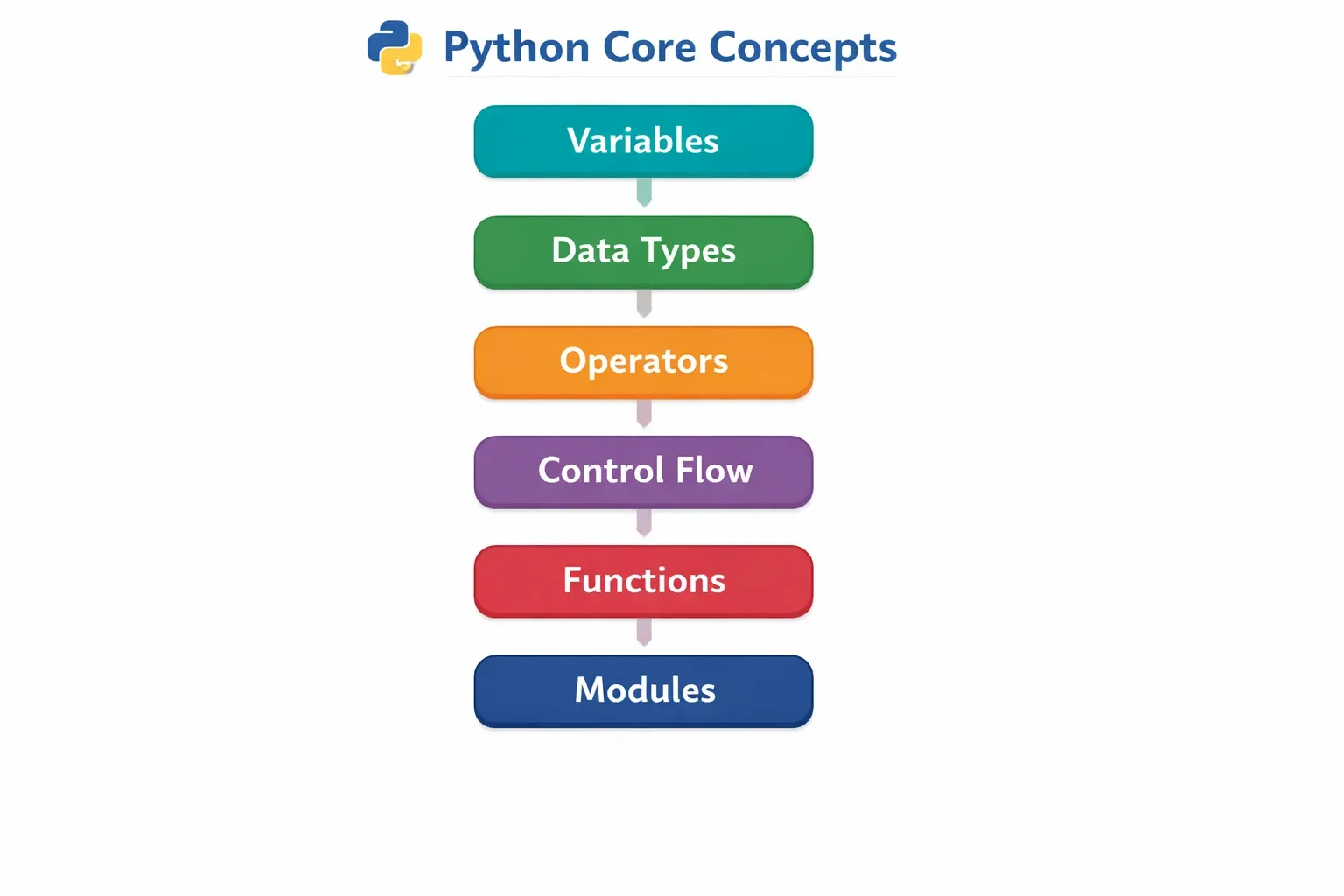
Now that you are set up, let us explore the fundamental building blocks of Python. Think of these concepts as the alphabet of a new language — once you know them, you can start forming sentences (programs).
1. Variables and Data Types
A variable is like a labelled box where you store information. In Python, creating a variable is simple — you just give it a name and assign a value using the equals sign (=).
student_name = "Ahmad"
student_age = 20
student_gpa = 3.75
is_enrolled = True
Python automatically figures out the data type of your variable — you do not need to declare it manually. The main data types are:
| Data Type | Description | Example |
|---|---|---|
str |
Text (string) | "Fatima", "Karachi" |
int |
Whole numbers | 21, 500, -10 |
float |
Decimal numbers | 3.14, 99.5, -0.5 |
bool |
True or False | True, False |
list |
Ordered collection | ["Ahmad", "Ali", "Zara"] |
dict |
Key-value pairs | {"name": "Ahmad", "age": 20} |
You can check a variable's type using the built-in type() function:
print(type(student_name))   # Output: <class 'str'>
print(type(student_age))    # Output: <class 'int'>
2. The print() Function
The print() function is your best friend when starting out. It displays output to the screen, which is essential for seeing what your program is doing.
print("Assalam-o-Alaikum! Welcome to Python.")
print("Student Name:", student_name)
print(f"Age: {student_age}, GPA: {student_gpa}")
The f before the string in the last line makes it an f-string — a powerful way to embed variables directly inside text.
3. Getting User Input
You can ask the user to enter information using the input() function:
name = input("Please enter your name: ")
print(f"Hello, {name}! Welcome to theiqra.edu.pk")
Important: The input() function always returns a string. If you need a number, you must convert it:
age = int(input("Enter your age: "))
monthly_fee = float(input("Enter tuition fee in PKR: "))
4. Operators
Python supports all the standard mathematical and logical operators:
Arithmetic Operators:
a = 100
b = 30

print(a + b)    # Addition: 130
print(a - b)    # Subtraction: 70
print(a * b)    # Multiplication: 3000
print(a / b)    # Division: 3.333...
print(a // b)   # Floor Division: 3
print(a % b)    # Modulus (remainder): 10
print(a ** 2)   # Exponentiation: 10000
Comparison Operators (used in conditions):
print(10 > 5)    # True
print(10 == 10)  # True
print(7 != 3)    # True
print(5 <= 4)    # False
5. Conditional Statements (if / elif / else)
Conditional statements let your program make decisions. Think of them as the program asking itself a question and taking different actions based on the answer.
score = 75

if score >= 80:
    print("Grade: A - Excellent!")
elif score >= 60:
    print("Grade: B - Good work!")
elif score >= 40:
    print("Grade: C - Keep trying!")
else:
    print("Grade: F - Please see your teacher.")
Notice the indentation (4 spaces or a tab). In Python, indentation is not optional — it defines which code belongs inside which block. This is one of Python's most important rules.
6. Loops
Loops let you repeat a block of code multiple times without rewriting it.
The for Loop — iterates over a sequence:
cities = ["Lahore", "Karachi", "Islamabad", "Peshawar", "Quetta"]

for city in cities:
    print(f"Hello from {city}!")
The while Loop — repeats as long as a condition is true:
count = 1
while count <= 5:
    print(f"Attempt number: {count}")
    count += 1
The range() function is very useful with for loops:
for i in range(1, 6):
    print(f"Question {i}")
7. Functions
A function is a reusable block of code that performs a specific task. Functions help you organize your program, avoid repetition, and make your code easier to read.
def greet_student(name, city):
    """This function greets a student by name and city."""
    print(f"Assalam-o-Alaikum, {name} from {city}!")
    print("We are glad you are learning Python with us.")

# Calling the function
greet_student("Fatima", "Lahore")
greet_student("Ali", "Karachi")
Functions can also return values:
def calculate_grade(marks):
    if marks >= 80:
        return "A"
    elif marks >= 60:
        return "B"
    elif marks >= 40:
        return "C"
    else:
        return "F"

result = calculate_grade(72)
print(f"Your grade is: {result}")  # Output: Your grade is: B
Practical Code Examples
Example 1: Student Fee Calculator
Scenario: Ahmad is a student at a university in Islamabad. He wants a simple program to calculate his total semester fee based on the number of credit hours he is taking.
# ============================================
# Student Fee Calculator
# theiqra.edu.pk — Python Tutorial 2026
# ============================================

def calculate_semester_fee(student_name, credit_hours, fee_per_credit):
    """
    Calculates total semester fee for a student.

    Parameters:
        student_name (str): Name of the student
        credit_hours (int): Number of credit hours enrolled
        fee_per_credit (float): Fee charged per credit hour in PKR

    Returns:
        float: Total fee in PKR
    """
    # Step 1: Calculate the base tuition fee
    base_fee = credit_hours * fee_per_credit

    # Step 2: Add a fixed examination fee
    exam_fee = 5000

    # Step 3: Add a technology/library fee
    tech_fee = 3500

    # Step 4: Calculate total
    total_fee = base_fee + exam_fee + tech_fee

    # Step 5: Display a detailed breakdown
    print("=" * 45)
    print(f"  FEE SLIP — {student_name.upper()}")
    print("=" * 45)
    print(f"  Credit Hours Enrolled : {credit_hours}")
    print(f"  Fee Per Credit Hour   : PKR {fee_per_credit:,.0f}")
    print(f"  Tuition Fee           : PKR {base_fee:,.0f}")
    print(f"  Examination Fee       : PKR {exam_fee:,.0f}")
    print(f"  Technology Fee        : PKR {tech_fee:,.0f}")
    print("-" * 45)
    print(f"  TOTAL PAYABLE         : PKR {total_fee:,.0f}")
    print("=" * 45)

    return total_fee

# --- Main Program ---
name = input("Enter student name: ")
credits = int(input("Enter number of credit hours: "))
rate = float(input("Enter fee per credit hour (PKR): "))

total = calculate_semester_fee(name, credits, rate)
print(f"\nThank you, {name}. Your payment slip has been generated.")
Line-by-Line Explanation:
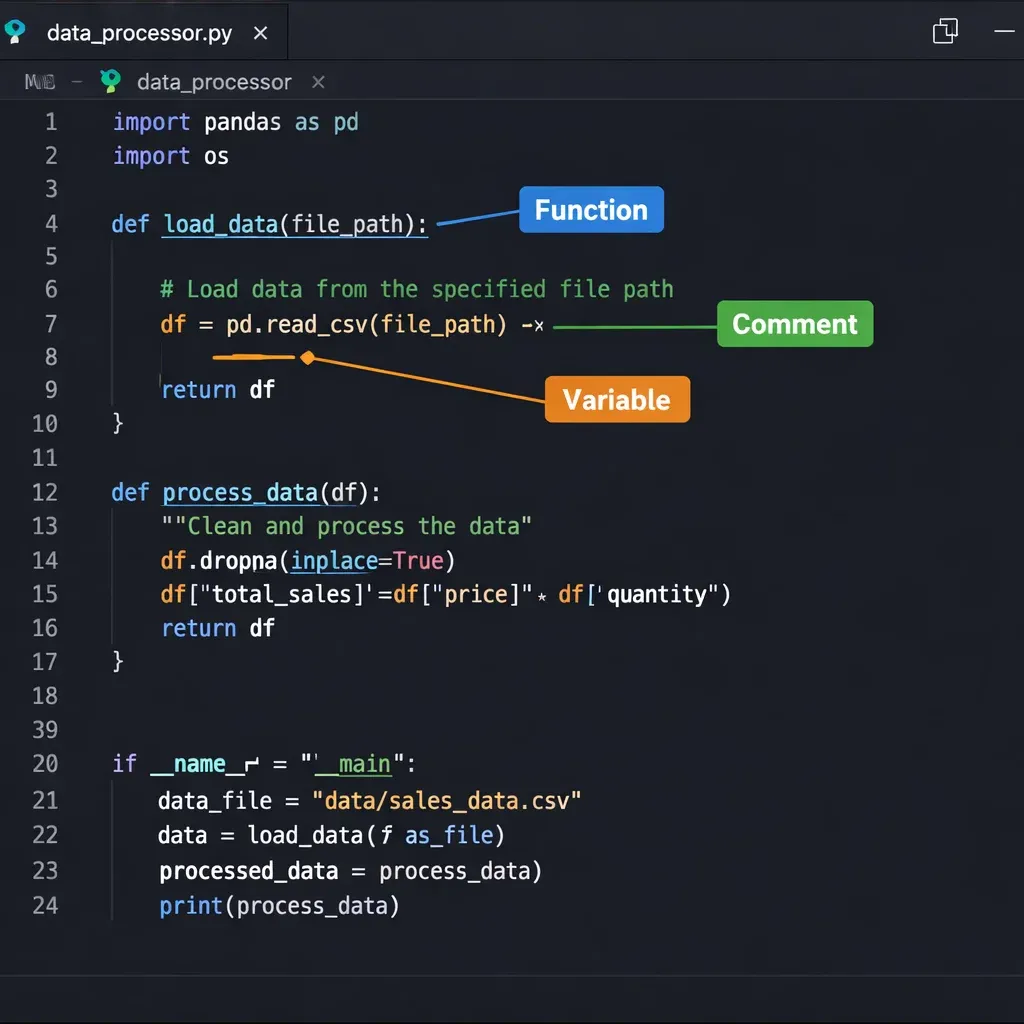
- Lines 1–5: Comments explaining what the program does. The
#symbol marks a comment — Python ignores it, but it helps humans understand the code. - Line 7: We define a function called
calculate_semester_feethat takes three inputs:student_name,credit_hours, andfee_per_credit. - Lines 8–18: The docstring (text in triple quotes) documents what the function does, its parameters, and what it returns.
- Lines 20–28: We calculate the base fee, add fixed fees, and compute the total.
- Lines 31–40: We print a formatted fee slip. The
:,.0fformat code adds commas as thousand separators and removes decimal places. - Lines 43–47 (main program): We use
input()to collect data from the user, convert types appropriately, then call our function.
Sample Output:
Enter student name: Ahmad Khan
Enter number of credit hours: 18
Enter fee per credit hour (PKR): 8500

=============================================
  FEE SLIP — AHMAD KHAN
=============================================
  Credit Hours Enrolled : 18
  Fee Per Credit Hour   : PKR 8,500
  Tuition Fee           : PKR 153,000
  Examination Fee       : PKR 5,000
  Technology Fee        : PKR 3,500
---------------------------------------------
  TOTAL PAYABLE         : PKR 161,500
=============================================

Thank you, Ahmad Khan. Your payment slip has been generated.
Example 2: Pakistani Cities Quiz Game
Scenario: Fatima is building a simple geography quiz app for her younger siblings. This program quizzes users on the capitals of Pakistani provinces.
# ============================================
# Pakistani Geography Quiz
# theiqra.edu.pk — Python Tutorial 2026
# ============================================

def run_quiz():
    """A simple quiz game about Pakistani provinces and capitals."""

    # Dictionary: Province name → Capital city
    quiz_data = {
        "Punjab": "Lahore",
        "Sindh": "Karachi",
        "Khyber Pakhtunkhwa": "Peshawar",
        "Balochistan": "Quetta",
        "Gilgit-Baltistan": "Gilgit"
    }

    # Track the player's score
    score = 0
    total_questions = len(quiz_data)

    print("=" * 50)
    print("  WELCOME TO THE PAKISTAN GEOGRAPHY QUIZ!")
    print("  Created with Python — theiqra.edu.pk")
    print("=" * 50)
    print(f"  Answer {total_questions} questions about Pakistan.\n")

    # Loop through each province and ask the question
    for question_number, (province, correct_capital) in enumerate(quiz_data.items(), 1):

        print(f"Question {question_number}: What is the capital of {province}?")
        user_answer = input("Your answer: ").strip()

        # Check answer (case-insensitive comparison)
        if user_answer.lower() == correct_capital.lower():
            print("✓ Correct! Well done!\n")
            score += 1
        else:
            print(f"✗ Incorrect. The correct answer is: {correct_capital}\n")

    # Calculate percentage score
    percentage = (score / total_questions) * 100

    # Display final result
    print("=" * 50)
    print(f"  QUIZ COMPLETE! Your Score: {score}/{total_questions}")
    print(f"  Percentage: {percentage:.1f}%")

    if percentage >= 80:
        print("  Outstanding! You are a Pakistan geography expert!")
    elif percentage >= 60:
        print("  Good job! Keep learning about Pakistan.")
    else:
        print("  Keep practicing — you will get better!")

    print("=" * 50)

# Run the quiz
run_quiz()
Line-by-Line Explanation:
- Lines 7–11: We define a dictionary called
quiz_data. A dictionary stores pairs of data: a key and a value. Here, the province name is the key and the capital is the value. - Line 14:
len(quiz_data)returns the number of items in the dictionary — automatically telling us how many questions there are. - Line 27:
enumerate(quiz_data.items(), 1)is a powerful trick:.items()gives us each key-value pair, andenumerate(..., 1)automatically numbers them starting from 1. - Line 31:
.strip()removes any accidental spaces before or after the user's answer. - Line 34:
.lower()converts both the user's answer and the correct answer to lowercase, so"lahore"and"Lahore"both count as correct. - Line 39:
score += 1is shorthand forscore = score + 1. - Lines 42–43: We calculate the percentage and use
:.1fto display it with exactly one decimal place.
Common Mistakes & How to Avoid Them
Every beginner makes mistakes — that is how learning works! Here are the most common Python errors new programmers encounter and exactly how to fix them.
Mistake 1: Indentation Error
Wrong:
def greet():
print("Hello")  # ← This line is not indented!
Error: IndentationError: expected an indented block
Correct:
def greet():
    print("Hello")  # ← 4 spaces of indentation
Rule: Always indent code inside functions, loops, and if-statements by exactly 4 spaces (or one tab). Be consistent — never mix tabs and spaces.
Mistake 2: Using = Instead of == in Comparisons
Wrong:
if score = 100:   # ← Single = is assignment, not comparison!
    print("Perfect score!")
Error: SyntaxError: invalid syntax
Correct:
if score == 100:  # ← Double == checks equality
    print("Perfect score!")
Rule: Use = to assign a value to a variable. Use == to compare two values.
Mistake 3: Forgetting to Convert Input Types
Wrong:
age = input("Enter your age: ")
next_year_age = age + 1  # ← Can't add integer to string!
Error: TypeError: can only concatenate str (not "int") to str
Correct:
age = int(input("Enter your age: "))  # Convert to integer first
next_year_age = age + 1
print(f"Next year you will be {next_year_age}")
Rule: input() always returns a string. Convert it using int(), float(), or other type functions as needed.
Mistake 4: Off-by-One Error in range()
Wrong (if you want 1 to 10):
for i in range(10):
    print(i)  # Prints 0 to 9, NOT 1 to 10!
Correct:
for i in range(1, 11):  # range(start, stop) — stop is exclusive
    print(i)  # Prints 1 to 10
Rule: range(n) goes from 0 to n-1. range(start, stop) goes from start to stop-1.
Mistake 5: Variable Naming Errors
Wrong:
student name = "Ali"    # ← Spaces not allowed in variable names
2score = 95             # ← Cannot start with a number
class = "Python 101"   # ← 'class' is a reserved keyword
Correct:
student_name = "Ali"    # Use underscores
score2 = 95             # Numbers allowed, just not at the start
course_name = "Python 101"  # Avoid reserved keywords
Rule: Variable names must start with a letter or underscore, contain only letters, numbers, and underscores, and cannot be Python reserved words (like if, for, class, return, etc.).
Practice Exercises
The best way to learn programming is to write code. Try these exercises on your own before looking at the solutions.
Exercise 1: Temperature Converter
Task: Write a Python program that asks the user to enter a temperature in Celsius and converts it to Fahrenheit. The formula is: F = (C × 9/5) + 32
Hint: You will need input(), type conversion, a formula, and print().
👆 Click to reveal Solution
# Temperature Converter: Celsius to Fahrenheit

print("=== Temperature Converter ===")
celsius = float(input("Enter temperature in Celsius: "))

fahrenheit = (celsius * 9/5) + 32

print(f"\n{celsius}°C is equal to {fahrenheit:.2f}°F")

# Bonus: Tell the user what the weather feels like
if celsius < 0:
    print("It is freezing cold! Wear a heavy coat.")
elif celsius < 15:
    print("It is cold. A jacket would be a good idea.")
elif celsius < 25:
    print("The weather is pleasant — perfect for studying!")
elif celsius < 35:
    print("It is warm. Stay hydrated.")
else:
    print("It is very hot! Stay in the shade.")
Sample Output:
=== Temperature Converter ===
Enter temperature in Celsius: 38

38.0°C is equal to 100.40°F
It is very hot! Stay in the shade.
Exercise 2: Shopping Bill Calculator
Task: Fatima goes grocery shopping in Karachi. Write a program that allows her to enter the names and prices of items she buys (until she types "done"), then calculates and displays her total bill in PKR with a 17% sales tax (GST).
👆 Click to reveal Solution
# Shopping Bill Calculator with GST
# Relevant for Pakistan's 17% GST rate

print("=== Shopping Bill Calculator ===")
print("Enter item name and price. Type 'done' when finished.\n")

items = []
total_before_tax = 0

while True:
    item_name = input("Item name (or 'done' to finish): ").strip()

    if item_name.lower() == "done":
        break

    price = float(input(f"Price of {item_name} (PKR): "))
    items.append((item_name, price))
    total_before_tax += price
    print(f"  Added: {item_name} — PKR {price:,.2f}\n")

# Calculate GST (17% in Pakistan)
gst_rate = 0.17
gst_amount = total_before_tax * gst_rate
total_with_tax = total_before_tax + gst_amount

# Print receipt
print("\n" + "=" * 40)
print("         RECEIPT")
print("=" * 40)
for item, price in items:
    print(f"  {item:<20} PKR {price:>8,.2f}")
print("-" * 40)
print(f"  {'Subtotal':<20} PKR {total_before_tax:>8,.2f}")
print(f"  {'GST (17%)':<20} PKR {gst_amount:>8,.2f}")
print("=" * 40)
print(f"  {'TOTAL':<20} PKR {total_with_tax:>8,.2f}")
print("=" * 40)
print("  Thank you for shopping! Khuda Hafiz.")
Exercise 3: Number Guessing Game
Task: Write a program where the computer picks a random number between 1 and 100, and the user tries to guess it. After each guess, tell the user if their guess was too high, too low, or correct. Count and display the number of attempts at the end.
👆 Click to reveal Solution
# Number Guessing Game
import random

print("=== Number Guessing Game ===")
print("I am thinking of a number between 1 and 100.")
print("Can you guess it?\n")

# Generate a random number
secret_number = random.randint(1, 100)
attempts = 0
guessed = False

while not guessed:
    guess = int(input("Your guess: "))
    attempts += 1

    if guess < secret_number:
        print("Too low! Try a higher number.\n")
    elif guess > secret_number:
        print("Too high! Try a lower number.\n")
    else:
        guessed = True
        print(f"\n🎉 Congratulations! You guessed it!")
        print(f"The number was {secret_number}.")
        print(f"You got it in {attempts} attempt(s)!")

        if attempts <= 5:
            print("Excellent — you are a great guesser!")
        elif attempts <= 10:
            print("Good job! A bit more practice and you will be unbeatable.")
        else:
            print("You got there in the end — keep practicing!")
Frequently Asked Questions
Frequently Asked Questions
What is Python and why is it considered the best language for beginners?
Python is a high-level, general-purpose programming language known for its clean, readable syntax that closely resembles plain English. It is considered the best language for beginners because it removes many complex technical hurdles — such as manual memory management and verbose syntax — allowing learners to focus on programming logic rather than language mechanics. Python's massive community, extensive documentation, and wide applicability across industries make it an ideal first language that also has long-term professional value.
How do I install Python on my computer in Pakistan?
Installing Python is completely free and straightforward regardless of where you are located. Visit the official website at python.org, download the latest Python 3 installer for your operating system (Windows, macOS, or Linux), run the installer and make sure to check the box labelled "Add Python to PATH" during setup, then verify by opening your command prompt or terminal and typing python --version. If you have limited storage or a slower computer, Google Colab (colab.research.google.com) provides a free, browser-based Python environment with no installation required.
How long does it take to learn Python as a complete beginner?
With consistent daily practice of one to two hours, most beginners can grasp Python's fundamentals — variables, data types, loops, functions, and basic problem solving — within four to six weeks. Reaching a level where you can build small projects typically takes two to three months, while becoming job-ready in a specialized area like data science or web development usually requires six months to a year of dedicated study. The most important factor is not raw time but consistent, hands-on practice: reading tutorials is helpful, but writing actual code every day accelerates progress dramatically.
What can I build with Python as a beginner?
Even with beginner-level Python skills, you can build a surprising number of useful projects. These include simple calculator and unit converter programs, quiz games and number guessing games, text-based to-do list applications, basic web scrapers using the requests and BeautifulSoup libraries, simple automation scripts to rename files or organize folders, and data analysis programs using spreadsheet data. As you advance, Python allows you to build full web applications, machine learning models, data dashboards, APIs, and much more — making it a language that grows with you throughout your entire career.
Is Python useful for finding jobs in Pakistan's tech industry?
Python is one of the most in-demand programming languages in Pakistan's growing tech industry. Companies across fintech, e-commerce, health tech, and software houses in Lahore, Karachi, and Islamabad actively hire Python developers, data analysts, and machine learning engineers. Platforms like Rozee.pk and Mustakbil.com regularly list hundreds of Python-related positions. Additionally, Python skills are highly valued for freelancing on international platforms like Upwork and Fiverr, where Pakistani developers can earn in dollars and euros. Learning Python opens doors to both local employment and global remote work opportunities.
Summary & Key Takeaways
You have covered a tremendous amount of ground in this tutorial. Let us recap the most important things you have learned:
Core Concepts Mastered:
- Variables and Data Types — Storing information in named containers with types like
str,int,float,bool,list, anddict - Input and Output — Using
input()to collect user data andprint()to display results, including powerful f-strings for formatting - Operators — Performing arithmetic calculations and logical comparisons
- Conditional Statements — Making decisions with
if,elif, andelseblocks - Loops — Repeating tasks efficiently with
forandwhileloops - Functions — Organizing reusable code into clean, named blocks with parameters and return values
Practical Skills Built:
- Wrote a real Student Fee Calculator with formatted Pakistani Rupee output
- Built a Pakistani Geography Quiz using dictionaries and loops
- Learned to avoid the five most common beginner mistakes
- Completed three hands-on exercises covering temperature conversion, shopping bills, and a guessing game
Key Mindset Takeaways:
- Programming is a skill built through practice, not memorization
- Errors and bugs are not failures — they are part of the learning process
- Reading other people's code and experimenting freely accelerates your growth
- Start small, build working programs, then gradually make them more complex
Next Steps & Related Tutorials
Congratulations on completing this Python tutorial for beginners! You have taken a genuinely important first step in your programming journey. Here is how to keep the momentum going:
Immediate Next Steps:
- Re-do all three exercises from memory without looking at the solutions
- Modify the examples — change the quiz questions, add more items to the calculator, or improve the guessing game
- Challenge yourself to write a small program that solves a real problem in your life
Recommended Next Tutorials on theiqra.edu.pk:
- Python Lists and Dictionaries — Deep Dive — Master Python's most important data structures with advanced operations and real examples
- Python File Handling Tutorial — Learn to read and write files so your programs can save data between sessions
- Introduction to Object-Oriented Programming (OOP) in Python — Discover how to model real-world objects in code using classes and objects
- Python for Data Science — Beginner's Guide — Start your data science journey using pandas and matplotlib to analyze real datasets
- Web Scraping with Python — Learn to automatically collect data from websites using
requestsandBeautifulSoup - Django Web Development Tutorial — Build your first web application with Python's most popular web framework
External Resources:
- Python Official Documentation: docs.python.org — The definitive reference for everything Python
- Practice Problems: hackerrank.com/domains/python — Hundreds of Python challenges organized by difficulty
- Interactive Learning: codecademy.com/learn/learn-python-3 — A structured, beginner-friendly Python course
Remember: every expert Python developer was once exactly where you are right now — a curious beginner writing their first print("Hello, World!"). The only difference between them and you is time and practice. Keep coding, keep experimenting, and keep learning. The Pakistani tech industry needs talented developers like you, and Python is your gateway.
Khuda Hafiz and happy coding! 🐍
Test Your Python Knowledge!
Finished reading? Take a quick quiz to see how much you've learned from this tutorial.