React Interview Questions Top 40 Q&A for 2026
Introduction
Preparing for react interview questions: top 40 q&a for 2026 is essential for Pakistani students aiming to land frontend or full-stack roles in companies across Lahore, Karachi, and Islamabad. With React continuing to dominate the frontend ecosystem, mastering interview questions helps you not only understand concepts but also communicate them confidently in real interviews.
This tutorial is designed specifically for intermediate-level learners in Pakistan who already know basic JavaScript and want to sharpen their React interview prep 2026. Whether you're Ahmad preparing for your first internship or Fatima targeting a remote job, this guide will help you build strong conceptual clarity.
Prerequisites
Before starting this tutorial, you should have:
- Basic understanding of JavaScript (ES6+)
- Knowledge of HTML & CSS
- Familiarity with React fundamentals (components, props, state)
- Basic understanding of Git & GitHub
- Some exposure to building small React apps
Core Concepts & Explanation
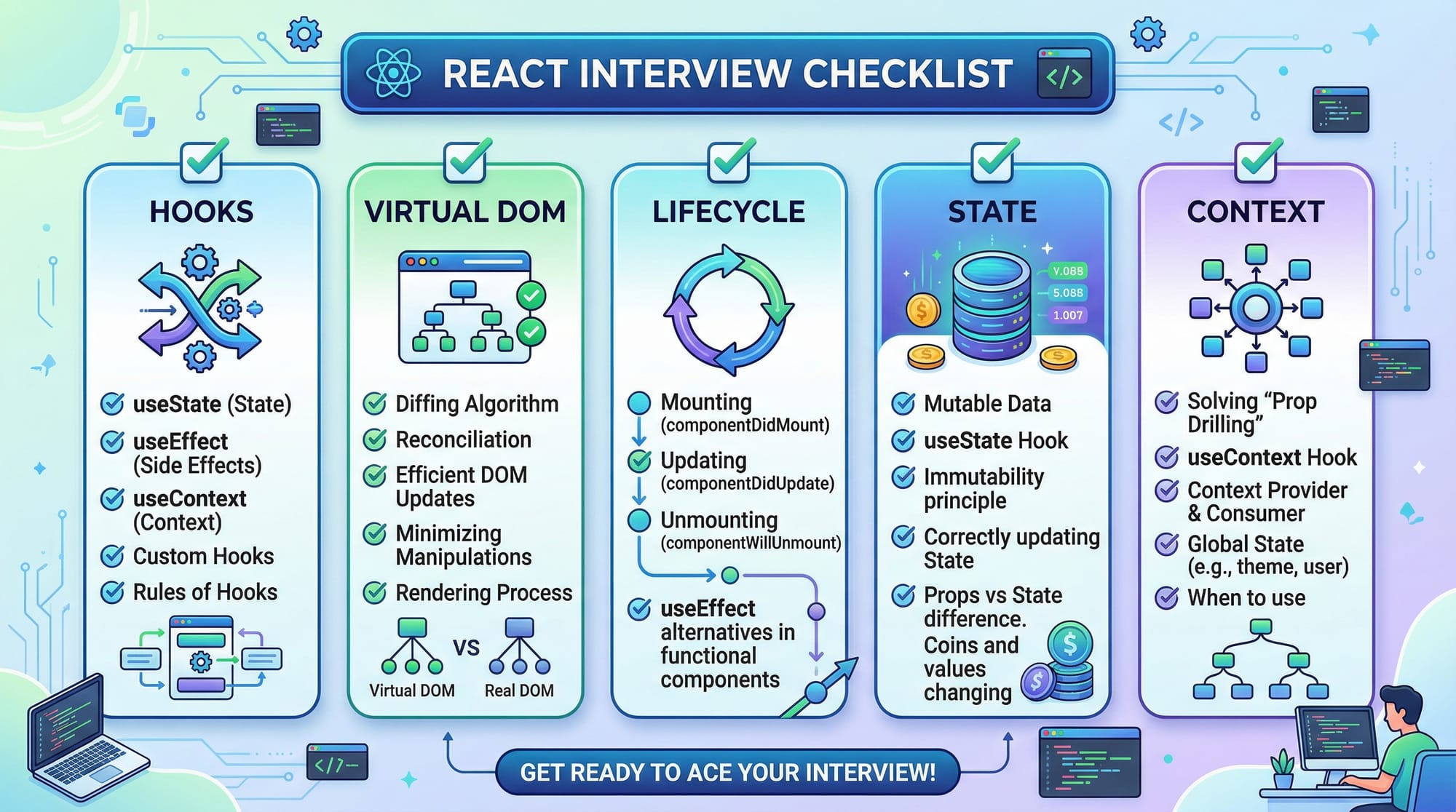
Understanding Virtual DOM & Reconciliation
One of the most frequently asked react interview questions revolves around the Virtual DOM.
React uses a Virtual DOM to optimize rendering. Instead of updating the real DOM directly (which is slow), React creates a virtual copy and compares it with the previous version.
Example Explanation:
When Ali updates a form in his React app, React:
- Creates a new Virtual DOM tree
- Compares it with the old one (diffing)
- Updates only the changed parts
This process is called Reconciliation.
React Hooks Deep Dive (useState, useEffect, useMemo, useCallback)
Hooks are a must-know for react interview prep 2026.
- useState → Manages state
- useEffect → Handles side effects
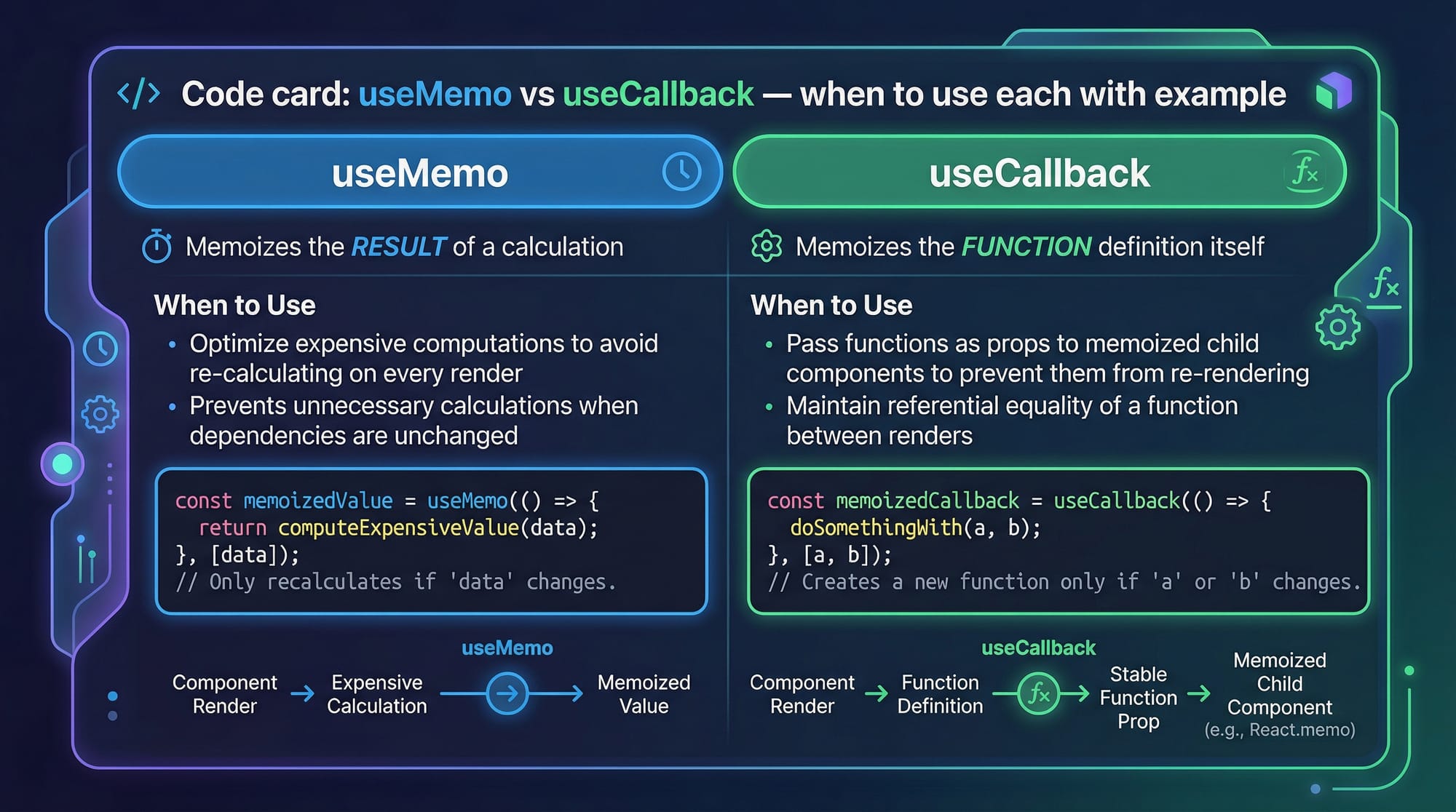
- useMemo → Optimizes expensive calculations
- useCallback → Memoizes functions
Example:
import React, { useState } from "react";

function Counter() {
  const [count, setCount] = useState(0);

  return (
    <button onClick={() => setCount(count + 1)}>
      Count: {count}
    </button>
  );
}
Line-by-line explanation:
import React, { useState }→ Import React and hookuseState(0)→ Initializes state with 0count→ Current valuesetCount→ Function to update stateonClick→ Increments count
Component Lifecycle (Functional vs Class)
Even though functional components dominate, lifecycle questions are still common.
- Mount → Component appears
- Update → State/props change
- Unmount → Component removed
In functional components, lifecycle is handled using useEffect.
State vs Props
Another classic interview question:
| Feature | State | Props |
|---|---|---|
| Mutability | Mutable | Immutable |
| Ownership | Internal | Passed from parent |
| Usage | Dynamic data | Configuration |
Practical Code Examples
Example 1: Counter App with Hooks
import React, { useState } from "react";

function CounterApp() {
  const [count, setCount] = useState(0);

  const increment = () => {
    setCount(count + 1);
  };

  return (
    <div>
      <h2>Counter: {count}</h2>
      <button onClick={increment}>Increase</button>
    </div>
  );
}

export default CounterApp;
Explanation:
useState(0)→ Initializes countincrement()→ Updates statesetCount(count + 1)→ Triggers re-render- JSX → Displays updated value
Example 2: Real-World Application (User List from API)
Imagine Fatima building a dashboard for a Karachi startup.
import React, { useEffect, useState } from "react";

function Users() {
  const [users, setUsers] = useState([]);

  useEffect(() => {
    fetch("https://jsonplaceholder.typicode.com/users")
      .then(res => res.json())
      .then(data => setUsers(data));
  }, []);

  return (
    <div>
      <h2>User List</h2>
      {users.map(user => (
        <p key={user.id}>{user.name}</p>
      ))}
    </div>
  );
}

export default Users;
Explanation:
useState([])→ Initializes empty user listuseEffect()→ Runs once on mountfetch()→ API callsetUsers(data)→ Stores API responsemap()→ Renders userskey={user.id}→ Helps React optimize rendering
Common Mistakes & How to Avoid Them
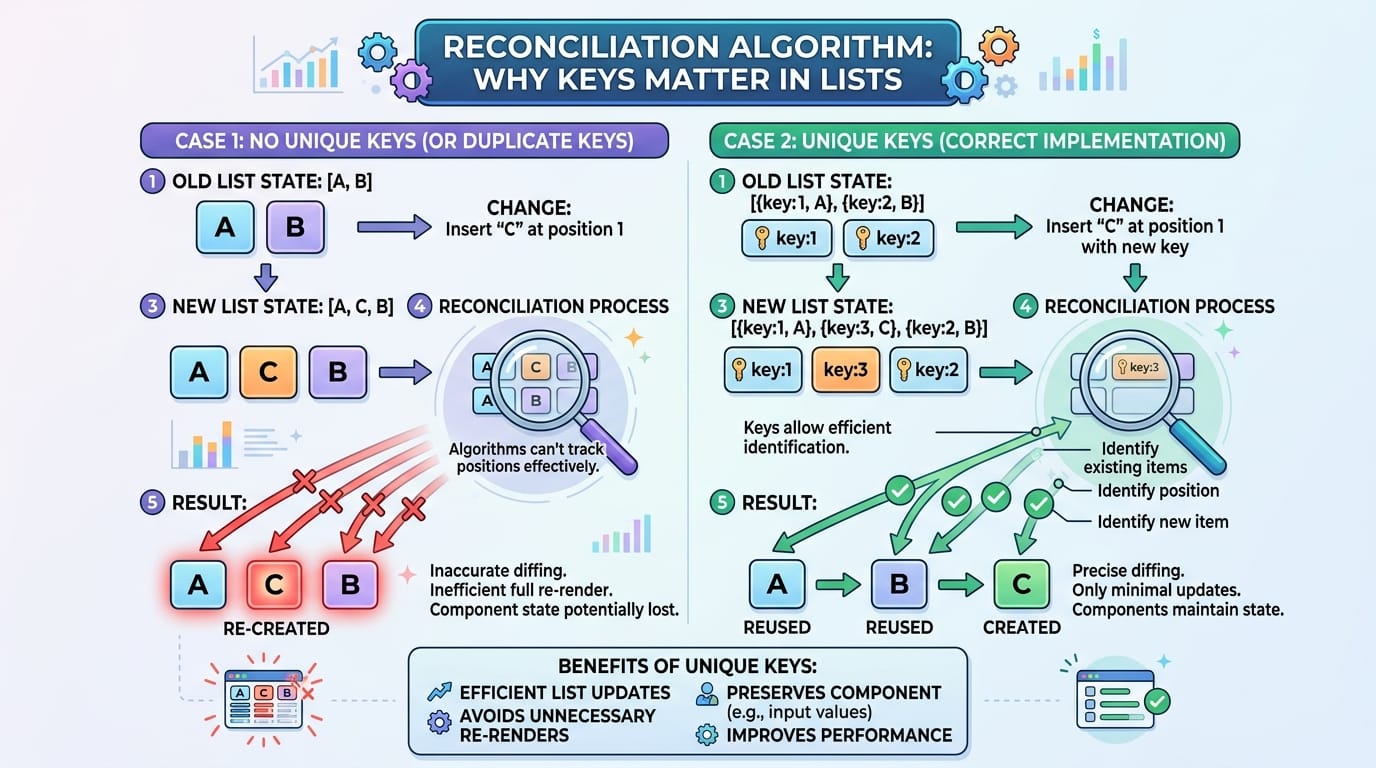
Mistake 1: Missing Keys in Lists
❌ Wrong:
users.map(user => <p>{user.name}</p>)
✅ Correct:
users.map(user => <p key={user.id}>{user.name}</p>)
Why?
Without keys, React cannot efficiently update UI.
Mistake 2: Overusing useEffect
❌ Wrong:
useEffect(() => {
  setCount(count + 1);
});
✅ Correct:
useEffect(() => {
  setCount(prev => prev + 1);
}, []);
Why?
Without dependency array → infinite loop.
Practice Exercises
Exercise 1: Toggle Button
Problem:
Create a button that toggles between "ON" and "OFF".
Solution:
import React, { useState } from "react";

function Toggle() {
  const [isOn, setIsOn] = useState(false);

  return (
    <button onClick={() => setIsOn(!isOn)}>
      {isOn ? "ON" : "OFF"}
    </button>
  );
}
Explanation:
useState(false)→ Initial OFF!isOn→ Toggle value- Conditional rendering → Shows ON/OFF
Exercise 2: Simple PKR Price Calculator
Problem:
Create a component that adds two prices in PKR.
Solution:
import React, { useState } from "react";

function PriceCalculator() {
  const [price1, setPrice1] = useState(0);
  const [price2, setPrice2] = useState(0);

  return (
    <div>
      <input onChange={e => setPrice1(Number(e.target.value))} />
      <input onChange={e => setPrice2(Number(e.target.value))} />
      <h3>Total: PKR {price1 + price2}</h3>
    </div>
  );
}
Explanation:
Number(e.target.value)→ Converts input- State stores values
- Sum displayed dynamically
Frequently Asked Questions
What is React and why is it popular?
React is a JavaScript library for building user interfaces. It is popular because of its component-based architecture, fast performance with Virtual DOM, and strong community support.
How do I prepare for React interviews in 2026?
Focus on hooks, state management, performance optimization, and real-world projects. Practice coding and explaining concepts clearly.
What are the most important React hooks?
The most important hooks are useState, useEffect, useContext, useMemo, and useCallback. These are commonly asked in interviews.
How do I optimize React performance?
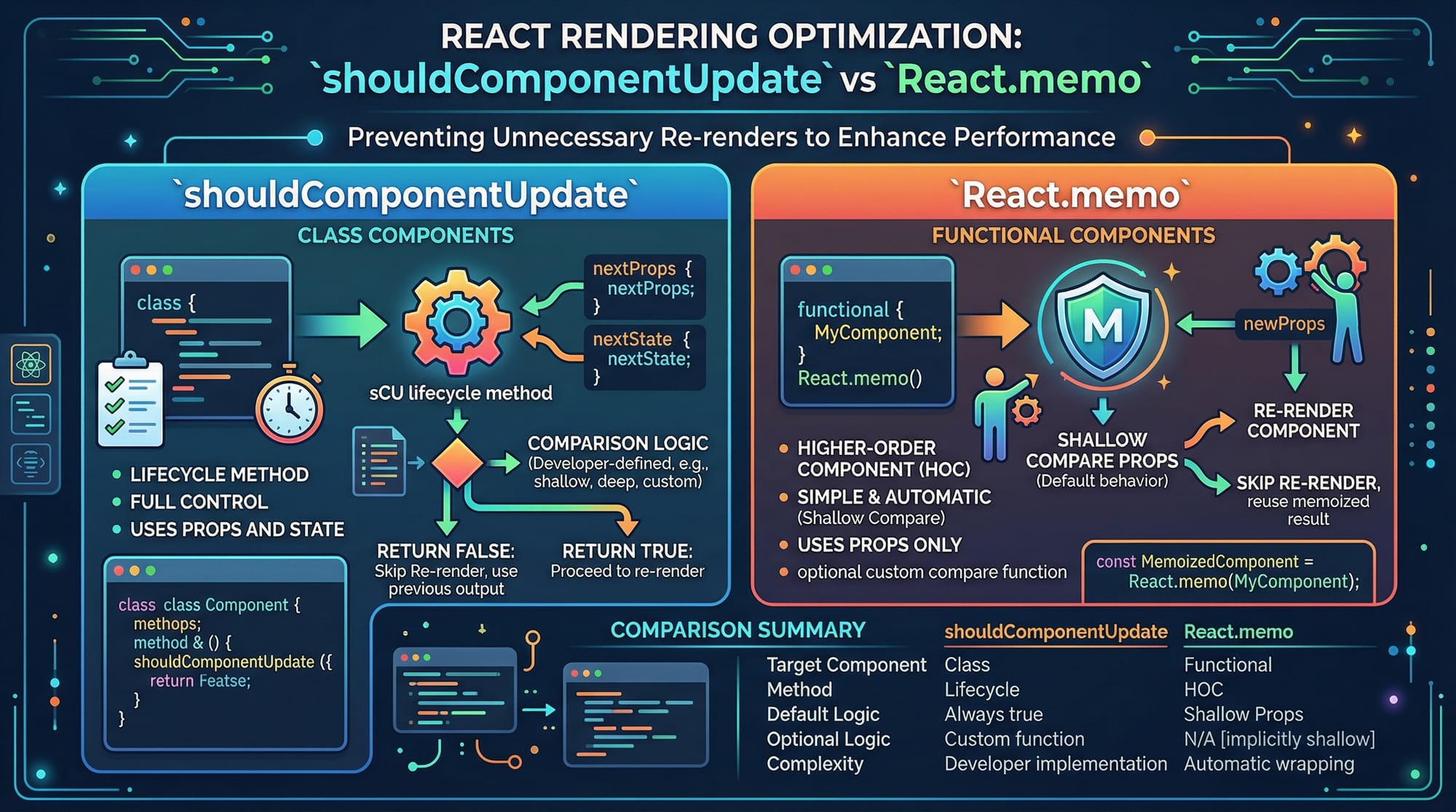
Use techniques like memoization (React.memo, useMemo), proper key usage, lazy loading, and avoiding unnecessary re-renders.
What projects should I build for React interviews?
Build projects like dashboards, e-commerce apps, and API-based apps (e.g., user management system for a Lahore startup).
Summary & Key Takeaways
- React interview questions focus heavily on hooks and performance
- Understanding Virtual DOM and reconciliation is critical
- Practice real-world applications like API integration
- Avoid common mistakes like missing keys and infinite loops
- Build projects to strengthen your react interview prep 2026
Next Steps & Related Tutorials
To continue your journey, check out these tutorials on theiqra.edu.pk:
- Learn the basics with React.js Introduction
- Improve problem-solving using LeetCode Strategy
- Explore advanced topics like State Management with Redux
- Build real apps with Full-Stack MERN Guide
This comprehensive guide on react interview questions: top 40 q&a for 2026 should give you a strong foundation to crack interviews confidently. Keep practicing, stay consistent, and you’ll be ready for top tech opportunities in Pakistan and beyond 🚀
Test Your Python Knowledge!
Finished reading? Take a quick quiz to see how much you've learned from this tutorial.