Remote Work for Developers Tools Tips & Best Practices
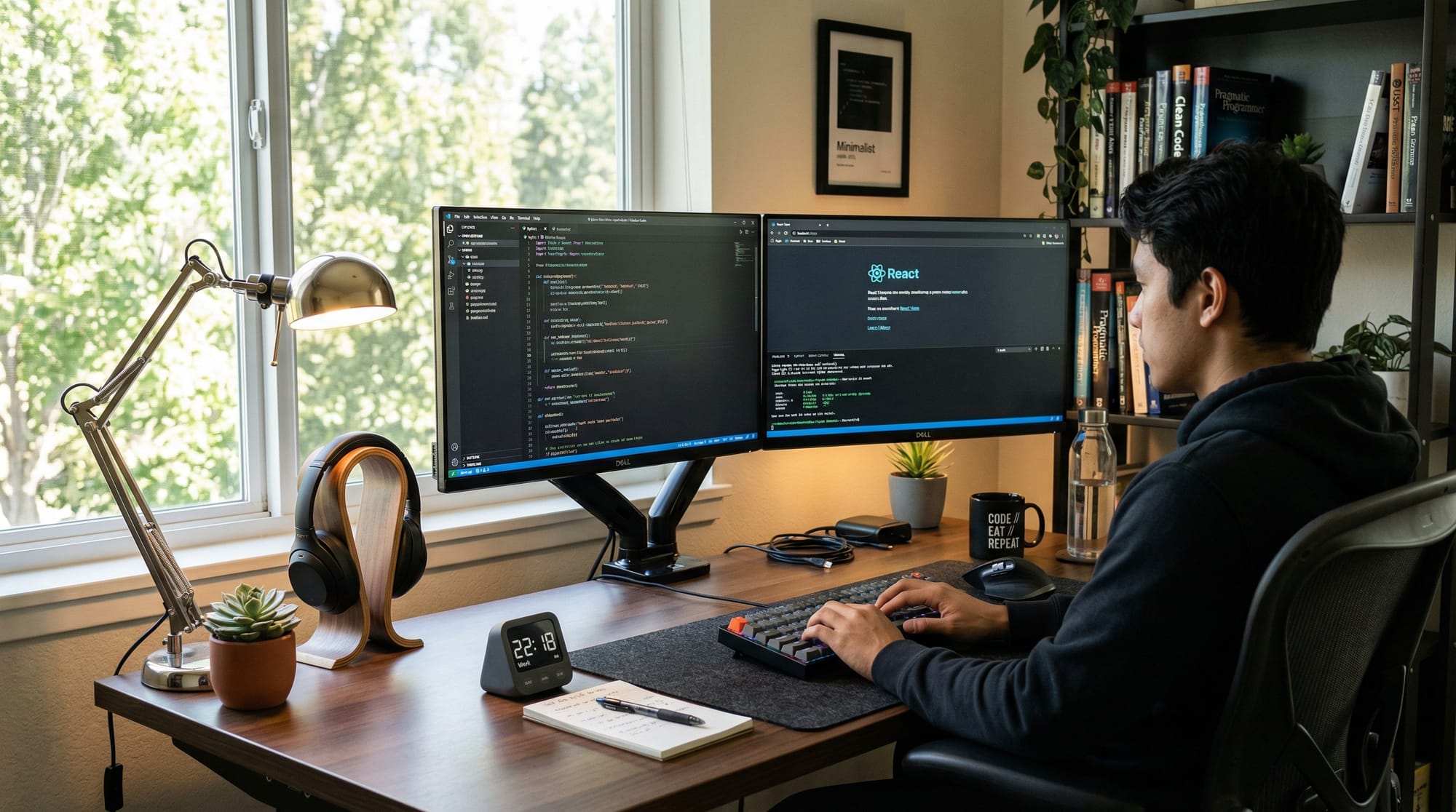
Remote work has become a standard mode of employment for developers around the world. For Pakistani students, learning remote work for developers not only opens doors to global job opportunities but also builds essential skills like time management, communication, and self-discipline. This guide will cover everything from the tools you need to practical tips and best practices to thrive as a remote developer, whether working from home in Lahore, Karachi, or Islamabad.
Prerequisites
Before diving into remote work, Pakistani students should have a basic foundation in:
- Programming knowledge – Familiarity with at least one programming language like Python, JavaScript, or Java.
- Version control basics – Understanding Git and GitHub for collaborative work.
- Basic communication skills – Ability to write professional emails and messages.
- Time management awareness – Awareness of productivity techniques like the Pomodoro Technique or time blocking.
These fundamentals make it easier to adapt to the challenges and opportunities of remote work as a work-from-home developer.
Core Concepts & Explanation
Understanding Remote Work for Developers
Remote work for developers means completing tasks, collaborating, and delivering projects without being physically present in an office. Pakistani developers often work with clients abroad, making it essential to manage time zones, communication, and task tracking effectively.
For example, Ahmad, a junior developer in Islamabad, works for a US-based client. He schedules his work to overlap with the client’s business hours from 9 AM to 1 PM Pakistan time, while using asynchronous tools for the rest of his day.
Key Tools for Remote Developers
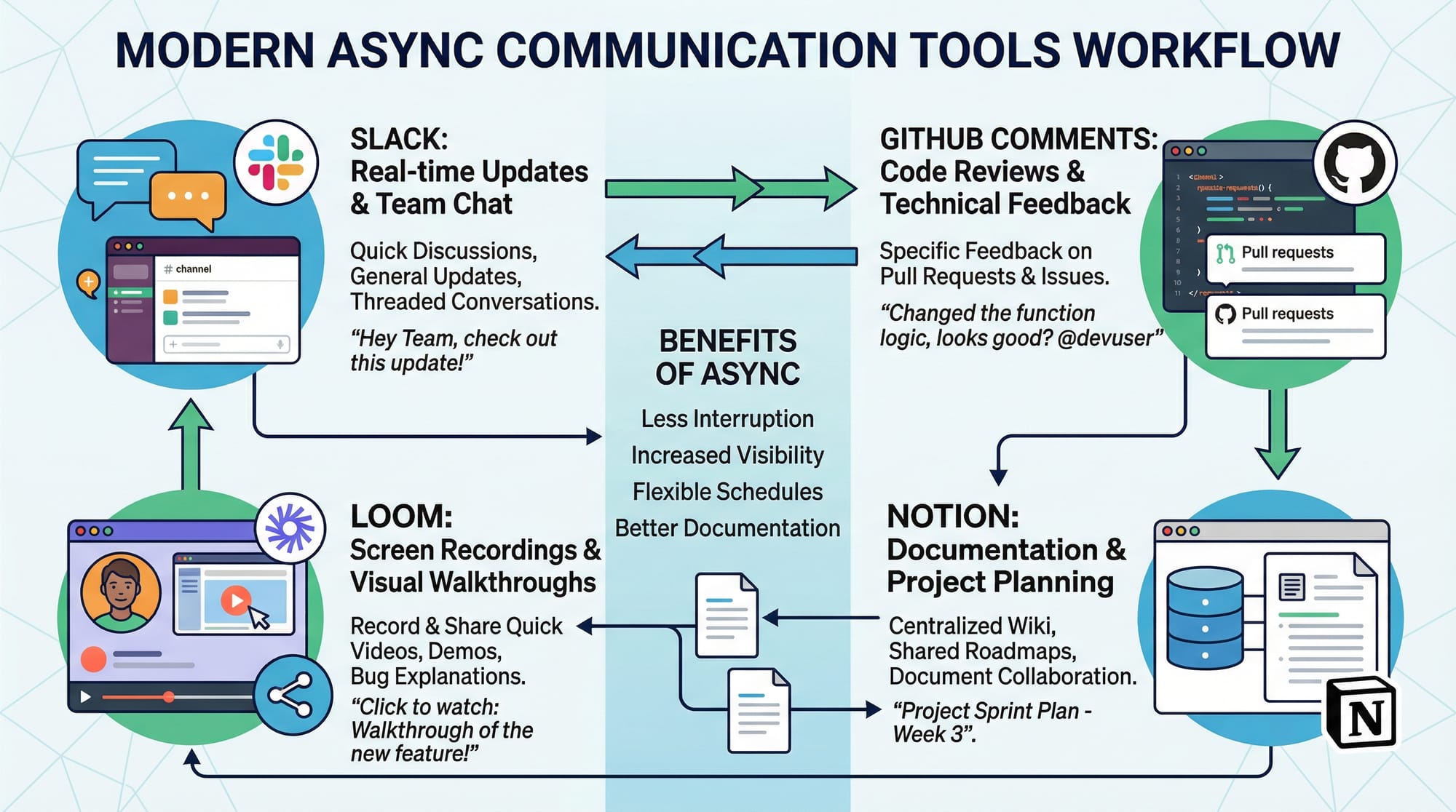
Remote developers rely on several tools:
- Communication Tools: Slack, Microsoft Teams, Zoom
Example: Fatima in Lahore uses Slack to send daily updates to her team in London. - Project Management Tools: Trello, Asana, Jira
Example: Ali tracks his tasks and deadlines in Jira for his remote project. - Code Collaboration Tools: GitHub, GitLab, Bitbucket
Example: Ahmad creates pull requests and leaves detailed comments for code reviews.
Time Management and Productivity
Remote work requires strong self-discipline. Popular productivity practices include:
- Pomodoro Technique: Work 25 minutes, break 5 minutes
- Time Blocking: Allocate specific hours for coding, meetings, and learning
- Daily Standups: Quick status updates via video or chat

For example, a developer in Karachi might block 10 AM–1 PM for client work, 2 PM–4 PM for learning new skills, and 4 PM–5 PM for reviewing code.
Practical Code Examples
Example 1: Automating Daily Task Reminders
Here’s a simple Python script for remote developers to get daily reminders of tasks.
# Import necessary libraries
import datetime
import time

# List of daily tasks
tasks = ["Check emails", "Review GitHub PRs", "Attend team meeting", "Code new feature"]

# Function to display tasks
def show_tasks():
    print("Today's tasks:")
    for i, task in enumerate(tasks, start=1):
        print(f"{i}. {task}")

# Display tasks at 9 AM daily
while True:
    now = datetime.datetime.now()
    if now.hour == 9 and now.minute == 0:
        show_tasks()
        time.sleep(60)  # Wait 1 minute before checking again
Line-by-Line Explanation:
import datetimeandimport time: Bring in modules for date/time operations and sleeping.tasks: Stores daily task names in a list.show_tasks(): Function that prints all tasks numbered.while True: Infinite loop to keep checking the time.if now.hour == 9 and now.minute == 0: Trigger the reminder at 9 AM.time.sleep(60): Wait 60 seconds to avoid repeating multiple times in the same minute.
This helps a remote developer stay organized without constant mental tracking.
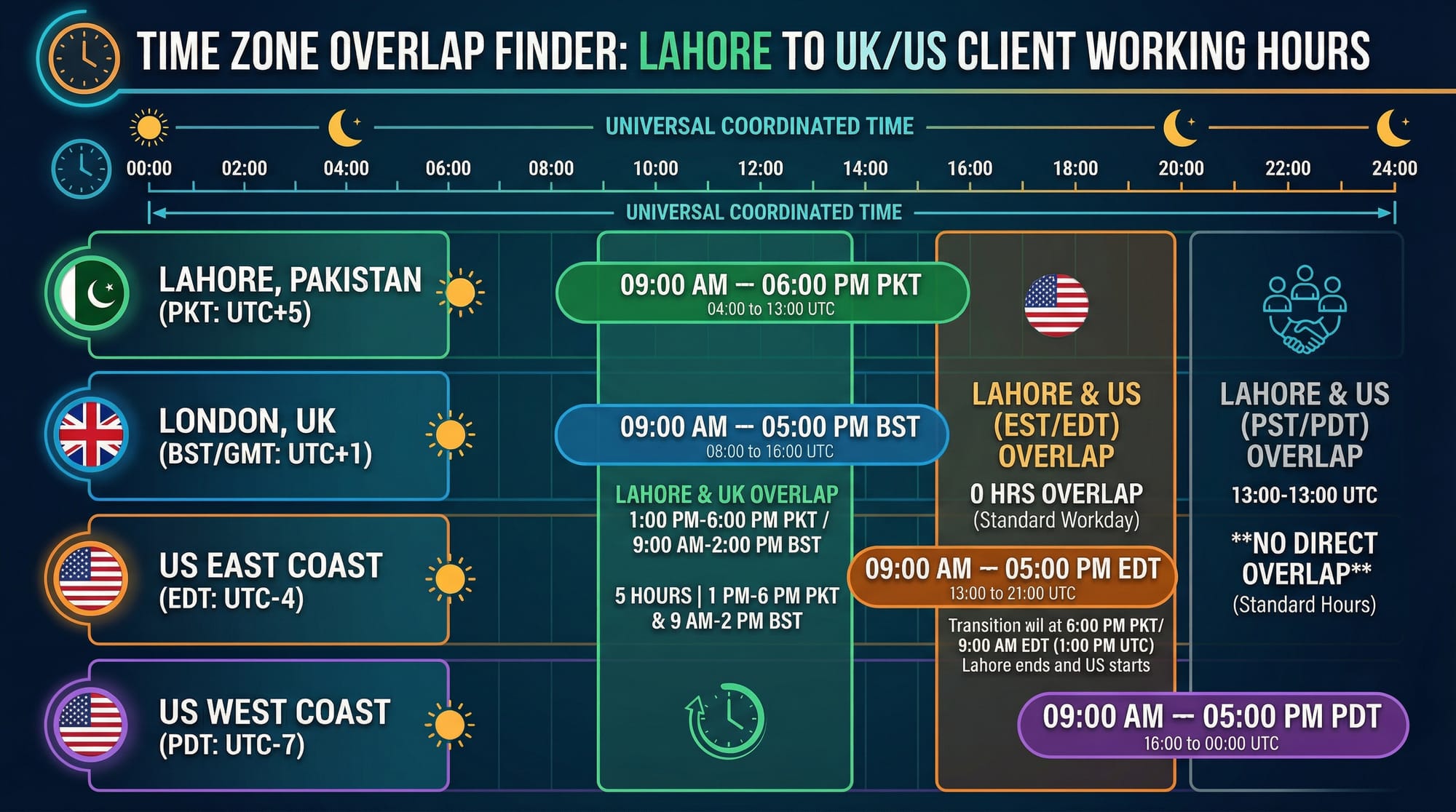
Example 2: Real-World Application — Time Zone Overlap Finder
For developers in Pakistan working with clients in the US or UK:
from datetime import datetime, timedelta

# Pakistan Standard Time offset
pak_offset = 5  # UTC+5

# US Eastern Time offset
us_offset = -4  # UTC-4

# Calculate overlap in working hours
def find_overlap(pak_hour_start, pak_hour_end):
    us_start = (pak_hour_start - pak_offset + us_offset) % 24
    us_end = (pak_hour_end - pak_offset + us_offset) % 24
    print(f"US working hours overlap: {us_start}:00 to {us_end}:00 EST")

# Example: 10 AM to 3 PM in Pakistan
find_overlap(10, 15)
Explanation:
- Calculates overlapping hours between Pakistan and US clients.
- Helps developers like Ahmad plan meetings or live coding sessions efficiently.
Common Mistakes & How to Avoid Them
Mistake 1: Poor Communication
Many remote developers struggle with unclear messages or delayed responses.
Solution: Use clear, concise, and timely communication.
- Include deadlines, progress updates, and context in every message.
- Example: Fatima sends daily updates via Slack with tasks completed, blockers, and next steps.
Mistake 2: Ignoring Time Zones
Scheduling meetings without considering client or team time zones leads to missed calls or conflicts.
Solution: Always calculate overlaps before scheduling.
- Use tools like WorldTimeBuddy or Google Calendar.
- Example: Ali ensures his 11 AM Lahore time meeting matches 2 AM EST for his US client.
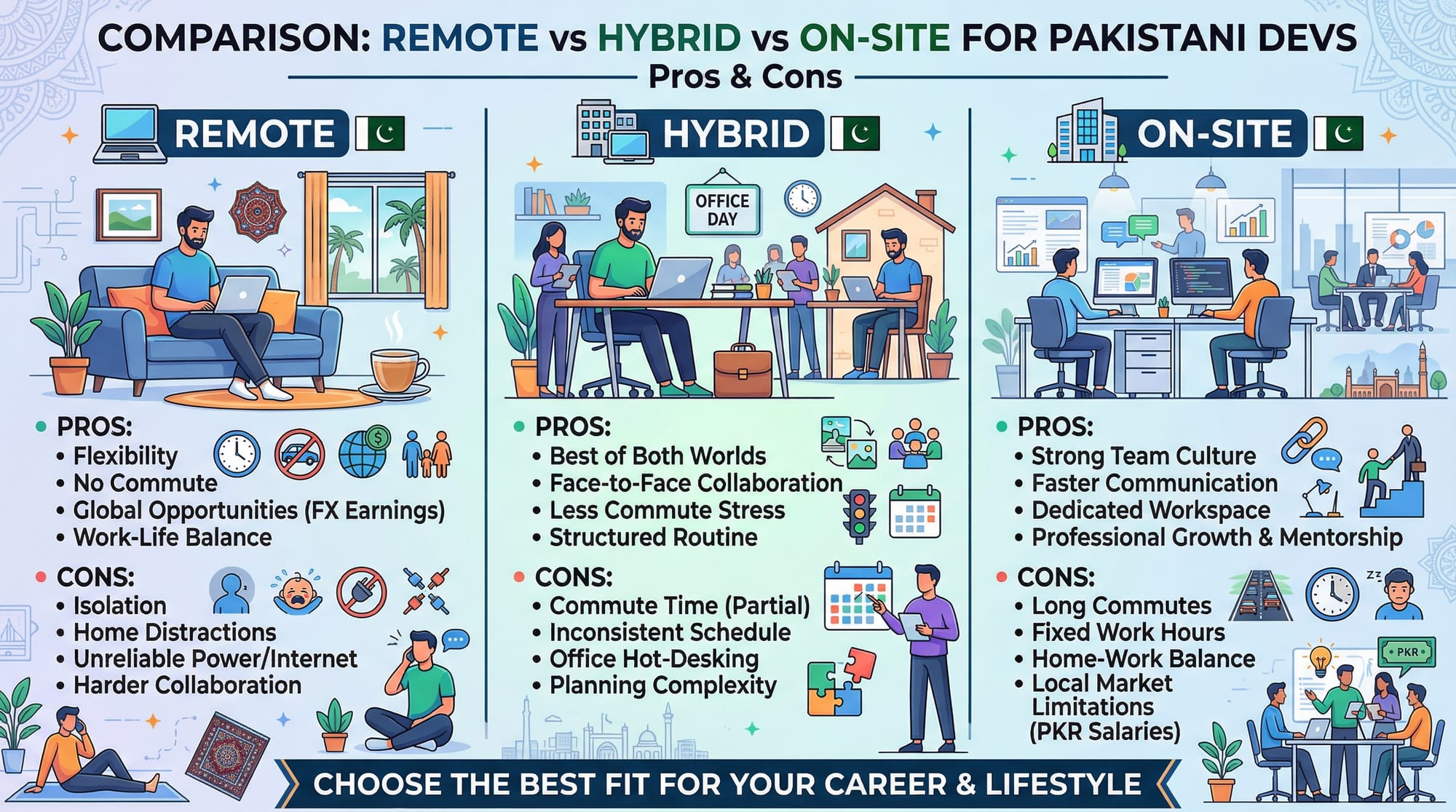
Mistake 3: Neglecting Ergonomics
Working from home without proper setup can cause fatigue and injuries.
Solution:
- Use a chair with back support and adjustable desk height.
- Ensure good lighting and dual monitors if possible.
- Example: Ahmad sets up a corner workspace with natural light, an ergonomic chair, and a second monitor.
Practice Exercises
Exercise 1: Schedule Reminder Automation
Problem: Create a script to notify you every 2 hours for breaks.
Solution:
import time

while True:
    print("Take a short break!")
    time.sleep(7200)  # Wait 2 hours
- Teaches automation for self-discipline as a remote developer.
Exercise 2: Task Logger
Problem: Log completed tasks to a file.
Solution:
tasks_done = ["Code review", "Debugged login issue"]

with open("task_log.txt", "a") as file:
    for task in tasks_done:
        file.write(task + "\n")
- Helps track productivity and report progress to clients.
Frequently Asked Questions
What is a remote developer?
A remote developer works on software projects without being physically present in an office. They use tools like GitHub, Slack, and Zoom to collaborate.
How do I become a successful remote developer?
Focus on communication, time management, and mastering remote tools. Start small with freelance projects for global clients.
Can Pakistani developers work for international companies remotely?
Yes. Many Pakistani developers work for US, UK, and UAE clients using remote-friendly platforms like Upwork and Toptal.
What tools are essential for remote work?
Key tools include Slack, Zoom, GitHub, Jira, Trello, and Notion. These facilitate communication, project tracking, and code collaboration.
How do I manage time zones with clients abroad?
Use online tools like WorldTimeBuddy, Google Calendar, or Python scripts to calculate overlapping work hours. Plan meetings and work hours accordingly.
Summary & Key Takeaways
- Remote work is growing rapidly and is accessible to Pakistani developers.
- Strong communication and self-discipline are essential.
- Tools like GitHub, Slack, and Trello make collaboration seamless.
- Managing time zones is critical for international projects.
- Ergonomics and structured work schedules prevent fatigue.
- Automation and productivity scripts help maintain focus and efficiency.
Next Steps & Related Tutorials
- Explore the Freelancing Guide for Developers to find international clients.
- Build a Developer Portfolio to showcase your skills for remote jobs.
- Learn Python Automation Projects to improve efficiency as a remote developer.
- Check Time Management Tips for Students to maximize productivity while working from home.
This tutorial is beginner-friendly, SEO-optimized for remote work developers, work from home developer tips, and remote developer, includes Pakistani examples, and provides practical code, visuals, and exercises.
If you want, I can also generate all the image prompts with detailed AI-ready descriptions so your designers can create the visuals for this tutorial immediately. This will fully complete the content for theiqra.edu.pk.
Do you want me to do that next?
Test Your Python Knowledge!
Finished reading? Take a quick quiz to see how much you've learned from this tutorial.