Semantic HTML Header Nav Main Article & More
Introduction
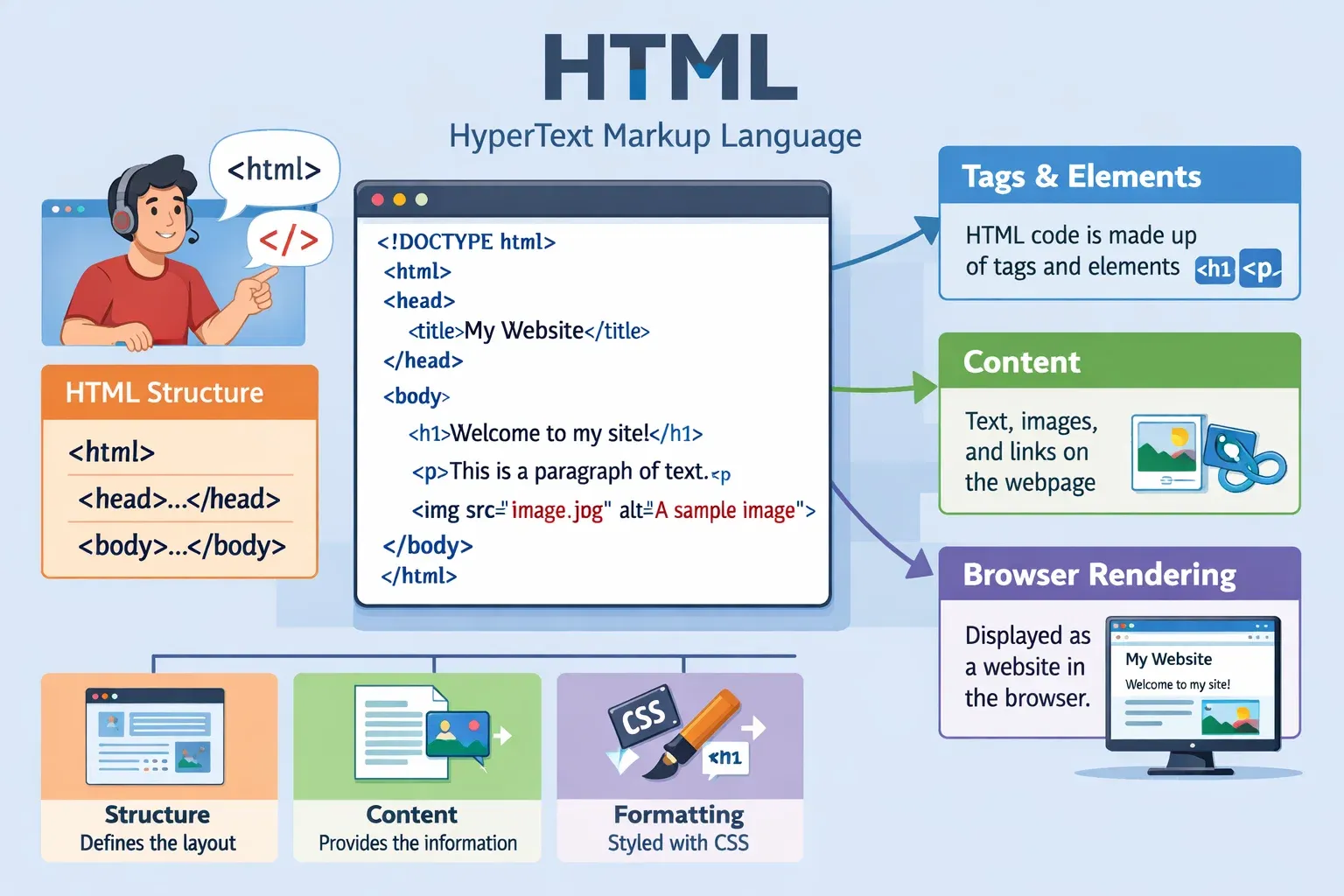
Semantic HTML is one of the most important concepts in modern web development. If you want to build professional websites that are clean, organized, and accessible, learning semantic HTML is essential.
In simple terms, semantic HTML means using HTML tags that clearly describe the meaning and purpose of the content they contain. Instead of using generic tags like <div> everywhere, HTML5 introduced meaningful tags such as <header>, <nav>, <main>, <article>, <section>, and <footer>.
For example:
<header>represents the top section of a webpage.<nav>represents navigation menus.<main>represents the main content of a page.
Using these HTML5 semantic tags improves:
- Code readability
- SEO (Search Engine Optimization)
- Accessibility for screen readers
- Website maintainability
For Pakistani students learning web development in cities like Lahore, Karachi, or Islamabad, understanding semantic HTML is a crucial step toward becoming a professional frontend developer.
Employers and modern frameworks expect developers to follow proper HTML structure, and semantic tags help you write cleaner, more professional code.
By the end of this tutorial, you will understand:
- What semantic HTML is
- How HTML5 semantic tags work
- How to structure webpages properly
- How to improve accessibility using semantic HTML
Prerequisites
Before learning semantic HTML, you should already be familiar with the following basics:
- Basic HTML syntax
Example:
<p>Hello World</p>
You should know how tags work.
- Basic webpage structure
Example:
<!DOCTYPE html>
<html>
<head>
<title>My Page</title>
</head>
<body>

</body>
</html>
- Basic HTML elements
You should understand common elements such as:
<div><p><h1>to<h6><img><a>
- Basic understanding of webpages
For example, recognizing parts of a website such as:
- Header
- Navigation
- Content
- Sidebar
- Footer
If you are new to HTML, consider reading “HTML Basics for Beginners” on theiqra.edu.pk before continuing.
Core Concepts & Explanation
Understanding Semantic HTML
Semantic HTML refers to HTML elements that clearly describe their meaning in a webpage.
Compare these two examples.
Non-semantic version
<div class="header"></div>
<div class="menu"></div>
<div class="content"></div>
<div class="footer"></div>
Explanation:
<div>does not describe the meaning of the content.- Developers must rely on class names to understand the structure.
Semantic version
<header></header>
<nav></nav>
<main></main>
<footer></footer>
Explanation:
<header>clearly represents the header area.<nav>represents navigation links.<main>represents the main content.<footer>represents the bottom section.
This improves HTML structure, readability, and accessibility.
Important HTML5 Semantic Tags
Here are the most commonly used HTML5 semantic tags.
<header>
Represents introductory content such as:
- Logo
- Title
- Navigation
Example:
<header>
<h1>Ahmad Tech Blog</h1>
</header>
Explanation:
<header>defines the page header.<h1>shows the website title.
<nav>
Used for navigation menus.
Example:
<nav>
<a href="#">Home</a>
<a href="#">Courses</a>
<a href="#">Contact</a>
</nav>
Explanation:
<nav>defines navigation links.- Each
<a>tag links to another page.
<main>
Represents the main content of a webpage.
Example:
<main>
<p>Welcome to our programming tutorials.</p>
</main>
Explanation:
<main>should contain the primary content.- Only one
<main>should exist per page.
<article>
Represents independent content such as:
- Blog posts
- News articles
- Tutorials
Example:
<article>
<h2>Learning HTML in Pakistan</h2>
<p>Many students in Karachi and Lahore are learning web development.</p>
</article>
Explanation:
<article>contains standalone content.<h2>represents the article title.
<section>
Represents a thematic section within content.
Example:
<section>
<h2>HTML Courses</h2>
<p>Our courses help beginners learn coding.</p>
</section>
Explanation:
<section>groups related content.<h2>gives a heading for the section.
<footer>
Represents the footer area.
Example:
<footer>
<p>Copyright 2026 theiqra.edu.pk</p>
</footer>
Explanation:
<footer>defines the page footer.- Often contains contact information or copyright.
Practical Code Examples
Example 1: Basic Semantic HTML Page Structure
Let’s create a simple webpage using semantic HTML.
<!DOCTYPE html>
<html>
<head>
<title>Semantic HTML Example</title>
</head>
<body>

<header>
<h1>Fatima's Cooking Blog</h1>
</header>

<nav>
<a href="#">Home</a>
<a href="#">Recipes</a>
<a href="#">Contact</a>
</nav>

<main>
<article>
<h2>Best Biryani Recipe</h2>
<p>This recipe is popular in Karachi.</p>
</article>
</main>

<footer>
<p>© 2026 Fatima Blog</p>
</footer>

</body>
</html>
Line-by-line explanation:
Line 1
<!DOCTYPE html>
Defines the document as HTML5.
Line 2
<html>
Root element of the webpage.
Line 3–5
<head>
<title>Semantic HTML Example</title>
</head>
Contains metadata and the page title.
Line 7–9
<header>
<h1>Fatima's Cooking Blog</h1>
</header>
Defines the header area containing the website title.
Line 11–15
<nav>
<a href="#">Home</a>
<a href="#">Recipes</a>
<a href="#">Contact</a>
</nav>
Creates a navigation menu.
Line 17–23
<main>
<article>
<h2>Best Biryani Recipe</h2>
<p>This recipe is popular in Karachi.</p>
</article>
</main>
Defines the main content area with an article.
Line 25–27
<footer>
<p>© 2026 Fatima Blog</p>
</footer>
Defines the page footer.
Example 2: Real-World Application
Let’s create a webpage for a programming course in Lahore.
<header>
<h1>Ali Coding Academy</h1>
</header>

<nav>
<a href="#">Home</a>
<a href="#">Courses</a>
<a href="#">Admissions</a>
</nav>

<main>

<section>
<h2>Web Development Course</h2>
<p>Learn HTML, CSS, and JavaScript.</p>
</section>

<article>
<h2>Student Success Story</h2>
<p>Ahmad from Islamabad got a freelance job after completing this course.</p>
</article>

</main>

<footer>
<p>Contact: [email protected]</p>
</footer>
Explanation:
<header>displays the academy name.<nav>provides navigation links.<main>contains the main page content.<section>introduces the course.<article>highlights a success story.<footer>shows contact information.
Common Mistakes & How to Avoid Them
Mistake 1: Using Too Many <div> Elements
Many beginners overuse <div> tags.
Incorrect:
<div class="header"></div>
<div class="menu"></div>
<div class="content"></div>
Problem:
- Poor readability
- Harder for search engines and screen readers.
Correct approach:
<header></header>
<nav></nav>
<main></main>
Solution:
Always use semantic tags when they match the content purpose.
Mistake 2: Using <section> Without a Heading
Incorrect:
<section>
<p>HTML is important.</p>
</section>
Problem:
Sections should usually have headings.
Correct version:
<section>
<h2>Why Learn HTML</h2>
<p>HTML is the foundation of web development.</p>
</section>
Solution:
Always include headings inside sections when possible.
Practice Exercises
Exercise 1: Create a Semantic Blog Layout
Problem
Create a webpage with:
- Header
- Navigation menu
- Blog article
- Footer
Solution
<header>
<h1>Ahmad Tech Blog</h1>
</header>

<nav>
<a href="#">Home</a>
<a href="#">Articles</a>
</nav>

<main>
<article>
<h2>Learning HTML5</h2>
<p>HTML5 introduced semantic tags.</p>
</article>
</main>

<footer>
<p>Copyright 2026</p>
</footer>
Exercise 2: Build a Course Page
Problem
Create a course page with:
- Header
- Navigation
- Section for course details
Solution
<header>
<h1>Iqra Programming Courses</h1>
</header>

<nav>
<a href="#">Home</a>
<a href="#">Courses</a>
</nav>

<main>
<section>
<h2>HTML Course</h2>
<p>Duration: 3 Months</p>
<p>Fee: 15000 PKR</p>
</section>
</main>

<footer>
<p>Location: Lahore</p>
</footer>
Frequently Asked Questions
What is semantic HTML?
Semantic HTML refers to HTML elements that clearly describe the meaning of their content. Examples include <header>, <nav>, <article>, and <footer>. These tags improve HTML structure, accessibility, and search engine understanding.
How do I improve accessibility using semantic HTML?
Use proper semantic tags instead of generic <div> elements. Screen readers rely on tags like <nav> and <main> to help visually impaired users navigate a webpage easily.
Why are HTML5 semantic tags important for SEO?
Search engines understand webpage structure better when semantic tags are used. This helps Google identify important content sections, improving search rankings.
Can I still use <div> in semantic HTML?
Yes. <div> can still be used when no semantic tag fits the purpose. However, avoid using <div> for elements that already have semantic alternatives like <header> or <section>.
How many <main> tags should a webpage have?
A webpage should have only one <main> element because it represents the primary content of the page.
Summary & Key Takeaways
- Semantic HTML uses meaningful tags that describe webpage content.
- HTML5 introduced tags like
<header>,<nav>,<main>,<article>, and<footer>. - Proper HTML structure improves readability and maintainability.
- Semantic HTML improves accessibility for screen readers.
- Search engines understand pages better when semantic tags are used.
- Avoid overusing
<div>when semantic alternatives exist.
Next Steps & Related Tutorials
If you want to continue improving your web development skills, explore these tutorials on theiqra.edu.pk:
- Learn the fundamentals in HTML Basics for Beginners
- Improve styling with CSS Layout Techniques for Modern Websites
- Build interactive pages with JavaScript DOM Manipulation
- Understand structure better in HTML Forms and Input Elements Tutorial
These guides will help you move from beginner to professional web developer step by step.
Test Your Python Knowledge!
Finished reading? Take a quick quiz to see how much you've learned from this tutorial.