Sequelize ORM Tutorial Node js MySQL/PostgreSQL
Introduction
Sequelize is a powerful Object Relational Mapping (ORM) library for Node.js that allows developers to interact with databases like MySQL and PostgreSQL using JavaScript instead of raw SQL queries. In this sequelize tutorial, you’ll learn how to use Sequelize to build scalable backend applications using node.js sequelize with real-world examples.
For Pakistani students learning backend development, Sequelize is especially useful because it simplifies database handling and reduces errors. Whether you're building a student portal in Islamabad, an e-commerce app in Karachi, or a freelance project for clients in Lahore, Sequelize helps you write cleaner, more maintainable code.
Instead of writing complex SQL like:
SELECT * FROM users WHERE city = 'Lahore';
You can write:
User.findAll({ where: { city: 'Lahore' } });
That’s the power of sequelize orm.
Prerequisites
Before starting this tutorial, you should have:
- Basic knowledge of JavaScript (ES6)
- Understanding of Node.js
- Familiarity with databases (MySQL or PostgreSQL)
- Basic command-line usage
- Node.js installed on your system
- MySQL or PostgreSQL installed locally
Core Concepts & Explanation
Models and DataTypes
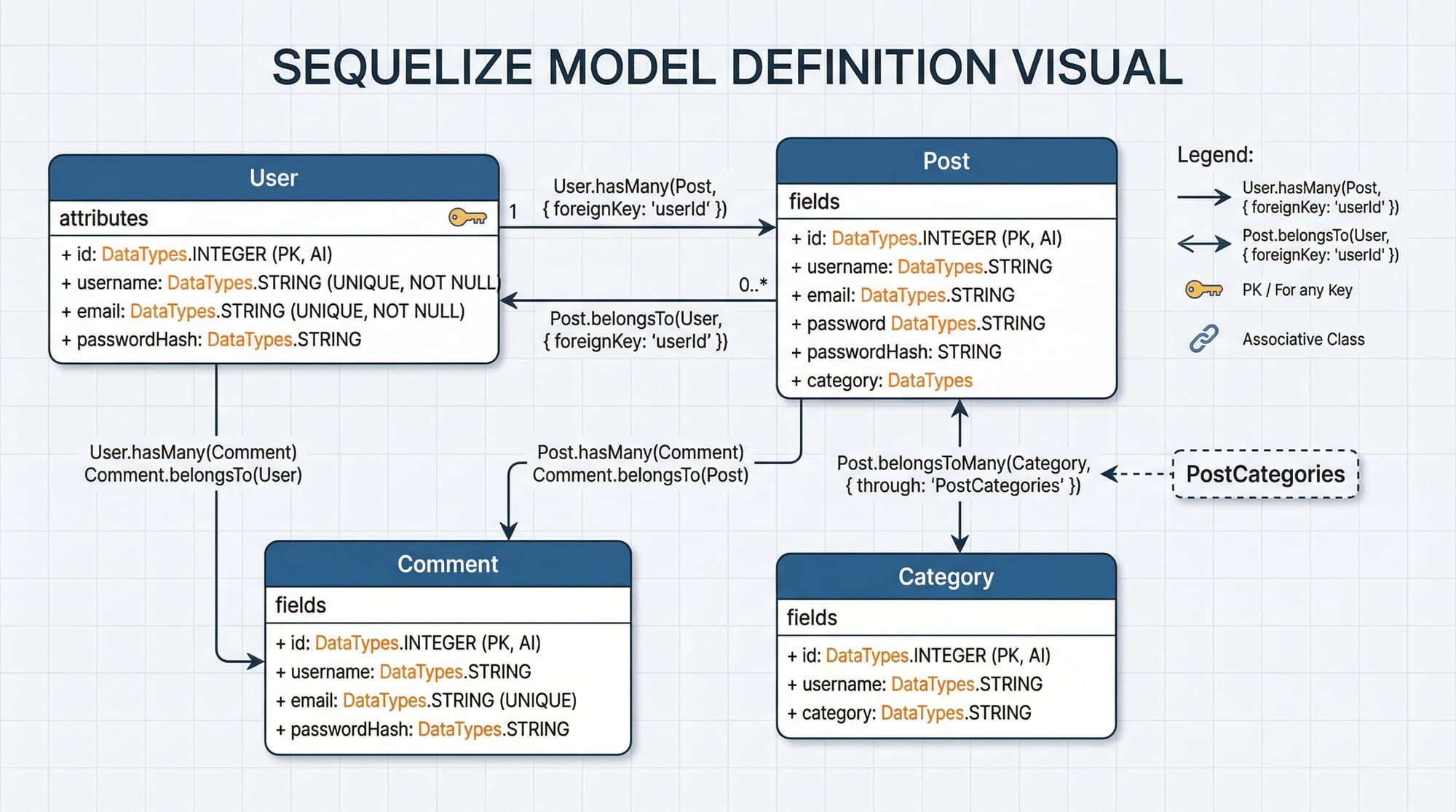
A model in Sequelize represents a table in your database.
Example:
const { Sequelize, DataTypes } = require('sequelize');

const sequelize = new Sequelize('test_db', 'root', 'password', {
  host: 'localhost',
  dialect: 'mysql'
});

const User = sequelize.define('User', {
  name: DataTypes.STRING,
  email: DataTypes.STRING,
  city: DataTypes.STRING
});
Explanation:
Sequelize: Main class to connect to the databaseDataTypes: Defines column types (STRING, INTEGER, etc.)sequelize.define: Creates a model (table)User: Table namename, email, city: Columns in the table
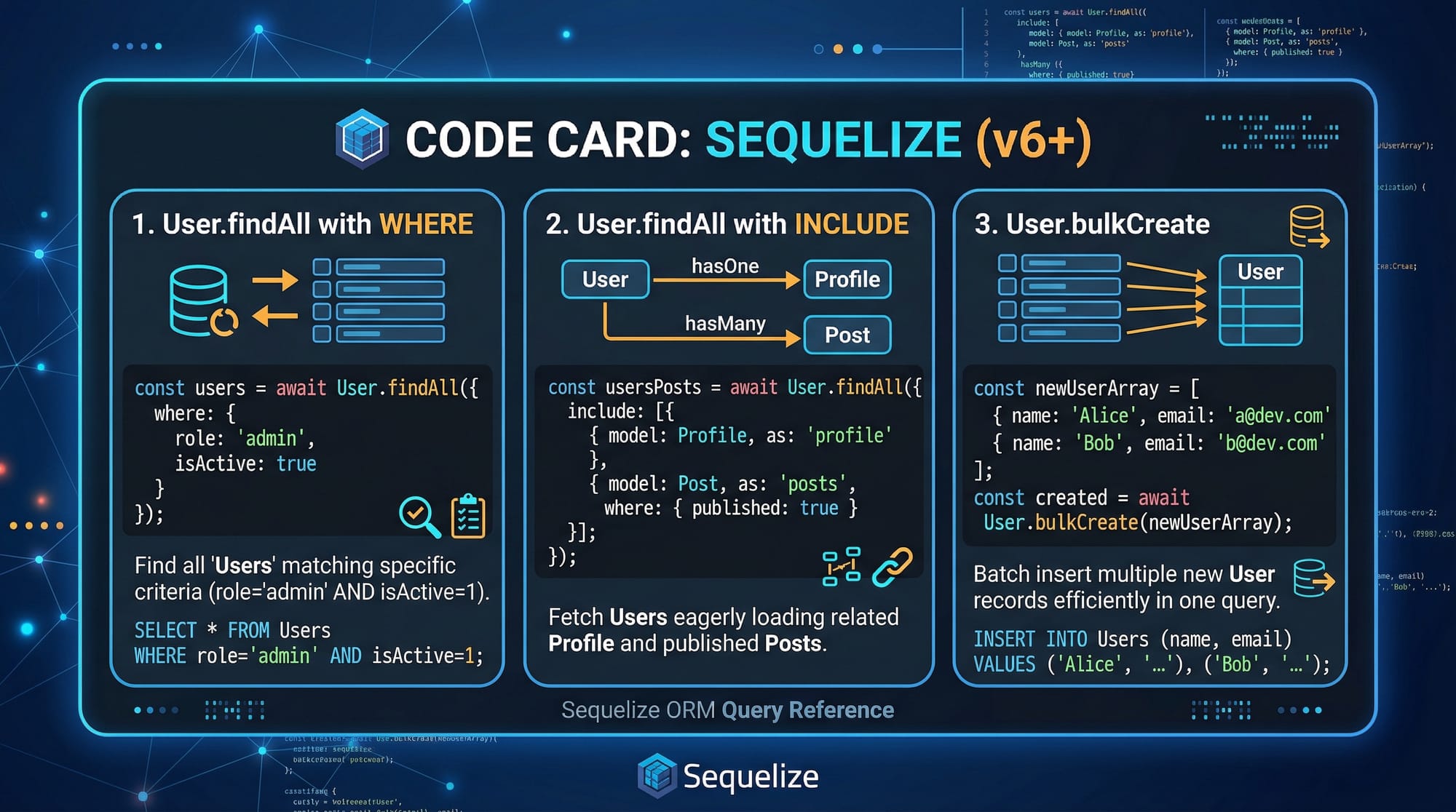
CRUD Operations (Create, Read, Update, Delete)
Sequelize simplifies CRUD operations.
Create
await User.create({
  name: 'Ali',
  email: '[email protected]',
  city: 'Karachi'
});
create(): Inserts a new record into the database
Read
const users = await User.findAll({
  where: { city: 'Karachi' }
});
findAll(): Fetches multiple recordswhere: Adds filtering condition
Update
await User.update(
  { city: 'Lahore' },
  { where: { name: 'Ali' } }
);
- Updates records matching the condition
Delete
await User.destroy({
  where: { name: 'Ali' }
});
- Deletes matching records
Practical Code Examples
Example 1: Student Management System
const { Sequelize, DataTypes } = require('sequelize');

const sequelize = new Sequelize('school_db', 'root', 'password', {
  host: 'localhost',
  dialect: 'mysql'
});

// Define model
const Student = sequelize.define('Student', {
  name: DataTypes.STRING,
  age: DataTypes.INTEGER,
  city: DataTypes.STRING
});

async function run() {
  await sequelize.sync();

  // Create student
  const student = await Student.create({
    name: 'Fatima',
    age: 20,
    city: 'Islamabad'
  });

  console.log(student.toJSON());

  // Fetch students
  const students = await Student.findAll();
  console.log(students.map(s => s.toJSON()));
}

run();
Line-by-line Explanation:
require('sequelize'): Imports Sequelize librarynew Sequelize(...): Connects to databasedefine('Student', {...}): Creates Student tablesequelize.sync(): Syncs model with databaseStudent.create(): Inserts new studentfindAll(): Retrieves all studentstoJSON(): Converts Sequelize object to plain object
Example 2: Real-World Application (E-commerce Orders)
const User = sequelize.define('User', {
  name: DataTypes.STRING
});

const Order = sequelize.define('Order', {
  totalAmount: DataTypes.INTEGER
});

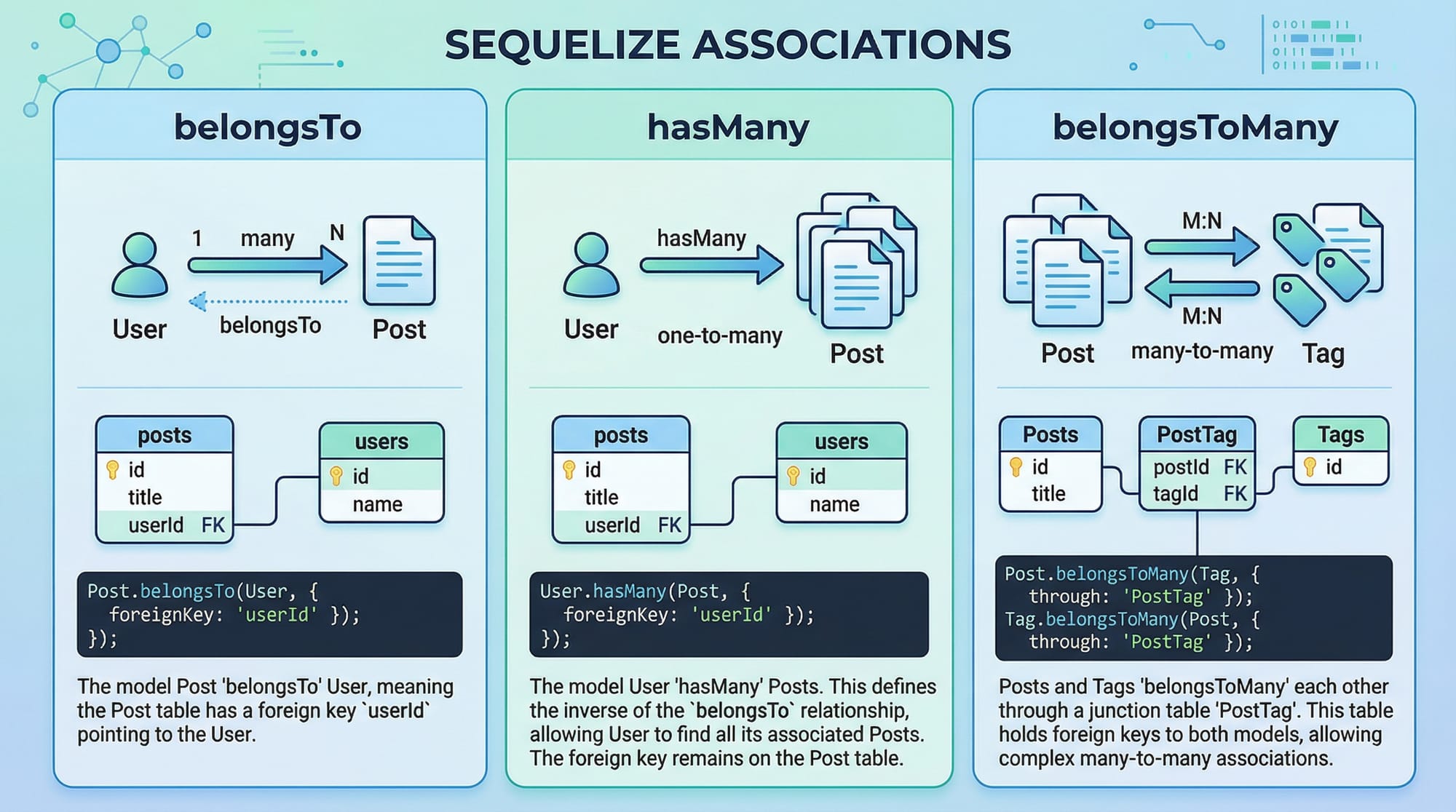
// Associations
User.hasMany(Order);
Order.belongsTo(User);

async function run() {
  await sequelize.sync();

  const user = await User.create({ name: 'Ahmad' });

  await Order.create({
    totalAmount: 5000,
    UserId: user.id
  });

  const orders = await Order.findAll({
    include: User
  });

  console.log(JSON.stringify(orders, null, 2));
}

run();
Explanation:
hasMany: One user can have many ordersbelongsTo: Order belongs to one userUserId: Foreign keyinclude: Fetch related data (JOIN)
Common Mistakes & How to Avoid Them
Mistake 1: Not Using async/await Properly
❌ Wrong:
User.create({ name: 'Ali' });
console.log('Done');
✔️ Correct:
await User.create({ name: 'Ali' });
console.log('Done');
Fix:
Always use await with Sequelize queries because they are asynchronous.
Mistake 2: Forgetting sequelize.sync()
❌ Wrong:
const user = await User.create({ name: 'Ali' });
✔️ Correct:
await sequelize.sync();
const user = await User.create({ name: 'Ali' });
Fix:
Always sync models before using them.

Practice Exercises
Exercise 1: Create Student Record
Problem:
Create a student named "Ali", age 22, city "Lahore".
Solution:
await Student.create({
  name: 'Ali',
  age: 22,
  city: 'Lahore'
});
Exercise 2: Fetch Orders Above PKR 3000
Problem:
Find all orders with amount greater than 3000 PKR.
Solution:
const orders = await Order.findAll({
  where: {
    totalAmount: {
      [Op.gt]: 3000
    }
  }
});
Frequently Asked Questions
What is Sequelize ORM?
Sequelize ORM is a Node.js library that allows developers to interact with databases using JavaScript objects instead of writing SQL queries. It supports MySQL, PostgreSQL, SQLite, and more.
How do I connect Sequelize to MySQL?
You can connect by creating a new Sequelize instance with database credentials, including database name, username, password, and dialect set to 'mysql'.
Can I use Sequelize with PostgreSQL?
Yes, Sequelize fully supports PostgreSQL. You only need to change the dialect to 'postgres' and install the required driver.
What are Sequelize associations?
Associations define relationships between tables, such as one-to-one, one-to-many, and many-to-many using methods like hasMany, belongsTo, and belongsToMany.
Is Sequelize better than raw SQL?
Sequelize is easier for beginners and improves productivity, but raw SQL gives more control. In most real-world applications, a combination of both works best.
Summary & Key Takeaways
- Sequelize ORM simplifies database interaction using JavaScript
- Models represent database tables
- CRUD operations are easy with built-in methods
- Associations help manage relationships between tables
- Async/await is essential for handling database queries
- Sequelize works with MySQL, PostgreSQL, and more
Next Steps & Related Tutorials
To continue your learning journey, explore these tutorials on theiqra.edu.pk:
- Learn the basics in Node.js Basics for Beginners
- Understand databases with the MySQL Tutorial for Students
- Dive deeper into APIs with REST API Development in Node.js
- Learn advanced backend concepts in Express.js Complete Guide
Start building your own projects like student management systems, online stores, or freelancing dashboards using Sequelize. Practice consistently, and you'll master backend development in no time 🚀
Test Your Python Knowledge!
Finished reading? Take a quick quiz to see how much you've learned from this tutorial.