SQL Query Optimization EXPLAIN Indexes & Execution Plans
Introduction
SQL Query Optimization is one of the most critical skills for any serious backend developer, database engineer, or data analyst. In real-world systems—especially in production applications used by companies in Pakistan like e-commerce platforms in Karachi or fintech apps in Lahore—poorly written SQL queries can slow down entire systems, increase server costs, and degrade user experience.
SQL query optimization: EXPLAIN, indexes & execution plans is the process of analyzing how a database executes queries and improving their performance using tools like EXPLAIN, EXPLAIN ANALYZE, and database indexing strategies.
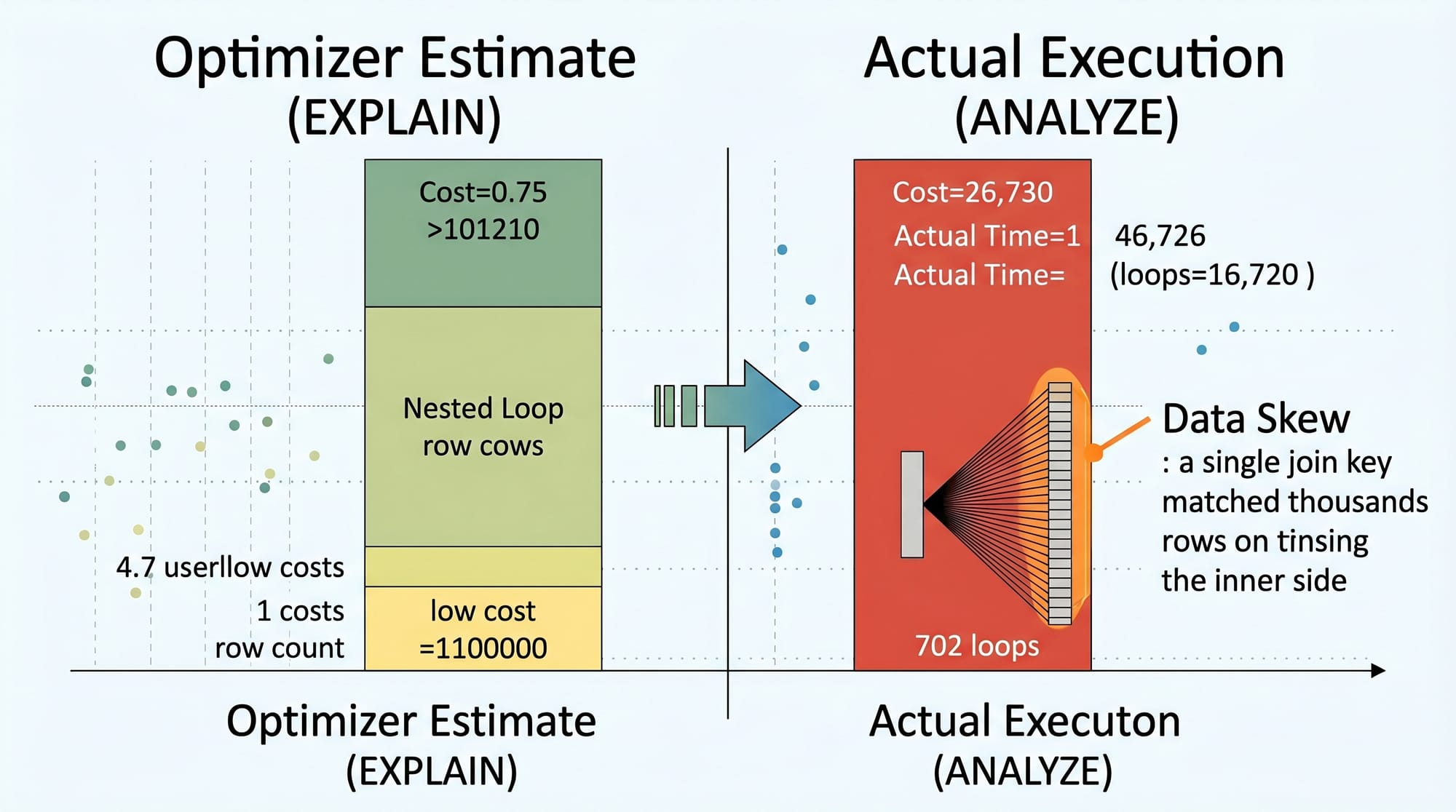
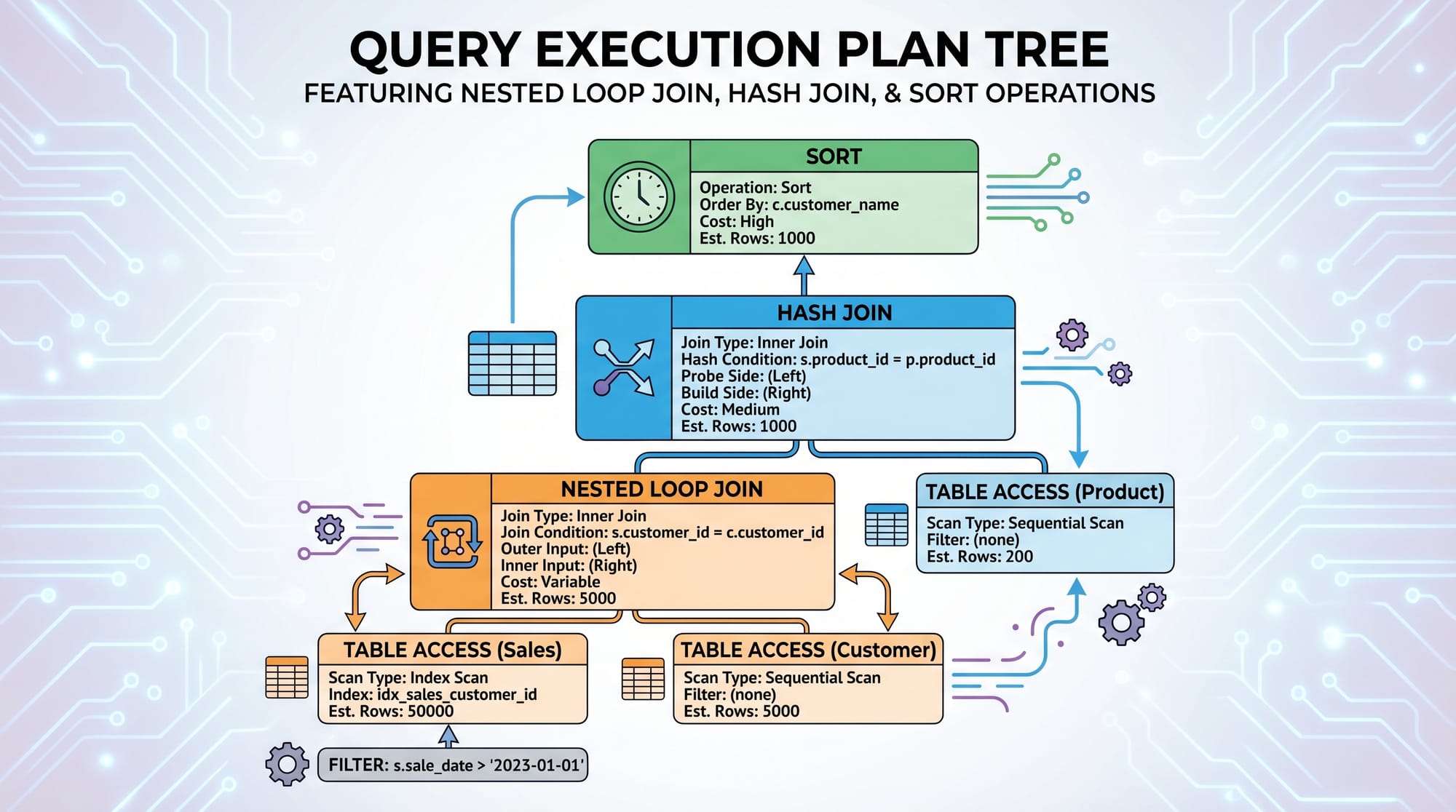
When a query runs, the database does not blindly execute it—it creates a query execution plan. This plan determines:
- Which indexes to use
- Whether to scan the full table or not
- Which join strategy to apply
- How many rows will be processed
Understanding this is essential for Pakistani students aiming for careers in software houses, freelancing, or international remote jobs.
Prerequisites
Before learning SQL query optimization, you should already understand:
- Basic SQL queries (SELECT, INSERT, UPDATE, DELETE)
- Joins (INNER JOIN, LEFT JOIN)
- Basic database concepts (tables, primary keys, foreign keys)
- Familiarity with any SQL database like PostgreSQL or MySQL
- Basic understanding of data structures (optional but helpful)
If you are not comfortable with these, first study:
- SQL Basics Tutorial on theiqra.edu.pk
- Database Design Fundamentals
Core Concepts & Explanation
What is a Query Execution Plan?
A query execution plan is a step-by-step strategy created by the database to execute your SQL query efficiently.
For example, when you run:
SELECT * FROM users WHERE email = '[email protected]';
The database decides:
- Should it scan all rows (Sequential Scan)?
- Or use an index on
email?
To view this plan:
EXPLAIN SELECT * FROM users WHERE email = '[email protected]';
Line-by-line explanation:
EXPLAIN→ Tells the database to show the execution plan instead of running the querySELECT *→ Retrieves all columns from the tableFROM users→ Specifies the tableWHERE email = ...→ Filter condition that may or may not use an index
What is Database Index Optimization?
A database index is like an index in a book. Instead of reading every page (row), the database jumps directly to the required data.
Example:
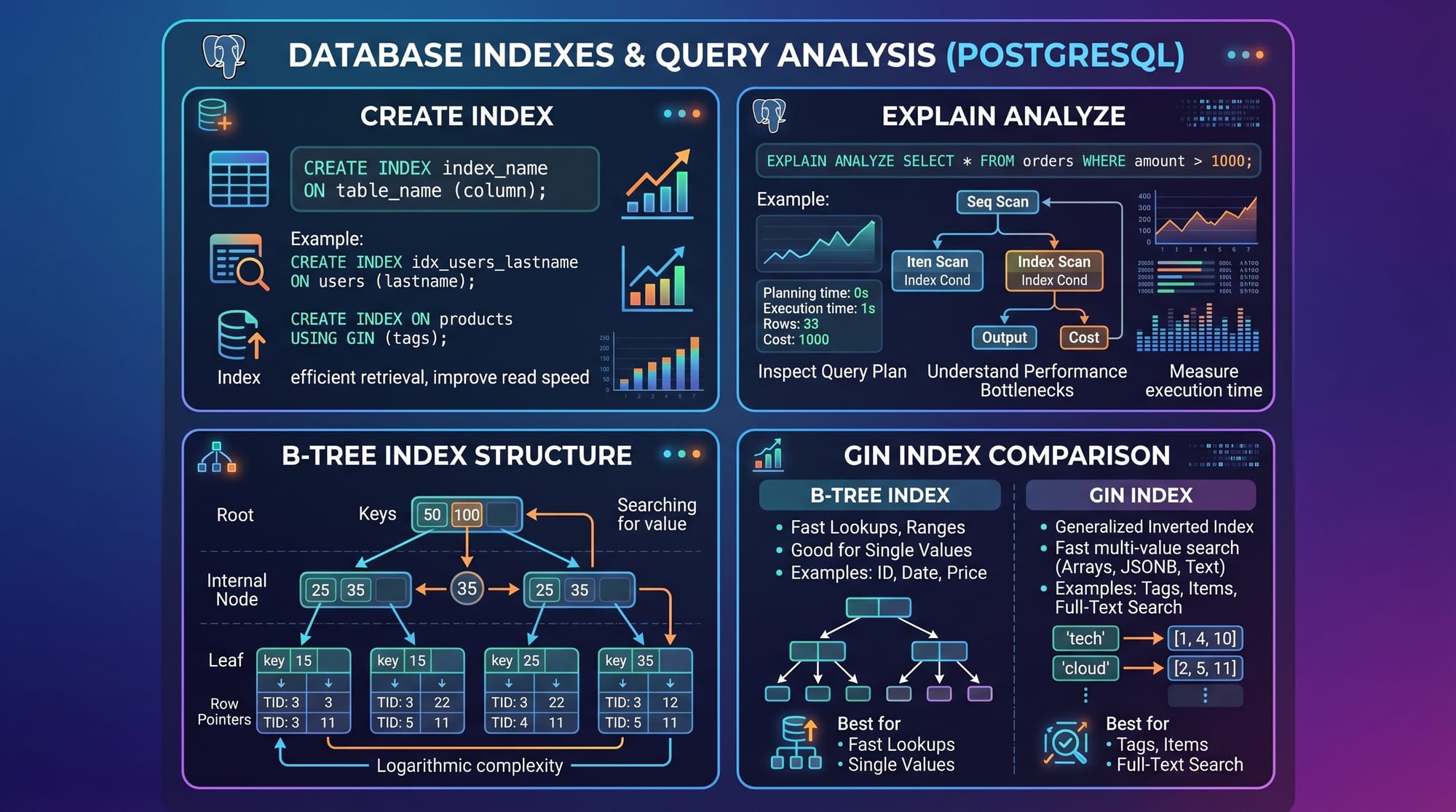
CREATE INDEX idx_users_email ON users(email);
Line-by-line explanation:
CREATE INDEX→ Creates a new indexidx_users_email→ Name of the index (convention: table_column)ON users(email)→ Applies index onemailcolumn ofuserstable
Indexes improve performance but also:
- Increase storage usage
- Slow down INSERT/UPDATE slightly
Understanding EXPLAIN ANALYZE
EXPLAIN ANALYZE is more powerful because it actually runs the query and shows real performance metrics.
EXPLAIN ANALYZE
SELECT * FROM orders WHERE customer_id = 101;
Line-by-line explanation:
EXPLAIN ANALYZE→ Executes query and shows real execution statsSELECT *→ Fetch all columnsFROM orders→ Orders tableWHERE customer_id = 101→ Filter condition
It shows:
- Execution time
- Rows returned
- Loops performed
- Whether index was used
Practical Code Examples
Example 1: Improving Slow User Search Query
Suppose Ahmad is building an e-commerce website in Lahore, and users are complaining that searching by email is slow.
Step 1: Slow Query
SELECT * FROM users WHERE email = '[email protected]';
Line-by-line explanation:
SELECT *→ Fetches all user columnsFROM users→ Users tableWHERE email = ...→ Filters by email but no index exists
Step 2: Check Execution Plan
EXPLAIN ANALYZE
SELECT * FROM users WHERE email = '[email protected]';
Line-by-line explanation:
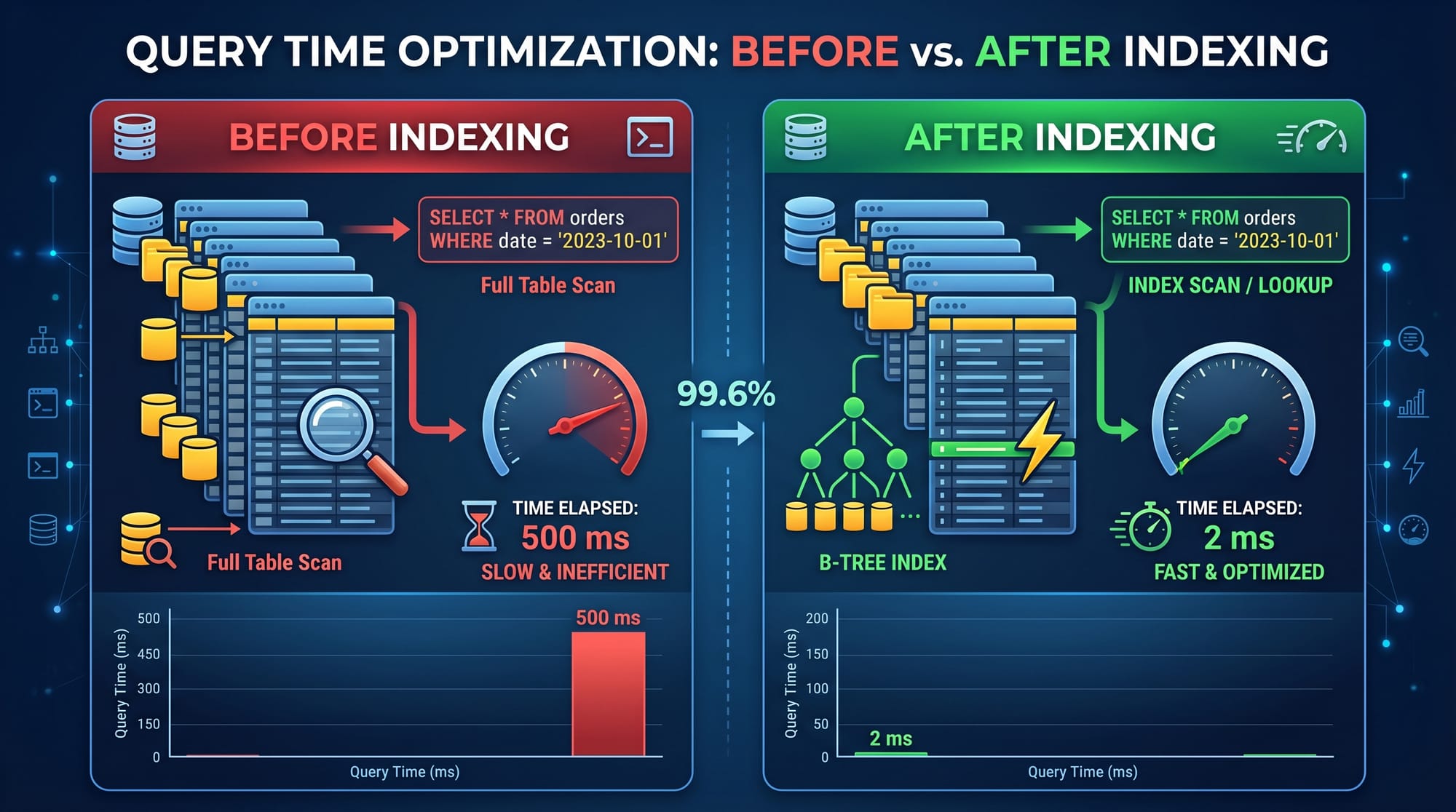
- Shows if database is doing sequential scan (slow full table scan)
Step 3: Add Index
CREATE INDEX idx_users_email ON users(email);
Line-by-line explanation:
- Creates index on email column
- Helps database locate records faster
Step 4: Re-run Query
Now execution plan shows:
- Index Scan instead of Seq Scan
- Time reduced significantly
Example 2: Real-World E-Commerce Order Filtering
Imagine a Karachi-based online store like Daraz-style system.
EXPLAIN ANALYZE
SELECT order_id, total_amount
FROM orders
WHERE customer_id = 42
AND order_date >= '2026-01-01';
Line-by-line explanation:
EXPLAIN ANALYZE→ Shows execution statsSELECT order_id, total_amount→ Fetch only required columns (optimization)FROM orders→ Orders tableWHERE customer_id = 42→ Filter by customerAND order_date >= ...→ Date filtering for recent orders
To optimize:
CREATE INDEX idx_orders_customer_date
ON orders(customer_id, order_date);
Line-by-line explanation:
- Composite index on two columns
- Helps filter both conditions efficiently
Common Mistakes & How to Avoid Them
Mistake 1: Not Using Indexes on Large Tables
Many beginners in Pakistan run queries like:
SELECT * FROM users WHERE phone = '03001234567';
Without indexing, database performs full table scan.
Fix:
CREATE INDEX idx_users_phone ON users(phone);
Now search becomes extremely fast.
Mistake 2: Selecting Unnecessary Columns
Bad practice:
SELECT * FROM orders;
This loads entire table into memory.
Fix:
SELECT order_id, total_amount FROM orders;
Why it matters:
- Reduces memory usage
- Improves network speed
- Faster execution
Practice Exercises
Exercise 1: Optimize Student Search Query
Problem:
A school management system in Islamabad is slow when searching students by roll number.
SELECT * FROM students WHERE roll_number = 1005;
Solution:
CREATE INDEX idx_students_roll ON students(roll_number);
Now the query becomes fast using index scan.
Exercise 2: Optimize Date-Based Filtering
Problem:
Retrieve all payments made in last 30 days.
SELECT * FROM payments
WHERE payment_date >= NOW() - INTERVAL '30 days';
Solution:
CREATE INDEX idx_payments_date ON payments(payment_date);
This reduces full scan on large payment tables.
Frequently Asked Questions
What is SQL query optimization?
SQL query optimization is the process of improving database query performance using techniques like indexing, rewriting queries, and analyzing execution plans to reduce execution time and resource usage.
How does EXPLAIN help in SQL optimization?
EXPLAIN shows the execution plan of a query, helping developers understand whether the database is using indexes or performing slow full table scans.
What is the difference between EXPLAIN and EXPLAIN ANALYZE?
EXPLAIN shows the planned execution strategy, while EXPLAIN ANALYZE actually runs the query and provides real execution statistics like time and rows processed.
Why are indexes important in databases?
Indexes speed up data retrieval by allowing the database to quickly locate rows without scanning the entire table, significantly improving performance for large datasets.
Can too many indexes slow down my database?
Yes. While indexes improve SELECT performance, they slow down INSERT, UPDATE, and DELETE operations and consume extra storage, so they should be used wisely.
Summary & Key Takeaways
- SQL query optimization improves database performance and reduces response time
- EXPLAIN and EXPLAIN ANALYZE help understand query execution behavior
- Indexes are essential for fast data retrieval in large datasets
- Composite indexes improve performance for multi-condition queries
- Avoid unnecessary SELECT * queries for better efficiency
- Always analyze query plans before and after optimization
Next Steps & Related Tutorials
To deepen your understanding, explore these related tutorials on theiqra.edu.pk:
- Learn advanced performance tuning in SQL Performance Tuning Techniques
- Master database design in Relational Database Design Fundamentals
- Improve backend skills with PostgreSQL Advanced Tutorial
- Understand joins deeply in SQL Joins Explained with Real Examples
If you want, I can also convert this into:
- PDF lecture notes for students
- Interactive quiz (MCQs for exams)
- Or a visual slide presentation for teaching
Just tell me 👍
Test Your Python Knowledge!
Finished reading? Take a quick quiz to see how much you've learned from this tutorial.