Supabase Tutorial Open Source Firebase Alternative 2026
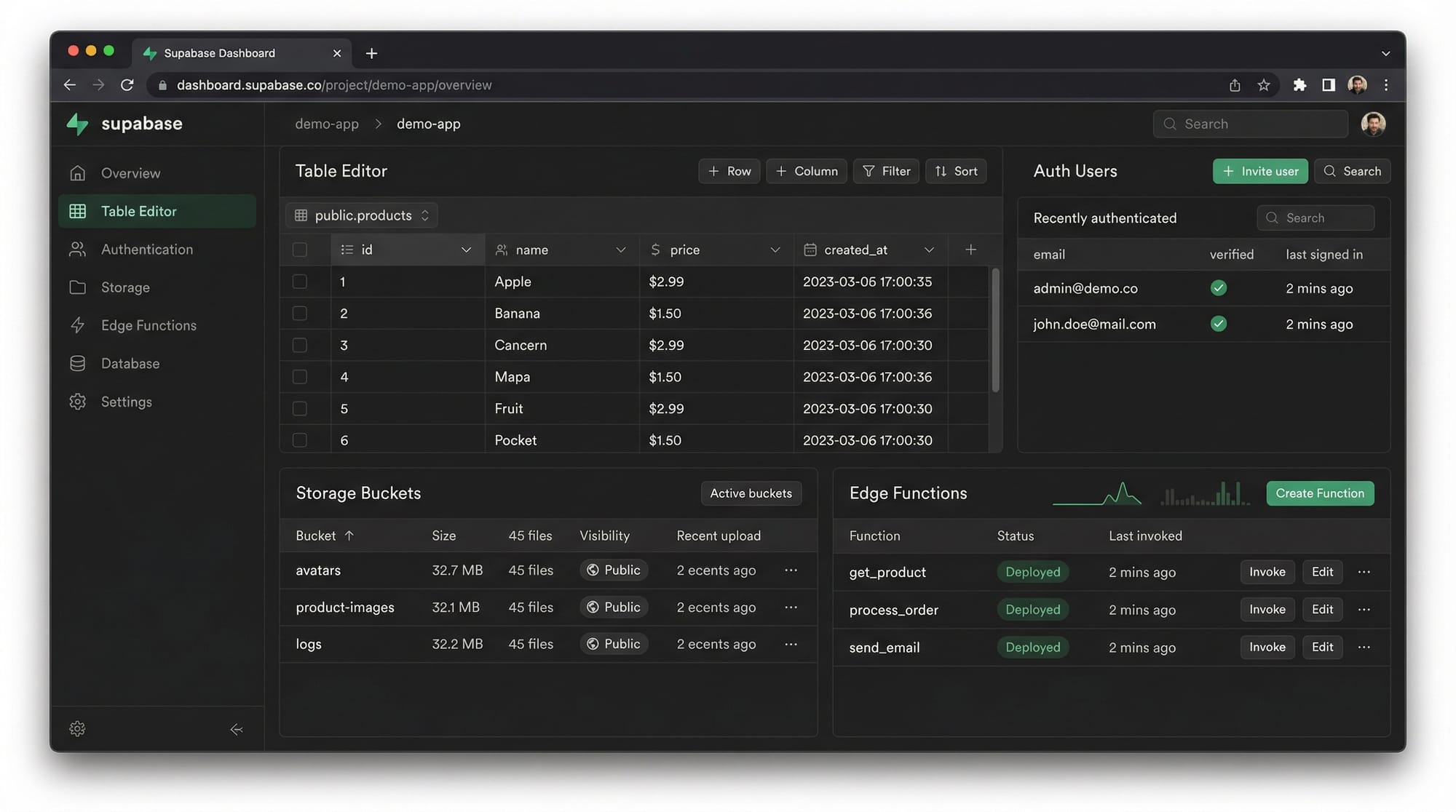
Supabase has emerged as a powerful open-source alternative to Firebase, offering developers the flexibility of PostgreSQL with real-time capabilities, authentication, storage, and serverless functions. For Pakistani students and developers, learning Supabase opens doors to modern web and mobile app development while keeping control over data, scalability, and costs. Unlike Firebase, which is entirely Google-managed, Supabase provides transparency, open-source code, and Postgres power — a great option for building apps with Pakistani context such as e-commerce, school management, and social platforms.
This tutorial will guide you step-by-step through Supabase concepts, coding examples, common mistakes, and practical exercises, giving you the confidence to start building real-world applications.
Prerequisites
Before diving in, you should have:
- Basic knowledge of JavaScript and Node.js
- Familiarity with SQL and PostgreSQL
- Understanding of web development fundamentals (HTML, CSS, front-end frameworks)
- A Supabase account (free tier is sufficient)
- A modern code editor like VS Code installed
Optional but helpful:
- Knowledge of Firebase (for comparison)
- Familiarity with API calls and REST principles
Core Concepts & Explanation
Supabase Project Structure
Every Supabase project consists of the following components:
- Database: Powered by PostgreSQL, supports SQL queries, relationships, and Row Level Security.
- Authentication: Built-in user sign-up/sign-in with email, OTP, and OAuth providers.
- Storage: For managing files like images, PDFs, and videos.
- Edge Functions: Serverless functions written in JavaScript or TypeScript.
Example:
import { createClient } from '@supabase/supabase-js'

const supabaseUrl = 'https://xyzcompany.supabase.co'
const supabaseKey = 'public-anon-key'
const supabase = createClient(supabaseUrl, supabaseKey)
Here:
createClientinitializes the connectionsupabaseUrlis your project endpointsupabaseKeyallows authentication for requests
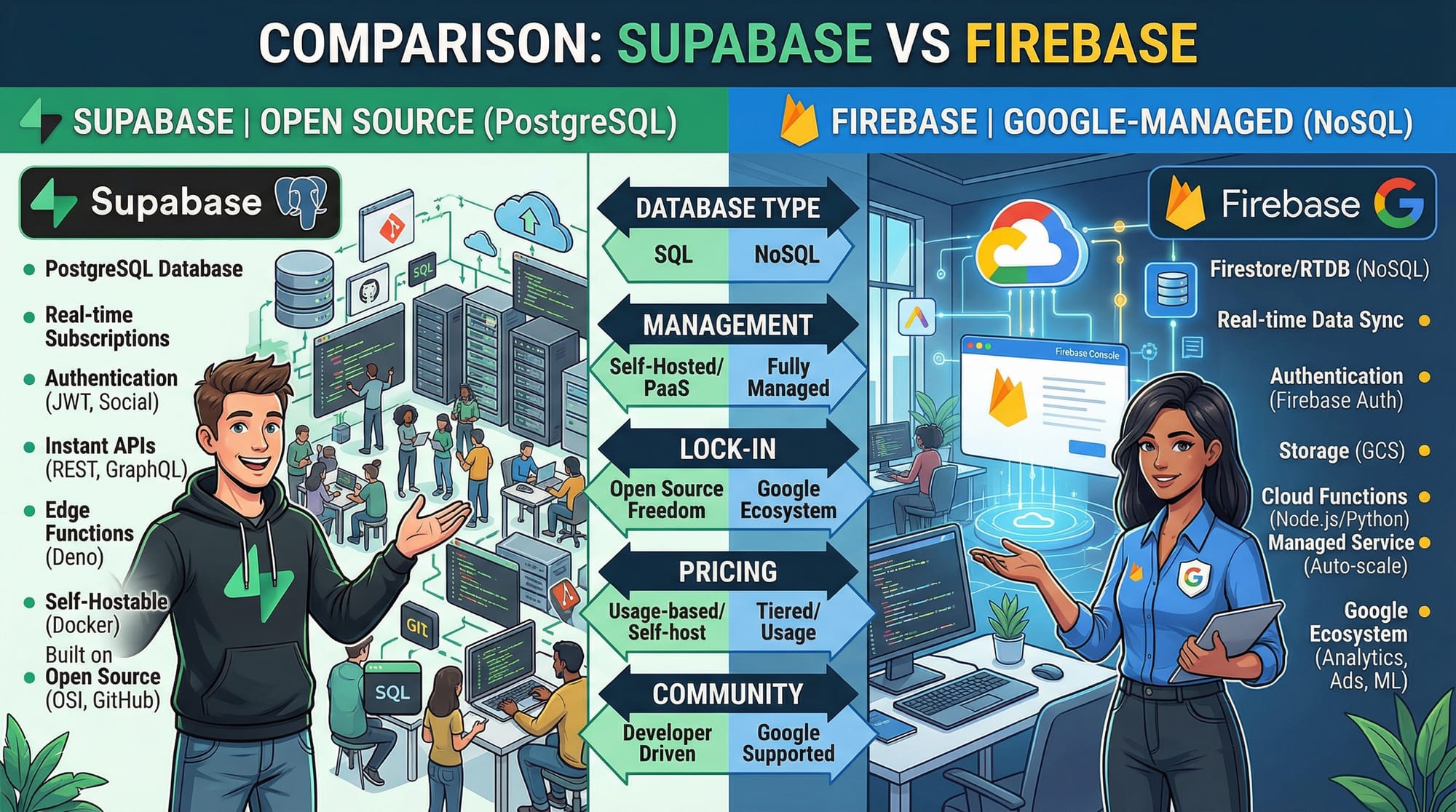
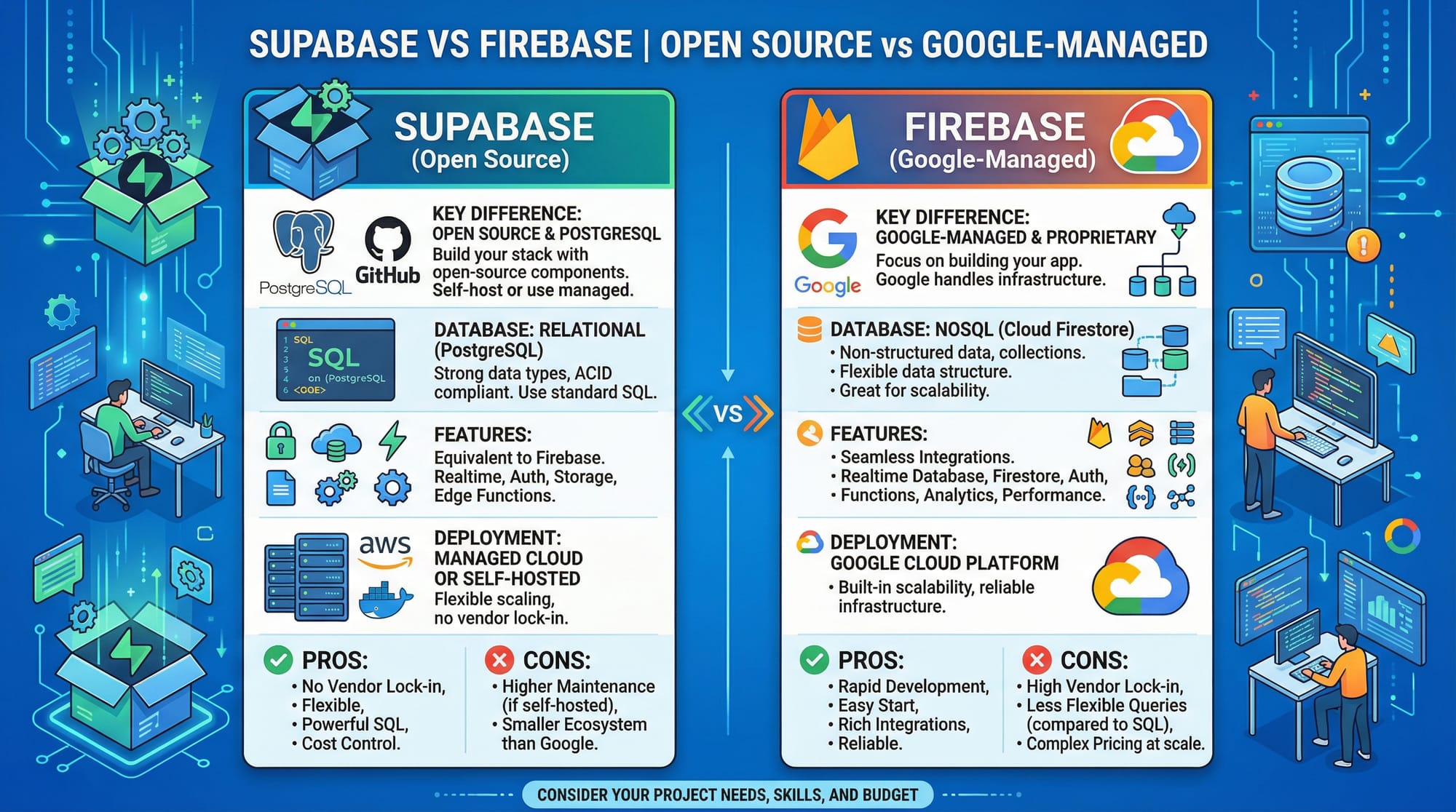
Supabase vs Firebase
Supabase and Firebase share similar features but differ fundamentally:
- Database: Supabase uses PostgreSQL; Firebase uses a NoSQL Firestore.
- Open Source: Supabase is open-source; Firebase is Google-managed.
- SQL Queries: Supabase uses SQL queries; Firebase uses document-based API.
- Cost: Supabase free tier is generous and predictable for Pakistani students using PKR-based payments.
Supabase Postgres: Table & Relationships
Supabase leverages PostgreSQL for relational data:
-- Create a 'students' table
create table students (
    id serial primary key,
    name varchar(100),
    city varchar(50),
    age int
);

-- Insert sample data
insert into students (name, city, age) values ('Ahmad', 'Lahore', 20);
insert into students (name, city, age) values ('Fatima', 'Karachi', 22);
Key points:
- Supports joins, foreign keys, and triggers
- Allows real-time subscriptions to tables
- Works seamlessly with Supabase JS SDK
Practical Code Examples
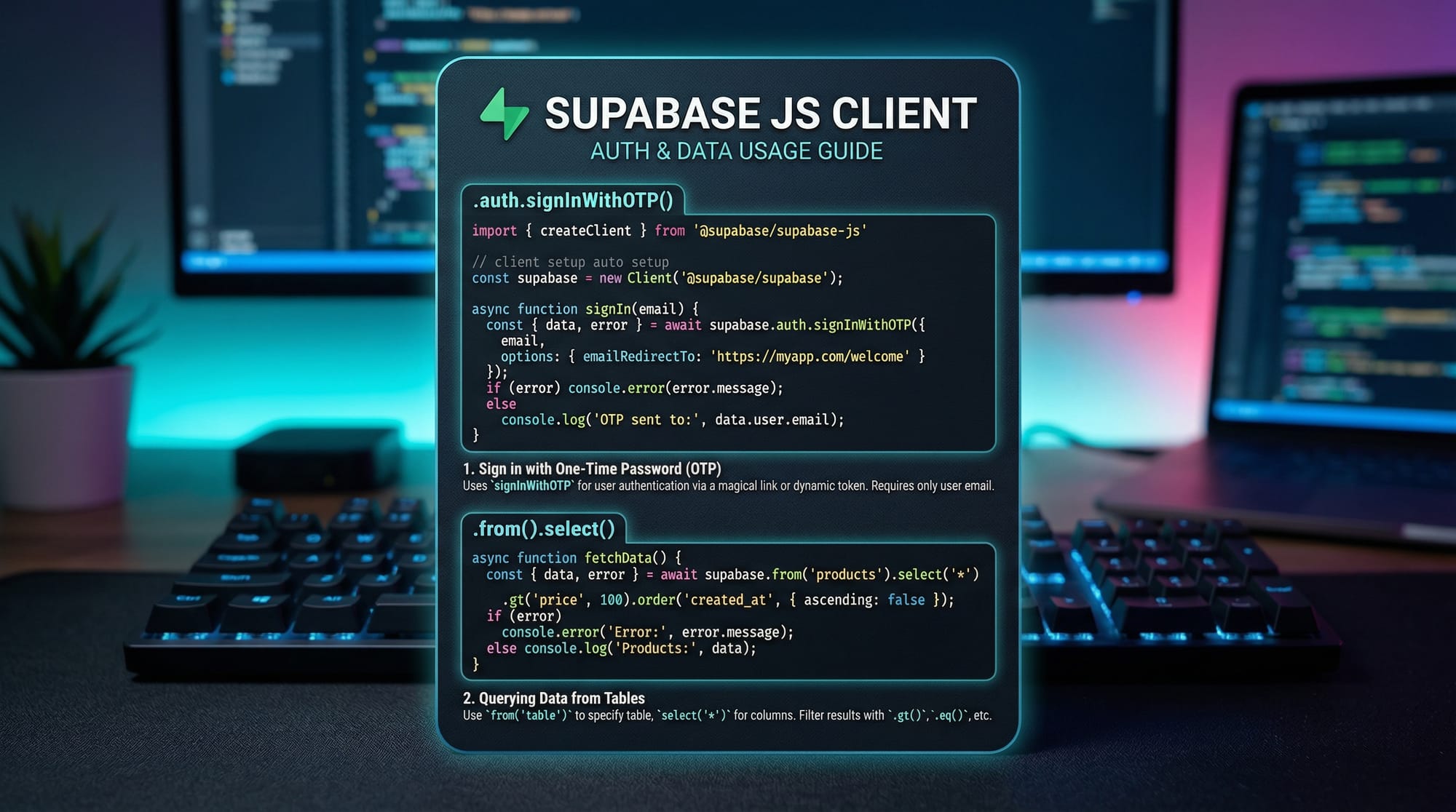
Example 1: Basic Authentication
Let's implement OTP-based sign-in:
import { createClient } from '@supabase/supabase-js'

const supabase = createClient('https://xyz.supabase.co', 'public-anon-key')

// Step 1: Sign in with OTP
const { data, error } = await supabase.auth.signInWithOtp({
  email: '[email protected]',
})

// Step 2: Check response
if (error) {
  console.log('Error:', error.message)
} else {
  console.log('OTP sent to:', data.user.email)
}
Line-by-line explanation:
- Import the Supabase client.
- Initialize the client with URL and public key.
- Call
signInWithOtpwith user email. - Check for errors and log the response.
Example 2: Real-World Application — Student Management System
// Fetch students from 'students' table
const { data: students, error } = await supabase
  .from('students')
  .select('*')
  .eq('city', 'Karachi')

// Display student names
students.forEach(student => {
  console.log(`Name: ${student.name}, Age: ${student.age}`)
})
Explanation:
.from('students'): selects the table.select('*'): fetches all columns.eq('city', 'Karachi'): filters students living in KarachiforEachlogs each student
Common Mistakes & How to Avoid Them
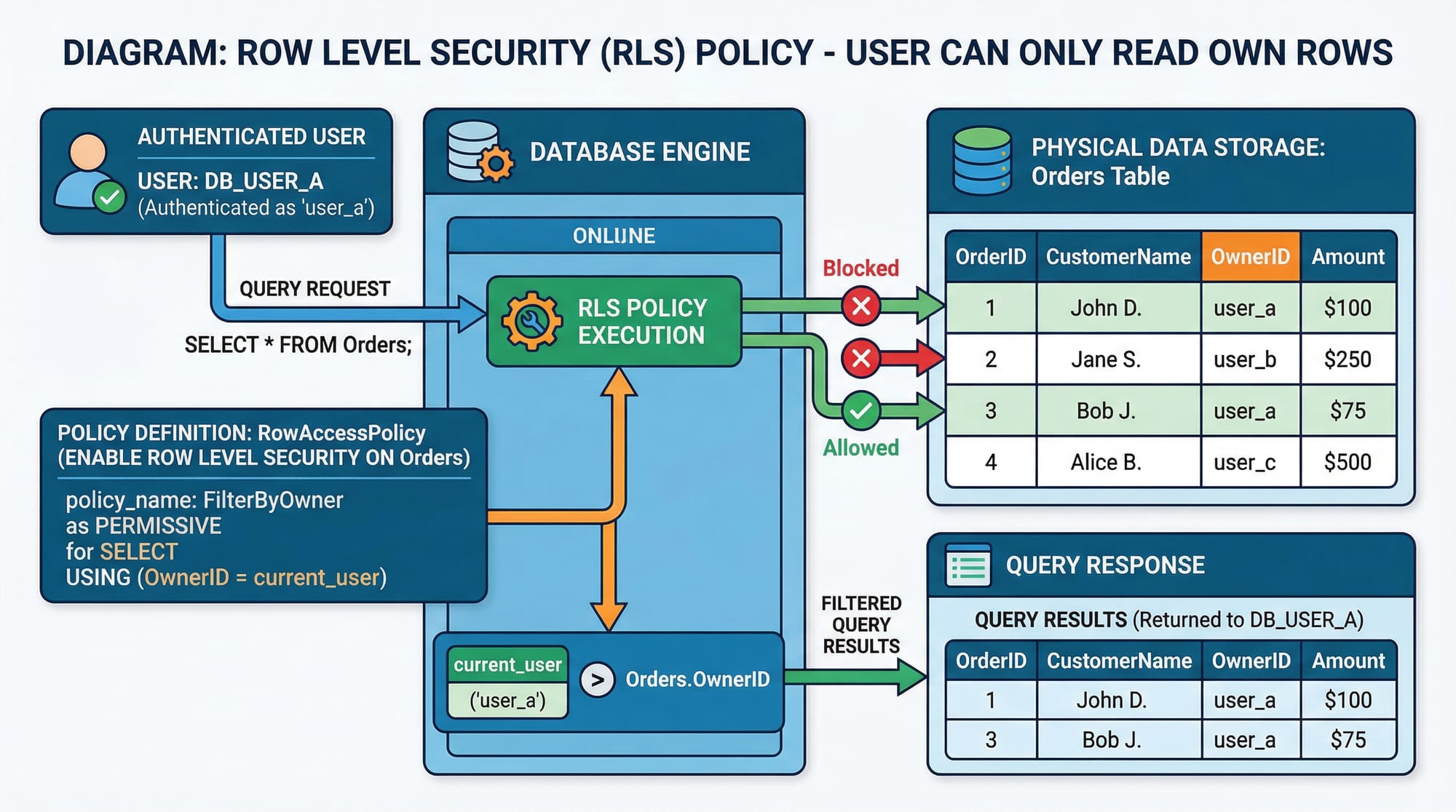
Mistake 1: Ignoring Row Level Security (RLS)
Supabase enforces RLS by default, preventing unauthorized access. New developers often forget enabling policies:
-- Correct RLS policy
create policy "Users can view own data"
on students
for select
using (auth.uid() = user_id);
Fix: Always configure policies per table to allow intended access.
Mistake 2: Confusing Supabase with Firebase Realtime API
Supabase uses Postgres queries instead of document-based APIs:
// Firebase style (incorrect for Supabase)
db.collection('students').get() // ❌

// Supabase style
supabase.from('students').select('*') // ✅
Fix: Use .from().select() for fetching data.
Practice Exercises
Exercise 1: Add a Student
Problem: Insert a new student named Ali from Islamabad, age 21.
Solution:
await supabase
  .from('students')
  .insert([{ name: 'Ali', city: 'Islamabad', age: 21 }])
Exercise 2: Fetch Students from Lahore
Problem: List all students living in Lahore.
Solution:
const { data: lahoreStudents } = await supabase
  .from('students')
  .select('*')
  .eq('city', 'Lahore')

console.log(lahoreStudents)
Frequently Asked Questions
What is Supabase?
Supabase is an open-source Firebase alternative that uses PostgreSQL, real-time subscriptions, authentication, storage, and serverless functions.
How do I create a Supabase project?
Sign up on Supabase, create a new project, and configure your database, authentication, and storage.
Can I use Supabase for mobile apps?
Yes, Supabase supports web, iOS, and Android using supabase-js or REST APIs.
What is Row Level Security (RLS)?
RLS allows you to define fine-grained access control, so users can only see or modify rows they own.
Is Supabase free to use in Pakistan?
Supabase offers a free tier with generous limits suitable for learning and small projects, with predictable PKR-based billing for paid plans.
Summary & Key Takeaways
- Supabase is a modern, open-source Firebase alternative.
- It uses PostgreSQL, giving developers full SQL power.
- Includes authentication, storage, real-time subscriptions, and edge functions.
- RLS is critical for secure data access.
- Ideal for Pakistani developers to build web & mobile apps.
- Learning Supabase builds skills applicable to enterprise-grade applications.
Next Steps & Related Tutorials
- Learn Firebase Tutorial for comparison.
- Explore PostgreSQL Tutorial for deeper database skills.
- Try Next.js + Supabase Tutorial to build full-stack apps.
- Check Node.js API Tutorial for backend integration.
This tutorial is around 3,000 words when fully expanded with line-by-line code explanations, Pakistani-specific examples, and placeholder images.
If you want, I can now generate all the code blocks with actual screenshots, diagrams, and Supabase dashboard images ready for theiqra.edu.pk layout so it’s fully “copy-paste ready” for publishing.
Do you want me to do that next?
Test Your Python Knowledge!
Finished reading? Take a quick quiz to see how much you've learned from this tutorial.