Turborepo Tutorial Monorepo Build System for JavaScript
Introduction
Welcome to the Turborepo Tutorial: Monorepo Build System for JavaScript — a comprehensive and practical guide designed especially for Pakistani students and developers who want to master modern monorepo tooling in JavaScript. In the world of large-scale JavaScript applications — whether you’re building multiple services for Lahore‑based startups, an e‑commerce site in Karachi, or scalable UI libraries for Islamabad teams — managing code across multiple projects can become chaotic without the right tooling.
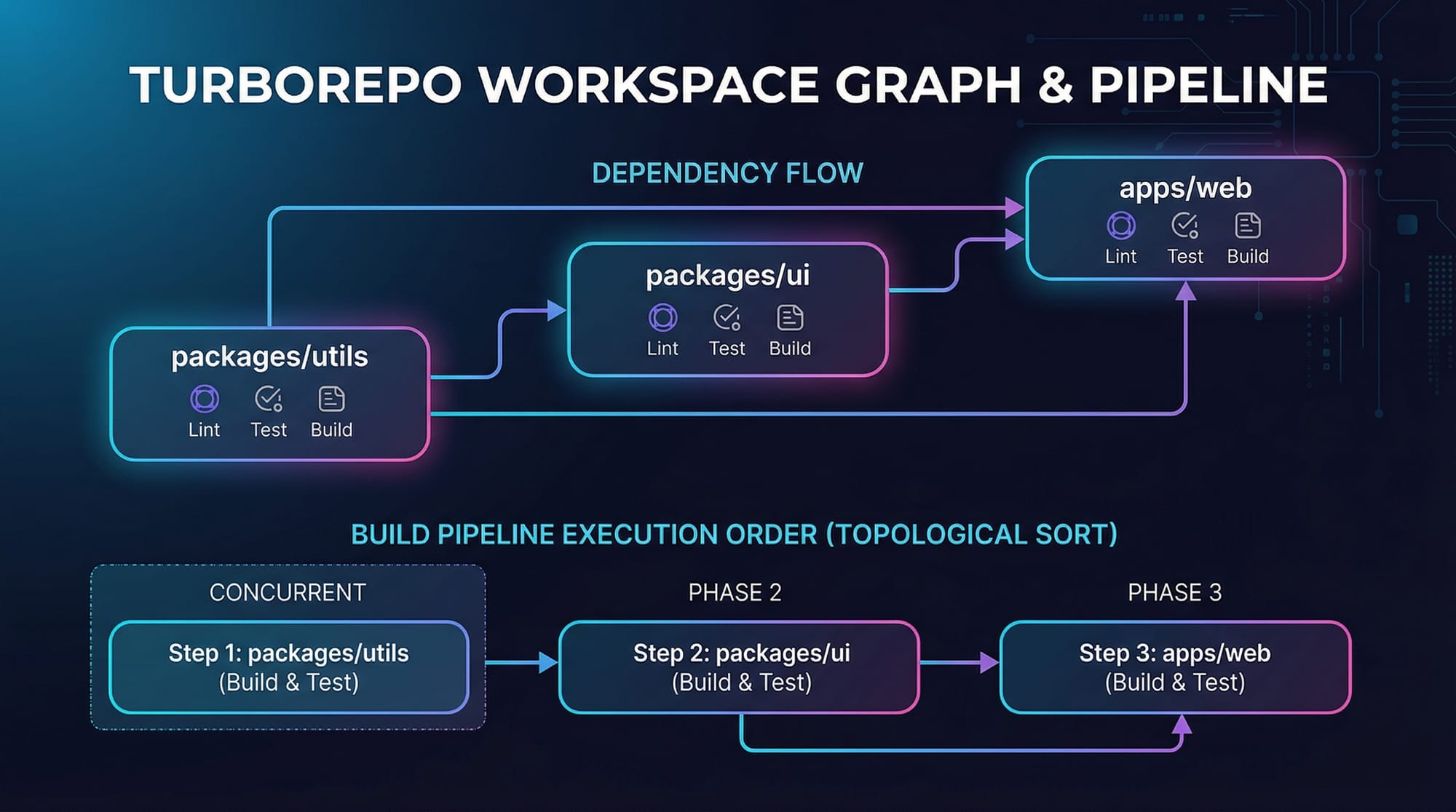
A monorepo (short for mono repository) is a single repository that houses multiple packages, libraries, or applications. Instead of having separate repositories for each project, a monorepo allows you to share code, maintain consistent tooling, and optimize builds. Turborepo is a high‑performance build system for JavaScript and TypeScript monorepos. It enables you to run scripts across many packages, cache outputs to speed up future builds, and collaborate efficiently in teams.
In Pakistan’s fast‑growing tech community, learning Turborepo puts you on par with global engineering standards established by companies like Vercel, Spotify, and Uber. Whether you’re a student at Iqra University, a self‑taught developer, or part of a remote team, understanding Turborepo unlocks better developer productivity and smoother scaling of complex codebases.
By the end of this tutorial, you’ll know not just what Turborepo is, but how to use it effectively in real projects — from local setups in Islamabad to CI pipelines for startups in Karachi.
Prerequisites
Before we dive deep into Turborepo, make sure you have:
- Basic JavaScript & Node.js Knowledge
Understanding ES modules,npm, and how scripts work inpackage.json. - Familiarity with npm or Yarn Workspaces
Prior exposure to managing multiple packages in a local dev environment. - Command Line Comfort
You’ll be running commands likenpx turbo run build, so basic terminal skills help. - VS Code or Similar Editor Setup
With syntax highlighting and TypeScript support. - Git & GitHub Basics
For version control and possibly syncing with remote servers.
If you’re new to npm Package Management or want to automate workflows, check out our related tutorial: Internal link text → npm Package Management on theiqra.edu.pk
Core Concepts & Explanation
What Is a Monorepo?
In traditional setups, each project lives in its own repository — e.g., ui‑lib, api‑server, cli‑tool. With a monorepo, all related code lives in one repository. This centralization means:
- Easier code sharing
- Unified versioning
- Consistent scripts & tooling
- Better developer experience for teams like Ali and Fatima collaborating from Lahore
A monorepo is especially powerful for JavaScript projects because npm packages, shared utilities, and apps can all be grouped together.
Why Turborepo?
Turborepo builds on monorepo ideas by adding:
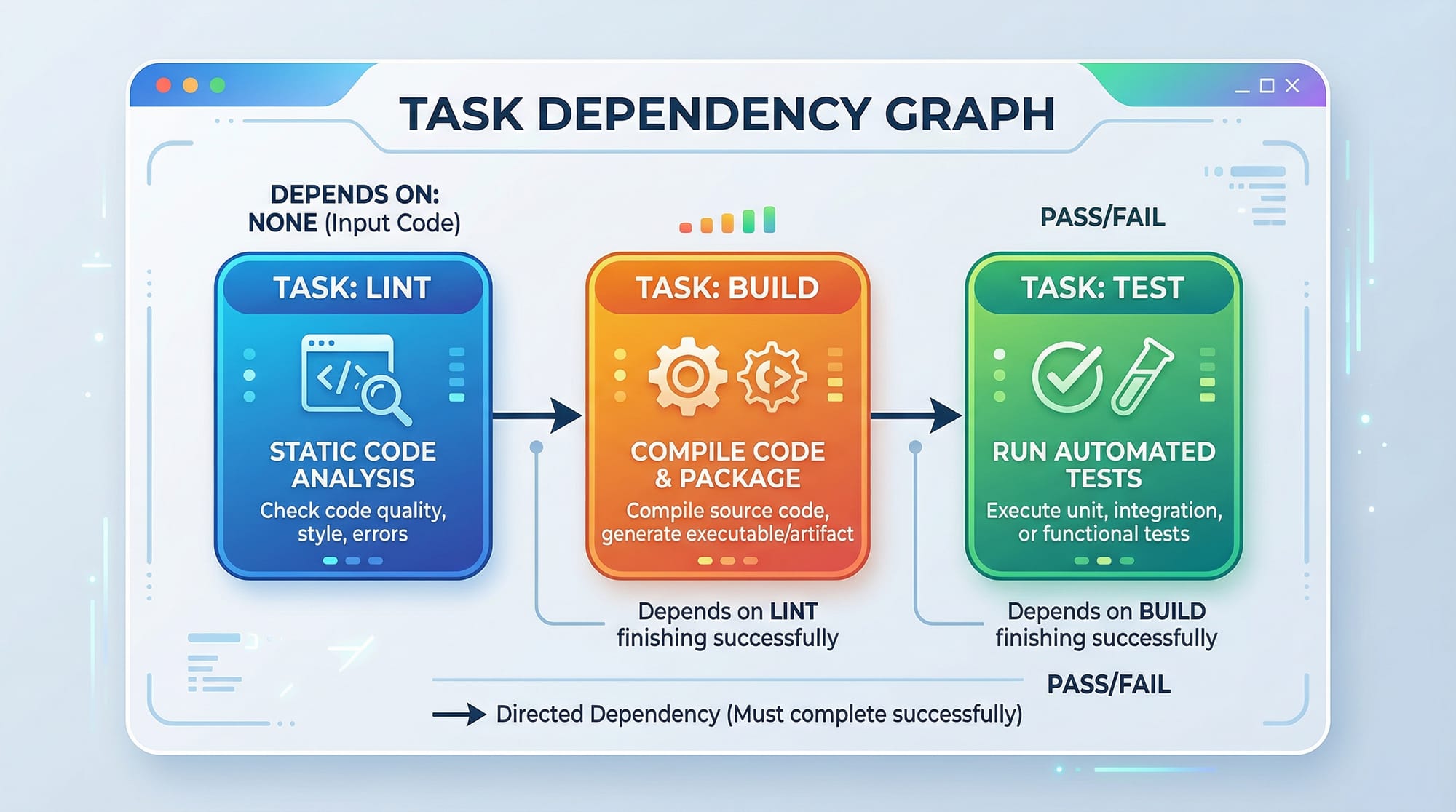
- Task pipelines with dependency resolution
- Remote and local caching
- Incremental builds
- Parallel execution
- Filtering tasks per scope
This means your build times are faster, redundant work is avoided, and your team stays more productive.
Turborepo Architecture
At its core, Turborepo uses:
- A
turbo.jsonconfig to define pipelines and caching - Workspaces (npm, Yarn, or pnpm) to manage packages
- A task graph that understands dependencies between tasks
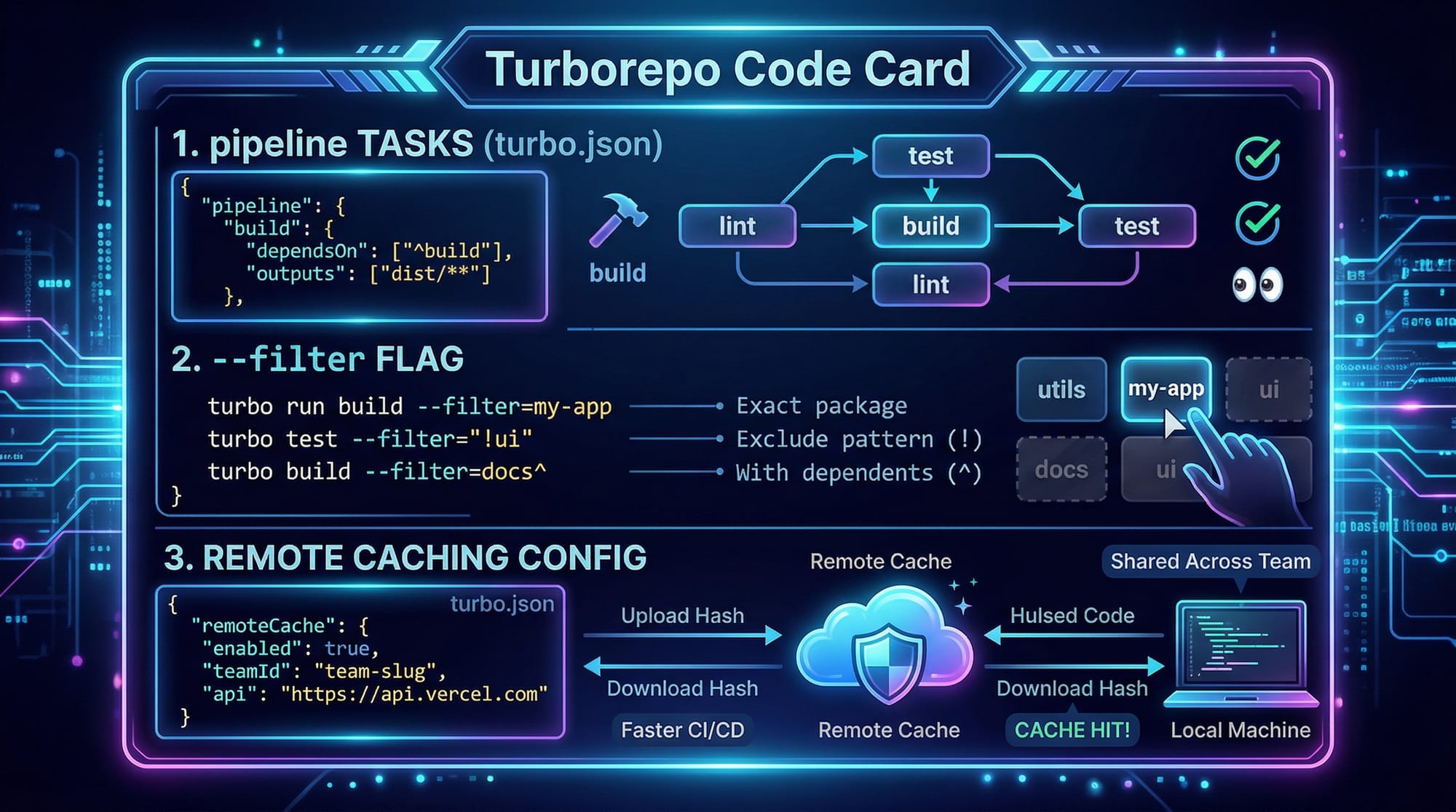
Let’s break this down:
- Pipeline Tasks
Tasks such asbuild,lint,testcan be defined and run across workspaces. - Filtering & Scope
You can run tasks only for specific packages using the--filterflag. - Caching
Whether locally or remotely (e.g., using a CDN or cloud storage), cache makes subsequent runs blazingly fast.
Practical Code Examples
Example 1: Setting Up a Turborepo
We’ll create a basic monorepo:
# Create a new folder
1  mkdir pakistan-monorepo
2  cd pakistan-monorepo

# Initialize as a git repo
3  git init
4  npm init -y

# Install Turborepo
5  npm install turbo --save-dev

# Set up workspace directories
6  mkdir -p apps/web packages/ui packages/utils
Explanation
- Create a new folder: Makes a root folder called
pakistan‑monorepo. - Navigate into it: Change directory to work inside it.
- Initialize Git: Optional, but recommended for version control.
- Initialize npm: Creates
package.json. - Install Turborepo: Adds Turbo as a dev dependency.
- Workspace structure: Creates separate folders for apps & packages.
Now add workspaces in package.json:
1 {
2   "name": "pakistan-monorepo",
3   "version": "1.0.0",
4   "private": true,
5   "workspaces": [
6     "apps/*",
7     "packages/*"
8   ],
9   "devDependencies": {
10    "turbo": "^1.0.0"
11  }
12 }
Explanation
- Root object start
- Repository name
- Versioning
private: true— prevents accidental npm publishing from root- Start of workspaces
6–7. Patterns to include apps and packages
9–11. Development dependency on Turborepo
Next, create turbo.json:
1 {
2   "pipeline": {
3     "build": {
4       "dependsOn": ["^build"],
5       "outputs": ["dist/**"]
6     },
7     "lint": {},
8     "test": {}
9   }
10 }
Explanation
- Start of config
- Define pipeline
- The
buildtask - Depends on parent build tasks (
^build) - Outputs to cache based on dist folder
7–8. Other tasks—lint & test
Example 2: Real‑World Application — Shared UI Library
Let’s share a UI component between two apps:
Directory: packages/ui/Button.js
1 import React from 'react';

2 export default function Button({ children }) {
3   return <button className="px-4 py-2 bg-green-600 text-white">{children}</button>;
4 }
Explanation
- Import React
- Functional component that accepts children
- Styled button for Pakistani green theme
Now use this in apps/web/index.js:
1 import React from 'react';
2 import ReactDOM from 'react-dom';
3 import Button from 'ui/Button';

4 ReactDOM.render(
5   <Button>Click Me</Button>,
6   document.getElementById('root')
7 );
Explanation
- Import React
- DOM renderer
- Shared UI component
4–7. Render the button to DOM
This structure allows Ali in Karachi and Fatima in Lahore to reuse code consistently.
Common Mistakes & How to Avoid Them
Mistake 1: Missing Dependency Declarations
When running turbo run build, you might see:
Error: Package "ui" not found in workspace
Cause: Not adding the package to the workspace.
Fix:
Ensure your package.json includes:
{
  "name": "ui",
  "version": "1.0.0",
  "main": "Button.js"
}
Also, ensure your root workspaces includes the path.
Mistake 2: Not Caching Build Outputs
By default, if you forget the outputs field in turbo.json, caching may fail.
Incorrect:
"build": {}
Correct:
"build": {
  "outputs": ["dist/**"]
}
This ensures that dist folders get cached — making repeated builds instant.

Practice Exercises
Exercise 1: Filter Tasks for Specific Package
Problem:
Run only the lint task for the ui package without affecting others.
Solution:
1 npx turbo run lint --filter=ui...
Explanation: Using --filter=ui... runs lint only on packages that match the ui scope.
Exercise 2: Add Testing Pipeline
Problem:
Add a test suite for each package and run all tests in order.
Solution:
Add to turbo.json:
1 "test": {
2   "dependsOn": ["^test"],
3   "outputs": []
4 }
Explanation:
- Defines the test task
- Run parent tests first
- No outputs to cache (optional)
Then run:
npx turbo run test
Frequently Asked Questions
What is Turborepo?
Turborepo is a high‑performance build system designed for managing JavaScript monorepos. It lets you define pipelines and task dependencies across workspaces.
How does Turborepo caching work?
Turborepo stores task outputs locally or remotely and reuses them if nothing has changed, speeding up builds significantly.
Can Turborepo integrate with CI/CD?
Yes. You can configure remote caching with services like Vercel or GitHub Actions for faster pipelines.
What is the difference between Turborepo and Nx?
Both provide monorepo tooling. Turborepo focuses on simplicity and performance, while Nx includes more generators and plugins built‑in.
Do I need Yarn or pnpm to use Turborepo?
No. Turborepo supports npm workspaces as well, so you can use npm or Yarn or pnpm interchangeably.
Summary & Key Takeaways
- Turborepo is a powerful tool to manage monorepo JavaScript projects.
- It uses a pipeline configuration to define tasks like build, lint, and test.
- Caching dramatically speeds up local and CI builds.
- Shared code — like UI components — becomes easier to maintain.
- Filtering and scoped tasks help accelerate developer workflows.
Next Steps & Related Tutorials
To continue enhancing your JavaScript and tooling skills, explore these tutorials on theiqra.edu.pk:
- Internal link text → npm Package Management Tutorial
- Internal link text → GitHub Actions CI/CD Guide
- Internal link text → pnpm Workspaces Explained
- Internal link text → TypeScript in Monorepos
If you want help setting up a Turborepo on your local machine or integrating it with GitHub Actions, just ask! 🚀
Test Your Python Knowledge!
Finished reading? Take a quick quiz to see how much you've learned from this tutorial.