Web Fonts & Typography Performance & Best Practices
Introduction
Web fonts and typography play a crucial role in how users experience your website. In simple terms, web fonts are fonts that are loaded from the web (instead of relying only on system fonts), and typography is how text is styled and displayed.
But here’s the important part: fonts are not just about design—they directly impact website performance, user experience, and even SEO.
For Pakistani students building websites for clients in cities like Lahore, Karachi, or Islamabad, slow-loading fonts can mean:
- Poor user experience on slower internet connections
- Higher bounce rates
- Lost business opportunities
This tutorial will help you understand how to use fonts efficiently and professionally, focusing on:
- Google Fonts optimization
- Font loading strategies
- Performance best practices
By the end, you’ll be able to create websites that look beautiful and load fast, even on low-bandwidth connections common in many parts of Pakistan.
Prerequisites
Before starting, you should have:
- Basic knowledge of HTML
- Basic understanding of CSS
- Familiarity with linking stylesheets
- Some experience building simple web pages
Core Concepts & Explanation
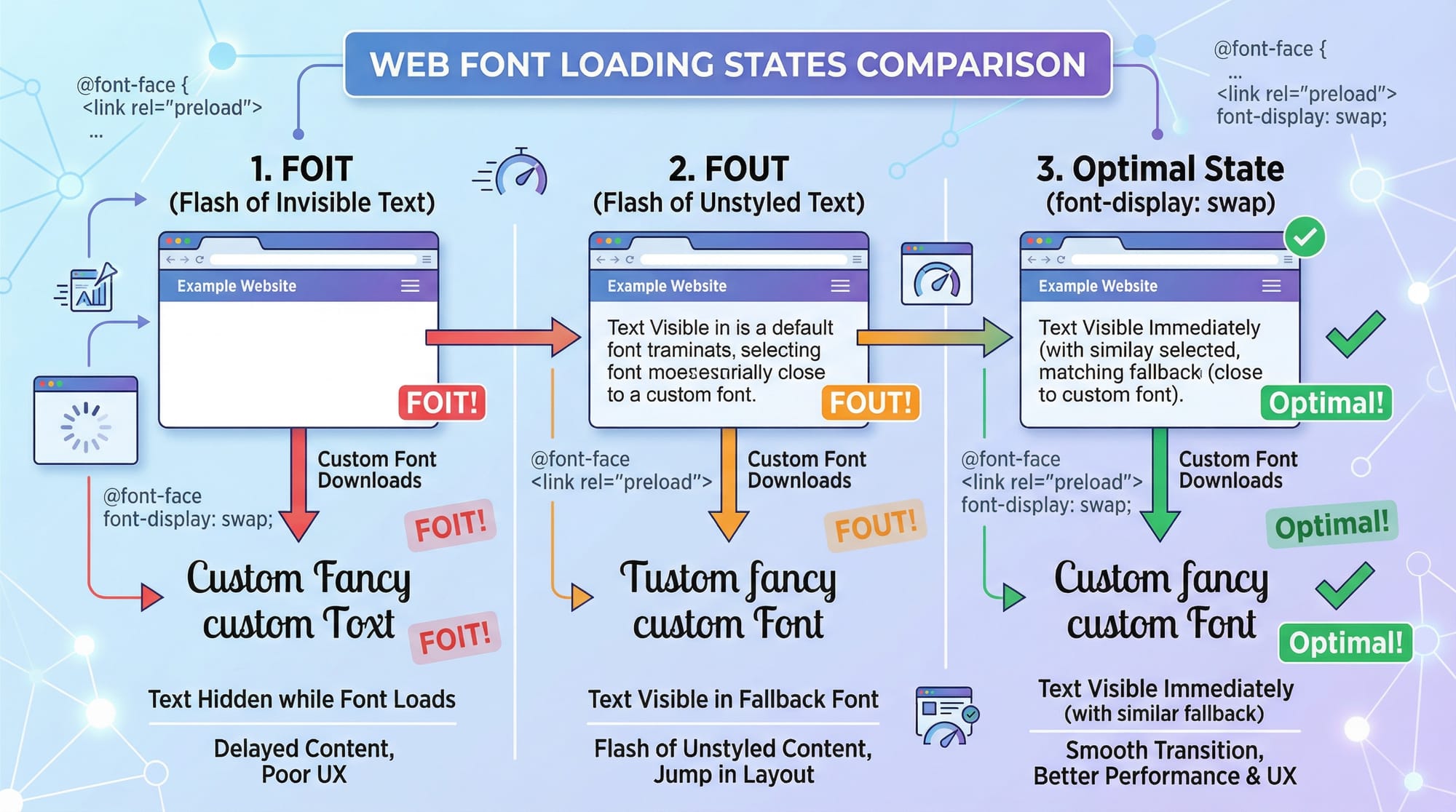
Font Loading Behavior (FOIT vs FOUT vs Optimal)
When fonts load on a website, different behaviors can occur:
- FOIT (Flash of Invisible Text)
Text is invisible until the font loads.
❌ Bad for UX - FOUT (Flash of Unstyled Text)
Text appears in fallback font, then switches.
✔️ Better than FOIT - Optimal (Using font-display)
Shows fallback immediately, then swaps smoothly.
✔️ Best practice
Example:
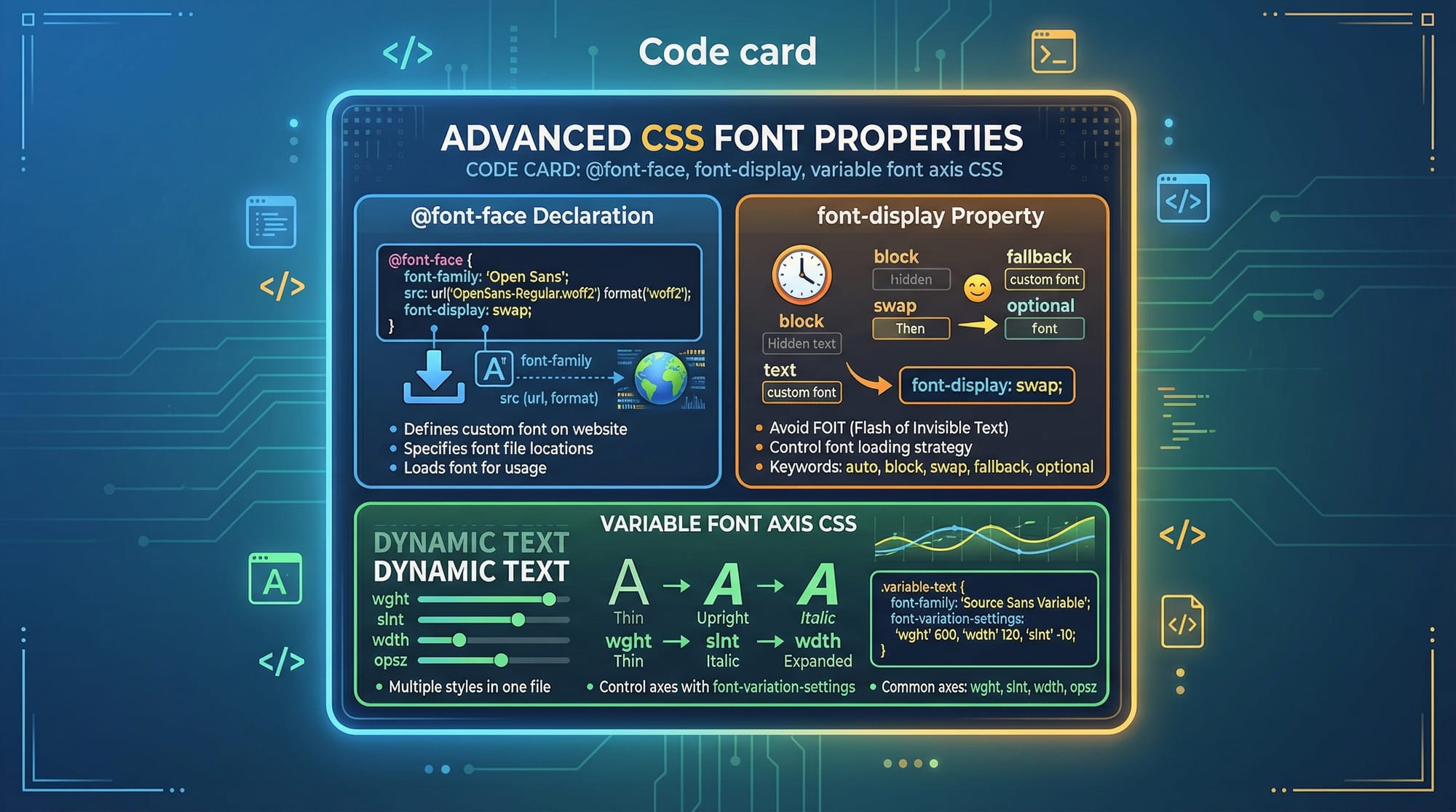
@font-face {
  font-family: 'MyFont';
  src: url('myfont.woff2') format('woff2');
  font-display: swap;
}
👉 font-display: swap ensures text is visible immediately.
Google Fonts Optimization
Google Fonts is widely used, but improper usage can slow down your site.
Common mistake:
<link href="https://fonts.googleapis.com/css2?family=Roboto&display=swap" rel="stylesheet">
This loads entire font families, even if not needed.
Optimized version:
<link href="https://fonts.googleapis.com/css2?family=Roboto:wght@400;700&display=swap" rel="stylesheet">
✔️ Only loads required weights (400 and 700)
Font File Formats & Performance
Different formats impact performance:
- WOFF2 → Best (modern browsers)
- WOFF → Backup
- TTF/OTF → Avoid for web
Example:
src: url('font.woff2') format('woff2'),
     url('font.woff') format('woff');
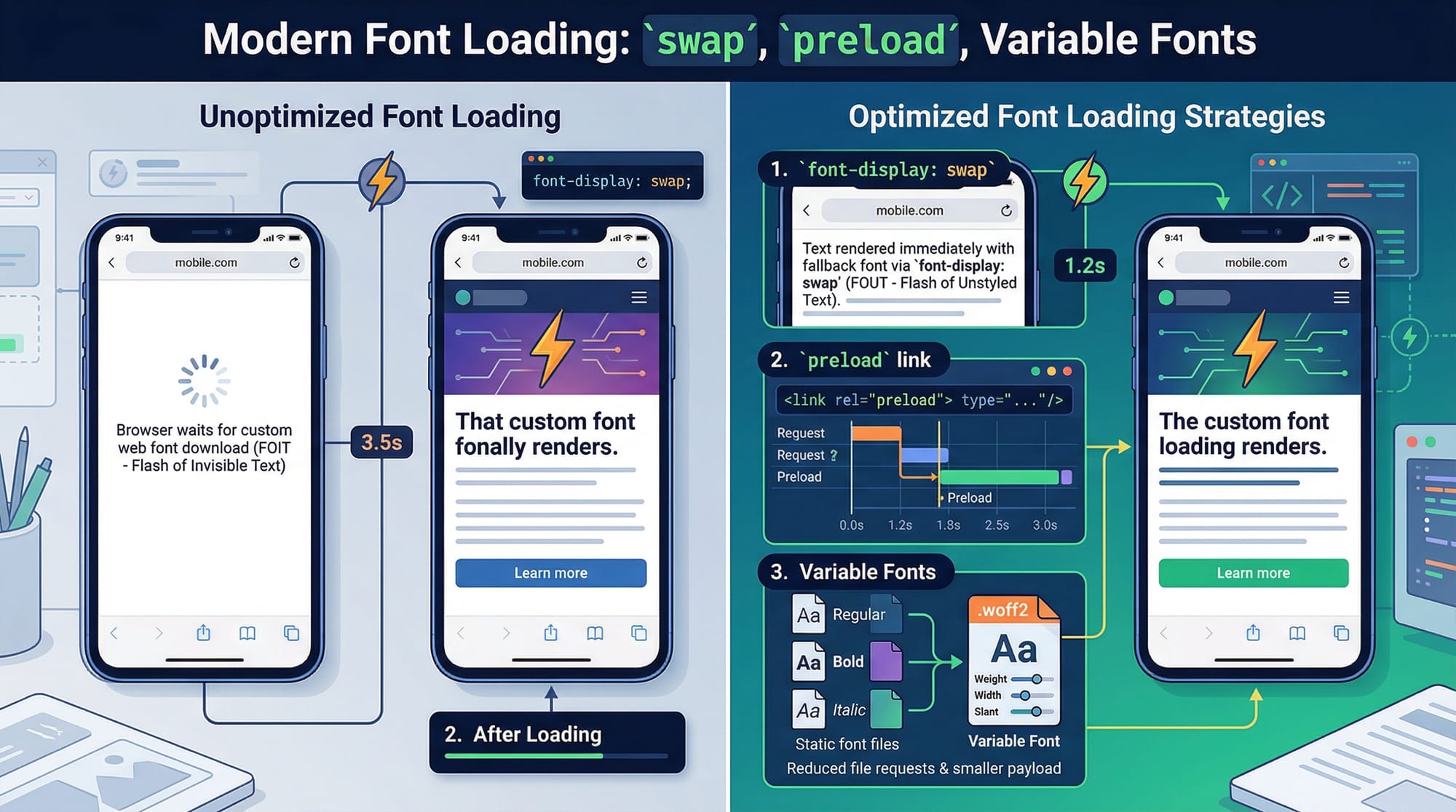
Variable Fonts
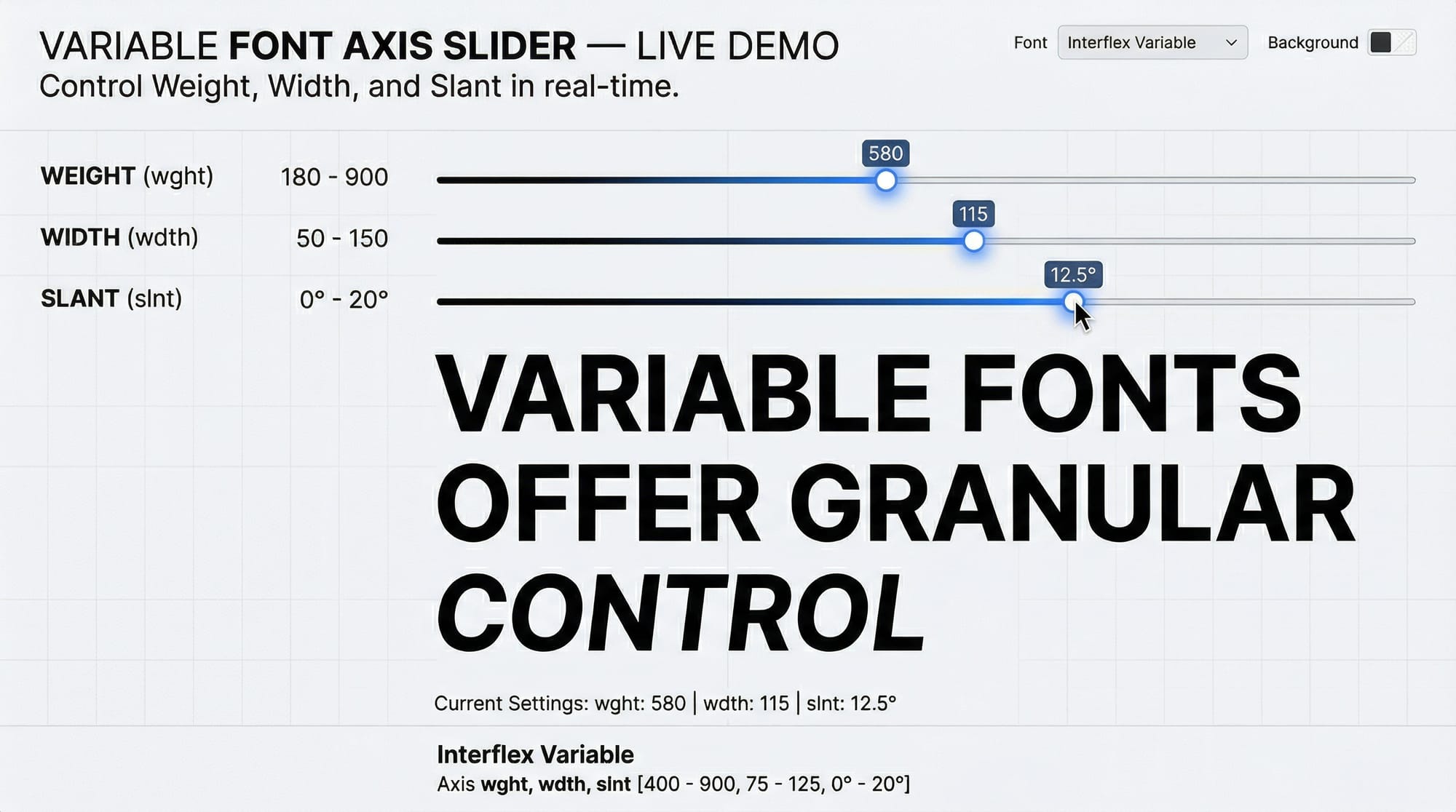
Variable fonts allow multiple styles in a single file.
Instead of loading:
- Regular
- Bold
- Italic
You load one file with adjustable properties.
Example:
font-weight: 100 900;
✔️ Reduces HTTP requests
✔️ Improves performance
Practical Code Examples
Example 1: Optimized Google Font Loading
<!-- Preconnect to Google Fonts -->
<link rel="preconnect" href="https://fonts.googleapis.com">
<link rel="preconnect" href="https://fonts.gstatic.com" crossorigin>

<!-- Load only required font weights -->
<link href="https://fonts.googleapis.com/css2?family=Poppins:wght@400;600&display=swap" rel="stylesheet">
Explanation (line by line):
preconnect
→ Establishes early connection for faster loadingfonts.googleapis.com
→ Loads CSSfonts.gstatic.com
→ Loads font filesfamily=Poppins:wght@400;600
→ Only loads regular and semi-bolddisplay=swap
→ Prevents invisible text
Example 2: Real-World Application (Local Business Website)
Imagine Ahmad is building a website for a clothing store in Karachi.
@font-face {
  font-family: 'BrandFont';
  src: url('/fonts/brandfont.woff2') format('woff2');
  font-display: swap;
}

body {
  font-family: 'BrandFont', Arial, sans-serif;
  line-height: 1.6;
}

h1 {
  font-weight: 700;
}
Explanation:
@font-face
→ Defines custom fontsrc
→ Loads optimized WOFF2 filefont-display: swap
→ Ensures text visibilityfont-family fallback
→ Uses Arial if font failsline-height
→ Improves readabilityfont-weight: 700
→ Applies bold heading
Common Mistakes & How to Avoid Them
Mistake 1: Loading Too Many Font Weights
❌ Bad:
family=Roboto:wght@100;200;300;400;500;600;700;800;900
✔️ Fix:
family=Roboto:wght@400;700
👉 Only load what you use.
Mistake 2: Not Using font-display
❌ Without:
@font-face {
  font-family: 'Custom';
  src: url('font.woff2');
}
✔️ Fix:
font-display: swap;
👉 Prevents invisible text issues.
Mistake 3: No Fallback Fonts
❌ Bad:
font-family: 'CustomFont';
✔️ Fix:
font-family: 'CustomFont', Arial, sans-serif;
Mistake 4: Not Preloading Important Fonts
✔️ Fix:
<link rel="preload" href="/fonts/main.woff2" as="font" type="font/woff2" crossorigin>
👉 Loads font faster for above-the-fold content.
Practice Exercises
Exercise 1: Optimize Google Fonts
Problem:
Fatima is using:
family=Open+Sans:wght@300;400;600;700;800
Solution:
family=Open+Sans:wght@400;700
👉 Remove unused weights.
Exercise 2: Fix Invisible Text Issue
Problem:
@font-face {
  font-family: 'TestFont';
  src: url('test.woff2');
}
Solution:
@font-face {
  font-family: 'TestFont';
  src: url('test.woff2');
  font-display: swap;
}
👉 Ensures text shows immediately.
Frequently Asked Questions
What is font-display in CSS?
It controls how fonts are shown while loading. Using swap ensures text is visible immediately with a fallback font.
How do I optimize Google Fonts?
Load only required weights, use display=swap, and add preconnect for faster performance.
What is the best font format for the web?
WOFF2 is the best format because it is highly compressed and supported by modern browsers.
Should I use system fonts or web fonts?
System fonts are faster, but web fonts provide better design control. A mix of both is ideal.
How do I reduce font loading time?
Use fewer font weights, preload important fonts, use WOFF2, and consider variable fonts.
Summary & Key Takeaways
- Always use
font-display: swapto avoid invisible text - Load only necessary font weights for better performance
- Use WOFF2 format for modern browsers
- Preconnect and preload fonts for faster loading
- Use fallback fonts for reliability
- Consider variable fonts to reduce file size
Next Steps & Related Tutorials
Now that you understand font performance, continue learning with these tutorials on theiqra.edu.pk:
- Learn how to speed up your site with Web Performance Optimization techniques
- Master styling with the complete CSS Tutorial for Beginners
- Explore Responsive Web Design for mobile-friendly layouts
- Dive deeper into Frontend Performance Best Practices
These topics will help you become a professional web developer capable of building fast, modern websites for clients across Pakistan.
Test Your Python Knowledge!
Finished reading? Take a quick quiz to see how much you've learned from this tutorial.