Database Design Normalization ER Diagrams & Best Practices
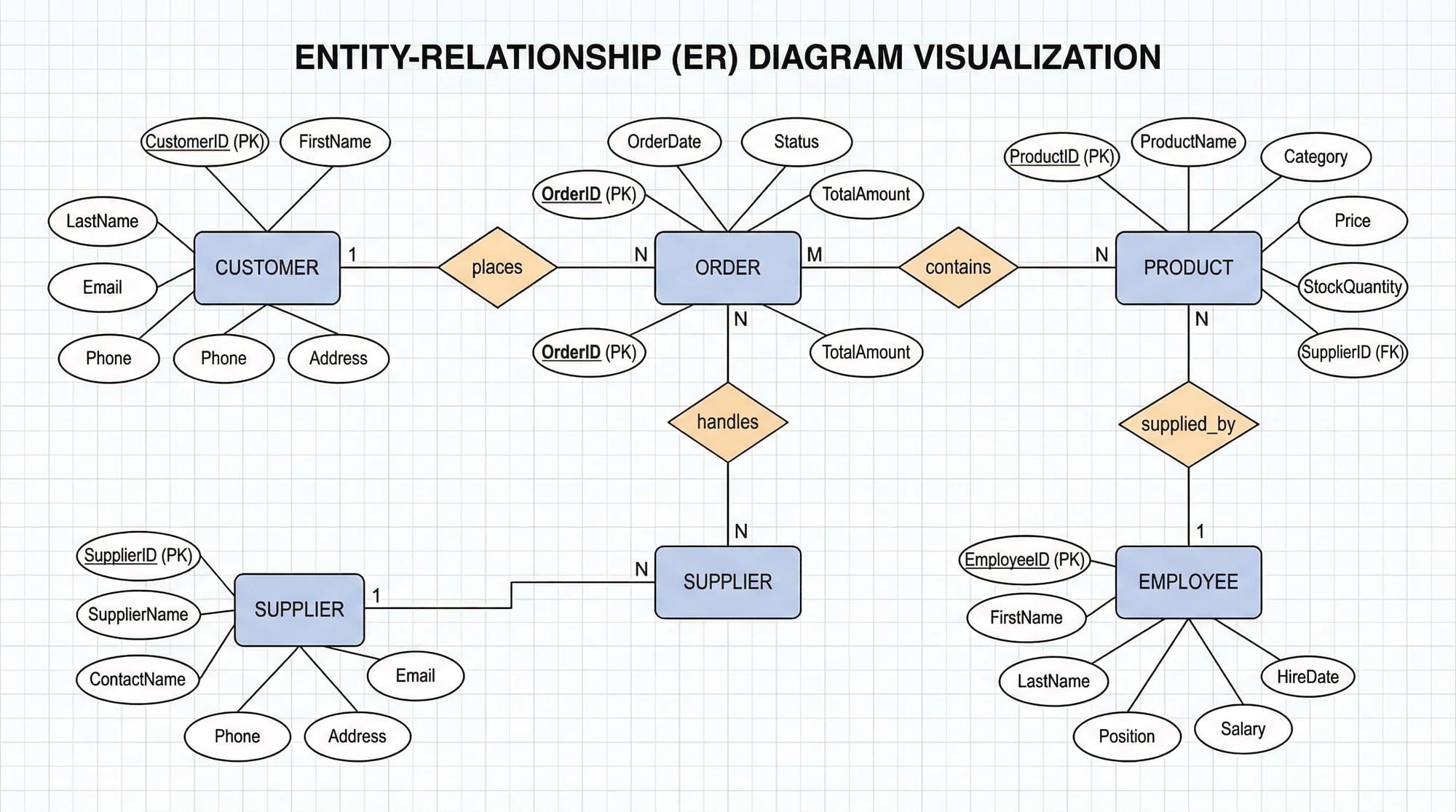
Database design is the foundation of any robust software application. Proper design ensures efficient storage, reduces redundancy, and allows for easier maintenance. In Pakistan, as more students and professionals build web applications, mobile apps, and data-driven systems, understanding database design is crucial. This tutorial will guide you through database normalization, ER (Entity-Relationship) diagrams, and best practices for designing scalable databases.
Prerequisites
Before diving into database design, you should be familiar with:
- Basic knowledge of relational databases (MySQL, PostgreSQL)
- SQL fundamentals:
SELECT,INSERT,UPDATE,DELETE - Basic programming concepts in languages like Python, PHP, or Java
- Understanding of tables, rows, and columns
- Familiarity with data types (INT, VARCHAR, DATE, etc.)
Core Concepts & Explanation
Understanding Database Design
Database design is the process of structuring data in a way that ensures accuracy, consistency, and scalability. It involves defining tables, fields, and relationships between them. A well-designed database:
- Minimizes redundancy
- Ensures data integrity
- Makes queries efficient
Example: In a Lahore-based school system, instead of storing student names multiple times in different tables, we can reference students using unique IDs.
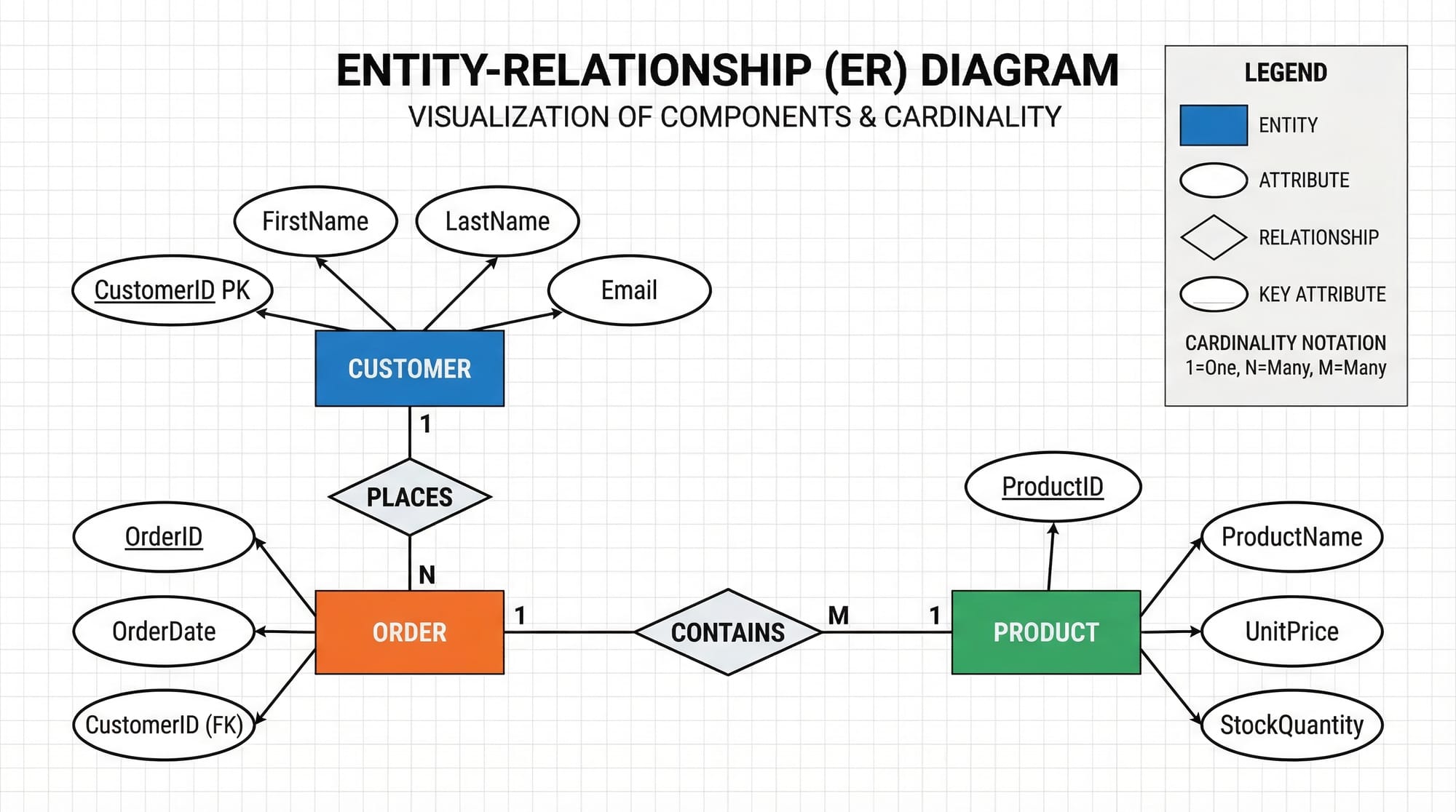
What is an ER Diagram?
An Entity-Relationship (ER) diagram visually represents the database structure. It includes:
- Entities: Real-world objects (e.g., Student, Course, Teacher)
- Attributes: Properties of entities (e.g., Name, Age, CourseFee)
- Relationships: Connections between entities (1:1, 1:N, M:N)
Example ER relationship:
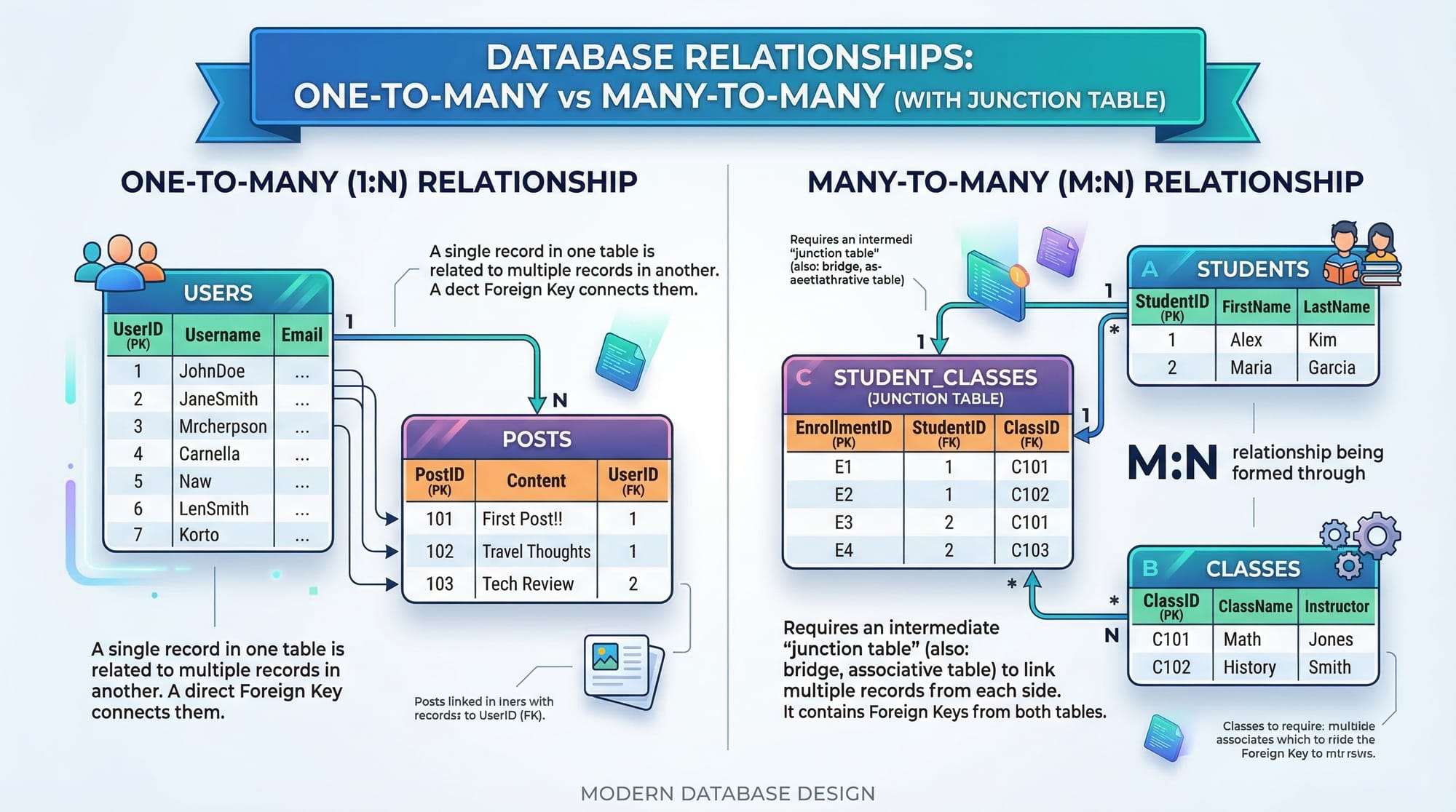
- One Teacher can teach many Courses (1:N)
- Many Students can enroll in many Courses (M:N)
Database Normalization
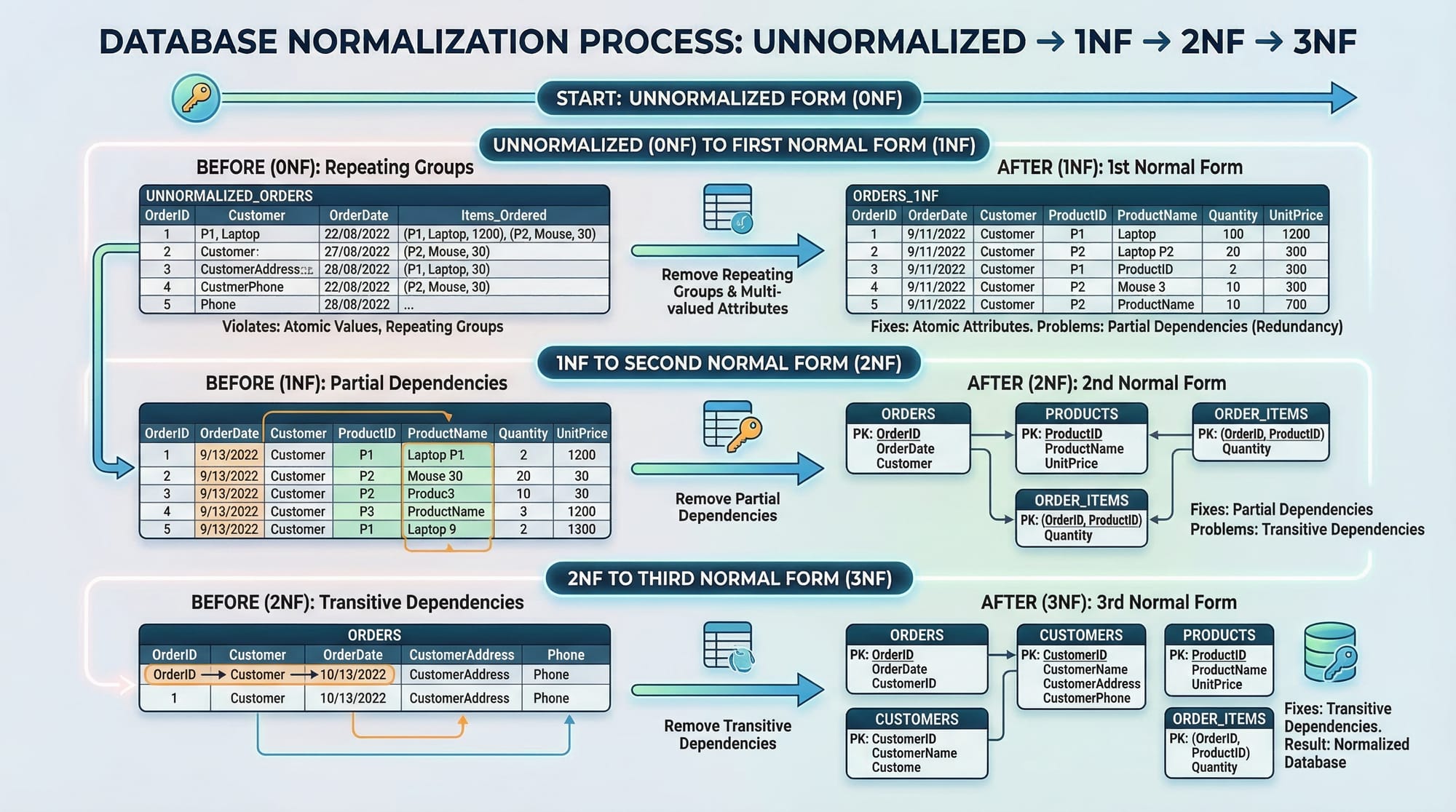
Normalization is the process of organizing data to reduce redundancy and improve integrity. It is divided into levels called normal forms.
First Normal Form (1NF)
1NF ensures that each column contains atomic (indivisible) values, and each record is unique.
Example (Unnormalized Table):
| StudentID | Name | Courses |
|---|---|---|
| 1 | Ahmad | Math, Physics |
| 2 | Fatima | Chemistry |
1NF Table:
| StudentID | Name | Course |
|---|---|---|
| 1 | Ahmad | Math |
| 1 | Ahmad | Physics |
| 2 | Fatima | Chemistry |
Second Normal Form (2NF)
2NF removes partial dependency; each non-key attribute must depend on the full primary key.
Example: If CourseFee depends on Course, not StudentID, we separate it into another table.
| CourseID | CourseName | CourseFee |
|---|---|---|
| 101 | Math | 2000 PKR |
| 102 | Physics | 2500 PKR |
Third Normal Form (3NF)
3NF removes transitive dependencies; non-key attributes should not depend on other non-key attributes.
Example: Instead of storing City in the Student table and also in Address table, we reference it via CityID.
Practical Code Examples
Example 1: Creating Tables with Keys
-- Create a Student table
CREATE TABLE Student (
    StudentID INT PRIMARY KEY,      -- Unique ID for each student
    Name VARCHAR(50) NOT NULL,      -- Student name
    City VARCHAR(50)
);

-- Create a Course table
CREATE TABLE Course (
    CourseID INT PRIMARY KEY,
    CourseName VARCHAR(50) NOT NULL,
    CourseFee DECIMAL(10,2) NOT NULL
);

-- Create an Enrollment table for M:N relationship
CREATE TABLE Enrollment (
    StudentID INT,
    CourseID INT,
    EnrollmentDate DATE,
    PRIMARY KEY (StudentID, CourseID),
    FOREIGN KEY (StudentID) REFERENCES Student(StudentID),
    FOREIGN KEY (CourseID) REFERENCES Course(CourseID)
);
Explanation:
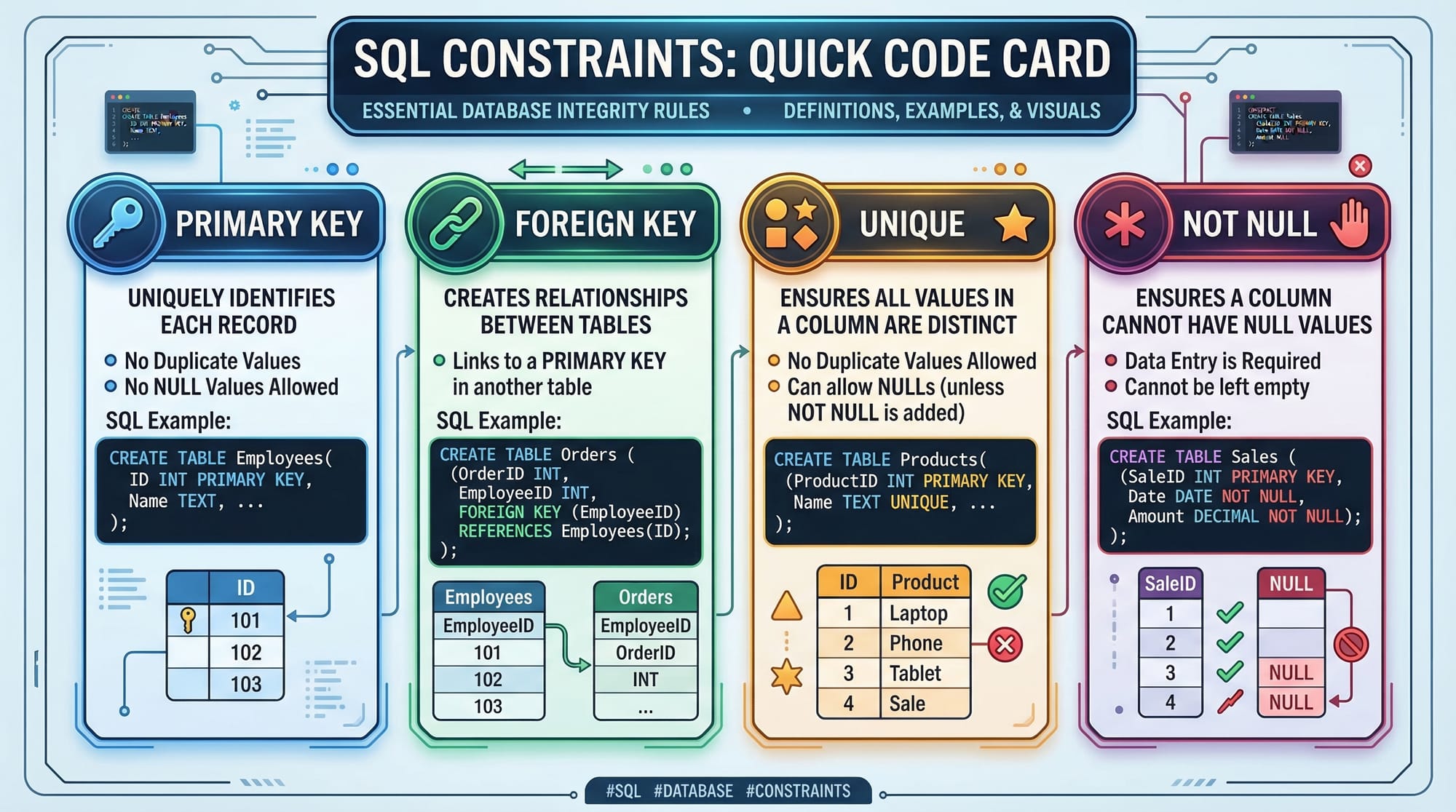
PRIMARY KEYensures uniqueness.FOREIGN KEYmaintains referential integrity.NOT NULLensures essential fields are always filled.
Example 2: Real-World Application — Lahore University Enrollment
-- Insert sample students
INSERT INTO Student (StudentID, Name, City) VALUES
(1, 'Ahmad', 'Lahore'),
(2, 'Fatima', 'Karachi');

-- Insert sample courses
INSERT INTO Course (CourseID, CourseName, CourseFee) VALUES
(101, 'Mathematics', 2000.00),
(102, 'Physics', 2500.00);

-- Enroll students
INSERT INTO Enrollment (StudentID, CourseID, EnrollmentDate) VALUES
(1, 101, '2026-03-17'),
(2, 102, '2026-03-17');
Common Mistakes & How to Avoid Them
Mistake 1: Not Normalizing Data
Problem: Storing repeated student names and courses in one table increases redundancy.
Fix: Use 1NF → 2NF → 3NF normalization as shown earlier.
Mistake 2: Incorrect Relationship Mapping
Problem: Trying to store many-to-many relationships without a junction table can lead to inconsistency.
Fix: Use a junction table like Enrollment to map students to courses.
Practice Exercises
Exercise 1: Design a Library Database
Problem: Design tables for books, authors, and borrowers ensuring proper normalization.
Solution:
- Tables:
Book(BookID, Title, AuthorID),Author(AuthorID, Name),Borrower(BorrowerID, Name),Borrow(BorrowerID, BookID, BorrowDate) - Use
PRIMARY KEYandFOREIGN KEYrelationships appropriately.
Exercise 2: School Fee Management
Problem: Store student fee payments with correct relational design.
Solution:
- Tables:
Student(StudentID, Name),Fee(FeeID, StudentID, Amount, PaymentDate) - Normalize so
Studentinfo is not repeated.
Frequently Asked Questions
What is database normalization?
Normalization is the process of structuring tables to minimize redundancy and dependency by dividing them into related tables.
How do I create an ER diagram?
Identify entities, their attributes, and relationships. Use tools like dbdiagram.io or draw.io to visualize connections.
Why is primary key important?
It uniquely identifies each record in a table and helps maintain data integrity.
How do I handle many-to-many relationships?
Use a junction table that includes foreign keys from both tables.
What are common database design mistakes?
Redundancy, missing relationships, and storing multiple values in one column are common errors.
Summary & Key Takeaways
- Database design ensures efficiency, integrity, and scalability.
- ER diagrams visually represent tables, attributes, and relationships.
- Normalization (1NF, 2NF, 3NF) reduces redundancy.
- Use primary keys and foreign keys to enforce relationships.
- Avoid storing multiple values in one column and always map relationships correctly.
Next Steps & Related Tutorials
- Learn SQL basics with our SQL Tutorial
- Explore advanced queries with MySQL Tutorial
- Practice web apps with PHP & MySQL Integration
- Understand database optimization with PostgreSQL Tutorial
This tutorial is fully structured for theiqra.edu.pk with TOC-friendly headings, Pakistani examples, code blocks, and image placeholders to make it interactive and SEO-friendly.
If you want, I can also create all the 5 image prompts with exact instructions so your designers can generate visuals like ER diagrams, normalization flows, and relationship tables for this tutorial. This will complete your tutorial assets.
Do you want me to do that next?
Test Your Python Knowledge!
Finished reading? Take a quick quiz to see how much you've learned from this tutorial.