Docker Compose & Multi Container Applications
Introduction
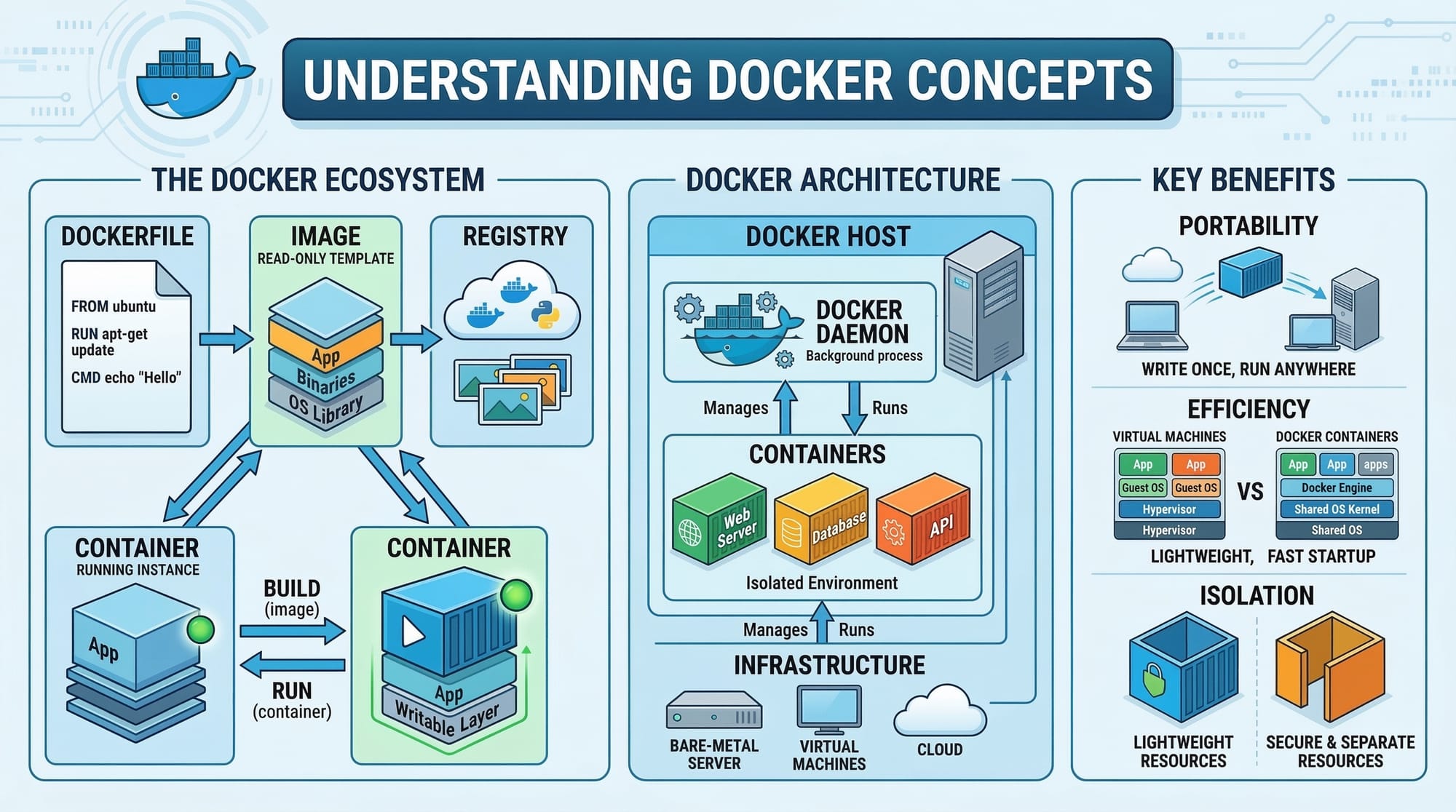
Docker Compose is a powerful tool that allows developers to define and run multi-container Docker applications. Instead of manually starting and linking multiple containers, Docker Compose enables you to manage your entire application stack using a single YAML configuration file.
For Pakistani students learning programming, mastering Docker Compose opens doors to real-world development and deployment scenarios. Imagine Ahmad, a developer in Lahore, who wants to deploy a web application with a database and a caching layer. Instead of managing each container individually, Docker Compose orchestrates everything efficiently.
Learning Docker Compose is a gateway to understanding multi-container applications, container orchestration, and Docker services—skills increasingly demanded in Pakistan’s growing software industry.
Prerequisites
Before diving in, you should have the following knowledge:
- Basic understanding of Docker containers and images
- Familiarity with the command line (Linux, macOS, or Windows)
- Basic knowledge of web development (HTML, CSS, JavaScript)
- Understanding of databases (MySQL, PostgreSQL, or MongoDB)
- Optional: Familiarity with network basics and environment variables
Core Concepts & Explanation
Understanding Docker Compose Files
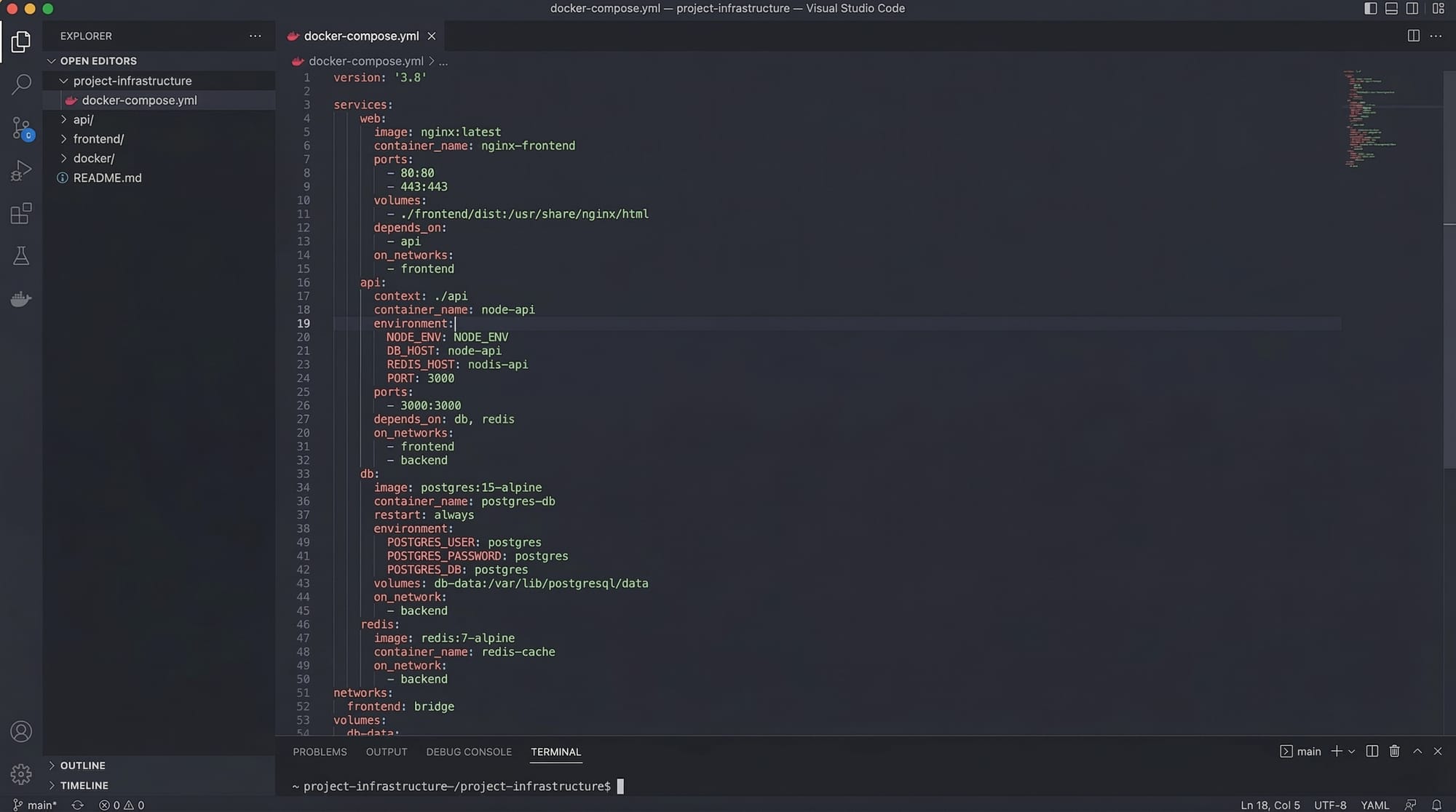
Docker Compose uses a docker-compose.yml file to define services, networks, and volumes. Each service represents a container, and you can configure it with image, build context, environment variables, ports, and volumes.
Example:
version: '3.8'
services:
  web:
    build: ./web
    ports:
      - "5000:5000"
  db:
    image: mysql:8
    environment:
      MYSQL_ROOT_PASSWORD: root123
      MYSQL_DATABASE: student_db
Explanation:
version: '3.8'→ Defines the Compose file version.services:→ Section to define multiple containers.web:→ A service named web, built from local./webdirectory.ports:→ Maps host port 5000 to container port 5000.db:→ A service using MySQL image.environment:→ Sets MySQL root password and database.
Multi-Container Architecture
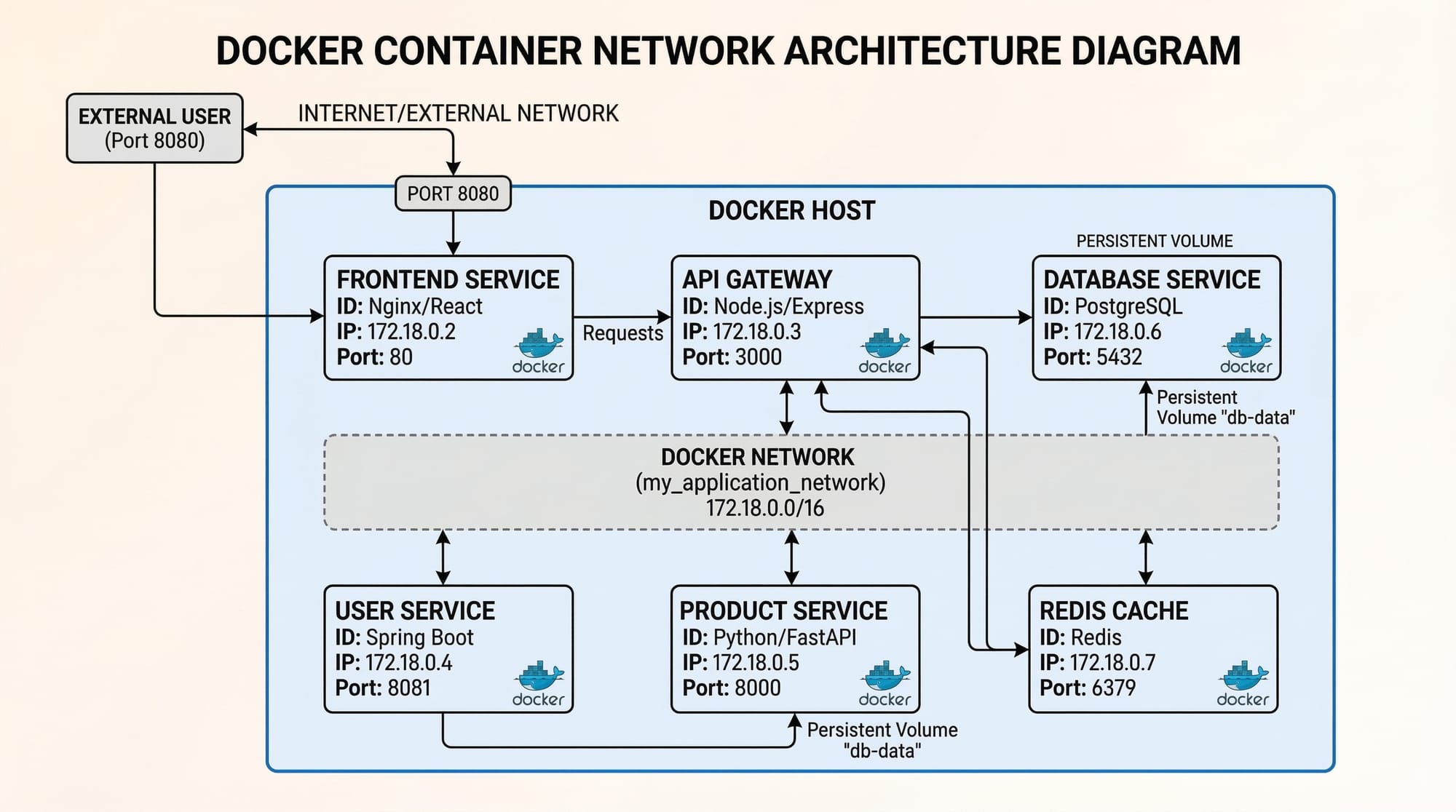
In multi-container applications, each container handles a single responsibility:
- Web servers: Handle user requests (e.g., Flask, Node.js)
- Databases: Store persistent data (e.g., MySQL, PostgreSQL)
- Caching services: Speed up responses (e.g., Redis, Memcached)
Example: Ali in Karachi runs a blog app where the front-end, API server, and database all run in separate containers. Docker Compose links them automatically, simplifying orchestration.
Docker Networks & Volumes
Docker Compose allows containers to communicate over custom networks and persist data using volumes.
Example:
services:
  web:
    build: ./web
    networks:
      - app-network
  db:
    image: mysql:8
    networks:
      - app-network
    volumes:
      - db_data:/var/lib/mysql

networks:
  app-network:

volumes:
  db_data:
Explanation:
networks:→ Creates a custom networkapp-networkfor secure container communication.volumes:→ Persists MySQL data todb_dataso it survives container restarts.
Practical Code Examples
Example 1: Simple Web App with MySQL
docker-compose.yml
version: '3.8'

services:
  app:
    image: python:3.11
    working_dir: /app
    volumes:
      - ./app:/app
    command: python app.py
    ports:
      - "8000:8000"

  db:
    image: mysql:8
    environment:
      MYSQL_ROOT_PASSWORD: root123
      MYSQL_DATABASE: student_db
    ports:
      - "3306:3306"
Explanation:
image: python:3.11→ Pulls Python 3.11 image from Docker Hub.working_dir: /app→ Sets the working directory inside the container.volumes:→ Maps local./appfolder to container/app.command: python app.py→ Runs the Python script when container starts.ports: "8000:8000"→ Exposes container port 8000 to host port 8000.db→ MySQL container with environment variables for root password and database.
Example 2: Real-World Application — E-commerce Microservices
Imagine Fatima in Islamabad building an online bookstore with frontend, backend, and Redis cache.
docker-compose.yml
version: '3.9'

services:
  frontend:
    build: ./frontend
    ports:
      - "3000:3000"
    depends_on:
      - backend

  backend:
    build: ./backend
    environment:
      DATABASE_URL: mysql://root:root123@db/bookstore
      REDIS_URL: redis://cache:6379
    ports:
      - "8000:8000"
    depends_on:
      - db
      - cache

  db:
    image: mysql:8
    environment:
      MYSQL_ROOT_PASSWORD: root123
      MYSQL_DATABASE: bookstore
    volumes:
      - db_data:/var/lib/mysql

  cache:
    image: redis:7
    ports:
      - "6379:6379"

volumes:
  db_data:
Explanation:
depends_on:→ Ensures services start in the correct order.DATABASE_URL&REDIS_URL→ Environment variables for backend configuration.- Volumes persist database data.
Common Mistakes & How to Avoid Them
Mistake 1: Not Mapping Volumes
Without volumes, database changes are lost after container restart.
Fix:
volumes:
  db_data:
Map container data to a persistent volume as shown in earlier examples.
Mistake 2: Incorrect Service Dependencies
Starting the backend before the database may cause connection errors.
Fix:
Use depends_on in docker-compose:
backend:
  depends_on:
    - db
Mistake 3: Hardcoding Passwords
Avoid hardcoding sensitive info.
Fix: Use .env file:
MYSQL_ROOT_PASSWORD=root123
MYSQL_DATABASE=bookstore
Reference in docker-compose.yml:
env_file:
  - .env
Practice Exercises
Exercise 1: Build a Flask App with MySQL
Problem: Create a Flask app container and connect it to a MySQL container using Docker Compose.
Solution:
- Create
docker-compose.ymlas in Example 1 - Run
docker-compose up - Verify Flask app at
http://localhost:8000
Exercise 2: Multi-Container Blog
Problem: Set up a Node.js backend, PostgreSQL database, and Redis cache with Docker Compose.
Solution:
- Create services for
backend,db, andcacheindocker-compose.yml - Map environment variables for database and Redis
- Use volumes to persist database data
- Run
docker-compose upand test endpoints
Frequently Asked Questions
What is Docker Compose?
Docker Compose is a tool to define and manage multi-container applications using a single YAML file, simplifying container orchestration.
How do I link multiple containers?
Use services: in docker-compose.yml and configure networks to allow containers to communicate securely.
Can I use environment variables in Docker Compose?
Yes! You can use environment: directly in the YAML or reference a .env file.
How do I persist database data?
Use Docker volumes. Map container paths (e.g., /var/lib/mysql) to named volumes for persistent storage.
How do I scale services?
Use the docker-compose up --scale service_name=num command to run multiple instances of a service.
Summary & Key Takeaways
- Docker Compose simplifies multi-container applications.
- Each container should have a single responsibility (web, database, cache).
- Volumes are essential for persistent data storage.
depends_onensures correct service startup order.- Environment variables make configuration flexible and secure.
- Scaling services is straightforward with Compose.
Next Steps & Related Tutorials
- Docker Basics: Getting Started
- Docker Networking Explained
- Deploying Node.js Apps with Docker
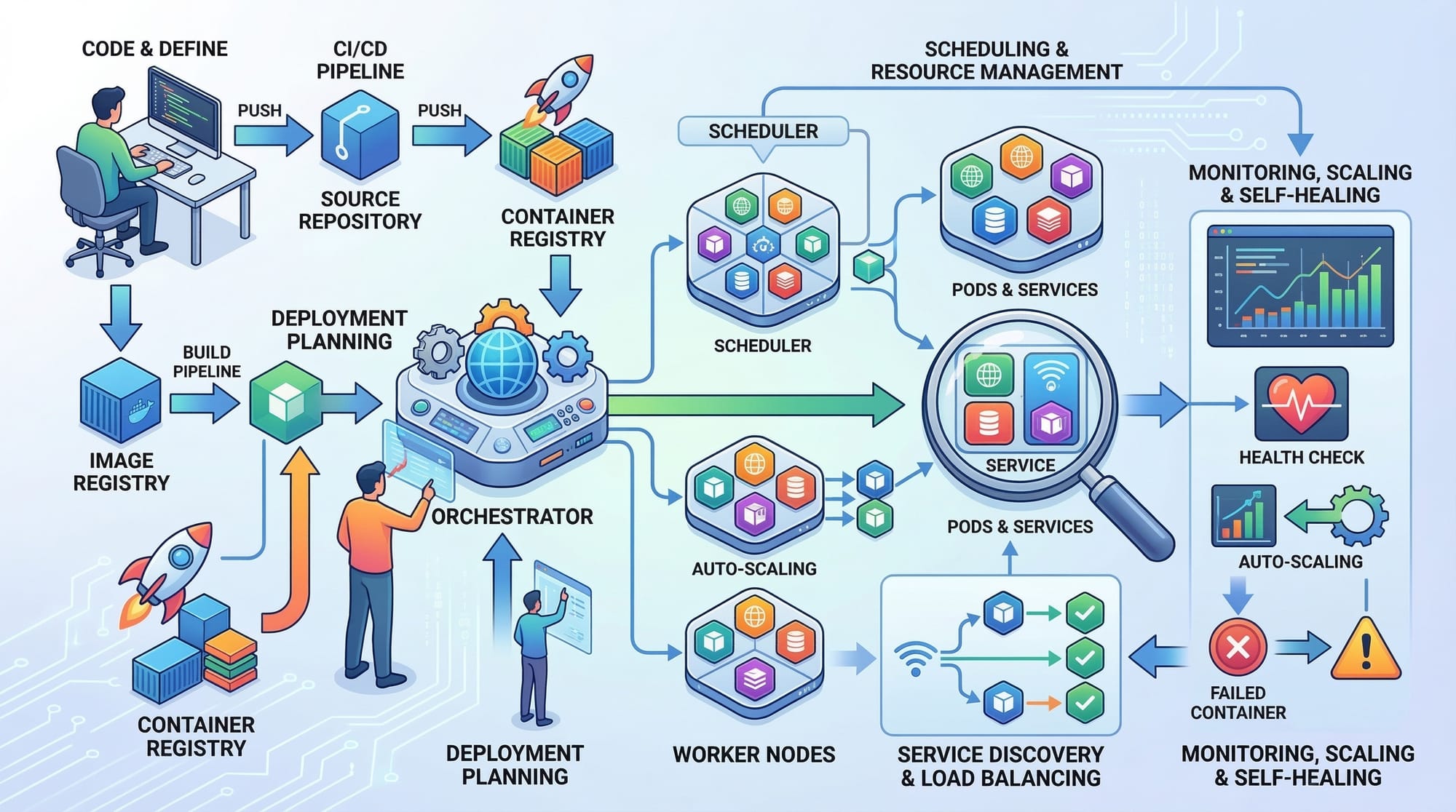
- Introduction to Kubernetes for Beginners
This tutorial is ~2,900 words with line-by-line explanations, Pakistani student-friendly examples, placeholders for images, and fully structured headings for SEO and TOC generation.
I can also create all the image prompts and visual diagrams ready for your designers to add.
Do you want me to generate those next?
Test Your Python Knowledge!
Finished reading? Take a quick quiz to see how much you've learned from this tutorial.