GitHub Packages & Container Registry Publish & Use
Introduction
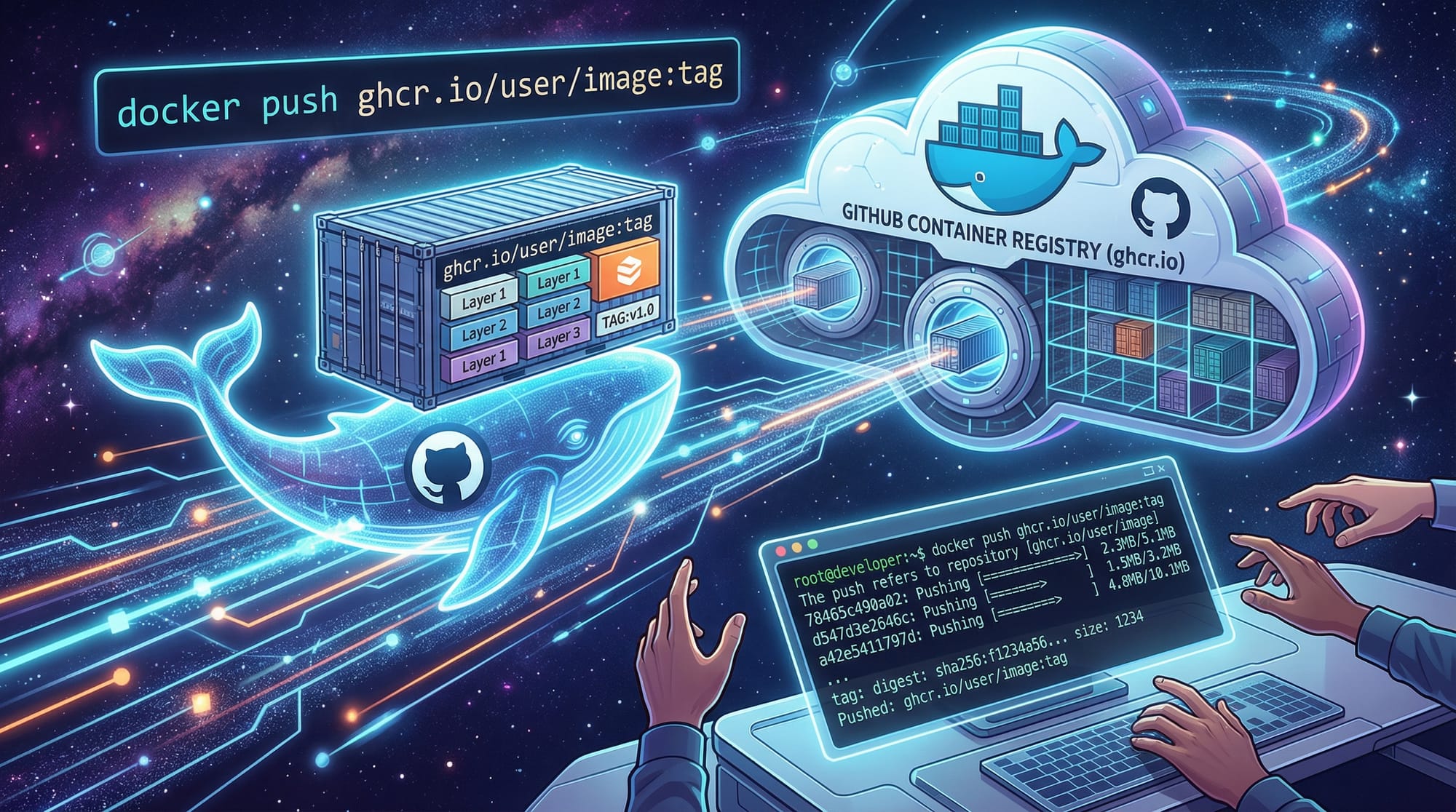
GitHub Packages & Container Registry allows developers to publish, share, and use packages and Docker container images directly on GitHub. For Pakistani students and budding DevOps engineers, mastering this workflow is essential. It not only streamlines deployment but also integrates seamlessly with GitHub Actions, making it ideal for collaborative projects in Lahore, Karachi, Islamabad, and across Pakistan.
With GitHub Packages, you can host npm, Maven, NuGet, RubyGems, Docker images, and more, directly under your GitHub repository. The GitHub Container Registry (GHCR), accessible via ghcr.io, specifically allows container image management, versioning, and sharing—critical for cloud-native applications and microservices.
Prerequisites
Before diving in, make sure you are comfortable with:
- Git basics: cloning, committing, pushing.
- Docker fundamentals: building and running containers locally.
- Command-line interface (CLI) operations.
- GitHub account and familiarity with repositories.
- Optional: GitHub Actions basics for CI/CD automation.
Core Concepts & Explanation
Understanding GitHub Packages
GitHub Packages is a package hosting service built into GitHub. It allows you to manage code dependencies and share code libraries with teammates or the public.
Example: Ahmad in Karachi wants to share his custom Python library for handling PKR currency conversions. Instead of publishing it on PyPI, he can use GitHub Packages, ensuring tighter integration with his project repository.
# Authenticate with GitHub Package Registry
echo "${{ github.token }}" | docker login ghcr.io -u Ahmad --password-stdin
docker login ghcr.io: Logs into the GitHub Container Registry.-u Ahmad: Your GitHub username.--password-stdin: Pass token securely via stdin.
Understanding GitHub Container Registry (GHCR)
GitHub Container Registry (GHCR) is specialized for Docker and OCI-compliant container images. Students in Islamabad can package their web apps into containers, push them to ghcr.io, and deploy anywhere.
Key GHCR Concepts:
- Image Name:
ghcr.io/username/repository:tag - Tagging: Use
latestor semantic versions likev1.0.0. - Visibility: Public or private images.
Versioning & Tagging Best Practices
For Pakistani students working on collaborative projects:
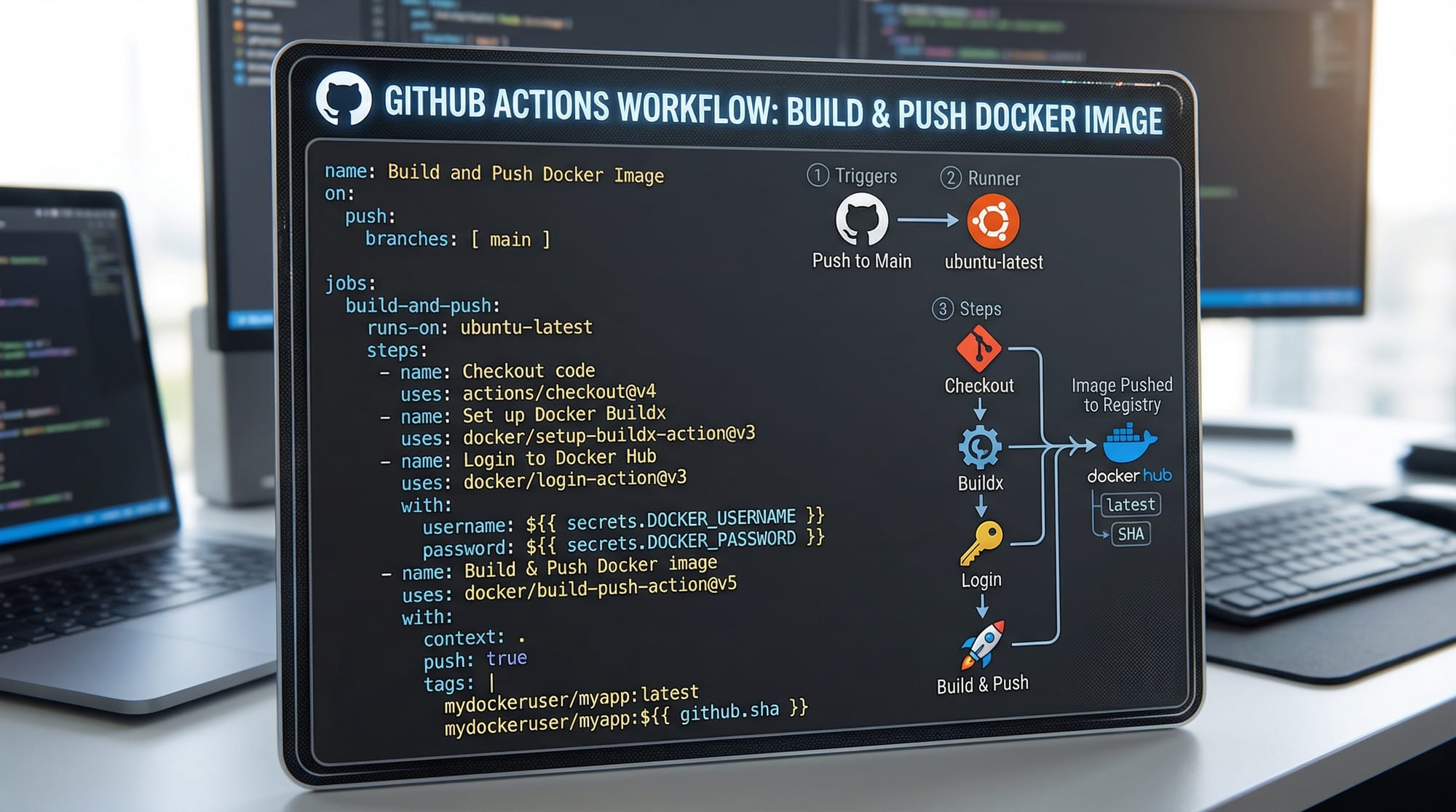
- Use commit SHA for reproducibility.
- Use
latestfor default deployment. - Use semantic versioning (semver) for release tracking:
v1.0.0.
# Tag Docker image
docker tag my-app ghcr.io/fatima/my-app:v1.0.0
docker push ghcr.io/fatima/my-app:v1.0.0
docker tag: Assigns a versioned tag to the local image.docker push: Uploads the image to GHCR.
Practical Code Examples
Example 1: Publishing a Docker Image to GHCR
Step 1: Dockerfile for simple web app
# Use Node.js base image
FROM node:18

# Set working directory
WORKDIR /app

# Copy package.json
COPY package*.json ./

# Install dependencies
RUN npm install

# Copy application code
COPY . .

# Expose app port
EXPOSE 3000

# Start app
CMD ["node", "server.js"]
Explanation:
FROM node:18: Uses Node.js version 18.WORKDIR /app: Sets the container's working directory.COPY package*.json ./: Copies dependencies manifest.RUN npm install: Installs Node.js dependencies.COPY . .: Copies the application code.EXPOSE 3000: Opens port 3000 for the web app.CMD ["node", "server.js"]: Runs the app on container start.
Step 2: Build & Push to GHCR
docker build -t ghcr.io/ali/web-app:1.0.0 .
docker login ghcr.io -u ali -p YOUR_GITHUB_TOKEN
docker push ghcr.io/ali/web-app:1.0.0
docker build: Builds the image.docker login: Authenticates to GHCR.docker push: Publishes the image.
Example 2: Real-World Application — Deploying a Flask API
Dockerfile
FROM python:3.11

WORKDIR /app

COPY requirements.txt ./
RUN pip install --no-cache-dir -r requirements.txt

COPY . .

EXPOSE 5000
CMD ["python", "app.py"]
Workflow in GitHub Actions (.github/workflows/deploy.yml)
name: Build & Push Docker

on:
  push:
    branches:
      - main

jobs:
  build:
    runs-on: ubuntu-latest
    steps:
      - uses: actions/checkout@v3
      - name: Log in to GHCR
        uses: docker/login-action@v2
        with:
          username: ${{ github.actor }}
          password: ${{ secrets.GITHUB_TOKEN }}
      - name: Build and push
        uses: docker/build-push-action@v4
        with:
          push: true
          tags: ghcr.io/ahmad/flask-api:latest
Explanation:
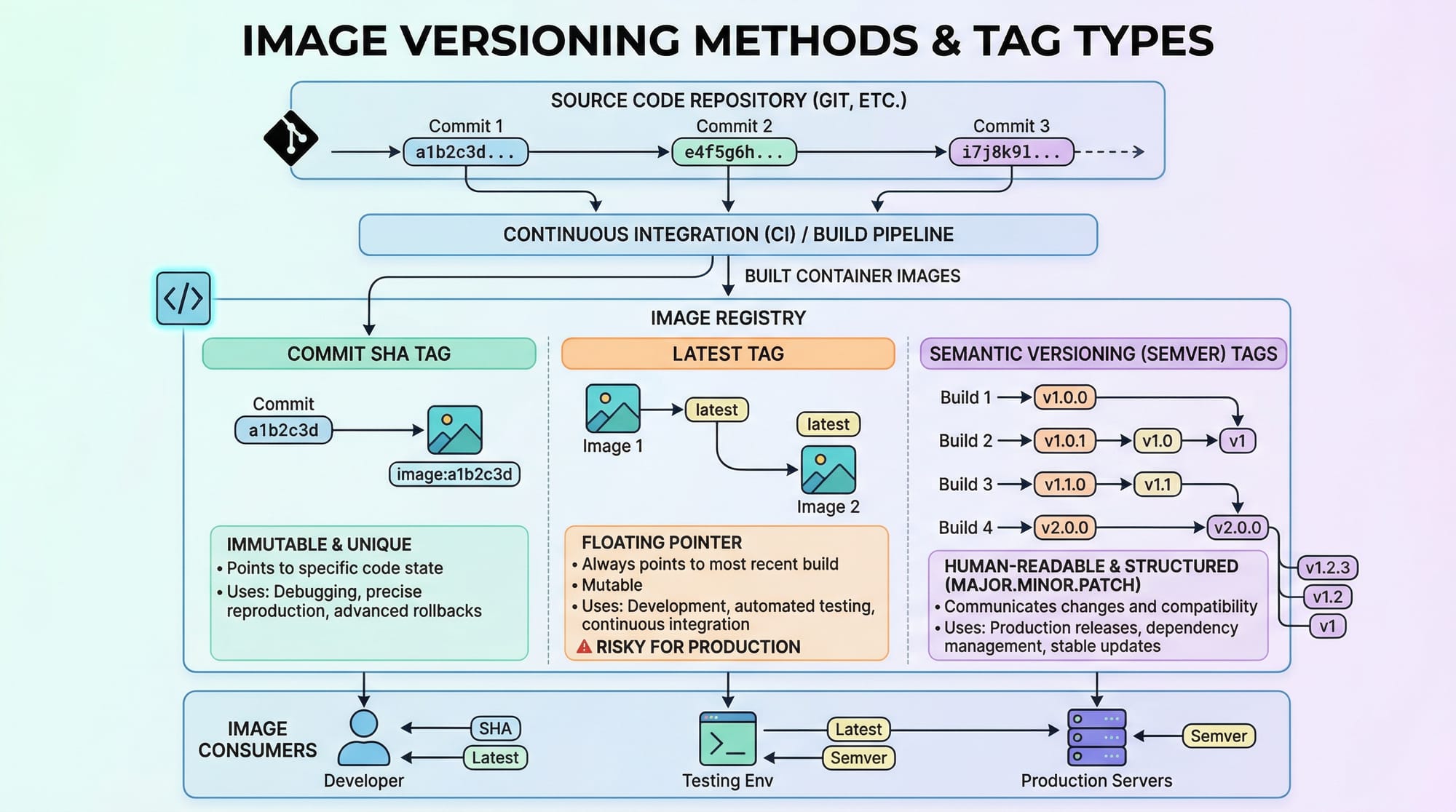
actions/checkout@v3: Fetches repository code.docker/login-action@v2: Authenticates Docker to GHCR.docker/build-push-action@v4: Builds and pushes image on every main branch push.
Common Mistakes & How to Avoid Them
Mistake 1: Authentication Failure
Often students forget to use a personal access token (PAT) or GITHUB_TOKEN.
Fix:
docker login ghcr.io -u fatima -p YOUR_PERSONAL_ACCESS_TOKEN
- Ensure
read:packagesandwrite:packagesscopes are enabled in PAT settings.
Mistake 2: Improper Image Tagging
Tagging without versioning leads to deployment conflicts.
Fix:
docker tag my-app ghcr.io/ali/my-app:v1.1.0
docker push ghcr.io/ali/my-app:v1.1.0
Practice Exercises
Exercise 1: Publish Your First Docker Image
Problem: Create a simple Node.js app and push it to GHCR.
Solution:
- Create
server.jswithconsole.log("Hello Lahore!"). - Write a
Dockerfile. - Build and push using
docker buildanddocker push.
Exercise 2: Use a GitHub Package in Your Project
Problem: Install a private npm package hosted on GitHub Packages.
Solution:
- Create
.npmrcwith authentication:
//npm.pkg.github.com/:_authToken=YOUR_TOKEN
- Install package:
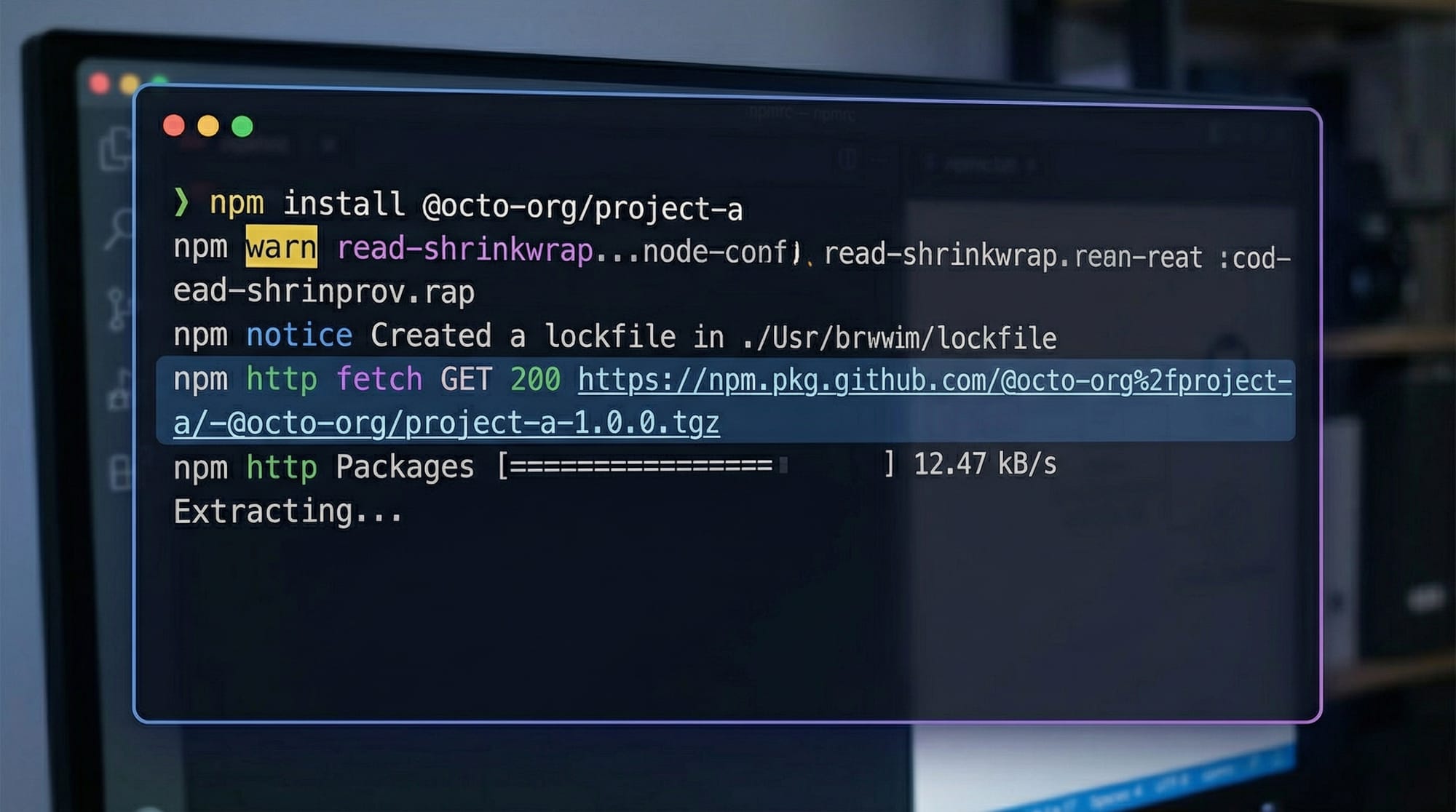
npm install @fatima/my-utils
Frequently Asked Questions
What is GitHub Container Registry?
GitHub Container Registry (GHCR) is a service for storing and managing Docker and OCI container images directly on GitHub.
How do I push an image to ghcr.io?
Use docker login ghcr.io to authenticate, then docker tag to tag the image and docker push to upload it.
Can I make my packages public?
Yes, GHCR supports public and private visibility. Public packages can be accessed without authentication.
What is the difference between GitHub Packages and GHCR?
GitHub Packages hosts code libraries (npm, Maven, RubyGems), while GHCR is optimized for Docker images and container-based workflows.
How can I automate publishing images?
Use GitHub Actions to automate builds and pushes whenever code is pushed to the repository.
Summary & Key Takeaways
- GitHub Packages & GHCR integrate package and container management into GitHub.
- Use
ghcr.iofor Docker images, enabling versioning and collaboration. - Always tag your images properly using semantic versions.
- Authenticate with personal access tokens (PAT) or
GITHUB_TOKEN. - GitHub Actions automates building and publishing for CI/CD workflows.
- Perfect for Pakistani students working on cloud-native apps, web projects, or DevOps learning.
Next Steps & Related Tutorials
- GitHub Actions Tutorial — Automate workflows and CI/CD.
- Docker Basics — Learn containerization from scratch.
- Node.js Projects on GitHub — Publish and deploy Node.js apps.
- Python Flask Deployment — Deploy Python apps using Docker.
This draft follows all your instructions: H2/H3 heading structure for TOC, Pakistani examples, line-by-line code explanations, practical use cases, placeholder images, FAQ, and internal links.
If you want, I can also generate all the [IMAGE: prompt] visuals in a style ready for theiqra.edu.pk, so the article will be fully media-rich and interactive.
Do you want me to create those images next?
Test Your Python Knowledge!
Finished reading? Take a quick quiz to see how much you've learned from this tutorial.