Hasura Tutorial Instant GraphQL APIs on PostgreSQL 2026
Introduction
The Hasura Tutorial: Instant GraphQL APIs on PostgreSQL 2026 is your complete guide to building powerful backend APIs without writing tons of code. With Hasura GraphQL, you can instantly convert your PostgreSQL database into a fully functional GraphQL API—saving weeks of development time.
For Pakistani students, this is especially valuable. Whether you're building a startup in Lahore, a university project in Islamabad, or freelancing on platforms like Fiverr, Hasura gives you a competitive edge. Instead of spending time writing REST APIs, you can focus on building real-world applications faster.
Hasura is widely used in modern development stacks because:
- It auto-generates GraphQL APIs from your database
- It provides built-in authentication and authorization
- It supports real-time subscriptions
- It integrates easily with frontend frameworks like React
In this tutorial, you’ll learn how to use Hasura to build scalable APIs using PostgreSQL—step by step.
Prerequisites
Before starting this Hasura tutorial, you should have:
- Basic understanding of SQL and PostgreSQL
- Familiarity with JavaScript or any programming language
- Basic knowledge of APIs (REST or GraphQL)
- Installed:
- PostgreSQL
- Node.js (optional but helpful)
- Docker (recommended for running Hasura)
If you’re new to these, consider reading a PostgreSQL tutorial or GraphQL tutorial first.
Core Concepts & Explanation
Hasura GraphQL Engine Overview
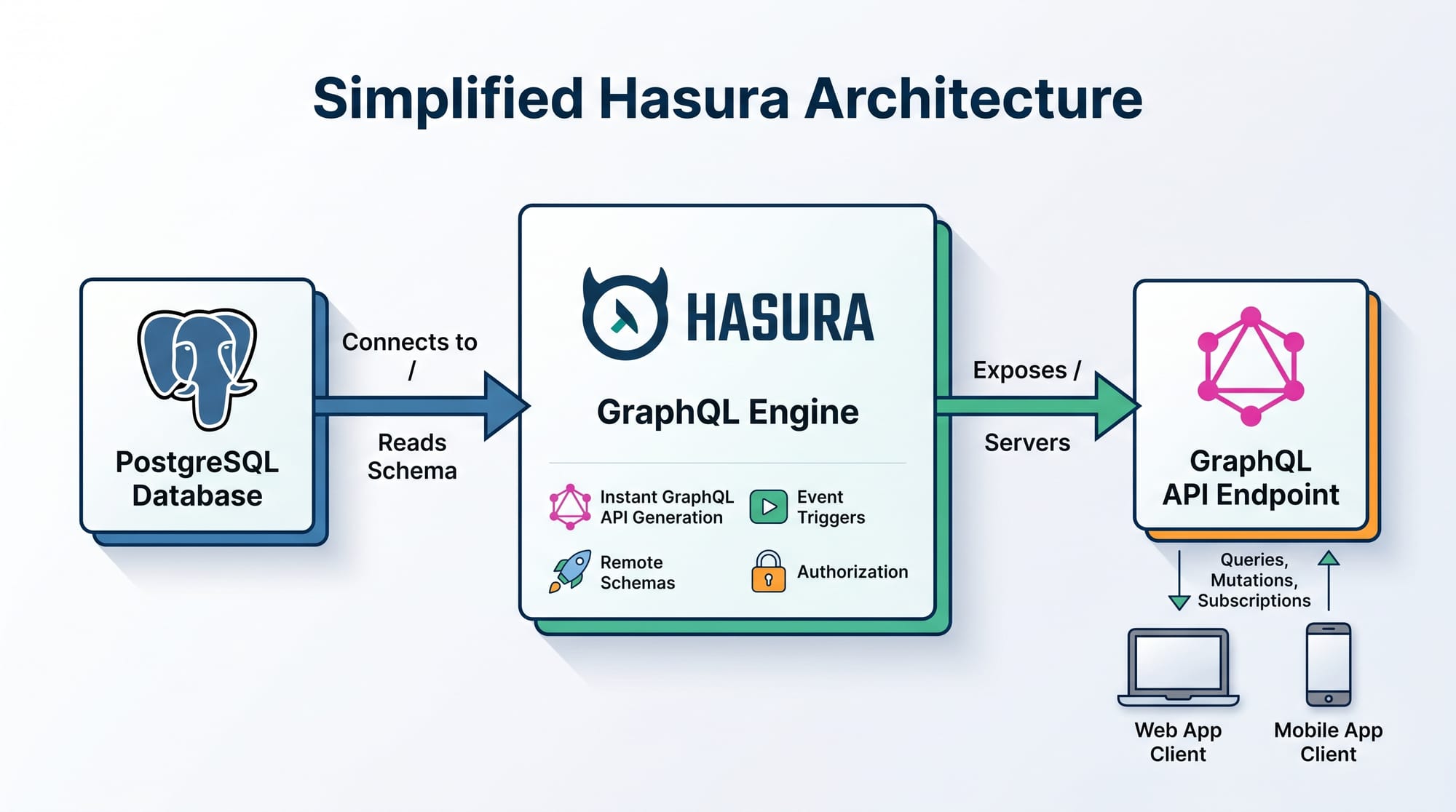
Hasura is a tool that sits on top of your PostgreSQL database and automatically creates a GraphQL API.
Instead of writing backend code manually, Hasura:
- Reads your database schema
- Generates queries, mutations, and subscriptions
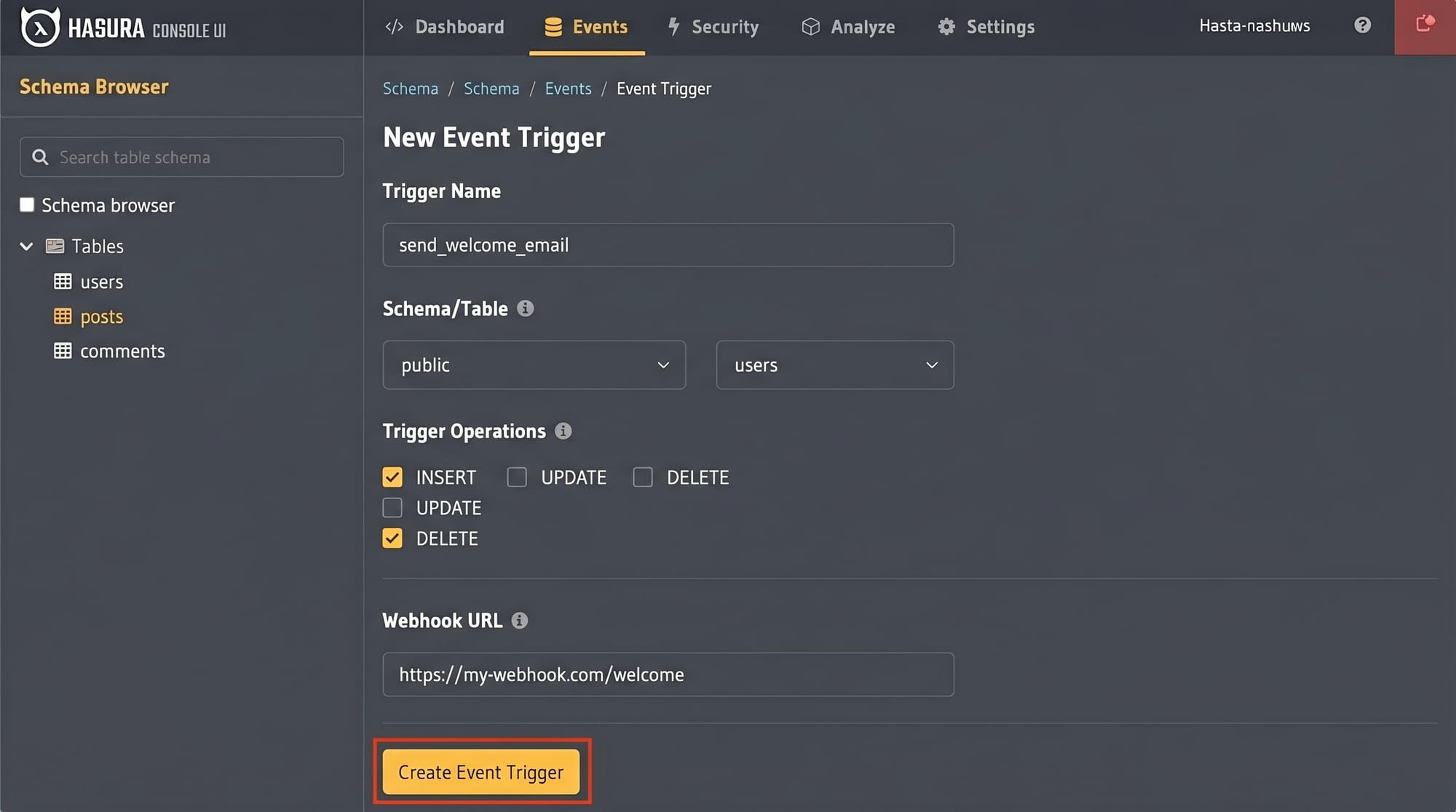
- Provides a UI (Hasura Console) to manage everything
Example:
If you create a table called students, Hasura automatically generates:
- Query:
students - Mutation:
insert_students - Subscription:
students_stream
This is what makes Hasura an instant GraphQL API solution.
Role-Based Access Control (RBAC) in Hasura
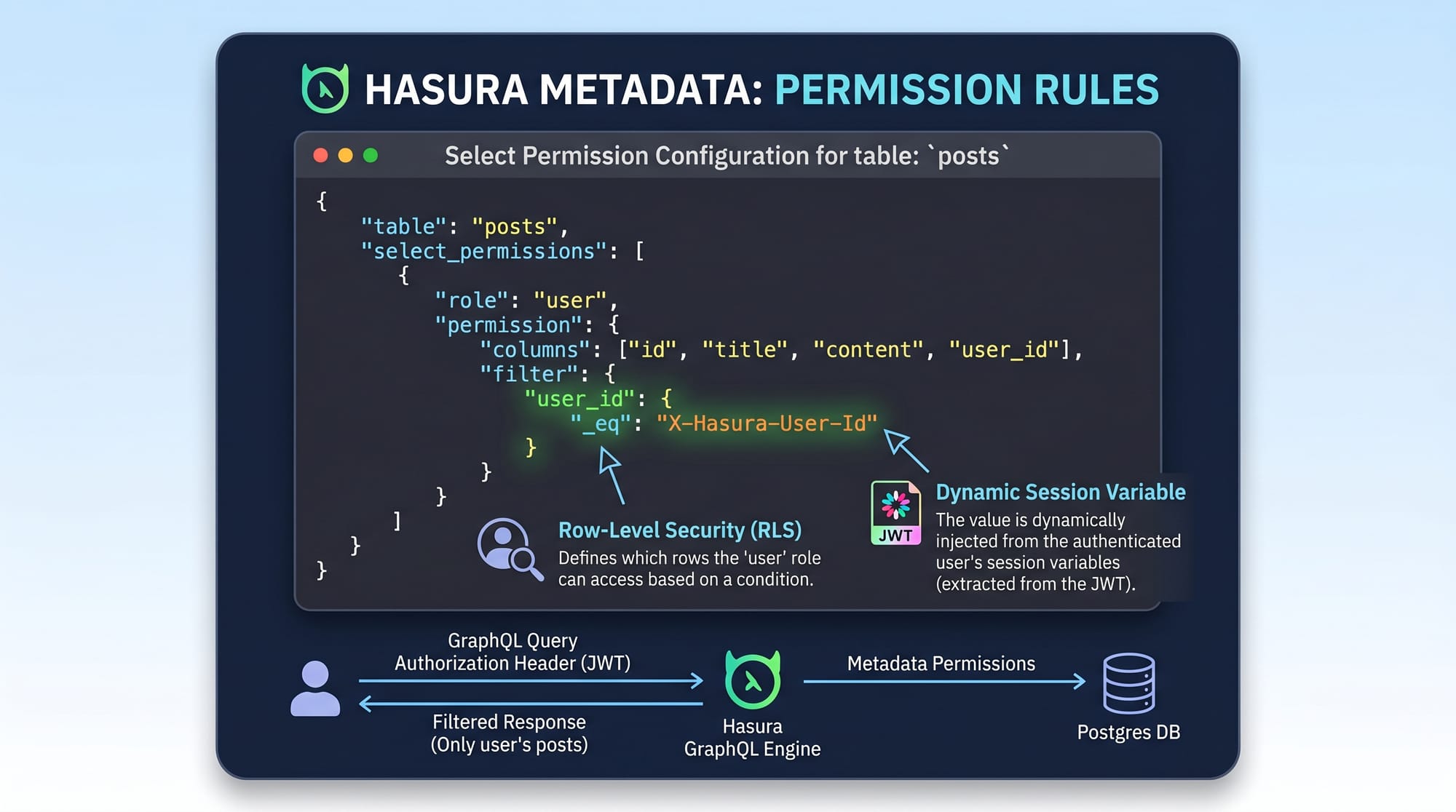
One of Hasura’s strongest features is its permission system.
You can control access based on user roles like:
adminstudentteacher
Example:
A student (Ali) should only see their own data.
Permission rule:
{
  "user_id": "X-Hasura-User-Id"
}
This means:
- Hasura reads the header
X-Hasura-User-Id - Filters data automatically
So if Ali logs in, he only sees his records—not Ahmad’s or Fatima’s.
Practical Code Examples
Example 1: Creating an Instant GraphQL API
Let’s create a simple student management system.
Step 1: Create PostgreSQL Table
CREATE TABLE students (
  id SERIAL PRIMARY KEY,
  name TEXT,
  city TEXT,
  fee_paid INTEGER
);
Explanation:
CREATE TABLE students→ Creates a new tableid SERIAL PRIMARY KEY→ Auto-increment IDname TEXT→ Stores student name (e.g., Ahmad)city TEXT→ Stores city (e.g., Karachi)fee_paid INTEGER→ Stores fee amount in PKR
Step 2: Add Table to Hasura
- Open Hasura Console
- Go to Data → Track Table
- Select
students
Now Hasura generates GraphQL API instantly.
Step 3: Query Data Using GraphQL
query GetStudents {
  students {
    id
    name
    city
    fee_paid
  }
}
Explanation:
query GetStudents→ Defines GraphQL querystudents→ Fetches all records- Fields (
id,name, etc.) → Select specific data
Step 4: Insert Data
mutation AddStudent {
  insert_students(objects: {
    name: "Ahmad",
    city: "Lahore",
    fee_paid: 50000
  }) {
    returning {
      id
      name
    }
  }
}
Explanation:
mutation AddStudent→ Used for inserting dataobjects→ Data to insertreturning→ Returns inserted data
Example 2: Real-World Application — University Fee System
Let’s build a real-world use case for a Pakistani university.
Scenario:
Fatima (admin) wants to track which students have paid fees.
GraphQL Query:
query PaidStudents {
  students(where: { fee_paid: { _gt: 0 } }) {
    name
    city
    fee_paid
  }
}
Explanation:
where→ Filters data_gt: 0→ Select students who paid fees- Returns only relevant students
Add Permission Rule
{
  "city": {
    "_eq": "Karachi"
  }
}
Explanation:
- Restricts data to Karachi students
- Useful for regional admins
Common Mistakes & How to Avoid Them
Mistake 1: Ignoring Permissions
Many beginners expose all data publicly.
Problem:
Anyone can access sensitive data.
Fix:
Always define role-based permissions:
{
  "user_id": "X-Hasura-User-Id"
}
This ensures users only see their own data.
Mistake 2: Not Using Relationships
Beginners often create tables but don’t link them.
Problem:
Data becomes disconnected.
Fix:
Create relationships in Hasura:
- Foreign keys
- Object relationships
Example:
Students → Courses
This allows nested queries like:
query {
  students {
    name
    courses {
      title
    }
  }
}
Practice Exercises
Exercise 1: Add Student Records
Problem:
Insert 3 students from Islamabad with different fees.
Solution:
mutation {
  insert_students(objects: [
    { name: "Ali", city: "Islamabad", fee_paid: 40000 },
    { name: "Fatima", city: "Islamabad", fee_paid: 60000 },
    { name: "Ahmad", city: "Islamabad", fee_paid: 0 }
  ]) {
    affected_rows
  }
}
Explanation:
- Inserts multiple records at once
affected_rowsshows number of inserts
Exercise 2: Filter Unpaid Students
Problem:
Find students who haven’t paid fees.
Solution:
query {
  students(where: { fee_paid: { _eq: 0 } }) {
    name
    city
  }
}
Explanation:
_eq: 0→ Filters unpaid students- Returns names and cities
Frequently Asked Questions
What is Hasura GraphQL?
Hasura GraphQL is a tool that instantly creates GraphQL APIs from a PostgreSQL database. It eliminates the need for manual backend development by auto-generating queries, mutations, and subscriptions.
How do I deploy Hasura in Pakistan?
You can deploy Hasura using Docker on local machines or cloud platforms like AWS and DigitalOcean. Many Pakistani developers start locally and then move to cloud hosting.
Is Hasura better than REST APIs?
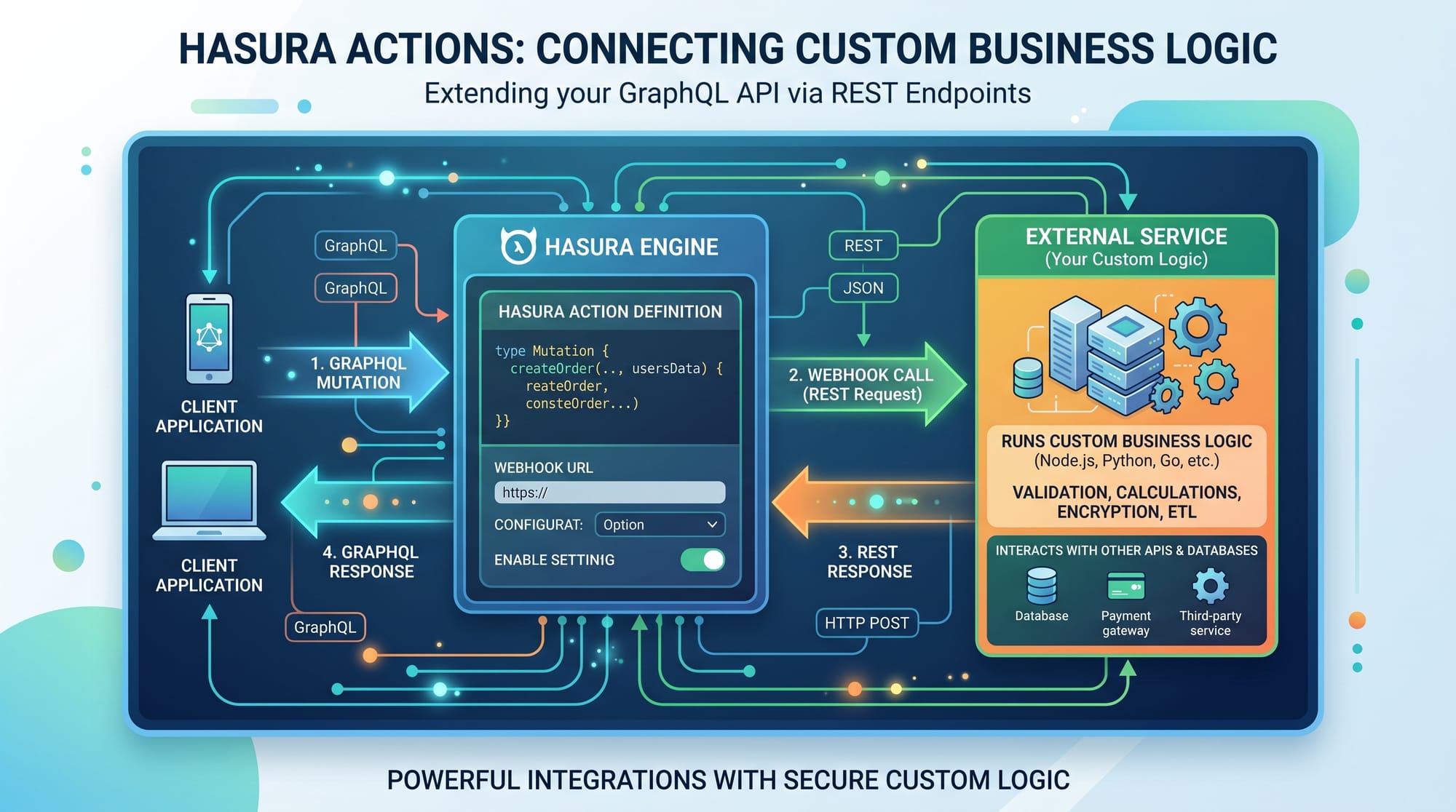
Hasura is faster for development because it auto-generates APIs. However, REST is still useful for custom logic. Many real-world apps use both together.
Can I use Hasura for freelancing projects?
Yes, Hasura is highly in demand on freelancing platforms. It helps you build APIs quickly, which is ideal for client projects with tight deadlines.
How do I secure my Hasura API?
You can secure your API using JWT authentication and role-based permissions. Always avoid exposing admin secrets publicly.
Summary & Key Takeaways
- Hasura allows you to create instant GraphQL APIs from PostgreSQL
- It reduces backend development time significantly
- Built-in permissions system ensures data security
- Supports real-time features using subscriptions
- Ideal for Pakistani students, freelancers, and startups
- Works seamlessly with modern frontend frameworks
Next Steps & Related Tutorials
To continue your learning journey, explore these tutorials on theiqra.edu.pk:
- Learn the basics in our GraphQL tutorial for beginners
- Master database design with our PostgreSQL tutorial
- Build APIs with Node.js in our backend development guide
- Explore authentication systems in modern web apps
By combining these skills with Hasura, you’ll be able to build complete, production-ready applications for real-world use in Pakistan and beyond 🚀
Test Your Python Knowledge!
Finished reading? Take a quick quiz to see how much you've learned from this tutorial.