Kotlin Multiplatform KMP Tutorial Share Code Everywhere 2026
Introduction
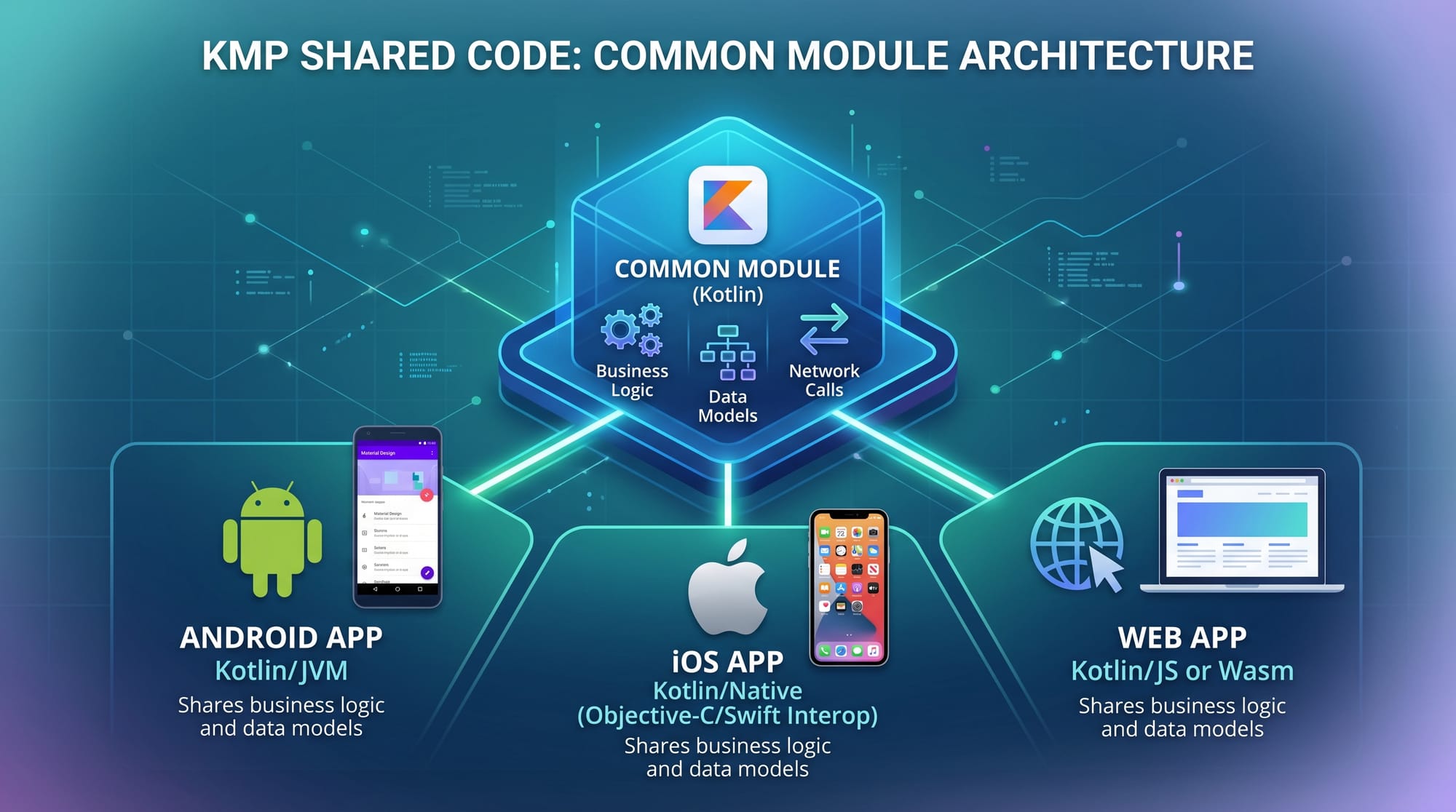
Kotlin Multiplatform (KMP) is a modern technology that allows developers to share code across multiple platforms like Android, iOS, web, and desktop using a single codebase. In this kotlin multiplatform tutorial: share code everywhere 2026, you will learn how to write business logic once and reuse it across platforms—saving time, effort, and cost.
For Pakistani students in cities like Lahore, Karachi, and Islamabad, KMP opens doors to global mobile development careers. Instead of learning separate languages like Swift (iOS) and Java/Kotlin (Android), you can focus on Kotlin and build apps for both platforms.
Imagine Ahmad building an e-commerce app for a local Pakistani business accepting payments in PKR—he can write core logic once and deploy it to Android and iOS simultaneously. That’s the power of kmp kotlin.
Prerequisites
Before starting this tutorial, you should have:
- Basic understanding of Kotlin programming
- Familiarity with Android development (optional but helpful)
- Basic knowledge of mobile app architecture (MVVM recommended)
- Installed tools:
- Android Studio (latest version)
- Kotlin plugin
- Xcode (for macOS users targeting iOS)
Core Concepts & Explanation
Shared vs Platform-Specific Code
In Kotlin Multiplatform, your project is divided into:
- Common (shared) code → Business logic, networking, data models
- Platform-specific code → UI, device APIs
Example structure:
shared/
  ├── commonMain/
  ├── androidMain/
  ├── iosMain/
Example: Shared function
fun greetUser(name: String): String {
    return "Hello, $name!"
}
Explanation:
fun greetUser→ Defines a functionname: String→ Input parameterreturn→ Returns greeting string- Works on Android, iOS, and web
Expect/Actual Mechanism
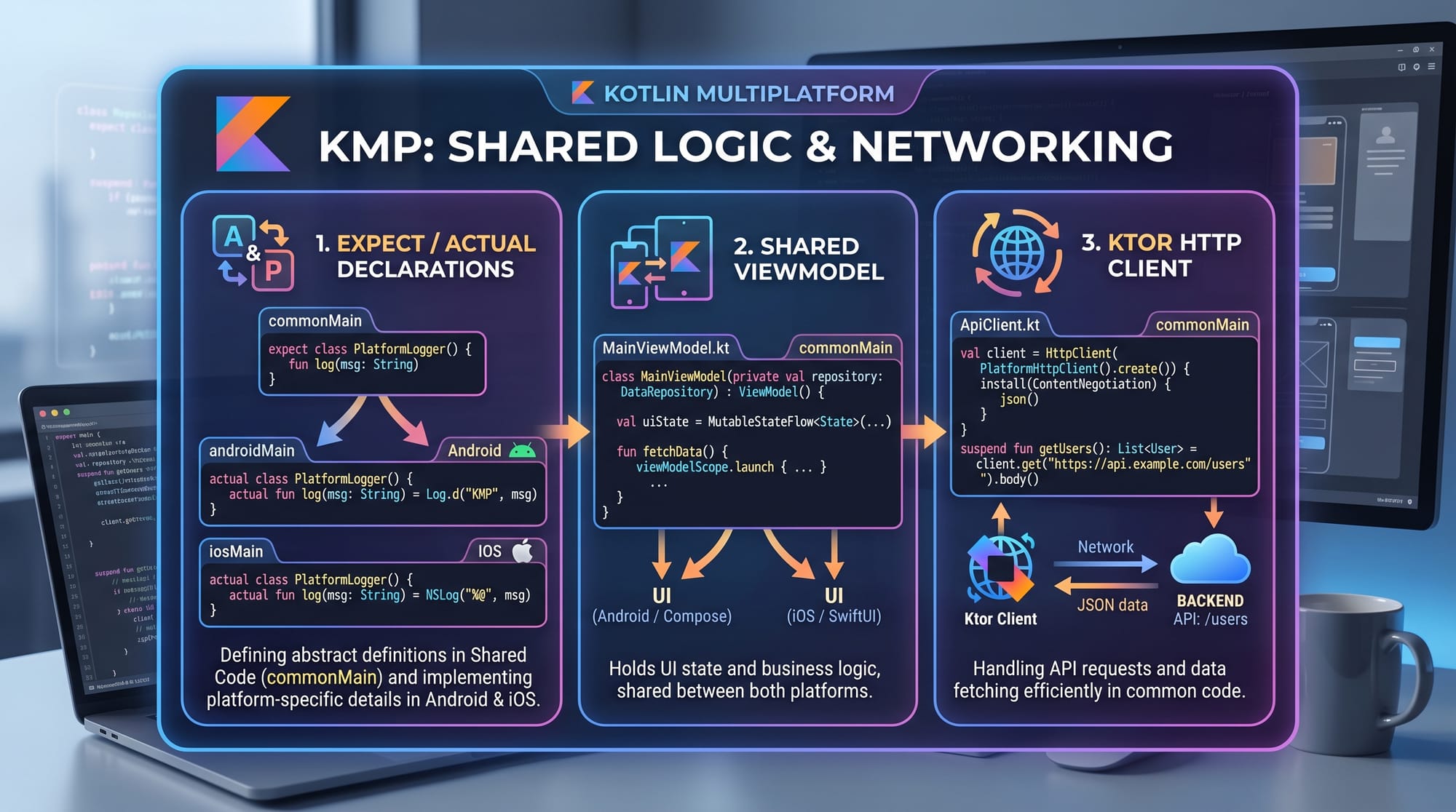
KMP uses expect/actual to handle platform-specific implementations.
Common code:
expect fun getPlatformName(): String
Explanation:
expect→ Declares a function without implementation- Used when behavior differs per platform
Android implementation:
actual fun getPlatformName(): String {
    return "Android"
}
iOS implementation:
actual fun getPlatformName(): String {
    return "iOS"
}
Explanation:
actual→ Provides platform-specific implementation- Same function, different behavior per platform
Shared Networking with Ktor
You can use Ktor for HTTP requests across platforms.
val client = HttpClient()

suspend fun fetchData(): String {
    return client.get("https://api.example.com/data")
}
Explanation:
HttpClient()→ Creates HTTP clientsuspend fun→ Asynchronous functionclient.get()→ Fetches data from API- Works across Android and iOS
Practical Code Examples
Example 1: Shared Business Logic for a Shopping App
Let’s create a shared function for calculating total price in PKR.
fun calculateTotal(price: Double, quantity: Int): Double {
    return price * quantity
}
Explanation:
price: Double→ Price of itemquantity: Int→ Number of itemsprice * quantity→ Calculates total cost
Usage Example:
val total = calculateTotal(500.0, 3)
println("Total: Rs. $total")
Explanation:
- Calls function with 500 PKR and 3 items
- Outputs:
Total: Rs. 1500.0
Example 2: Real-World Application (Shared API Call)
Let’s simulate a food delivery app used in Karachi.
data class FoodItem(val name: String, val price: Double)

fun getMenu(): List<FoodItem> {
    return listOf(
        FoodItem("Biryani", 300.0),
        FoodItem("Karahi", 1200.0),
        FoodItem("Burger", 500.0)
    )
}
Explanation:
data class FoodItem→ Defines structure for food itemsname→ Item nameprice→ Price in PKRlistOf()→ Creates list of items
Using the data:
val menu = getMenu()
menu.forEach {
    println("${it.name} - Rs. ${it.price}")
}
Explanation:
menu.forEach→ Loops through itemsit.name→ Access item nameit.price→ Access price
Common Mistakes & How to Avoid Them
Mistake 1: Putting UI Code in Shared Module
Problem:
Beginners try to write Android or iOS UI inside shared code.
Wrong:
Text("Hello from shared code")
Fix:
- Keep UI in platform modules
- Share only logic
Correct Approach:
fun getGreeting(): String {
    return "Hello from shared logic"
}
Mistake 2: Ignoring Platform Differences
Problem:
Assuming all APIs work the same across platforms.
Fix:
Use expect/actual
expect fun getCurrentTime(): String
Android:
actual fun getCurrentTime(): String {
    return System.currentTimeMillis().toString()
}
Explanation:
- Handles platform-specific behavior correctly
Practice Exercises
Exercise 1: Calculate Discount
Problem:
Create a function that applies a 10% discount on a product.
Solution:
fun applyDiscount(price: Double): Double {
    return price * 0.9
}
Explanation:
- Multiplies price by 0.9 (10% off)
Exercise 2: Platform Greeting
Problem:
Return different greetings based on platform.
Solution:
expect fun platformGreeting(): String
Android:
actual fun platformGreeting(): String {
    return "Welcome Android User!"
}
iOS:
actual fun platformGreeting(): String {
    return "Welcome iOS User!"
}
Explanation:
- Uses expect/actual for platform-specific output
Frequently Asked Questions
What is Kotlin Multiplatform?
Kotlin Multiplatform is a technology that allows developers to share code across Android, iOS, web, and desktop while keeping platform-specific flexibility.
How do I share code between Android and iOS?
You create a shared module (commonMain) for business logic and use platform modules (androidMain, iosMain) for UI and device-specific features.
Is KMP better than Flutter or React Native?
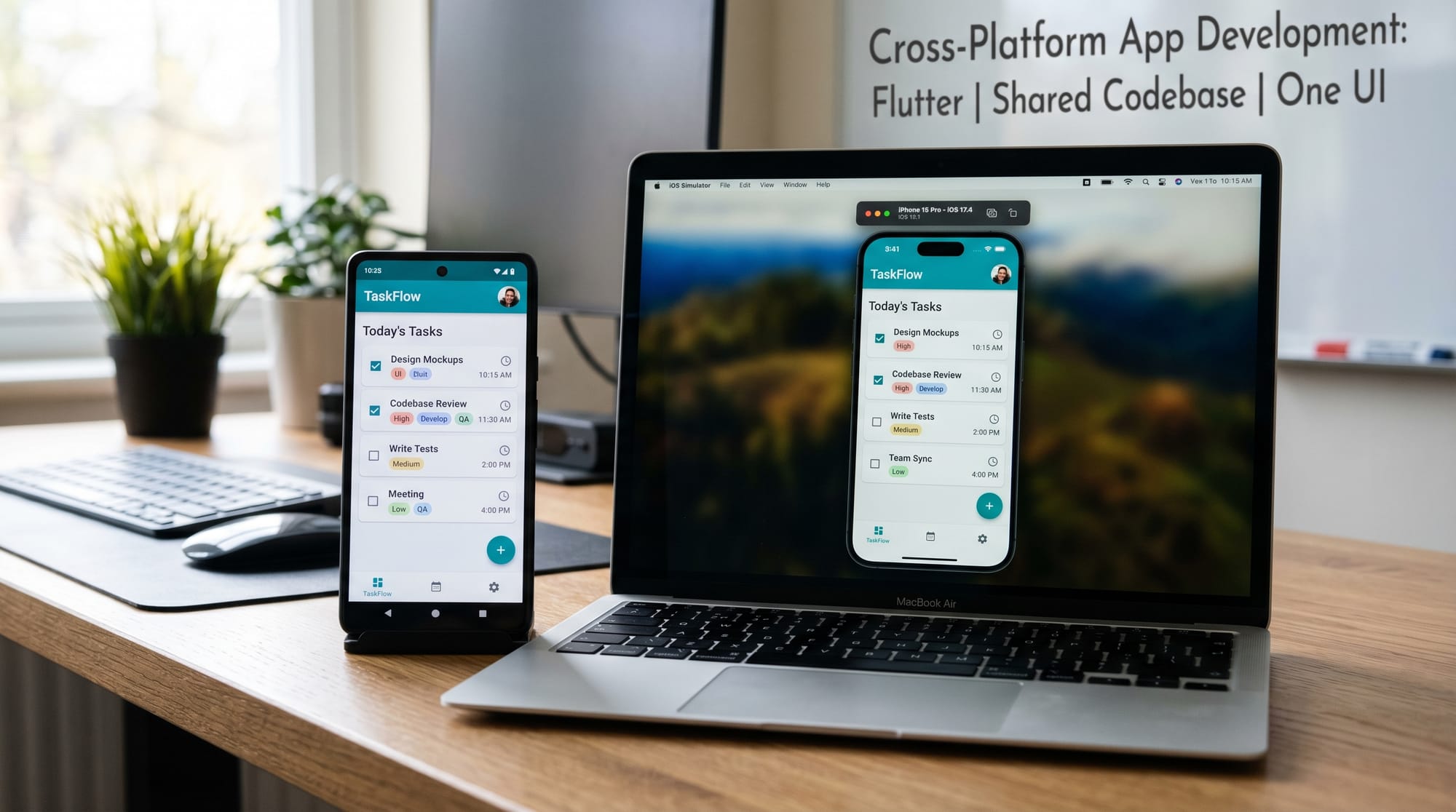
KMP focuses on code sharing, not full UI replacement. It allows native UI development, which can provide better performance and flexibility.
Do I need a Mac for iOS development?
Yes, to compile and run iOS apps, you need macOS with Xcode installed.
Can I use KMP for web development?
Yes, Kotlin Multiplatform supports web via Kotlin/JS, allowing shared logic across web and mobile.
Summary & Key Takeaways
- Kotlin Multiplatform lets you share code across Android, iOS, and more
- Use commonMain for shared logic and platform modules for UI
- expect/actual helps handle platform differences
- Libraries like Ktor enable shared networking
- Ideal for Pakistani developers aiming for global opportunities
- Reduces development time and maintenance effort
Next Steps & Related Tutorials
To continue your learning journey on theiqra.edu.pk, explore:
- Learn the basics with our Kotlin Tutorial to strengthen your foundation
- Build modern UIs using our Jetpack Compose Tutorial
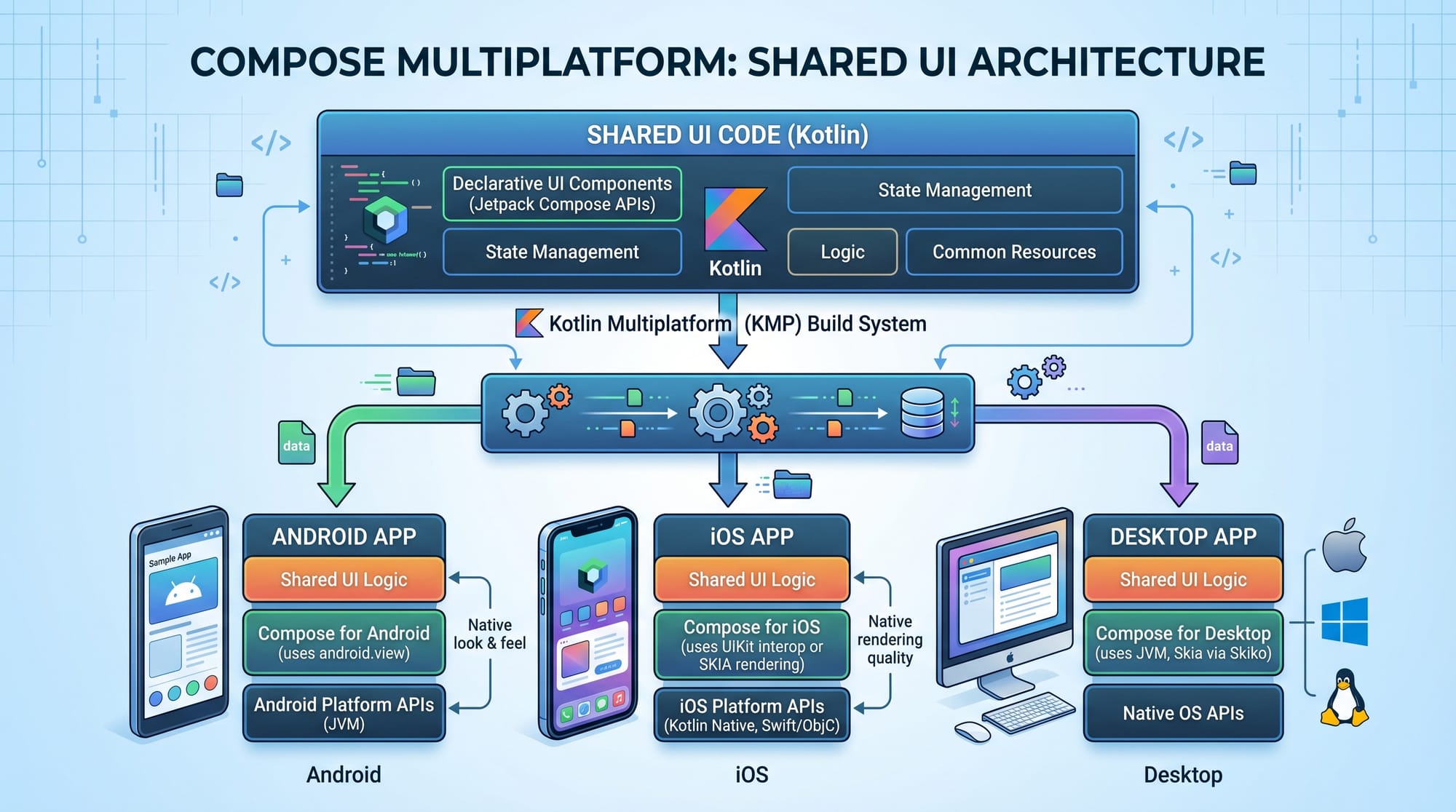
- Explore cross-platform UI with a Compose Multiplatform guide
- Understand backend integration with a Ktor Tutorial for APIs
These tutorials will help you become a complete Kotlin developer ready for real-world projects in Pakistan and beyond 🚀
Test Your Python Knowledge!
Finished reading? Take a quick quiz to see how much you've learned from this tutorial.