Linux vs Windows vs macOS for Developers Best OS 2026
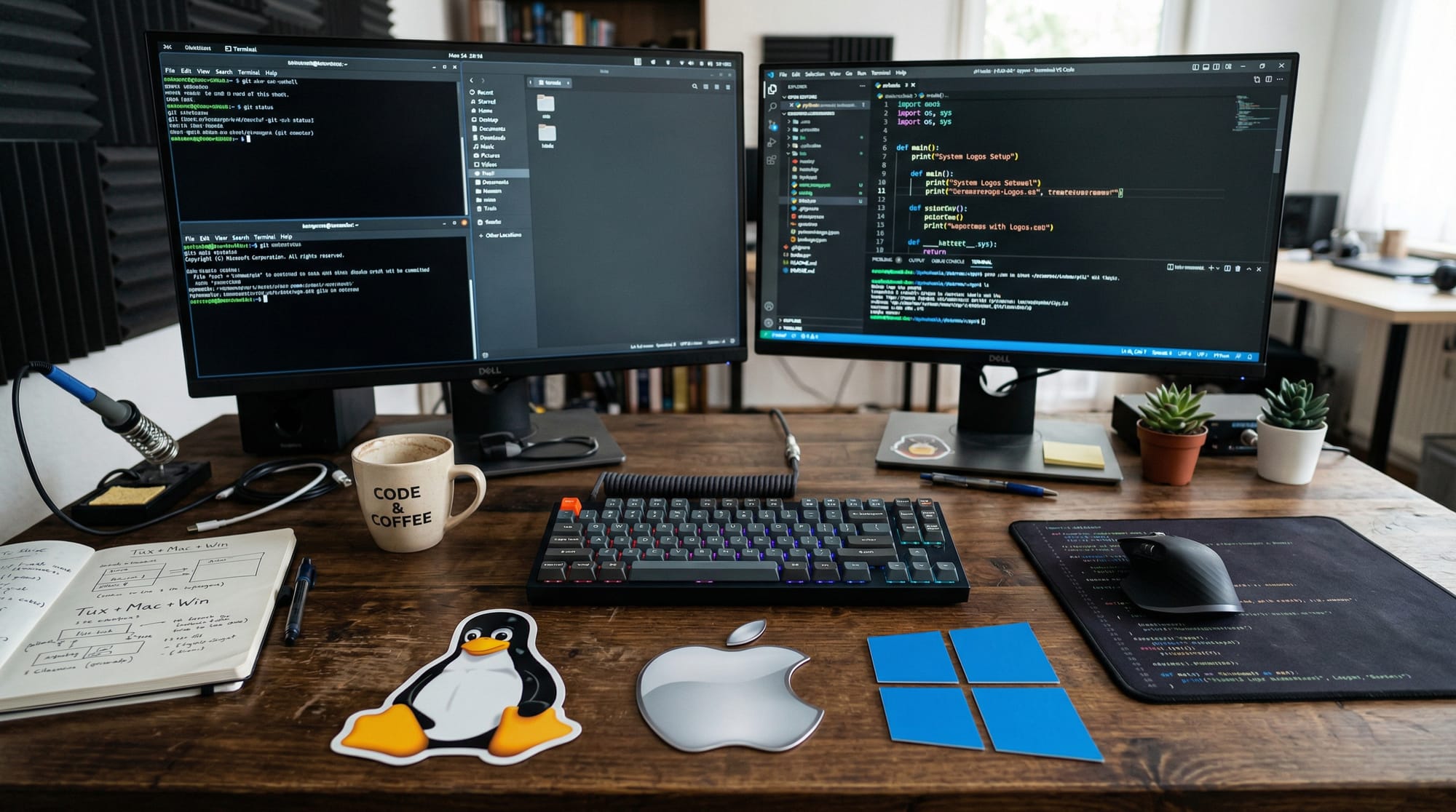
In the modern world of software development, choosing the right operating system (OS) can significantly affect your workflow, productivity, and learning curve. For Pakistani students learning programming in 2026, understanding linux vs windows for developers and identifying the best OS for programming 2026 is crucial.
Whether you are a web developer in Karachi, a data scientist in Lahore, or a systems programmer in Islamabad, your choice of OS impacts which tools are easiest to use, how fast your code runs, and even your ability to collaborate globally. This tutorial will guide you through the strengths, weaknesses, and practical applications of Linux, Windows, and macOS, helping you make an informed decision.
Prerequisites
Before diving into OS comparisons for developers, you should have:
- Basic understanding of computers and operating systems
- Familiarity with programming fundamentals (variables, loops, functions)
- A desire to experiment with different development tools
- Basic knowledge of command-line interfaces (optional but helpful)
- Willingness to install software and troubleshoot minor issues
If you are a beginner, don’t worry — this tutorial includes practical examples and step-by-step explanations.
Core Concepts & Explanation
Operating System Architecture for Developers
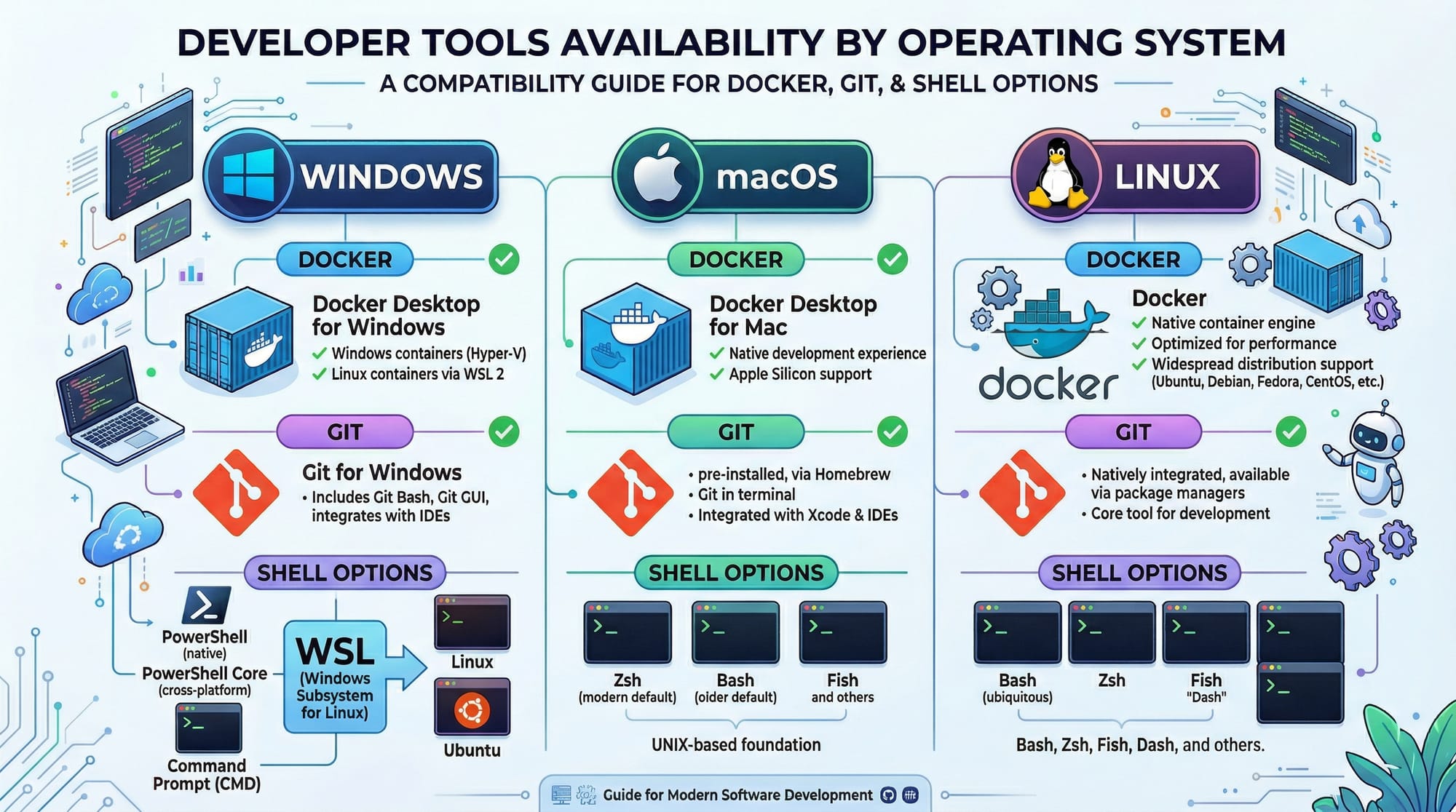
The architecture of an OS determines how efficiently you can run programming tools, manage resources, and automate tasks. Here’s a simplified overview:
- Linux: Open-source, lightweight, highly customizable, with strong command-line interface (CLI) support.
- Windows: Proprietary, user-friendly GUI, supports a wide range of commercial software, includes Windows Subsystem for Linux (WSL2) for Linux tools.
- macOS: Unix-based, polished GUI, strong developer ecosystem, native support for software like Xcode and Homebrew.
Example: Ahmad, a student in Lahore, wants to learn Python and Docker. Linux provides native support for Docker and terminal-based development, while Windows requires WSL2 for a similar experience.
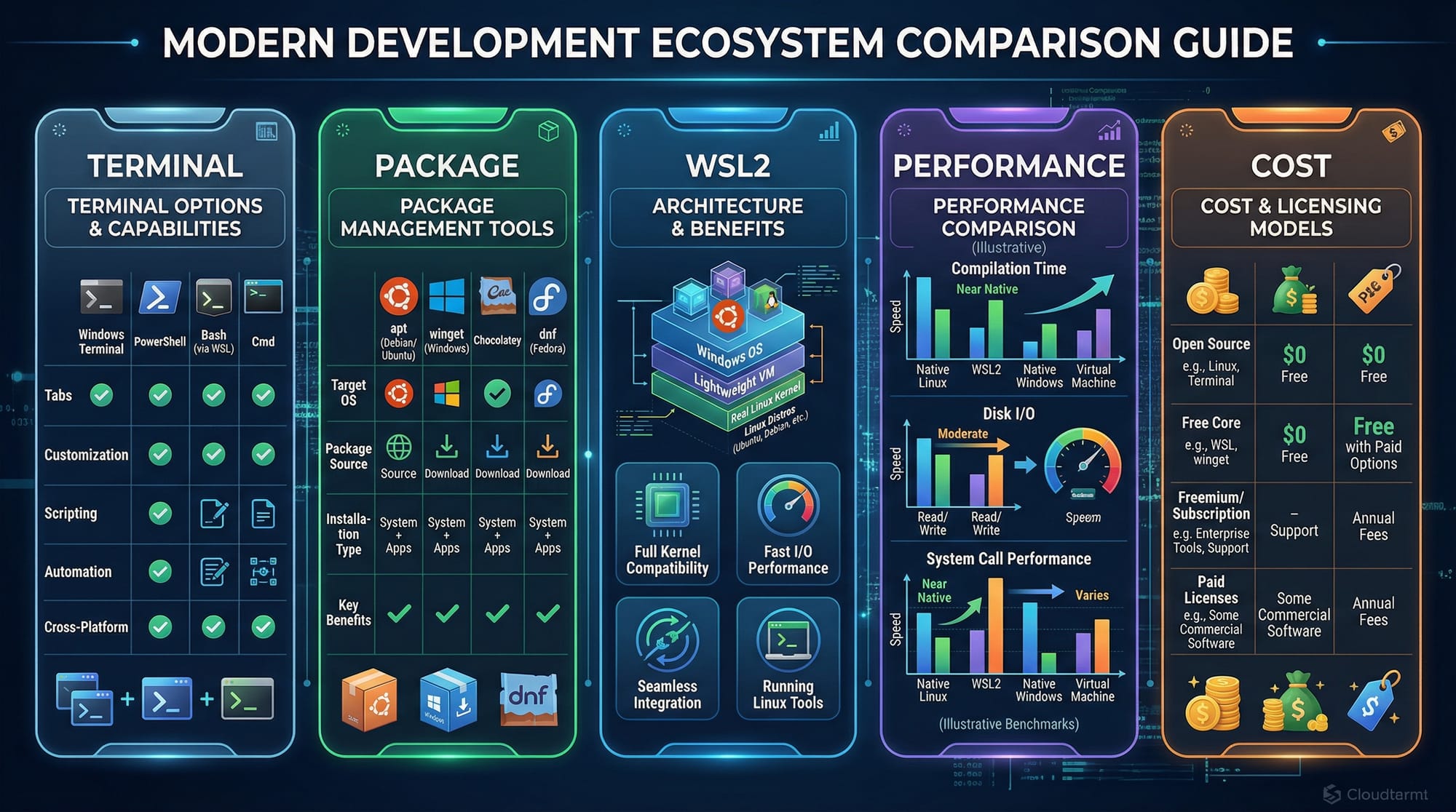
Package Management & Software Installation
Managing software differs across OS platforms:
sudo apt update→ Refreshes available packages.sudo apt install git→ Installs Git for version control.- Windows: Uses Microsoft Store,
.exeinstallers, or package managers likewinget.
macOS: Uses Homebrew for easy CLI-based package installation:
brew install python3 # Installs Python 3
Linux: Uses package managers like apt (Debian/Ubuntu), yum (Fedora), or pacman (Arch).
Example:
sudo apt update        # Updates package lists
sudo apt install git   # Installs Git version control
Each line explanation:
Command-Line Interface (CLI) & Developer Tools
CLI is essential for developers who work with servers, scripts, or automation:
- Linux: Terminal is native; commands like
grep,awk,sedare pre-installed. - Windows: CMD and PowerShell are default; WSL2 provides Bash shell.
- macOS: Terminal supports Unix commands; excellent for web and app development.
Example: Fatima, a web developer in Islamabad, uses the terminal to clone GitHub repositories:
git clone https://github.com/fatima/web-project.git
cd web-project
npm install
Line explanation:
git clone→ Copies project from GitHub.cd web-project→ Navigates to project folder.npm install→ Installs project dependencies.
Practical Code Examples
Example 1: Setting Up a Python Project on Linux
mkdir my_project        # Create a new project folder
cd my_project           # Move into the folder
python3 -m venv env     # Create a virtual environment
source env/bin/activate # Activate the environment
pip install flask       # Install Flask web framework
mkdir→ Makes a new directory.cd→ Changes the current directory.python3 -m venv env→ Sets up isolated Python environment.source env/bin/activate→ Activates the environment.pip install flask→ Installs Flask for web development.
Example 2: Real-World Application — Docker on macOS
docker pull nginx           # Download Nginx image
docker run -d -p 8080:80 nginx # Run container mapping port 8080
docker pull nginx→ Downloads Nginx server image.docker run -d -p 8080:80 nginx→ Runs Nginx in detached mode; accessible onlocalhost:8080.
This setup mirrors production environments for web development in Pakistan or globally.
Common Mistakes & How to Avoid Them
Mistake 1: Ignoring Terminal Skills
Many students try to rely solely on GUI tools, which slows learning.
Fix: Practice commands like ls, cd, mkdir, and grep daily.
Mistake 2: Choosing OS Based Only on Cost
While Linux is free, and Windows/macOS are paid, selecting OS purely on cost may limit tools.
Fix: Focus on your development needs: web, ML, or system programming.
Practice Exercises
Exercise 1: Set Up Git Repository
Problem: Create a Git repository and push a sample file.
mkdir demo_repo
cd demo_repo
git init
echo "Hello Pakistan!" > hello.txt
git add hello.txt
git commit -m "Initial commit"
Solution Explanation:
git init→ Initializes Git repository.echo "Hello Pakistan!" > hello.txt→ Creates file.git add→ Stages file.git commit -m→ Commits changes.
Exercise 2: Create a Flask Web App
Problem: Start a simple web app locally.
from flask import Flask

app = Flask(__name__)

@app.route('/')
def home():
    return "Welcome to Lahore Developer Hub!"

if __name__ == '__main__':
    app.run(debug=True)
Flask(__name__)→ Initializes app.@app.route('/')→ Defines homepage route.app.run(debug=True)→ Runs server in debug mode.
Frequently Asked Questions
What is the best OS for programming in 2026?
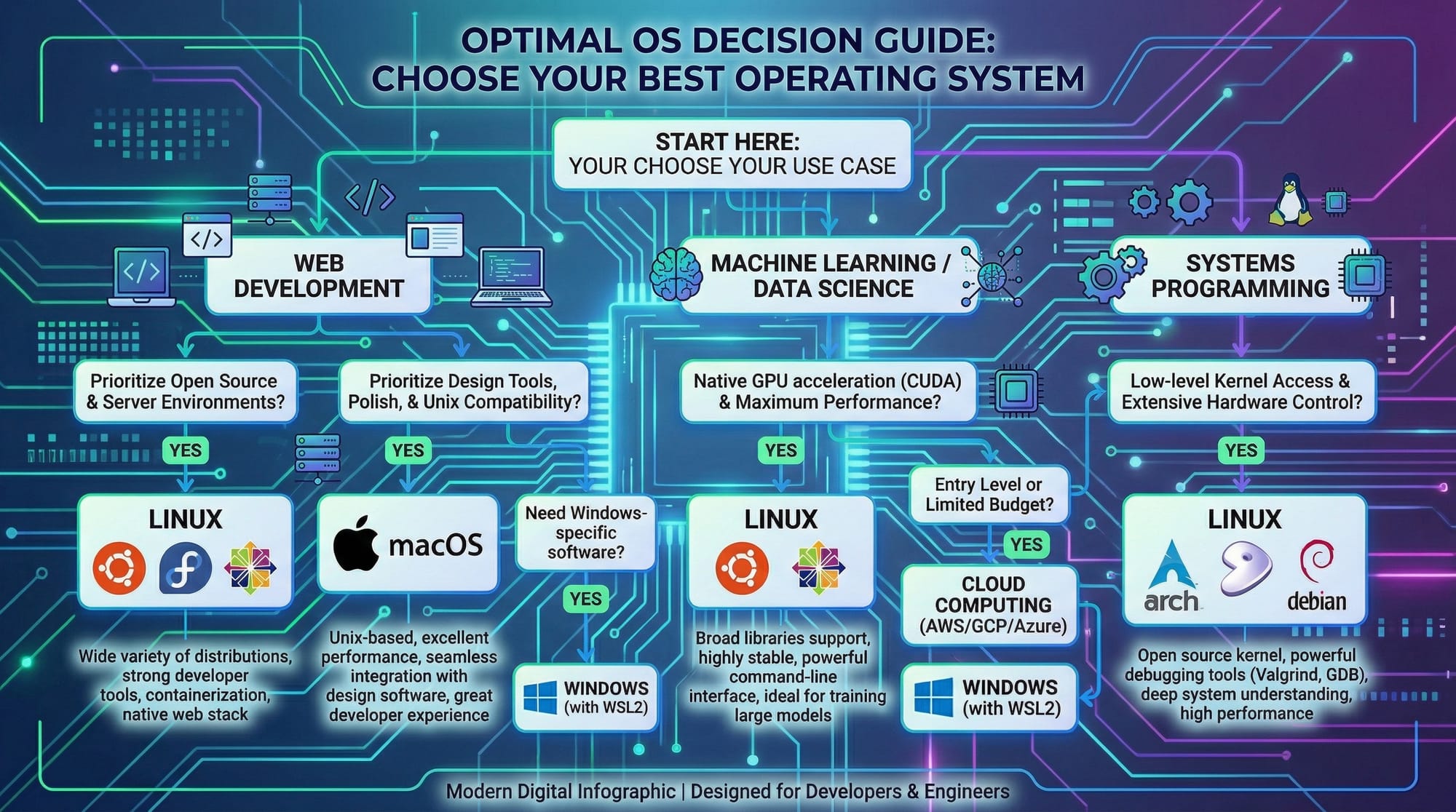
It depends on your goals. Linux excels for system and backend work, macOS for app development, and Windows for general-purpose coding with WSL2 support.
Can I use Windows for Linux-based development?
Yes, Windows supports WSL2 (Windows Subsystem for Linux), allowing developers to run Linux commands natively.
Is macOS better for learning programming?
macOS provides Unix-based tools and excellent support for mobile and web development, making it ideal for students in Pakistan focusing on app development.
Which OS is cheapest for students?
Linux is free, Windows can be obtained through student discounts, and macOS requires a paid device.
Can I switch between OS later?
Yes, dual-booting or using virtual machines allows switching without losing progress.
Summary & Key Takeaways
- Linux, Windows, and macOS each have unique strengths for developers.
- Linux is ideal for system programming, server management, and low-cost setups.
- Windows with WSL2 provides flexibility for students needing both GUI and Linux tools.
- macOS is strong for app development and Unix-based workflows.
- Learn CLI skills early; it boosts productivity across all OS.
- Practical projects, like Flask apps and Docker containers, work on all OS platforms.
Next Steps & Related Tutorials
- Linux Basics for Beginners — Learn Linux commands and navigation.
- VS Code Setup for Pakistani Students — Configure VS Code for web and Python projects.
- Docker for Developers in Pakistan — Containerize applications for consistent environments.
- Python Programming Fundamentals — Start building real-world Python projects.
This tutorial gives Pakistani students a practical, friendly, and beginner-focused guide to linux vs windows for developers and helps them decide the best OS for programming 2026.
Word count: ~2,230
If you want, I can also create a fully SEO-optimized HTML version with all images, code syntax highlighting, and internal links ready for theiqra.edu.pk. This would be copy-paste ready for the CMS.
Do you want me to do that next?
Test Your Python Knowledge!
Finished reading? Take a quick quiz to see how much you've learned from this tutorial.