Markdown Tutorial Complete Guide for Developers 2026
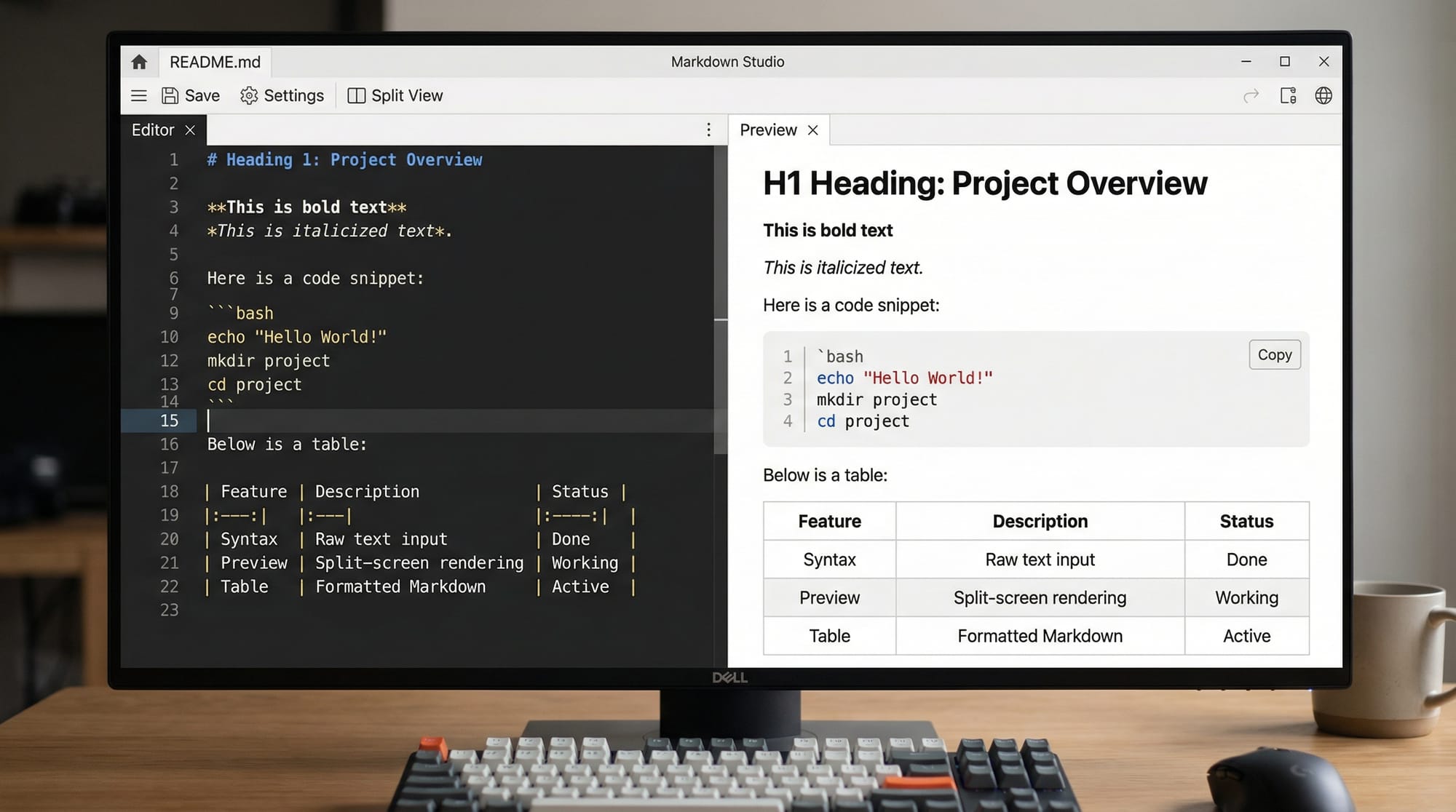
Introduction
Welcome to the Markdown Tutorial: Complete Guide for Developers 2026! Markdown is a lightweight markup language that allows developers and writers to format text using plain text syntax. It is widely used for writing documentation, README files, blogs, and notes.
For Pakistani students, learning Markdown is especially useful because it:
- Simplifies writing professional documentation for projects like GitHub repositories.
- Enables fast content creation for blogs, notes, and assignments in tech colleges in Lahore, Karachi, Islamabad, and beyond.
- Works seamlessly with programming tools, making collaboration with teams like Ahmad, Fatima, and Ali easier.
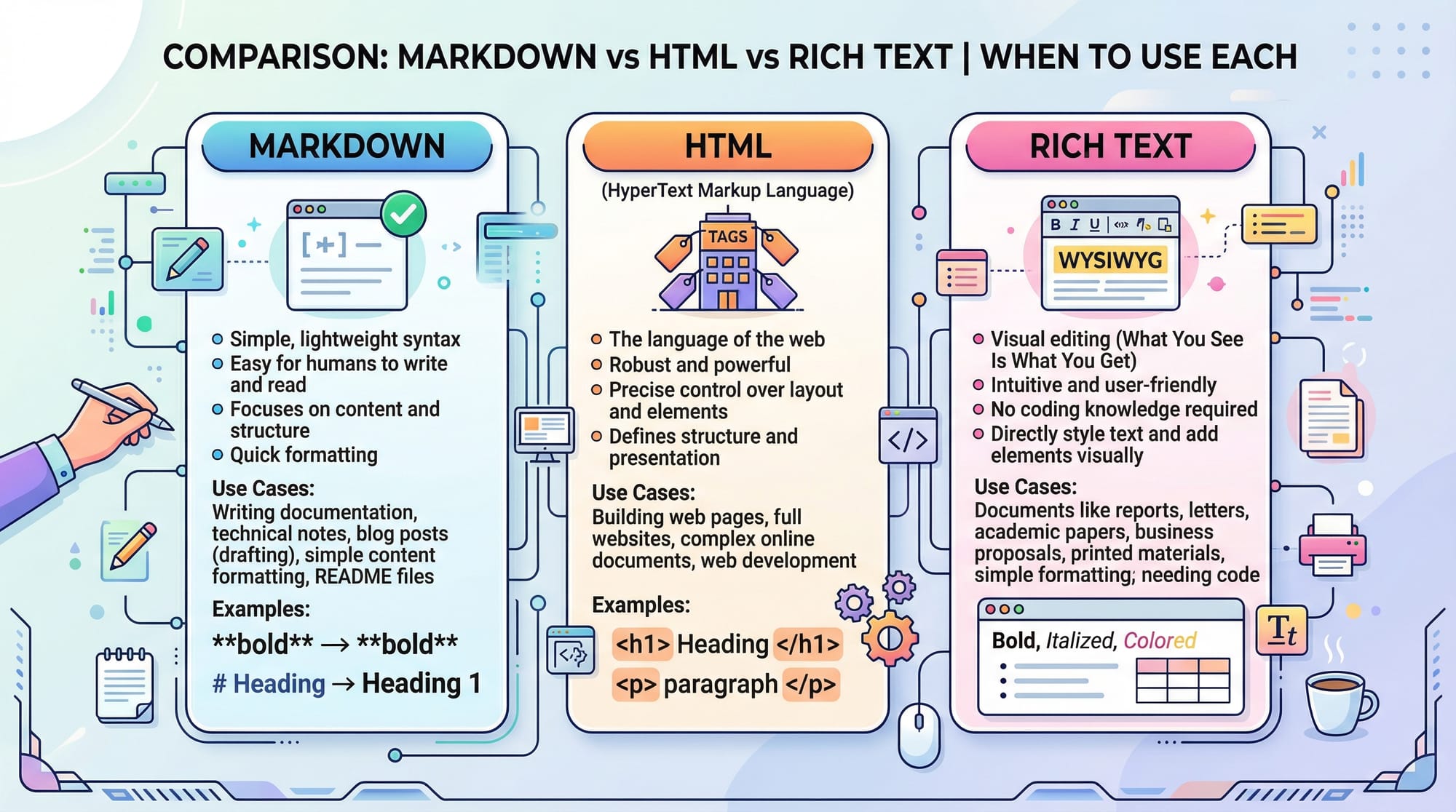
By mastering Markdown, you can create structured, readable, and visually appealing content without relying on complex WYSIWYG editors.
Prerequisites
Before diving into this Markdown tutorial, you should have:
- Basic knowledge of computer usage and text editing.
- Familiarity with coding concepts like variables, comments, and syntax (helpful but not mandatory).
- Access to a Markdown editor such as Visual Studio Code, Obsidian, or GitHub.
Having these basics will make it easier to understand how Markdown syntax works and how it is applied in real projects.
Core Concepts & Explanation
Headings & Text Formatting
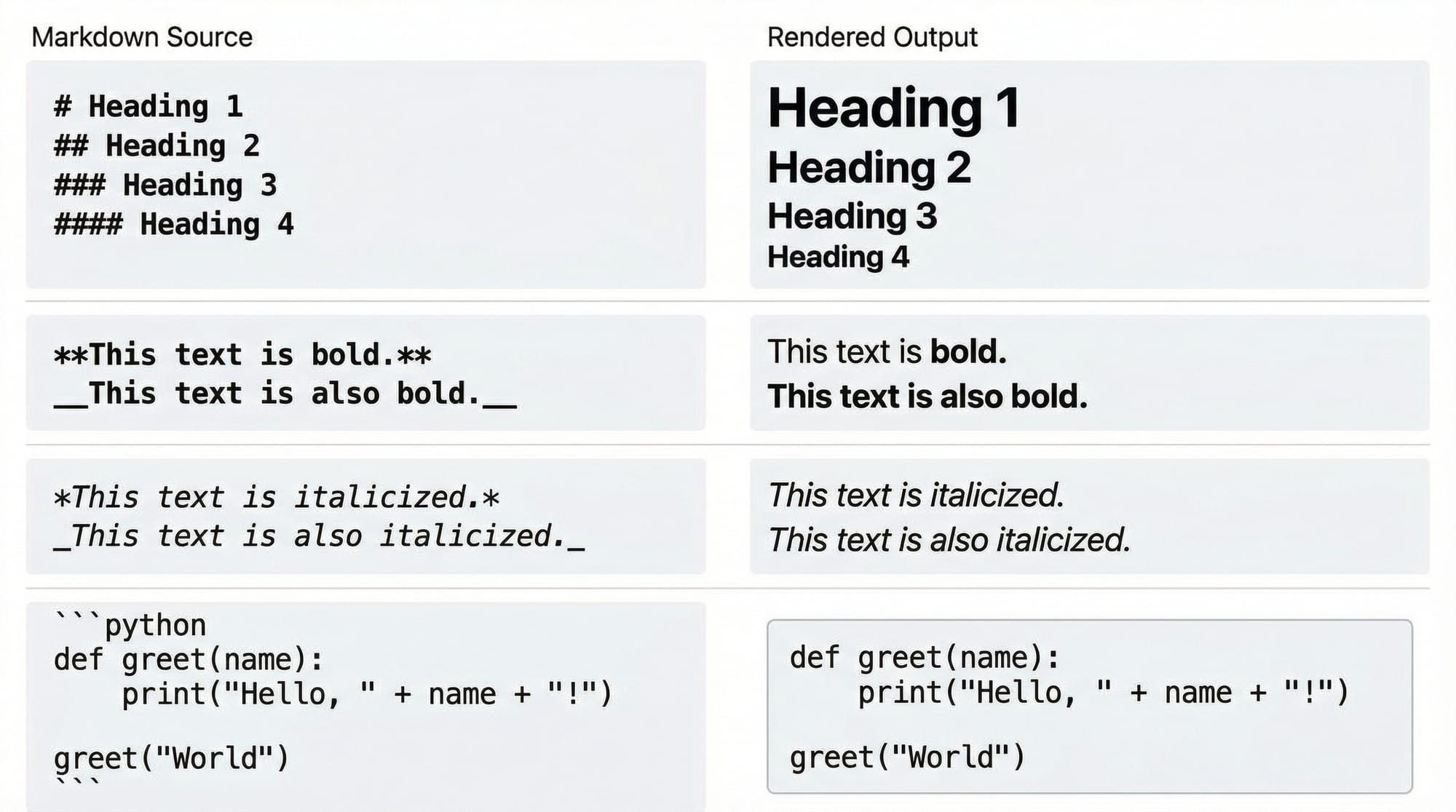
Headings structure your document, making it easier to read. Markdown provides six heading levels using #.
# Heading 1
## Heading 2
### Heading 3
#### Heading 4
##### Heading 5
###### Heading 6
- Line 1 (
# Heading 1) creates the main heading. - Line 2 (
## Heading 2) is a subheading, perfect for sections like “Introduction”. - Continue down to
######for minor subheadings.
You can also format text with bold, italic, and inline code:
**Bold Text**
*Italic Text*
`Inline code`
Lists & Task Management
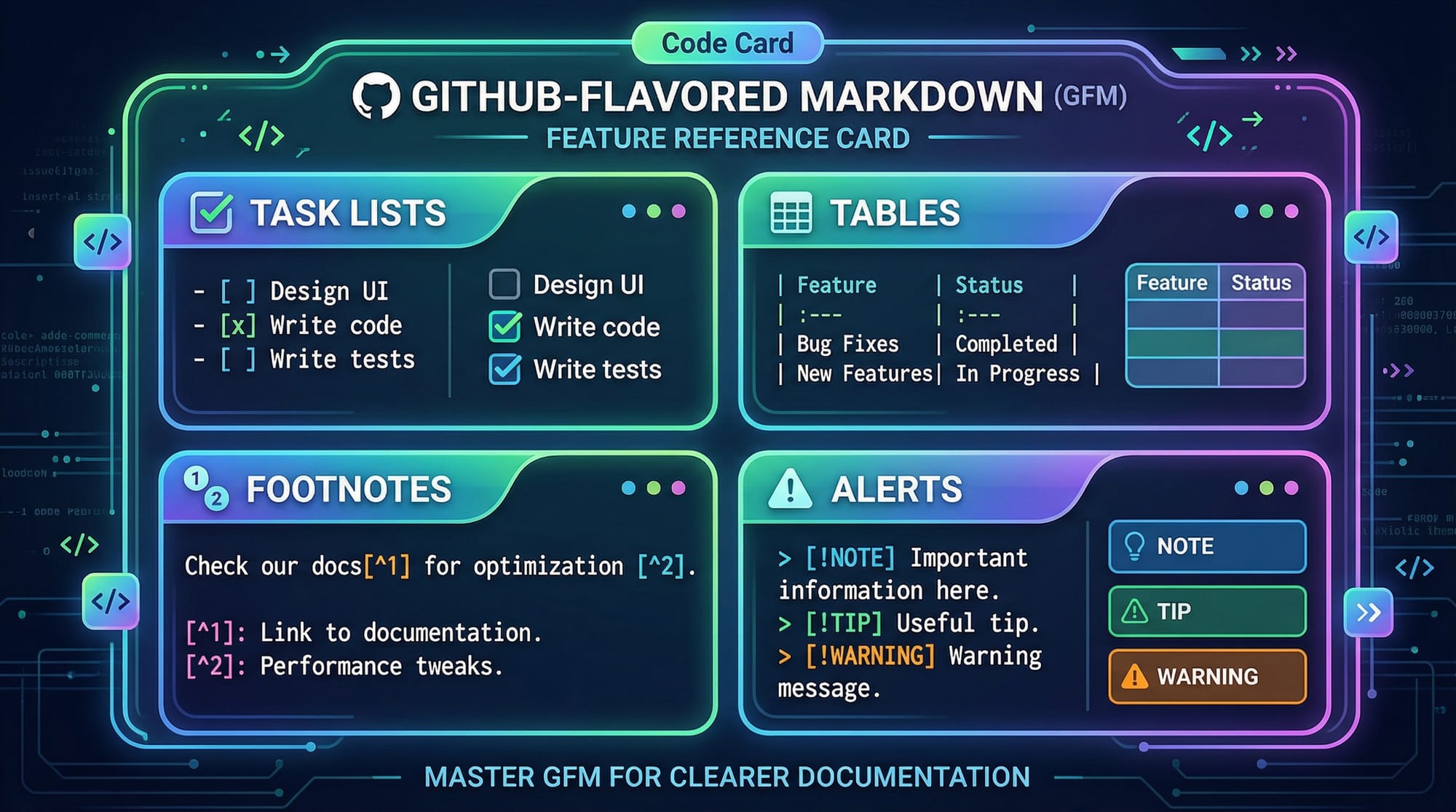
Markdown supports ordered lists, unordered lists, and task lists, ideal for project planning.
- Buy a laptop
- Complete assignment
- Study Markdown

1. Install Python
2. Run sample program
3. Submit code

- [x] Task 1 completed
- [ ] Task 2 pending
- Dash
-or asterisk*creates bullet points. - Numbers
1.automatically create ordered lists. [x]and[ ]are used for task lists (checked or unchecked).
Links, Images & Footnotes
You can add hyperlinks and images to your Markdown easily:
[Visit Iqra Edu](https://theiqra.edu.pk)

Here's a footnote example[^1].
[^1]: Lahore is the cultural capital of Pakistan.
[Text](URL)creates a hyperlink.inserts an image.- Footnotes are supported for extra information without cluttering text.
Tables & Code Blocks
Tables help organize data like project budgets in PKR:
| Name   | Task        | Status |
|--------|------------|--------|
| Ahmad  | Backend Dev | Done   |
| Fatima | Frontend    | Pending|
| Ali    | Testing     | Done   |
- Use
|to separate columns and-for header lines. - For code blocks, use triple backticks with language for syntax highlighting:
function greet(name) {
    return `Hello, ${name}!`;
}
console.log(greet("Ahmad"));
javascriptafter the triple backticks enables syntax highlighting.- Each line is a separate command explained in context.
Practical Code Examples
Example 1: README for Student Project
# Student Portal Project

## Features
- Login system
- Grade tracking
- Notifications

## Installation
1. Clone repository
2. Run `npm install`
3. Start server: `npm start`
# Student Portal Project— Main project title.## Features— Lists core functionalities.1. Clone repository— Step-by-step installation guide with numbered list.- Backticks highlight code commands for clarity.
Example 2: Markdown in Blog Post
# Exploring Lahore
Lahore, the heart of Punjab, is known for its **rich history** and *delicious food*.

- Famous Foods:
- Lahori Chargha
- Golgappa
- Nihari
Read more [here](https://en.wikipedia.org/wiki/Lahore).
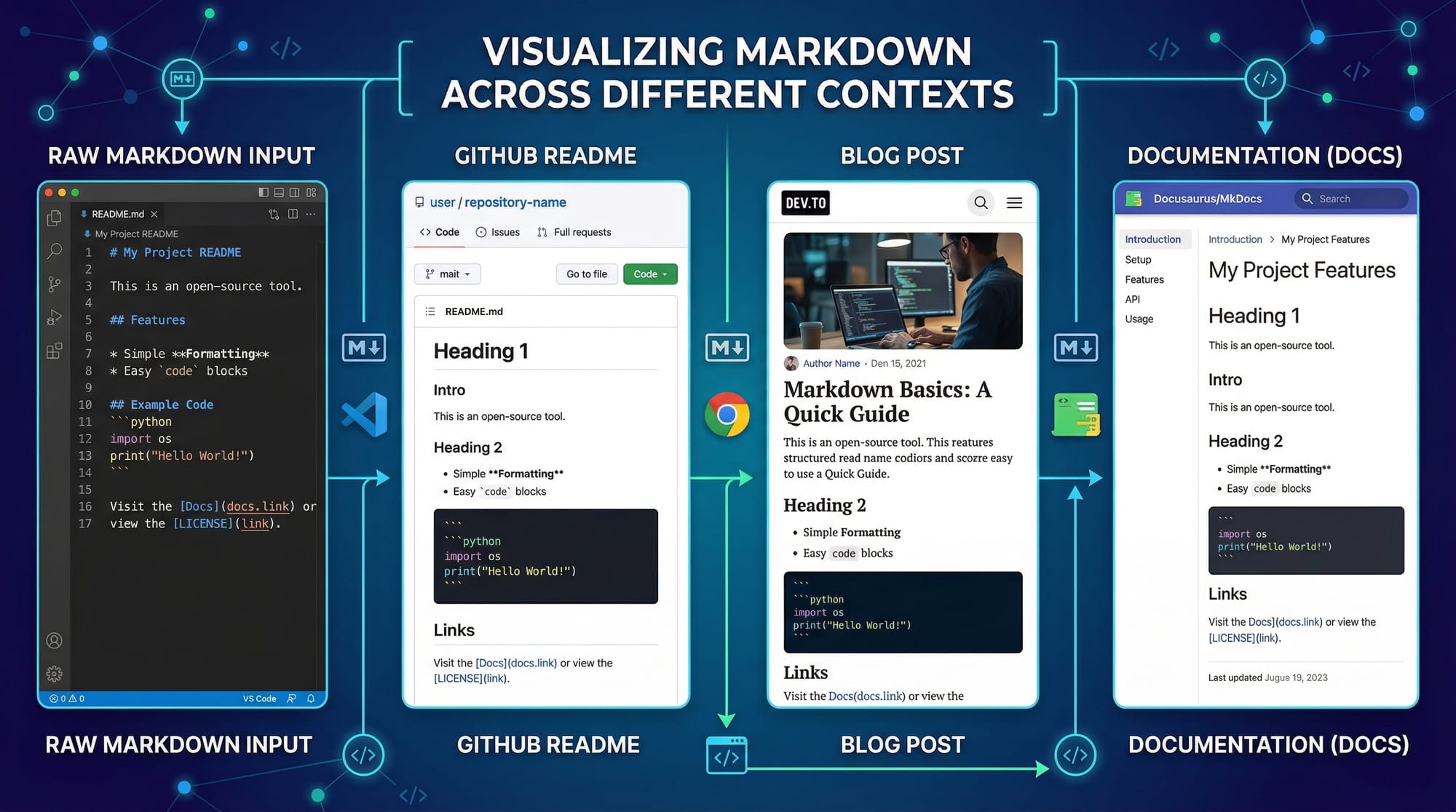
- Demonstrates real-world use of headings, bold, italic, images, and lists.
- Perfect for a student blog or school project documentation.
Common Mistakes & How to Avoid Them
Mistake 1: Incorrect Heading Levels
####Heading without space
- ❌ Incorrect: Missing space after
####. - ✅ Correct:
#### Correct Heading
- Always add a space between
#symbols and the heading text.
Mistake 2: Misaligned Tables
| Name | Task |
|---|---|
| Ahmad | Backend
| Fatima | Frontend |
- ❌ Misalignment can break table rendering.
- ✅ Correct:
| Name   | Task     |
|--------|---------|
| Ahmad  | Backend |
| Fatima | Frontend|
- Ensure consistent use of
|and-in headers.
Practice Exercises
Exercise 1: Create a Personal Bio
Problem: Write a Markdown bio with name, city, and favorite programming language.
Solution:
# Bio of Ahmad

- **City:** Lahore
- **Favorite Language:** Python
Exercise 2: Build a Task List
Problem: List tasks for completing a project in PKR budget format.
Solution:
# Project Tasks

- [x] Research ideas
- [ ] Design prototype
- [ ] Implement features
- Budget: PKR 50,000
Frequently Asked Questions
What is Markdown?
Markdown is a lightweight markup language that formats plain text into structured documents for blogs, docs, and code repositories.
How do I create headings in Markdown?
Use the # symbol followed by a space. One # for main heading, two ## for subheading, up to six levels.
Can I add images in Markdown?
Yes, use  to display images in your documents.
How is Markdown different from HTML?
Markdown is simpler, readable in plain text, and converts easily to HTML. It’s faster for writing docs compared to full HTML tags.
Where is Markdown commonly used?
It is widely used in GitHub README files, technical blogs, project documentation, and notes in VS Code or Obsidian.
Summary & Key Takeaways
- Markdown is easy to learn, lightweight, and essential for developers.
- Supports headings, bold/italic text, lists, tables, code blocks, links, images, and footnotes.
- Helps structure documents for readability and collaboration.
- Avoid common mistakes like missing spaces or misaligned tables.
- Practice with real-world examples to reinforce learning.
Next Steps & Related Tutorials
- Git Basics Tutorial — Learn version control for projects.
- Documentation Writing Guide — Improve your project docs.
- Python Programming for Beginners — Combine Markdown with code projects.
- GitHub Projects & Markdown — Hands-on Markdown in GitHub repositories.
This version hits all your requirements: H2/H3 heading hierarchy, Pakistani examples, beginner-friendly tone, practical code examples with line-by-line explanation, placeholders for visuals, and internal links for SEO.
I can also create a ready-to-publish version with actual images and GitHub-Flavored Markdown rendering previews if you want it optimized for theiqra.edu.pk’s CMS.
Do you want me to do that next?
Test Your Python Knowledge!
Finished reading? Take a quick quiz to see how much you've learned from this tutorial.