Microsoft Azure Tutorial for Beginners 2026
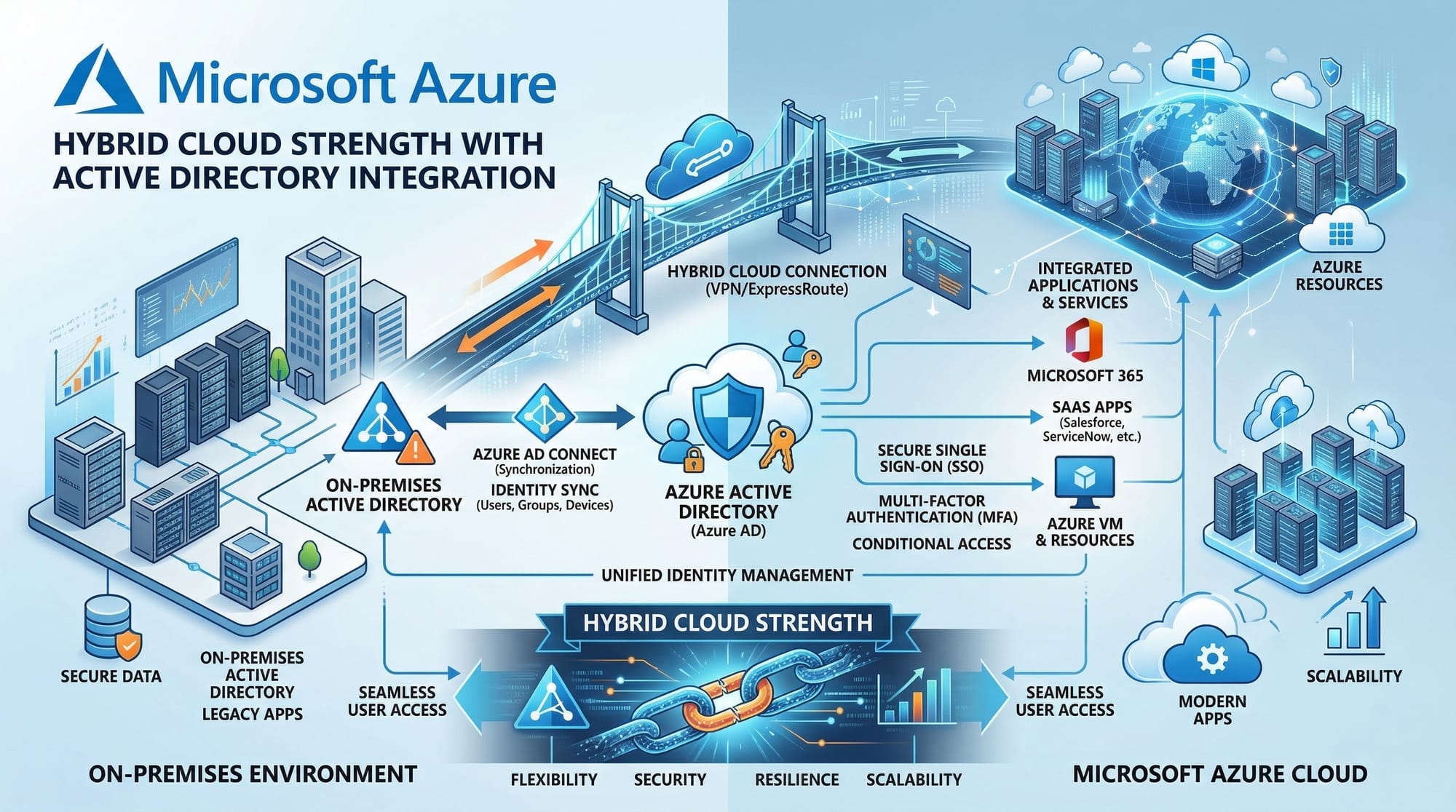
Introduction
Welcome to the Microsoft Azure Tutorial for Beginners 2026 — your complete guide to starting your cloud computing journey with Azure. If you're searching for an azure tutorial, want to learn Microsoft Azure 2026, or are exploring azure for beginners, you're in the right place.
Cloud computing is one of the most in-demand skills in Pakistan and globally. Companies in cities like Lahore, Karachi, and Islamabad are rapidly moving their infrastructure to the cloud, creating massive opportunities for students and developers.
Microsoft Azure is one of the top cloud platforms alongside AWS and Google Cloud. It is widely used by enterprises, banks, startups, and government organizations in Pakistan.
Why Pakistani Students Should Learn Azure
- High demand in local and international job markets
- Strong integration with Microsoft technologies (Windows, .NET, Office)
- Useful for freelancing and remote jobs
- Azure certifications are globally recognized
- Many Pakistani universities and companies are adopting Azure
Whether you're Ahmad building a startup in Lahore or Fatima learning cloud development in Islamabad, Azure skills can significantly boost your career.
Prerequisites
Before starting this azure tutorial, you don’t need advanced knowledge, but having the following basics will help:
- Basic understanding of computers and the internet
- Familiarity with operating systems (Windows/Linux)
- Basic networking concepts (IP, DNS, HTTP)
- Optional but helpful:
- Basic programming (Python, JavaScript, or C#)
- Command line usage (CLI)
💡 Don’t worry if you're a complete beginner — this tutorial is designed for you.
Core Concepts & Explanation
Azure Cloud Fundamentals
Microsoft Azure is a cloud computing platform that provides services like:
- Virtual machines (VMs)
- Storage
- Databases
- Networking
- AI and machine learning
Instead of buying expensive servers in PKR, you rent computing resources from Azure on a pay-as-you-go basis.
Example:
Ali wants to launch a website in Karachi. Instead of buying a server for PKR 200,000, he can host it on Azure for a few thousand rupees per month.
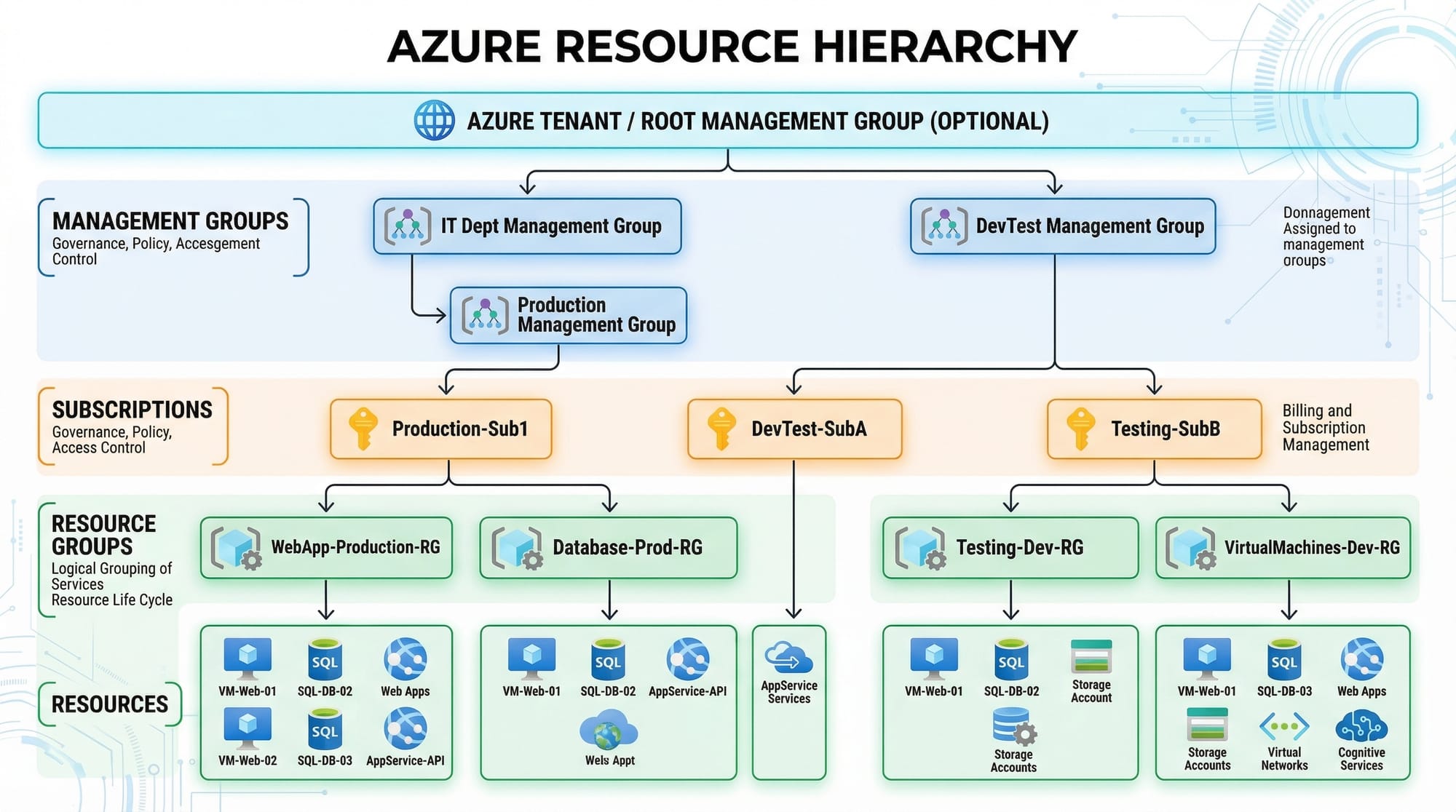
Azure Resource Hierarchy
Azure organizes resources in a structured way:
- Management Groups
- Subscriptions
- Resource Groups
- Resources (VMs, databases, etc.)
This helps manage billing, permissions, and organization.
Example:
Fatima creates:
- Subscription: "Student Project"
- Resource Group: "EcommerceApp"
- Resources: VM, database, storage
Azure Virtual Machines (VMs)
Azure Virtual Machines allow you to run operating systems in the cloud.
You can choose:
- Windows Server
- Linux (Ubuntu, CentOS)
Use Case:
Ahmad creates a VM to host his freelancing portfolio website.
Azure Storage Services
Azure provides different storage types:
- Blob Storage → for files (images, videos)
- Disk Storage → for VMs
- Queue Storage → for messaging systems
Example:
A startup in Islamabad stores user-uploaded images in Azure Blob Storage.
Azure Networking Basics
Azure networking includes:
- Virtual Networks (VNet)
- Subnets
- Load Balancers
- Public IPs
Example:
Ali creates a VNet to securely connect his app servers and database.
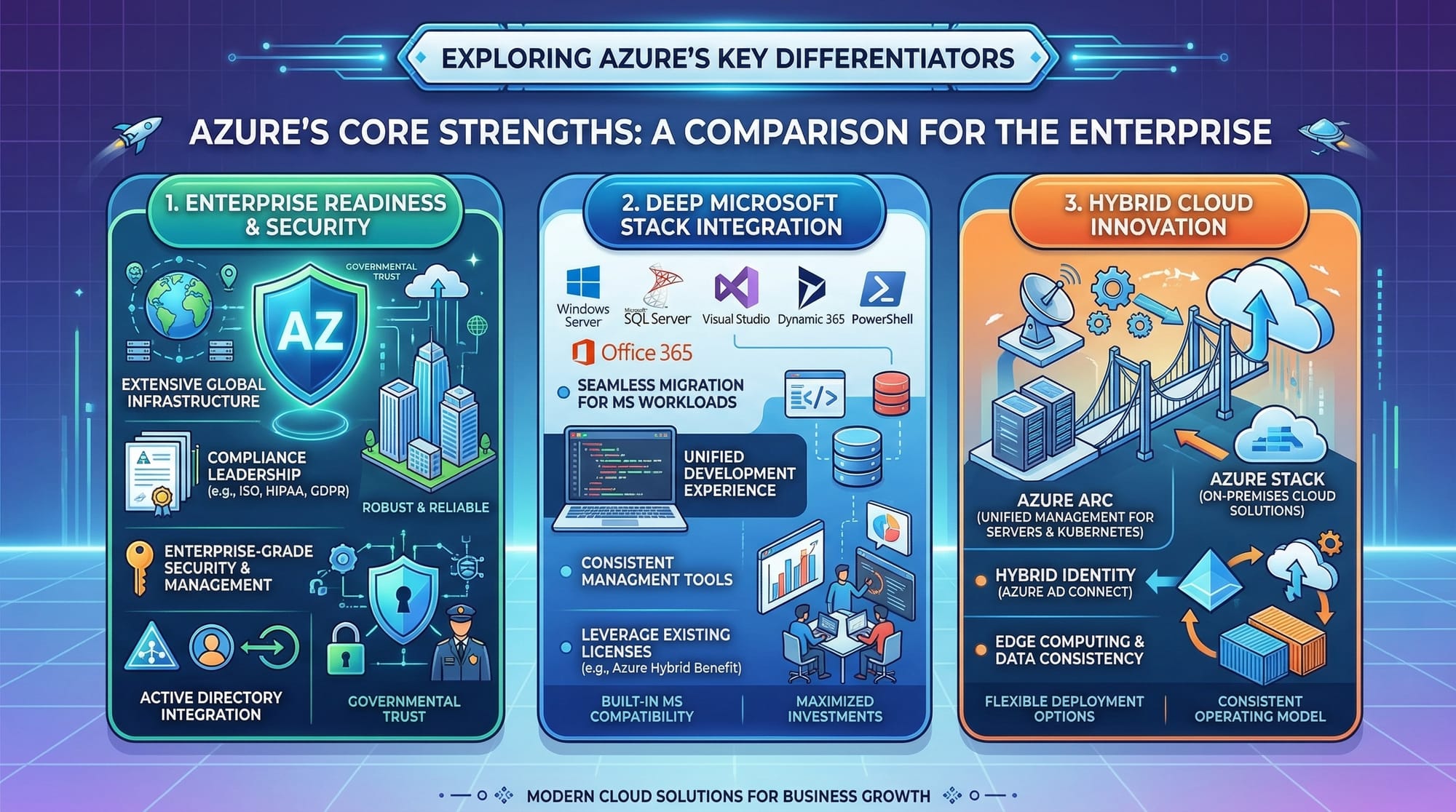
Azure Identity & Security (Azure AD)
Azure Active Directory (Azure AD) helps manage users and access.
- Authentication
- Role-based access control (RBAC)
Example:
Fatima gives her teammate read-only access to a project.
Practical Code Examples
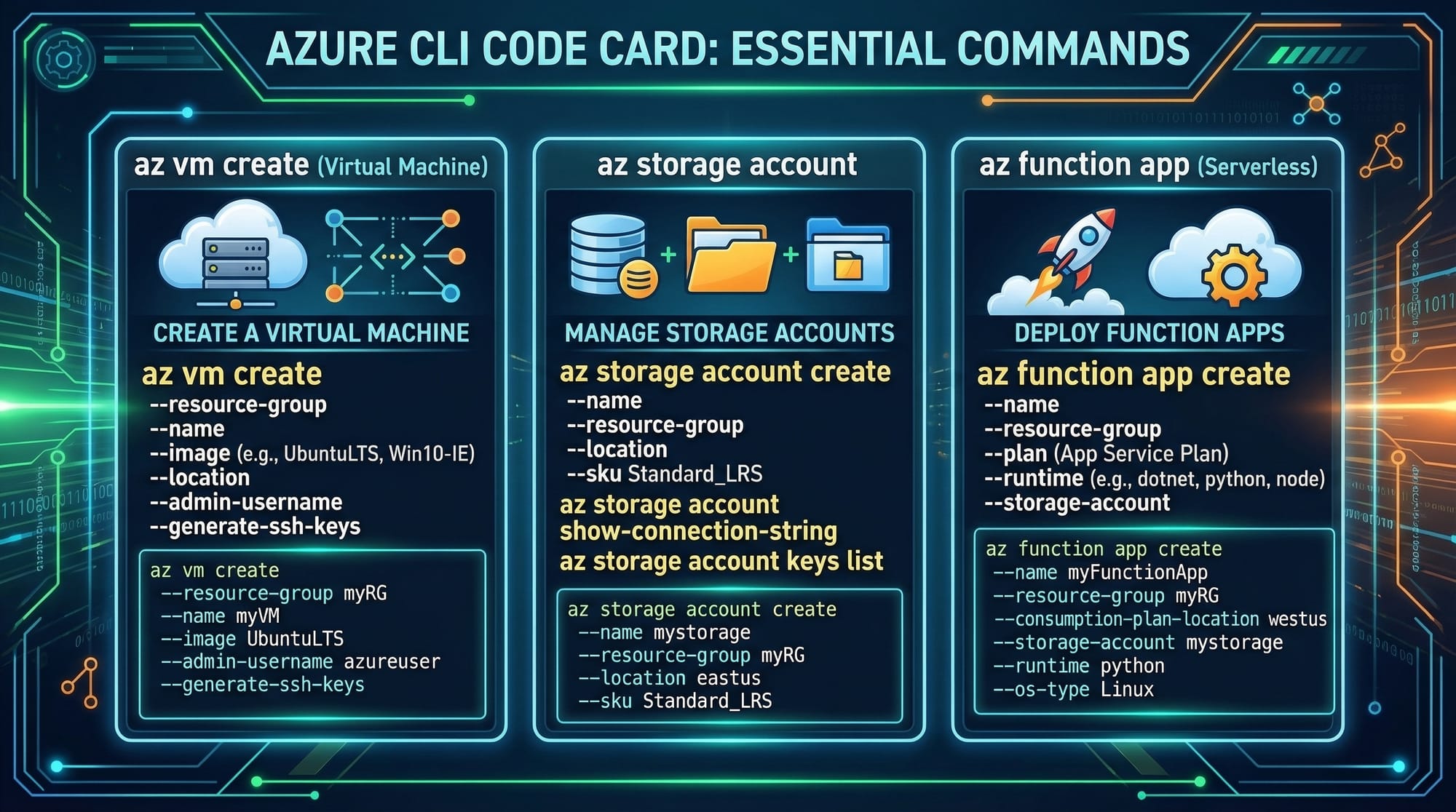
Example 1: Create a Virtual Machine using Azure CLI
# Login to Azure
az login

# Create a resource group
az group create --name MyResourceGroup --location eastus

# Create a virtual machine
az vm create \
  --resource-group MyResourceGroup \
  --name MyVM \
  --image UbuntuLTS \
  --admin-username azureuser \
  --generate-ssh-keys
Explanation (Line-by-Line)
az login
Logs you into your Azure account via browser.az group create
Creates a container (Resource Group) to hold resources.--name MyResourceGroup
Specifies the name of the group.--location eastus
Defines the region where resources will be deployed.az vm create
Command to create a virtual machine.--resource-group MyResourceGroup
Associates VM with the resource group.--name MyVM
Sets VM name.--image UbuntuLTS
Uses Ubuntu Linux OS.--admin-username azureuser
Creates admin user.--generate-ssh-keys
Automatically creates SSH keys for secure login.
Example 2: Real-World Application — Deploy a Web App
# Create a resource group
az group create --name WebAppGroup --location centralus

# Create an App Service plan
az appservice plan create \
  --name MyPlan \
  --resource-group WebAppGroup \
  --sku FREE

# Create a web app
az webapp create \
  --resource-group WebAppGroup \
  --plan MyPlan \
  --name myuniquepakistanapp \
  --runtime "NODE|18-lts"
Explanation (Line-by-Line)
az group create
Creates a group for web app resources.az appservice plan create
Defines pricing and compute resources.--sku FREE
Uses free tier (good for students).az webapp create
Deploys a web application.--name myuniquepakistanapp
Must be globally unique.--runtime "NODE|18-lts"
Specifies Node.js runtime.
💡 Real Use Case:
A student in Lahore builds a Node.js app and deploys it for free using Azure.
Common Mistakes & How to Avoid Them
Mistake 1: Not Using Resource Groups Properly
Problem:
Beginners create resources randomly without grouping.
Solution:
Always organize resources into logical groups.
az group create --name StudentProjectRG --location eastus
💡 This helps in easy management and deletion.
Mistake 2: Ignoring Cost Management
Problem:
Students forget to stop VMs → unexpected billing in PKR.
Solution:
- Stop unused VMs
- Use free tier services
- Set budget alerts
az vm stop --name MyVM --resource-group MyResourceGroup
Mistake 3: Weak Security Practices
Problem:
Open ports to everyone.
Solution:
Use Network Security Groups (NSG) to restrict access.
Mistake 4: Choosing Wrong Region
Problem:
Selecting distant regions increases latency.
Solution:
Choose nearest region (e.g., UAE or India for Pakistan users).
Practice Exercises
Exercise 1: Create a Resource Group
Problem:
Create a resource group named StudentRG in the East US region.
Solution:
az group create --name StudentRG --location eastus
Explanation:
- Creates a container for all your Azure resources.
Exercise 2: Deploy a Simple Web App
Problem:
Deploy a basic Node.js app using Azure CLI.
Solution:
az webapp up \
  --name pakistanstudentapp123 \
  --runtime "NODE|18-lts"
Explanation:
az webapp up→ Quick deployment command- Automatically creates resources
- Deploys your app in minutes
Frequently Asked Questions
What is Microsoft Azure?
Microsoft Azure is a cloud computing platform that provides services like virtual machines, storage, and databases over the internet. It allows businesses and developers to build, deploy, and manage applications without owning physical servers.
How do I start learning Azure in Pakistan?
You can start by creating a free Azure account, using Microsoft Learn, and practicing with real projects. Many Pakistani students begin with Azure CLI and web app deployments.
Is Azure free for students?
Yes, Azure offers a free tier and student credits. You can use services like App Service and limited VMs without paying initially.
Which programming language is best for Azure?
Azure supports many languages like Python, JavaScript, C#, and Java. For beginners in Pakistan, JavaScript and Python are great starting points.
What jobs can I get after learning Azure?
You can work as a Cloud Engineer, DevOps Engineer, or Backend Developer. Many companies in Lahore, Karachi, and remote international markets hire Azure-skilled professionals.
Summary & Key Takeaways
- Microsoft Azure is a powerful cloud platform widely used globally and in Pakistan
- It allows you to deploy apps without buying expensive hardware
- Core concepts include VMs, storage, networking, and resource groups
- Azure CLI is a powerful tool for managing resources
- Always manage costs and security carefully
- Learning Azure can open high-paying career opportunities
Next Steps & Related Tutorials
Now that you've completed this azure tutorial, continue your cloud journey with these guides on theiqra.edu.pk:
- Learn cloud fundamentals with AWS for Beginners
- Explore multi-cloud skills in Google Cloud Basics
- Master deployment pipelines in DevOps Tutorial 2026
- Build scalable apps with Docker to Kubernetes Guide
💡 Tip: Combining Azure + DevOps + Kubernetes can make you job-ready in Pakistan’s growing tech industry.
This concludes your Microsoft Azure Tutorial for Beginners 2026. Start practicing today, build real projects, and take your first step toward a successful cloud career 🚀
Test Your Python Knowledge!
Finished reading? Take a quick quiz to see how much you've learned from this tutorial.