Python Object-Oriented Programming (OOP) Basics
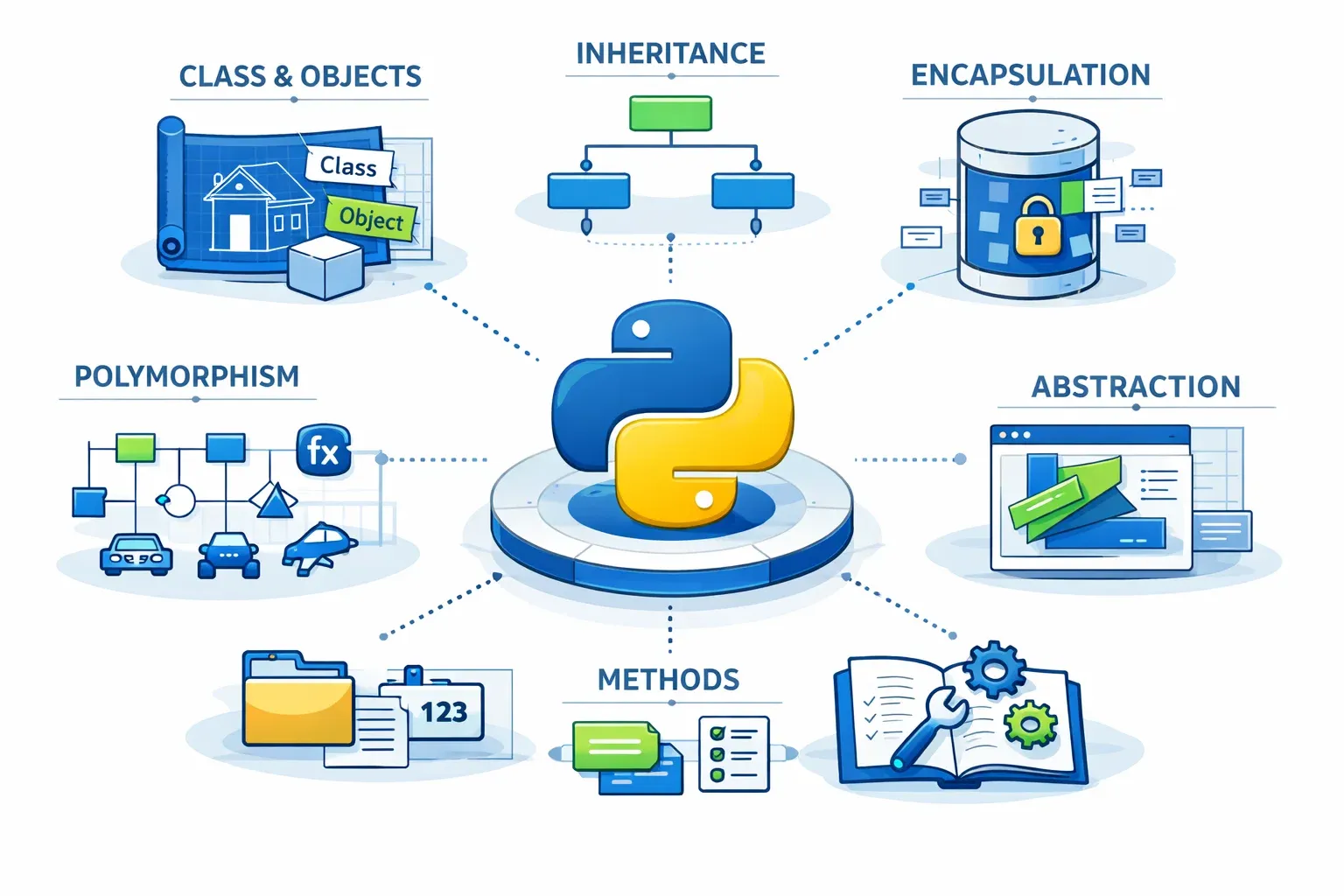
Python Object-Oriented Programming (OOP) Basics
Target Keywords: python oop, object oriented programming, classes in python, python classes objects
Difficulty: Intermediate | Word Count: ~4000 words | Website: theiqra.edu.pk
Introduction
If you have been writing Python for a little while — printing output, building loops, or writing simple functions — you have already taken a great first step. But as your projects grow in size and complexity, you will quickly discover that keeping everything organized in one long script becomes a nightmare. That is exactly where Python Object-Oriented Programming (OOP) comes in.
Object-Oriented Programming is a programming paradigm — a way of thinking about and structuring your code — that models real-world entities as objects. Instead of writing a long sequence of instructions, you design classes (blueprints) and create objects (instances of those blueprints), each carrying their own data and behavior.
Think of it this way: imagine you are building a university management system for a college in Lahore. You have students, teachers, courses, and fee records. Without OOP, you would end up with hundreds of disconnected variables and functions. With OOP, you create a Student class that holds a student's name, roll number, and CGPA — and all the logic for managing that student lives neatly inside that class.
Why should Pakistani students learn Python OOP?
The Pakistani tech industry is booming. Companies in Karachi, Lahore, and Islamabad — from fintech startups to enterprise software houses — are hiring Python developers for backend development, data science, machine learning, and automation. Every serious Python job listing expects you to understand OOP. Platforms like Upwork and Fiverr are filled with freelance Python projects where OOP skills command higher pay.
More importantly, frameworks you will use professionally — Django (for web development), Flask, FastAPI, and machine learning libraries like scikit-learn — are built entirely around OOP concepts. If you want to work with these tools confidently, mastering classes and objects is not optional; it is essential.
In this tutorial, you will learn everything from creating your first class to understanding inheritance and encapsulation, all with examples rooted in everyday Pakistani contexts.
Prerequisites
Before diving into Python OOP, make sure you are comfortable with the following:
Python Fundamentals you should already know:
- Variables and data types (strings, integers, lists, dictionaries)
- Functions — defining them with
def, passing arguments, and returning values - Loops (
forandwhile) and conditional statements (if/elif/else) - Basic error handling with
try/except
If you are still building confidence with functions, check out our tutorial Python Functions Explained for Beginners before continuing here.
Tools you will need:
- Python 3.8 or higher installed on your computer
- A code editor — VS Code is highly recommended (free, works on Windows, Mac, and Linux)
- A basic understanding of how to run a
.pyfile from the terminal or command prompt
You do not need any special packages for this tutorial — everything we cover is built into Python's standard library.
Core Concepts & Explanation
What Is a Class and What Is an Object?
The two most fundamental terms in OOP are class and object. Understanding the difference between them is the key to everything else.
A class is a blueprint or template. It defines what data an entity will hold and what actions it can perform, but it does not represent any specific real thing by itself. Think of a class like a photocopy form from NADRA — it defines fields like Name, CNIC, Address, and Date of Birth, but the blank form is not your record.
An object is a specific instance created from that class. When you fill out that NADRA form with your own details, the completed form is your object. You can fill out thousands of forms from the same template — each one is a unique object, but they all follow the same class structure.
Here is how this looks in Python:
# Defining a class (the blueprint)
class Student:
    pass  # We'll add details soon

# Creating objects (instances) from the class
student1 = Student()
student2 = Student()

print(type(student1))  # Output: <class '__main__.Student'>
In this tiny example, Student is the class, and student1 and student2 are two separate objects. They are independent — changes to one do not affect the other.
The __init__ Method: Giving Objects Their Initial Data
When you create an object, you usually want it to start with some data. The __init__ method (called the constructor) runs automatically every time you create a new object from a class. It sets up the object's initial state.
class Student:
    def __init__(self, name, roll_number, cgpa):
        self.name = name
        self.roll_number = roll_number
        self.cgpa = cgpa

# Creating a student object
student1 = Student("Ahmad Ali", "FAST-2024-101", 3.75)
print(student1.name)         # Output: Ahmad Ali
print(student1.roll_number)  # Output: FAST-2024-101
print(student1.cgpa)         # Output: 3.75
Here, self refers to the object being created. When you write self.name = name, you are saying "this object's name attribute equals the name argument I passed in." The self parameter is always the first parameter of any method inside a class — Python passes it automatically when you call the method.
The Four Pillars of OOP
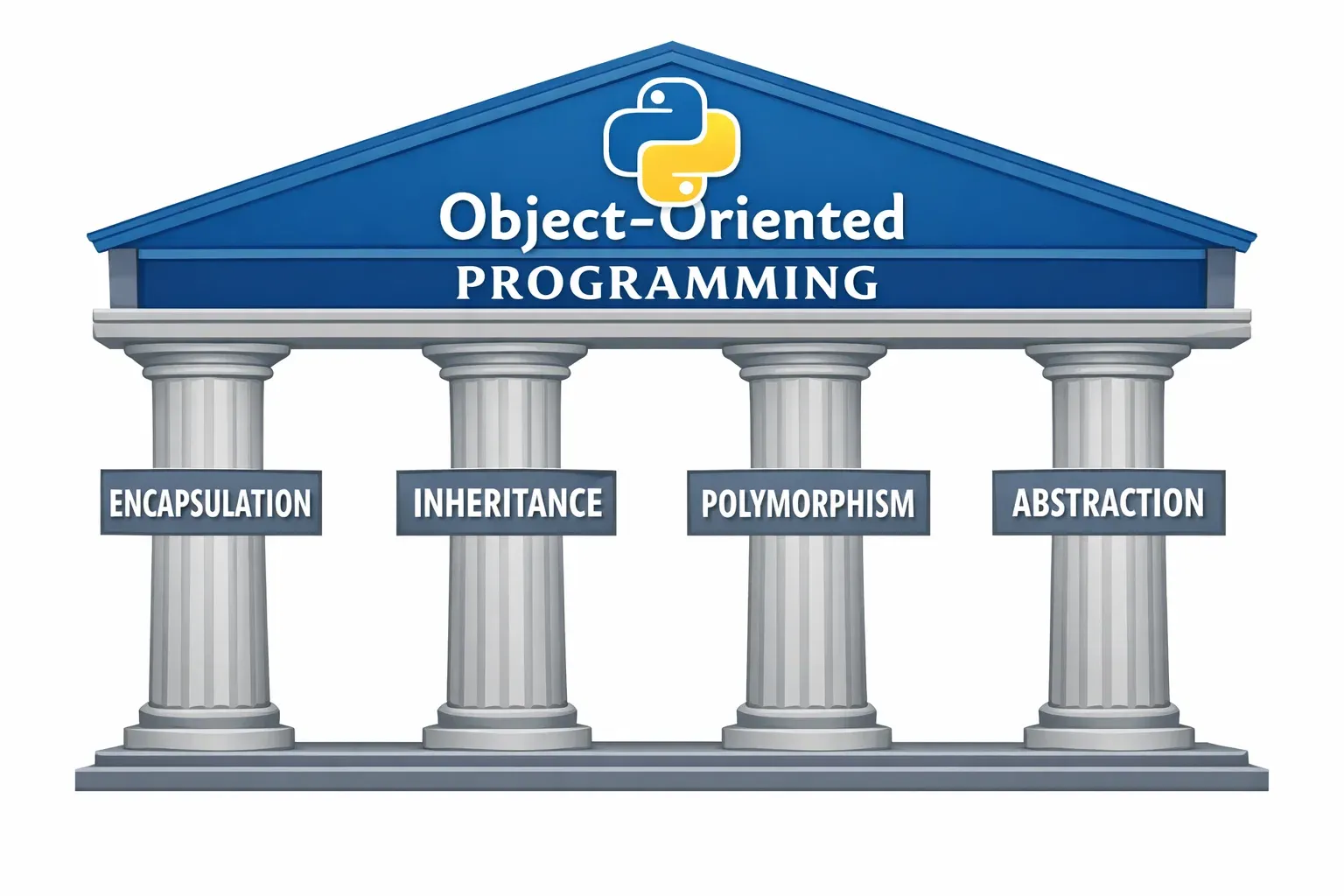
Python OOP rests on four core principles. Understanding these will make you a dramatically better programmer.
1. Encapsulation
Encapsulation means bundling data (attributes) and the methods that work on that data together inside one class, and controlling access to that data from the outside world. This protects your object's internal state from accidental misuse.
In Python, we indicate that an attribute is private (not meant to be accessed directly from outside the class) by prefixing it with a double underscore __:
class BankAccount:
    def __init__(self, owner, balance):
        self.owner = owner
        self.__balance = balance  # Private attribute

    def deposit(self, amount):
        if amount > 0:
            self.__balance += amount
            print(f"Rs. {amount} deposited. New balance: Rs. {self.__balance}")

    def get_balance(self):
        return self.__balance

# Usage
account = BankAccount("Fatima Malik", 50000)
account.deposit(10000)           # Works fine
print(account.get_balance())     # Works: Rs. 60000
# print(account.__balance)       # Would raise AttributeError — protected!
Encapsulation ensures that nobody can directly set account.__balance = 1000000 from outside the class — they have to go through the controlled deposit method.
2. Inheritance
Inheritance allows a new class (called the child class or subclass) to automatically receive all the attributes and methods of an existing class (called the parent class or superclass). This promotes code reuse and a logical hierarchy.
Imagine you have a general Person class. Both Student and Teacher share common properties like name, age, and CNIC. Instead of writing those twice, you make Student and Teacher inherit from Person:
class Person:
    def __init__(self, name, age, cnic):
        self.name = name
        self.age = age
        self.cnic = cnic

    def introduce(self):
        print(f"My name is {self.name} and I am {self.age} years old.")

class Student(Person):  # Student inherits from Person
    def __init__(self, name, age, cnic, roll_number):
        super().__init__(name, age, cnic)  # Call parent's __init__
        self.roll_number = roll_number

    def study(self):
        print(f"{self.name} (Roll: {self.roll_number}) is studying.")

class Teacher(Person):  # Teacher also inherits from Person
    def __init__(self, name, age, cnic, subject):
        super().__init__(name, age, cnic)
        self.subject = subject

    def teach(self):
        print(f"Professor {self.name} is teaching {self.subject}.")
super().__init__(...) calls the parent class's constructor, so you do not have to rewrite the name, age, and cnic setup.
3. Polymorphism
Polymorphism means "many forms." It allows objects of different classes to be treated through the same interface, with each class implementing that interface in its own way.
class Shape:
    def area(self):
        pass  # To be implemented by subclasses

class Circle(Shape):
    def __init__(self, radius):
        self.radius = radius

    def area(self):
        return 3.14159 * self.radius ** 2

class Rectangle(Shape):
    def __init__(self, width, height):
        self.width = width
        self.height = height

    def area(self):
        return self.width * self.height

shapes = [Circle(5), Rectangle(4, 6)]
for shape in shapes:
    print(f"Area: {shape.area()}")  # Same method call, different behavior
Both Circle and Rectangle have an area() method, but each calculates it differently. You can call shape.area() without knowing or caring which specific shape you are dealing with.
4. Abstraction
Abstraction means hiding complex implementation details and exposing only what is necessary. When you call account.deposit(5000), you do not need to know how the balance is updated internally — you just know what the method does. The complexity is hidden behind a simple interface.
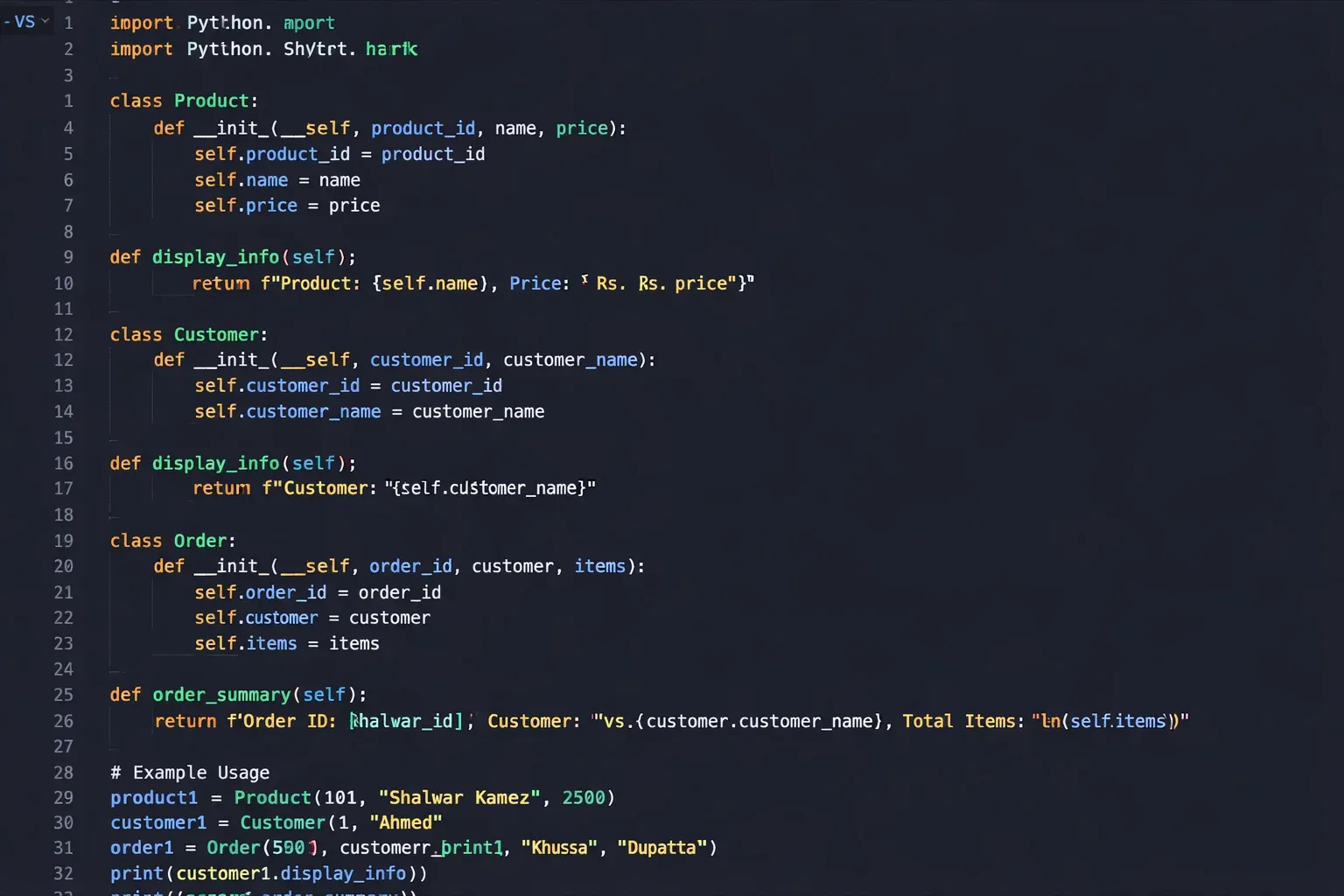
Practical Code Examples
Example 1: University Fee Management System
This example builds a practical fee management system relevant to Pakistani university students. It demonstrates classes, objects, methods, and encapsulation working together.
class FeeRecord:
    """Manages fee records for a university student."""

    def __init__(self, student_name, roll_number, semester_fee):
        # Initialize student's fee record
        self.student_name = student_name
        self.roll_number = roll_number
        self.__semester_fee = semester_fee   # Total fee for the semester (private)
        self.__amount_paid = 0               # Amount paid so far (private)

    def pay_fee(self, amount):
        """Process a fee payment."""
        if amount <= 0:
            print("Error: Payment amount must be positive.")
            return

        remaining = self.__semester_fee - self.__amount_paid

        if amount > remaining:
            print(f"Error: You are trying to pay Rs. {amount} but only Rs. {remaining} is due.")
            return

        self.__amount_paid += amount
        print(f"Payment of Rs. {amount:,} received for {self.student_name}.")
        print(f"  Total paid: Rs. {self.__amount_paid:,}")
        print(f"  Remaining:  Rs. {self.get_remaining_fee():,}")

    def get_remaining_fee(self):
        """Returns the remaining unpaid fee."""
        return self.__semester_fee - self.__amount_paid

    def get_status(self):
        """Returns whether the student's fee is fully cleared."""
        if self.__amount_paid >= self.__semester_fee:
            return "CLEARED"
        else:
            return f"PENDING (Rs. {self.get_remaining_fee():,} due)"

    def display_summary(self):
        """Prints a full fee summary."""
        print(f"\n--- Fee Summary ---")
        print(f"Student:       {self.student_name}")
        print(f"Roll Number:   {self.roll_number}")
        print(f"Semester Fee:  Rs. {self.__semester_fee:,}")
        print(f"Amount Paid:   Rs. {self.__amount_paid:,}")
        print(f"Status:        {self.get_status()}")
        print(f"-------------------")


# --- Using the FeeRecord class ---

# Create a fee record for a student in Lahore
ali = FeeRecord("Ali Hassan", "UET-2024-055", 85000)

ali.display_summary()   # View initial state

ali.pay_fee(50000)      # First installment
ali.pay_fee(35000)      # Second installment (clears the fee)

ali.display_summary()   # Final state
Line-by-line explanation:
class FeeRecord:— Defines the class. The docstring in triple quotes describes its purpose.def __init__(self, ...)— The constructor. Sets up every new fee record with a student's name, roll number, and total semester fee.self.__semester_feeandself.__amount_paid— Private attributes (double underscore). They cannot be accessed directly from outside the class, protecting the data integrity.def pay_fee(self, amount):— A method that updates__amount_paid. It validates the input before making any changes, ensuring no one can accidentally overpay or pay zero.self.__amount_paid += amount— Updates the private balance inside the class safely.{amount:,}— Python's format specifier that adds commas to large numbers (e.g.,85000becomes85,000), which is standard in Pakistani financial contexts.ali = FeeRecord(...)— Creates an object from the class with real data.
Expected Output:
--- Fee Summary ---
Student:       Ali Hassan
Roll Number:   UET-2024-055
Semester Fee:  Rs. 85,000
Amount Paid:   Rs. 0
Status:        PENDING (Rs. 85,000 due)
-------------------
Payment of Rs. 50,000 received for Ali Hassan.
  Total paid: Rs. 50,000
  Remaining:  Rs. 35,000
Payment of Rs. 35,000 received for Ali Hassan.
  Total paid: Rs. 85,000
  Remaining:  Rs. 0
--- Fee Summary ---
Student:       Ali Hassan
Roll Number:   UET-2024-055
Semester Fee:  Rs. 85,000
Amount Paid:   Rs. 85,000
Status:        CLEARED
-------------------
Example 2: Real-World Application — E-Commerce Product Catalog
This example models a simple product catalog for a Pakistani online store — a scenario directly relevant to freelancers building e-commerce sites for local businesses. It demonstrates inheritance and polymorphism together.
class Product:
    """Base class for all products in the store."""

    def __init__(self, name, price_pkr, stock):
        self.name = name
        self.price_pkr = price_pkr
        self.__stock = stock

    def add_stock(self, quantity):
        """Add new inventory."""
        self.__stock += quantity
        print(f"Restocked {self.name}. New stock: {self.__stock} units.")

    def sell(self, quantity):
        """Process a sale."""
        if quantity > self.__stock:
            print(f"Sorry! Only {self.__stock} units of {self.name} available.")
            return False
        self.__stock -= quantity
        print(f"Sold {quantity}x {self.name}. Remaining stock: {self.__stock}.")
        return True

    def get_stock(self):
        return self.__stock

    def display_info(self):
        """Display product info — can be overridden by subclasses."""
        print(f"Product: {self.name} | Price: Rs. {self.price_pkr:,} | Stock: {self.__stock}")


class ClothingItem(Product):
    """A clothing product with size and fabric details."""

    def __init__(self, name, price_pkr, stock, size, fabric):
        super().__init__(name, price_pkr, stock)  # Initialize parent attributes
        self.size = size
        self.fabric = fabric

    def display_info(self):
        """Override parent method to include clothing-specific details."""
        print(f"[CLOTHING] {self.name} | Size: {self.size} | Fabric: {self.fabric} "
              f"| Price: Rs. {self.price_pkr:,} | Stock: {self.get_stock()}")


class ElectronicItem(Product):
    """An electronic product with warranty details."""

    def __init__(self, name, price_pkr, stock, brand, warranty_months):
        super().__init__(name, price_pkr, stock)
        self.brand = brand
        self.warranty_months = warranty_months

    def display_info(self):
        """Override parent method to include electronics-specific details."""
        print(f"[ELECTRONICS] {self.name} by {self.brand} "
              f"| Warranty: {self.warranty_months} months "
              f"| Price: Rs. {self.price_pkr:,} | Stock: {self.get_stock()}")


# --- Build the store catalog ---
catalog = [
    ClothingItem("Khaddar Shalwar Kameez", 3500, 50, "L", "Khaddar"),
    ClothingItem("Lawn Suit", 4200, 30, "M", "Lawn"),
    ElectronicItem("Samsung Galaxy A55", 89000, 15, "Samsung", 12),
    ElectronicItem("JBL Bluetooth Speaker", 12500, 25, "JBL", 6),
]

print("=== Store Catalog ===")
for product in catalog:
    product.display_info()   # Polymorphism: each class handles this its own way

print("\n=== Processing Sales ===")
catalog[0].sell(5)   # Sell 5 Khaddar suits
catalog[2].sell(20)  # Try to sell 20 Samsung phones (only 15 in stock)
catalog[2].sell(3)   # Sell 3 Samsung phones (works now)
Key OOP concepts demonstrated:
- Inheritance:
ClothingItemandElectronicItemboth inherit fromProduct. They getsell(),add_stock(), andget_stock()for free. - Method Overriding (Polymorphism): Each subclass defines its own
display_info()method. When you loop through the catalog and callproduct.display_info(), Python automatically calls the right version depending on the object's actual type. - Encapsulation:
__stockis private toProduct. Subclasses cannot directly modify it — they must usesell()andadd_stock(). super().__init__(...): Called in each subclass constructor to ensure the parent class sets up its own attributes before the subclass adds its own.
Common Mistakes & How to Avoid Them
Mistake 1: Forgetting self in Method Parameters or Attribute Access
This is the single most common mistake beginners make with Python classes. Every method inside a class must have self as its first parameter, and every attribute must be accessed through self.
Wrong code:
class Student:
    def __init__(name, roll_number):   # Missing 'self'!
        name = name                    # This does nothing useful
        roll_number = roll_number

    def greet():                       # Missing 'self'!
        print(f"Hello, {name}")        # 'name' is not defined here

s = Student("Fatima", "KU-001")
s.greet()
# TypeError: Student.__init__() takes 2 positional arguments but 3 were given
Correct code:
class Student:
    def __init__(self, name, roll_number):   # 'self' is first
        self.name = name                     # Assign to self
        self.roll_number = roll_number

    def greet(self):                         # 'self' is first
        print(f"Hello, my name is {self.name}")

s = Student("Fatima", "KU-001")
s.greet()  # Hello, my name is Fatima
Why this happens: Python automatically passes the object as the first argument to every instance method. If you forget self, Python tries to use your first real argument as self, causing confusing errors. Always make self the very first parameter in every method definition.
Mistake 2: Accidentally Overwriting Class Attributes with Instance Attributes
Python has two types of attributes: class attributes (shared among all instances) and instance attributes (unique to each object). Confusing them can cause subtle bugs.
Wrong code:
class BankAccount:
    bank_name = "HBL"      # Class attribute — shared by ALL accounts
    total_accounts = 0

    def __init__(self, owner, balance):
        self.owner = owner
        self.balance = balance
        total_accounts += 1  # Bug! This tries to modify a local variable, not the class attribute

acc = BankAccount("Ahmad", 10000)
# UnboundLocalError: local variable 'total_accounts' referenced before assignment
Correct code:
class BankAccount:
    bank_name = "HBL"
    total_accounts = 0

    def __init__(self, owner, balance):
        self.owner = owner
        self.balance = balance
        BankAccount.total_accounts += 1   # Use ClassName.attribute to modify class attributes

acc1 = BankAccount("Ahmad", 10000)
acc2 = BankAccount("Fatima", 25000)

print(BankAccount.total_accounts)  # 2
print(BankAccount.bank_name)       # HBL
print(acc1.bank_name)              # HBL — all instances share this
The rule: To modify a class attribute from inside a method, always reference it as ClassName.attribute, not self.attribute or the bare name. Using self.attribute would create a new instance attribute that shadows the class attribute, which is usually not what you want.
Mistake 3: Not Calling super().__init__() in Inherited Classes
When a child class defines its own __init__, it overrides the parent's constructor entirely. If you do not call super().__init__(), the parent's attributes never get set up, leading to AttributeError errors.
Wrong code:
class Person:
    def __init__(self, name, age):
        self.name = name
        self.age = age

class Teacher(Person):
    def __init__(self, subject):  # Forgot to include name and age, and forgot super()
        self.subject = subject

t = Teacher("Mathematics")
print(t.name)  # AttributeError: 'Teacher' object has no attribute 'name'
Correct code:
class Teacher(Person):
    def __init__(self, name, age, subject):
        super().__init__(name, age)  # Let Person set up name and age
        self.subject = subject       # Then add Teacher-specific attributes

t = Teacher("Ustad Mahmood", 45, "Mathematics")
print(t.name)     # Ustad Mahmood
print(t.subject)  # Mathematics
Practice Exercises
Exercise 1: Build a Library Book Management System
Problem: A library in Islamabad needs a system to manage books. Create a Book class with the following requirements:
- Attributes:
title,author,isbn, and a private__is_availableattribute (defaultTrue) - Method
checkout(borrower_name): Marks the book as unavailable and prints who borrowed it. Should show an error if the book is already checked out. - Method
return_book(): Marks the book as available again. - Method
get_status(): Returns a string — either"Available"or"Checked out". - Method
display(): Prints full book info including availability status.
Test it by creating two books, checking one out, returning it, and displaying both.
Solution:
class Book:
    def __init__(self, title, author, isbn):
        self.title = title
        self.author = author
        self.isbn = isbn
        self.__is_available = True
        self.__current_borrower = None

    def checkout(self, borrower_name):
        if not self.__is_available:
            print(f"Sorry! '{self.title}' is currently with {self.__current_borrower}.")
            return False
        self.__is_available = False
        self.__current_borrower = borrower_name
        print(f"'{self.title}' has been checked out by {borrower_name}.")
        return True

    def return_book(self):
        if self.__is_available:
            print(f"'{self.title}' was not checked out.")
            return
        print(f"'{self.title}' returned by {self.__current_borrower}. Thank you!")
        self.__is_available = True
        self.__current_borrower = None

    def get_status(self):
        if self.__is_available:
            return "Available"
        return f"Checked out by {self.__current_borrower}"

    def display(self):
        print(f"\nTitle:   {self.title}")
        print(f"Author:  {self.author}")
        print(f"ISBN:    {self.isbn}")
        print(f"Status:  {self.get_status()}")


# Testing
book1 = Book("Urdu Adab ki Tarikh", "Dr. Anwar Sadeed", "978-969-416-001-2")
book2 = Book("Introduction to Python", "Mark Lutz", "978-1-491-94600-3")

book1.display()
book2.display()

book1.checkout("Zara Hussain")
book1.checkout("Omar Sheikh")   # Should show error
book1.display()

book1.return_book()
book1.display()
Exercise 2: Pakistani City Temperature Tracker
Problem: Build a CityWeather class for a weather app that tracks temperature readings for Pakistani cities. Requirements:
- Constructor accepts
city_name - Method
add_reading(temp_celsius): Adds a temperature reading to a list - Method
get_average(): Returns the average temperature (returnNoneif no readings) - Method
get_highest()andget_lowest(): Return the highest and lowest recorded temperatures - Method
summary(): Prints a formatted weather summary
Test with at least two cities (e.g., Karachi and Islamabad) and multiple readings.
Solution:
class CityWeather:
    def __init__(self, city_name):
        self.city_name = city_name
        self.__readings = []   # Private list of temperature readings

    def add_reading(self, temp_celsius):
        self.__readings.append(temp_celsius)
        print(f"Reading added for {self.city_name}: {temp_celsius}°C")

    def get_average(self):
        if not self.__readings:
            return None
        return sum(self.__readings) / len(self.__readings)

    def get_highest(self):
        if not self.__readings:
            return None
        return max(self.__readings)

    def get_lowest(self):
        if not self.__readings:
            return None
        return min(self.__readings)

    def summary(self):
        if not self.__readings:
            print(f"\nNo readings available for {self.city_name}.")
            return
        print(f"\n=== Weather Summary: {self.city_name} ===")
        print(f"  Readings:   {self.__readings}")
        print(f"  Average:    {self.get_average():.1f}°C")
        print(f"  Highest:    {self.get_highest()}°C")
        print(f"  Lowest:     {self.get_lowest()}°C")
        print(f"=================={'=' * len(self.city_name)}")


# Testing
karachi = CityWeather("Karachi")
islamabad = CityWeather("Islamabad")

for temp in [33, 35, 31, 36, 34]:
    karachi.add_reading(temp)

for temp in [22, 18, 25, 20, 17]:
    islamabad.add_reading(temp)

karachi.summary()
islamabad.summary()
Frequently Asked Questions
What is the difference between a class and an object in Python?
A class is a blueprint or template that defines the structure and behavior of a type of entity — it is the design, not the thing itself. An object is a concrete instance created from that class, with its own specific data. For example, Student is a class, while student1 = Student("Ahmad", "001", 3.8) creates a specific object (instance) of that class. You can create as many objects as you need from a single class, and each one is independent.
What does self mean in Python classes?
self refers to the current object (instance) that a method is being called on. When you write self.name = name inside __init__, you are storing the name value as an attribute belonging specifically to this object, not to the class in general. Every instance method must have self as its first parameter, but you do not pass it manually — Python automatically provides it when you call the method on an object (e.g., student1.greet() automatically passes student1 as self).
What is the purpose of __init__ in Python OOP?
__init__ is the constructor method. It runs automatically every time you create a new object from a class. Its main job is to initialize the object's attributes — setting up the object's initial state with the values you pass when creating it. Without __init__, your objects would start empty and you would have to manually set every attribute after creation, which is both inconvenient and error-prone.
How does inheritance work in Python, and when should I use it?
Inheritance allows a child class to automatically receive all the attributes and methods of a parent class, using the syntax class ChildClass(ParentClass):. Use inheritance when two or more classes share common behavior and represent an "is-a" relationship — for example, a Teacher is a Person, and a Car is a Vehicle. Inheritance reduces code duplication, makes your code easier to maintain, and creates a logical, real-world-inspired hierarchy. Always call super().__init__() in the child class constructor to ensure the parent's initialization also runs.
What is the difference between public, protected, and private attributes in Python?
In Python, access control is indicated by naming convention rather than strict enforcement. A public attribute (e.g., self.name) can be accessed freely from anywhere. A protected attribute (single underscore, e.g., self._name) signals to other developers "please do not access this directly from outside the class or its subclasses," though Python does not prevent it. A private attribute (double underscore, e.g., self.__name) triggers Python's name mangling, making it harder (though not impossible) to access from outside the class. Use private attributes for sensitive data like passwords or financial balances, and protected attributes for internal implementation details meant only for subclasses.
Summary & Key Takeaways
After working through this tutorial, here are the essential points to remember:
- Classes are blueprints, objects are instances. A class defines the structure; objects are the actual, usable entities created from that structure using
ClassName(arguments). __init__sets up every new object. It runs automatically on creation and usesself.attribute = valueto store data on the specific object being created.selfalways refers to the current object and must be the first parameter in every instance method — Python passes it automatically, so you never include it when calling a method.- The four pillars of OOP are Encapsulation, Inheritance, Polymorphism, and Abstraction. Each addresses a different aspect of writing clean, reusable, and maintainable code.
- Inheritance (
class Child(Parent):) promotes code reuse — always callsuper().__init__()in a child class constructor to properly initialize the parent's attributes. - Private attributes (
self.__attr) protect sensitive data by preventing direct external access and forcing interactions through controlled methods.
Next Steps & Related Tutorials
You have taken a solid step into object-oriented programming — well done! To continue building your Python OOP skills, explore these related tutorials on theiqra.edu.pk:
- Python Special (Dunder) Methods Explained — Learn how to make your objects work with Python's built-in operators. For example, define
__str__soprint(student)shows something meaningful, or__len__solen(your_object)works naturally. - Python Decorators and
@property— Discover how to use@propertyto create smart getters and setters that give your private attributes a cleaner public interface, and how decorators like@staticmethodand@classmethodchange how class methods behave. - Django for Beginners — Build Your First Web App — Django is Python's most popular web framework and is built entirely on OOP. Once you are comfortable with classes and objects, Django is your next big step toward building real-world web applications — a highly valuable skill in Pakistan's growing tech industry.
- Python File Handling and Exception Handling — Learn how to read and write files and handle errors gracefully — skills you will need when building real applications that work with data stored on disk.
Published on theiqra.edu.pk — Pakistan's friendly programming education platform. Questions? Drop them in the comments below!
Test Your Python Knowledge!
Finished reading? Take a quick quiz to see how much you've learned from this tutorial.