Swift Programming Tutorial for Beginners 2026
Introduction
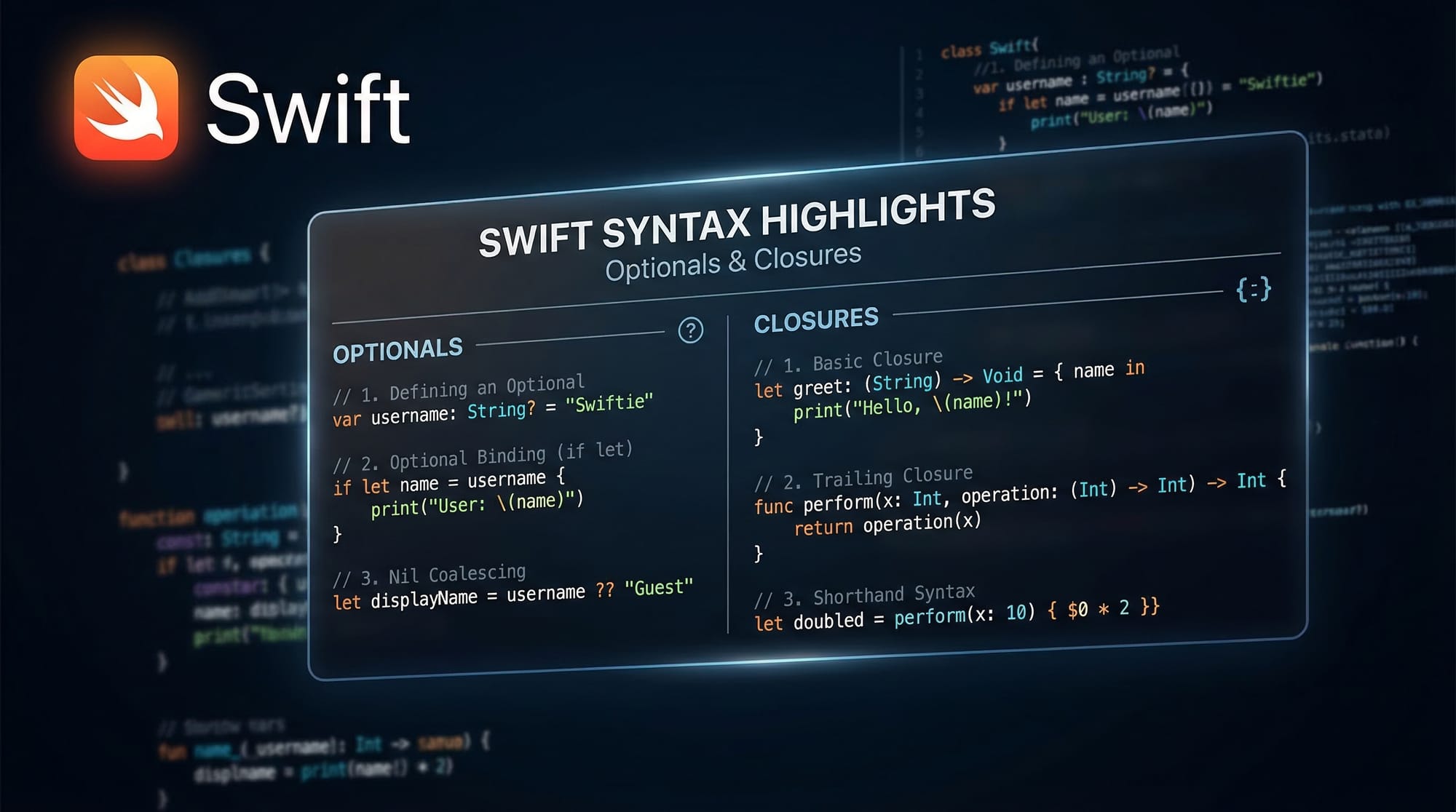
Swift is a modern, powerful programming language developed by Apple for building apps on iOS, macOS, watchOS, and tvOS. This Swift Programming Tutorial for Beginners 2026 is designed specifically for Pakistani students who want to start their journey in app development.
If you’ve ever used an iPhone app and wondered how it was built, learning Swift is your gateway into that world. With the rise of freelancing, remote jobs, and startup culture in cities like Lahore, Karachi, and Islamabad, learning Swift can open doors to high-paying opportunities both locally and globally.
This swift tutorial will help you understand the basics step-by-step, even if you have no prior programming experience. By the end, you’ll feel confident enough to build simple apps and continue learning advanced topics.
Prerequisites
Before you start this learn swift 2026 guide, here are a few things that will help:
- Basic computer knowledge (file handling, typing, using software)
- Logical thinking and problem-solving mindset
- Familiarity with any programming language (optional but helpful)
- A Mac computer (recommended for iOS development)
- Xcode installed (Apple’s official development tool)
Don’t worry if you’re completely new—this tutorial is made for swift for beginners.
Core Concepts & Explanation
Variables, Constants & Data Types
In Swift, variables store data that can change, while constants store data that cannot change.
var name = "Ahmad"
let age = 20
Explanation:
var name→ creates a variable that can be changed later"Ahmad"→ string value stored in the variablelet age→ constant value that cannot be modified20→ integer value
Swift automatically detects data types, but you can also specify them:
var price: Double = 99.99
Double→ decimal number typeprice→ variable name
Optionals & Safe Unwrapping
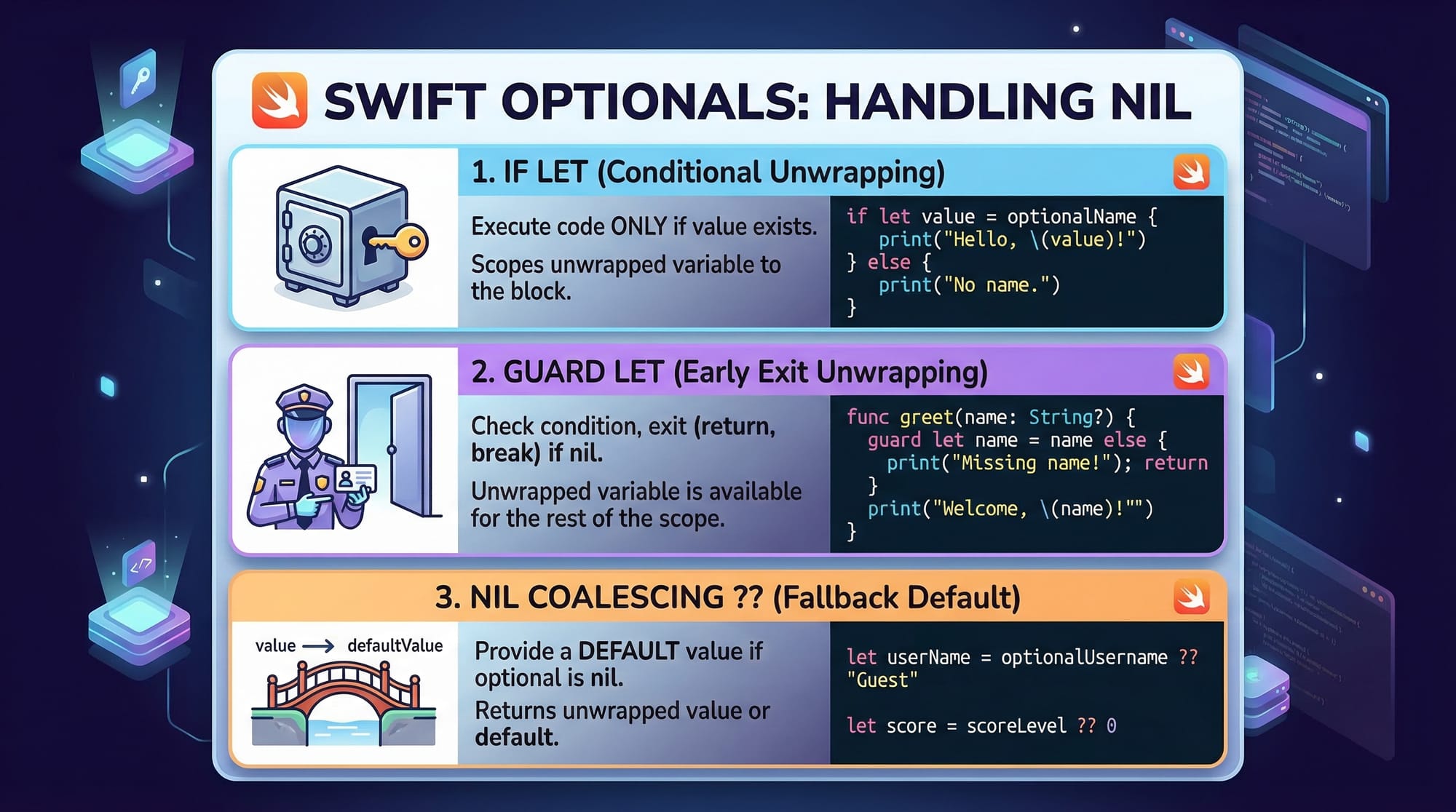
Optionals allow variables to hold a value or nil (no value).
var username: String? = "Ali"
String?→ optional string- Can contain a value OR be empty
Safe unwrapping:
if let name = username {
    print(name)
}
Explanation:
if let→ checks if value existsname = username→ unwraps optional safelyprint(name)→ prints value if not nil
Control Flow (If, Loops)
Control flow helps your program make decisions.
let marks = 75

if marks >= 50 {
    print("Pass")
} else {
    print("Fail")
}
Explanation:
marks >= 50→ condition check- If true → "Pass"
- If false → "Fail"
Loop example:
for i in 1...5 {
    print(i)
}
1...5→ range from 1 to 5- Loop runs 5 times
Functions & Closures
Functions group reusable code.
func greet(name: String) {
    print("Hello \(name)")
}
func→ defines a functionname: String→ parameter\(name)→ string interpolation
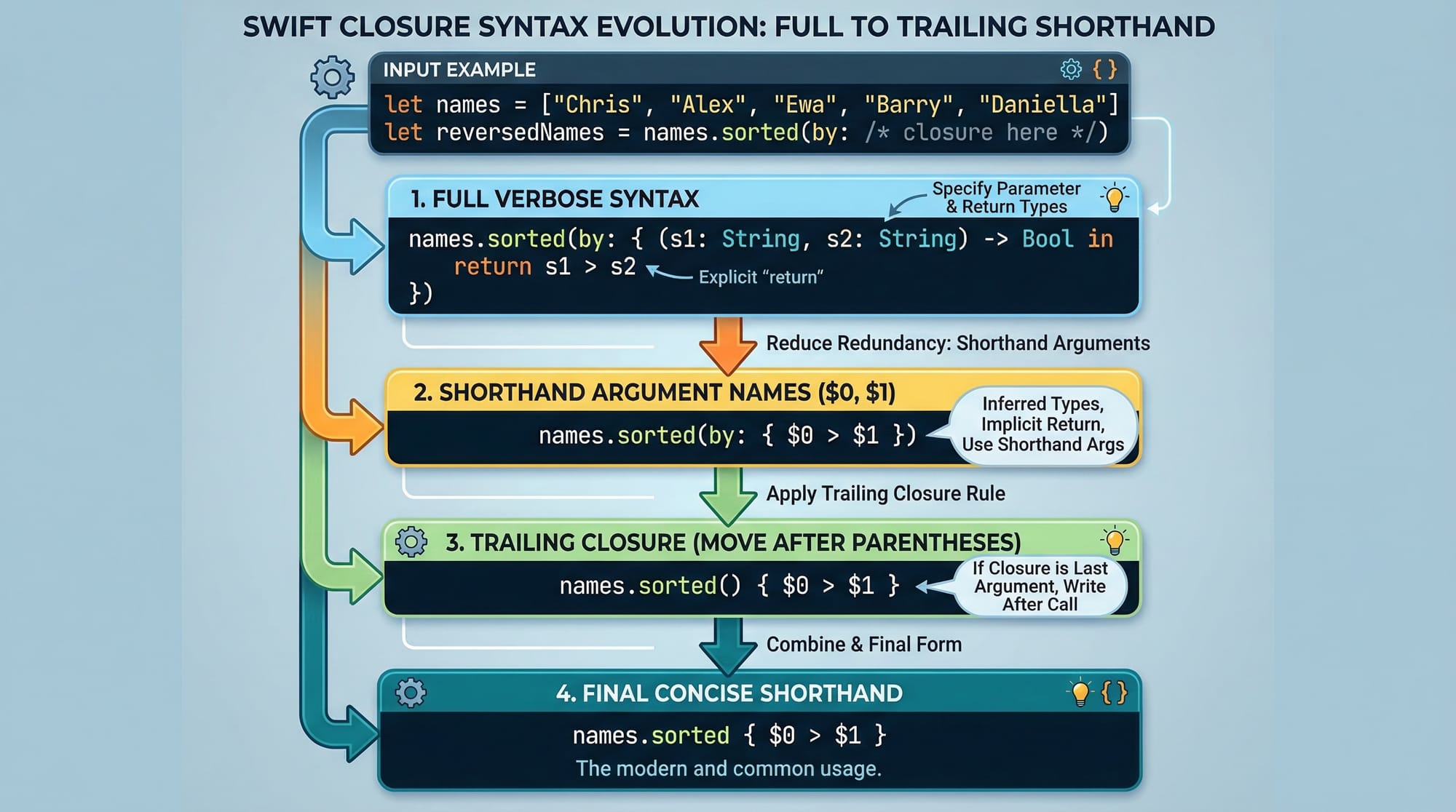
Closures (like anonymous functions):
let add = { (a: Int, b: Int) -> Int in
    return a + b
}
- Closure takes two inputs
- Returns sum
Practical Code Examples
Example 1: Student Grade Calculator
func calculateGrade(marks: Int) {
    if marks >= 80 {
        print("Grade A")
    } else if marks >= 60 {
        print("Grade B")
    } else if marks >= 50 {
        print("Grade C")
    } else {
        print("Fail")
    }
}

calculateGrade(marks: 72)
Line-by-line Explanation:
func calculateGrade→ defines functionmarks: Int→ input parameterif marks >= 80→ checks highest gradeelse if→ checks other conditionsprint()→ displays resultcalculateGrade(72)→ calls function
Example 2: Real-World Application (Shopping Cart in PKR)
var items = ["Book", "Pen", "Bag"]
var prices = [500, 50, 1500]

var total = 0

for price in prices {
    total += price
}

print("Total Bill: PKR \(total)")
Explanation:
items→ list of productsprices→ corresponding pricestotal = 0→ initial valuefor price in prices→ loop through pricestotal += price→ adds each priceprint→ shows final bill in PKR
This is useful for apps like Daraz-style shopping carts.
Common Mistakes & How to Avoid Them
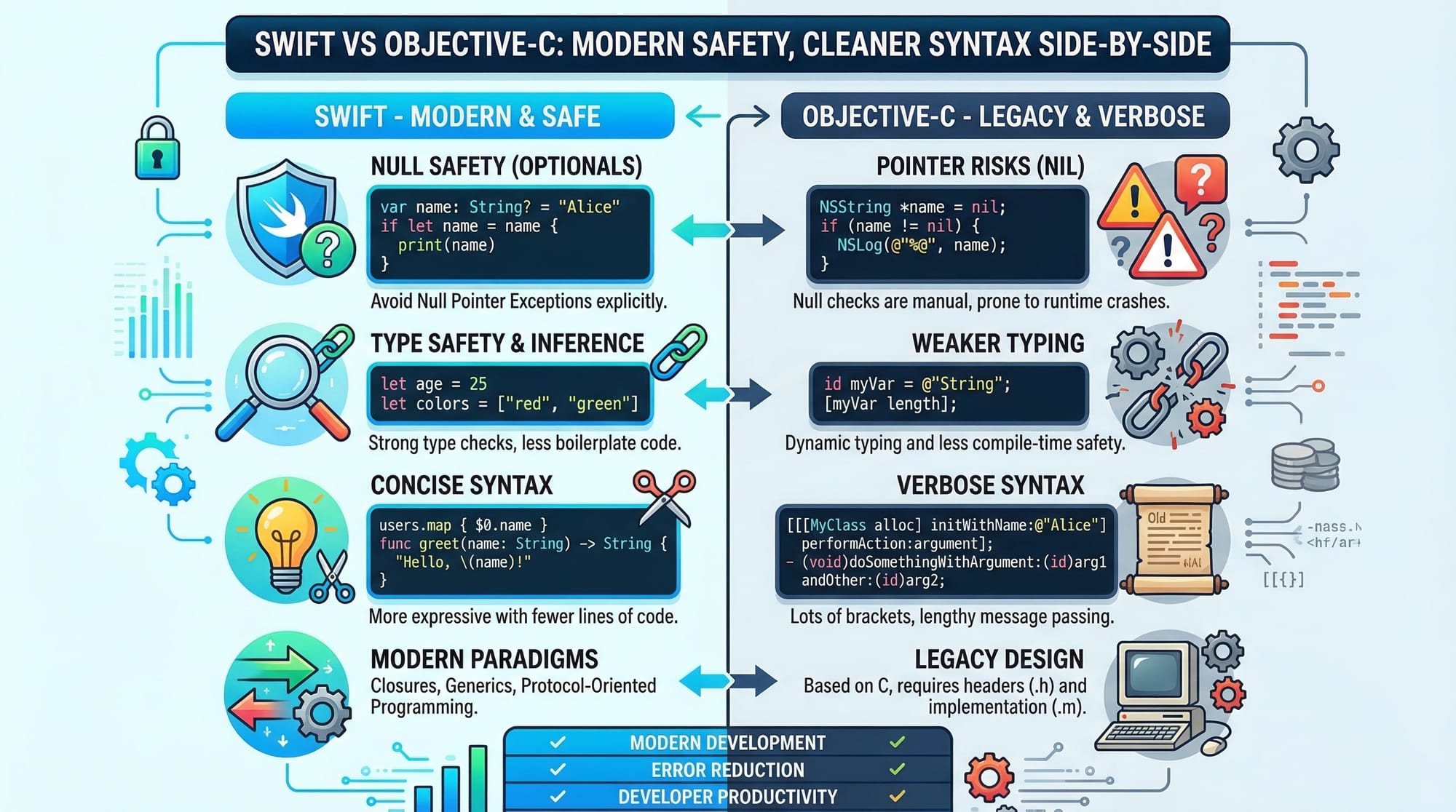
Mistake 1: Force Unwrapping Optionals
var name: String? = nil
print(name!)
❌ This can crash your app.
✅ Fix:
if let name = name {
    print(name)
}
Explanation:
name!→ force unwrap (dangerous)if let→ safe unwrapping
Mistake 2: Confusing var and let
let age = 20
age = 21
❌ Error because constants cannot change.
✅ Fix:
var age = 20
age = 21
Explanation:
let→ constantvar→ variable
Practice Exercises
Exercise 1: Even or Odd Checker
Problem: Write a program to check if a number is even or odd.
Solution:
let number = 7

if number % 2 == 0 {
    print("Even")
} else {
    print("Odd")
}
Explanation:
% 2→ remainder operator== 0→ checks even- Else → odd
Exercise 2: Simple Interest Calculator
Problem: Calculate simple interest for PKR loan.
Solution:
let principal = 10000
let rate = 5
let time = 2

let interest = (principal * rate * time) / 100

print("Interest: PKR \(interest)")
Explanation:
principal→ amount in PKRrate→ interest ratetime→ years- Formula →
(P × R × T)/100
Frequently Asked Questions
What is Swift programming language?
Swift is a modern programming language developed by Apple for building apps on iPhone, iPad, and Mac. It is beginner-friendly, fast, and safe compared to older languages.
How do I start learning Swift in 2026?
You can start by installing Xcode on a Mac and following beginner tutorials like this one. Practice small programs daily to build confidence.
Is Swift good for Pakistani students?
Yes, Swift is excellent for Pakistani students interested in freelancing or app development. iOS developers are in high demand globally.
Do I need a Mac to learn Swift?
For full iOS app development, a Mac is required. However, you can learn basic Swift syntax using online compilers.
Can I earn money after learning Swift?
Yes, you can build apps, freelance, or apply for remote jobs. Many developers in Pakistan earn in USD through iOS development.
Summary & Key Takeaways
- Swift is a beginner-friendly and powerful programming language
- Optionals help make your code safe and prevent crashes
- Functions and closures allow reusable and clean code
- Real-world applications include shopping apps and calculators
- Avoid common mistakes like force unwrapping
- Practice regularly to improve your skills
Next Steps & Related Tutorials
Now that you’ve completed this swift tutorial, continue your learning journey with:
- Learn how to build apps in our iOS Development guide for beginners
- Explore Android development with our Kotlin tutorial for beginners
- Understand programming basics in our Introduction to Programming course
- Advance further with our Swift UI tutorial for modern app design
These tutorials are available on theiqra.edu.pk and are perfect for Pakistani students aiming to become professional developers.
If you stay consistent and keep practicing, Swift can take you from a beginner to a professional app developer in 2026. 🚀
Test Your Python Knowledge!
Finished reading? Take a quick quiz to see how much you've learned from this tutorial.