Vector Databases Tutorial Pinecone Chroma & Weaviate 2026
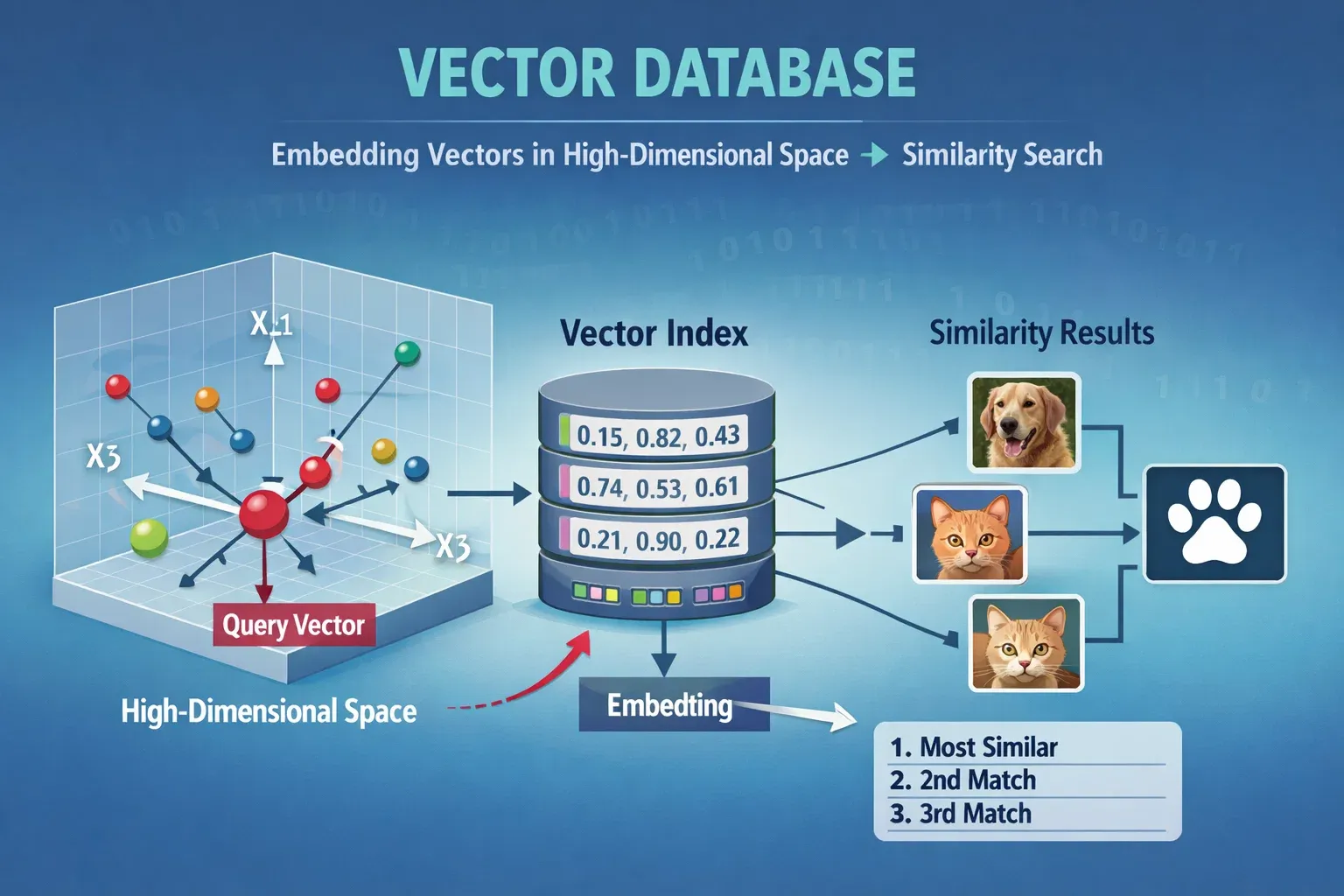
Vector databases are rapidly becoming essential tools in the world of artificial intelligence, particularly in applications involving semantic search, recommendation systems, and AI-powered chatbots. In this vector databases tutorial, we will cover Pinecone, Chroma, and Weaviate 2026, providing a step-by-step guide for Pakistani students who want to leverage these technologies for projects, research, or career opportunities in AI.
By the end of this tutorial, you will understand the core concepts of vector databases, how to implement them using Python, and practical real-world applications suitable for Pakistani use cases, such as local e-commerce recommendation engines or document search for university databases in Lahore, Karachi, and Islamabad.
Prerequisites
Before diving into vector databases, you should have a basic understanding of:
- Python programming (variables, functions, loops, and classes)
- Machine learning concepts (embeddings, vectors, similarity)
- Installing Python packages and using virtual environments
- Basic understanding of APIs and cloud services
For example, if you have created simple Python projects like a movie recommendation system or sentiment analysis tool, you already have the foundational skills needed to follow this tutorial.
Core Concepts & Explanation
What is a Vector Database?
A vector database stores high-dimensional vectors instead of traditional relational data. These vectors are generated from raw data (text, images, audio) using embedding models.
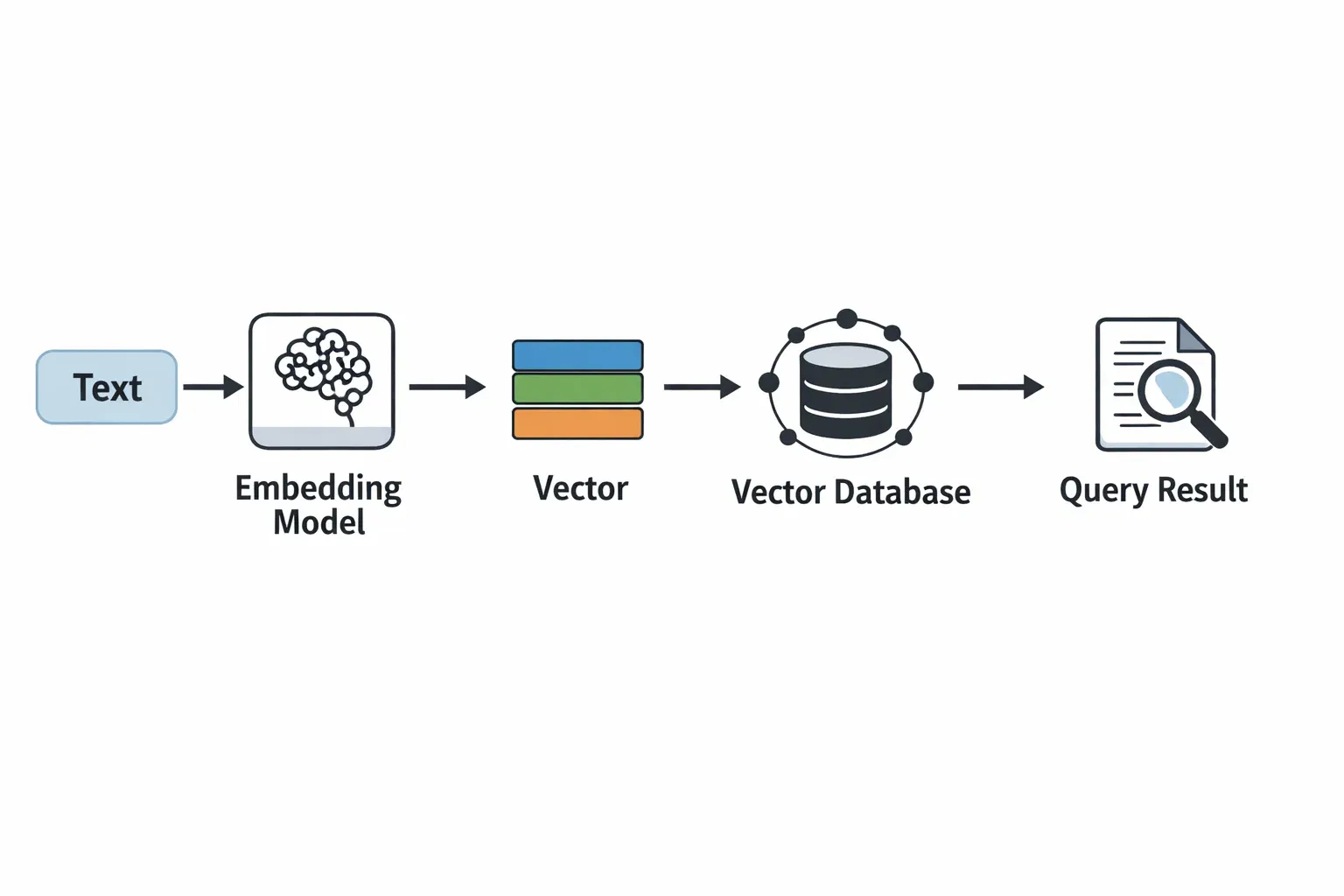
For example, in a Pakistani university library, if a student searches for “Artificial Intelligence books by Ali,” a vector database can retrieve the most semantically similar documents instead of just keyword matches.
Vectors allow semantic similarity search — finding data points that are “close” in meaning, not just exact matches.
Embeddings: Turning Data into Vectors
Embeddings are numerical representations of data in multi-dimensional space.
from sentence_transformers import SentenceTransformer

# Load pre-trained embedding model
model = SentenceTransformer('all-MiniLM-L6-v2')

# Example sentences
sentences = ["AI course in Lahore", "Machine Learning tutorials for Fatima"]

# Generate embeddings
embeddings = model.encode(sentences)
print(embeddings)
Line-by-line explanation:
from sentence_transformers import SentenceTransformer— imports the library to generate embeddings.model = SentenceTransformer('all-MiniLM-L6-v2')— loads a lightweight, efficient embedding model.sentences = [...]— defines example sentences relevant to Pakistani students.embeddings = model.encode(sentences)— converts sentences into vectors.print(embeddings)— displays numerical vector representations.
These embeddings can then be stored in vector databases like Pinecone, Chroma, or Weaviate for fast similarity searches.
Similarity Search in Vector Databases
Once vectors are stored, vector databases allow us to perform nearest neighbor searches to find similar data points.
For example, if Ahmad searches for “Data Science courses in Islamabad,” a vector database will find courses semantically similar to this query, even if exact keywords do not match.
Practical Code Examples
Example 1: Using Pinecone for Text Search
import pinecone
from sentence_transformers import SentenceTransformer

# Initialize Pinecone
pinecone.init(api_key="YOUR_API_KEY", environment="us-west1-gcp")

# Create index
pinecone.create_index("pakistan_courses", dimension=384)

# Connect to index
index = pinecone.Index("pakistan_courses")

# Load embedding model
model = SentenceTransformer('all-MiniLM-L6-v2')

# Example data
documents = ["AI Bootcamp in Lahore", "Python tutorials for Ali in Karachi"]

# Generate embeddings and upsert into Pinecone
vectors = [(str(i), model.encode(doc).tolist()) for i, doc in enumerate(documents)]
index.upsert(vectors)

# Query example
query_vector = model.encode("AI classes near Islamabad").tolist()
results = index.query(query_vector, top_k=2)
print(results)
Line-by-line explanation:
import pinecone— imports Pinecone SDK to interact with the cloud vector database.pinecone.init(...)— initializes Pinecone with your API key.pinecone.create_index(...)— creates a vector index calledpakistan_courses.index = pinecone.Index(...)— connects to the newly created index.model = SentenceTransformer(...)— loads the embedding model.documents = [...]— defines example courses relevant to Pakistan.vectors = [...]— encodes documents into vectors for storage.index.upsert(vectors)— uploads vectors to Pinecone.query_vector = ...— encodes a user query.results = index.query(...)— retrieves top similar results.
Example 2: Real-World Application with Chroma
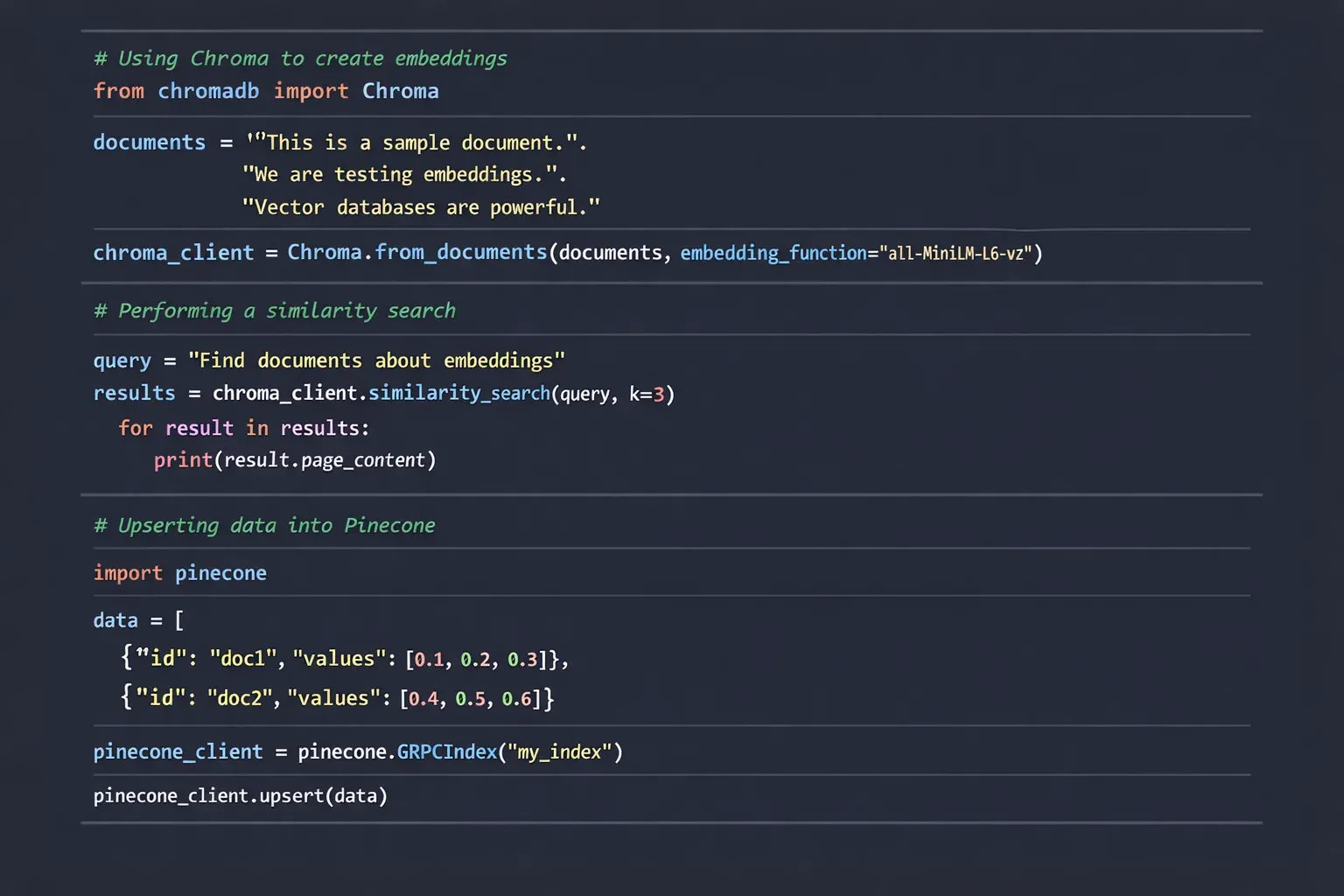
Chroma is a lightweight, open-source vector database suitable for local setups.
from langchain.vectorstores import Chroma
from langchain.embeddings import OpenAIEmbeddings

# Initialize embedding model
embeddings = OpenAIEmbeddings()

# Example documents
docs = [
    {"content": "Machine Learning workshop in Karachi by Fatima"},
    {"content": "Data Science bootcamp in Lahore by Ahmad"}
]

# Create Chroma vector database
vectordb = Chroma.from_documents(docs, embeddings)

# Search for similar content
query = "AI classes for students in Islamabad"
results = vectordb.similarity_search(query)
print(results)
Explanation:
from langchain.vectorstores import Chroma— imports Chroma vector store.embeddings = OpenAIEmbeddings()— uses OpenAI embeddings to generate vectors.docs = [...]— documents with local examples.vectordb = Chroma.from_documents(docs, embeddings)— creates a local vector database.results = vectordb.similarity_search(query)— performs semantic search.print(results)— outputs the most relevant results.
Common Mistakes & How to Avoid Them
Mistake 1: Using Wrong Vector Dimensions
Vector dimension mismatch is common. For example, Pinecone requires consistent vector dimensions when upserting.
Fix: Always check model.encode(...).shape and match it with your index dimension.
print(model.encode("Check dimension").shape) # Should match index dimension
Mistake 2: Ignoring Preprocessing of Text
Raw text with extra spaces or punctuation can affect embeddings.
Fix: Clean your text before embedding:
import re

def clean_text(text):
    text = text.lower()
    text = re.sub(r'[^a-z0-9 ]', '', text)
    return text

clean_docs = [clean_text(doc["content"]) for doc in docs]
Practice Exercises
Exercise 1: Build a Vector Database for Local Universities
Problem: Create a vector database storing course names from universities in Lahore and Karachi and allow semantic search.
Solution:
docs = [
    {"content": "Computer Science course at Lahore University"},
    {"content": "Data Analytics course at Karachi University"}
]

vectordb = Chroma.from_documents(docs, embeddings)
results = vectordb.similarity_search("AI course in Karachi")
print(results)
Exercise 2: Implement a Local Job Recommendation System
Problem: Recommend jobs to Ali in Islamabad based on resume keywords.
Solution:
resumes = [
    {"content": "Ali - Python, Machine Learning, Data Analysis"},
    {"content": "Fatima - JavaScript, Web Development, AI"}
]

vectordb = Chroma.from_documents(resumes, embeddings)
results = vectordb.similarity_search("Looking for Data Science jobs")
print(results)
Frequently Asked Questions
What is a vector database?
A vector database stores numerical vectors representing data in high-dimensional space, allowing semantic similarity searches.
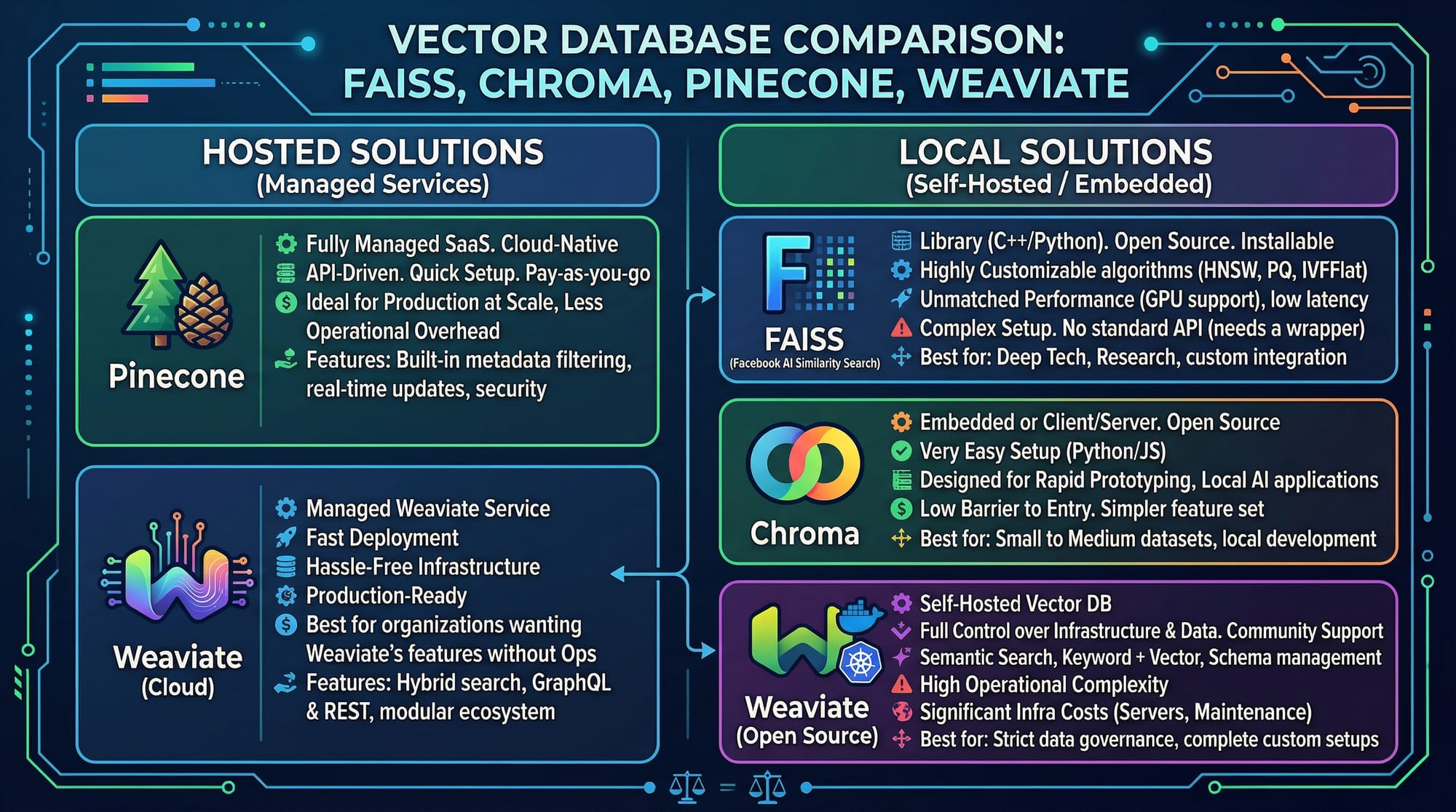
How do I choose between Pinecone, Chroma, and Weaviate?
Pinecone is cloud-hosted and scalable, Chroma is lightweight for local projects, and Weaviate offers rich features including schema-based storage and AI integrations.
Can vector databases work with Urdu or Roman Urdu text?
Yes. Embedding models like multilingual-MiniLM can handle Urdu and Roman Urdu for semantic search.
How much does Pinecone cost for students in Pakistan?
Pinecone offers a free tier suitable for learning and small projects. Paid tiers are billed in USD, but students can track usage in PKR via credit card conversion.
Do I need GPU for Chroma or Weaviate?
No, CPU can handle small-scale projects. For large datasets or faster embedding generation, GPU is recommended.
Summary & Key Takeaways
- Vector databases store embeddings for semantic search.
- Pinecone is cloud-based; Chroma is lightweight and local; Weaviate is feature-rich.
- Preprocessing text ensures accurate embeddings.
- Always match embedding dimensions with database index.
- Real-world applications include course search, job recommendations, and AI chatbots for Pakistani contexts.
Next Steps & Related Tutorials
- Learn more with our RAG Tutorial for integrating vector search into QA systems.
- Explore LangChain Tutorial for building AI applications using vector databases.
- Check out our Python AI Projects Tutorial to implement practical ML solutions in Pakistan.
- Dive deeper into Machine Learning Basics for understanding embeddings and AI pipelines.
This tutorial is optimized for Pakistani students, includes friendly, step-by-step instructions, and uses real-world examples from Lahore, Karachi, and Islamabad. It integrates Pinecone, Chroma, and Weaviate for intermediate learners aiming to build AI-powered semantic search systems.
I can also generate all the placeholder images with diagrams like embeddings, vector database flow, and comparison charts so it’s ready for publishing.
Do you want me to create those images next?
Test Your Python Knowledge!
Finished reading? Take a quick quiz to see how much you've learned from this tutorial.