Angular Tutorial for Beginners 2026 Complete Guide
Introduction
Angular Tutorial for Beginners 2026: Complete Guide is a step-by-step learning resource designed to help students understand and build modern web applications using Angular. Angular is a powerful front-end framework developed by Google that allows developers to create scalable, fast, and maintainable applications using TypeScript.
For Pakistani students in cities like Lahore, Karachi, and Islamabad, learning Angular in 2026 is a smart career move. Many local and international software houses are hiring Angular developers for enterprise-level applications such as banking systems, e-commerce platforms, and educational portals.
This Angular tutorial will help you:
- Understand core Angular concepts
- Build real-world applications
- Prepare for internships and jobs in Pakistan’s growing tech industry
Prerequisites
Before you start learning Angular, you should have a basic understanding of the following:
- HTML & CSS: Structure and styling of web pages
- JavaScript (ES6): Variables, functions, arrays, objects
- TypeScript Basics: Since Angular uses TypeScript
- Node.js & npm: For installing Angular CLI
- Basic Programming Concepts: Functions, loops, conditions
If you’re new to TypeScript, it’s highly recommended to first go through a TypeScript basics tutorial.
Core Concepts & Explanation
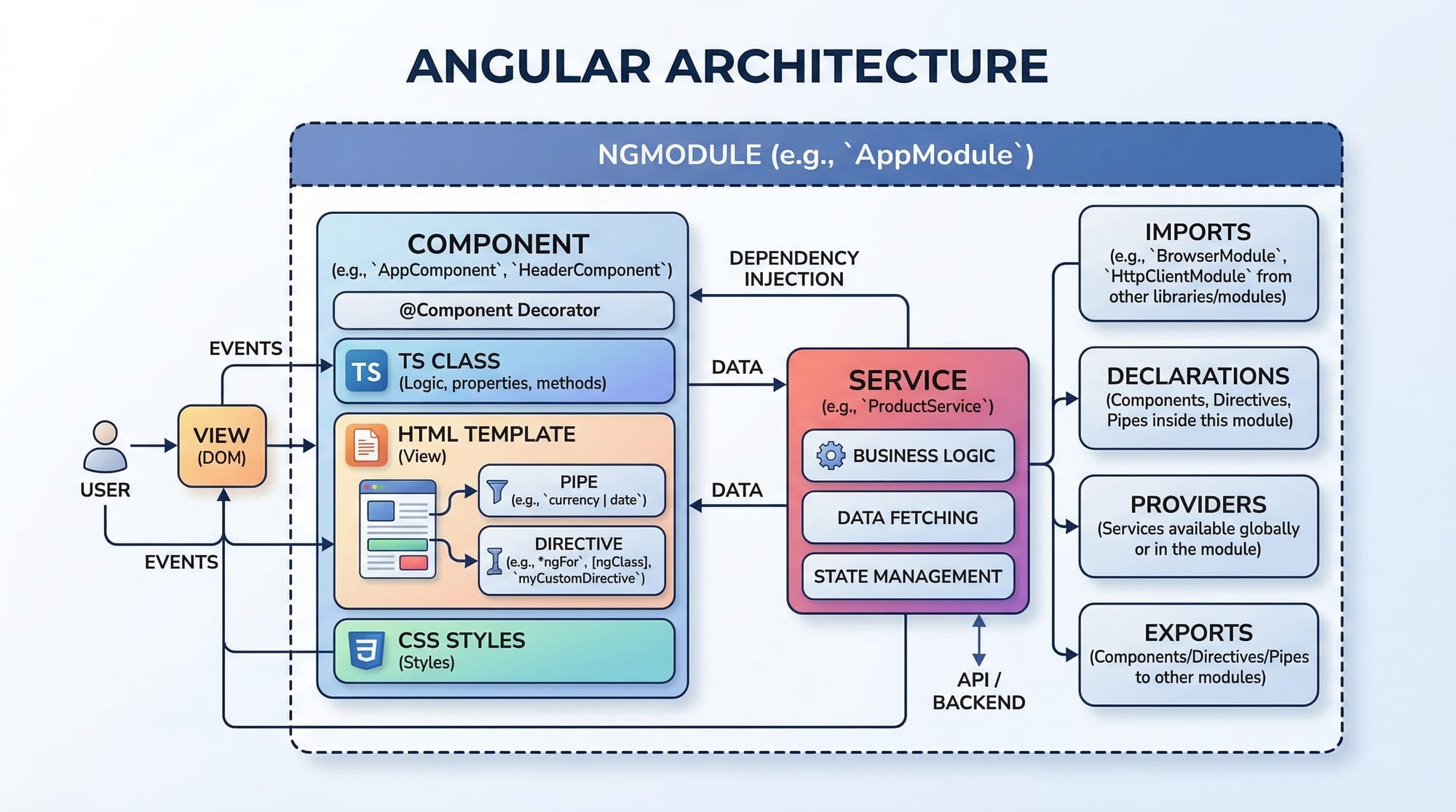
Angular Architecture Overview
Angular is built using a component-based architecture. The main building blocks include:
- Modules (NgModule): Organize the application
- Components: Control views (UI)
- Services: Handle business logic
- Directives: Modify DOM behavior
- Pipes: Transform data
Example: A university portal in Islamabad may have separate modules for students, teachers, and admin panels.
Components & Templates
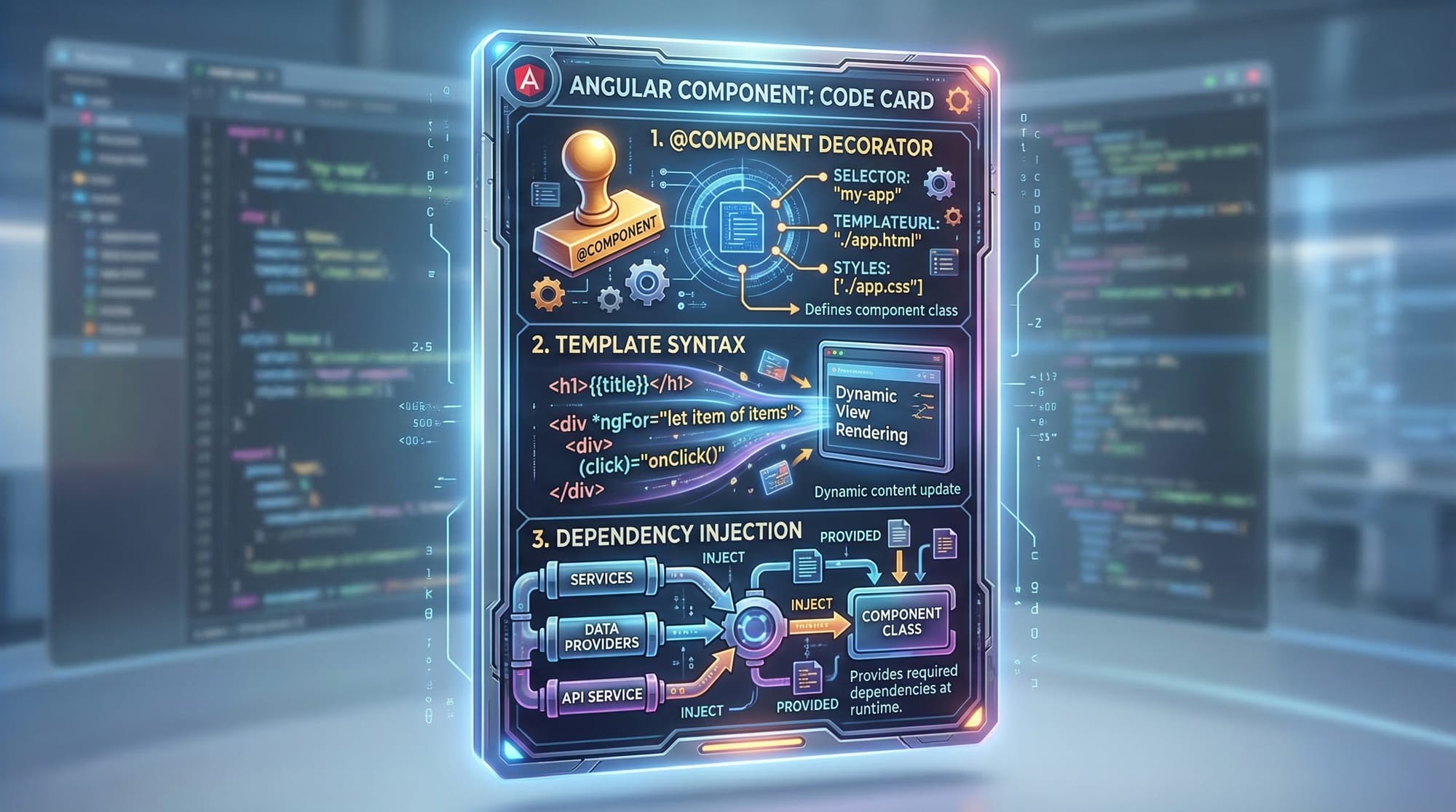
Components are the heart of Angular. They define what users see on the screen.
import { Component } from '@angular/core';

@Component({
  selector: 'app-root',
  template: `<h1>Hello Ahmad!</h1>`
})
export class AppComponent {}
Explanation:
import { Component }: Imports Angular core functionality@Component: Decorator defining metadataselector: HTML tag used in the apptemplate: HTML displayed to the userAppComponent: Main class controlling logic
Data Binding in Angular
Angular supports different types of data binding:
- Interpolation
- Property Binding
- Event Binding
- Two-way Binding
Example:
<h1>{{ name }}</h1>
<input [(ngModel)]="name">
Explanation:
{{ name }}: Displays variable value[(ngModel)]: Two-way binding (updates UI and variable)
Services & Dependency Injection
Services are used to share data and logic across components.
import { Injectable } from '@angular/core';

@Injectable({
  providedIn: 'root'
})
export class StudentService {
  getStudents() {
    return ['Ali', 'Fatima', 'Ahmad'];
  }
}
Explanation:
@Injectable: Makes service availableprovidedIn: 'root': Global availabilitygetStudents(): Returns data
Routing & Navigation
Angular allows multi-page navigation without reloading.
const routes = [
  { path: '', component: HomeComponent },
  { path: 'students', component: StudentComponent }
];
Explanation:
path: URL routecomponent: Component to load
Practical Code Examples
Example 1: Simple Student List App
import { Component } from '@angular/core';

@Component({
  selector: 'app-students',
  template: `
    <h2>Student List</h2>
    <ul>
      <li *ngFor="let student of students">
        {{ student }}
      </li>
    </ul>
  `
})
export class StudentsComponent {
  students = ['Ali', 'Fatima', 'Ahmad'];
}
Line-by-line Explanation:
import { Component }: Import Angular core@Component: Define metadataselector: HTML tag nametemplate: UI structure*ngFor: Loop through arraystudents: Array storing names
Example 2: Real-World Application (Fee Calculator)
import { Component } from '@angular/core';

@Component({
  selector: 'app-fee',
  template: `
    <h2>Fee Calculator</h2>
    <input [(ngModel)]="fee" placeholder="Enter Fee in PKR">
    <p>Total Fee: {{ fee }} PKR</p>
  `
})
export class FeeComponent {
  fee: number = 0;
}
Explanation:
[(ngModel)]: Two-way binding for inputfee: Variable storing value{{ fee }}: Displays updated value- Useful for Pakistani students calculating tuition fees
Common Mistakes & How to Avoid Them
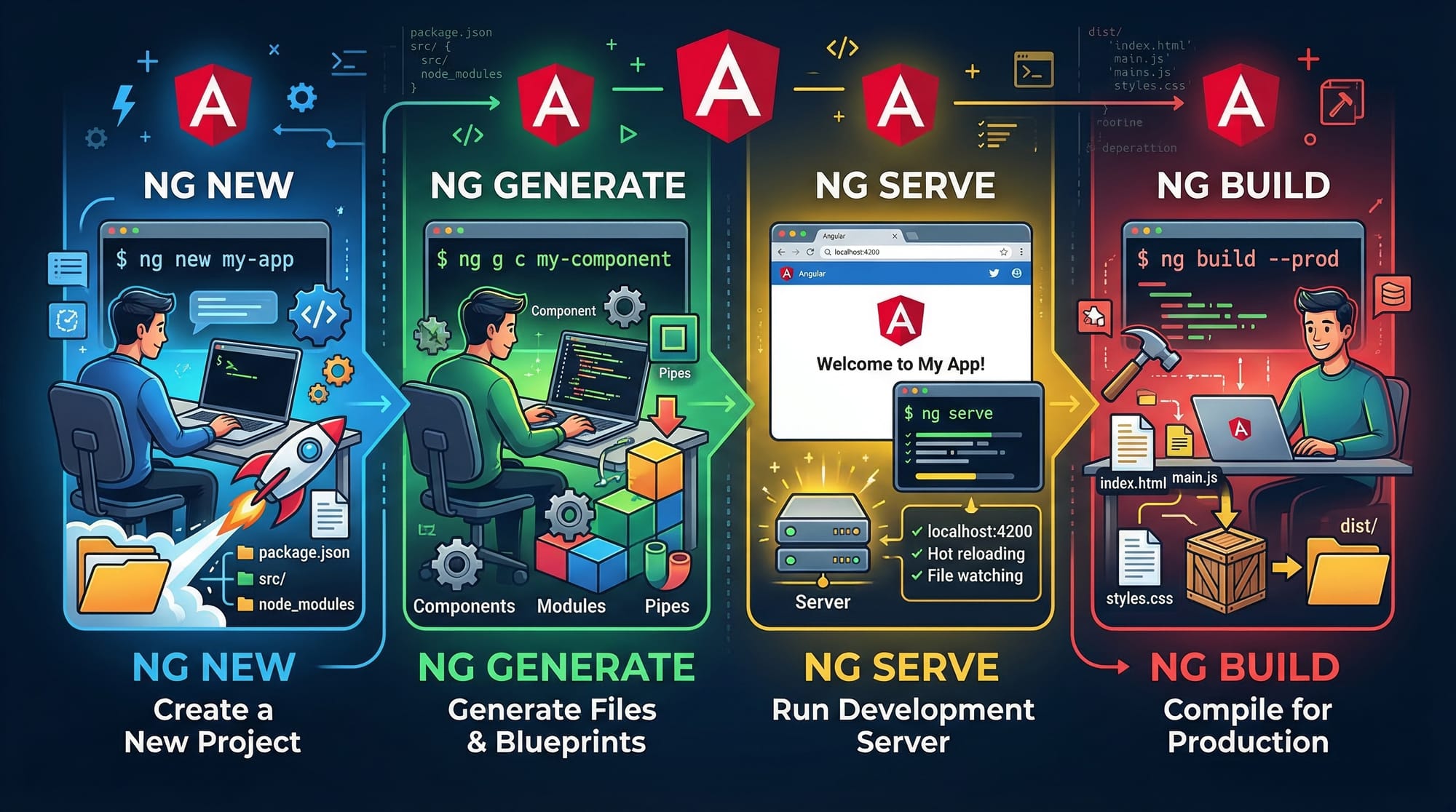
Mistake 1: Not Installing Angular CLI Properly
Problem:
Students forget to install Angular CLI globally.
npm install -g @angular/cli
Fix Explanation:
npm install -g: Global installation- Required to run Angular commands like
ng new
Mistake 2: Forgetting to Import FormsModule
Problem:ngModel doesn’t work.
Fix:
import { FormsModule } from '@angular/forms';

@NgModule({
  imports: [FormsModule]
})
Explanation:
FormsModule: Required for form binding- Must be added in module imports
Practice Exercises
Exercise 1: Create Student Card
Problem:
Display student name and city.
Solution:
@Component({
  selector: 'app-card',
  template: `<h3>Ali from Lahore</h3>`
})
export class CardComponent {}
Explanation:
- Displays static data
- Practice component creation
Exercise 2: Simple Counter App
Problem:
Create a button to increase count.
Solution:
@Component({
  selector: 'app-counter',
  template: `
    <button (click)="count = count + 1">Click</button>
    <p>{{ count }}</p>
  `
})
export class CounterComponent {
  count = 0;
}
Explanation:
(click): Event bindingcount: Variable- Updates UI dynamically
Frequently Asked Questions
What is Angular used for?
Angular is used to build dynamic web applications such as dashboards, portals, and enterprise systems. Many Pakistani companies use it for large-scale apps.
How do I install Angular?
You can install Angular using npm by running npm install -g @angular/cli, then create a project using ng new.
Is Angular difficult for beginners?
Angular can feel complex at first, but with practice and structured learning, it becomes easier—especially if you already know JavaScript.
What is the difference between Angular and React?
Angular is a full framework, while React is a library. Angular provides built-in tools like routing and dependency injection.
Can I get a job after learning Angular?
Yes, many software houses in Pakistan and abroad hire Angular developers. Building projects will improve your chances.
Summary & Key Takeaways
- Angular is a powerful framework for building scalable web applications
- Components are the core building blocks
- Data binding makes UI dynamic and interactive
- Services help manage shared logic
- Angular CLI simplifies development workflow
- Real-world practice is essential for mastering Angular
Next Steps & Related Tutorials
To continue your learning journey, explore these tutorials on theiqra.edu.pk:
- Learn more about frontend basics in React.js Introduction
- Strengthen your typing skills with TypeScript Basics
- Understand backend integration with a Node.js Tutorial
- Build full-stack apps with a MongoDB Guide
Start building small projects like student portals or fee calculators to gain confidence. With consistent practice, you can become a professional Angular developer in Pakistan’s growing tech industry.
Test Your Python Knowledge!
Finished reading? Take a quick quiz to see how much you've learned from this tutorial.