C++ Tutorial for Beginners Complete Guide 2026

Introduction
C++ is one of the most powerful and widely used programming languages in the world. This C++ tutorial for beginners — complete guide 2026 will help Pakistani students understand the C++ basics, learn how programs work, and build real applications step-by-step.
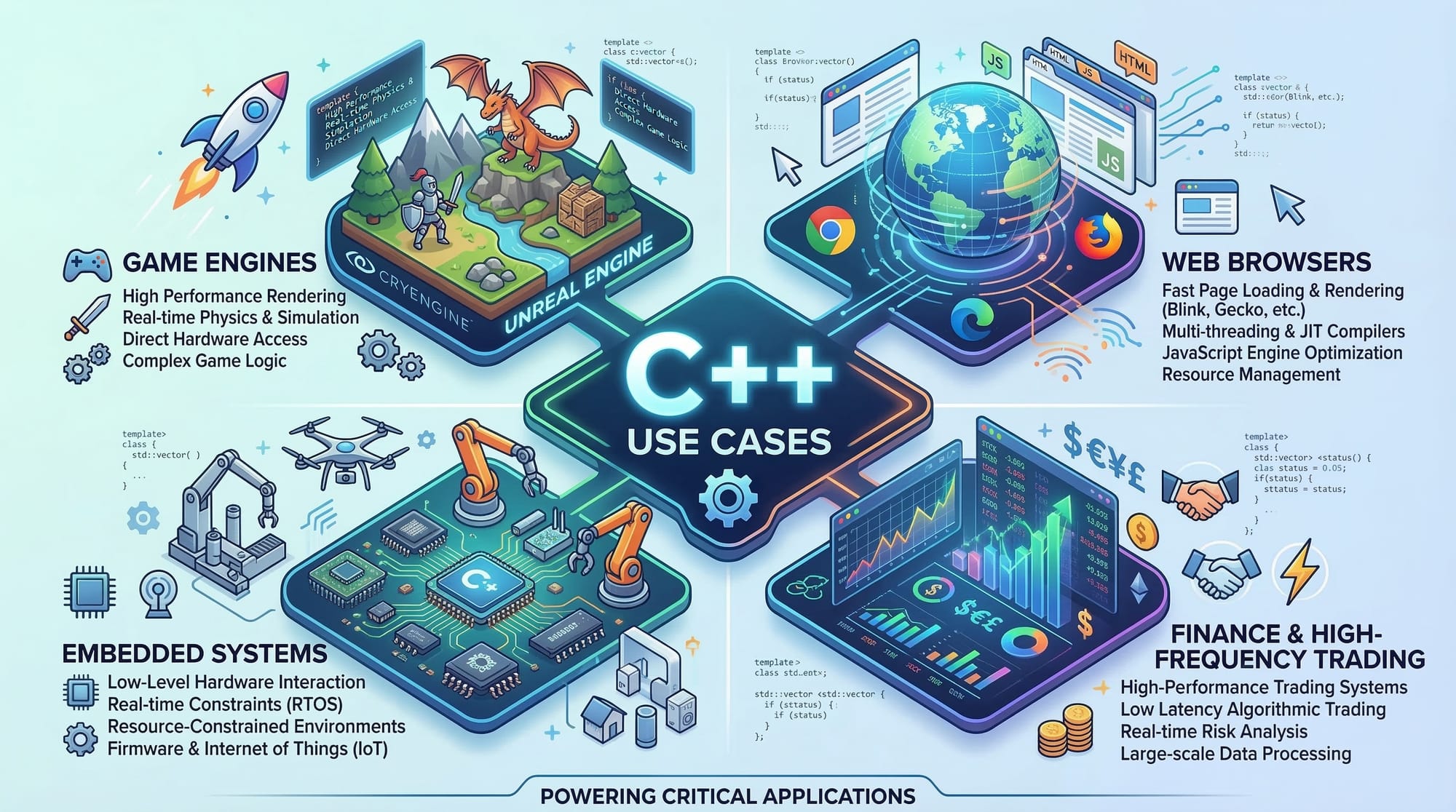
Created by Bjarne Stroustrup in 1985, C++ is an extension of the C programming language with powerful features like Object-Oriented Programming (OOP), high performance, and memory control. Today, it is used to build:
- Operating systems
- Game engines
- Banking software
- Embedded systems
- High-frequency trading platforms
If you want to learn C++ in 2026, this guide will walk you from the fundamentals to practical examples.
Many Pakistani universities such as FAST, NUST, UET Lahore, and COMSATS teach C++ as a first programming language because it builds strong programming logic.
For example, a student named Ahmad from Lahore learning programming for the first time can use C++ to understand variables, loops, and algorithms before moving to advanced topics like artificial intelligence or system programming.
By the end of this guide, you will understand:
- Core C++ basics
- How to write your first program
- Real-world coding examples
- Common mistakes beginners make
- Practice exercises to improve skills
Prerequisites
Before starting this C++ tutorial for beginners, you do not need prior programming experience. However, a few basic skills will help you learn faster.
Recommended prerequisites:
- Basic computer knowledge (files, folders, software installation)
- Ability to use a text editor or IDE
- Basic understanding of English programming terms
- Logical thinking and problem-solving mindset
Optional but helpful:
- Basic knowledge of mathematics
- Familiarity with algorithms or flowcharts
Recommended Tools for Pakistani Students
To start coding in C++, install one of the following:
- Code::Blocks
- Visual Studio Code
- Dev-C++
- CLion
Most universities in Pakistan recommend Code::Blocks with GCC compiler because it is free and beginner-friendly.
Steps to start:
- Install an IDE.
- Install the GCC compiler.
- Create a
.cppfile. - Write your first program.
Once your environment is ready, you can begin learning the C++ basics.
Core Concepts & Explanation
Variables and Data Types in C++
Variables store data inside a program. In C++, every variable must have a data type.
Common C++ data types:
| Data Type | Description | Example |
|---|---|---|
| int | Integer numbers | 10 |
| float | Decimal numbers | 10.5 |
| char | Single character | 'A' |
| string | Text values | "Ali" |
| bool | True/False values | true |
Example:
#include <iostream>
using namespace std;

int main() {
    int age = 20;
    float price = 1500.50;
    char grade = 'A';
    string name = "Ahmad";

    cout << name << " is " << age << " years old.";
    return 0;
}
Line-by-line explanation:
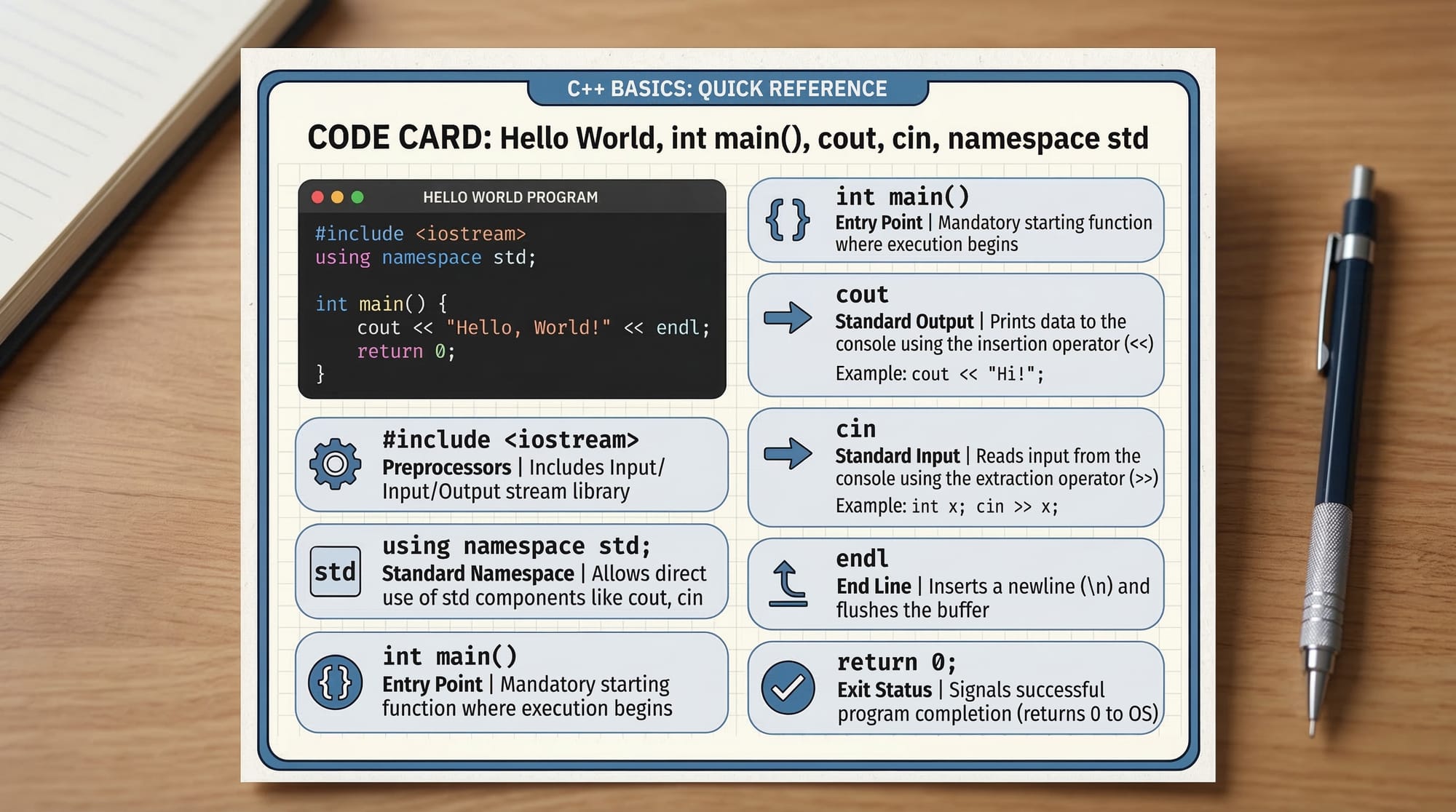
#include <iostream>
Imports the input-output library required for cout and cin.
using namespace std;
Allows us to use standard library functions without writing std::.
int main()
Main function where program execution starts.
int age = 20;
Creates an integer variable storing age.
float price = 1500.50;
Stores a decimal value (for example price in PKR).
char grade = 'A';
Stores a single character.
string name = "Ahmad";
Stores a text value.
cout << ...
Prints output on the screen.
return 0;
Ends the program successfully.
Control Structures: Conditions and Loops
Control structures allow programs to make decisions and repeat tasks.
Common control structures:
ifelseswitchforwhiledo-while
Example using if statement:
#include <iostream>
using namespace std;

int main() {
    int marks = 75;

    if(marks >= 50) {
        cout << "Pass";
    } else {
        cout << "Fail";
    }

    return 0;
}
Explanation:
int marks = 75;
Stores student marks.
if(marks >= 50)
Checks if marks are greater than or equal to 50.
cout << "Pass";
Displays "Pass" if the condition is true.
else
Runs when the condition is false.
cout << "Fail";
Displays "Fail".
This logic is commonly used in school result systems across Pakistan.
Functions in C++
Functions allow code reuse and improve program organization.
Example:
#include <iostream>
using namespace std;

void greet() {
    cout << "Welcome to TheIqra C++ Tutorial!";
}

int main() {
    greet();
    return 0;
}
Explanation:
void greet()
Defines a function named greet.
cout << ...
Displays a welcome message.
greet();
Calls the function inside main().
Functions help divide large programs into smaller reusable parts.
Object-Oriented Programming Basics
C++ supports Object-Oriented Programming (OOP).
Key OOP concepts:
- Classes
- Objects
- Encapsulation
- Inheritance
- Polymorphism
Example:
#include <iostream>
using namespace std;

class Student {
public:
    string name;
    int age;

    void display() {
        cout << "Name: " << name << endl;
        cout << "Age: " << age;
    }
};

int main() {
    Student s1;

    s1.name = "Fatima";
    s1.age = 21;

    s1.display();

    return 0;
}
Explanation:
class Student
Defines a class.
string name; int age;
Attributes of the student.
void display()
Function inside the class.
Student s1;
Creates an object.
s1.name = "Fatima";
Assigns values.
s1.display();
Calls class method.
OOP is widely used in large software systems.
Practical Code Examples
Example 1: Hello World Program
Every programming language starts with the famous Hello World program.
#include <iostream>
using namespace std;

int main() {
    cout << "Hello World!";
    return 0;
}
Explanation:
#include <iostream>
Loads input-output library.
using namespace std;
Allows usage of standard functions.
int main()
Program entry point.
cout << "Hello World!";
Displays text.
return 0;
Ends the program.
This is usually the first program students write when learning C++.
Example 2: Real-World Application (Student Fee Calculator)
Imagine Fatima in Karachi running a small tuition center and needing a program to calculate fees.
#include <iostream>
using namespace std;

int main() {
    int students;
    int feePerStudent;
    int total;

    cout << "Enter number of students: ";
    cin >> students;

    cout << "Enter fee per student (PKR): ";
    cin >> feePerStudent;

    total = students * feePerStudent;

    cout << "Total income: PKR " << total;

    return 0;
}
Explanation:
int students;
Stores number of students.
int feePerStudent;
Stores fee amount in PKR.
cout << "Enter number of students:"
Displays input prompt.
cin >> students;
Reads user input.
total = students * feePerStudent;
Calculates total income.
cout << "Total income:"
Displays result.
This simple program demonstrates real-world calculations using C++.
Common Mistakes & How to Avoid Them
Mistake 1: Missing Semicolon
Beginners often forget semicolons.
Incorrect code:
int age = 20
Correct code:
int age = 20;
Explanation:
Every statement in C++ must end with ;.
Without it, the compiler shows an error.
Mistake 2: Not Including Required Libraries
If you forget to include libraries, the program fails.
Incorrect:
cout << "Hello";
Correct:
#include <iostream>
using namespace std;

cout << "Hello";
Explanation:
cout belongs to the iostream library, so it must be included.
Practice Exercises
Exercise 1: Even or Odd Checker
Problem:
Write a program that checks whether a number is even or odd.
Solution:
#include <iostream>
using namespace std;

int main() {
    int num;

    cout << "Enter a number: ";
    cin >> num;

    if(num % 2 == 0) {
        cout << "Even number";
    } else {
        cout << "Odd number";
    }

    return 0;
}
Explanation:
num % 2
Calculates remainder.
If remainder is 0, the number is even.
Otherwise, it is odd.
Exercise 2: Simple Profit Calculator
Problem:
Ali runs a small shop in Islamabad.
Write a program to calculate profit.
Solution:
#include <iostream>
using namespace std;

int main() {
    int cost;
    int selling;
    int profit;

    cout << "Enter cost price: ";
    cin >> cost;

    cout << "Enter selling price: ";
    cin >> selling;

    profit = selling - cost;

    cout << "Profit: PKR " << profit;

    return 0;
}
Explanation:
cost
Stores purchase price.
selling
Stores selling price.
profit = selling - cost
Calculates profit.
cout
Displays profit amount.
Frequently Asked Questions
What is C++ used for?
C++ is used to build high-performance software such as game engines, operating systems, trading platforms, and embedded systems. Many global companies rely on C++ for speed-critical applications.
Is C++ good for beginners?
Yes. Many universities teach C++ first because it builds strong programming fundamentals such as memory management, logic building, and object-oriented programming.
How long does it take to learn C++?
A beginner can learn C++ basics in 4–6 weeks with regular practice. Mastering advanced topics like templates and memory management may take several months.
Do Pakistani universities teach C++?
Yes. Many institutions including FAST, NUST, UET, and COMSATS use C++ in their computer science curriculum.
Can C++ help me get a job?
Yes. Skills in C++ are valuable for careers in software engineering, game development, embedded systems, fintech, and high-performance computing.
Summary & Key Takeaways
- C++ is a powerful programming language used worldwide.
- It teaches fundamental programming concepts like variables, loops, and functions.
- Object-Oriented Programming makes C++ suitable for large applications.
- Pakistani students often learn C++ as their first language in universities.
- Practice through small programs to build strong programming logic.
- Mastering C++ opens opportunities in system programming, finance, and game development.
Next Steps & Related Tutorials
Now that you understand the C++ basics, continue learning programming with these tutorials on theiqra.edu.pk:
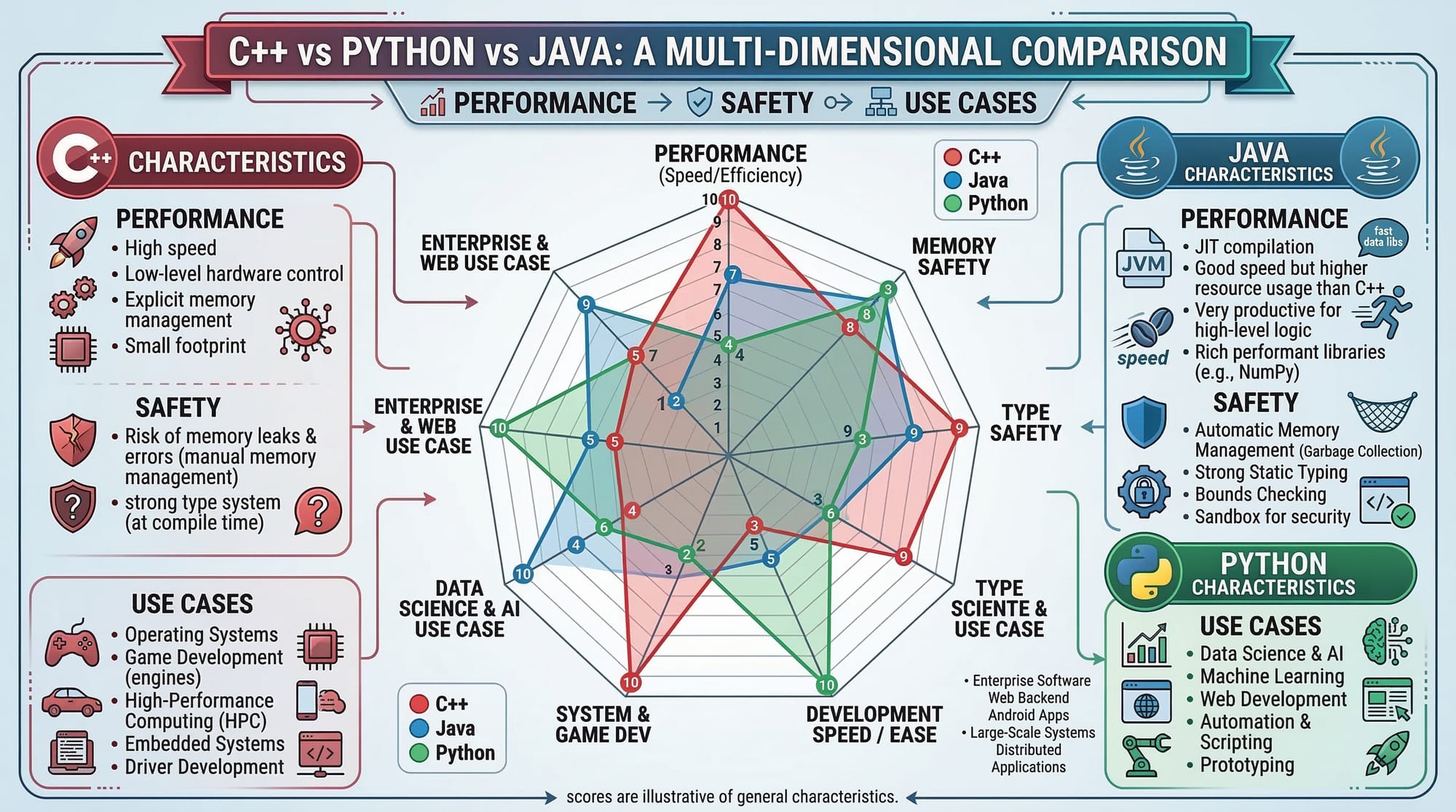
- Learn programming logic in our Java Tutorial for Beginners
- Explore modern scripting with our Python Tutorial for Beginners
- Build backend applications with the PHP Programming Tutorial
- Learn database integration in the MySQL Complete Guide
These tutorials will help you expand your programming knowledge and become a well-rounded developer.
If you'd like, I can also help you create:
- SEO meta title + description
- Schema FAQ markup
- Featured snippet optimization
- Internal linking structure for theiqra.edu.pk
to help this article rank on Google for “C++ tutorial for beginners” in Pakistan.
Test Your Python Knowledge!
Finished reading? Take a quick quiz to see how much you've learned from this tutorial.