Design a Rate Limiter Algorithms & Implementation
Introduction
Designing a rate limiter system is a fundamental concept in modern backend engineering. A rate limiter controls how many requests a user or system can make within a given time period. Without it, your API or application can easily be overwhelmed by too many requests—whether accidental or malicious.
For Pakistani students learning system design, understanding rate limiting algorithms like the token bucket algorithm is especially valuable. Many real-world platforms in Pakistan—such as e-commerce sites in Lahore, ride-hailing apps in Karachi, or fintech apps in Islamabad—depend heavily on rate limiting to ensure fairness, performance, and security.
Imagine Ahmad building an API for a startup in Islamabad. Without rate limiting, a single user (or bot) could flood the server, causing downtime. With a proper rate limiter, Ahmad can ensure every user gets a fair share of resources.
Prerequisites
Before diving into this tutorial, you should be comfortable with:
- Basic programming (preferably Python or JavaScript)
- Understanding of APIs and HTTP requests
- Basic data structures (queues, counters)
- Familiarity with caching tools like Redis (helpful but optional)
- Basic system design concepts
Core Concepts & Explanation
Rate Limiting Basics
A rate limiter restricts how many requests a user can make in a defined time window.
Example:
- Limit: 100 requests per minute
- If Fatima sends 120 requests → last 20 are blocked
Why it's needed:
- Prevent abuse (DDoS attacks)
- Ensure fair usage
- Protect backend services
- Control infrastructure costs (important for startups using cloud in PKR budgets)
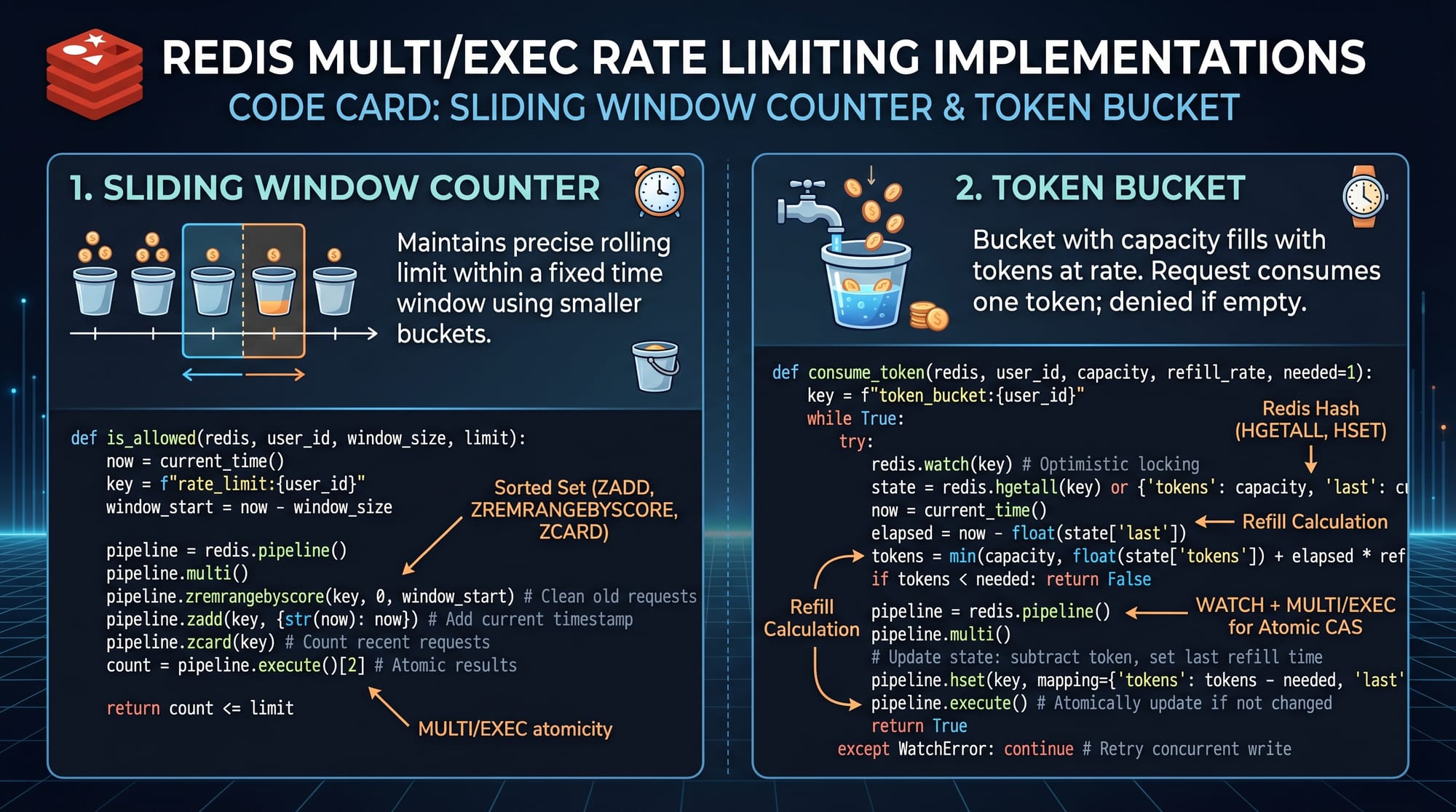
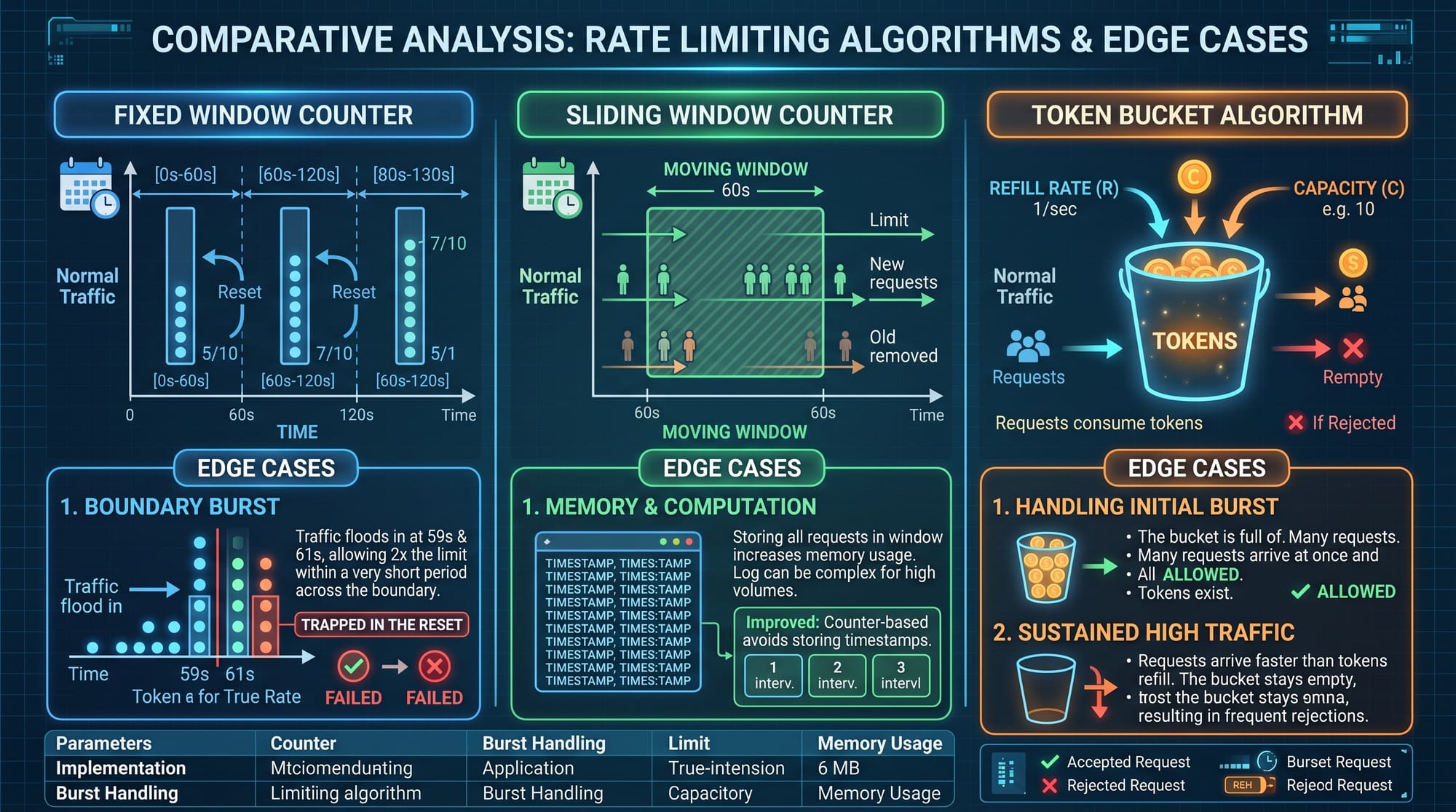
Fixed Window Algorithm
This is the simplest approach.
How it works:
- Count requests in a fixed time window (e.g., 1 minute)
- Reset counter after window ends
Example:
- Ali makes 100 requests in 59 seconds → allowed
- Makes 100 more at second 61 → allowed again (problem!)
Issue:
- Burst traffic at boundaries
Sliding Window Algorithm
Improves fixed window limitations.
How it works:
- Tracks requests over a rolling time window
- More accurate than fixed window
Example:
- If limit is 100/min, it checks last 60 seconds continuously
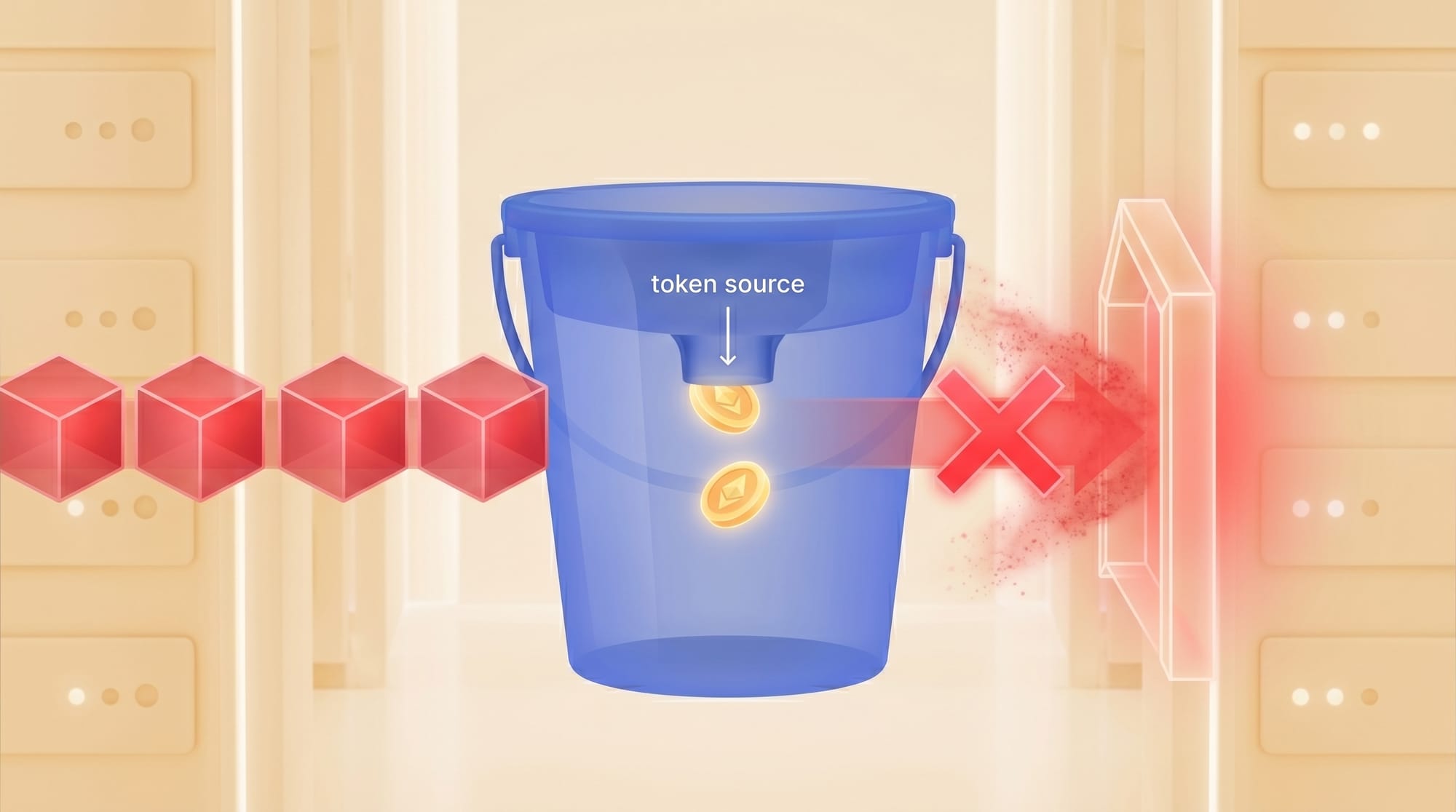
Token Bucket Algorithm
This is one of the most popular rate limiting algorithms.
How it works:
- Tokens are added to a bucket at a fixed rate
- Each request consumes one token
- If no tokens → request denied
Example:
- Bucket size: 10 tokens
- Refill rate: 1 token/sec
- Ahmad sends 10 requests instantly → allowed
- Sends 11th → blocked until refill
Advantages:
- Allows bursts
- Smooth traffic control
Leaky Bucket Algorithm
Similar to token bucket but processes requests at a fixed rate.
Difference:
- Token bucket allows bursts
- Leaky bucket smooths output strictly
Practical Code Examples
Example 1: Token Bucket Implementation (Python)
import time

class TokenBucket:
    def __init__(self, capacity, refill_rate):
        self.capacity = capacity
        self.tokens = capacity
        self.refill_rate = refill_rate
        self.last_refill = time.time()

    def allow_request(self):
        current_time = time.time()
        elapsed = current_time - self.last_refill

        # Add tokens based on elapsed time
        refill_tokens = elapsed * self.refill_rate
        self.tokens = min(self.capacity, self.tokens + refill_tokens)

        self.last_refill = current_time

        if self.tokens >= 1:
            self.tokens -= 1
            return True
        return False
Line-by-line explanation:
import time→ Used to track time intervalsclass TokenBucket:→ Defines rate limiter class__init__→ Initializes bucket size and refill rateself.tokens = capacity→ Start with full bucketlast_refill→ Tracks last refill timestampallow_request()→ Main function to check requestelapsed = current_time - last_refill→ Calculate time passedrefill_tokens = elapsed * refill_rate→ Add tokensmin(capacity, ...)→ Prevent overflowif tokens >= 1→ Allow requesttokens -= 1→ Consume token
Example 2: Real-World API Rate Limiter (Node.js + Express)
const express = require('express');
const app = express();

let requests = {};

const RATE_LIMIT = 5;
const WINDOW_SIZE = 60 * 1000; // 1 minute

app.use((req, res, next) => {
    const ip = req.ip;
    const currentTime = Date.now();

    if (!requests[ip]) {
        requests[ip] = [];
    }

    // Filter old requests
    requests[ip] = requests[ip].filter(timestamp => {
        return currentTime - timestamp < WINDOW_SIZE;
    });

    if (requests[ip].length >= RATE_LIMIT) {
        return res.status(429).send("Too Many Requests");
    }

    requests[ip].push(currentTime);
    next();
});

app.get('/', (req, res) => {
    res.send("Welcome to Pakistani API!");
});

app.listen(3000, () => {
    console.log("Server running on port 3000");
});
Line-by-line explanation:
express()→ Creates web serverrequests = {}→ Stores IP-based request logsRATE_LIMIT = 5→ Max 5 requests per minuteWINDOW_SIZE→ Time window in milliseconds- Middleware function intercepts all requests
req.ip→ Identify user- Initialize request array if new user
filter()→ Remove old timestampsif length >= limit→ Block requestres.status(429)→ Send HTTP errorpush(currentTime)→ Record new request
Common Mistakes & How to Avoid Them
Mistake 1: Ignoring Distributed Systems
If your app runs on multiple servers (common in cloud setups), local rate limiting won't work.
Problem:
- Each server tracks separately → limits bypassed
Solution:
- Use Redis or centralized storage
# Pseudo Redis example
INCR user:123
EXPIRE user:123 60
Mistake 2: Not Handling Burst Traffic
Using only fixed window can cause spikes.
Problem:
- Users send many requests at window boundary
Solution:
- Use token bucket or sliding window

Practice Exercises
Exercise 1: Build a Fixed Window Limiter
Problem:
Create a limiter allowing 10 requests per minute.
Solution:
import time

requests = {}

def allow_request(user):
    now = int(time.time() / 60)

    if user not in requests:
        requests[user] = {}

    if now not in requests[user]:
        requests[user] = {now: 0}

    if requests[user][now] < 10:
        requests[user][now] += 1
        return True
    return False
Explanation:
- Groups requests by minute
- Tracks count per user
- Resets automatically every minute
Exercise 2: Token Bucket Simulation
Problem:
Allow burst traffic of 5 requests with refill rate of 1/sec.
Solution:
bucket = TokenBucket(5, 1)

for i in range(10):
    if bucket.allow_request():
        print("Request allowed")
    else:
        print("Blocked")
    time.sleep(0.5)
Explanation:
- Creates bucket with capacity 5
- Sends 10 requests
- Sleeps 0.5 sec between requests
- Demonstrates refill behavior
Frequently Asked Questions
What is rate limiting in system design?
Rate limiting is a technique used to control how many requests a user or client can send to a server within a specific time period. It helps prevent abuse, ensures fairness, and protects system resources.
How do I choose the best rate limiting algorithm?
It depends on your use case. For simple APIs, fixed window works. For more accurate control, sliding window is better. For real-world systems with burst traffic, the token bucket algorithm is preferred.
Can I implement rate limiting without Redis?
Yes, but only for small-scale systems. In production systems (like apps in Karachi or Lahore), Redis is recommended for distributed consistency.
What is HTTP 429 error?
HTTP 429 means "Too Many Requests". It is returned when a user exceeds the allowed request limit.
How do I handle rate-limited users?
You can send a response with a Retry-After header, informing the user when they can retry. This improves user experience and prevents frustration.
Summary & Key Takeaways
- Rate limiting is essential for scalable and secure systems
- Fixed window is simple but has edge-case issues
- Sliding window provides more accuracy
- Token bucket algorithm is ideal for real-world applications
- Distributed systems require centralized storage like Redis
- Proper rate limiting improves performance and reduces costs
Next Steps & Related Tutorials
To deepen your system design skills, explore these tutorials on theiqra.edu.pk:
- Learn how to prepare for a System Design Interview with real-world scenarios
- Master caching with a complete Redis Tutorial
- Build scalable APIs with a backend architecture guide
- Understand load balancing and microservices design
These topics will help you become a strong backend engineer ready for opportunities in Pakistan’s growing tech industry 🚀
Test Your Python Knowledge!
Finished reading? Take a quick quiz to see how much you've learned from this tutorial.