Email Authentication SPF DKIM & DMARC Setup Guide
Introduction
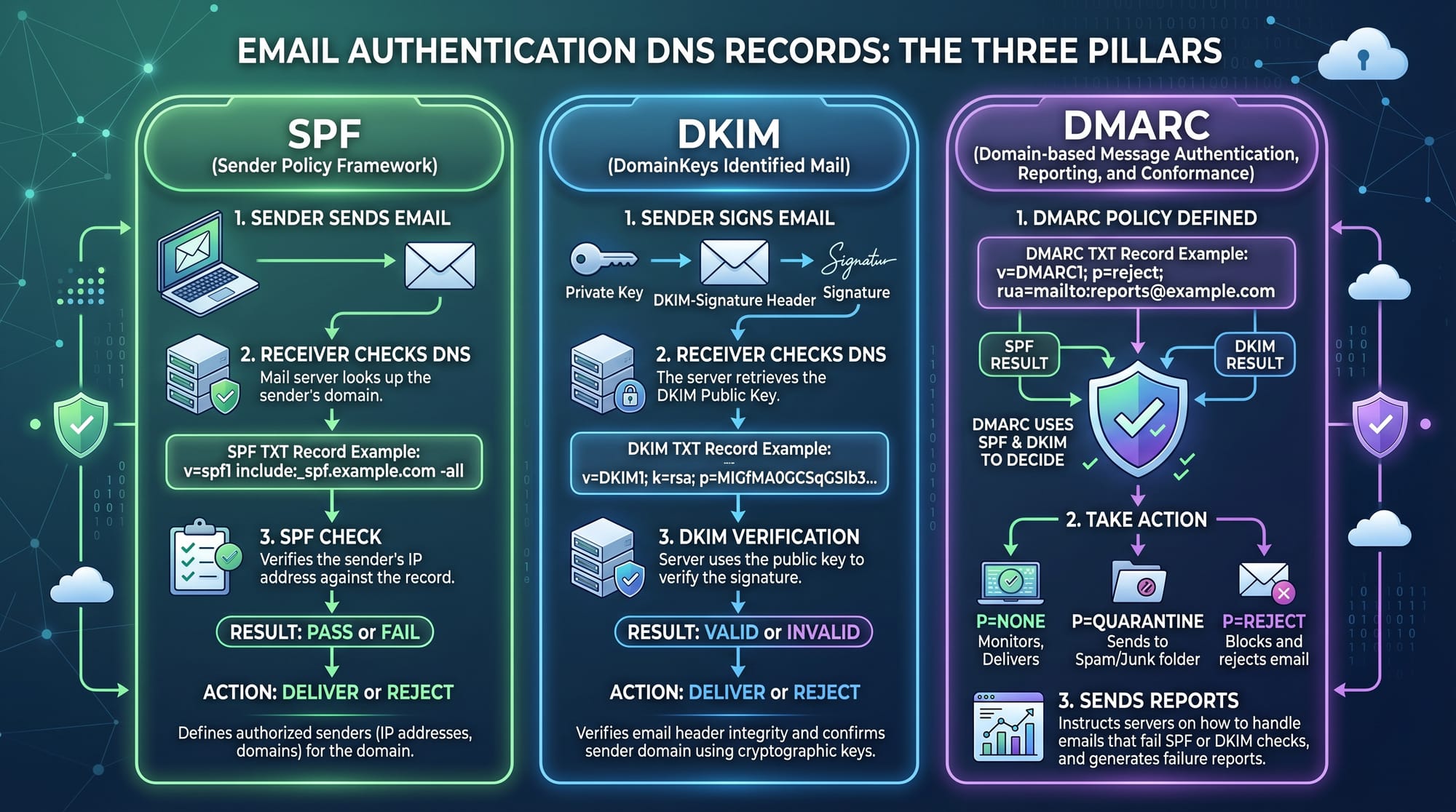
Email authentication: SPF, DKIM & DMARC setup guide is a foundational topic in modern web development and email systems. It helps ensure that emails sent from a domain are legitimate, secure, and not spoofed by attackers.
For Pakistani students learning web development, understanding SPF, DKIM, and DMARC is extremely important because almost every real-world project—whether it is a university portal, ecommerce site, or freelancing project—requires reliable email delivery. If you build a website for a client in Lahore or Karachi and their emails go to spam, it can damage their business reputation.
These three technologies work together to improve email deliverability, protect against phishing, and increase trust between email servers.
By the end of this tutorial, you will understand how to configure SPF, DKIM, and DMARC step-by-step and apply them in real-world hosting environments.
Prerequisites
Before starting this email authentication tutorial, you should have:
- Basic understanding of DNS (Domain Name System)
- Familiarity with domain hosting (cPanel, Cloudflare, or similar)
- Basic knowledge of email services (Gmail, Zoho Mail, SendGrid, etc.)
- Understanding of TXT records in DNS
- Optional: Basic Linux or server knowledge (helpful but not required)
If you have ever hosted a website for a project like fatimaportfolio.com or ahmadstore.pk, you are already ready to proceed.
Core Concepts & Explanation
SPF (Sender Policy Framework)
SPF is a DNS record that defines which mail servers are allowed to send emails on behalf of your domain.
For example, if your domain is theiqra.edu.pk, SPF tells email providers like Gmail:
“Only SendGrid or my hosting server is allowed to send emails from this domain.”
If someone tries to spoof your domain from another server, the email will fail SPF validation.
Example SPF record:
v=spf1 include:sendgrid.net ~all
This means:
v=spf1→ SPF versioninclude:sendgrid.net→ allow SendGrid servers~all→ soft fail for all other servers
DKIM (DomainKeys Identified Mail)
DKIM adds a digital signature to your emails. This signature ensures that the email content was not modified during transit.
When an email is sent:
- The server adds a DKIM signature
- The receiving server checks this signature using a public key in DNS
Example DKIM record:
selector1._domainkey.theiqra.edu.pk TXT
v=DKIM1; k=rsa; p=MIIBIjANBgkqh...
Explanation:
selector1→ identifier for DKIM keyk=rsa→ encryption typep=→ public key used to verify signature
DMARC (Domain-based Message Authentication, Reporting & Conformance)
DMARC is the policy layer that tells email providers what to do if SPF or DKIM fails.
It also provides reporting so you can monitor email abuse.
Example DMARC record:
v=DMARC1; p=reject; rua=mailto:[email protected]
Explanation:
v=DMARC1→ DMARC versionp=reject→ reject suspicious emailsrua=→ send reports to admin email
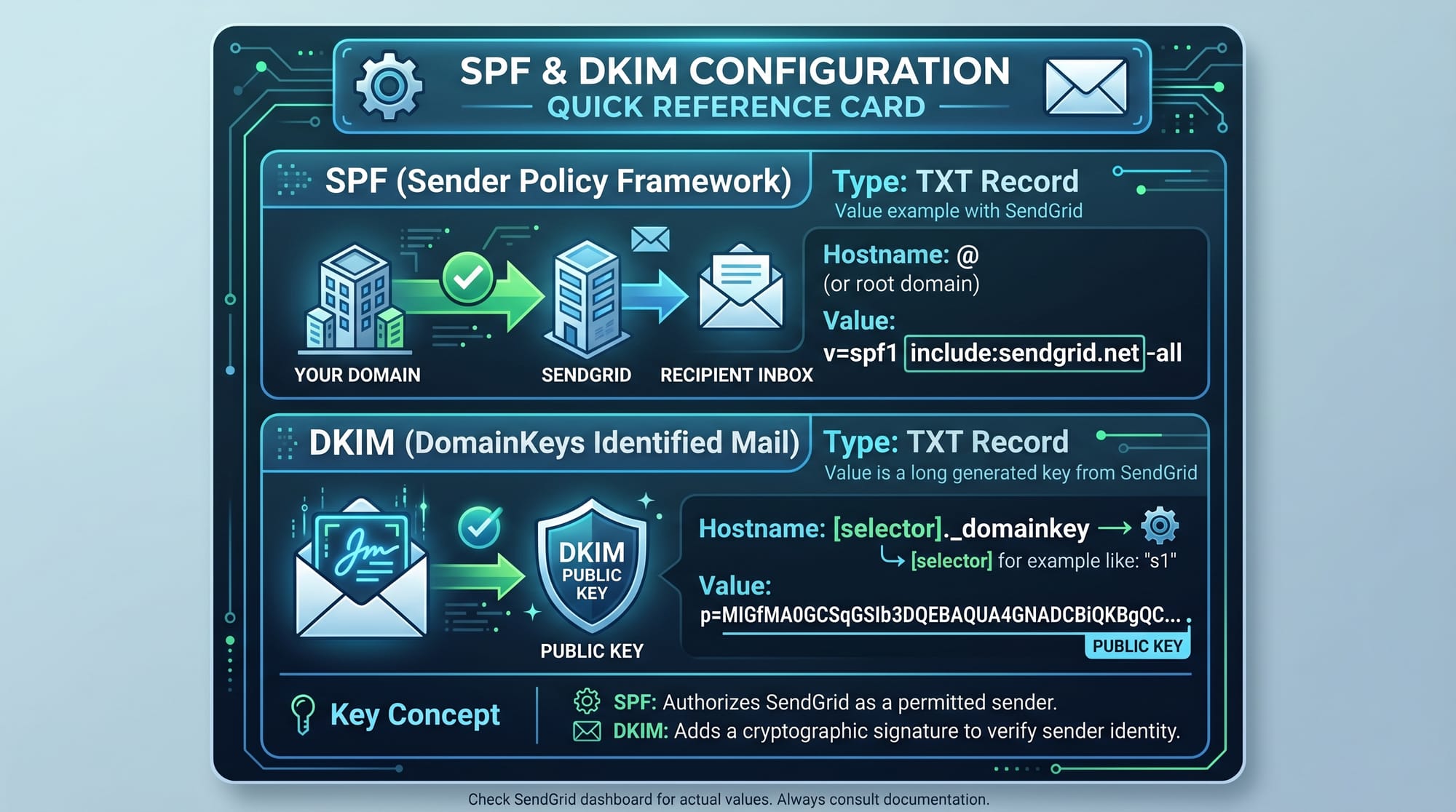
Together, SPF, DKIM, and DMARC form a powerful email authentication system that improves email deliverability and prevents spoofing attacks.
Practical Code Examples
Example 1: Setting SPF Record in cPanel
Suppose Ali from Karachi is using Bluehost hosting for his website alitech.pk.
He wants to configure SPF:
v=spf1 include:bluehost.com ~all
Explanation:
v=spf1→ SPF protocol versioninclude:bluehost.com→ allow Bluehost email servers~all→ other servers are not trusted but still allowed (soft fail)
Steps in cPanel:
- Login to cPanel
- Go to DNS Zone Editor
- Add TXT Record
- Paste SPF value
- Save changes
Now emails sent from Ali’s contact form will be more trusted by Gmail and Outlook.
Example 2: Real-World Application (SendGrid Integration)
Fatima from Islamabad runs an online course website learnwithfatima.com and uses SendGrid for transactional emails.
SPF Record:
v=spf1 include:sendgrid.net ~all
DKIM Record:
learn._domainkey.learnwithfatima.com TXT
v=DKIM1; k=rsa; p=MIIBIjANBgkqhkiG9w0BAQEFAAOCAQ8A...
DMARC Record:
v=DMARC1; p=quarantine; rua=mailto:[email protected]
Explanation:
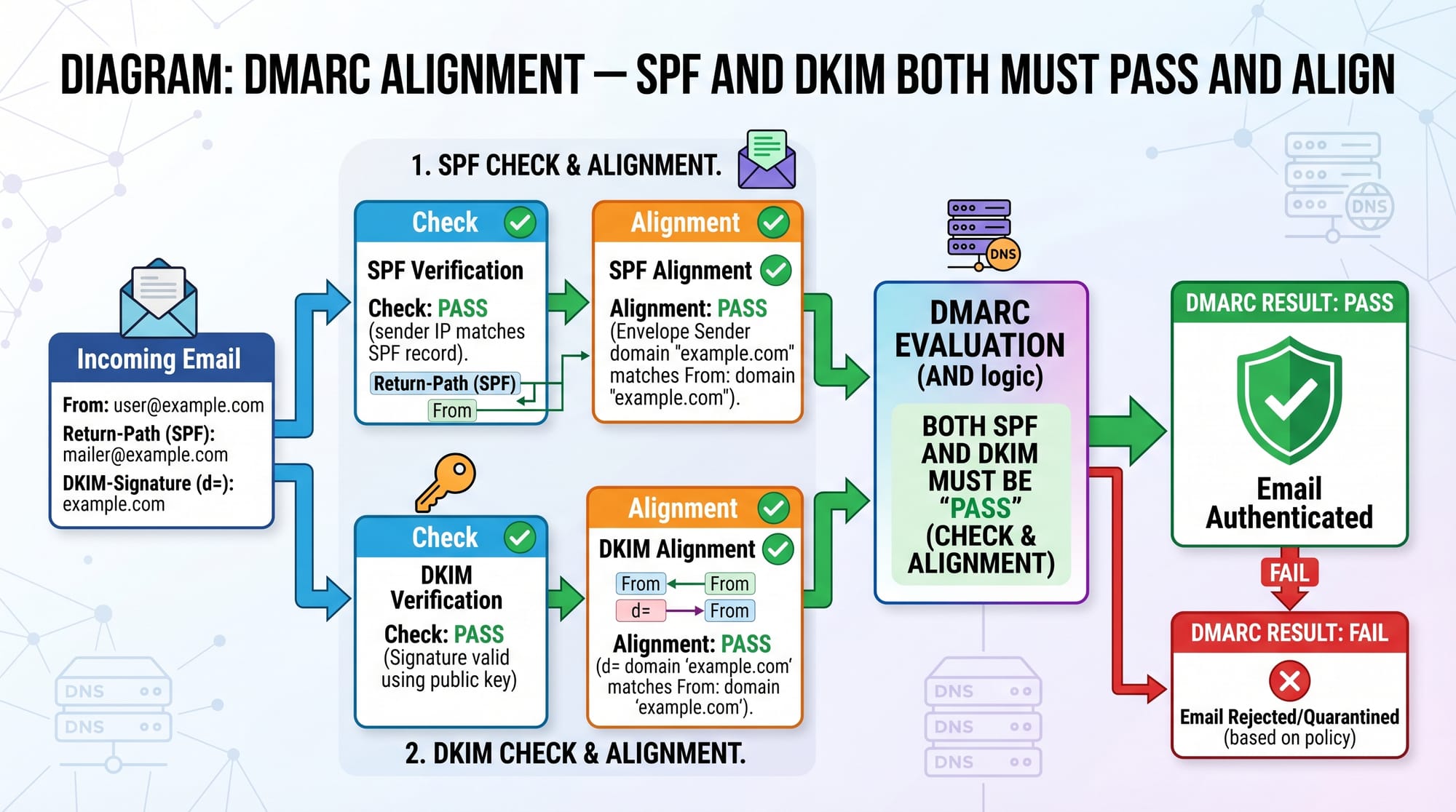
- SPF authorizes SendGrid
- DKIM ensures message integrity
- DMARC enforces security policy and sends reports
Common Mistakes & How to Avoid Them
Mistake 1: Multiple SPF Records
Many beginners create more than one SPF record, like:
❌ Wrong:
v=spf1 include:sendgrid.net ~all
v=spf1 include:mailgun.org ~all
This breaks authentication because only one SPF record is allowed.
✔ Fix:
Combine them into one record:
v=spf1 include:sendgrid.net include:mailgun.org ~all
Mistake 2: Incorrect DKIM Selector
Students often copy DKIM records incorrectly or forget the selector name.
❌ Wrong:
default._domainkey TXT "random-key"
✔ Fix:
Always use the exact selector provided by your email provider:
selector1._domainkey.theiqra.edu.pk TXT "correct-public-key"
Practice Exercises
Exercise 1: Configure SPF for a Hosting Server
Problem:
You are hosting a website studentproject.pk on Hostinger. Create a valid SPF record.
Solution:
v=spf1 include:hostinger.com ~all
Explanation:
This allows Hostinger mail servers to send emails on behalf of your domain.
Exercise 2: Create a Basic DMARC Policy
Problem:
You want to monitor email activity for myblog.pk without blocking emails.
Solution:
v=DMARC1; p=none; rua=mailto:[email protected]
Explanation:
p=none→ only monitoring moderua=→ sends aggregate reports
Frequently Asked Questions
What is SPF in email authentication?
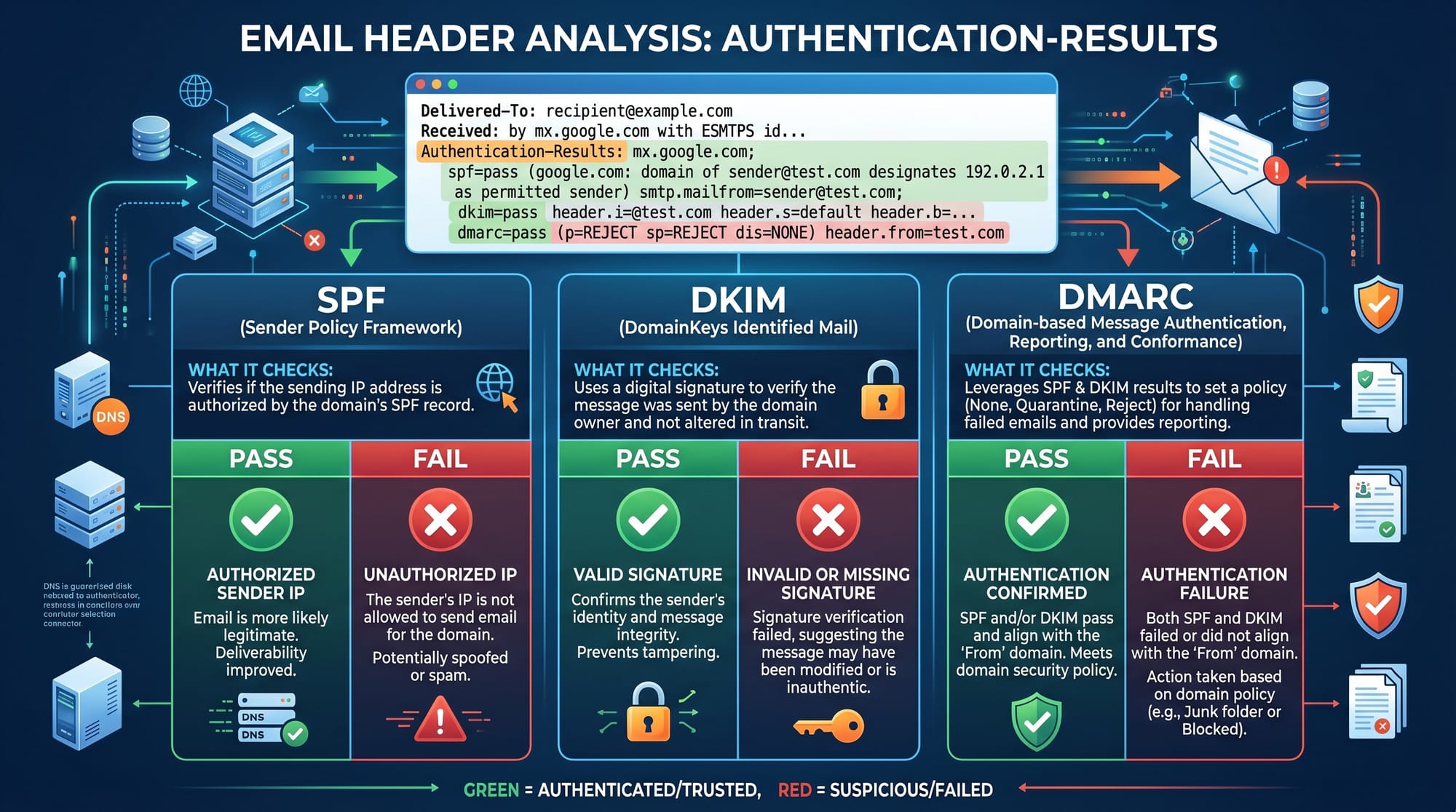
SPF (Sender Policy Framework) is a DNS record that specifies which servers are allowed to send emails for your domain. It helps prevent email spoofing and improves email deliverability.
Why is DKIM important for email security?
DKIM adds a cryptographic signature to emails, ensuring the message is not modified during transmission. It increases trust and reduces spam filtering.
How does DMARC protect my domain?
DMARC builds on SPF and DKIM by telling email providers how to handle failed authentication (none, quarantine, or reject). It also provides detailed reporting.
Can I use SPF, DKIM, and DMARC together?
Yes, they are designed to work together. Using all three significantly improves email deliverability and protects your domain from phishing attacks.
How long does it take for DNS changes to update?
DNS propagation usually takes 5 minutes to 48 hours depending on your hosting provider. In Pakistan, most changes appear within a few hours.
Summary & Key Takeaways
- SPF defines which servers can send emails for your domain
- DKIM ensures email content integrity using cryptographic signatures
- DMARC enforces email policies and provides reporting
- Proper configuration improves email deliverability significantly
- Incorrect DNS setup can cause emails to go to spam
- These tools are essential for freelancing and real-world web projects
Next Steps & Related Tutorials
Now that you understand email authentication, you should continue building your backend knowledge:
- Learn DNS fundamentals in the DNS Tutorial for Beginners
- Explore server configuration in Linux Administration Basics
- Improve backend skills with Node.js Email Integration Guide
- Understand hosting workflows in Web Deployment on cPanel
These tutorials on theiqra.edu.pk will help you become a complete full-stack developer ready for freelancing and industry jobs in Pakistan and beyond.
Test Your Python Knowledge!
Finished reading? Take a quick quiz to see how much you've learned from this tutorial.