FastHTML Tutorial Build Web Apps with Pure Python 2026
Introduction
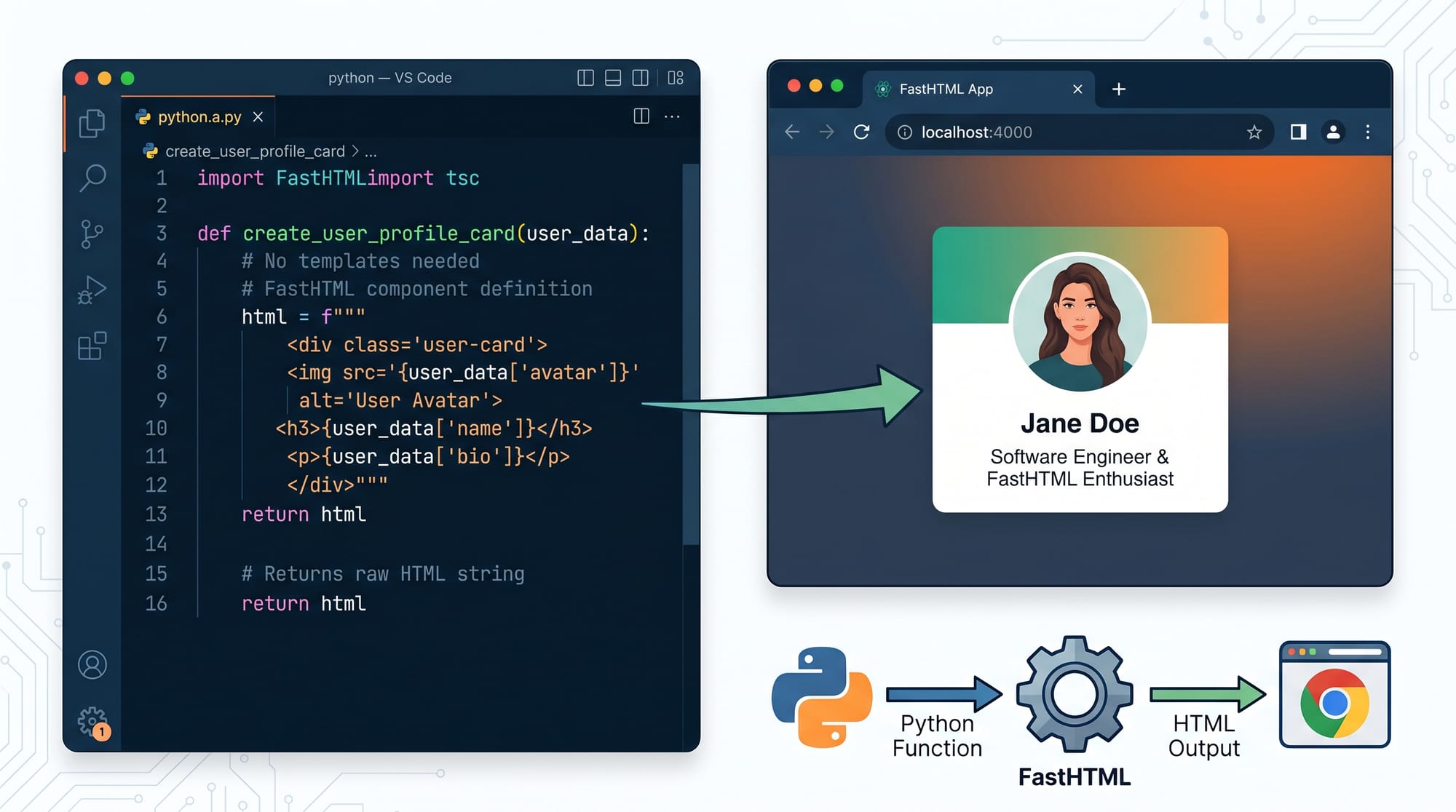
FastHTML is a modern Python web framework designed to help developers build full web applications using pure Python—without needing traditional frontend stacks like React, Angular, or even HTML templates in the usual sense. If you are searching for a fasthtml tutorial: build web apps with pure python 2026, this guide will give you a complete, beginner-friendly but practical understanding of how it works.
In simple terms, FastHTML lets you write Python functions that directly return HTML components. Instead of separating backend and frontend into different worlds, everything lives in Python. This makes development faster, cleaner, and much easier for students who are still learning web development concepts.
For Pakistani students learning programming in 2026, FastHTML is especially powerful because:
- It removes the complexity of JavaScript-heavy frontend frameworks
- It helps beginners focus on Python (already widely taught in universities)
- It allows rapid prototyping of ideas like student portals, blogs, and dashboards
- It works well with HTMX for dynamic updates without writing JavaScript
Imagine a student in Lahore building a simple “Online Assignment Portal” or a freelancer in Karachi creating a “Client Booking System” using only Python. That’s the power of FastHTML.
Prerequisites
Before starting this fasthtml python tutorial, you should be comfortable with the following basics:
- Basic Python syntax (functions, loops, dictionaries)
- Understanding of HTTP concepts (request and response)
- Basic HTML structure (div, form, input, button)
- Command line usage (installing packages with pip)
- Optional: Basic understanding of web servers
You do NOT need:
- JavaScript experience
- React or frontend framework knowledge
- CSS expertise (basic styling is enough)
This makes FastHTML an excellent python web framework 2026 choice for beginners in Pakistan who want to move into web development quickly.
Core Concepts & Explanation
Python-First Web Development Model
FastHTML is built on the idea that Python should be enough to build the entire web app. Instead of writing HTML files separately, you define UI components using Python functions.
Example concept:
- A Python function = a web page or UI component
- Return value = HTML output
- Framework handles routing and rendering
This approach removes the traditional gap between backend and frontend development.
HTMX-Powered Dynamic Updates
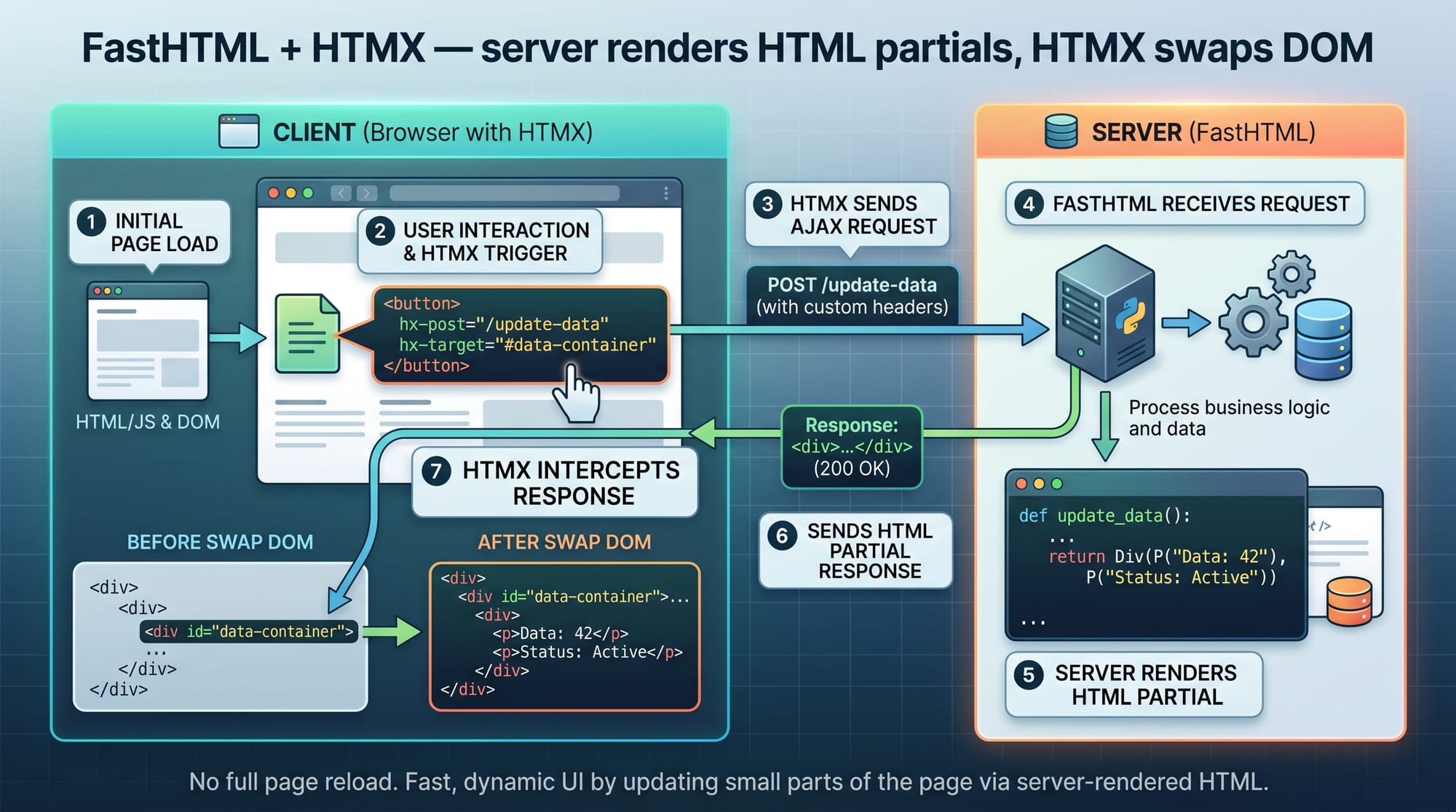
FastHTML integrates deeply with HTMX, which allows pages to update dynamically without writing JavaScript.
Instead of writing complex frontend code, you simply tell the server:
“Update this part of the page when a button is clicked.”
The server responds with HTML, and HTMX replaces only that section of the page.
This makes apps:
- Faster to build
- Easier to debug
- Lightweight for deployment
Basic FastHTML Components
FastHTML provides ready-to-use Python components like:
FormInputButtonDivserve()rt()(routing)
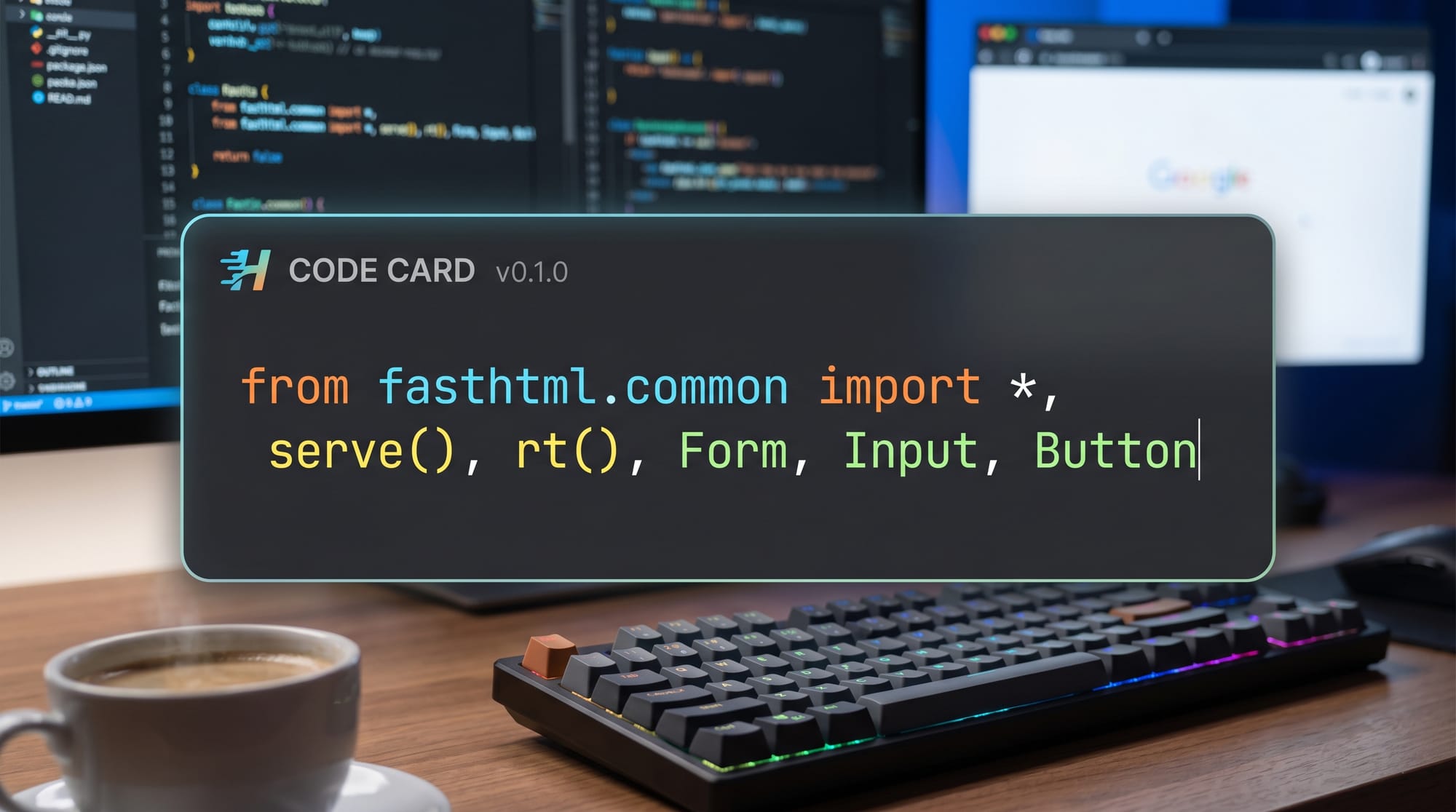
These components let you construct UI without writing raw HTML.
Practical Code Examples
Example 1: Simple Hello World App
Let’s build a basic FastHTML application.
from fasthtml.common import *

app = FastHTML()

@app.get("/")
def home():
    return Div(
        H1("Welcome to FastHTML Tutorial"),
        P("This is your first Python web app!")
    )

serve(app)
Line-by-line Explanation:
from fasthtml.common import *
Imports all FastHTML components like Div, H1, and P.app = FastHTML()
Creates a new web application instance.@app.get("/")
Defines a route for homepage URL (/).def home():
Function that runs when user opens homepage.return Div(...)
Returns HTML structure using Python objects.H1(...)
Creates a heading element.P(...)
Creates a paragraph element.serve(app)
Starts the web server.
This simple structure shows how Python replaces traditional HTML files.
Example 2: Real-World Application — Student Fee Tracker (Pakistan Context)
Let’s build a mini application for students in Islamabad tracking monthly expenses in PKR.
from fasthtml.common import *

app = FastHTML()

expenses = []

@app.get("/")
def home():
    return Div(
        H2("Student Expense Tracker (PKR)"),
        Form(
            Input(name="item", placeholder="Expense Name"),
            Input(name="amount", placeholder="Amount in PKR"),
            Button("Add Expense", type="submit"),
            hx_post="/add",
            hx_target="#list"
        ),
        Div(id="list", children=[
            *[P(f"{e['item']} - {e['amount']} PKR") for e in expenses]
        ])
    )

@app.post("/add")
def add(item: str, amount: str):
    expenses.append({"item": item, "amount": amount})
    return Div(
        *[P(f"{e['item']} - {e['amount']} PKR") for e in expenses]
    )

serve(app)
Line-by-line Explanation:
expenses = []
Stores all user-added expenses.Form(...)
Creates input form for user data.hx_post="/add"
Sends form data to/addroute using HTMX.hx_target="#list"
Updates only the list section of page.add()function
Receives data and updates expense list.expenses.append(...)
Adds new entry to memory list.Div(id="list"...
Displays updated expense list dynamically.
This is a real-world example similar to apps Pakistani students could build for university budgeting or hostel expense tracking.
Common Mistakes & How to Avoid Them
Mistake 1: Mixing Raw HTML with FastHTML Incorrectly
Many beginners try to write raw HTML strings inside Python instead of using components.
❌ Wrong:
return "<h1>Hello</h1>"
✔ Correct:
return H1("Hello")
FastHTML is designed for component-based structure, not raw strings.
Mistake 2: Forgetting HTMX Target Elements
If you use HTMX but don’t define a target element, updates won’t appear.
❌ Wrong:
Form(hx_post="/add")
✔ Correct:
Form(hx_post="/add", hx_target="#list")
This tells FastHTML exactly where to update the page.
Mistake 3: Not Running the Server Properly
New learners often forget:
serve(app)
Without this line, your web app will not start.
Practice Exercises
Exercise 1: Build a Simple Greeting App
Task: Create a page that asks for a name and displays “Hello Ahmad” or “Hello Fatima”.
Solution:
@app.post("/greet")
def greet(name: str):
    return H2(f"Hello {name}")
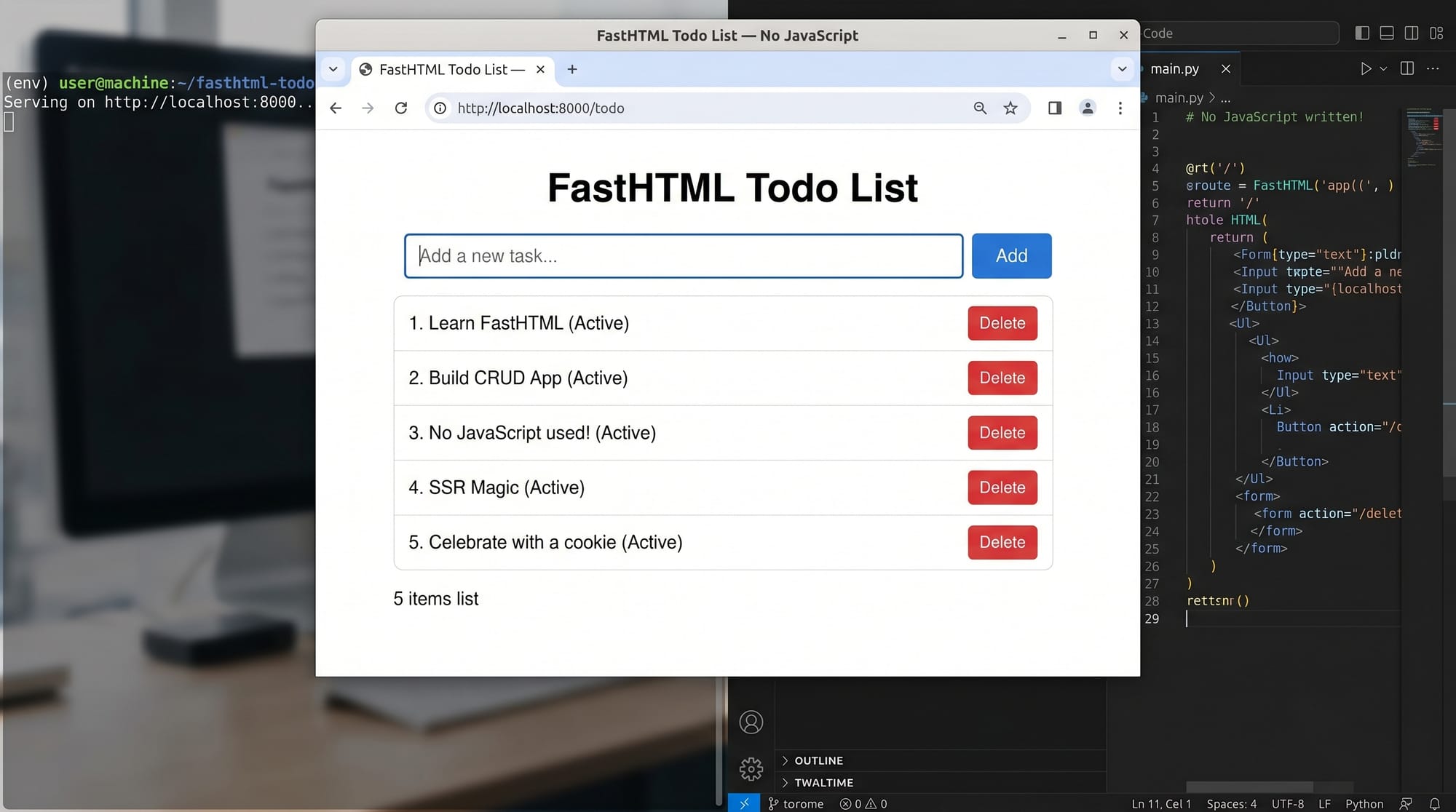
Exercise 2: Create a To-Do List
Task: Build a simple task manager where users can add tasks.
Solution:
- Use a list to store tasks
- Use a form for input
- Use HTMX to update list dynamically
tasks = []

@app.post("/add-task")
def add_task(task: str):
    tasks.append(task)
    return Div(*[P(t) for t in tasks])
Frequently Asked Questions
What is FastHTML in Python?
FastHTML is a Python web framework that allows developers to build web applications using only Python code without separate HTML templates. It simplifies frontend and backend integration.
How is FastHTML different from Django or Flask?
FastHTML focuses on component-based UI generation and integrates deeply with HTMX, while Django and Flask rely more on traditional templating systems and separate frontend logic.
Can I build real-world apps with FastHTML?
Yes, you can build dashboards, CRUD apps, student portals, and internal tools. It is especially useful for rapid prototypes and lightweight applications.
Is FastHTML good for beginners in Pakistan?
Yes, it is excellent for Pakistani students because it reduces complexity and allows learning web development without needing JavaScript or frontend frameworks.
Do I need JavaScript for FastHTML?
No, FastHTML combined with HTMX allows you to build interactive applications without writing JavaScript manually.
Summary & Key Takeaways
- FastHTML lets you build web apps using pure Python
- No need for traditional HTML templates or heavy frontend frameworks
- HTMX enables dynamic updates without JavaScript
- Ideal for Pakistani students learning modern web development
- Great for rapid prototyping and real-world student projects
- Works best for simple to medium complexity applications
Next Steps & Related Tutorials
Now that you understand the basics of this fasthtml tutorial, you can expand your knowledge with these related topics on theiqra.edu.pk:
- Learn backend APIs with our FastAPI Tutorial
- Understand dynamic UI updates in our HTMX Tutorial
- Explore full-stack design patterns in Modern Python Web Development Guide
- Build production apps in Deploying Python Web Apps in 2026
Each of these will help you become a confident Python web developer ready for freelancing or internships in Pakistan’s growing tech industry.
Test Your Python Knowledge!
Finished reading? Take a quick quiz to see how much you've learned from this tutorial.