Firebase Tutorial Real Time Database Auth & Firestore

Introduction
Firebase is a powerful Backend-as-a-Service (BaaS) platform developed by Google that allows developers to build web and mobile applications without managing servers. In this firebase tutorial: real-time database, auth & firestore, you’ll learn how to use Firebase to create real-time apps, manage user authentication, and store data efficiently.
For Pakistani students in cities like Lahore, Karachi, and Islamabad, Firebase is especially valuable because it reduces infrastructure costs and simplifies backend development. Whether you're building a student portal, an e-commerce store accepting PKR payments, or a chat app, Firebase provides ready-made tools to help you focus on coding rather than server management.
With increasing demand for full-stack developers in Pakistan, learning firebase database and firebase authentication can give you a strong advantage in freelancing and job markets.
Prerequisites
Before starting this tutorial, you should have:
- Basic knowledge of HTML, CSS, and JavaScript
- Understanding of ES6 (arrow functions, promises, modules)
- Familiarity with web development concepts
- A Google account (for Firebase Console)
- Basic understanding of APIs (helpful but not required)
Core Concepts & Explanation
Firebase Real-Time Database vs Firestore
Firebase offers two main databases:
1. Real-Time Database
- Stores data as a JSON tree
- Updates instantly across all clients
- Best for simple apps like chat systems
Example:
{
  "users": {
    "ahmad": {
      "name": "Ahmad",
      "city": "Lahore"
    }
  }
}
2. Cloud Firestore
- Stores data in collections and documents
- More scalable and structured
- Supports advanced queries
Firestore is recommended for modern apps due to its flexibility and performance.
Firebase Authentication System
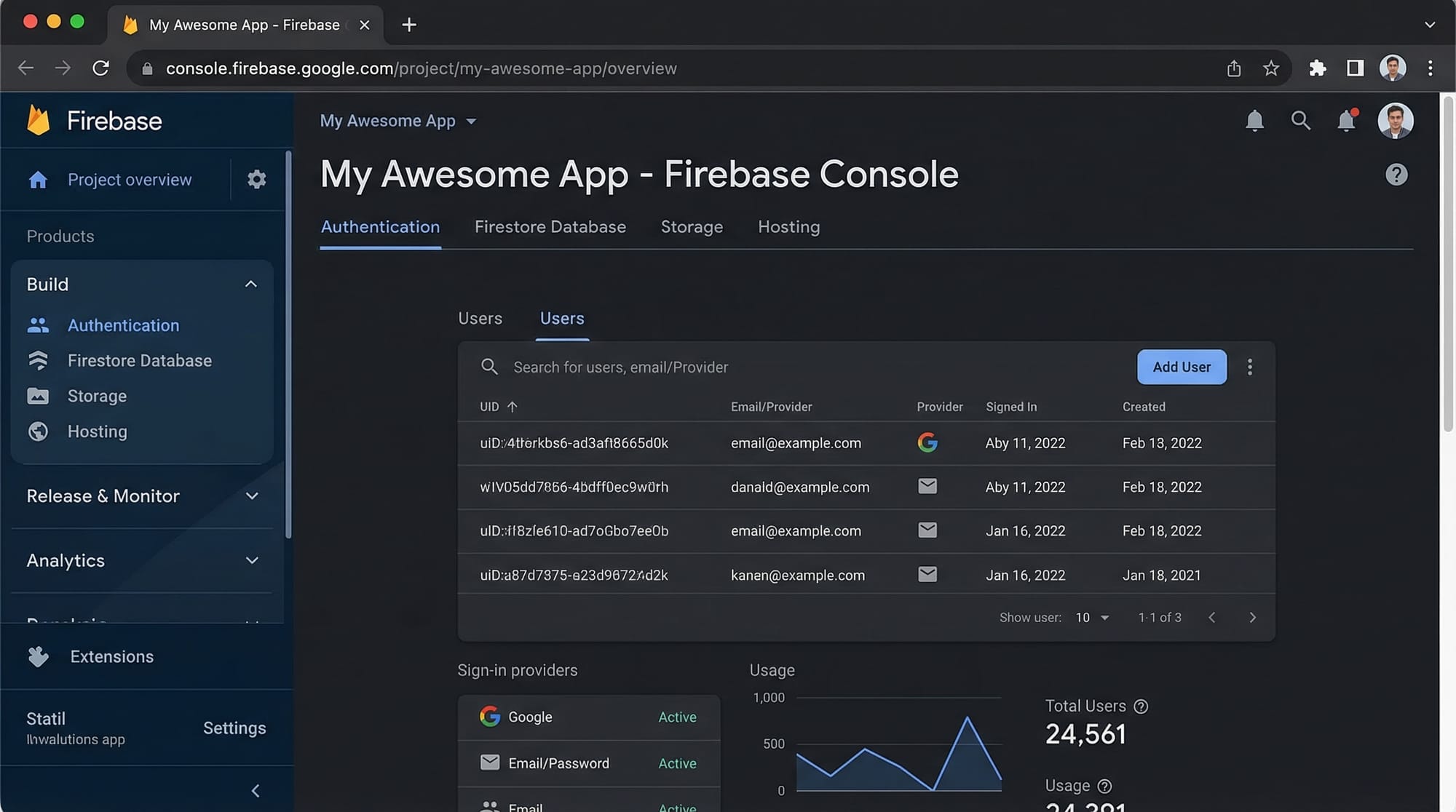
Firebase Authentication allows users to log in securely using:
- Email & Password
- Google Sign-In
- Facebook (optional)
Example Use Case:
Fatima builds an online tutoring app where students log in using email. Firebase handles authentication securely, so she doesn’t need to build a login system from scratch.
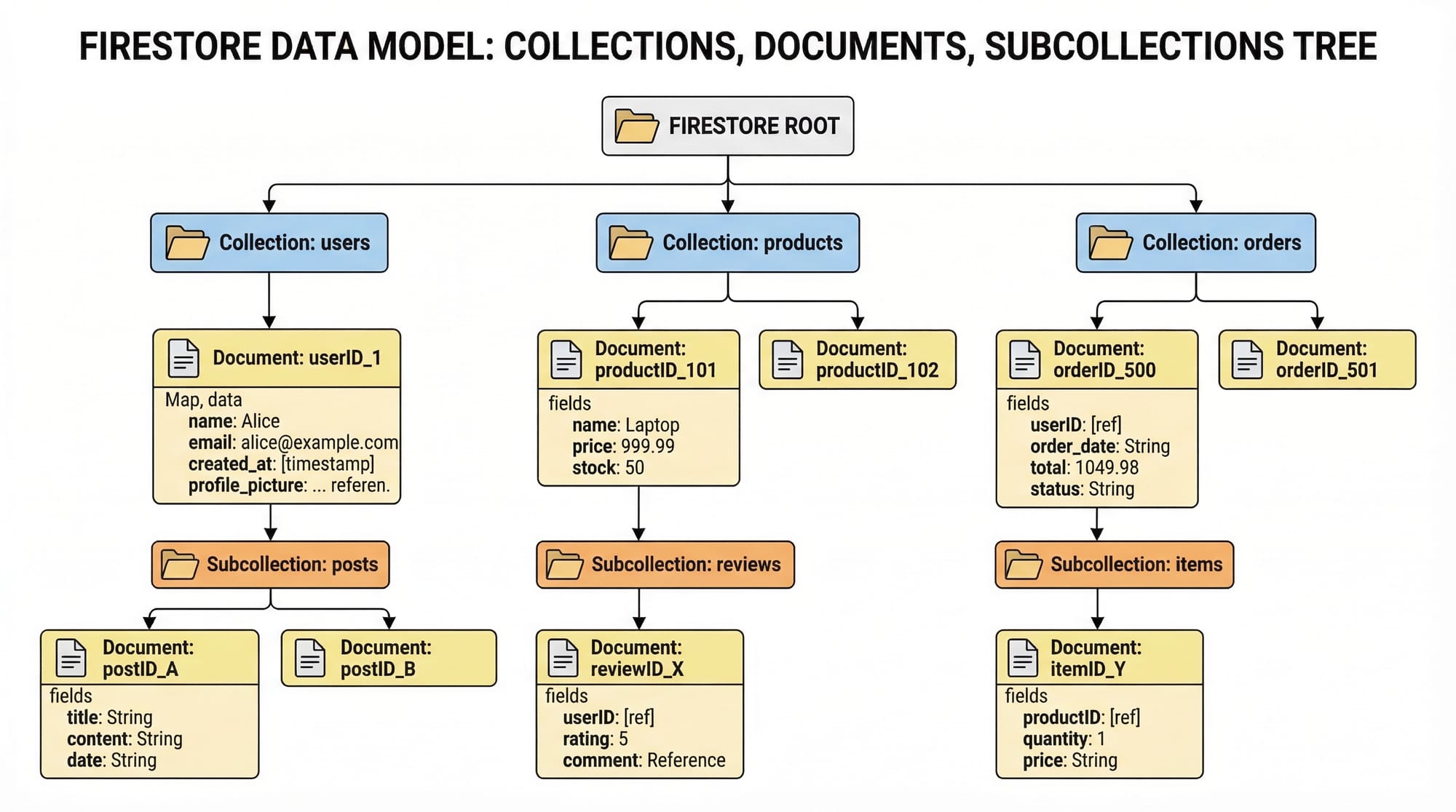
Firestore Data Modeling
Firestore uses a structured approach:
- Collection → group of documents
- Document → key-value data
- Subcollection → nested data
Example structure:
students (collection)
 └── ali (document)
      ├── name: "Ali"
      ├── city: "Karachi"
      └── courses (subcollection)
           └── web-dev (document)
                ├── fee: 5000 PKR
Practical Code Examples
Example 1: Firebase Setup & Initialization
// Step 1: Import Firebase modules
import { initializeApp } from "https://www.gstatic.com/firebasejs/10.0.0/firebase-app.js";

// Step 2: Your Firebase config
const firebaseConfig = {
  apiKey: "YOUR_API_KEY",
  authDomain: "your-app.firebaseapp.com",
  projectId: "your-project-id",
};

// Step 3: Initialize Firebase
const app = initializeApp(firebaseConfig);
Explanation:
import→ Loads Firebase SDKfirebaseConfig→ Contains project credentials from Firebase ConsoleinitializeApp()→ Connects your app with Firebase
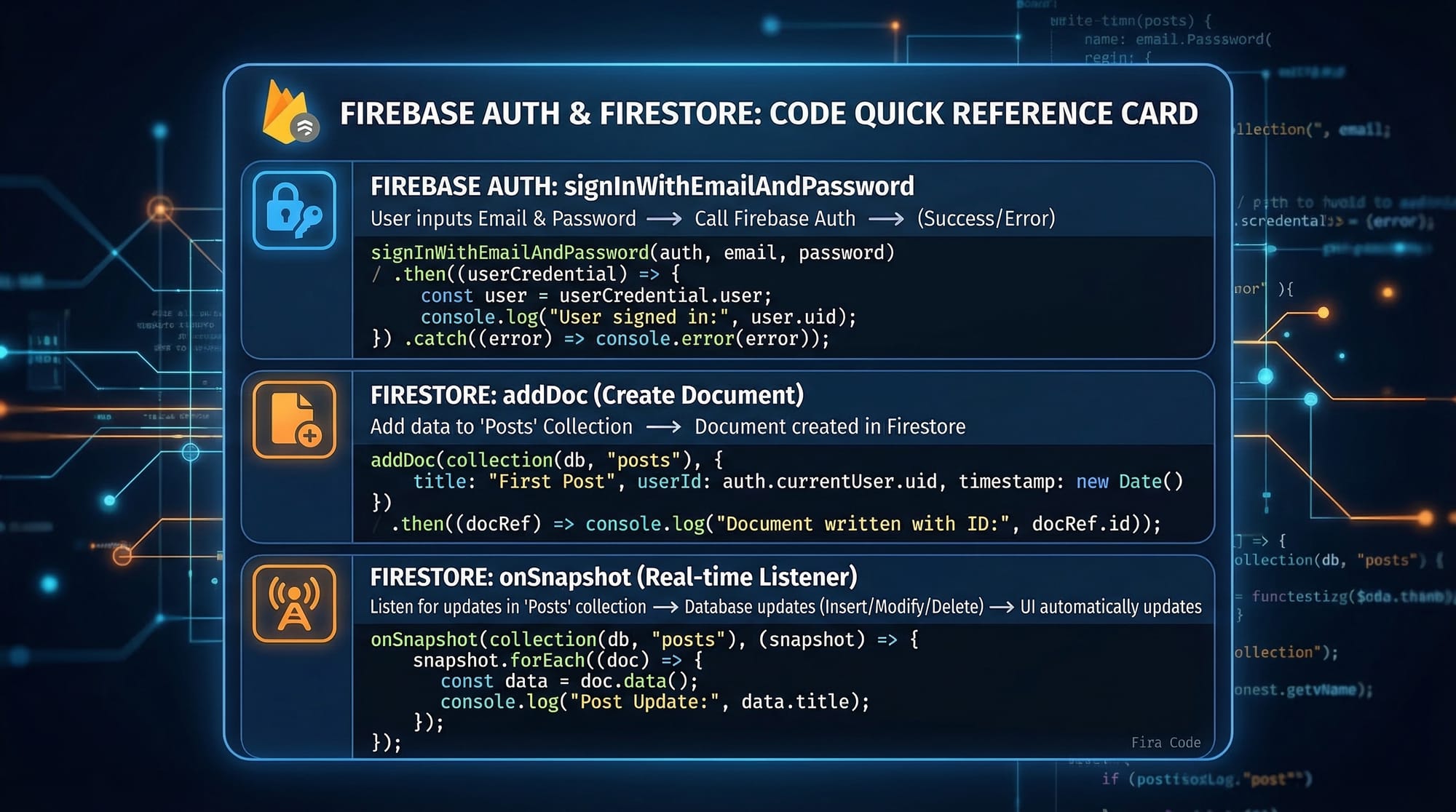
Example 2: Real-World Application (Auth + Firestore)
// Import required modules
import { getAuth, createUserWithEmailAndPassword } from "firebase/auth";
import { getFirestore, addDoc, collection } from "firebase/firestore";

// Initialize services
const auth = getAuth();
const db = getFirestore();

// Register user
createUserWithEmailAndPassword(auth, "[email protected]", "123456")
  .then((userCredential) => {
    const user = userCredential.user;

    // Store user data in Firestore
    return addDoc(collection(db, "students"), {
      email: user.email,
      city: "Islamabad",
      feePaid: 10000
    });
  })
  .then(() => {
    console.log("User registered and data saved!");
  })
  .catch((error) => {
    console.error(error.message);
  });
Explanation:
getAuth()→ Initializes authentication servicecreateUserWithEmailAndPassword()→ Registers a new usergetFirestore()→ Connects to Firestorecollection()→ Points to "students" collectionaddDoc()→ Adds new document.then()→ Handles success.catch()→ Handles errors
Common Mistakes & How to Avoid Them
Mistake 1: Not Securing Firestore Rules
Many beginners leave Firestore open:
allow read, write: if true;
Problem: Anyone can access your data.
Fix:
allow read, write: if request.auth != null;
Explanation:
Only authenticated users can access data.
Mistake 2: Poor Data Structure
Storing deeply nested data like:
{
  "students": {
    "ali": {
      "courses": {
        "web": {
          "assignments": {...}
        }
      }
    }
  }
}
Problem: Hard to query and scale.
Fix:
Use subcollections instead of deep nesting.
Practice Exercises
Exercise 1: Create a Student Record
Problem:
Store a student named Ahmad from Lahore with fee 8000 PKR.
Solution:
import { addDoc, collection } from "firebase/firestore";

addDoc(collection(db, "students"), {
  name: "Ahmad",
  city: "Lahore",
  fee: 8000
});
Explanation:
- Adds a new document in "students" collection
- Stores name, city, and fee
Exercise 2: Real-Time Listener
Problem:
Display real-time updates of students.
Solution:
import { onSnapshot, collection } from "firebase/firestore";

onSnapshot(collection(db, "students"), (snapshot) => {
  snapshot.forEach((doc) => {
    console.log(doc.data());
  });
});
Explanation:
onSnapshot()→ Listens for real-time updatessnapshot→ Contains all documentsdoc.data()→ Retrieves document data
Frequently Asked Questions
What is Firebase used for?
Firebase is used to build web and mobile applications with features like databases, authentication, hosting, and real-time updates without managing servers.
How do I use Firebase authentication?
You can enable authentication in Firebase Console, then use functions like createUserWithEmailAndPassword() and signInWithEmailAndPassword() in your app.
What is the difference between Firestore and Real-Time Database?
Firestore uses collections and documents with better scalability, while Real-Time Database uses a JSON tree structure and is simpler but less flexible.
Is Firebase free for Pakistani students?
Yes, Firebase offers a generous free tier (Spark Plan), which is enough for learning and small projects.
How do I deploy my app using Firebase?
You can use Firebase Hosting by installing Firebase CLI and running commands like firebase init and firebase deploy.
Summary & Key Takeaways
- Firebase is a powerful backend platform for modern apps
- Firestore is better than Real-Time Database for scalability
- Firebase Authentication simplifies user login systems
- Real-time updates make apps dynamic and interactive
- Proper security rules are essential for protecting data
- Firebase is ideal for Pakistani students building projects and freelancing
Next Steps & Related Tutorials
To continue your learning journey, explore these tutorials on theiqra.edu.pk:
- Learn backend alternatives in our MongoDB Tutorial
- Start frontend development with React.js Introduction
- Build APIs using our Node.js Beginner Guide
- Create full-stack apps with JavaScript Projects for Beginners
These resources will help you become a complete full-stack developer ready for Pakistan’s growing tech industry 🚀
Test Your Python Knowledge!
Finished reading? Take a quick quiz to see how much you've learned from this tutorial.