GraphQL Tutorial Queries Mutations Schemas & Apollo
Introduction
GraphQL is a modern API query language developed by Facebook that allows developers to request exactly the data they need — nothing more, nothing less. In this graphql tutorial: queries, mutations, schemas & apollo, you will learn how GraphQL works, how to build APIs, and how to connect them with frontend applications using Apollo.
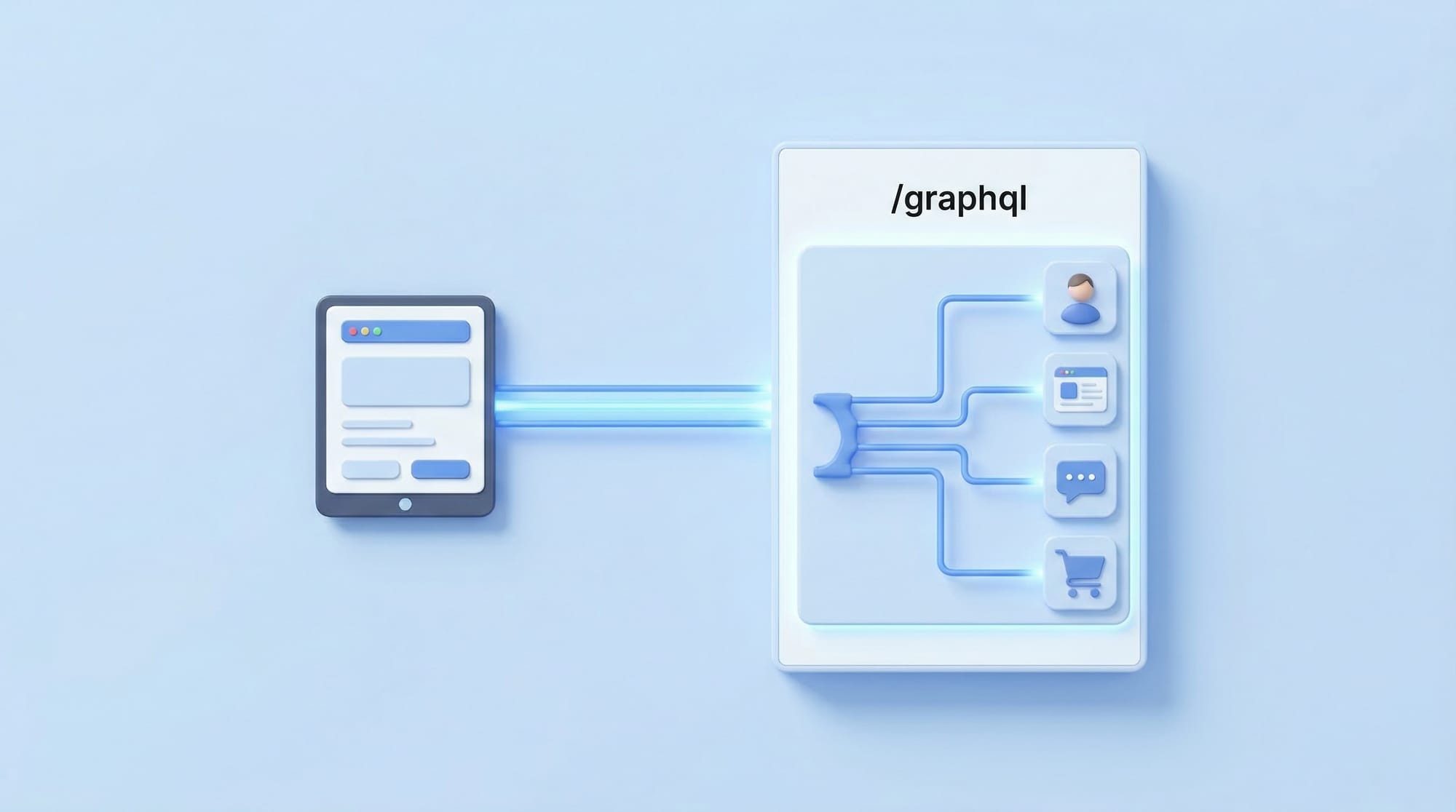
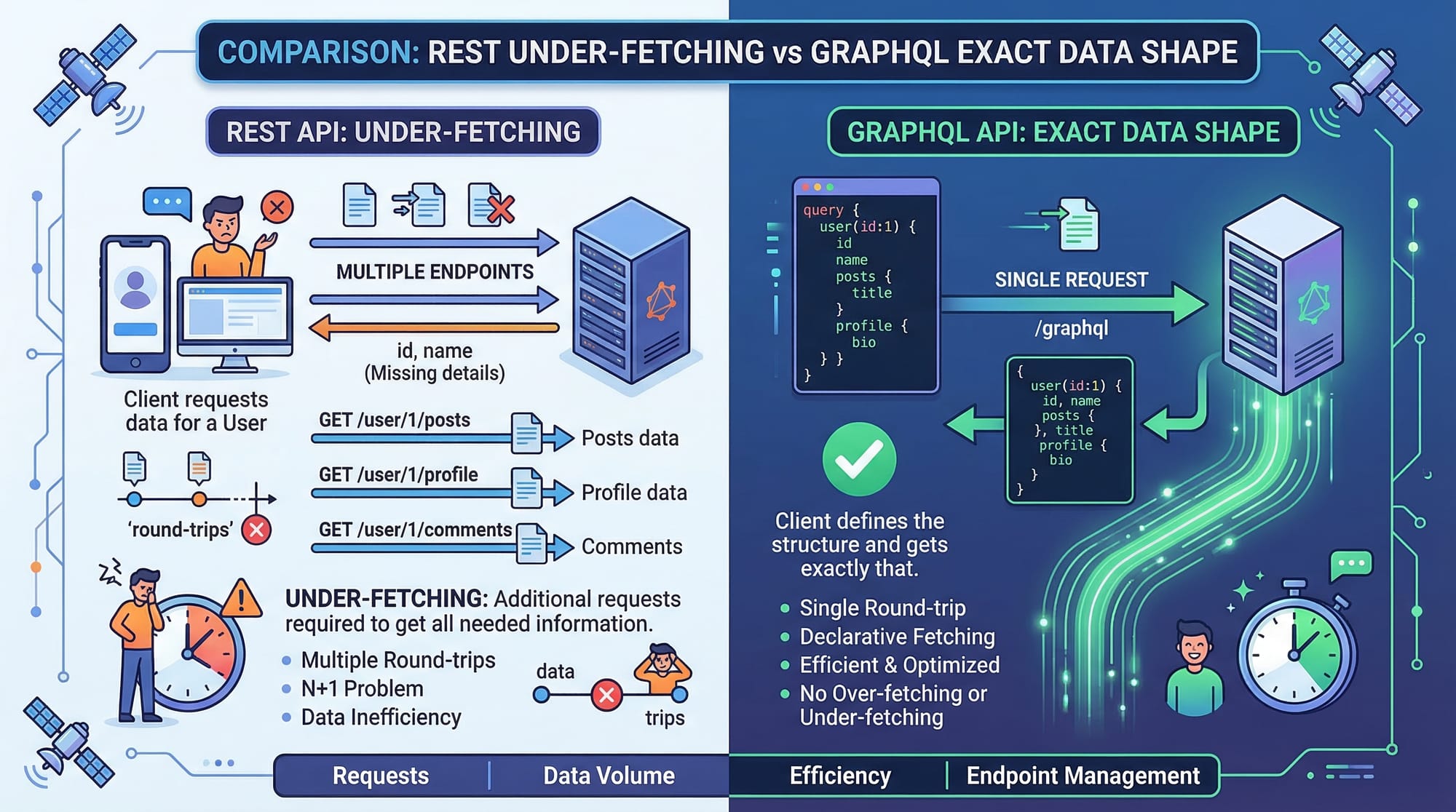
Unlike traditional REST APIs where you hit multiple endpoints (like /users, /posts, /comments), GraphQL uses a single endpoint (/graphql) and lets you define exactly what data you want.
Why Pakistani Students Should Learn GraphQL
For students in Pakistan (whether in Lahore, Karachi, or Islamabad), learning GraphQL can significantly boost job opportunities:
- Used in modern startups and international companies
- Works well with React, Vue, and mobile apps
- Reduces backend complexity and improves performance
- Highly in-demand skill for freelance platforms like Fiverr and Upwork
If you're building apps like university portals, e-commerce stores (PKR pricing), or student dashboards, GraphQL can make your data handling cleaner and faster.
Prerequisites
Before you start this tutorial, you should have:
- Basic knowledge of JavaScript (ES6+)
- Understanding of APIs and HTTP requests
- Familiarity with Node.js
- Basic understanding of React.js (for Apollo Client section)
- Optional: Knowledge of REST APIs (helpful for comparison)
Core Concepts & Explanation
GraphQL Schema & Types (Foundation of GraphQL)
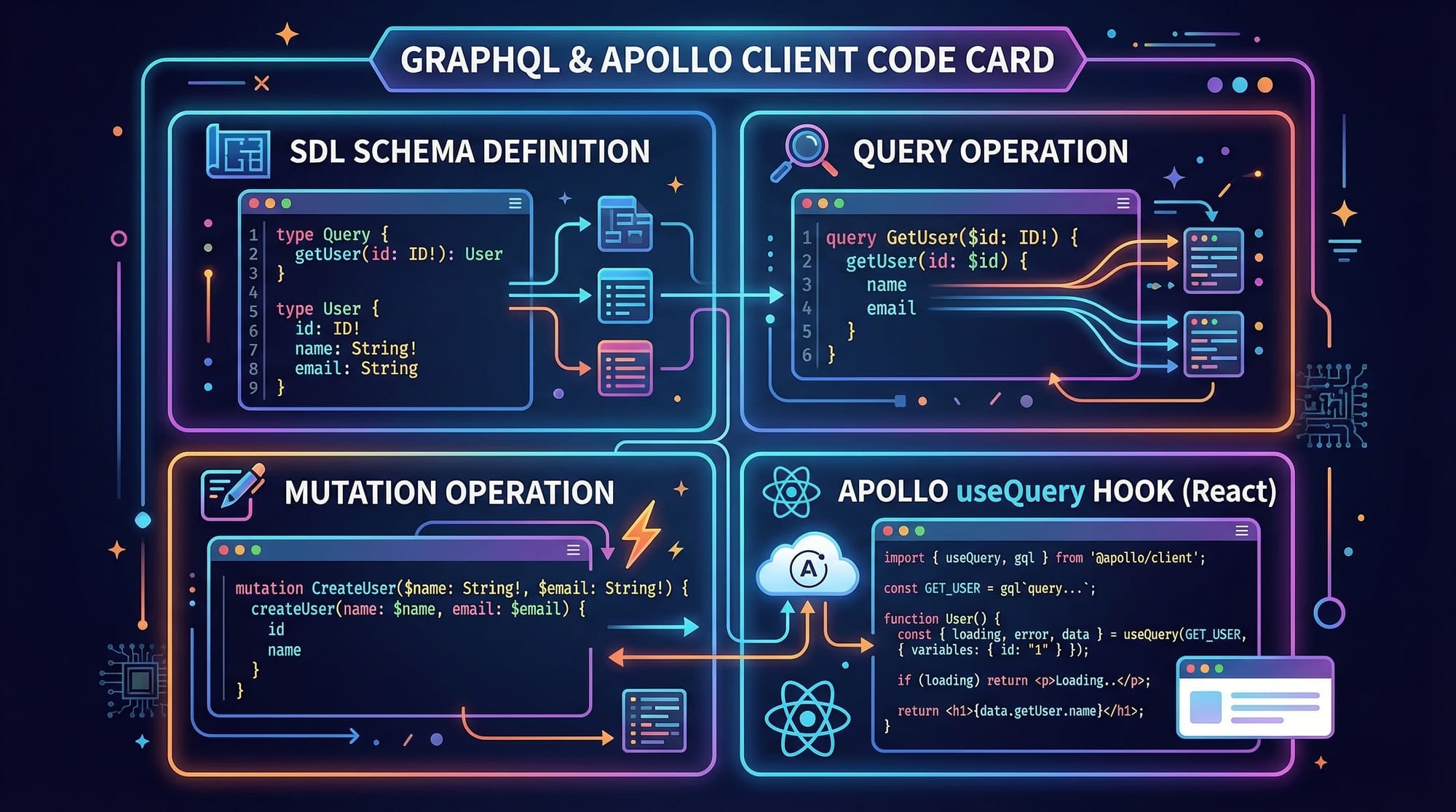
A schema defines what data is available in your API. It uses SDL (Schema Definition Language).
Example Schema:
type Student {
  id: ID!
  name: String!
  city: String
  fee: Int
}

type Query {
  students: [Student]
}
Explanation:
type Student→ Defines a data modelid: ID!→ Unique ID (required field)name: String!→ Required string fieldcity: String→ Optional fieldQuery→ Entry point for fetching datastudents→ Returns a list of students
👉 Think of this as a contract between frontend and backend.
Queries & Mutations (Fetching vs Modifying Data)
GraphQL operations are mainly of two types:
1. Query (GET Data)
query {
  students {
    name
    city
  }
}
Explanation:
query→ Operation typestudents→ Field defined in schema{ name city }→ Only requested fields returned
👉 This avoids over-fetching (unlike REST).
2. Mutation (Insert/Update/Delete Data)
mutation {
  addStudent(name: "Ali", city: "Lahore") {
    id
    name
  }
}
Explanation:
mutation→ Used to modify dataaddStudent(...)→ Function-like operation- Returns newly created student data
Apollo Client & Server (Connecting Frontend & Backend)
Apollo is a popular GraphQL library.
- Apollo Server → Backend (Node.js)
- Apollo Client → Frontend (React)
Apollo Client Example:
import { useQuery, gql } from "@apollo/client";

const GET_STUDENTS = gql`
  query {
    students {
      name
      city
    }
  }
`;
Explanation:
gql→ Parses GraphQL queryGET_STUDENTS→ Query definition- Used inside React components
Practical Code Examples
Example 1: Simple GraphQL Server (Node.js)
const { ApolloServer, gql } = require("apollo-server");

// 1. Define Schema
const typeDefs = gql`
  type Student {
    id: ID!
    name: String!
    city: String
  }

  type Query {
    students: [Student]
  }
`;

// 2. Sample Data
const students = [
  { id: "1", name: "Ahmad", city: "Islamabad" },
  { id: "2", name: "Fatima", city: "Karachi" },
];

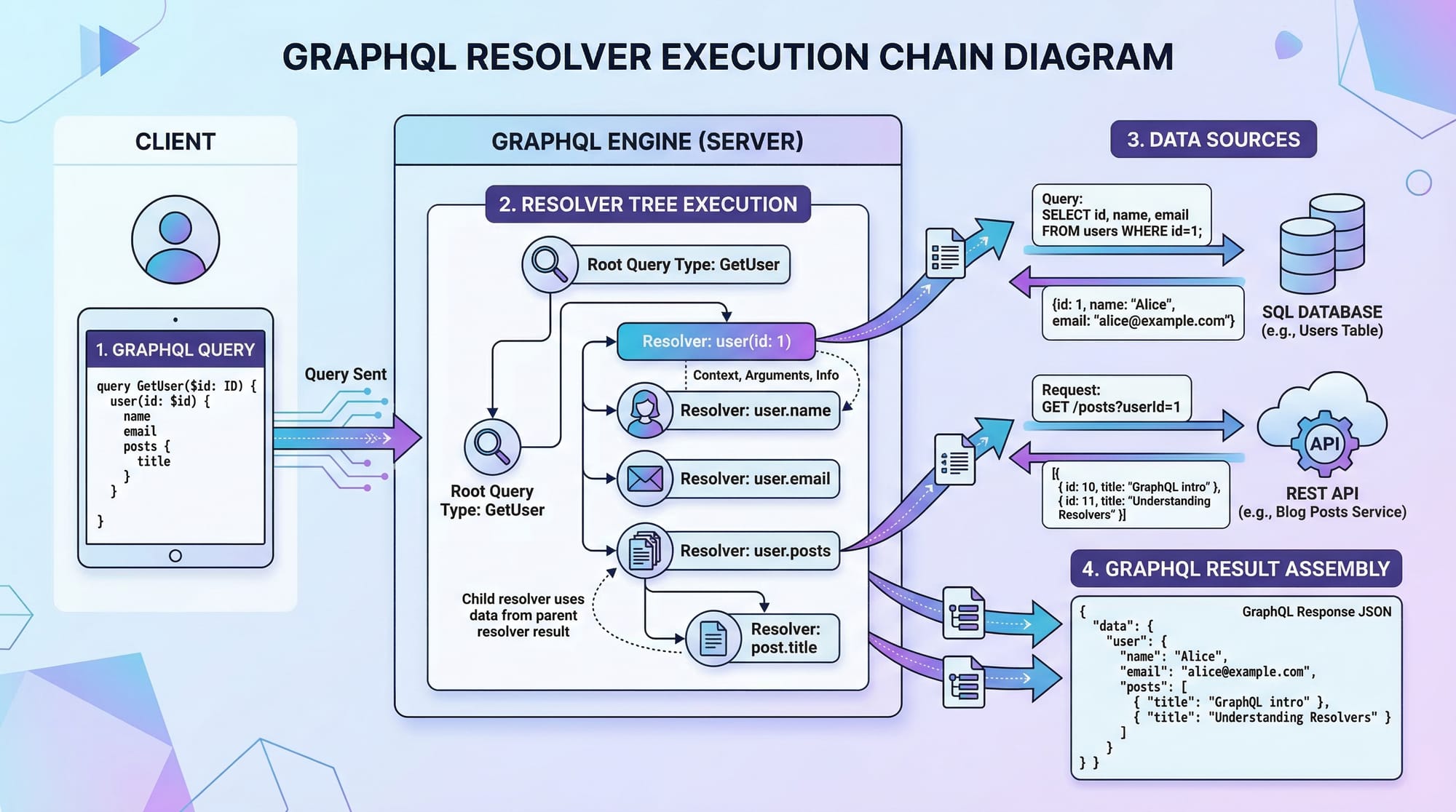
// 3. Define Resolvers
const resolvers = {
  Query: {
    students: () => students,
  },
};

// 4. Create Server
const server = new ApolloServer({ typeDefs, resolvers });

// 5. Start Server
server.listen().then(({ url }) => {
  console.log(`Server running at ${url}`);
});
Line-by-line Explanation:
require("apollo-server")→ Imports Apollo ServertypeDefs→ Defines schema using GraphQL syntaxstudents→ Mock database (array)resolvers→ Functions that return datastudents: () => students→ Returns student listApolloServer(...)→ Creates GraphQL serverserver.listen()→ Starts server
Example 2: Real-World Application (React + Apollo Client)
Imagine a university dashboard showing student data.
import React from "react";
import { useQuery, gql } from "@apollo/client";

// 1. Define Query
const GET_STUDENTS = gql`
  query {
    students {
      name
      city
    }
  }
`;

function StudentList() {
  // 2. Fetch Data
  const { loading, error, data } = useQuery(GET_STUDENTS);

  // 3. Handle Loading
  if (loading) return <p>Loading...</p>;

  // 4. Handle Error
  if (error) return <p>Error!</p>;

  // 5. Render Data
  return (
    <div>
      {data.students.map((student, index) => (
        <p key={index}>
          {student.name} - {student.city}
        </p>
      ))}
    </div>
  );
}

export default StudentList;
Line-by-line Explanation:
gql→ Defines GraphQL queryuseQuery(GET_STUDENTS)→ Fetches dataloading→ Boolean while fetchingerror→ Error handlingdata.students.map(...)→ Loop through results- Displays student name and city
👉 Example use case: A university in Lahore showing student records.
Common Mistakes & How to Avoid Them
Mistake 1: Overcomplicating Schema Design
❌ Bad:
type StudentDetailsFullInformationSystemData {
  studentFullNameWithDetails: String
}
✔️ Good:
type Student {
  name: String
}
Fix:
- Keep schema simple and readable
- Use meaningful, short names
Mistake 2: Not Handling Errors in Apollo Client
❌ Bad:
const { data } = useQuery(GET_STUDENTS);
✔️ Good:
const { loading, error, data } = useQuery(GET_STUDENTS);

if (loading) return <p>Loading...</p>;
if (error) return <p>Error occurred</p>;
Fix:
- Always handle:
- Loading state
- Error state
Practice Exercises
Exercise 1: Fetch Student Fees
Problem:
Create a GraphQL query to fetch student name and fee.
Solution:
query {
  students {
    name
    fee
  }
}
Explanation:
students→ Query fieldname, fee→ Requested fields
Exercise 2: Add New Student
Problem:
Write a mutation to add a student named "Ali" from Karachi.
Solution:
mutation {
  addStudent(name: "Ali", city: "Karachi") {
    id
    name
  }
}
Explanation:
mutation→ Data modificationaddStudent(...)→ Function call- Returns created data
Frequently Asked Questions
What is GraphQL?
GraphQL is a query language for APIs that allows clients to request specific data from a single endpoint. It improves efficiency compared to REST APIs.
How do I learn GraphQL as a beginner?
Start with schema basics, then practice queries and mutations. Use tools like Apollo Client with React for hands-on learning.
Is GraphQL better than REST?
GraphQL is more flexible and efficient, but REST is simpler. For complex apps, GraphQL is usually better.
What is Apollo Client?
Apollo Client is a library that helps React apps fetch and manage GraphQL data easily using hooks like useQuery.
Can I use GraphQL in real projects?
Yes, many companies use GraphQL in production. You can build dashboards, e-commerce apps, and mobile APIs with it.
Summary & Key Takeaways
- GraphQL uses a single endpoint instead of multiple REST endpoints
- You can request exact data (no over-fetching or under-fetching)
- Schema defines the structure of your API
- Queries fetch data, mutations modify data
- Apollo makes GraphQL easy to use in React apps
- Ideal for modern apps like dashboards, mobile apps, and SaaS platforms
Next Steps & Related Tutorials
To continue your learning journey, explore these tutorials on theiqra.edu.pk:
- Learn how APIs work in detail with REST API Design
- Start frontend development with React.js Introduction
- Explore backend basics with Node.js Beginner Guide
- Build full-stack apps with MERN Stack Tutorial
👉 Combining GraphQL with React and Node.js will help you become a job-ready full-stack developer in Pakistan.
Test Your Python Knowledge!
Finished reading? Take a quick quiz to see how much you've learned from this tutorial.