Linux Containers Deep Dive cgroups namespaces & OCI
Introduction
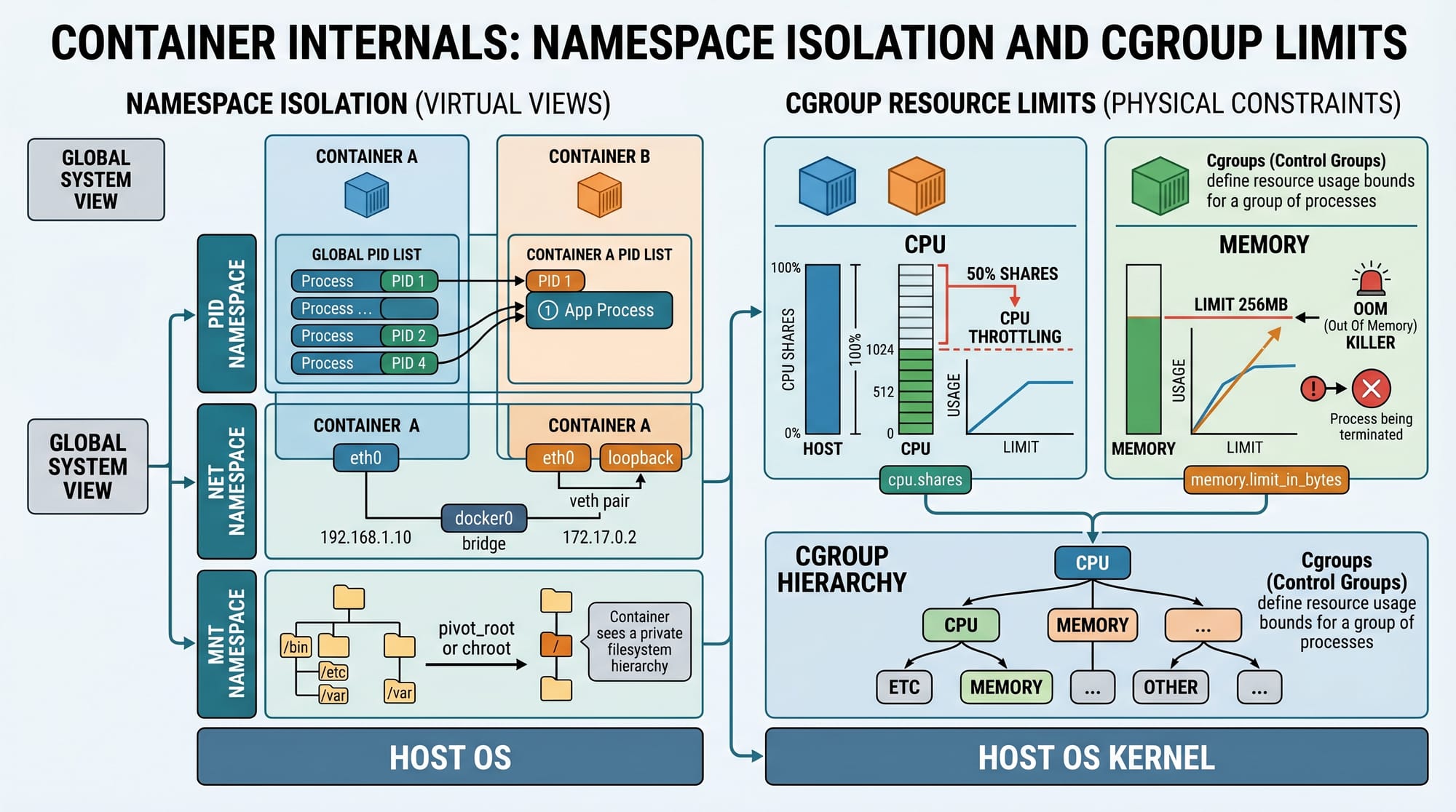
Linux containers are one of the most important technologies in modern cloud computing, DevOps, and software engineering. In simple terms, containers allow you to run applications in isolated environments while sharing the same Linux kernel. This makes them lightweight, fast, and highly scalable compared to virtual machines.
In this tutorial, Linux Containers Deep Dive: cgroups, namespaces & OCI, we will explore the internal building blocks of containers—how Linux actually creates isolation and resource control under the hood.
For Pakistani students learning modern DevOps, cloud computing, or backend engineering, understanding container internals is a high-value skill. Companies in Lahore, Karachi, and Islamabad increasingly use Docker-based deployments in startups, fintech systems, and cloud platforms.
We will focus on three core pillars:
- Linux namespaces → isolation (processes, network, mounts)
- cgroups (control groups) → resource limitation (CPU, memory, I/O)
- OCI (Open Container Initiative) → standardization of container formats and runtimes
By the end of this guide, you will understand how tools like Docker and Podman actually work internally.
Prerequisites
Before diving into Linux containers internals, you should be comfortable with:
- Basic Linux commands (
ls,ps,top,kill) - Shell usage (Bash)
- Basic understanding of processes in Linux
- Familiarity with filesystems and permissions
- Optional but helpful: basic Docker usage
If you are a student at a university in Pakistan (for example, FAST Lahore or NUST Islamabad), this tutorial fits well after completing an Operating Systems course.
Core Concepts & Explanation
Linux Namespaces: Process Isolation Layer
Namespaces are the foundation of container isolation. They allow processes to have their own "view" of the system.
Linux provides several types of namespaces:
- PID namespace → isolates process IDs
- NET namespace → isolates network interfaces
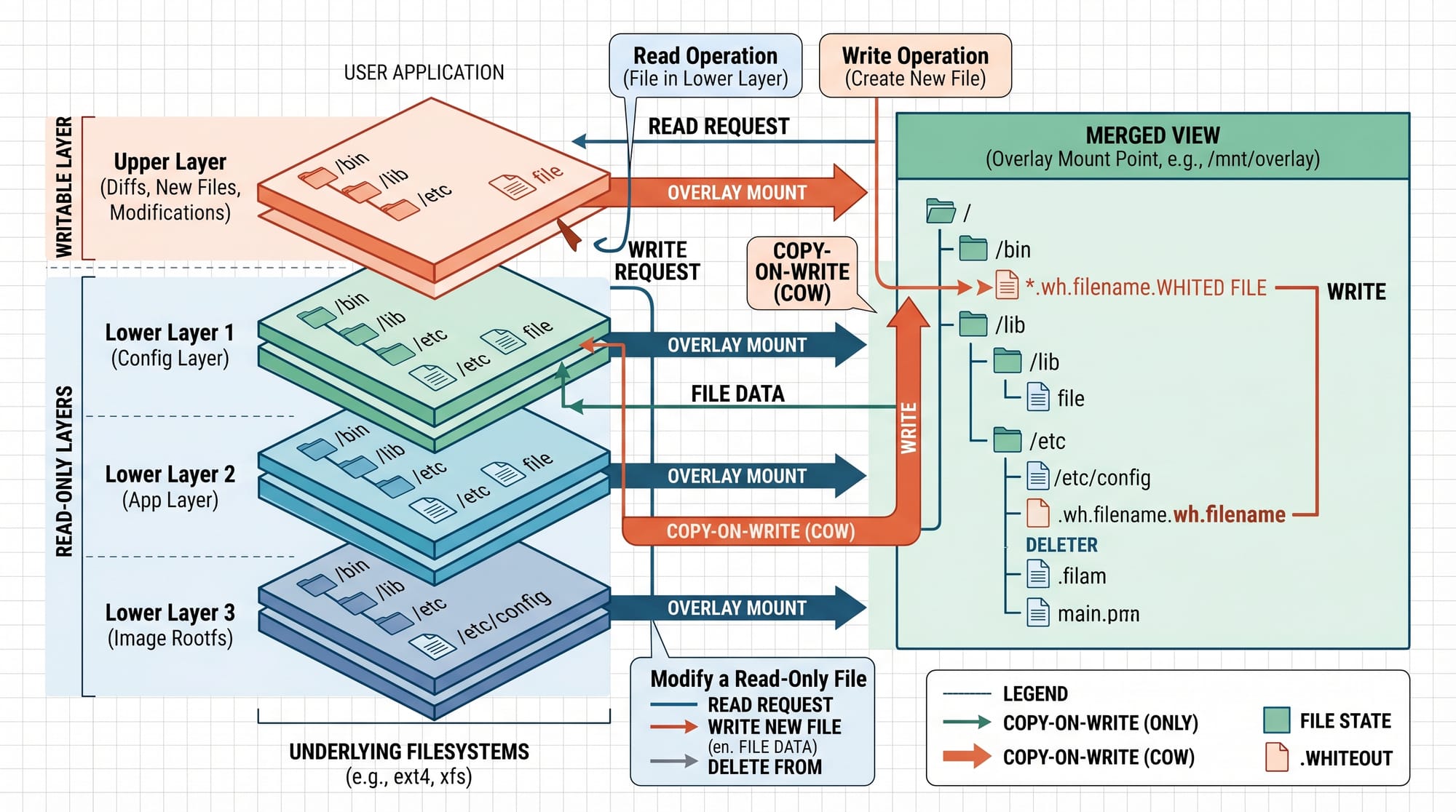
- MNT namespace → isolates mount points (filesystem view)
- UTS namespace → hostname isolation
- IPC namespace → inter-process communication isolation
Example Concept
If Ali runs a container, his process might see itself as PID 1 inside the container, even though on the host it is PID 3456.
cgroups (Control Groups): Resource Management Layer
While namespaces handle isolation, cgroups control how much resources a container can use.
cgroups can limit:
- CPU usage
- Memory consumption
- Disk I/O
- Number of processes
Example Concept
If Fatima runs a container with 512MB memory limit, Linux ensures it cannot exceed that—even if the host has 16GB RAM.
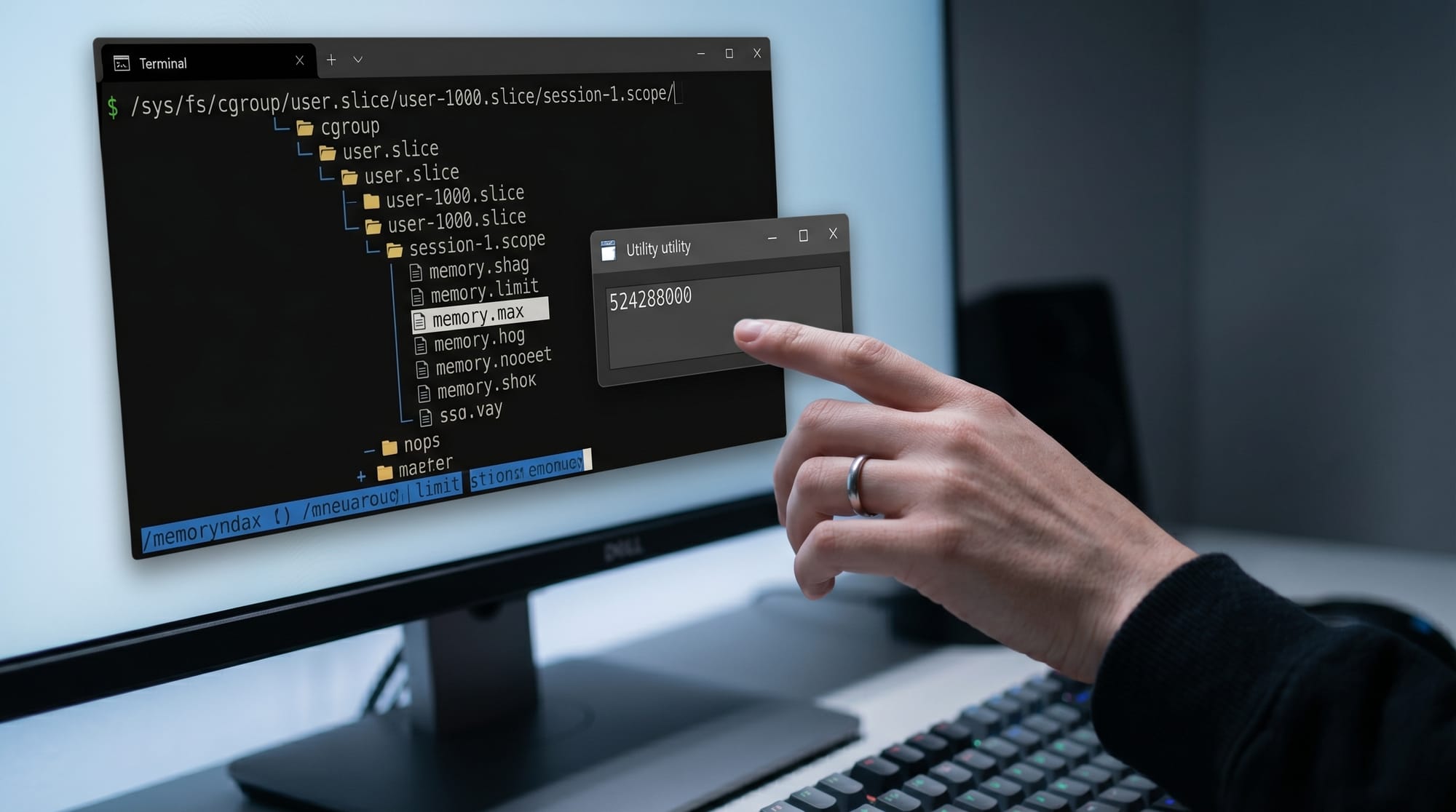
Modern systems use cgroup v2, where everything is unified under a single hierarchy.
Key file examples:
memory.max→ memory limitcpu.max→ CPU quotacgroup.procs→ processes inside group
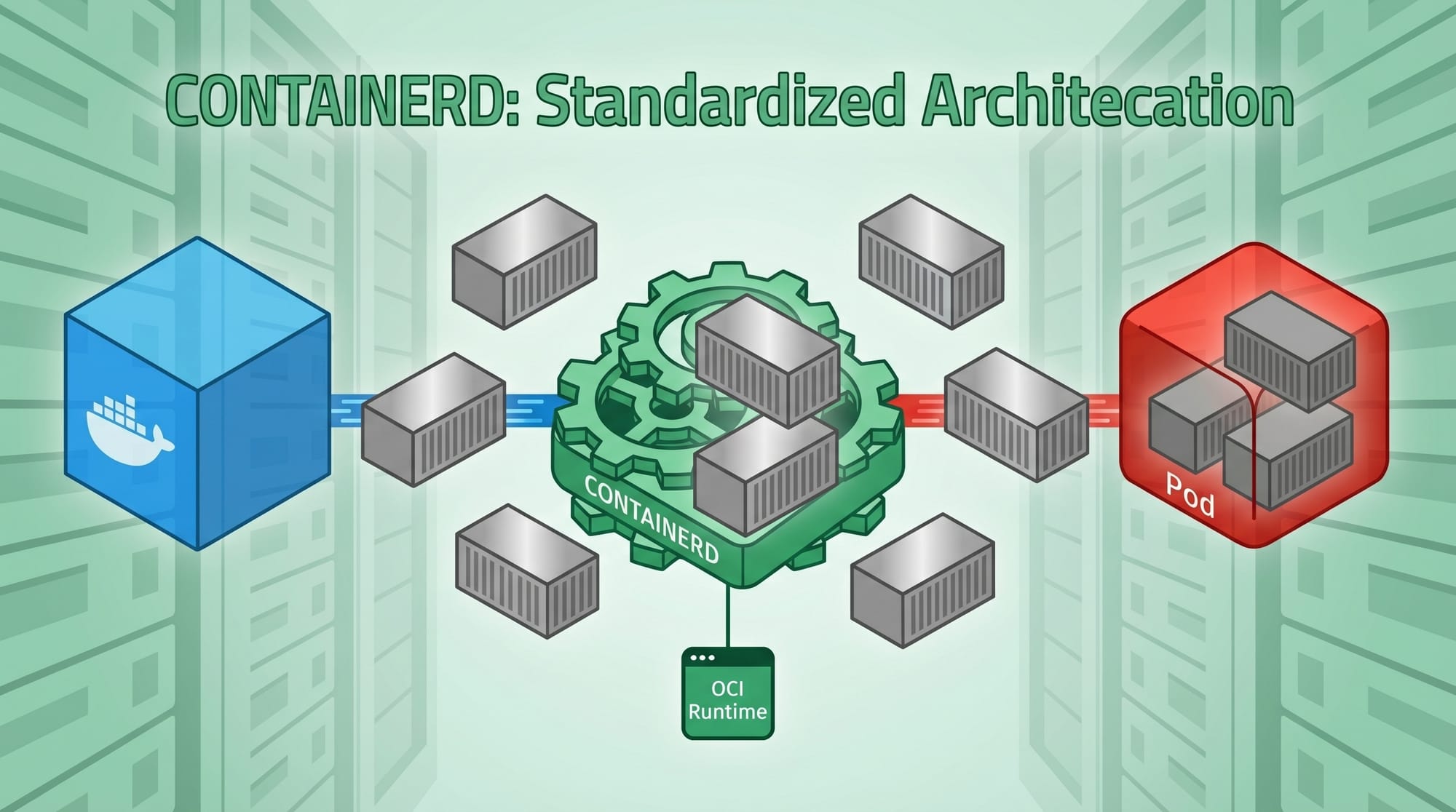
OCI (Open Container Initiative): Standardization Layer
OCI is not a Linux kernel feature. It is a standard that defines how containers should be built and run.
OCI defines:
- Container image format
- Runtime specification
- Execution rules
Popular OCI-compliant runtimes:
- Docker runtime (containerd)
- Podman runtime (crun/runc)
Without OCI, every tool would implement containers differently, causing compatibility issues.
Practical Code Examples
Example 1: Creating a Basic Namespace (PID Isolation)
unshare --pid --fork --mount-proc bash
Explanation (Line by Line)
unshare→ Linux tool to create isolated namespaces--pid→ creates a new PID namespace--fork→ forks a child process inside new namespace--mount-proc→ remounts/procfor correct process viewbash→ starts a shell inside isolated environment
Now inside this shell:
ps aux
You will only see processes inside this namespace, not the whole system.
Example 2: Limiting Memory with cgroups v2
mkdir /sys/fs/cgroup/student_container
echo 500M > /sys/fs/cgroup/student_container/memory.max
echo $$ > /sys/fs/cgroup/student_container/cgroup.procs
Explanation (Line by Line)
mkdir→ creates a new cgroup for container simulationmemory.max→ sets memory limit to 500MB$$→ current shell process IDcgroup.procs→ assigns process to this cgroup
Now, if Ahmad from Karachi runs a heavy program:
stress --vm 1 --vm-bytes 800M
It will be killed automatically due to memory restriction.
Common Mistakes & How to Avoid Them
Mistake 1: Thinking Containers Are Virtual Machines
Many beginners assume containers are like VMs.
Problem:
- VMs have full OS per instance
- Containers share host kernel
Fix:
Understand that containers are process-level isolation, not hardware virtualization
Mistake 2: Ignoring cgroups Limits
Students often run containers without resource limits.
Problem:
A single container can consume all RAM and crash the system.
Fix:
Always define limits:
docker run --memory=512m --cpus=1 ubuntu
This ensures fair resource sharing.
Practice Exercises
Exercise 1: Create Your Own Namespace
Problem:
Run a shell with isolated process ID space and verify it only shows container processes.
Solution:
unshare --pid --fork --mount-proc bash
ps aux
Expected result: Only minimal processes visible.
Exercise 2: Simulate Container Memory Limit
Problem:
Restrict a process to 300MB memory and test behavior.
Solution:
mkdir /sys/fs/cgroup/test_container
echo 300M > /sys/fs/cgroup/test_container/memory.max
echo $$ > /sys/fs/cgroup/test_container/cgroup.procs
stress --vm 1 --vm-bytes 500M
Expected result: Process gets killed or throttled.
Frequently Asked Questions
What is Linux container internals in simple terms?
Linux container internals refer to how the kernel uses namespaces and cgroups to isolate and control processes. Instead of running a full virtual machine, containers run as isolated processes on the same kernel.
How do Linux namespaces work?
Namespaces create separate environments for processes. For example, a container may have its own process list, network interfaces, and filesystem view, making it appear like a separate system.
What is the difference between cgroups and namespaces?
Namespaces provide isolation (what you can see), while cgroups provide resource control (how much you can use). Both are required to build a container.
Why is OCI important in containers?
OCI defines standard rules for container images and runtimes. This ensures tools like Docker, Podman, and Kubernetes work consistently across different systems.
Can I build containers without Docker?
Yes. You can manually use unshare, chroot, and cgroups to build basic containers. However, tools like Docker simplify this process using OCI standards.
Summary & Key Takeaways
- Linux containers are built using namespaces and cgroups
- Namespaces provide isolation of system resources
- cgroups provide resource limitation and control
- OCI defines a standard for container images and runtimes
- Containers are not virtual machines—they are lightweight processes
- Understanding internals helps in DevOps, cloud, and backend engineering
Next Steps & Related Tutorials
To continue your learning journey, explore these tutorials on theiqra.edu.pk:
- Learn container usage in [Docker Basics for Beginners]
- Understand system management in [Linux Process Management Guide]
- Explore OS concepts in [Operating Systems Fundamentals]
- Dive deeper into production systems with [Kubernetes Architecture Explained]
If you want, I can also turn this into a PDF handout, blog HTML version, or quiz for students.
Test Your Python Knowledge!
Finished reading? Take a quick quiz to see how much you've learned from this tutorial.