Wireshark Tutorial Network Packet Analysis for Developers
Introduction
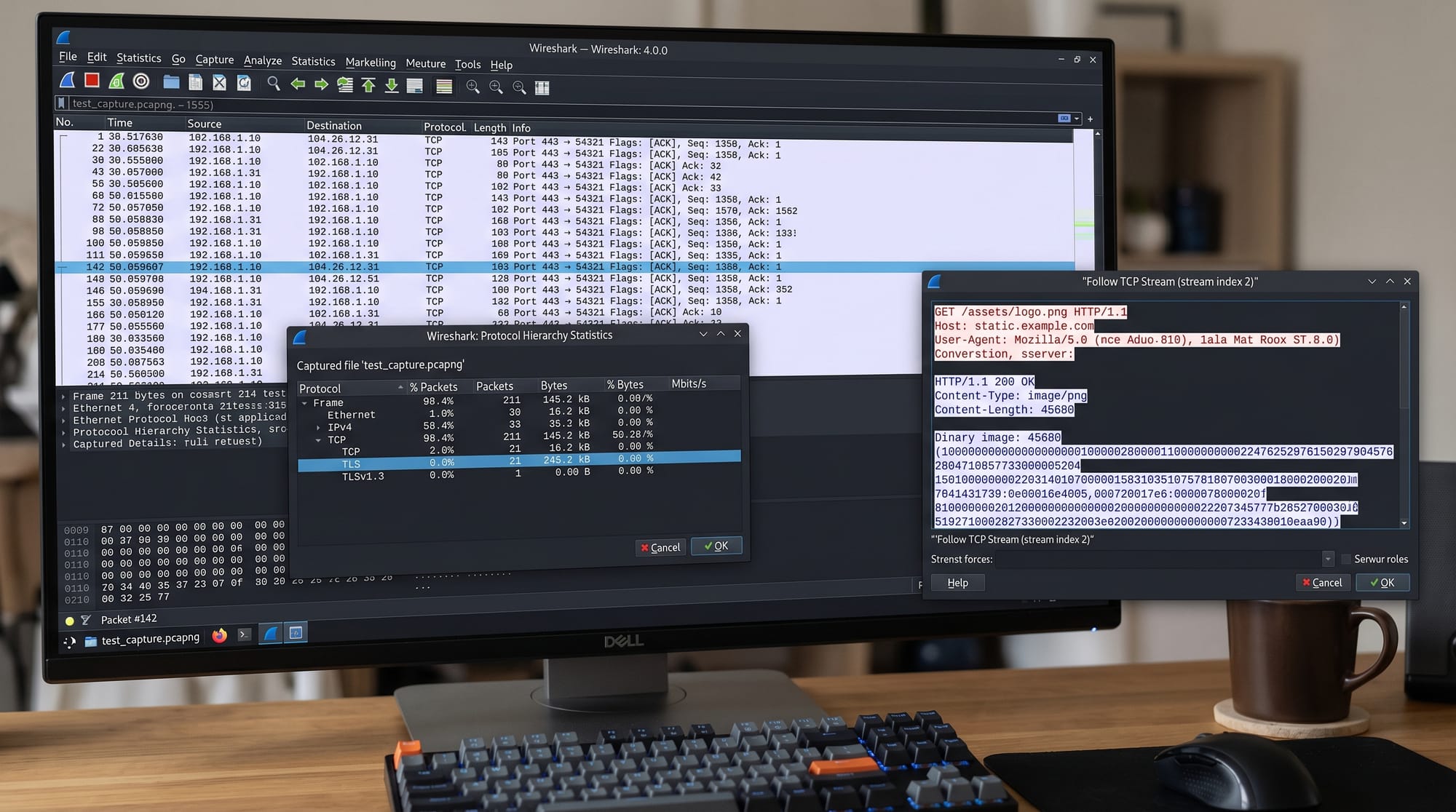
Wireshark is one of the most powerful open-source tools used for network packet analysis. A Wireshark tutorial helps developers and networking students understand how data travels across a network in real time by capturing and inspecting packets at a very low level.
For Pakistani students, especially those studying in cities like Lahore, Karachi, and Islamabad, learning Wireshark is extremely valuable because it bridges the gap between theoretical networking concepts and real-world system behavior. Whether you are debugging a slow web application, analyzing API requests, or learning how TCP/IP works, Wireshark gives you full visibility into network communication.
In this Wireshark tutorial: network packet analysis for developers, you will learn how packets flow, how to filter traffic, and how to troubleshoot real network issues using Wireshark network troubleshooting techniques.
Prerequisites
Before starting this Wireshark tutorial, you should have:
- Basic understanding of Computer Networks (TCP/IP model, OSI layers)
- Familiarity with HTTP/HTTPS requests
- Basic Linux or Windows usage skills
- Some programming knowledge (Python, JavaScript, or Java helps but is not required)
- Understanding of IP addresses, ports, and DNS
If you are new, it is recommended to first read:
- Networking fundamentals on theiqra.edu.pk
- Linux Networking basics tutorial
Core Concepts & Explanation
Packet Capture and Network Interface Monitoring
Packet capture is the process of intercepting data packets traveling through a network interface card (NIC). Wireshark listens to interfaces like Wi-Fi or Ethernet and records all incoming and outgoing packets.
Each packet contains:
- Source IP address
- Destination IP address
- Protocol (TCP, UDP, HTTP, DNS)
- Payload (actual data)
For example, when Ahmad from Lahore opens a website, Wireshark captures:
- DNS request to resolve domain
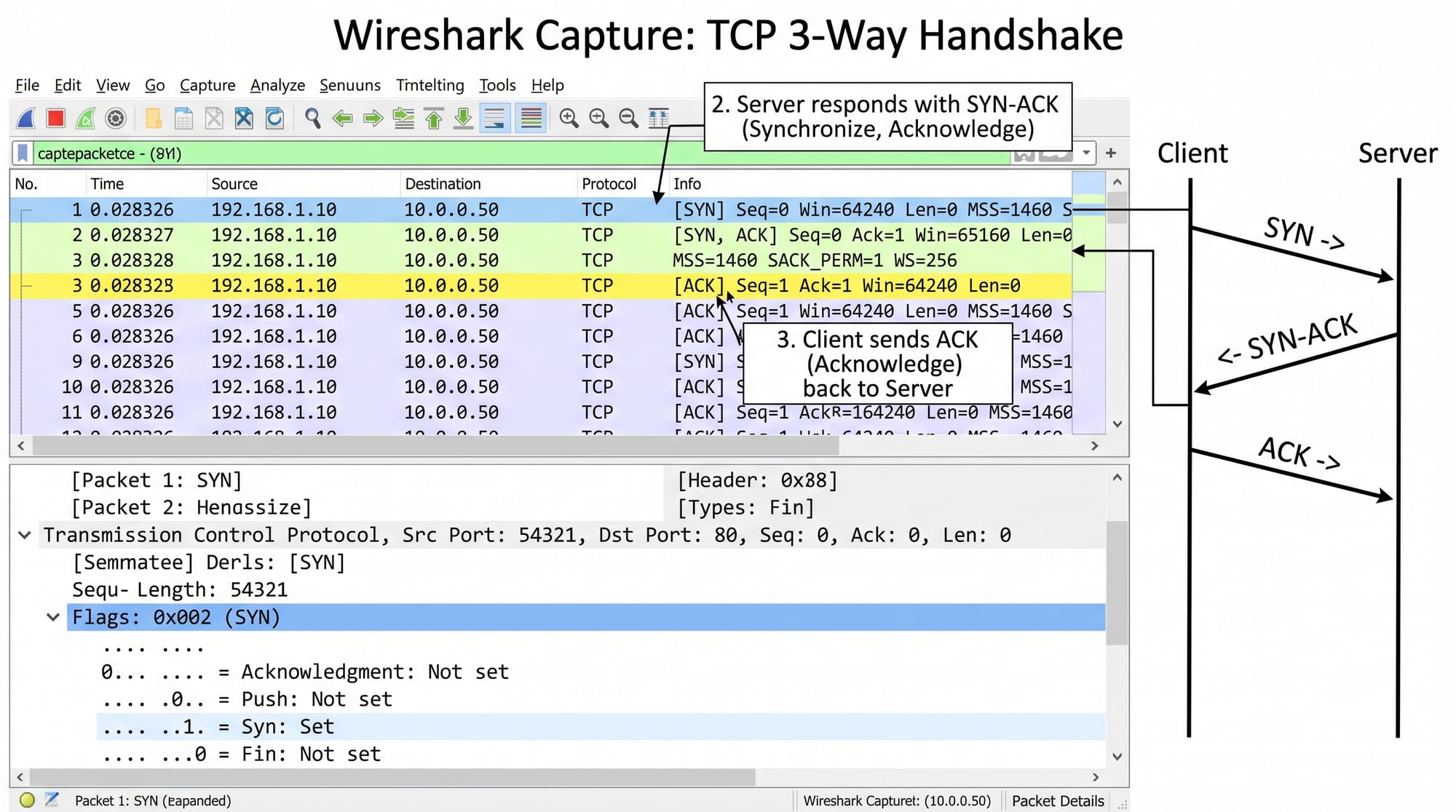
- TCP handshake packets
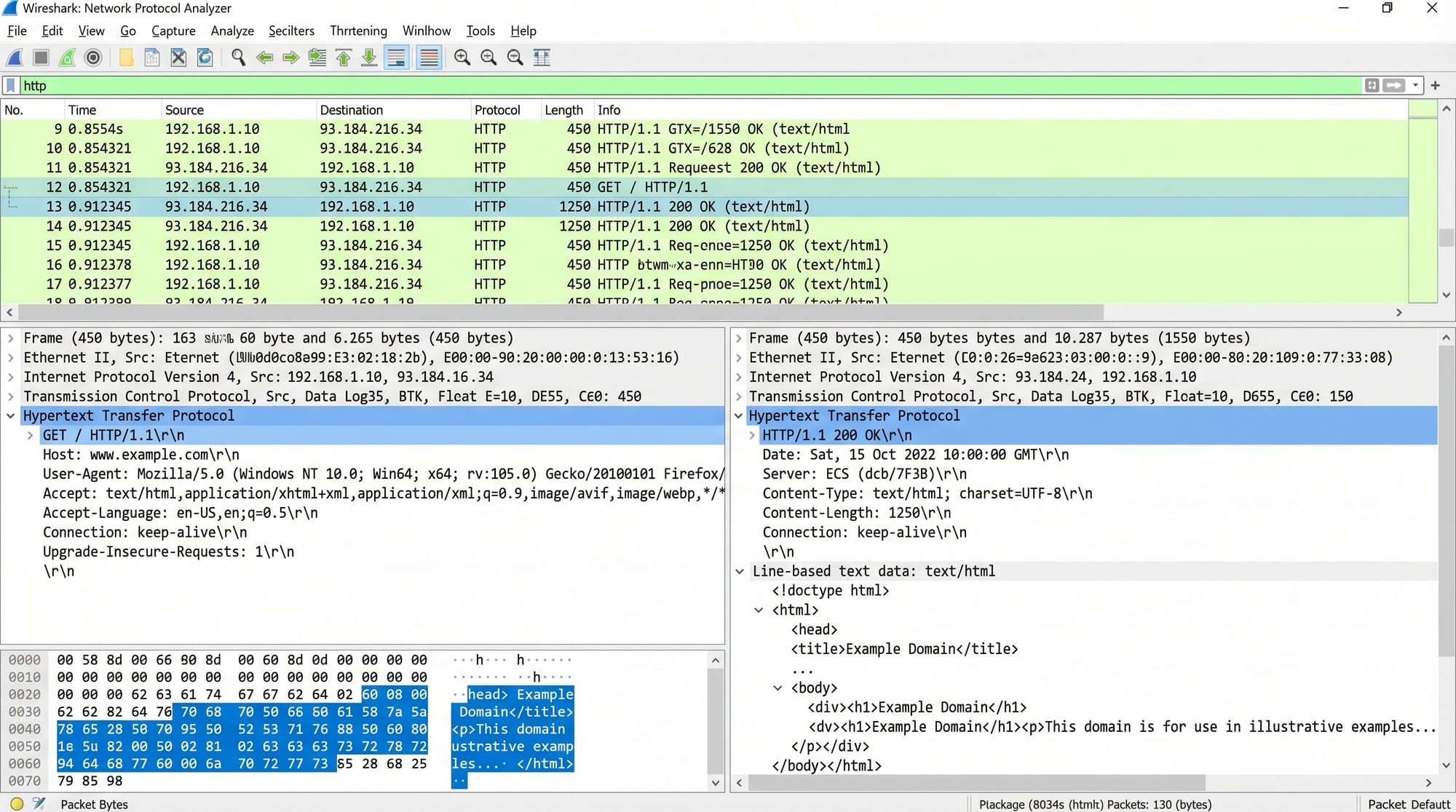
- HTTP request/response
This makes packet analysis extremely useful for debugging network issues.
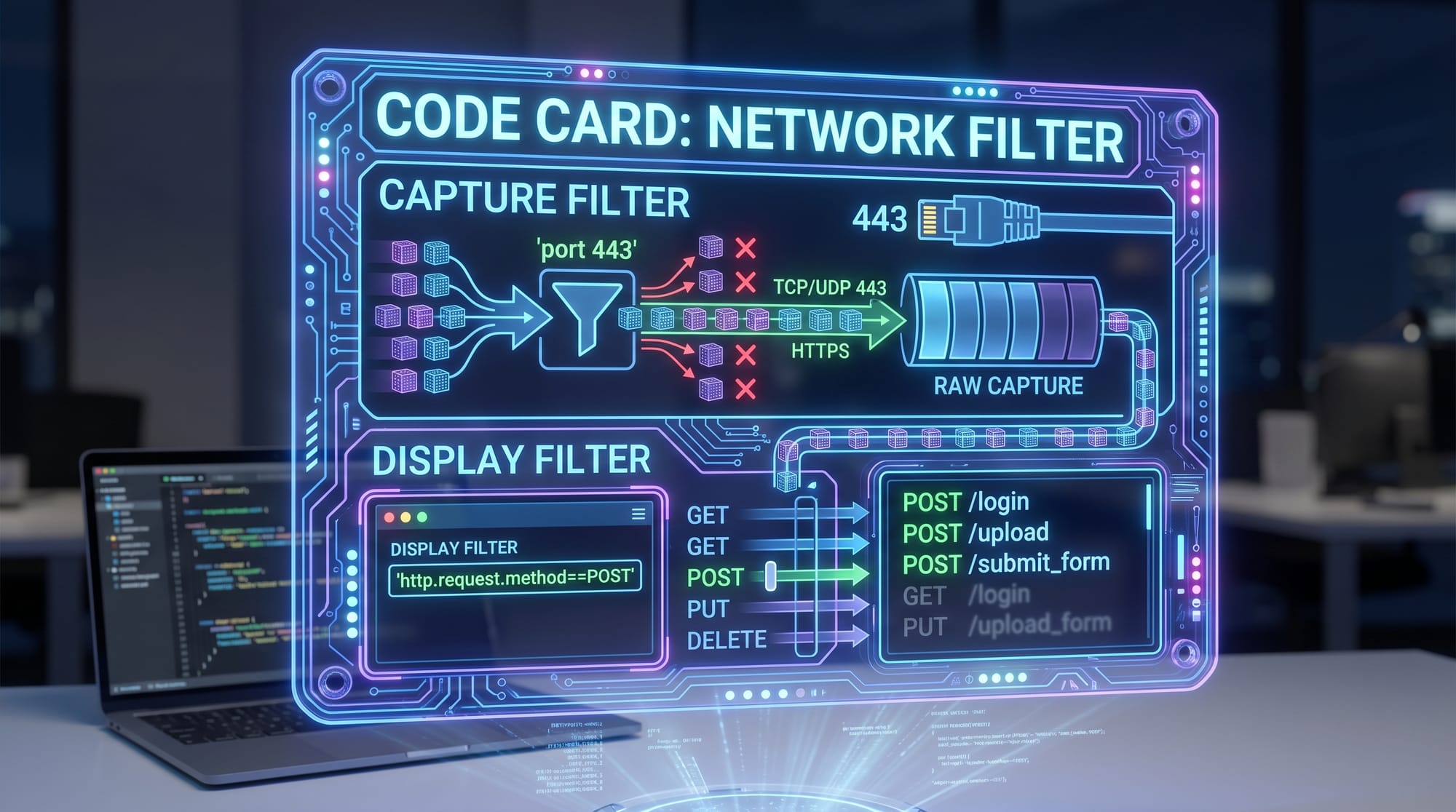
Filters: Capture Filters vs Display Filters
Wireshark provides two important filtering systems:
Capture Filters
These filters are applied BEFORE capturing data.
Example:
port 443
Explanation:
port→ filters traffic based on port number443→ HTTPS traffic only- This reduces unnecessary data capture
Display Filters
These filters are applied AFTER data is captured.
Example:
http.request.method == "POST"
Explanation:
http.request.method→ HTTP method field== "POST"→ only POST requests- Useful for API debugging
Practical Code Examples
Example 1: Capturing HTTP Traffic
Although Wireshark is GUI-based, we often simulate traffic using curl or browser requests.
curl http://example.com
Line-by-line explanation:
curl→ command-line tool to send HTTP requestshttp://example.com→ target website- Generates network traffic visible in Wireshark
When you run this and open Wireshark:
- You will see DNS query first
- Then TCP handshake
- Finally HTTP GET request
Example 2: Real-World API Debugging Scenario
Suppose Fatima in Karachi is developing an API and wants to check POST requests.
curl -X POST https://api.example.com/login \
 -H "Content-Type: application/json" \
 -d '{"username":"fatima","password":"1234"}'
Line-by-line explanation:
curl -X POST→ sends POST requesthttps://api.example.com/login→ API endpoint-H→ sets header type JSON-d→ sends JSON payload
In Wireshark:
- Filter:
http.request.method == "POST" - You will see login request packet
- You can inspect request payload and response status
Common Mistakes & How to Avoid Them
Mistake 1: Capturing Too Much Traffic
Many beginners capture all traffic without filters, leading to confusion.
Problem:
- Hundreds of irrelevant packets
- Hard to locate target request
Solution:
Use capture filters:
host 192.168.1.1
Explanation:
- Limits traffic to a specific IP
- Reduces noise and improves performance
Mistake 2: Misunderstanding HTTPS Encryption
Beginners often think Wireshark can read HTTPS content directly.
Problem:
- HTTPS payload appears encrypted
- Cannot read request body
Solution:
- Use SSL key logging or browser integration
- Or analyze metadata instead (headers, IPs, timing)
Practice Exercises
Exercise 1: Capture a Login Request
Problem:
Use Wireshark to capture a login request from any test website.
Solution:
- Open Wireshark
- Start capture on Wi-Fi interface
- Apply filter:
http.request.method == "POST"
- Perform login action
- Inspect packet details
You will see username/password in plaintext (HTTP only).
Exercise 2: Analyze DNS Lookup
Problem:
Capture DNS query when opening google.com
Solution:
- Start Wireshark capture
- Run:
nslookup google.com
- Apply filter:
dns
- Observe query and response packets
You will see:
- Query request
- IP address response
Frequently Asked Questions
What is Wireshark used for?
Wireshark is used for capturing and analyzing network packets in real time. It helps developers debug network issues, monitor traffic, and understand protocol behavior.
Is Wireshark legal to use in Pakistan?
Yes, Wireshark is completely legal when used on your own network or with permission. It is widely used in universities and cybersecurity training.
Can Wireshark see passwords?
Wireshark can see passwords only in unencrypted traffic (like HTTP). For HTTPS, data is encrypted and cannot be read directly.
Do I need programming knowledge for Wireshark?
No, but basic programming helps in understanding APIs and network behavior. Even non-programmers can use Wireshark for troubleshooting.
What is the difference between Wireshark and tcpdump?
Wireshark is a GUI-based tool with advanced visualization, while tcpdump is a command-line tool. Wireshark is easier for beginners, tcpdump is preferred for servers.
Summary & Key Takeaways
- Wireshark is a powerful tool for packet-level network analysis
- It helps in debugging real-world applications and APIs
- Capture filters reduce traffic before capture, display filters refine results after capture
- HTTPS traffic is encrypted, but metadata is still visible
- Packet analysis is essential for developers and network engineers
- Practical use cases include API debugging, DNS analysis, and performance troubleshooting
Next Steps & Related Tutorials
After completing this Wireshark tutorial, you should explore:
- [Computer Networks fundamentals](Computer Networks) to strengthen your basics
- [Linux Networking](Linux Networking) to learn command-line tools like tcpdump
- Advanced API debugging techniques using curl and Postman
- Network security basics for penetration testing
Learning Wireshark network troubleshooting will significantly improve your debugging skills and make you a stronger backend or DevOps developer in real-world environments.
Test Your Python Knowledge!
Finished reading? Take a quick quiz to see how much you've learned from this tutorial.