Nmap Tutorial Network Scanning & Security Auditing
Introduction
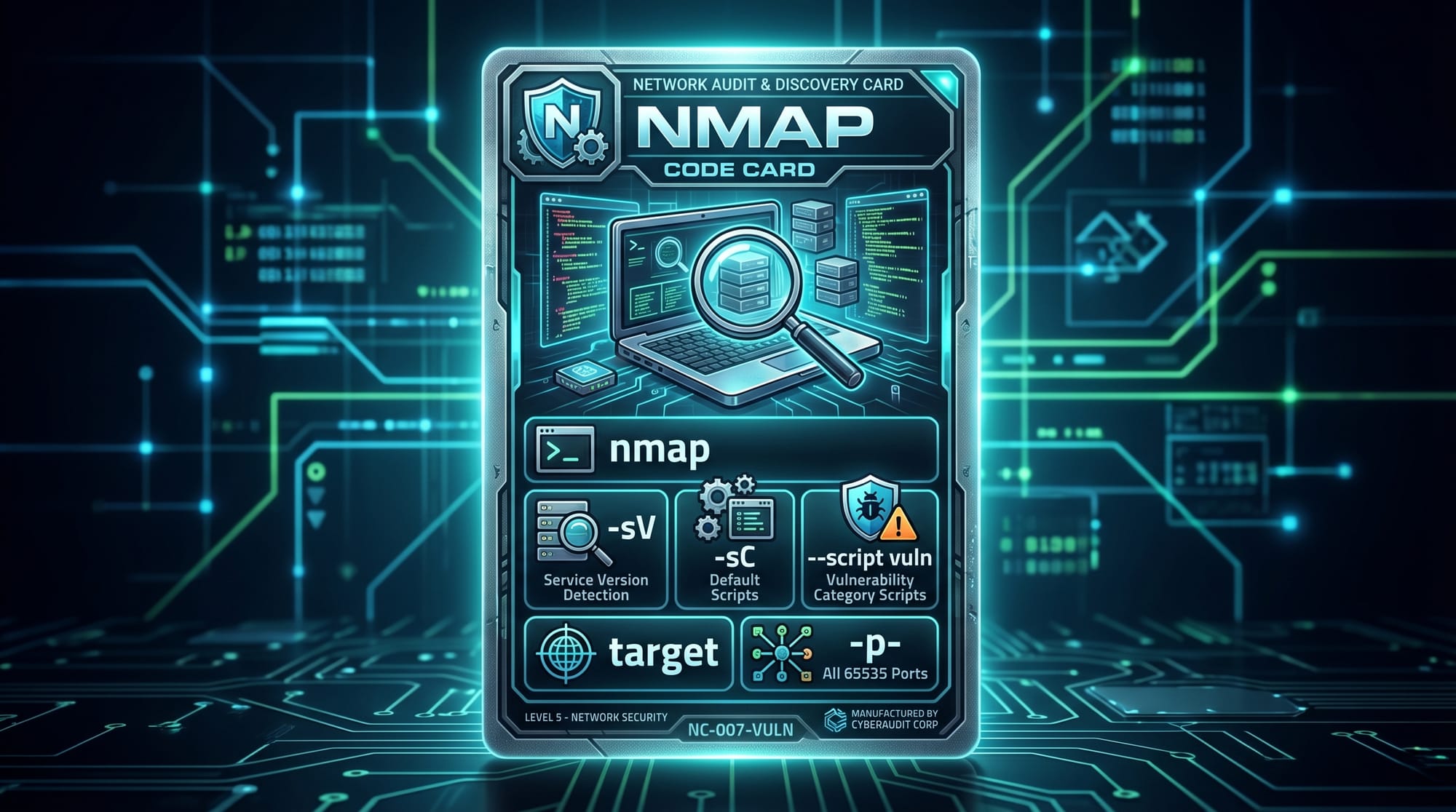
Nmap is one of the most powerful and widely used tools for network discovery and security auditing. It is an open-source utility that helps cybersecurity professionals, ethical hackers, and system administrators identify devices, open ports, running services, and potential vulnerabilities on a network.
In simple words, Nmap (Network Mapper) allows you to “see what is happening inside a network.” For Pakistani students learning cybersecurity, networking, or ethical hacking, mastering Nmap is an essential skill. Whether you are studying in Lahore, Karachi, or Islamabad, understanding how networks are scanned is critical for modern IT careers.
With increasing cyber threats in Pakistan’s banking systems, e-commerce platforms, and government portals, learning security scanning Nmap techniques can help students build strong defensive skills.
Prerequisites
Before starting this nmap tutorial: network scanning & security auditing guide, you should have a basic understanding of:
- Basic networking concepts (IP address, subnet, ports)
- Linux command line basics (Ubuntu, Kali Linux recommended)
- Basic cybersecurity awareness
- Understanding of client-server architecture
Optional but helpful:
- Basic Python or scripting knowledge
- Familiarity with virtual machines (VirtualBox or VMware)
Many students in Pakistan practice these concepts using free tools like Kali Linux installed on a laptop with 4–8 GB RAM.
Core Concepts & Explanation
Network Scanning Basics
Network scanning is the process of identifying live hosts, open ports, and services running on a network. Nmap performs this by sending packets and analyzing responses.
Example:
- A website running in Karachi may have:
- Port 80 (HTTP)
- Port 443 (HTTPS)
- Port 22 (SSH)
Nmap helps detect these ports.
Port States and Service Detection
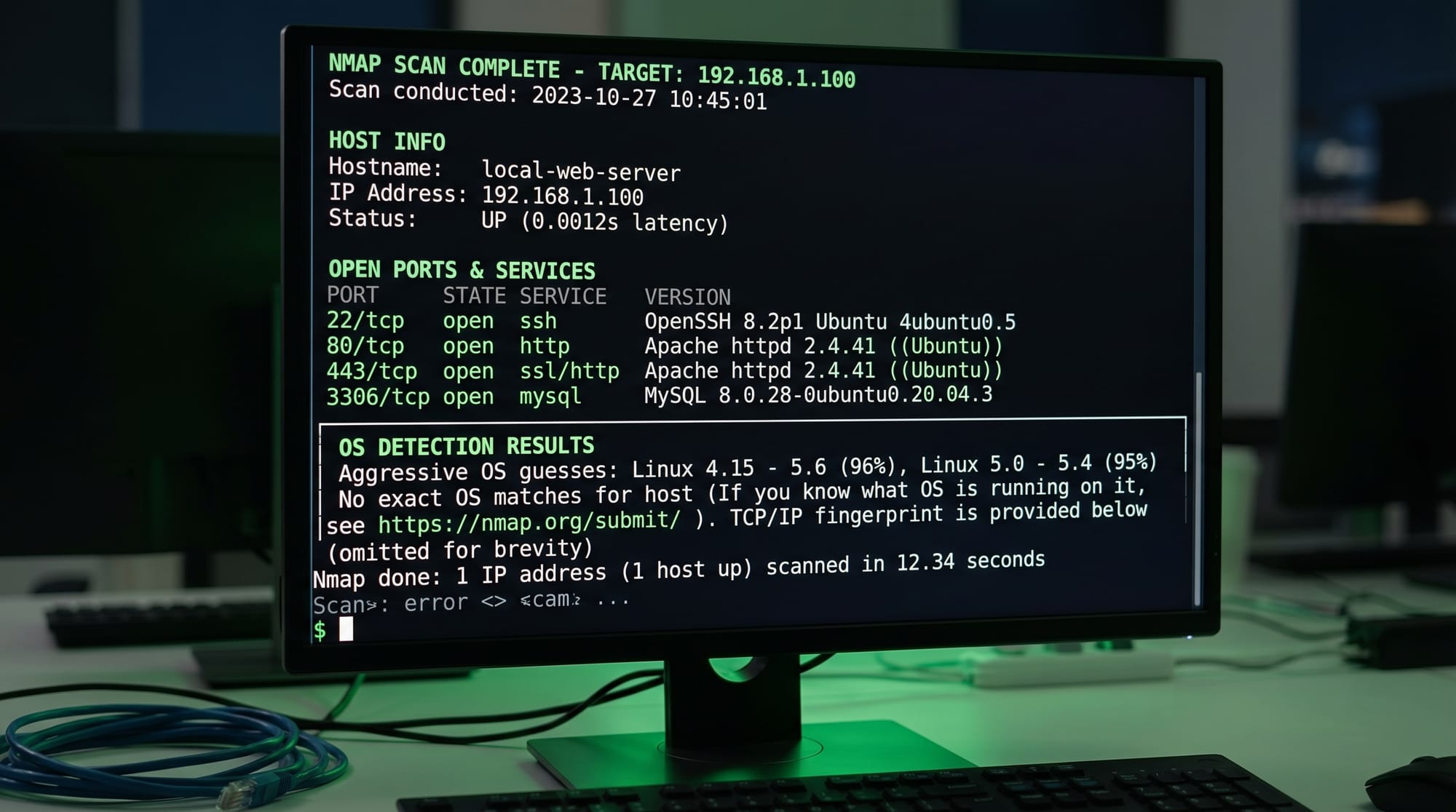
When you run a security scanning nmap command, ports are classified into:
- Open: Service is actively listening
- Closed: No service running
- Filtered: Blocked by firewall
Nmap can also detect services like:
- Apache web server
- OpenSSH
- MySQL database
Practical Code Examples
Example 1: Basic Network Scan
nmap 192.168.1.1
Explanation:
nmap→ launches the tool192.168.1.1→ target IP address (router or server)
Line-by-line behavior:
- Sends ICMP and TCP probes
- Checks which ports are open
- Returns list of detected services
Example output:
- Port 80 open (HTTP)
- Port 22 open (SSH)
This is the simplest nmap network scan used in home networks in Pakistan.
Example 2: Service Version Detection
nmap -sV 192.168.1.1
Explanation:
-sV→ detects service versions192.168.1.1→ target machine
Line-by-line explanation:
- Scans open ports
- Identifies software versions (e.g., Apache 2.4.41)
- Helps detect outdated services
Use case:
Ali from Islamabad uses this to check if his university server is running outdated SSH software.
Example 3: Full Port Scan (Advanced)
nmap -p- 192.168.1.10
Explanation:
-p-→ scans all 65535 ports192.168.1.10→ target system
Line-by-line:
- Starts scanning from port 1
- Ends at port 65535
- Takes longer but gives complete view
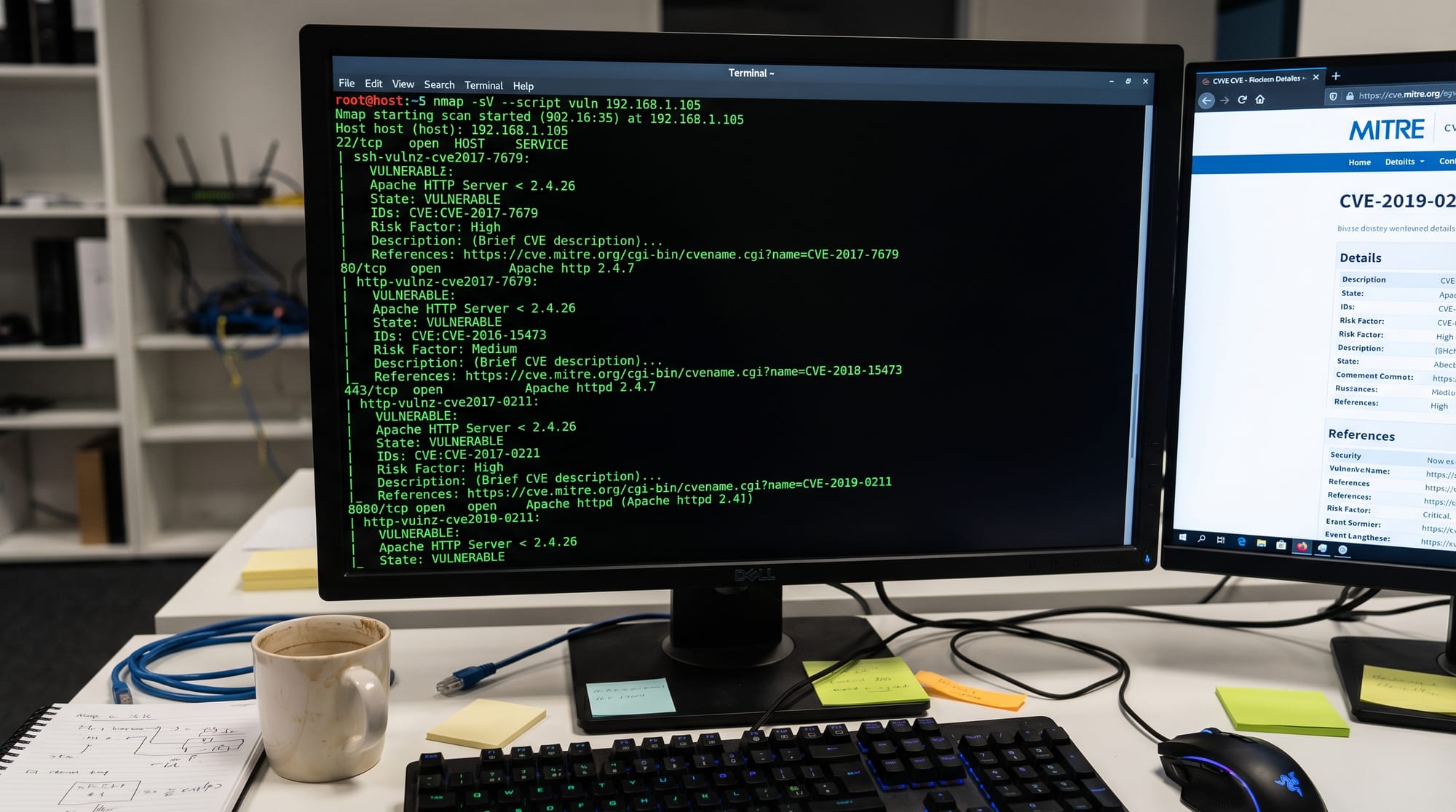
Example 4: Vulnerability Scan Using Scripts
nmap --script vuln 192.168.1.10
Explanation:
--script vuln→ runs vulnerability detection scripts- Target IP → system being tested
Line-by-line:
- Loads NSE (Nmap Scripting Engine)
- Checks known vulnerabilities
- Reports possible CVEs
Common Mistakes & How to Avoid Them
Mistake 1: Scanning Without Permission
Many beginners in Pakistan mistakenly scan random public IPs. This is illegal and unethical.
Fix:
- Only scan your own network
- Use lab environments (Kali Linux VM, Metasploitable)
Example safe practice:
- Scan your home WiFi router
- Scan virtual machines locally
Mistake 2: Ignoring Firewall Effects
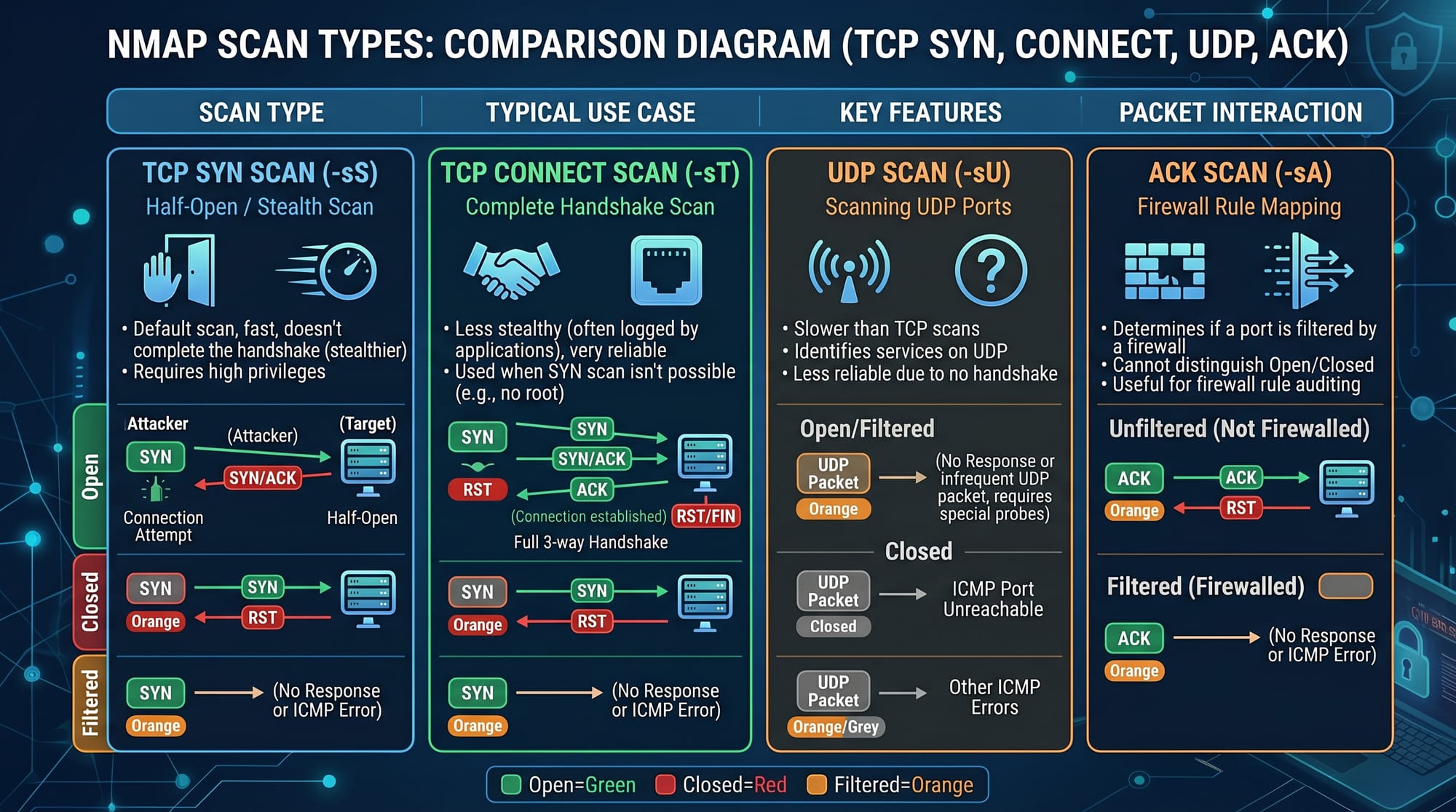
Firewalls can hide open ports, making scan results incomplete.
Fix:
- Use multiple scan types:
- SYN scan (
-sS) - UDP scan (
-sU)
- SYN scan (
- Combine results for accuracy
Example:
nmap -sS -sU 192.168.1.1
Line-by-line:
-sS→ stealth TCP scan-sU→ UDP scan- Combines both for better coverage
Practice Exercises
Exercise 1: Discover Devices on Your Network
Problem:
Find all devices connected to your WiFi.
Solution:
nmap -sn 192.168.1.0/24
Explanation:
-sn→ ping scan (no port scan)192.168.1.0/24→ scans entire subnet- Lists all active devices
Expected result:
- Router
- Mobile phones
- Laptop devices
Exercise 2: Identify Open Services
Problem:
Check which services are running on your local machine.
Solution:
nmap -sV localhost
Explanation:
-sVdetects service versionslocalhostscans your own system
Example output:
- SSH running
- Apache server active
Frequently Asked Questions
What is Nmap used for?
Nmap is used for network discovery and security auditing. It helps identify devices, open ports, and services running on a system. Cybersecurity professionals use it for penetration testing and network monitoring.
Is Nmap legal in Pakistan?
Yes, using Nmap is legal in Pakistan if you scan your own systems or have permission. Unauthorized scanning of public or private systems is illegal and can lead to penalties.
How do I scan all ports using Nmap?
You can scan all ports using:
nmap -p- target-ip
This command checks all 65535 ports to find hidden services.
What is the difference between Nmap and Wireshark?
Nmap is used for active scanning of networks, while Wireshark is used for packet analysis. Nmap finds hosts and ports; Wireshark inspects traffic content.
Can beginners learn Nmap easily?
Yes, beginners can learn Nmap quickly with basic networking knowledge. Starting with simple commands like nmap <ip> helps build confidence before moving to advanced scans.
Summary & Key Takeaways
- Nmap is a powerful tool for network discovery and security auditing
- It helps identify open ports, services, and vulnerabilities
- Pakistani students can use it in ethical hacking labs
- Always scan networks ethically and legally
- Advanced features include service detection and vulnerability scanning
- Practice in safe environments like virtual machines
Next Steps & Related Tutorials
After learning this nmap tutorial: network scanning & security auditing guide, you should continue with:
- Learn more in Cybersecurity Basics on theiqra.edu.pk
- Explore Linux Networking Fundamentals for deeper understanding
- Study Ethical Hacking with Kali Linux
- Move to Penetration Testing Basics
These tutorials will help you build a strong cybersecurity career path in Pakistan’s growing IT industry.
Test Your Python Knowledge!
Finished reading? Take a quick quiz to see how much you've learned from this tutorial.