Turborepo & Nx Monorepo Strategies for Large Teams
Introduction
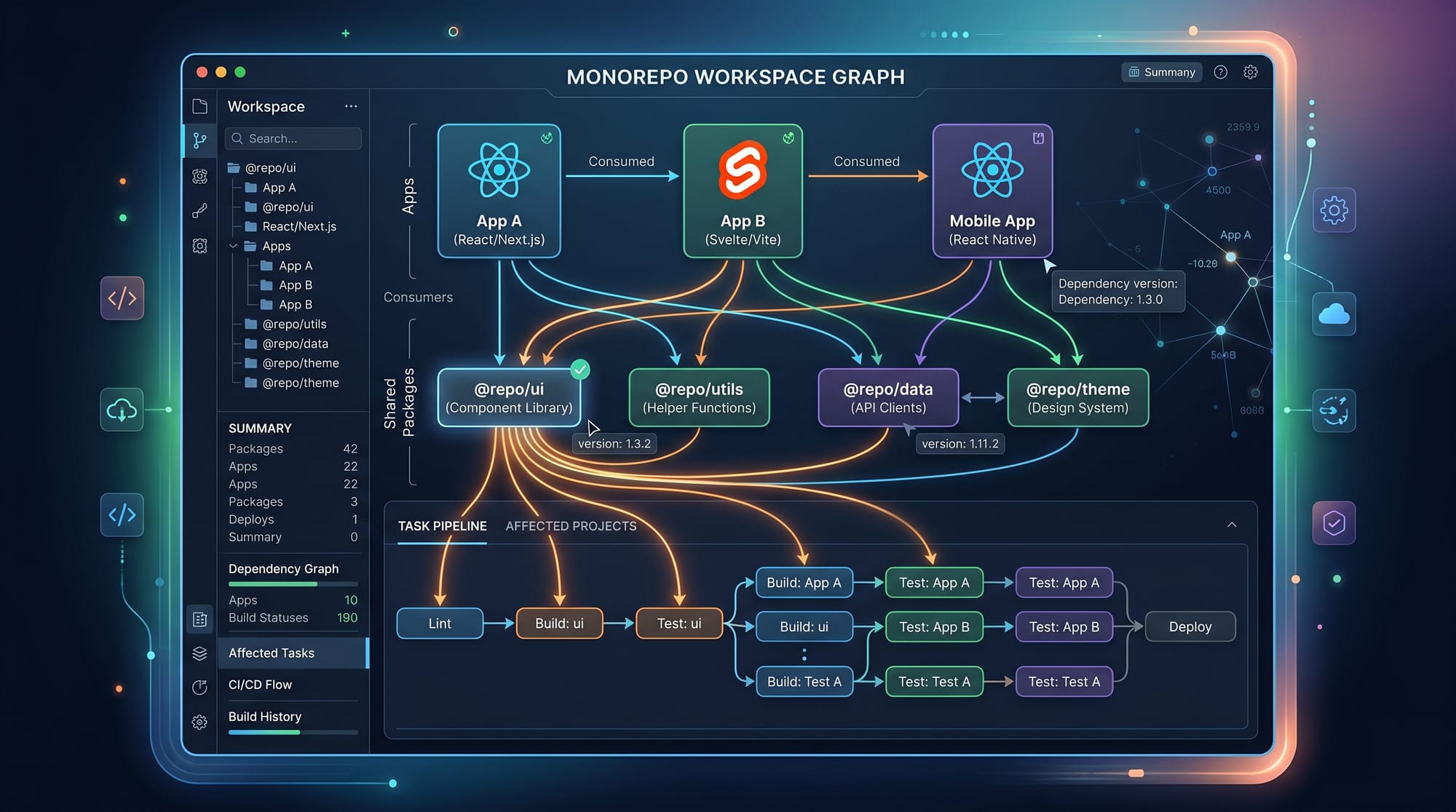
Turborepo and Nx are modern monorepo tools used to manage large-scale codebases where multiple apps and shared packages live in the same repository. In simple terms, a monorepo means “one repository containing many projects” — for example, a React frontend, a Node.js backend, and shared UI components all in one place.
For Pakistani students learning modern web development, especially those targeting jobs in startups in Lahore, Karachi, and Islamabad, understanding monorepo tools is extremely important. Many international companies (and increasingly Pakistani tech companies) use monorepos to improve collaboration, reduce duplication, and speed up builds.
Learning monorepo tutorial concepts, Nx tutorial workflows, and understanding turborepo vs nx differences will help you become job-ready for modern frontend and full-stack roles.
In this tutorial, you will learn:
- How monorepos work
- Why large teams prefer Nx and Turborepo
- Real-world examples using JavaScript/TypeScript
- Common mistakes and best practices
Prerequisites
Before starting this monorepo tutorial, you should be familiar with:
- Basic JavaScript or TypeScript
- Node.js and npm/pnpm/yarn
- React or Next.js fundamentals
- Basic command-line usage
- Understanding of frontend/backend separation
If you are a beginner, first complete:
- “JavaScript Basics for Beginners”
- “Node.js Crash Course”
- “React Fundamentals Tutorial”
These foundational skills will make Nx and Turborepo much easier to understand.
Core Concepts & Explanation
Monorepo Architecture in Large Teams
A monorepo is a single repository containing multiple applications and shared libraries.
Example structure:
my-workspace/
  apps/
    web/        (Next.js frontend)
    api/        (Node.js backend)
  packages/
    ui/         (shared UI components)
    utils/      (helper functions)
In Pakistani startups, imagine:
- Fatima working on frontend (apps/web)
- Ali working on backend (apps/api)
- Ahmad maintaining shared UI components (packages/ui)
Instead of separate repositories, everything stays synchronized in one place.
Benefits:
- Easier collaboration
- Shared code reuse
- Single CI/CD pipeline
- Faster onboarding
Task Running, Caching, and Dependency Graph
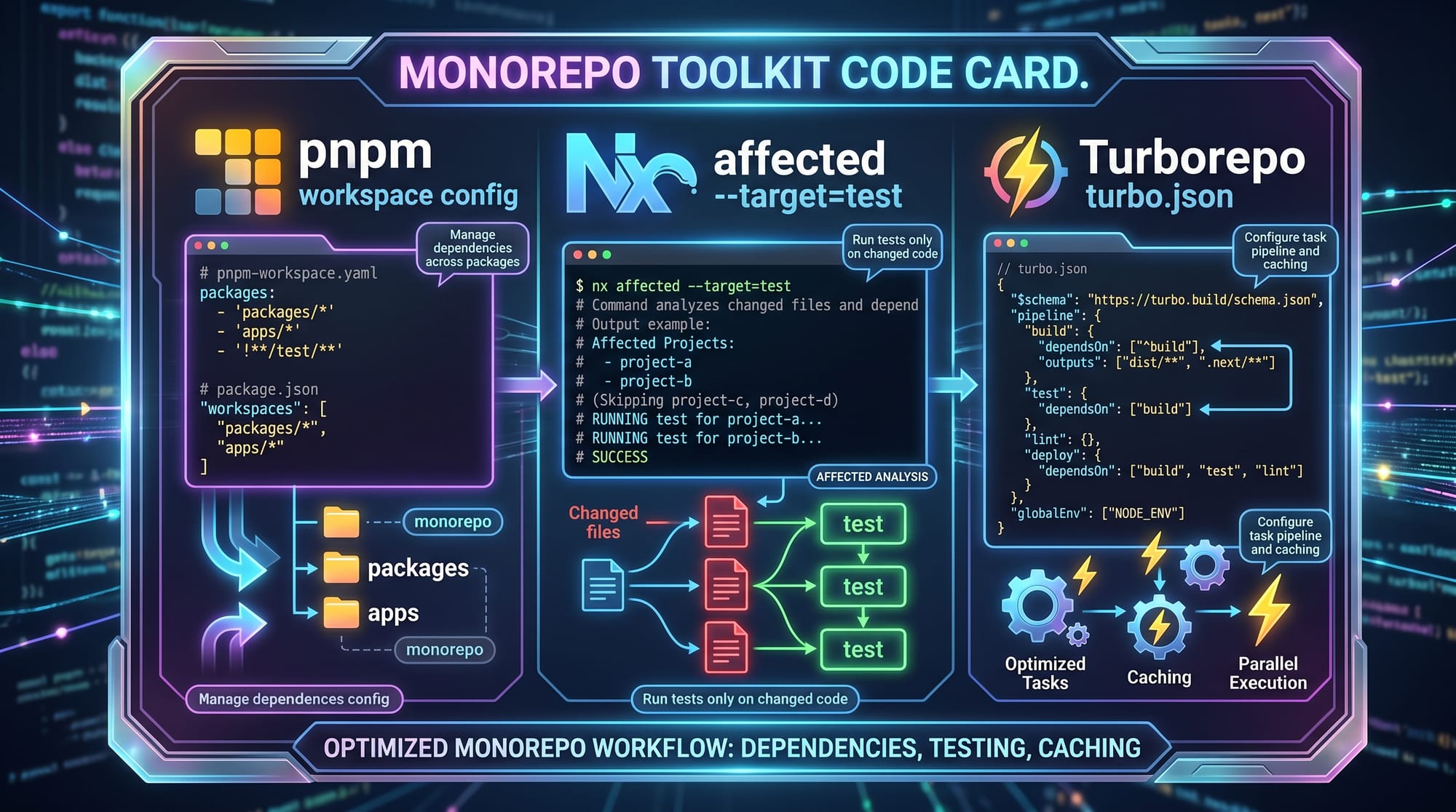
Modern monorepo tools like Nx and Turborepo do more than just organize code — they optimize builds using intelligent systems.
Key ideas:
1. Task Running
Instead of manually running builds for each project:
npm run build
npm run test
You can run:
nx run-many -t build
or with Turborepo:
turbo run build
2. Caching
If code hasn’t changed, Nx/Turbo reuses previous results, saving time.
3. Dependency Graph
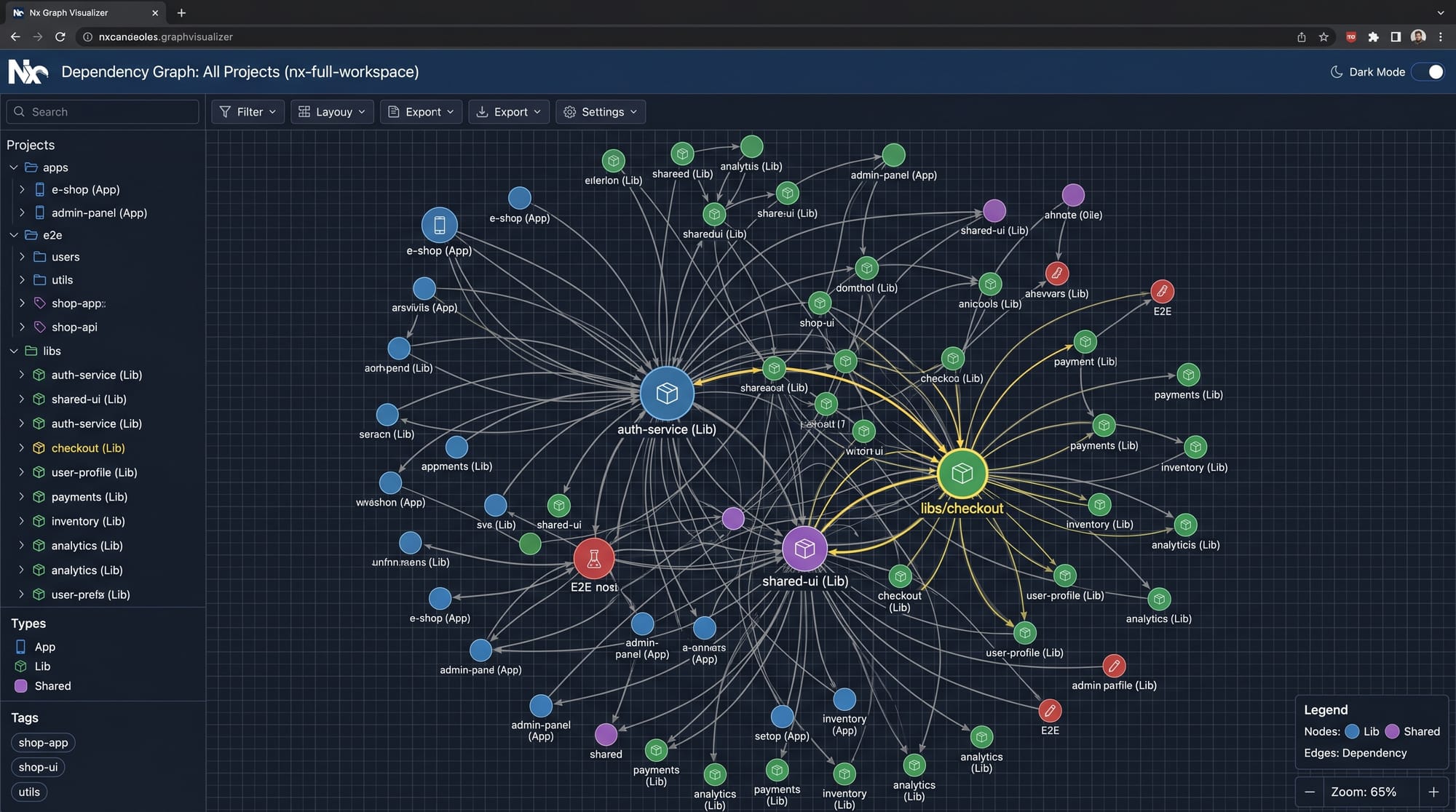
Tools understand how apps depend on each other.
Example:
webdepends onuiapidepends onutils
Practical Code Examples
Example 1: Setting Up a Basic Monorepo with Turborepo
npx create-turbo@latest my-monorepo
cd my-monorepo
pnpm install
Line-by-line explanation:
npx create-turbo@latest my-monorepo
→ Creates a new Turborepo project using the latest template.cd my-monorepo
→ Moves into the project folder.pnpm install
→ Installs all dependencies for all apps and packages.
Now your structure looks like:
apps/
  web/
  docs/
packages/
  ui/
  config/
Example 2: Nx Workspace with React and Node App
npx create-nx-workspace@latest my-nx-workspace
cd my-nx-workspace
Then generate apps:
nx generate @nx/react:app frontend
nx generate @nx/node:app backend
Line-by-line explanation:
npx create-nx-workspace@latest my-nx-workspace
→ Creates a new Nx monorepo workspace.cd my-nx-workspace
→ Enters the workspace directory.nx generate @nx/react:app frontend
→ Creates a React application named “frontend”.nx generate @nx/node:app backend
→ Creates a Node.js backend application.
Run only affected apps:
nx affected -t build
This means only changed projects are rebuilt — extremely useful in large teams.
Common Mistakes & How to Avoid Them
Mistake 1: Not Using Shared Packages Properly
Many beginners copy-paste code instead of using shared libraries.
❌ Bad approach:
- Duplicate UI components in multiple apps
✅ Correct approach:
- Put shared components in
packages/ui
Example fix:
// packages/ui/button.tsx
export function Button() {
  return <button>Click Me</button>;
}
Now use it everywhere:
import { Button } from "@myorg/ui";
Mistake 2: Ignoring Dependency Graph
Some developers manually rebuild everything, ignoring Nx/Turbo intelligence.
❌ Running full builds every time:
npm run build
✅ Better:
nx affected -t build
This only builds what changed, saving time and money.
Practice Exercises
Exercise 1: Create a Shared Utility Library
Problem:
Create a shared function formatPrice() used in both frontend and backend.
Solution:
// packages/utils/formatPrice.ts
export function formatPrice(amount: number) {
  return `PKR ${amount.toFixed(2)}`;
}
Explanation:
export function→ Makes function reusableamount: number→ Ensures numeric inputtoFixed(2)→ Keeps 2 decimal places- Returns formatted Pakistani Rupee string
Exercise 2: Add a New App in Nx Workspace
Problem:
Create a new admin dashboard app.
Solution:
nx generate @nx/react:app admin-dashboard
Explanation:
nx generate→ Creates project automatically@nx/react:app→ Uses React templateadmin-dashboard→ Name of the new app
Now your monorepo includes:
- frontend
- backend
- admin-dashboard
Frequently Asked Questions
What is a monorepo in simple words?
A monorepo is a single repository that contains multiple applications and shared libraries. Instead of separate Git repos, everything lives together for easier collaboration and code sharing.
What is the difference between Nx and Turborepo?
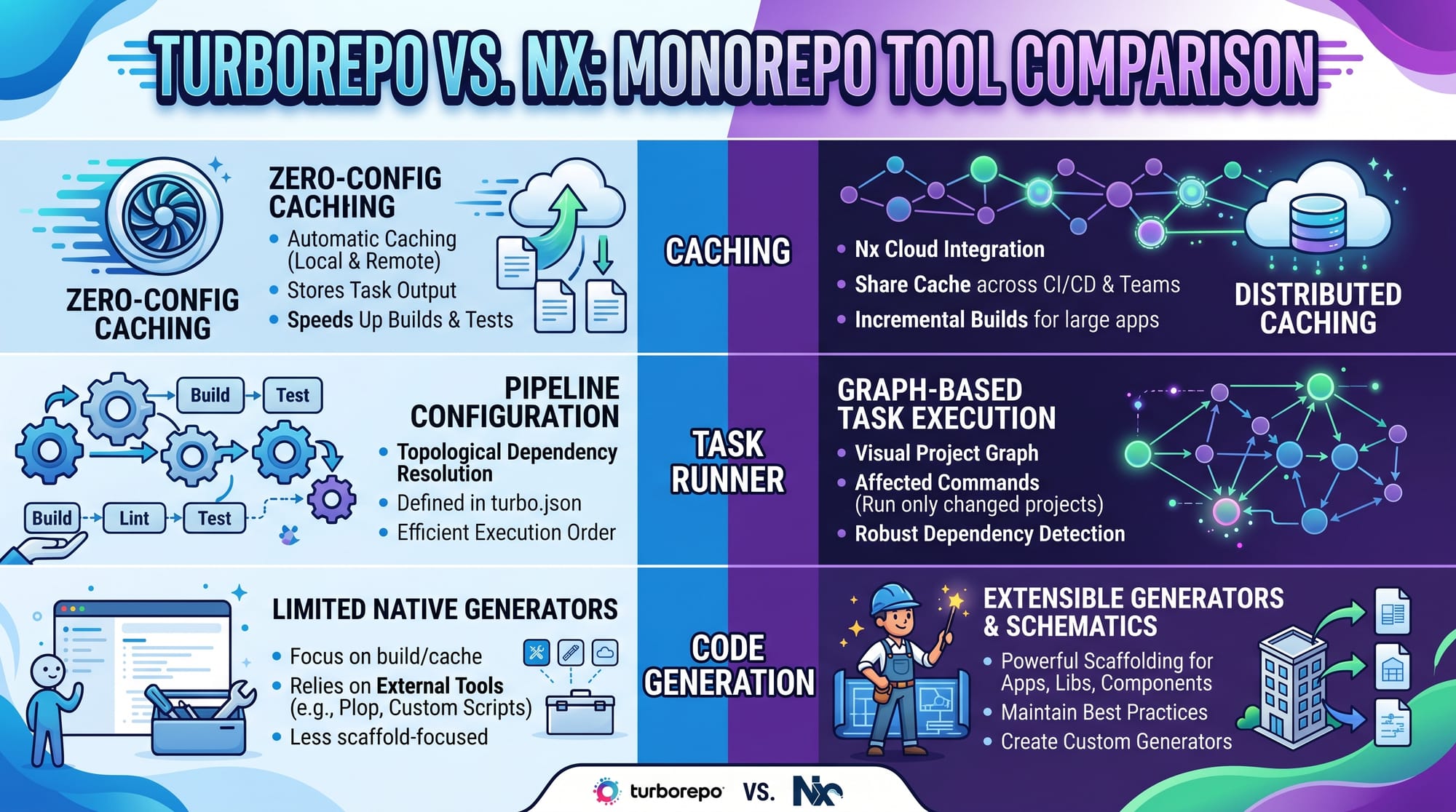
Nx is a full-featured build system with generators, dependency graphs, and advanced tooling, while Turborepo focuses mainly on fast caching and task running. This is a key part of the turborepo vs nx debate.
Which is better for beginners: Nx or Turborepo?
Turborepo is simpler and easier to start with, while Nx is more powerful and better for large enterprise projects. Beginners often start with Turborepo and later move to Nx.
Why do companies use monorepos?
Companies use monorepos to improve collaboration, reuse code, and speed up builds using caching. It also reduces duplication and makes deployment pipelines easier to manage.
Can I use monorepos for freelancing projects?
Yes. Even small freelancing projects in Pakistan can benefit from monorepos if you are building multiple apps (e.g., admin panel + website + API).
Summary & Key Takeaways
- Monorepos store multiple apps in a single repository
- Nx and Turborepo are modern tools for managing monorepos
- Nx offers advanced features like code generation and dependency graphs
- Turborepo focuses on speed and caching simplicity
- Shared packages reduce duplication and improve scalability
- Large teams use monorepos to improve productivity and collaboration
Next Steps & Related Tutorials
To continue learning, explore these tutorials on theiqra.edu.pk:
- Learn more in the Turborepo Tutorial
- Master workspace tools in npm Package Management Guide
- Build scalable apps with Next.js Advanced Patterns
- Understand backend scaling in Node.js Architecture for Beginners
If you want, I can also turn this into a PDF course handout, blog post HTML, or quiz for students.
Test Your Python Knowledge!
Finished reading? Take a quick quiz to see how much you've learned from this tutorial.