Payload CMS Tutorial TypeScript First Headless CMS
Introduction
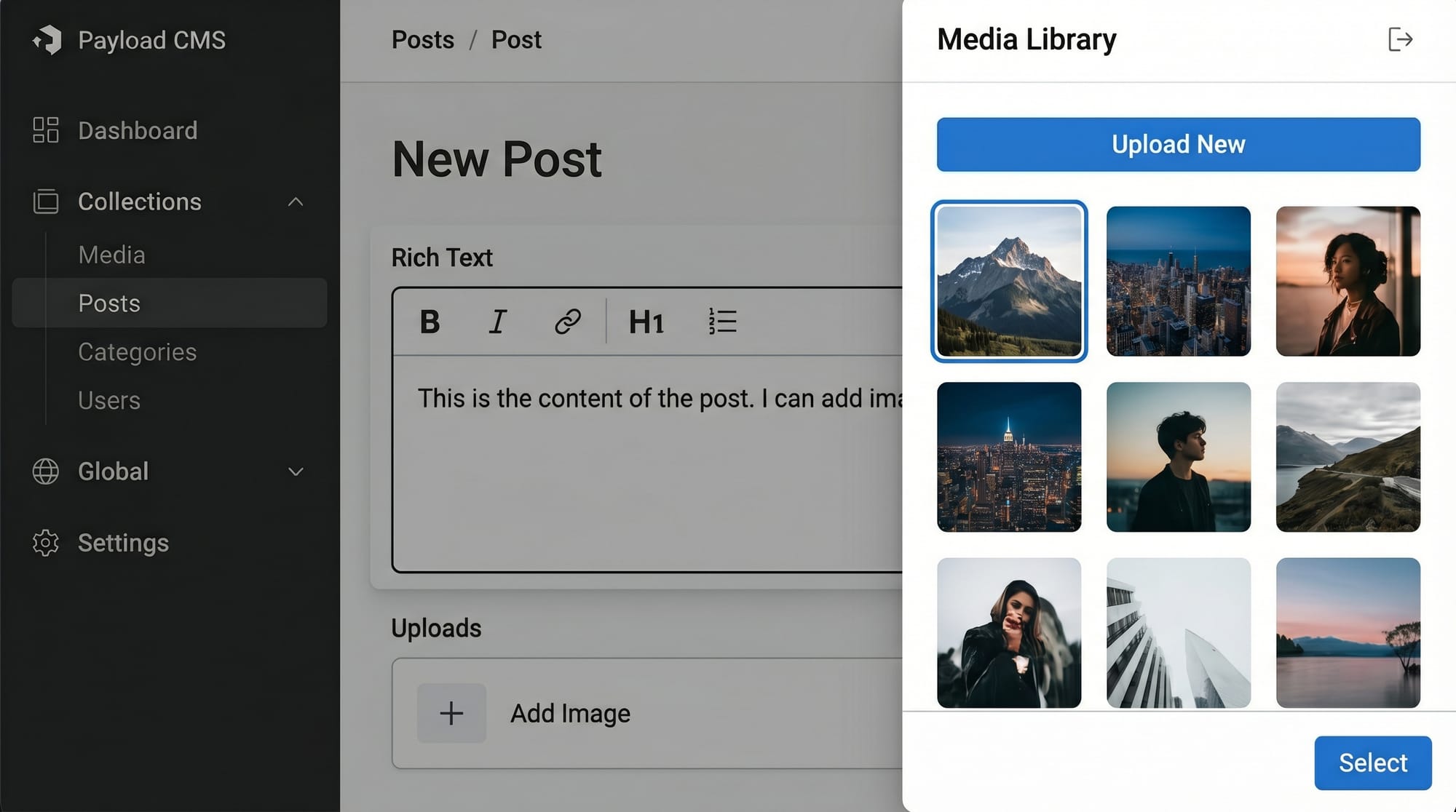
Payload CMS is a modern TypeScript-first headless CMS that allows developers to build scalable content management systems directly inside their full-stack applications. In simple terms, a headless CMS is a backend-only content management system that provides content via APIs, without controlling how the content is displayed on the frontend.
In this payload cms tutorial: typescript-first headless cms, you will learn how Payload CMS works, why it is becoming popular among developers, and how Pakistani students can use it to build real-world projects such as blogs, e-commerce platforms, and educational portals.
Payload CMS is especially powerful because it runs directly in your Node.js application, meaning you don’t need a separate backend service. This makes it perfect for modern frameworks like Next.js, which many Pakistani students are already learning.
For students in Pakistan—whether you're in Lahore, Karachi, or Islamabad—learning Payload CMS can help you build freelance-ready skills and secure remote jobs in international markets.
Prerequisites
Before starting this tutorial, you should have a basic understanding of:
- JavaScript fundamentals (variables, functions, arrays)
- TypeScript basics (interfaces, types, generics)
- Node.js and npm
- Basic REST APIs
- Familiarity with React or Next.js (recommended but not required)
If you are not comfortable with TypeScript yet, it is highly recommended to first go through a TypeScript Basics tutorial on theiqra.edu.pk.
Core Concepts & Explanation
Collections in Payload CMS
Collections are the core building blocks of Payload CMS. They define the structure of your data, similar to tables in a database.
For example, a blog website might have:
- Posts collection
- Users collection
- Comments collection
Each collection is defined using TypeScript, making it highly type-safe and developer-friendly.
Example Structure:
export const Posts = {
  slug: 'posts',
  fields: [
    {
      name: 'title',
      type: 'text',
    },
    {
      name: 'content',
      type: 'richText',
    },
  ],
};
Explanation:
slug: Unique identifier used in API routesfields: Defines the structure of datatitle: A simple text fieldcontent: Rich text field for blog content
Hooks and Lifecycle Events
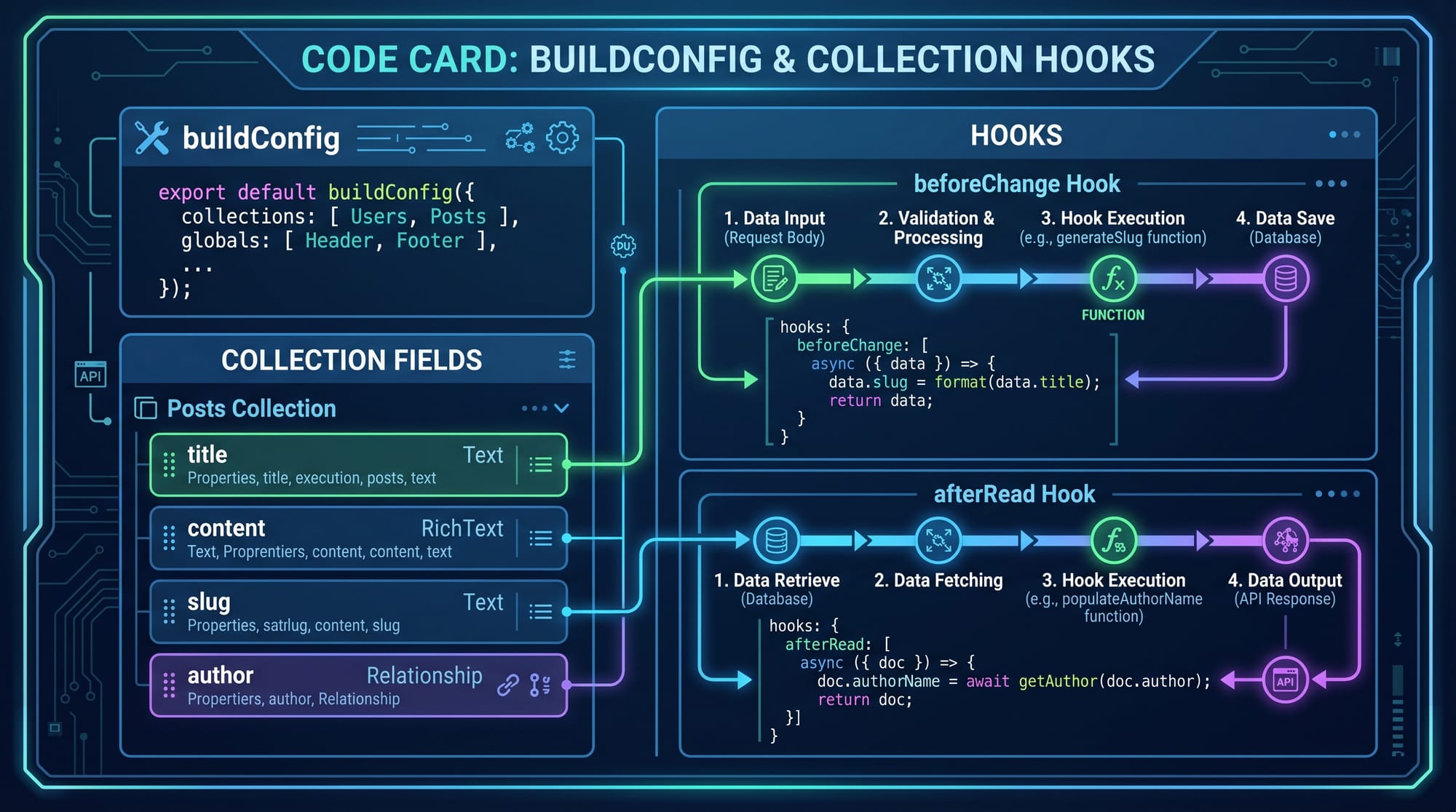
Payload CMS provides hooks that allow you to run logic before or after database operations.
Common hooks include:
- beforeChange
- afterChange
- beforeRead
- afterRead
Example:
hooks: {
  beforeChange: [
    ({ data }) => {
      data.title = data.title.toUpperCase();
      return data;
    },
  ],
}
Explanation:
beforeChange: Runs before saving datadata.title: Accesses incoming data.toUpperCase(): Converts title to uppercase
Access Control (RBAC)
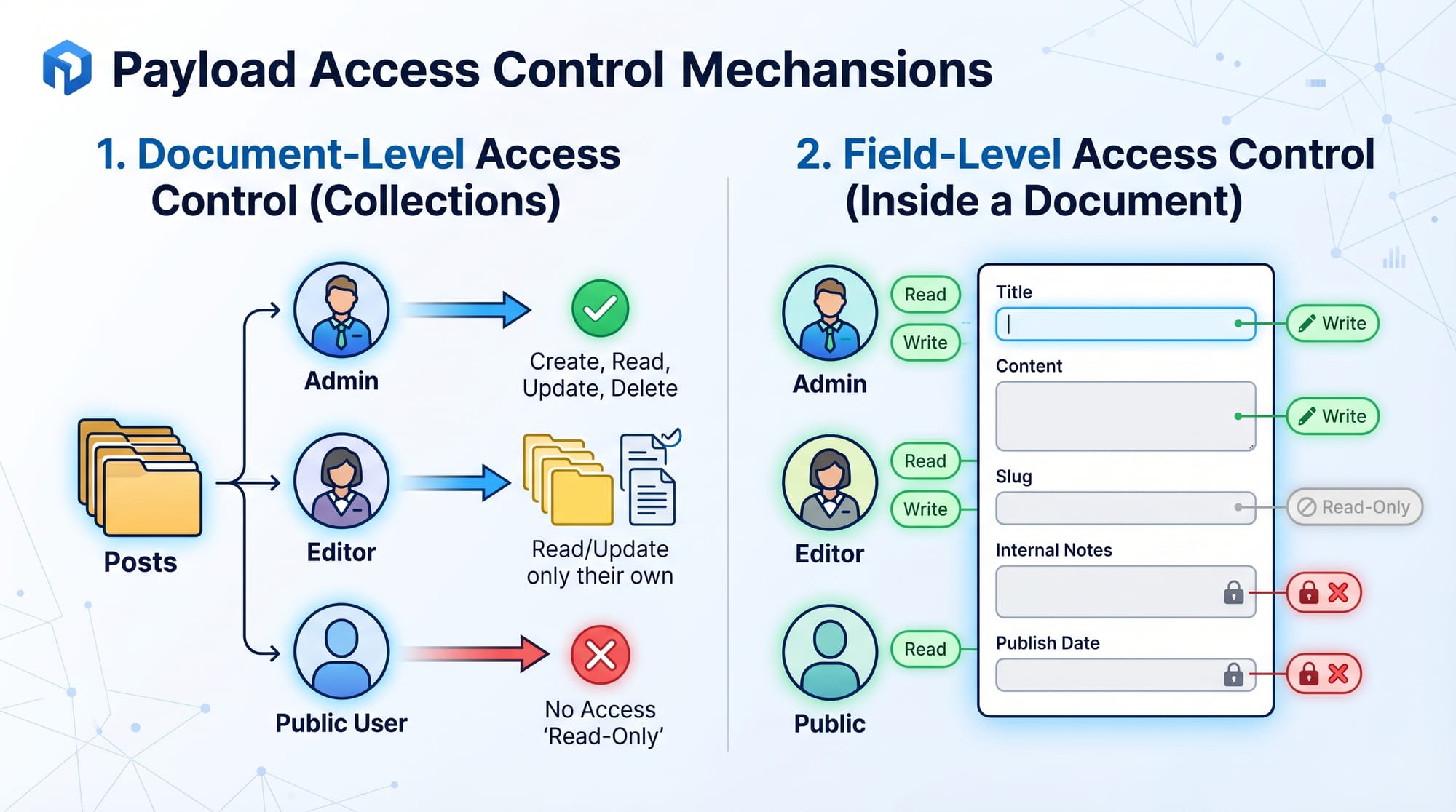
Payload CMS allows you to control who can read, create, update, or delete data.
Example:
- Admin can access everything
- Editors can only modify posts
- Guests can only read public content
This is extremely useful for real-world applications like university portals in Pakistan.
Practical Code Examples
Example 1: Creating a Blog Collection
Code:
import { CollectionConfig } from 'payload/types';

const Posts: CollectionConfig = {
  slug: 'posts',
  admin: {
    useAsTitle: 'title',
  },
  fields: [
    {
      name: 'title',
      type: 'text',
      required: true,
    },
    {
      name: 'body',
      type: 'richText',
    },
  ],
};

export default Posts;
Explanation:
CollectionConfig: TypeScript type for collectionsslug: API endpoint name (/api/posts)admin.useAsTitle: Uses title in admin UIfields: Defines blog structurerequired: true: Makes field mandatory
This example can be used for a blogging platform for a Pakistani student blog like “Ahmad Tech Blog”.
Example 2: Real-World Application (School Portal)
Imagine a school system in Karachi where teachers upload notes and students download them.
const Notes = {
  slug: 'notes',
  fields: [
    {
      name: 'subject',
      type: 'text',
    },
    {
      name: 'file',
      type: 'upload',
      relationTo: 'media',
    },
  ],
};
Explanation:
subject: Name of subject (Math, Physics)file: Upload field for PDFs or imagesrelationTo: Connects to media collection
Common Mistakes & How to Avoid Them
Mistake 1: Not Defining Proper Types
Many beginners forget to properly define field types.
Problem:
fields: [
  { name: 'title' }
]
Fix:
fields: [
  { name: 'title', type: 'text', required: true }
]
Explanation:
Without type definition, Payload cannot validate data correctly.
Mistake 2: Misusing Hooks
Beginners often modify data incorrectly in hooks.
Problem:
Mutating data without returning it properly.
Fix:
Always return modified data:
beforeChange: [
  ({ data }) => {
    return {
      ...data,
      updatedAt: new Date(),
    };
  },
];
Explanation:
Payload requires a returned object for proper data flow.
Practice Exercises
Exercise 1: Create a Student Collection
Problem:
Create a collection called students with:
- name
- roll number
- department
Solution:
const Students = {
  slug: 'students',
  fields: [
    { name: 'name', type: 'text' },
    { name: 'rollNumber', type: 'number' },
    { name: 'department', type: 'text' },
  ],
};
Explanation:
This structure can be used in Pakistani colleges for student management systems.
Exercise 2: Add Timestamp Hook
Problem:
Automatically add createdAt timestamp.
Solution:
hooks: {
  beforeChange: [
    ({ data }) => {
      return {
        ...data,
        createdAt: new Date().toISOString(),
      };
    },
  ],
}
Explanation:
This ensures every record stores creation time automatically.
Frequently Asked Questions
What is Payload CMS used for?
Payload CMS is used to build modern backend systems for websites and applications. It provides APIs, admin UI, and database integration in one package, making it ideal for full-stack developers.
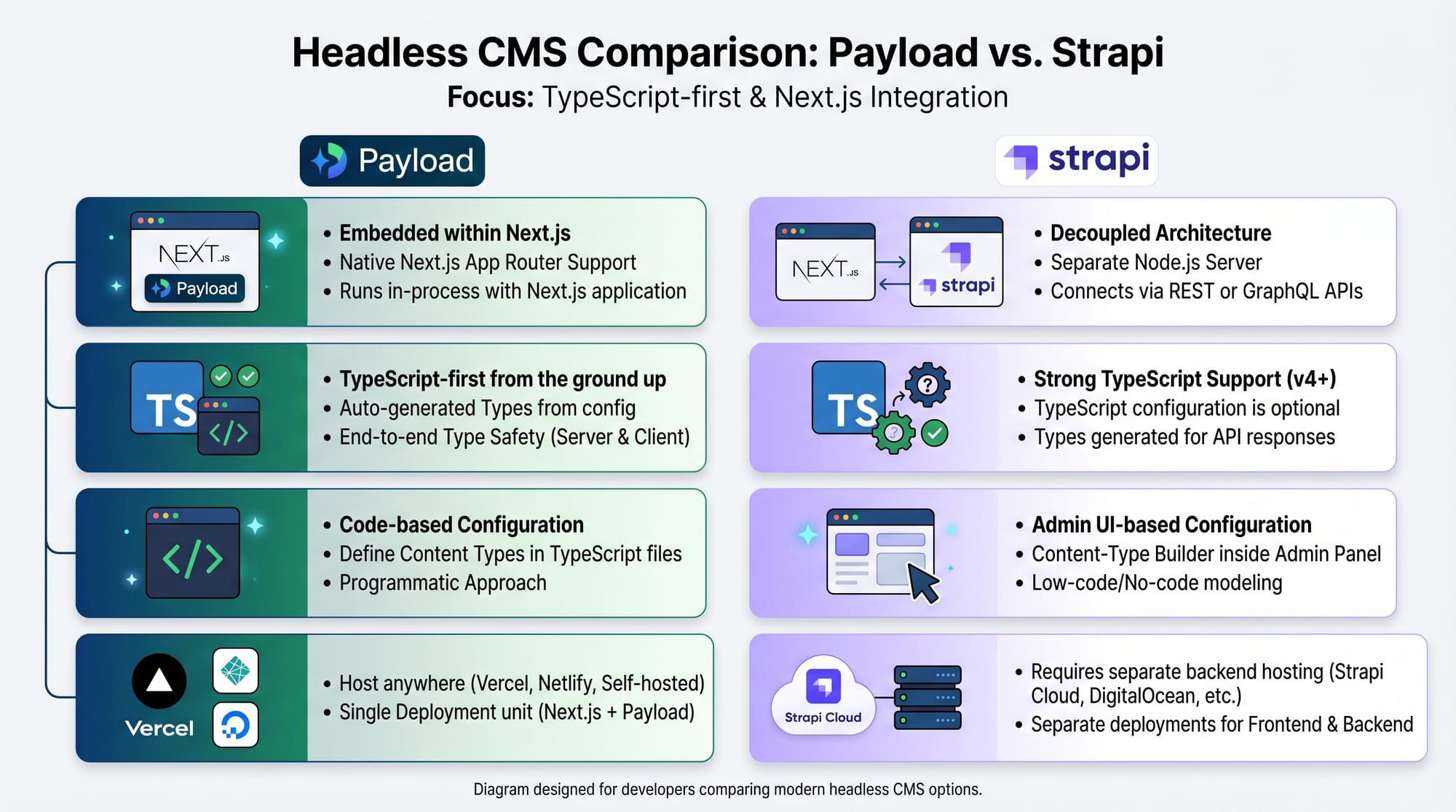
Is Payload CMS better than Strapi?
Payload CMS is more TypeScript-focused and developer-friendly compared to Strapi. It integrates directly into Node.js apps, which makes it ideal for Next.js projects.
Can I use Payload CMS with Next.js?
Yes, Payload CMS works perfectly with Next.js. You can fetch content using REST or GraphQL APIs and render it on the frontend.
Is Payload CMS good for beginners in Pakistan?
Yes, especially for students in Pakistan learning modern web development. It helps build real-world projects like blogs, dashboards, and e-commerce platforms.
Do I need TypeScript for Payload CMS?
Yes, TypeScript is strongly recommended because Payload CMS is built around TypeScript-first architecture, ensuring type safety and better developer experience.
Summary & Key Takeaways
- Payload CMS is a TypeScript-first headless CMS for modern web apps
- It runs inside Node.js applications (no separate backend needed)
- Collections define your data structure
- Hooks allow powerful customization of workflows
- Access control ensures secure applications
- Works seamlessly with Next.js and React
- Highly suitable for Pakistani students building real-world projects
Next Steps & Related Tutorials
To continue learning, explore these tutorials on theiqra.edu.pk:
- Learn TypeScript Basics to strengthen your foundation
- Follow the Next.js Tutorial to build frontend applications
- Read REST API Development Guide for backend integration
- Explore Full Stack E-commerce Project with Next.js
If you want, I can also convert this into a PDF course module, blog-ready HTML page, or a video script for YouTube teaching series for theiqra.edu.pk.
Test Your Python Knowledge!
Finished reading? Take a quick quiz to see how much you've learned from this tutorial.