Python Lists Explained: Creation, Indexing & Methods
Introduction
If you are starting your Python journey — whether you are a student in Lahore preparing for university entrance exams, a fresh graduate in Karachi building your first project, or a self-taught coder in Islamabad exploring the world of programming — Python lists are one of the very first data structures you absolutely must master.
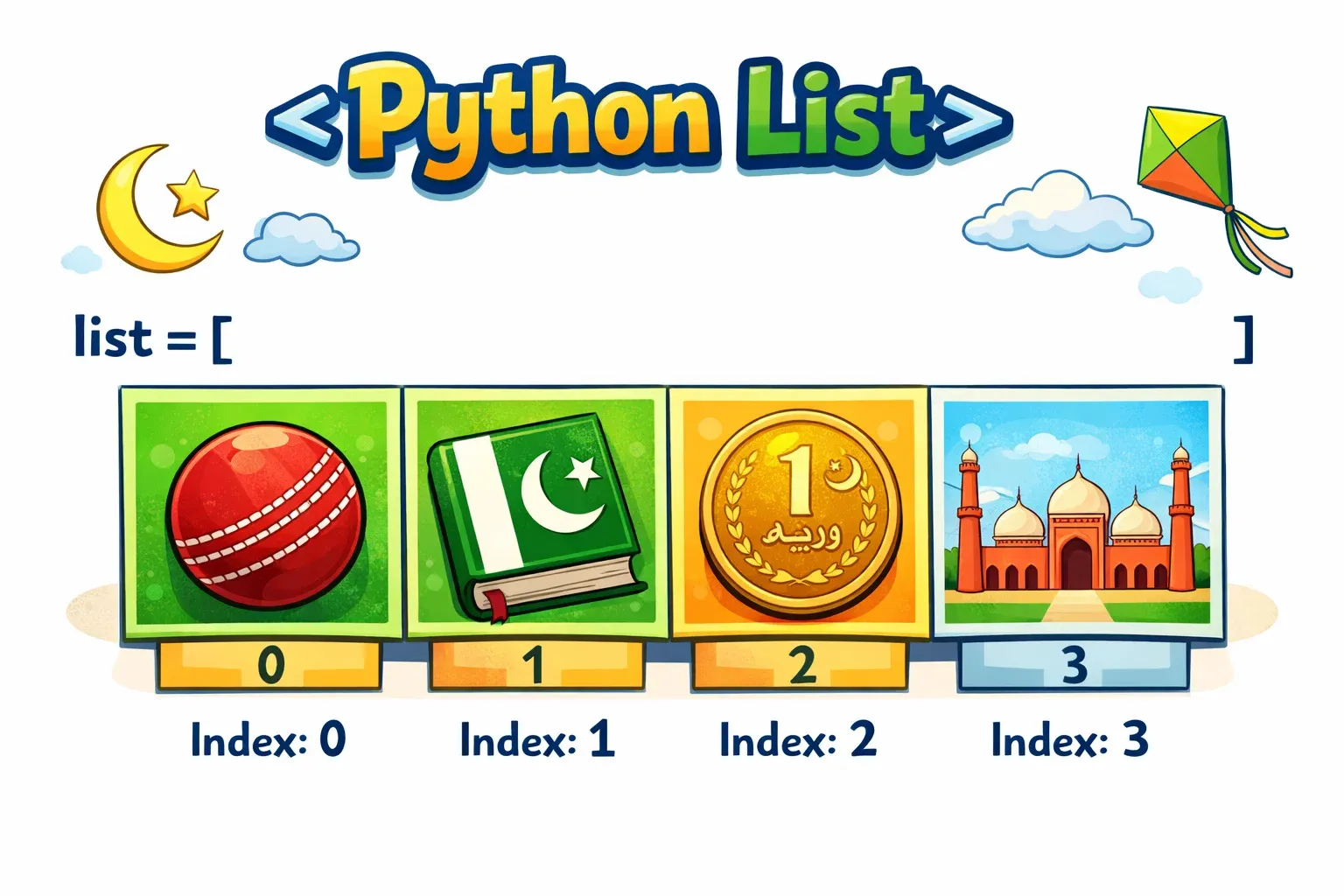
So what is a Python list? Think of it like a grocery list your mother writes before going to the bazaar: it holds multiple items in one place, in a specific order, and you can add to it, remove from it, or look up any item by its position. In programming terms, a list is a built-in Python data structure that stores a collection of items — numbers, strings, or even other lists — in a single, ordered, and mutable (changeable) container.
Why should Pakistani students care about Python lists? Because lists are everywhere in real-world programming. When you build a student grade tracker for your university, store a list of customers in a shop management system, or write a weather app that records temperatures for Karachi across 30 days — you are using lists. They are the backbone of data manipulation in Python, and understanding them deeply will make every future topic — from loops to data science — significantly easier.
By the end of this tutorial, you will know how to create lists, access items using indexing, modify lists, and use powerful built-in list methods like append(), extend(), remove(), and more. Let's get started!
Prerequisites
Before diving into Python lists, make sure you are comfortable with the following concepts. Don't worry — none of these are complicated, and theiqra.edu.pk has tutorials covering each one.
- Python Installation: You should have Python 3.x installed on your computer. If not, check out our Beginner's Guide to Installing Python on Windows.
- Basic Python Syntax: You should know how to write and run a simple Python script, use
print(), and declare variables. - Data Types: A basic understanding of strings (
"hello"), integers (5), and floats (3.14) will help you follow along with the examples. - Python IDLE or a Code Editor: We recommend using VS Code or Thonny. Either works perfectly for these examples.
If you have ticked all of the above, you are ready. Let's go!
Core Concepts & Explanation
What Is a Python List and How to Create One
A Python list is created by placing items inside square brackets [], separated by commas. It is that simple.
# An empty list
empty_list = []

# A list of student names
students = ["Ahmad", "Fatima", "Ali", "Sara"]

# A list of exam scores
scores = [85, 92, 78, 95, 60]

# A mixed list (different data types)
mixed = ["Ahmad", 20, 99.5, True]

# Printing a list
print(students)
Output:
['Ahmad', 'Fatima', 'Ali', 'Sara']
Here is what is happening line by line:
students = ["Ahmad", "Fatima", "Ali", "Sara"]— We create a list calledstudentsthat holds four string values.- Each item is separated by a comma.
- The whole list is wrapped in square brackets.
print(students)outputs the entire list to the screen.
You can also create a list using the built-in list() constructor:
# Using the list() constructor
cities = list(("Lahore", "Karachi", "Islamabad", "Peshawar"))
print(cities)
Output:
['Lahore', 'Karachi', 'Islamabad', 'Peshawar']
Notice the double parentheses — the inner () creates a tuple, and list() converts it into a list.
Key properties of Python lists:
- Ordered: Items stay in the order you put them in.
- Mutable: You can change, add, or remove items after creation.
- Allow duplicates: The same value can appear more than once.
- Can hold mixed types: Strings, integers, floats, booleans — all in one list.
List Indexing and Slicing
Once you have a list, you need to be able to access individual items. This is done through indexing. Python uses zero-based indexing, which means the first item is at index 0, not 1. This trips up many beginners, so pay close attention!
students = ["Ahmad", "Fatima", "Ali", "Sara", "Hassan"]

# Accessing items by index
print(students[0])   # First item
print(students[1])   # Second item
print(students[4])   # Fifth item (last in this list)
Output:
Ahmad
Fatima
Hassan
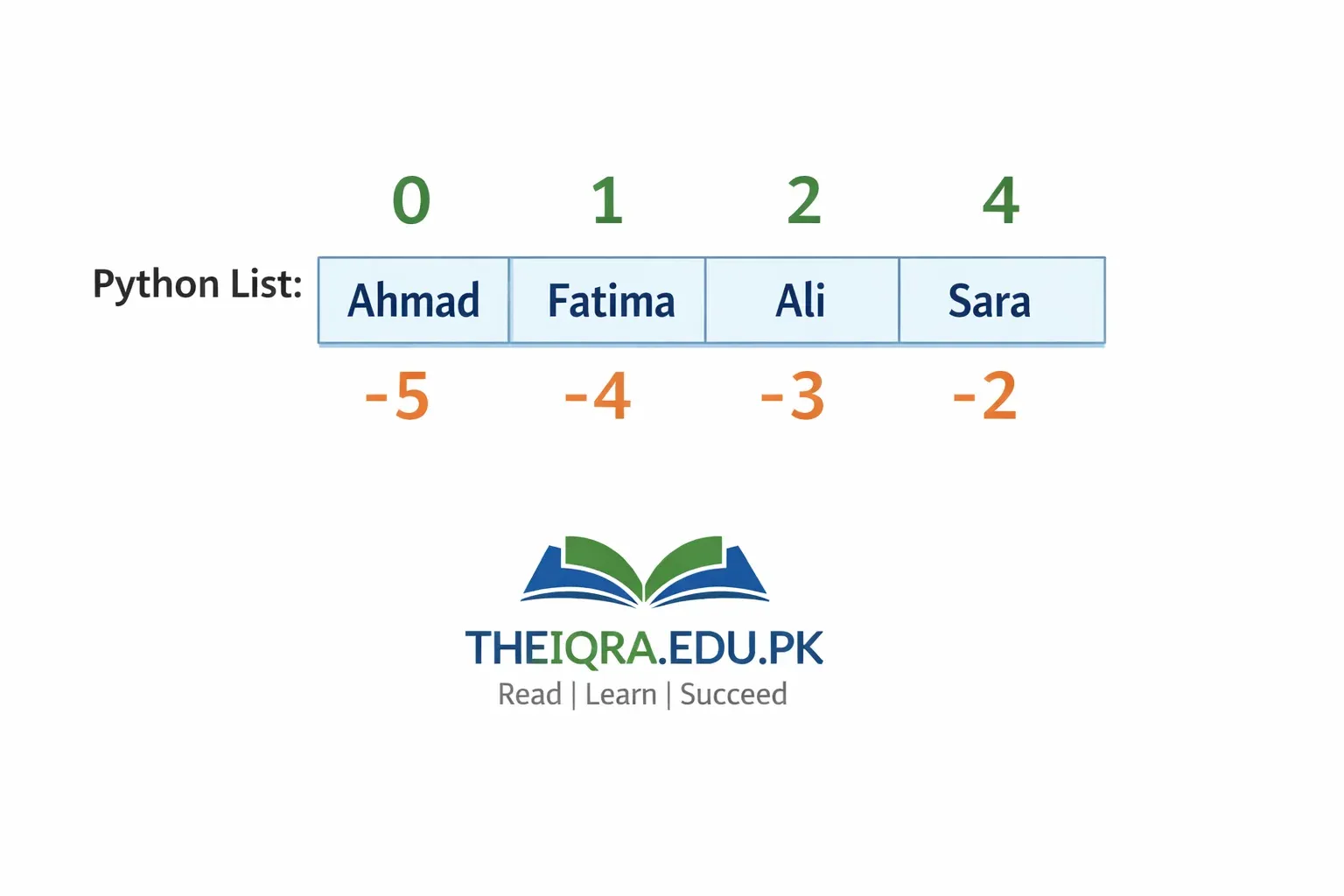
Negative Indexing is a beautiful Python feature that lets you count from the end of the list:
students = ["Ahmad", "Fatima", "Ali", "Sara", "Hassan"]

print(students[-1])   # Last item
print(students[-2])   # Second to last
print(students[-5])   # Same as students[0]
Output:
Hassan
Sara
Ahmad
Think of it like a queue at a bank in Lahore: index 0 is the first person at the front, and index -1 is the last person at the back.
List Slicing lets you grab a portion (a sub-list) of your list using the syntax list[start:stop:step]:
scores = [85, 92, 78, 95, 60, 88, 73]

# Items from index 1 to 3 (stop index is NOT included)
print(scores[1:4])

# From the beginning up to index 3
print(scores[:3])

# From index 4 to the end
print(scores[4:])

# Every second item
print(scores[::2])

# Reverse the list
print(scores[::-1])
Output:
[92, 78, 95]
[85, 92, 78]
[60, 88, 73]
[85, 78, 60, 73]
[73, 88, 60, 95, 78, 92, 85]
The rule for slicing is: start is included, stop is excluded. So scores[1:4] gives items at index 1, 2, and 3 — not 4.
Practical Code Examples
Example 1: Building a Student Grade Tracker
Let's build a simple grade tracker for a class at a Pakistani school. We will create a list, access grades, modify them, and display results.
# Step 1: Create a list of student grades (out of 100)
grades = [75, 88, 62, 95, 81, 70, 55, 90]

# Step 2: Find the number of students
total_students = len(grades)
print("Total students:", total_students)

# Step 3: Access the highest and lowest grade using indexing
grades_sorted = sorted(grades)
print("Lowest grade:", grades_sorted[0])
print("Highest grade:", grades_sorted[-1])

# Step 4: Calculate the class average
total_marks = sum(grades)
average = total_marks / total_students
print("Class average: {:.2f}".format(average))

# Step 5: Add a new student's grade
grades.append(84)
print("Updated grades list:", grades)

# Step 6: Check if a specific grade is in the list
if 95 in grades:
    print("Top scorer found in the class!")
Output:
Total students: 8
Lowest grade: 55
Highest grade: 95
Class average: 77.00
Updated grades list: [75, 88, 62, 95, 81, 70, 55, 90, 84]
Top scorer found in the class!
Line-by-line explanation:
grades = [75, 88, 62, 95, 81, 70, 55, 90]— Creates a list of eight integer grades.len(grades)— Thelen()function returns the number of items in the list.sorted(grades)— Returns a new list sorted in ascending order (does not modify the original).grades_sorted[0]— Accesses the first (smallest) item.grades_sorted[-1]— Accesses the last (largest) item.sum(grades)— Adds up all values in the list.grades.append(84)— Adds84to the end of the list.95 in grades— Checks if95exists anywhere in the list. ReturnsTrueorFalse.
Example 2: Real-World Application — Monthly Budget Tracker in PKR
Here is a real-world scenario: Fatima is a university student in Islamabad tracking her monthly expenses in Pakistani Rupees. She wants to manage her budget using Python lists.
# Monthly expenses in PKR
expense_names = ["Rent", "Food", "Transport", "Books", "Internet", "Clothing"]
expense_amounts = [15000, 8500, 3200, 2000, 1500, 4000]

# Display all expenses neatly
print("=== Monthly Budget Tracker ===")
for i in range(len(expense_names)):
    print(f"{expense_names[i]}: PKR {expense_amounts[i]:,}")

# Total monthly spending
total = sum(expense_amounts)
print(f"\nTotal Monthly Expenses: PKR {total:,}")

# Monthly allowance
allowance = 40000
savings = allowance - total
print(f"Monthly Allowance: PKR {allowance:,}")
print(f"Savings This Month: PKR {savings:,}")

# Add a new expense
expense_names.append("Mobile Recharge")
expense_amounts.append(500)
print(f"\nNew expense added. Total items: {len(expense_names)}")

# Remove the clothing expense (index 5)
expense_names.pop(5)
expense_amounts.pop(5)
print("Clothing expense removed.")
print("Updated expense categories:", expense_names)
Output:
=== Monthly Budget Tracker ===
Rent: PKR 15,000
Food: PKR 8,500
Transport: PKR 3,200
Books: PKR 2,000
Internet: PKR 1,500
Clothing: PKR 4,000

Total Monthly Expenses: PKR 34,200
Monthly Allowance: PKR 40,000
Savings This Month: PKR 5,800

New expense added. Total items: 7
Clothing expense removed.
Updated expense categories: ['Rent', 'Food', 'Transport', 'Books', 'Internet', 'Mobile Recharge']
Line-by-line explanation:
- Two parallel lists store expense names and amounts — a common pattern in beginner Python.
for i in range(len(expense_names))— Loops through each index to print corresponding name and amount.f"{expense_amounts[i]:,}"— The:,format specifier adds comma separators (e.g.,15,000).sum(expense_amounts)— Calculates total spending..append()— Adds new items to both lists at the end..pop(5)— Removes the item at index5(Clothing in this case) and returns it.
Common Mistakes & How to Avoid Them
Mistake 1: Index Out of Range Error
This is the most common beginner mistake. It happens when you try to access an index that does not exist in the list.
# WRONG — This will crash!
fruits = ["mango", "guava", "banana"]
print(fruits[3])   # Error! Index 3 does not exist (valid: 0, 1, 2)
Error:
IndexError: list index out of range
How to fix it: Always remember that a list with n items has valid indices from 0 to n-1. Use len() to check the size before accessing.
# CORRECT
fruits = ["mango", "guava", "banana"]
last_index = len(fruits) - 1   # This is 2
print(fruits[last_index])       # Safely prints "banana"

# Or simply use negative indexing
print(fruits[-1])   # Also prints "banana"
Pro tip: Before accessing an index, ask yourself: does this list have at least index + 1 items?
Mistake 2: Confusing append() and extend()
Many beginners use append() when they mean extend(), and this leads to unexpected nested lists.
# WRONG — append() adds the entire list as a single item
team_a = ["Ahmad", "Ali"]
team_b = ["Fatima", "Sara"]
team_a.append(team_b)
print(team_a)
Output (not what you wanted!):
['Ahmad', 'Ali', ['Fatima', 'Sara']]
The list team_b was added as a single nested item, not as individual elements.
# CORRECT — extend() merges the two lists properly
team_a = ["Ahmad", "Ali"]
team_b = ["Fatima", "Sara"]
team_a.extend(team_b)
print(team_a)
Output (correct!):
['Ahmad', 'Ali', 'Fatima', 'Sara']
The rule:
- Use
append(item)to add one single item (any type) to the end. - Use
extend(iterable)to add all items from another list (or iterable) to the end.
Practice Exercises
Exercise 1: Cricket Score Manager
Problem: Ali is tracking the cricket scores of Pakistan's top 5 batsmen in a match. Write a Python program that:
- Stores the scores in a list:
[45, 82, 30, 67, 110] - Prints the total runs scored by the team.
- Prints the highest individual score.
- Adds a new batsman score of
55to the list. - Prints the updated list.
Solution:
# Cricket Score Manager

# Step 1: Store scores
batsman_scores = [45, 82, 30, 67, 110]

# Step 2: Total runs
total_runs = sum(batsman_scores)
print("Total team runs:", total_runs)

# Step 3: Highest score
highest = max(batsman_scores)
print("Highest individual score:", highest)

# Step 4: Add a new score
batsman_scores.append(55)
print("New batsman added.")

# Step 5: Print updated list
print("Updated scores:", batsman_scores)
Output:
Total team runs: 334
Highest individual score: 110
New batsman added.
Updated scores: [45, 82, 30, 67, 110, 55]
Exercise 2: City Population Sorter
Problem: You have a list of Pakistani cities and their approximate populations (in millions): Karachi (16.1), Lahore (13.1), Faisalabad (3.6), Rawalpindi (2.3), Islamabad (1.1). Write a program that:
- Stores city names in one list and populations in another.
- Prints cities and populations together.
- Sorts the population list in descending order and prints it.
- Removes Rawalpindi from the cities list and its matching population.
Solution:
# City Population Sorter

# Step 1: Create parallel lists
cities = ["Karachi", "Lahore", "Faisalabad", "Rawalpindi", "Islamabad"]
populations = [16.1, 13.1, 3.6, 2.3, 1.1]  # in millions

# Step 2: Print together
print("=== Pakistani City Populations ===")
for i in range(len(cities)):
    print(f"{cities[i]}: {populations[i]} million")

# Step 3: Sort populations descending
sorted_pop = sorted(populations, reverse=True)
print("\nPopulations (descending):", sorted_pop)

# Step 4: Remove Rawalpindi (index 3)
cities.pop(3)
populations.pop(3)
print("\nAfter removing Rawalpindi:")
print("Cities:", cities)
print("Populations:", populations)
Output:
=== Pakistani City Populations ===
Karachi: 16.1 million
Lahore: 13.1 million
Faisalabad: 3.6 million
Rawalpindi: 2.3 million
Islamabad: 1.1 million

Populations (descending): [16.1, 13.1, 3.6, 2.3, 1.1]

After removing Rawalpindi:
Cities: ['Karachi', 'Lahore', 'Faisalabad', 'Islamabad']
Populations: [16.1, 13.1, 3.6, 1.1]
Frequently Asked Questions
What is the difference between a Python list and a tuple?
A Python list is mutable, meaning you can add, remove, or change its items after creation. A tuple (written with round brackets, e.g., (1, 2, 3)) is immutable — once created, it cannot be changed. Lists are used when your data will change over time, while tuples are used for fixed collections of data. For most beginner projects, you will use lists far more often than tuples.
How do I find the length of a Python list?
You use the built-in len() function. For example, len(["Ahmad", "Fatima", "Ali"]) returns 3. This is one of the most commonly used functions when working with lists, especially inside loops. Always remember that the last valid index is len(list) - 1, since indexing starts at zero.
How do I remove an item from a Python list?
Python gives you three main ways to remove items. Use list.remove(value) to remove the first occurrence of a specific value. Use list.pop(index) to remove an item at a specific index (or the last item if no index is given). Use del list[index] to delete an item by index using Python's del keyword. For example, students.remove("Ali") removes "Ali" from the list, while students.pop(0) removes the first student.
How do I check if an item exists in a Python list?
Use the in keyword, which returns True or False. For example: if "Lahore" in cities: print("Found!"). This is a clean and Pythonic way to search a list without writing a full loop. You can also use not in to check the opposite — for instance, if "Quetta" not in cities: print("Not in list").
Can a Python list contain another list inside it?
Yes! This is called a nested list and it is perfectly valid in Python. For example, classroom = [["Ahmad", 85], ["Fatima", 92], ["Ali", 78]] creates a list where each item is itself a list of a student's name and score. You access nested items using double indexing: classroom[0][1] gives you 85 (Ahmad's score). Nested lists are the foundation of 2D data structures like matrices and tables.
Summary & Key Takeaways
Here is a quick recap of everything you learned in this tutorial:
- Lists are ordered, mutable collections in Python, created with square brackets
[], and they can hold mixed data types including strings, numbers, and even other lists. - Indexing starts at zero — the first item is at index
0, and you can use negative indices like-1to access items from the end of the list. - Slicing (
list[start:stop:step]) lets you extract a sub-list. Remember that thestopindex is never included in the result. - Key list methods include
append()(add one item),extend()(merge another list),remove()(delete by value),pop()(delete by index),sort()(sort in place), andlen()(get the count) — mastering these gives you powerful control over your data. append()vsextend()is a critical distinction:append()adds a single object (even if it is a list, it becomes one nested item), whileextend()unpacks and merges each element individually.- Practice is everything — the more you build real projects like grade trackers, budget managers, and score boards, the more naturally list operations will come to you.
Next Steps & Related Tutorials
Now that you are comfortable with Python lists, it is time to go deeper! Here are the best tutorials to read next on theiqra.edu.pk:
- Python Loops Explained: for and while Loops with Examples — Lists and loops are best friends. Learn how to iterate over every item in a list using
forloops, and build more powerful programs. - Python Dictionaries: Key-Value Pairs for Beginners — Once you master lists, dictionaries are the next essential data structure. Perfect for storing student records, product inventories, and more.
- List Comprehensions in Python: Write Cleaner Code Faster — A powerful one-liner technique for creating and transforming lists. Every intermediate Python developer uses this daily.
- Python Functions: Writing Reusable Code — Learn how to wrap your list operations inside reusable functions — a major step toward writing professional Python programs.
Test Your Python Knowledge!
Finished reading? Take a quick quiz to see how much you've learned from this tutorial.